AI Colorize Photo Free
Turn black and white photos to color instantly with our free AI photo colorizer. Colorize old family photos, historical images, and vintage photographs. No signup required.
Colorize Photo FreeColorize Your Black and White Photo
Upload your black and white photo and let our AI photo colorizer add realistic, natural colors automatically. Works with old family photos, historical images, and any grayscale picture.
Colorize Image with AI
Transform your black and white photos into colorized images using this online tool built by AIFREEFOREVER. Upload your image and watch it come to life with realistic colors.
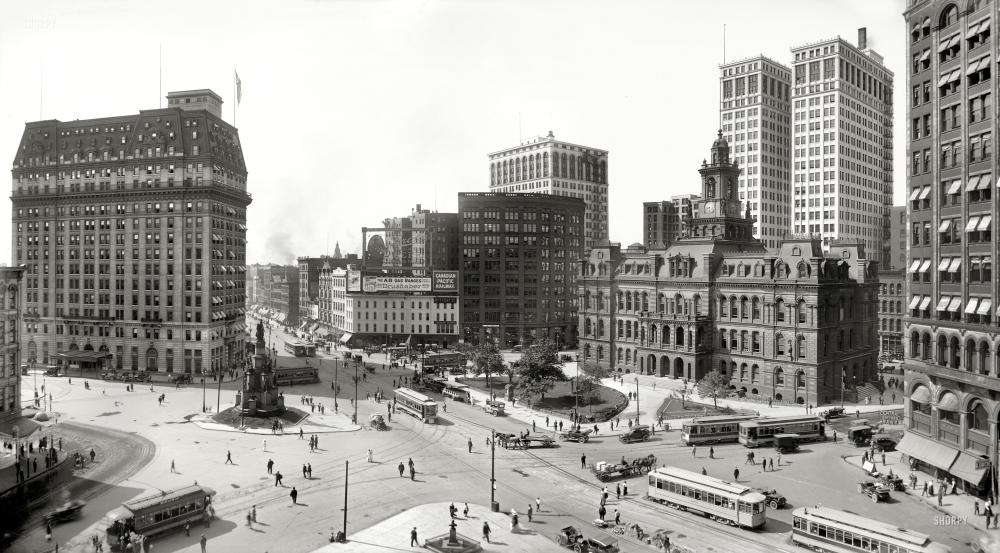
Before
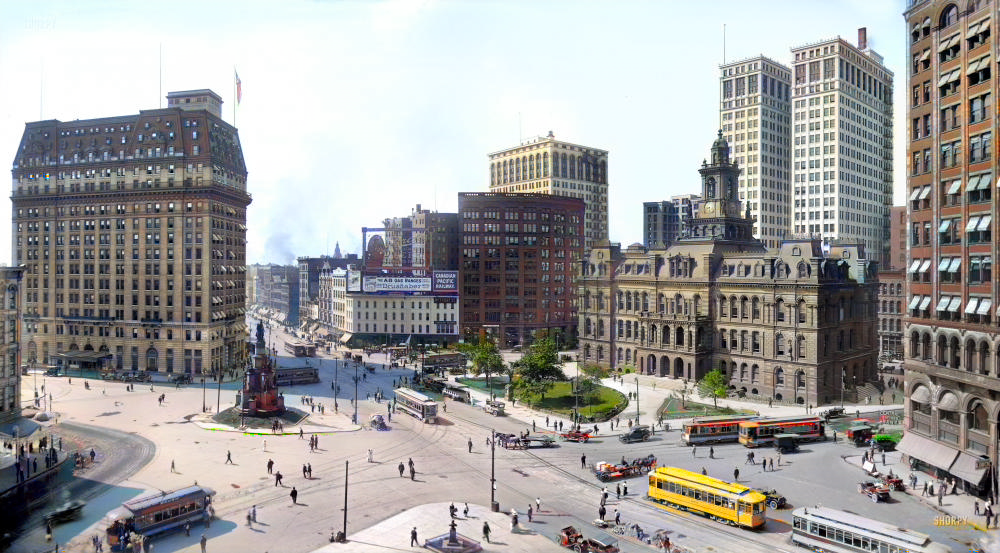
After
Trusted by Thousands
Our AI colorize photo tool is used by families, historians, and photo enthusiasts worldwide to bring black and white memories to life.
30,000+
Users Monthly
150,000+
Photos Colorized
Powered by advanced AI colorization technology
What is AI Photo Colorization?
AI photo colorization is the process of using artificial intelligence to add realistic color to black and white photographs. Instead of manually painting colors pixel by pixel, AI analyzes the image content, recognizes objects, people, landscapes, and clothing, then applies historically and contextually accurate colors automatically.
Our free AI colorize photo tool uses deep learning models trained on millions of color photographs to understand what colors belong where. The AI recognizes skin tones, sky colors, vegetation, fabric patterns, and countless other elements to produce natural-looking colorized photos.
Whether you want to colorize old family photos, restore historical images, or bring vintage photographs to life, our AI photo colorizer delivers impressive results in seconds - completely free with no signup required.
Try AI Colorize Photo FreeHow it works
How to Turn Black and White Photo to Color
Upload your black and white photo
Upload the black and white or grayscale photo you want to colorize. Our AI colorize photo tool accepts JPG, PNG, and WebP formats. Works with scanned old photos, digital images, and historical photographs.
AI analyzes your image
Our AI photo colorizer automatically analyzes the image content, identifying people, objects, backgrounds, and textures. It determines appropriate colors based on context and learned patterns from millions of photos.
Colors are applied automatically
The AI applies realistic colors throughout the image - natural skin tones, accurate sky blues, proper vegetation greens, and contextually appropriate clothing colors. No manual selection needed.
Download your colorized photo
Preview the before and after comparison, then download your newly colorized photo in high resolution. Share with family, print for display, or use in photo albums and projects.
How to Colorize a Black and White Photo
Colorizing black and white photos used to require hours of painstaking manual work in Photoshop, carefully painting each element by hand. With AI colorization, the process is now automatic and takes seconds. Here's what makes our colorize photo AI tool so effective:
Intelligent Object Recognition
The AI identifies what's in your photo - faces, sky, grass, clothing, buildings, vehicles - and applies appropriate colors to each element. It knows that sky is typically blue, grass is green, and skin has natural tones.
Context-Aware Coloring
Our AI photo colorizer considers context. A military uniform gets era-appropriate colors. Indoor scenes get warmer lighting. Outdoor photos get natural sunlight tones. The AI understands photographic context.
Natural Color Blending
Colors blend naturally without harsh edges or obvious boundaries. The AI creates smooth transitions between different colored areas, resulting in photos that look naturally colorful rather than artificially painted.
Historical Accuracy
For older photos, the AI applies historically plausible colors. 1940s fashion gets period-appropriate tones. Vintage cars get accurate paint colors. The colorization respects the era of the original photograph.
Types of Photos You Can Colorize
Our AI colorize photo tool works with all types of black and white images. Whether you have old family photos, historical documents, or vintage photographs, the AI adds realistic color to bring them to life.
Personal and Family Photos
Portrait Photos
Individual portraits
Family Photos
Group family pictures
Wedding Photos
Vintage wedding shots
Baby Photos
Childhood memories
Historical Images
War Photos
Military history
City Scenes
Historical cityscapes
Famous People
Historical figures
Events
Historical moments
Vintage Photography
1800s Photos
Victorian era images
1900s-1950s
Early-mid century
Film Noir
Classic cinema stills
Vintage Cars
Classic automobiles
Other Image Types
Landscapes
Nature and scenery
Architecture
Buildings and structures
Old Documents
Papers and records
Artwork
Black and white art
Why Use Our Free AI Photo Colorizer?
Completely Free with No Signup
Our AI colorize photo tool is 100% free with no signup required. No account creation, no email verification, no credit card - just upload and colorize immediately.
No Limits on Colorization
Colorize unlimited black and white photos without restrictions. Many tools limit free users to a few images. We believe everyone should be able to bring their old photos to life.
Realistic Color Results
Our AI photo colorizer produces natural, realistic colors that look authentic. Skin tones are accurate, landscapes are vivid, and clothing colors are contextually appropriate.
Fast Processing
Colorize photos in seconds, not minutes. Our optimized AI processes images quickly so you can see results almost instantly and colorize multiple photos efficiently.
High-Quality Output
Download colorized photos in high resolution suitable for printing, sharing, and archiving. No watermarks, no quality reduction - full resolution colorized images.
Works on Any Device
Our AI colorize photo tool runs in your browser on any device - Windows, Mac, iPhone, Android, tablet. No software installation needed.
Who Uses AI Photo Colorization?
Families Preserving Memories
Bring old family photos to life for reunions, anniversaries, and heritage projects. See grandparents and ancestors in color for the first time.
Genealogy Researchers
Enhance family history research by colorizing historical photos. Create more engaging family trees and heritage documents with colorized ancestor images.
Historians and Educators
Make historical images more relatable and engaging for students and readers. Colorized historical photos help people connect with the past.
Documentary Filmmakers
Colorize archival footage and photos for documentaries. Create visually consistent narratives by bringing black and white material into color.
Photo Restoration Services
Offer colorization as part of photo restoration services. Quickly colorize client photos before detailed retouching and enhancement work.
History Enthusiasts
Explore historical photos in color for personal interest. See famous historical moments and figures as they would have appeared in real life.
Tips for Best Colorization Results
Use High-Quality Source Images
The better your original black and white photo quality, the better the colorization results. Scan old photos at high resolution (300 DPI or higher) for best results. Clear, sharp images colorize better than blurry ones.
Clean Up Before Colorizing
If your old photo has scratches, stains, or damage, consider using our photo restoration tool first. Restored photos colorize more cleanly than damaged ones.
Ensure Good Contrast
Photos with clear contrast between light and dark areas colorize better. If your photo is very faded, slightly increasing contrast before uploading can improve results.
Try Multiple Times
AI colorization can produce slightly different results each time. If you're not satisfied with the first result, try colorizing again - you might get colors you prefer on another attempt.
Remove the Background After Colorizing
Once your photo is colorized, you can use our free background remover to cut out the subject and place it over any background for use in design projects, prints, or digital composites.
Join Families Using AI Free Forever
See what users are saying about our AI colorize photo tool and other free AI image tools.
AI Colorize Photo FAQ
What is AI photo colorization?
AI photo colorization is the process of using artificial intelligence to add realistic color to black and white photographs. The AI analyzes image content, recognizes objects and people, then applies contextually accurate colors automatically - no manual painting required.
Is this AI colorize photo tool free?
Yes, our AI colorize photo tool is completely free with no signup required. Colorize unlimited black and white photos without payment, watermarks, or restrictions.
How do I turn a black and white photo to color?
To turn a black and white photo to color, upload your image to our AI photo colorizer. The AI automatically analyzes and adds realistic colors in seconds. Download the result - no manual color selection or editing skills needed.
How to colorize a black and white photo?
To colorize a black and white photo: 1) Upload your grayscale image, 2) Wait seconds for AI processing, 3) Preview the colorized result, 4) Download your newly colorized photo. Our AI handles all color application automatically.
Can AI colorize photos accurately?
Yes, modern AI can colorize photos with impressive accuracy. Our AI photo colorizer is trained on millions of images to understand context and apply historically appropriate colors. While not 100% perfect, results are remarkably realistic for most photos.
What file formats are supported?
Our AI colorize photo tool supports JPG, PNG, and WebP image formats. Most scanned photos and digital images work perfectly. For best results, use high-resolution scans of your original photos.
How long does colorization take?
AI photo colorization typically takes 5-15 seconds depending on image size and complexity. The process is fully automated - just upload and wait briefly for your colorized photo.
Can I colorize old damaged photos?
Yes, but for best results with damaged photos, consider using our photo restoration tool first to fix scratches and damage. Then colorize the restored image for cleaner results.
Are the colorized photos historically accurate?
Our AI applies historically plausible colors based on era, context, and learned patterns. While we can't guarantee 100% historical accuracy (since the original colors weren't recorded), the AI makes educated predictions that are generally appropriate for the time period.
Can I use colorized photos commercially?
If you own the rights to the original black and white photo, you can use the colorized version for personal and commercial purposes. The colorization doesn't change the underlying copyright of the original image.
Ready to Bring Your Photos to Life?
Turn black and white photos to color with our free AI colorize photo tool. No signup, no payment, unlimited colorization.
Colorize Photo Free