Cornell Notes Generator
A free AI Cornell Notes generator transforms any lecture notes, textbook content, or topic into properly formatted Cornell Notes with cue questions, detailed notes, and a summary section.
What Is a Cornell Notes Generator?
A Cornell Notes generator is an AI tool that takes your raw study material — lecture notes, textbook passages, or topic descriptions — and restructures it into the Cornell Note-taking system. Instead of spending time manually dividing your notes into the three-column format, the AI handles the organization for you.
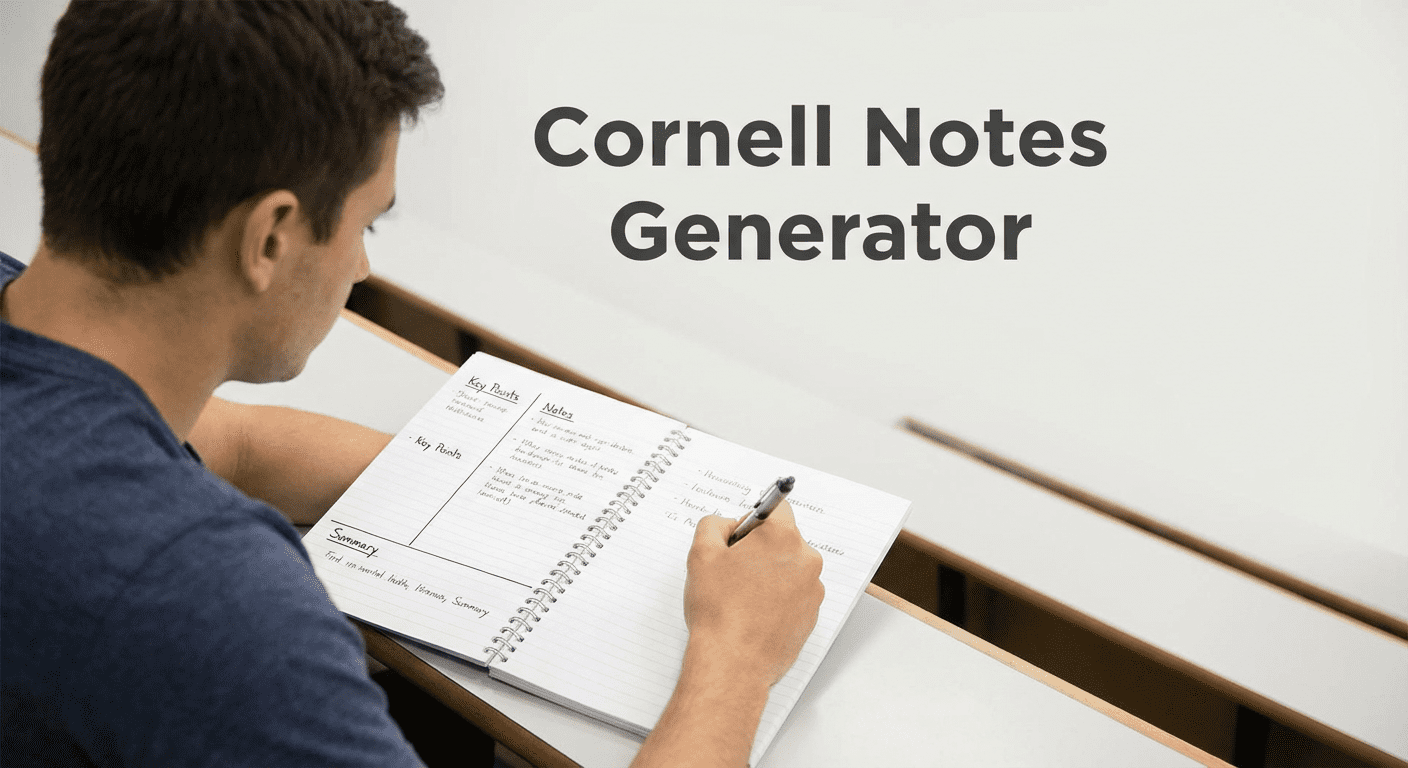
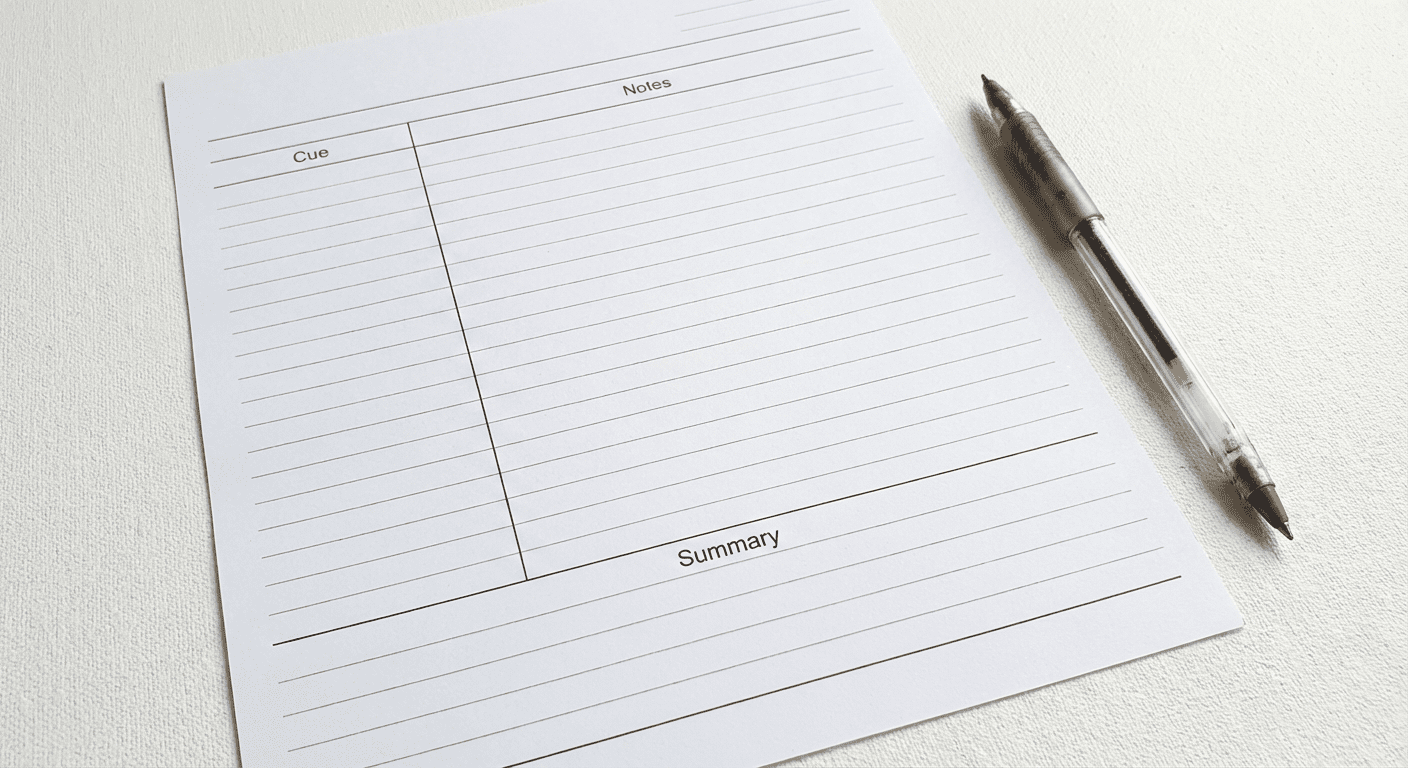
The Cornell Note-taking system was developed at Cornell University in the 1950s by education professor Walter Pauk. It divides a page into three sections: a narrow left column for cue questions and keywords, a wide right column for detailed notes, and a summary box at the bottom. This structure forces active engagement with the material and makes review far more efficient than standard linear notes. Pair Cornell Notes with a study notes generator for comprehensive academic preparation.
How the Cornell Notes Generator Works
Paste Your Source Material
Copy and paste your lecture notes, textbook chapter content, or a detailed topic description into the Source Material field. The AI Cornell notes maker accepts any length of text — from a few paragraphs to a full chapter. Optionally enter the subject name to help the AI tailor the cue questions to your discipline. The more detailed your source material, the richer and more useful the generated notes will be.
Choose Your Output Format
Select what you need from the dropdown. Full Cornell Notes generates the complete three-section layout — questions, notes, and summary. Key Questions Only extracts cue questions and keywords to use for active recall. Summary Only creates a concise overview for quick review. Notes Column Only formats the key facts and details as bullet-point notes without the cue questions. Each option is designed for a different stage of the study process.
Get Formatted Cornell Notes
Click Generate Cornell Notes and the AI produces properly structured output ready to copy into your notes app, word processor, or print. For full Cornell Notes, the output includes a clearly labeled Questions/Cues column, a corresponding Notes column, and a Summary section at the end. You can follow up in chat to request adjustments, deeper questions, or a shorter summary.
The Cornell Notes System Explained
The Cue/Questions Column
The left-hand column of a Cornell Notes page is narrow — typically about 2.5 inches wide. It contains cue questions, keywords, and main ideas that correspond to the detailed notes in the right column. During review, you cover the right column and use the cues to test your recall. This is where the active learning happens. Effective cues are open-ended questions ("What causes inflation?"), keywords ("mitosis"), or short prompts that force you to retrieve information rather than passively re-read it.
The Notes Column
The right-hand column takes up roughly 6 inches of page width and holds your main notes. During a lecture, this is where you write definitions, explanations, examples, and key facts. When using the AI cornell notes maker, the tool populates this column with the important details from your source material — organized, condensed, and formatted in logical bullet points rather than dense paragraphs. The goal is scannable, accurate content that pairs directly with the cue questions opposite it.
The Summary Section
The summary section runs across the full width at the bottom of each Cornell Notes page. It should capture the big picture of everything on that page in three to five sentences. Writing the summary in your own words is one of the most powerful learning techniques — it forces synthesis rather than simple copying. The AI generates a concise, accurate summary you can use as a starting point and adapt in your own voice. For broader study support, the flashcard maker complements Cornell Notes by converting cue questions into active recall cards.
Benefits of Cornell Notes
Better Retention
Research consistently shows that the Cornell method leads to better retention than passive note-taking. The physical structure of the page forces you to identify what is important (the notes column), extract the core concepts (the cue column), and synthesize the whole (the summary). This three-stage engagement — recording, reducing, and recalling — aligns with how long-term memory forms.
Active Recall Practice
Active recall is one of the most evidence-backed study techniques in cognitive science. Cornell Notes are designed around it. By covering the notes column and answering the cue questions from memory, you practice retrieval — the act of pulling information out of your brain rather than just reading it back in. This strengthens memory traces far more effectively than re-reading. Generate your cue questions with the AI tool and use them for daily retrieval practice in the days before an exam.
Organized Study Material
Cornell Notes create a consistent structure across all your subjects, making it easy to review and navigate even complex material. When every page follows the same format — cues on the left, notes on the right, summary below — you can scan a set of notes quickly and know exactly where to find what you need. This is particularly useful during high-pressure exam revision when clarity and speed matter.
Cornell Notes vs Other Note-Taking Methods
Cornell vs Outline Method
The Outline Method organizes notes hierarchically — main topics at the left margin with subtopics indented beneath them. It works well for structured lectures with clear topic hierarchies. Cornell Notes differ in that they build in a review mechanism through the cue column. The Outline Method captures information but does not prompt retrieval. Cornell Notes are designed for both capture and self-testing, making them more effective for subjects where understanding and recall are both required.
Cornell vs Mind Maps
Mind maps show relationships between ideas through a visual, branching structure centered on a main topic. They are excellent for brainstorming, understanding complex systems, and seeing how concepts connect. Cornell Notes work better for linear content — lectures, textbook chapters, and sequential topics where you need to capture facts accurately and test yourself on specific details. Many students use both: mind maps for understanding structure and Cornell Notes for content retention and exam review.
Cornell Notes Examples
Example 1 - Biology Lecture Notes
Subject: Biology | Topic: Cell Division - Mitosis
Questions / Cues
- What is the purpose of mitosis?
- Name the 4 phases in order.
- What happens during prophase?
- How does the cell split at the end?
Notes
- Mitosis: cell division producing 2 genetically identical daughter cells
- Phases: Prophase, Metaphase, Anaphase, Telophase
- Prophase: chromatin condenses into chromosomes; nuclear envelope breaks down
- Cytokinesis splits cytoplasm after telophase
Summary
Mitosis is the process by which a cell duplicates its nucleus and divides into two identical daughter cells. It proceeds through four stages — prophase, metaphase, anaphase, and telophase — followed by cytokinesis. This form of cell division is essential for growth, tissue repair, and asexual reproduction in eukaryotic organisms.
Example 2 - History Textbook Chapter
Subject: World History | Topic: Causes of World War I
Questions / Cues
- What are the 4 main causes (MAIN)?
- What event triggered WWI?
- How did alliances escalate the conflict?
- What role did nationalism play?
Notes
- MAIN: Militarism, Alliances, Imperialism, Nationalism
- Trigger: Assassination of Archduke Franz Ferdinand, June 1914
- Alliance system pulled multiple nations into conflict rapidly
- Nationalism created ethnic tensions in the Balkans; Austria-Hungary vs. Serbia
Summary
World War I resulted from a combination of long-term structural causes — militarism, competing alliances, imperial rivalries, and nationalist tensions — and the immediate trigger of Archduke Franz Ferdinand's assassination in Sarajevo in 1914. The alliance system transformed a regional conflict into a global war, drawing in major European powers within weeks.
Using the Cornell Notes AI for Test Prep
The Cornell Notes AI is especially effective in the days before an exam. Convert your lecture slides, textbook chapter summaries, or existing notes into Cornell format and use the cue questions for daily self-testing sessions. Cover the notes column with a sheet of paper, read each cue, and try to recall the answer before uncovering it. This retrieval practice strengthens long-term memory far more effectively than re-reading. For broader academic support, the AI study tools hub offers additional resources including flashcards and study notes.
The Summary Only output is ideal for creating a quick overview sheet before your exam. Generate summaries for each topic or chapter and review them as a final pass the night before the test. Combined with the AI question generator, you can build a full self-assessment toolkit from your existing notes.
Cornell Notes Maker: Supported Formats and Use Cases
Lecture Transcripts and Audio Notes
If you record your lectures, paste the transcript directly into the Source Material field. The AI cornell notes maker will identify the key concepts, generate appropriate cue questions, and produce a structured set of notes from an unstructured transcript. This saves significant time compared to manually formatting raw text into the Cornell layout.
Textbook Chapters and Reading Assignments
Textbook chapters contain more detail than you need for effective notes. Paste the relevant section and let the AI distill the key information into Cornell format — retaining the important facts, generating insightful cue questions, and summarizing the core argument. This reduces reading-to-notes time substantially and produces a format optimized for recall.
Online Courses and Study Guides
Online course content — video transcripts, module summaries, or study guides — can be pasted directly into the cornell notes ai tool. The generator works across subjects and formats, making it suitable for professional certifications, university courses, and self-directed learning alike. Use the subject field to give the AI context about your discipline and improve the quality of the cue questions.
Frequently Asked Questions
Is this Cornell Notes generator free?
Yes, the Cornell Notes generator is completely free with no account, no signup, and no payment required. Generate notes as many times as you need for any subject or course.
Can I paste an entire lecture worth of notes?
Yes. The tool accepts long-form text including full lecture transcripts and complete textbook sections. The AI summarizes and organizes the content into Cornell format regardless of length.
Does the AI create the cue questions automatically?
Yes. When you select Full Cornell Notes or Key Questions Only, the AI generates relevant cue questions and keywords from your source material. These are designed to prompt active recall when covering the notes column during review.
What subjects does it work for?
The Cornell Notes AI works for any academic subject — biology, chemistry, history, economics, literature, psychology, law, and more. Enter your subject name in the optional field to improve the quality of the cue questions. For academic writing support, the essay writer and conclusion generator are also useful student tools.
Can I use it for test prep?
Absolutely. Cornell Notes are one of the most effective study formats for test preparation. Use the cue questions to self-test before exams and the summary section for a final review pass. Combine with the flashcard maker and AI homework helper for a complete exam preparation workflow.