Free AI PowerPoint generator

AI Presentation Maker

Make a slide deck for a class, a business pitch or a training session with AIFreeForever's free AI Presentation Maker. Every slide stays editable in PowerPoint, so you can change any word before you present.

Set your slides and design, then say what the talk is aboutSet your slides, then say the topic
Slides
Design
Audience

Try one of these
Presentations Made with Our AI Presentation Maker

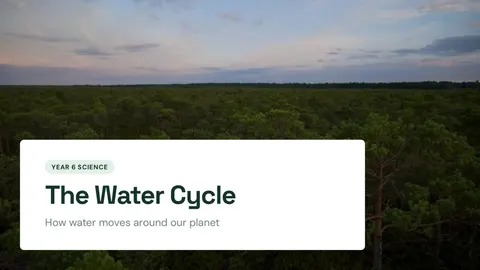
Cover slide of the water cycle presentation, with a forest under rain clouds Cover slide

The Water Cycle

The title of your talk with a short line under it and a picture that fits the topic.

Open the whole deck (PDF)
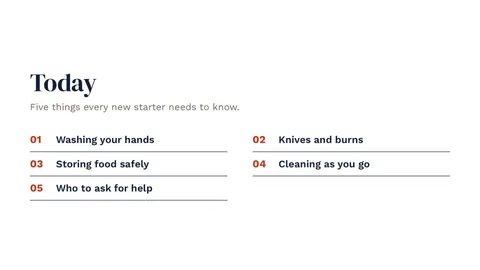
Agenda slide from the kitchen safety training deck, made with the free AI Presentation Maker Agenda

Kitchen Safety Training

What you will cover, in order, so your audience knows what comes next.

Open the whole deck (PDF)
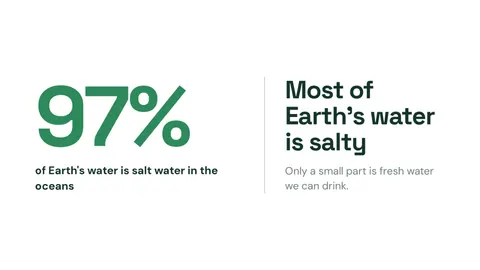
Big number slide saying 97% of Earth's water is salt water Big number

The Water Cycle

One number that matters, shown large, with a line that explains it.

Open the whole deck (PDF)
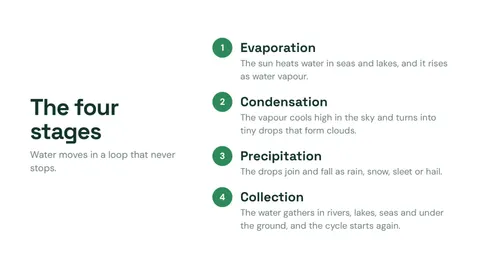
Steps slide showing the four stages of the water cycle Steps

The Water Cycle

A process in order, with a short title and one sentence for each step.

Open the whole deck (PDF)
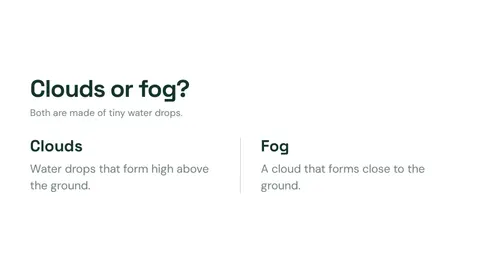
Compare slide showing clouds and fog side by side Compare

The Water Cycle

Two things side by side, so the difference is easy to see.

Open the whole deck (PDF)
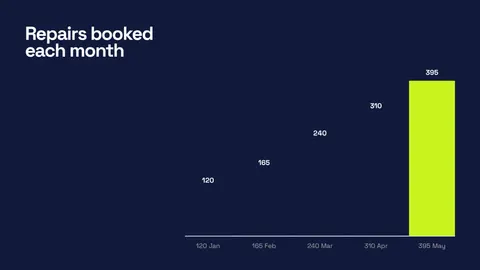
Chart slide showing repairs booked each month in a startup pitch deck Chart

Brightside Bikes Pitch Deck

Your numbers drawn as a chart, with a short note on where they come from.

Open the whole deck (PDF)
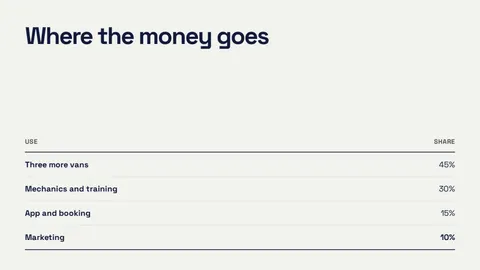
Table slide showing where a startup's money goes Table

Brightside Bikes Pitch Deck

Rows and columns for facts that are easier to read in a grid.

Open the whole deck (PDF)
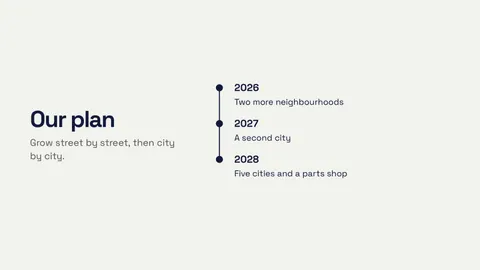
Timeline slide showing a startup's plan from 2026 to 2028 Timeline

Brightside Bikes Pitch Deck

Dates or years in order, for a plan or a history.

Open the whole deck (PDF)
Quote slide from a restaurant's kitchen safety training deck Quote

Kitchen Safety Training

A short quote in large letters, with who said it.

Open the whole deck (PDF)

Explore real slides crafted by AIFreeForever's AI Presentation Maker, showcasing a Year 6 class on the water cycle, a bike repair startup pitch and kitchen safety training for new staff. These examples illustrate various slide types, helping you visualize your presentation's potential, with all schools and businesses being fictional.

How to Make a Presentation with AI

  1. 1

    Start the process

    Begin by typing your topic in the chat box at the top, such as "8 slides on the water cycle for a Year 6 class", and press Yes, make it to proceed.

  2. 2

    Choose design style

    Select either Let AI design for a unique look or Choose a template to use one of our 21 ready-made designs.

  3. 3

    Review and approve plan

    Check the plan showing a card per slide, up to 12 slides, and press Approve plan to move forward.

  4. 4

    Edit as needed

    Make any necessary changes to the slides, adjusting text, layout or images.

  5. 5

    Download your presentation

    Download your presentation as a PPTX file for editing in PowerPoint, Keynote or Google Slides, or as a PDF.

A steps slide from the water cycle deck, as the AI Presentation Maker builds it after the plan is approved
The AI Presentation Guide for 2026Discover the benefits of AIFreeForever's AI Presentation Maker with our free PDF guide. It includes a slide plan, types of slides, effective prompts and a pre-presentation checklist. Download free PDF

Why use our AI Presentation Maker?

Up to 12 slides, planned before they are made.

Topic and audience

Tailor presentations to your specific topic and audience.

Number of slides

Create up to 12 slides, ensuring a comprehensive overview.

Design options

Choose between Let AI design or a ready-made template.

Plan cards

Review and modify slide plans with ease.

Editor features

Rewrite with AI, change layouts, backgrounds and more.

Download options

Export as PPTX or PDF, editable in PowerPoint, Keynote and Google Slides.

Features of our AI Presentation Maker

AIFreeForever's AI presentation maker designs a new look for your topic or uses a template, keeps every word editable in the PPTX, and picks a picture for each slide.

Let AI design

Create a unique look with its own colours, fonts and layouts.

Choose a template

Select from 21 ready-made templates for every slide, background and chart.

PPTX

Download with real text boxes in theme fonts, editable in PowerPoint, Keynote and Google Slides.

PDF

Share or print your presentation as a PDF.

Stock photos

Stock photos are tailored for each slide, replaceable at any time.

AI pictures

When AI pictures are switched on, our GPU generates images for the cover and full-photo slides.

Every slide is drawn at 1920 by 1080 pixels, maintaining the standard widescreen 16:9 aspect ratio, ensuring your presentations look professional on any screen.

How the AI PPT Generator Designs Each Slide

Words first.

1

AI writes

The AI crafts each slide's text to reflect its core idea, such as a big number, steps or a chart.

2

Director draws

A director step then draws each slide in a template layout or a custom design.

3

Balance maintained

The director ensures no two custom designs repeat consecutively, while charts and tables remain in templates, preserving the text.

4

Pictures enhanced

Stock photos or GPU-generated images for key slides ensure visuals are captivating and relevant, making slides easy to read.

WordsFinished slide

Who Uses the Free AI Presentation Maker?

If you teach Year 6 and need slides for tomorrow, the AI presentation maker turns your lesson into clear slides.

Students

Use it for class projects and school talks, and practise with the slideshow.

Teachers

Create lessons with steps, examples and a task.

Startup founders

Develop a pitch deck with the problem, the idea and the plan.

Marketing teams

Prepare a quarterly review with charts.

Managers and trainers

Design training slides for new staff.

Speakers

Craft a short deck for a talk or a club meeting.

Why choose the AI Presentation Maker by AIFreeForever?

The table below shows what each AI slide tool needs and what it gives you.

FeatureAIFreeForeverCopilot in PowerPointGemini in Google Slides
What it needsFree on AIFreeForeverA Microsoft 365 Copilot planA Google account with Gemini
Starts fromYour topic and a plan you checkA prompt or a fileA prompt or a file
DesignLet AI design or 21 templatesPowerPoint designsGoogle Slides themes
DownloadPPTX or PDF, words editableA PowerPoint fileGoogle Slides

This comparison was taken from the Microsoft 365 Insider blog and Google.

AI Presentation Maker FAQs

Yes. The AI Presentation Maker is free on AIFreeForever. Making, editing and downloading your slides costs nothing.

If you're looking to design a custom slide deck from your topic, AIFreeForever's AI Presentation Maker is here to help. Plan, customize and download your presentation for free, ready to edit in PowerPoint, Keynote or Google Slides.

The AIFreeForever teamAIFreeForever

Make Your Slides with the AI PPT Generator

Let AI designChoose a templatePPTX or PDF

Related Tools for Presentations