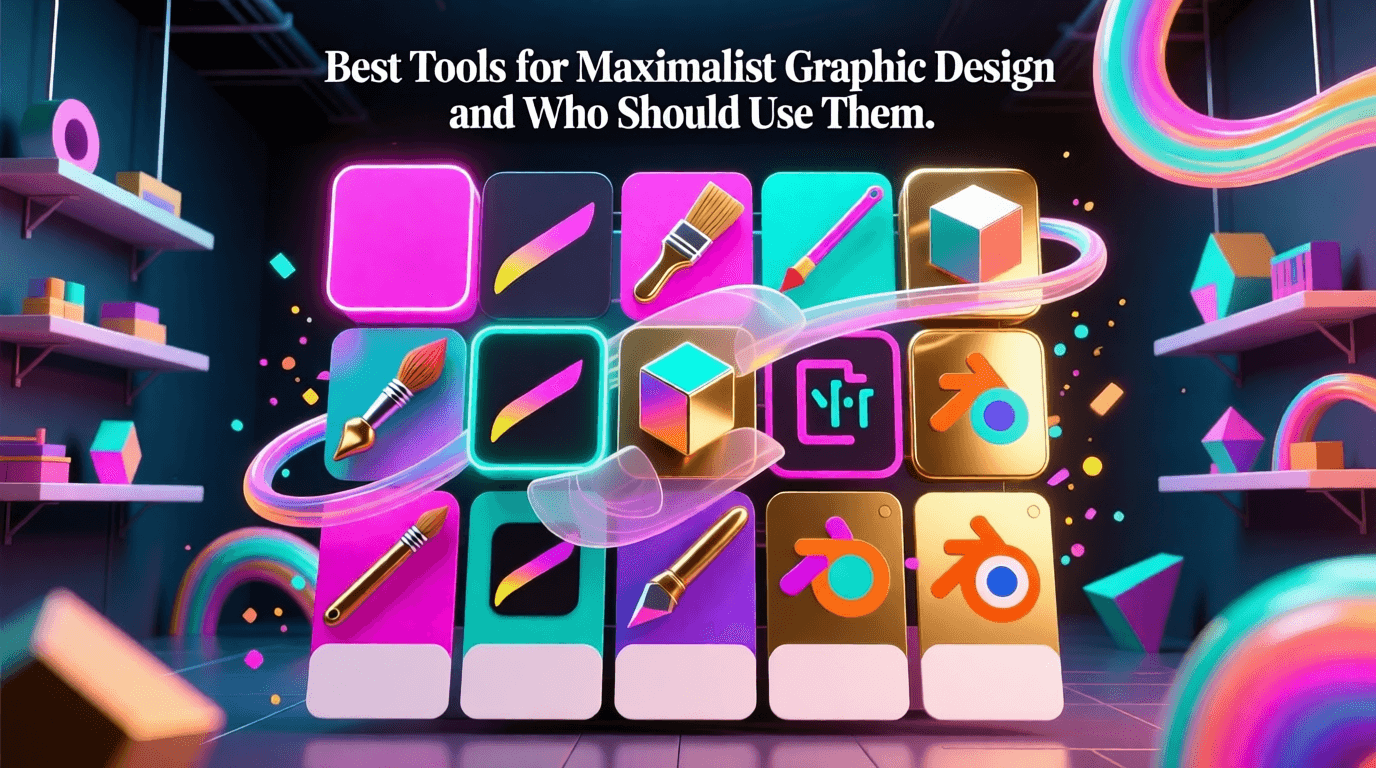
Maximalist graphic design throws out the rulebook on restraint. Where minimalism preaches “less is more,” maximalism responds with bold abundance layering textures over clashing patterns, stacking vibrant colors alongside decorative elements until every inch of canvas contributes to a composition demanding attention. Envato’s design trend analysis describes the style as celebrating extravagance through rich textures, ornate patterns, and typography that creates genuine opulence.
Event posters, packaging, social media graphics, editorial layouts—all benefit from the right software when pursuing intentional visual chaos. What you’ll find here: a breakdown of top tools for maximalist creation plus guidance on which creative professionals gain the most from each option.
Table of Contents
- What Makes Maximalist Graphic Design Unique
- Adobe Photoshop for Layered Compositions
- Adobe Illustrator for Vector-Based Maximalism
- Canva for Accessible Maximalist Templates
- Affinity by Canva for Professional Versatility
- Procreate for Hand-Drawn Maximalist Art
- Figma for Collaborative Maximalist Projects
- AI Image Generators: Midjourney and DALL-E
- Who Should Use Maximalist Design Tools
- Selecting the Right Tool for Your Workflow
- Frequently Asked Questions
What Makes Maximalist Graphic Design Unique
Maximalist design operates on a “more is more” philosophy that stands in direct contrast to minimalist principles. The style emerged centuries ago as wealthy patrons displayed abundance through ornate decor, and it has evolved into a powerful tool for modern visual communication. Today’s maximalist work blends eclectic patterns, bold typography, intense color palettes, and layered textures into compositions that feel intentional rather than chaotic.
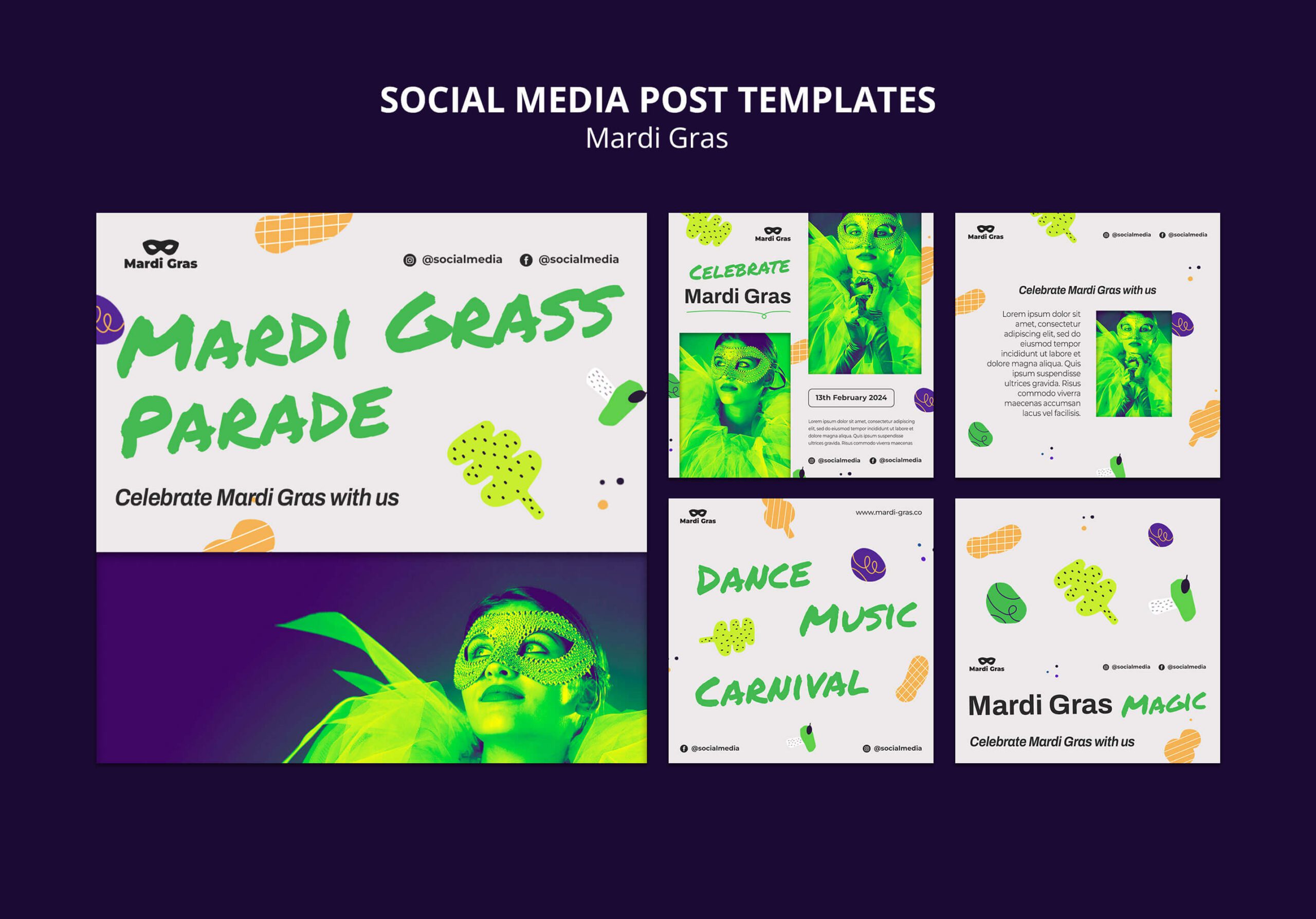
Key characteristics of maximalist graphic design include clashing fonts where serif meets sans-serif meets script, overprint textures that add depth and dimension, sticker-bomb aesthetics with layered icons and shapes, saturated color schemes often featuring hot reds, pinks, and oranges, and compositions that fill nearly every inch of available space. Canva’s design resources note that maximalist work requires filling the page with fully integrated elements rather than adding decoration for its own sake.
Adobe Photoshop
Adobe Photoshop remains the industry standard for raster-based maximalist design work. Its layer system allows you to stack unlimited textures, images, patterns, and effects while maintaining full editability. The software excels at creating collages, photo manipulations, and mixed-media compositions where multiple visual elements overlap and interact.
Photoshop’s recent updates have introduced AI-powered features like Generative Fill and Generative Expand, which Adobe announced help creators jumpstart creative ideation and expand images seamlessly. These tools prove particularly useful for maximalist designers who need to extend backgrounds, add complex textures, or generate additional decorative elements quickly.
The software’s blend modes, layer styles, and masking capabilities give you precise control over how different elements interact. You can create depth through strategic layering, add grain and noise textures for vintage appeal, and composite photographs with illustrated elements for that characteristic maximalist visual density.
Best for: Professional photographers, digital artists, print designers, and anyone creating image-heavy maximalist compositions that require precise photo manipulation and extensive layering.
Adobe Illustrator
Vector graphics scale infinitely without quality loss—a critical advantage for maximalist designs appearing across multiple formats. A poster for a stadium concert and a tiny social media icon both require crisp edges and precise detail. Illustrator delivers that consistency regardless of output size.
Pattern creation tools, gradient mesh capabilities, and extensive brush libraries all support the complexity maximalist compositions demand. Recent versions added enhanced Image Trace for converting sketches into clean vectors, Objects on Path for arranging elements along custom shapes, and Generative Shape Fill powered by Adobe Firefly—letting you add detailed vectors through simple text prompts.
Typography control stands as another strength. Mix serif with sans-serif with script, create custom letterforms from scratch, flow text along curved paths for dynamic compositions. When maximalist work demands bold headlines dancing alongside intricate typographic flourishes, Illustrator provides the precision needed to execute that vision.
Best for: Logo designers, brand identity specialists, packaging designers, and illustrators who need scalable maximalist artwork with clean vector edges and typography control.
Canva
What began as a basic social media graphics tool has grown into something far more ambitious. Canva now houses Docs, Websites, Whiteboards, and Presentations alongside its design capabilities—a comprehensive visual workspace for creating maximalist content across formats without jumping between applications.
Thousands of templates featuring bold patterns, layered elements, and saturated color schemes await. Non-designers achieve visually complex results through drag-and-drop combination of stock illustrations, photographs, shapes, and text elements. Recent platform updates brought Magic Studio’s AI tools for on-demand design generation, plus Google’s Veo 3 engine enabling video clip creation from text prompts alone.
Brand Kit functionality deserves mention here. Bold color choices and typography selections stay cohesive across even the most layered compositions—crucial for teams and businesses churning out high volumes of visual content while maintaining recognizable identity.
Best for: Social media managers, marketing teams, small business owners, content creators, and anyone needing fast, template-based maximalist designs without extensive software training.
Affinity by Canva
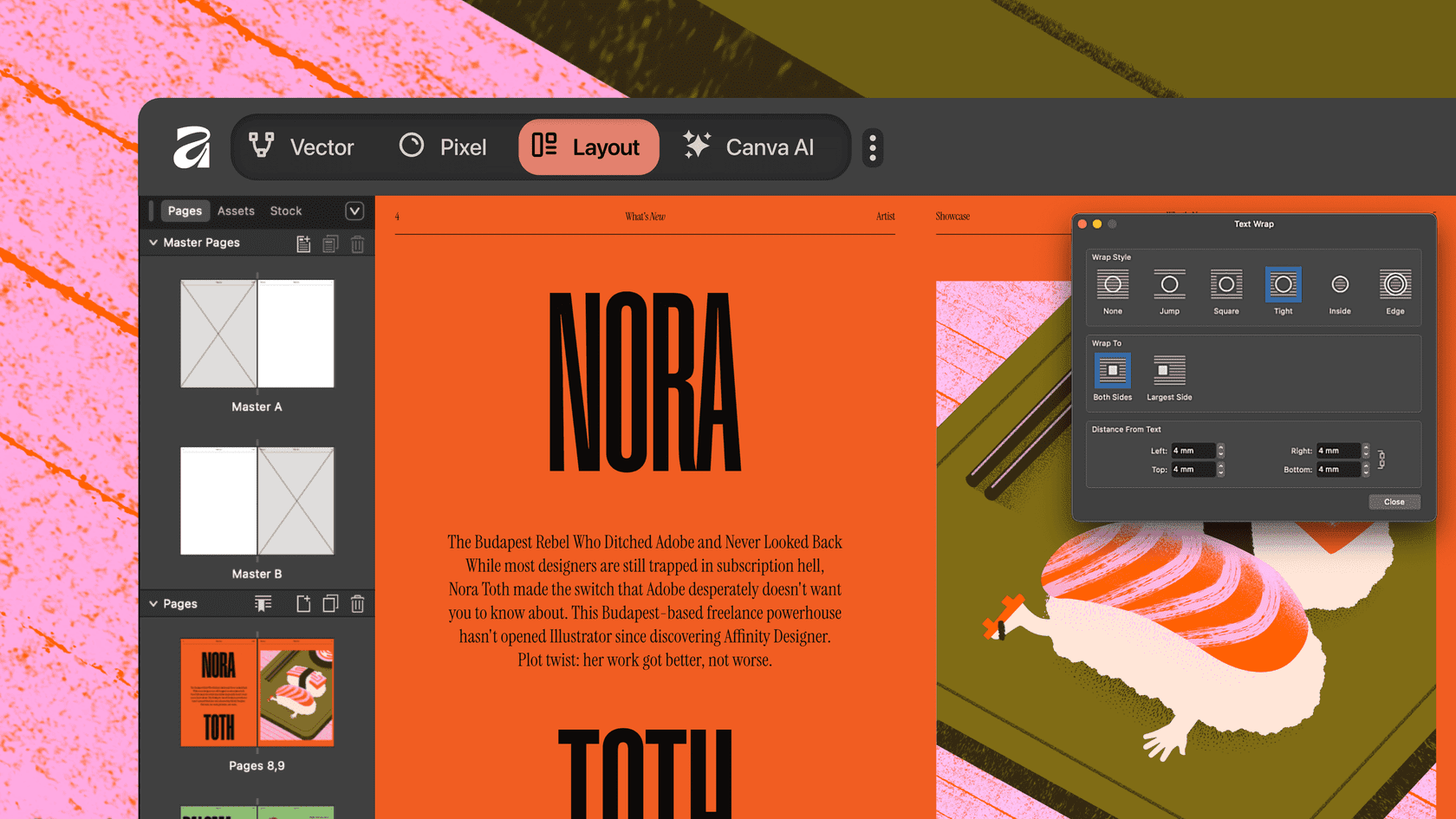
Following Canva’s acquisition of Serif in 2024, Affinity launched as a unified application combining vector, photo editing, and layout tools in one professional-grade platform. The software offers a compelling alternative to Adobe’s subscription model, now available free for basic features with AI tools accessible through Canva premium plans.
Affinity’s customizable studios let you mix and match tools from Vector, Pixel, and Layout workspaces, building a personalized environment suited to maximalist workflows. You can seamlessly switch between vector illustration and raster editing within the same document, applying effects and adjustments non-destructively across unlimited layers.
The software supports professional color management with RGB, CMYK, LAB, and PANTONE color swatches, making it suitable for both digital maximalist work and print production. Its performance handles large, complex files smoothly, with pan and zoom at 60fps even when working with thousands of objects.
Best for: Freelance designers, agencies seeking Adobe alternatives, budget-conscious professionals, and creatives who want powerful desktop software without ongoing subscription costs.
Procreate
Procreate transforms the iPad into a portable illustration studio with natural drawing tools that capture the organic textures and imperfect marks characteristic of maximalist hand-drawn work. The app’s brush engine recreates everything from spray-can street art to watercolor washes, supporting the varied textures that make maximalist compositions visually rich.
The layer system allows you to build complex illustrations piece by piece, adjusting individual elements without affecting others. You can group layers, apply blend modes, and use clipping masks to create sophisticated layered effects. Procreate’s learning resources help artists understand how to lock, duplicate, and manipulate layers for maximum creative control.
Custom brush creation extends the app’s capabilities further, letting you design unique textural elements that give your maximalist work a distinctive signature. Combined with the Apple Pencil’s pressure sensitivity, Procreate delivers genuinely expressive mark-making that digital tools often struggle to achieve.
Best for: Illustrators, character designers, concept artists, lettering artists, and anyone who prefers sketching and painting approaches to maximalist design rather than purely digital construction.
Figma
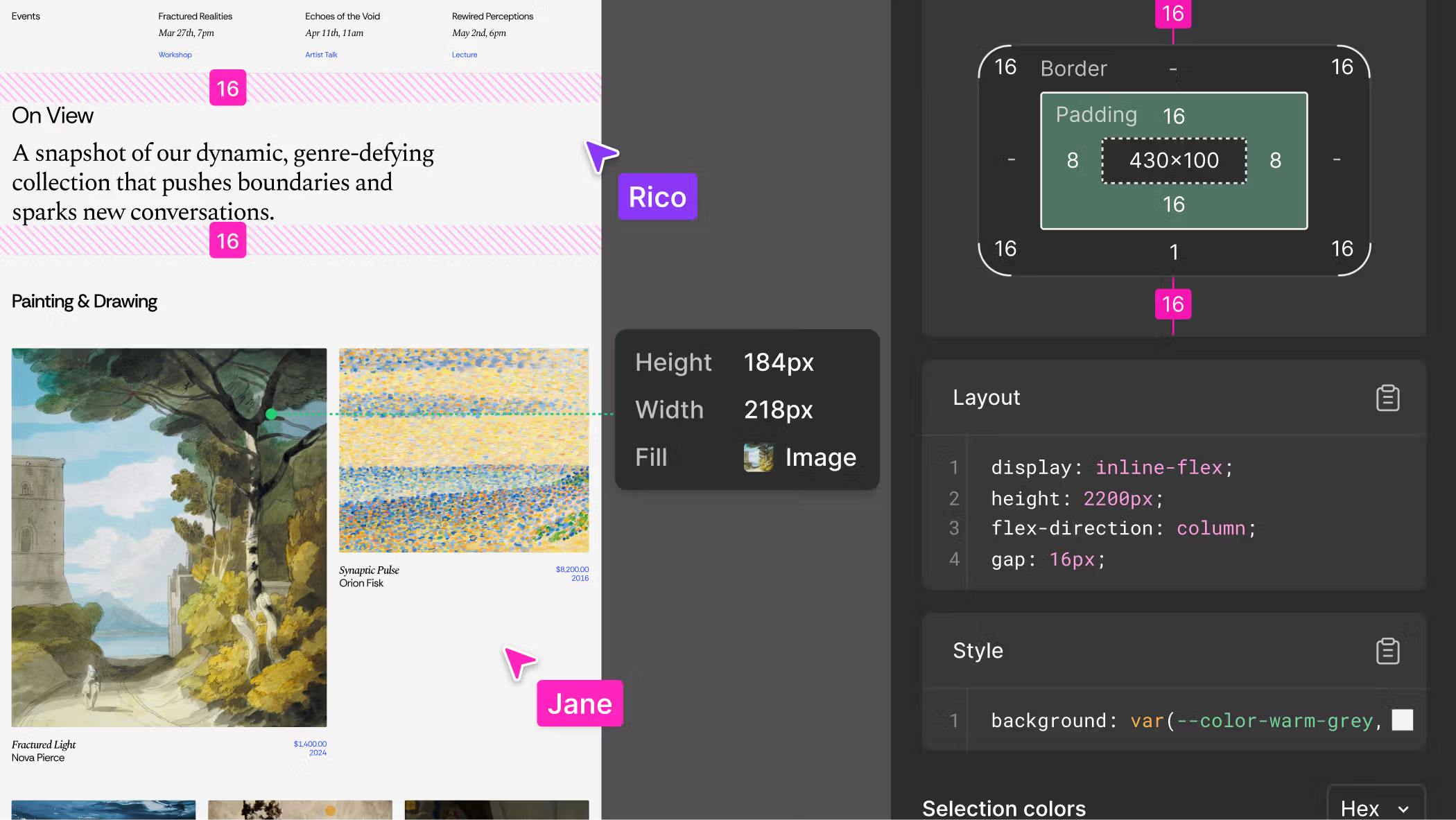
Figma’s browser-based collaborative environment makes it ideal for teams working on maximalist projects together. Multiple designers can edit the same file simultaneously, seeing each other’s changes in real time. This proves valuable when complex maximalist compositions require input from illustrators, typographers, and art directors working in concert.
The platform organizes designs using frames, components, and auto-layout features that help manage the many elements typical of maximalist work. You can create reusable pattern components, establish consistent spacing systems, and build design libraries that maintain coherence across large, visually complex projects.
Figma’s prototyping capabilities let you demonstrate how maximalist designs function across interactive experiences, from scroll-based animations to hover effects. Recent AI features introduced through Figma AI help generate design concepts and variations quickly, supporting rapid iteration on bold visual directions.
Best for: UI/UX designers, product teams, design agencies, and any collaborative creative environment where multiple stakeholders need simultaneous access to maximalist design files.
AI Image Generators: Midjourney and DALL-
Something interesting happens when you feed AI image generators maximalist prompts: they thrive. The layered textures, surreal juxtapositions, and intense color palettes maximalism demands play to these tools’ natural strengths. Envato’s analysis notes that AI tools naturally gravitate toward maximalist aesthetics, generating unexpected combinations and chaotic compositions ideally suited to the style.
Midjourney produces highly detailed, stylized visuals with exceptional artistic quality. Operating through Discord, the platform transforms text prompts into images with remarkable fidelity to creative intent. Comparative testing reveals its outputs feature harmonious color palettes, sophisticated light and shadow, and balanced composition—elevating maximalist work beyond visual noise into genuine artistry.
DALL-E takes a different approach. Integrated into ChatGPT, it invites conversational interaction for refining maximalist concepts. Describe your vision in plain language, request adjustments, iterate through variations—no complex prompt syntax required. Abstract and quirky image generation represent particular strengths, supporting the unexpected visual combinations maximalist work thrives on.
Neither tool replaces traditional design software for final production. Generate textures, patterns, background elements, or conceptual starting points through AI, then refine outputs in Photoshop or Illustrator for professional delivery.
Best for: Concept artists, creative directors seeking visual inspiration, designers needing unique textural assets, and anyone prototyping maximalist ideas before committing to full production.
Who Should Use Maximalist Design Tools
Maximalist graphic design serves specific creative needs and professional contexts. Understanding which audiences benefit most helps you decide whether investing in these tools and techniques makes sense for your work.
Event and Entertainment Marketers
Festival posters, concert promotions, and entertainment marketing thrive on visual excess. Maximalist design captures attention in crowded environments and communicates energy, excitement, and abundance. Tools like Photoshop and Illustrator handle the complex layering these projects require, while Canva offers faster turnaround for high-volume social content.
Fashion and Lifestyle Brands
The fashion industry embraces maximalism as self-expression, making it a natural fit for lookbooks, advertising campaigns, and social media content. Brands targeting audiences who appreciate bold aesthetics benefit from maximalist visual identity work created in professional tools like Affinity or the Adobe suite.
Editorial and Publication Designers
Magazine layouts, book covers, and editorial spreads often employ maximalist principles to create visual impact. The combination of typography, photography, and illustration typical of editorial maximalism requires software capable of handling diverse element types, making InDesign paired with Photoshop and Illustrator the standard choice.
Independent Artists and Illustrators
Maximalism allows artists to showcase technical range and creative abundance. Procreate serves illustrators who prefer hand-drawn approaches, while Affinity Designer offers professional vector capabilities without subscription costs that strain independent creative budgets.
Social Media Content Creators
Platform algorithms favor visually distinctive content that stops scrolling thumbs. Maximalist designs stand out in feeds dominated by minimalist aesthetics, making tools like Canva and AI generators valuable for creators producing high volumes of attention-grabbing content.
Packaging Designers
Product packaging increasingly employs maximalist elements to differentiate brands on crowded shelves. Envato’s 2026 trend report identifies “chaos packaging” as a rising style where bold, unconventional designs replace restrained minimalism. Illustrator’s vector precision proves essential for packaging artwork that must reproduce accurately across various printing processes.
Game Developers and Concept Artists
Video games and entertainment projects often feature maximalist visual worlds filled with detail and complexity. Concept artists working in this space benefit from Photoshop’s compositing capabilities and AI generators’ ability to rapidly produce varied environmental and character concepts.
Selecting the Right Tool for Your Workflow
No single maximalist design tool suits every situation. Your skill level, budget constraints, collaboration requirements, and typical project types all shape the optimal choice.
Budget Considerations
Adobe Creative Cloud runs approximately $55 monthly for complete access—a meaningful investment for individual creators. Affinity’s free tier provides core features without recurring costs, with AI tools available through Canva premium plans. Canva itself offers substantial free functionality, upgrading to Pro around $13 monthly. Midjourney subscriptions start at $10 monthly; DALL-E comes bundled with ChatGPT Plus at $20 monthly.
Learning Curve
Templates guide beginners toward successful maximalist outcomes in Canva, making it the gentlest entry point. Anyone comfortable holding a pencil finds Procreate’s interface intuitive. Photoshop and Illustrator demand more substantial time investment—but the payoff in capability justifies that effort for serious creatives. Figma occupies middle ground: approachable for newcomers yet robust enough for complex professional work.
Output Requirements
Print production needs precise color management and high-resolution output. Adobe tools and Affinity handle these demands confidently. Digital-only projects open doors to web-based options like Canva and Figma. Large-format billboards and banners require vector software to maintain quality at massive scales.
Team vs. Solo Work
Real-time collaboration happens naturally in Figma, where multiple designers edit simultaneously. Canva supports similar multi-editor functionality on shared projects. Desktop software like Photoshop and Illustrator better serves solo creators or teams comfortable managing file-sharing workflows manually.
Frequently Asked Questions
What distinguishes maximalist design from simply busy or cluttered design?
Maximalist design maintains intentional composition despite visual abundance. Every element serves a purpose, whether communicating brand personality, creating visual hierarchy, or evoking emotional response. Cluttered design lacks this intentionality, resulting in confusion rather than controlled complexity. Successful maximalism establishes focal points and guides viewer attention even when filling the canvas completely.
Can beginners create effective maximalist designs?
Template-based platforms like Canva allow beginners to achieve maximalist aesthetics by combining pre-designed elements thoughtfully. Starting with established layouts and color schemes provides guardrails that prevent the chaos-without-purpose that undermines amateur attempts at maximalism. As skills develop, transitioning to professional tools offers greater creative control.
How do AI image generators fit into professional maximalist workflows?
AI generators work best for concept development, texture creation, and rapid ideation rather than final production. Professional designers use generated images as starting points or component assets, refining and integrating them using traditional software. This hybrid approach combines AI’s creative surprises with human judgment about composition, brand alignment, and technical requirements.
Which software works best for maximalist web design?
Figma dominates web design workflows due to its prototyping capabilities and developer handoff features. For maximalist web projects specifically, combining Figma’s layout tools with Photoshop or Illustrator for asset creation produces the best results. Canva’s website builder offers a simpler alternative for less technically complex maximalist web pages.
Is maximalist design appropriate for all brands?
Maximalism suits brands targeting audiences who value self-expression, creativity, and visual abundance. Luxury fashion, entertainment, creative agencies, and youth-oriented products often benefit from maximalist approaches. Brands requiring trust, simplicity, or professional restraint typically fare better with minimalist or moderate aesthetic choices. Consider audience expectations and competitive context before committing to maximalist visual identity.
Maximalist graphic design keeps gaining ground as creators seek differentiation in visually saturated markets. Professional software suites, accessible web platforms, and AI-assisted generation all make achieving intentional visual abundance more approachable than at any point in design history. The key lies in matching tool selection to your specific creative needs, dedicating appropriate time to mastering your chosen platform, and embracing the creative freedom maximalism unlocks.