Art Deco never goes out of style. This glamorous design movement from the 1920s and 1930s continues to inspire modern creators, and now with AI image generation, you can bring these stunning visuals to life in seconds. Whether you want to create vintage posters, elegant logos, or sophisticated illustrations, understanding how to use Art Deco styles in your AI prompts will help you generate professional-quality images that capture the essence of this iconic period.
In this guide, you’ll learn everything you need to know about combining Art Deco design principles with modern AI image generation tools. From understanding the key characteristics that define this style to writing effective prompts that produce stunning results, we’ll walk you through the entire process step by step.
Table of Contents
- Key Art Deco Design Principles Every Creator Should Know
- Art Deco vs Art Nouveau: Understanding the Differences
- Getting Started with Art Deco AI Image Generation
- Best AI Tools for Creating Art Deco Images
- How to Write Effective Art Deco Prompts
- Art Deco Color Palettes for AI Generation
- Creating Geometric Patterns and Motifs
- Adding Art Deco Typography to Your Images
- Incorporating Architectural Elements
- Art Deco Fashion and Portrait Generation
- Common Mistakes to Avoid
- Advanced Techniques for Professional Results
- Modern Applications of Art Deco in Digital Design
- Frequently Asked Questions
- Key Takeaways
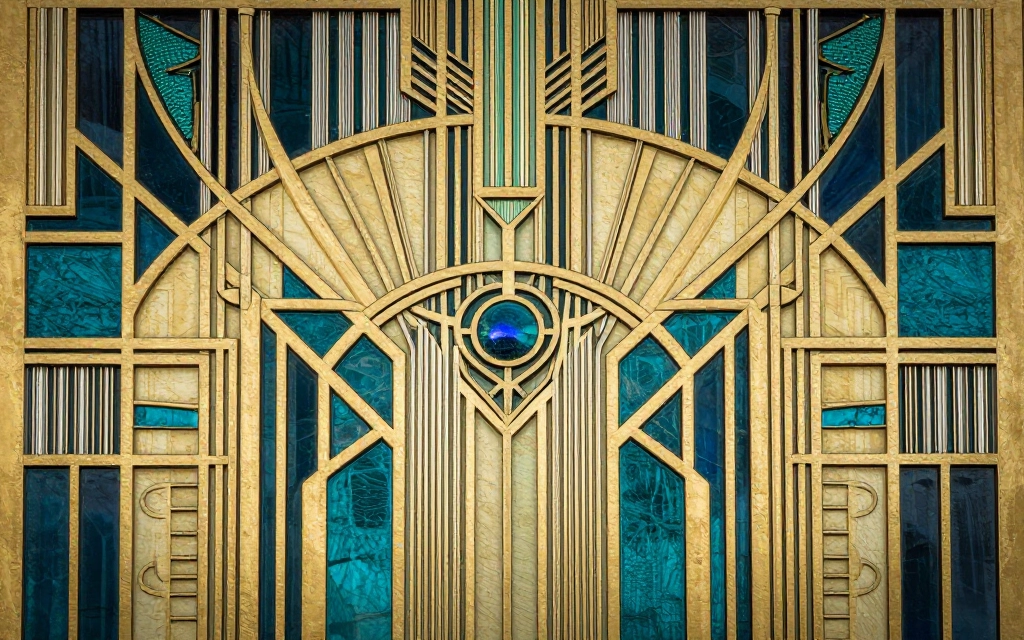
Art Deco emerged in Paris during the 1920s and became the dominant design style throughout the 1930s. The movement celebrated modernity, luxury, and technological progress, creating a visual language that still resonates today. The style got its name from the International Exhibition of Modern Decorative and Industrial Arts held in Paris in 1925, where designers showcased bold new approaches to art and design.
What makes Art Deco particularly exciting for AI image generation is its clear, recognizable visual rules. Unlike more abstract art movements, Art Deco follows specific principles that AI models can easily understand and replicate. The style’s emphasis on geometric shapes, symmetry, and bold contrasts makes it perfect for prompt-based generation.
Why Art Deco Works So Well with AI
AI image generators excel at creating Art Deco images because the style relies on structured elements rather than loose interpretations. When you specify “Art Deco” in your prompts, the AI draws from thousands of examples including famous buildings like the Chrysler Building, vintage posters, and luxury product designs from the era. This rich visual database helps the AI understand exactly what aesthetic you’re aiming for.
The geometric nature of Art Deco also aligns perfectly with how AI processes visual information. Bold geometric forms, symmetry, and clean lines are easier for AI to generate consistently than organic, freeform shapes. This means you’ll often get better, more accurate results when working with Art Deco prompts compared to other historical styles.
Key Art Deco Design Principles Every Creator Should Know
Before you start generating AI images, you need to understand the core elements that define Art Deco style. These design principles will form the foundation of your prompts and help you communicate your vision effectively to AI tools.
1. Geometric Shapes and Patterns
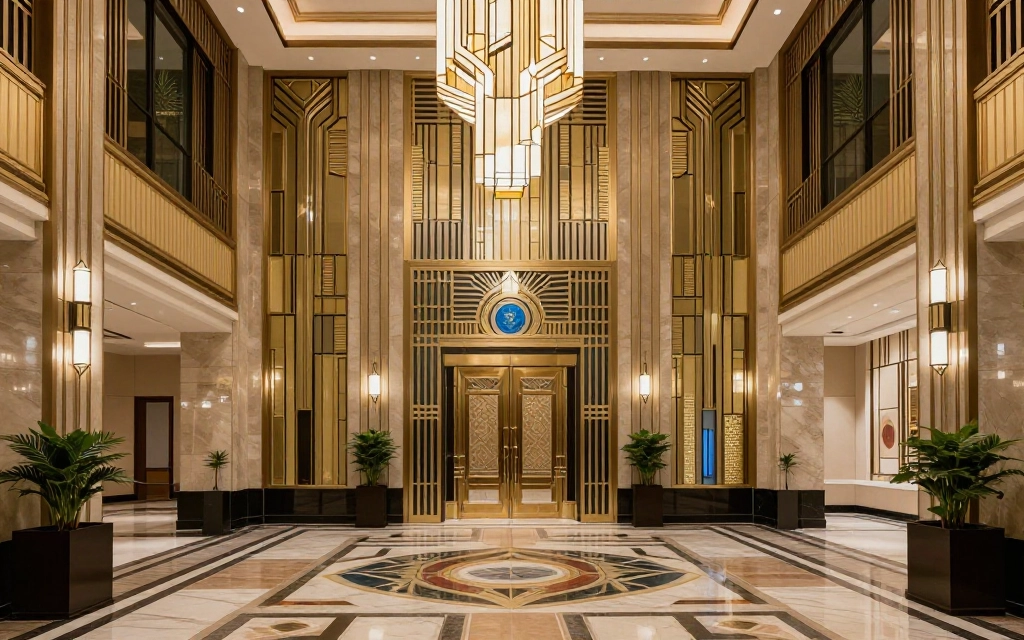
Geometry is the backbone of Art Deco design. The style heavily features triangles, circles, rectangles, and trapezoids arranged in symmetrical compositions. Zigzags, chevrons, sunbursts, and stepped forms appear repeatedly throughout Art Deco works. These patterns create visual rhythm and energy that immediately signal the Art Deco aesthetic.
When creating AI images, specify these geometric elements in your prompts. Instead of just saying “Art Deco design,” try “Art Deco sunburst pattern with chevron details” or “stepped pyramid shapes with zigzag borders.” The more specific you are about geometric elements, the better your results will be.
2. Symmetry and Balance
Art Deco compositions almost always feature strong symmetry. Whether it’s a building facade, a poster design, or a decorative object, the elements are typically arranged in perfect balance around a central axis. This creates a sense of order and sophistication that defines the style.
In your AI prompts, emphasize symmetrical arrangements. Phrases like “perfectly symmetrical composition,” “mirrored design,” or “centered focal point” will help the AI maintain this crucial characteristic.
3. Luxurious Materials and Finishes
Art Deco celebrated opulence and modern materials. Chrome, brass, gold, silver, marble, and lacquered surfaces were signature elements. Even in AI-generated images, you can evoke these materials by specifying metallic finishes, glossy surfaces, and rich textures in your prompts.
4. Bold Color Palettes
Art Deco used striking color combinations. Deep jewel tones like emerald green, sapphire blue, and ruby red paired with metallics created dramatic visual impact. Black and gold became an iconic combination, as did black and white with geometric patterns.
For AI generation, specify your color palette clearly. Rather than leaving it to chance, include phrases like “emerald green and gold accents,” “black background with silver geometric patterns,” or “rich sapphire blue with chrome details.”
5. Streamlined Forms
As Art Deco evolved, especially in the 1930s, it embraced streamlined designs inspired by aerodynamics and industrial design. Smooth curves, horizontal lines, and sleek silhouettes became prominent features. This “Streamline Moderne” variation added another dimension to the Art Deco vocabulary.
Art Deco vs Art Nouveau: What are the Differences?
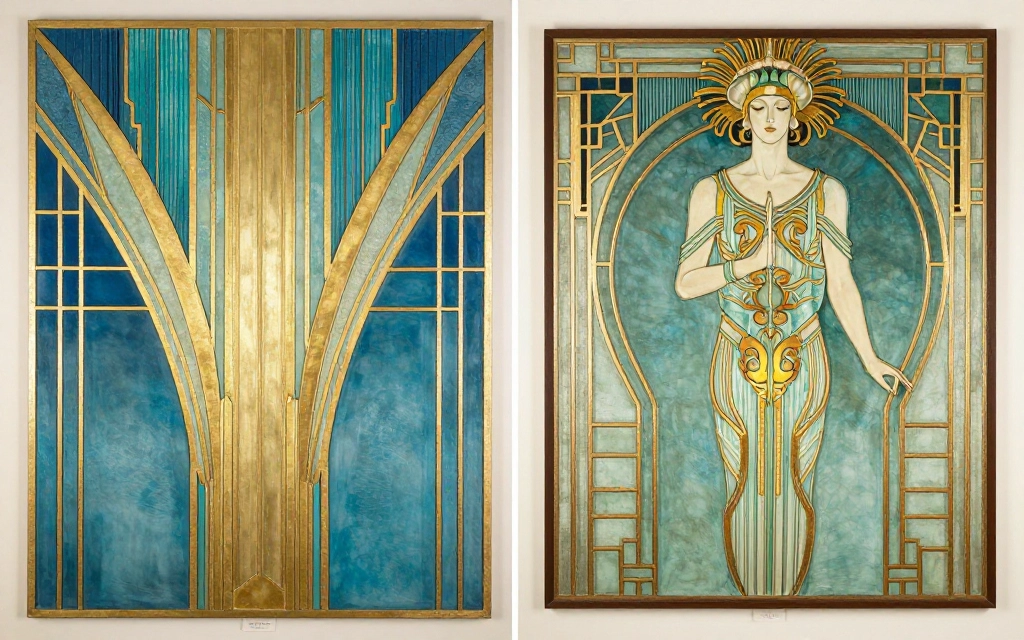
Many people confuse Art Deco with Art Nouveau, but these are distinctly different movements. The differences will help you create more accurate AI prompts and avoid mixing incompatible style elements.
Timeline and Origins
Art Nouveau came first, flourishing from 1890 to 1914, while Art Deco dominated from the 1920s through the 1930s. Art Nouveau emerged before World War I with a romantic, escapist aesthetic, while Art Deco reflected post-war optimism and modernity.
Visual Characteristics
Art Nouveau features organic, flowing lines inspired by nature. Think sinuous curves, floral motifs, and whiplash lines. Art Deco, by contrast, uses angular geometric shapes, straight lines, and stepped forms. Where Art Nouveau celebrates natural forms, Art Deco celebrates industrial design and machine-age aesthetics.
Color Approaches
Art Nouveau typically uses muted, earthy tones inspired by nature, while Art Deco embraces bold, contrasting colors and metallic finishes. Art Nouveau favors soft greens, browns, and pastels, whereas Art Deco loves black, gold, silver, and jewel tones.
Inspiration Sources
Art Nouveau drew from Japanese art and natural forms like flowers and plants. Art Deco looked to ancient Egyptian, Aztec, and Babylonian art, combined with contemporary influences from Cubism and modern technology.
When writing prompts for AI image generators, be specific about which style you want. If you include both “Art Nouveau” and “Art Deco” in the same prompt, you’ll likely get confused, inconsistent results. Choose one style and stick with it. For Art Deco specifically, avoid terms like “organic,” “flowing,” or “natural curves” unless you’re intentionally blending styles.
If you want to explore Art Nouveau instead, check out our Art Nouveau Image Generator for specific guidance on that style.
Art Deco AI Image Generation
Now that you understand the fundamentals of Art Deco design, let’s get practical. Starting your Art Deco AI journey requires choosing the right tools and understanding how to structure your first prompts.
Choosing Your Subject Matter
Before writing any prompts, decide what you want to create. Art Deco works beautifully for various subjects including posters, logos, architectural designs, fashion illustrations, product packaging, and decorative patterns. Each subject type requires slightly different prompt strategies.
For beginners, start with simpler subjects like geometric patterns or single objects. As you build confidence, move to more complex scenes like Art Deco interiors or cityscapes. This progressive approach helps you understand how different prompt elements affect your results.
AI Tool Capabilities
Different AI image generators handle Art Deco prompts differently. Some excel at geometric precision, while others are better with color and texture. Understanding your tool’s strengths helps you craft better prompts and set realistic expectations.
Most modern AI tools recognize “Art Deco” as a style modifier, but adding specific details about geometric patterns, color schemes, and materials will significantly improve your results. Clear, structured prompts with specific details consistently produce better outputs than vague descriptions.
Basic Prompt Structure
A solid Art Deco prompt should include these elements in order:
- The main subject or scene
- Style specification (Art Deco)
- Geometric patterns or shapes
- Color palette
- Materials and finishes
- Additional modifiers (composition, lighting, etc.)
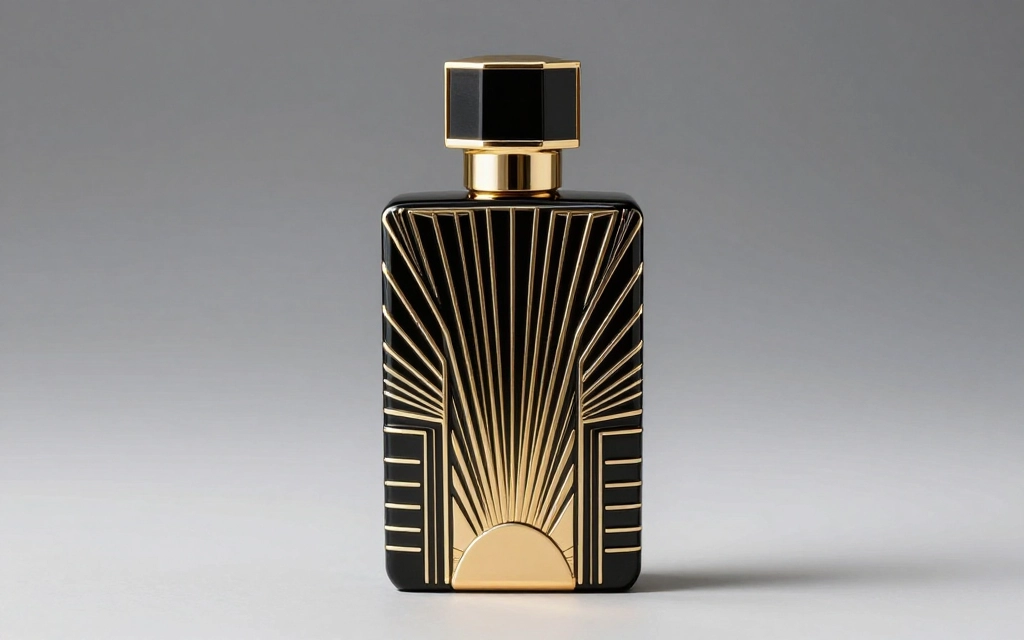
For example:
“Elegant perfume bottle, Art Deco style, featuring stepped geometric patterns and sunburst motifs, black and gold color scheme, glossy lacquered finish, symmetrical composition, studio lighting.”
See the result below made using this tool
Best AI Tools for Creating Art Deco Images
The right tool makes all the difference when generating Art Deco imagery. Let’s look at the best options available, starting with our recommended solution.
AI Free Forever: The Top Choice for Art Deco Generation
AI Free Forever stands out as the premier platform for creating Art Deco style images. Our Art Deco Image Generator has been specifically optimized to understand the nuances of this historic style, producing stunning results that capture the essence of 1920s and 1930s design.
What makes AI Free Forever ideal for Art Deco work is our fine-tuned understanding of geometric patterns, metallic finishes, and the precise color palettes that define the era. Our tool excels at creating symmetrical compositions with sharp, clean lines. Whether you’re designing vintage posters, creating Art Deco logos, or generating architectural concepts, our platform delivers professional-quality results without requiring complex prompt engineering.
The platform is completely free to use, with no hidden fees or limited generations. You can experiment with different Art Deco variations, test various color schemes, and refine your designs as many times as needed. Our AI Art Generator also supports related styles if you want to explore variations or blend Art Deco with contemporary elements.
Other AI Image Generation Tools
While AI Free Forever offers the best experience for Art Deco specifically, other tools can also produce decent results:
- Midjourney: Works well with image prompting and stylization parameters for Art Deco. Requires a paid subscription and understanding of Discord.
- DALL-E 3: Good for photorealistic Art Deco scenes but sometimes struggles with perfect symmetry. Accessible through ChatGPT.
- Stable Diffusion: Offers fine control through weighted keywords but requires more technical knowledge and often needs multiple attempts.
- Leonardo AI: Provides decent Art Deco results with proper prompting. Limited free tier available.
For most users, especially those focused on Art Deco specifically, AI Free Forever provides the best balance of quality, ease of use, and cost. Our specialized tools understand the style’s requirements without needing extensive prompt engineering.
Mobile vs Desktop AI tools for Art decos
Most AI image generators work on both mobile and desktop, but complex Art Deco prompts are easier to write and edit on a full keyboard. Desktop browsers also display generated images at better resolution, helping you evaluate fine details like geometric precision and symmetry.
That said, AI Free Forever works seamlessly on mobile devices if you need to generate Art Deco images on the go. The interface adapts to smaller screens while maintaining full functionality.
How to Write Effective Art Deco Prompts
The quality of your AI-generated Art Deco images depends heavily on how you write your prompts. Let’s break down the best practices for crafting prompts that produce stunning results.
Start with Clear Subject Description
Begin every prompt with a clear description of what you want to create. Be specific about the main subject, whether it’s a poster, a building facade, a piece of jewelry, or an interior scene. Vague subjects produce inconsistent results.
Good: “Art Deco movie theater facade”
Better: “Ornate Art Deco cinema building entrance with geometric patterns”
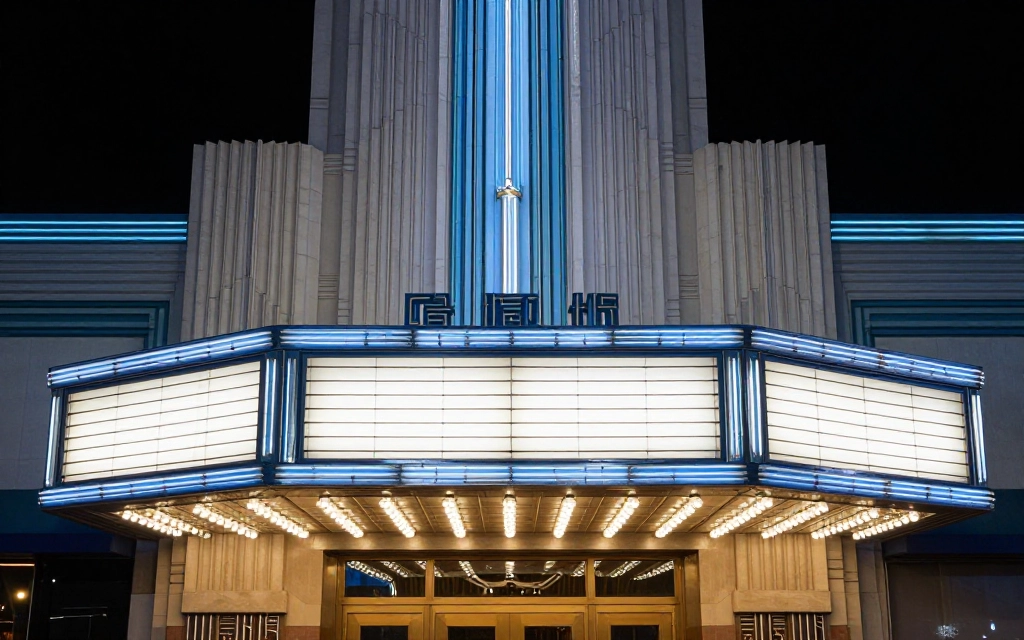
Best: “Majestic Art Deco movie palace entrance featuring stepped pyramid motifs, chrome marquee, and vertical neon lighting”
Result is shown below:
Include Specific Geometric Elements
Describing precise geometric shapes improves AI output quality. Rather than relying on “Art Deco” alone, specify which patterns you want. This gives the AI concrete visual elements to work with.
Useful geometric terms for Art Deco prompts:
- Stepped pyramids or ziggurats
- Sunburst radiating lines
- Chevron patterns
- Zigzag borders
- Concentric circles
- Trapezoid shapes
- Fan motifs
- Lightning bolt designs
Specify Materials and Finishes
Art Deco is as much about materials as it is about shapes. Always include material specifications in your prompts to achieve authentic-looking results.
Example: “Art Deco cocktail shaker in polished chrome with black enamel accents and geometric etching” works much better than just “Art Deco cocktail shaker.”
Define Your Color Palette
Never leave colors to chance. Art Deco has specific color conventions, and specifying your palette ensures consistent results. Include both primary colors and accent colors.
Strong color specifications:
- “Black background with gold geometric patterns”
- “Emerald green and chrome with ruby red accents”
- “Cream and navy blue with brass details”
- “Monochrome black and white with silver highlights”
Add Compositional Notes
Art Deco relies heavily on composition. Include notes about symmetry, perspective, and framing in your prompts.
Compositional terms that work well:
- Perfectly symmetrical
- Centered composition
- Vertical emphasis
- Low angle view (for buildings)
- Frontal perspective
- Balanced layout
Use Reference Phrases
Referencing famous Art Deco works or buildings can help guide the AI toward specific aesthetic directions. Phrases like “inspired by the Chrysler Building,” “reminiscent of 1930s luxury ocean liners,” or “in the style of Tamara de Lempicka” can be effective.
Keep Prompts Organized
Well-structured prompts with clear sections help AI tools understand your requirements. Use commas to separate different elements, and present information in a logical order.
Art Deco Color Palettes for AI Generation
Color is crucial for authentic Art Deco imagery. Using the right color combinations instantly evokes the era and creates visual impact. Let’s explore the most effective color palettes for your AI generations.
Classic Black and Gold
The most iconic Art Deco combination is black and gold. This palette screams luxury and sophistication. It works perfectly for posters, logos, and decorative designs. Specify “glossy black background with metallic gold geometric patterns” or “matte black with shimmering gold accents” depending on the finish you want.
This combination is so strongly associated with Art Deco that AI tools will naturally produce era-appropriate results when you use it. Add chrome or silver as a third color to increase visual interest without losing the classic feel.
Jewel Tones
Art Deco embraced rich, saturated colors that resembled precious gems. Emerald green, sapphire blue, ruby red, and amethyst purple were popular choices, often combined with metallics.
Effective jewel tone prompts include:
- “Deep emerald green with brass geometric patterns”
- “Rich sapphire blue background with silver sunburst designs”
- “Ruby red and gold Art Deco pattern”
- “Amethyst purple with chrome accents and black borders”
Monochrome Elegance
Black and white (or cream and black) creates striking, high-contrast Art Deco designs. This palette emphasizes geometric forms and creates bold visual statements. It’s particularly effective for architectural subjects and graphic design elements.
Try prompts like: “Black and white Art Deco geometric pattern with sharp contrast” or “Cream background with bold black geometric Art Deco design.”
Metallic Combinations
Combining different metallic finishes creates luxurious Art Deco imagery. Mix gold with silver, or bronze with chrome. Specify the finish quality for best results.
Examples: “Polished chrome and brushed gold Art Deco design” or “Antique bronze with bright silver accents in Art Deco style.”
Pastel Deco (Late Period)
In the 1930s, especially in Miami Beach and other coastal areas, Art Deco adopted softer pastel palettes. Mint green, peach, powder blue, and pale pink became popular. These colors work beautifully for residential interiors and tropical settings.
Specify: “Pastel mint green and cream Art Deco pattern” or “Soft peach and powder blue with chrome accents in Streamline Moderne style.”
Color Contrast Tips
Art Deco thrives on strong contrast. Whether using dark and light values or complementary colors, high contrast makes geometric patterns pop and creates visual drama. Avoid muddy mid-tones or low-contrast combinations unless you’re specifically going for a subtle effect.
Creating Geometric Patterns and Motifs
Geometric patterns are the heart and soul of Art Deco design. Mastering these patterns in your AI prompts will dramatically improve your results. Let’s explore the most important motifs and how to specify them effectively.
Sunburst Designs
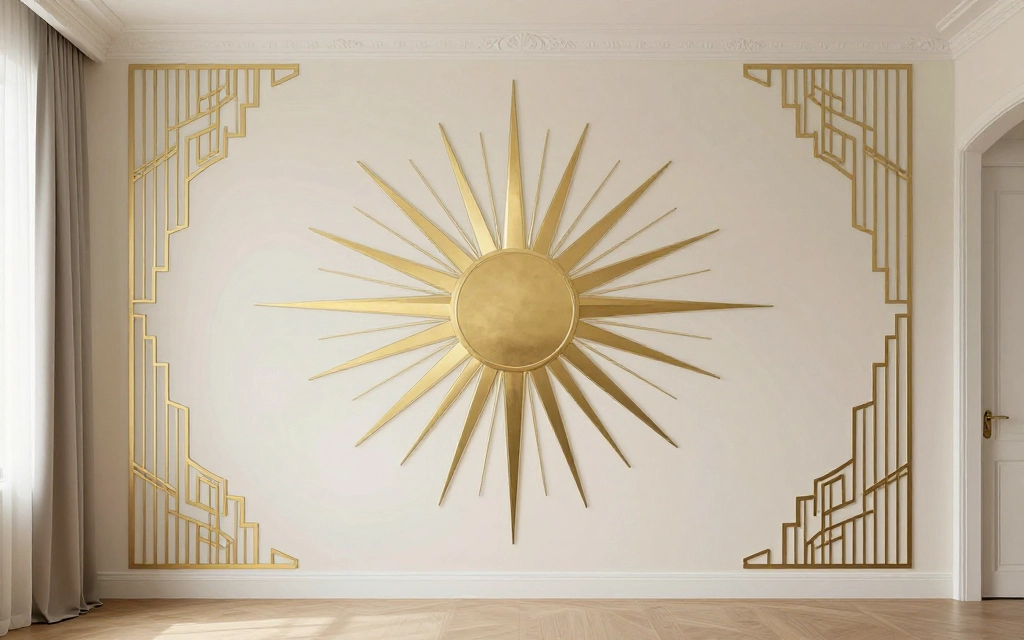
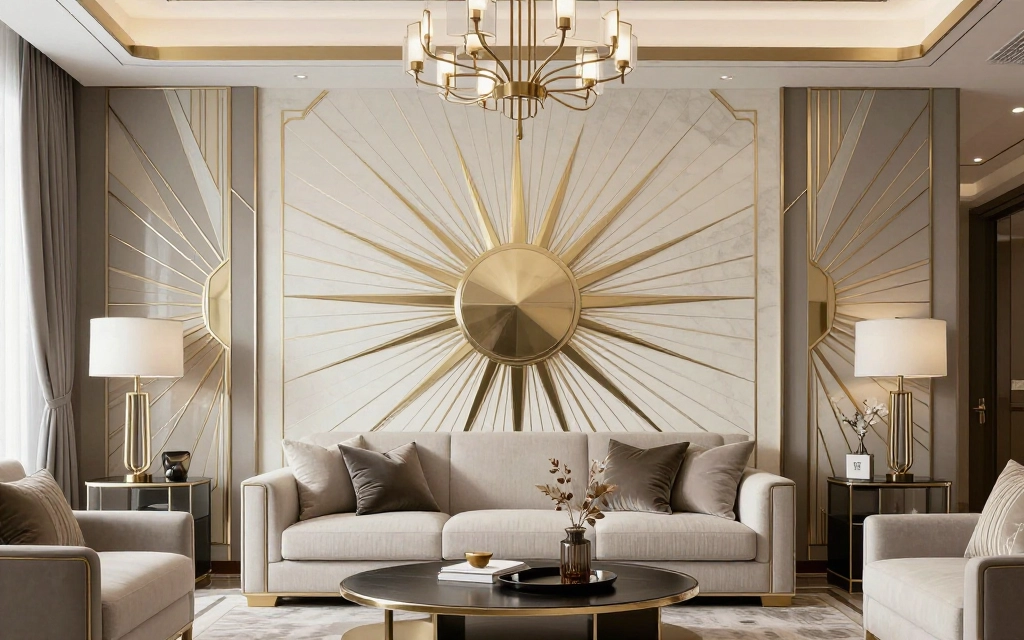
The sunburst is perhaps the most recognizable Art Deco motif. It features radiating lines emanating from a central point, symbolizing energy, optimism, and the dawn of a new age. These appear in everything from building facades to decorative objects.
For AI generation, describe sunbursts clearly: “Large central sunburst with radiating geometric rays” or “Multiple overlapping sunburst patterns in gold on black background.” Specify whether you want sharp angular rays or slightly curved ones, and how many rays should radiate outward.
Chevron and Zigzag Patterns
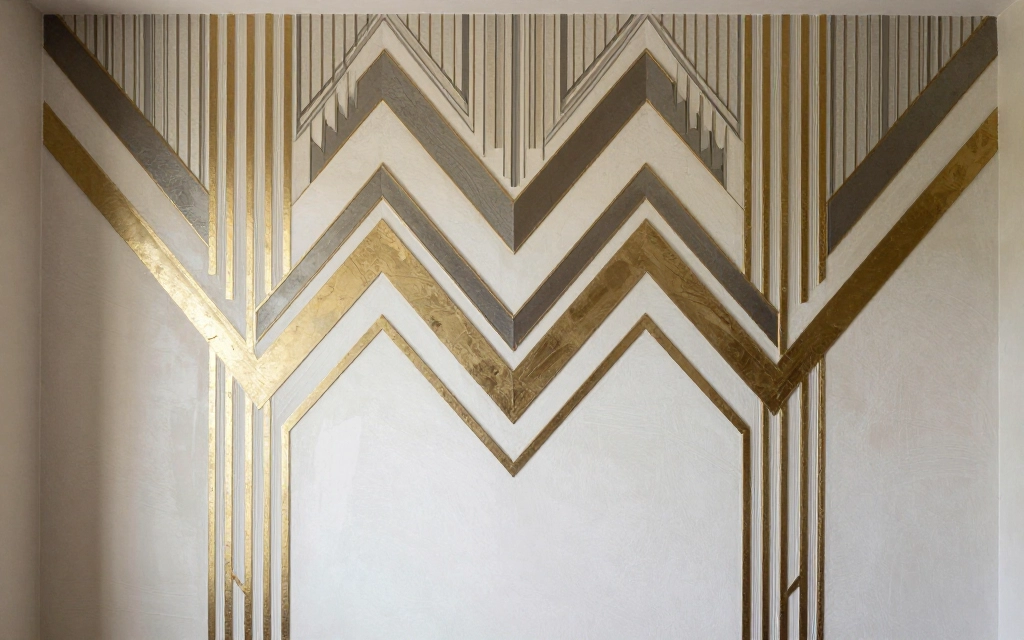
Chevrons and zigzags add dynamic energy to Art Deco designs. These patterns can be stacked vertically, arranged horizontally, or used as borders. Angular, pointed shapes moving upward and outward were particularly popular in architectural applications.
Effective prompts include: “Bold chevron pattern in descending sizes” or “Continuous zigzag border with metallic finish.” Specify the angle and scale of your chevrons for better control over the final result.
Stepped Forms
Stepped or tiered designs reference ancient pyramids and ziggurats, which fascinated Art Deco designers. These patterns create a sense of ascending toward the future and add three-dimensional depth to flat designs.
Try prompts like: “Stepped pyramid design with decreasing tiers” or “Layered geometric steps in graduating colors.” These work especially well for borders, frames, and architectural elements.
Fan Motifs
Art Deco fan patterns, also called shell or scallop designs, create elegant curved forms that balance the style’s angular elements. These patterns often overlap to create rich, complex surfaces.
Specify: “Overlapping fan patterns in gold and black” or “Concentric fan motifs radiating from corners.” Mention whether you want smooth curves or geometric fan segments.
Fountain and Cascade Patterns
Vertical cascading designs symbolized water fountains and the downward flow of luxury. These patterns use repeated geometric shapes that decrease in size as they descend.
Use prompts such as: “Cascading geometric fountain pattern with chrome finish” or “Vertical Art Deco design with descending trapezoid shapes.”
Combining Multiple Patterns
Real Art Deco designs often combine multiple geometric patterns in harmonious ways. You can do this in AI prompts by clearly separating each pattern element.
Example: “Art Deco panel featuring central sunburst, bordered by chevron patterns, with fan motifs in corners, all in black and gold.” Just be careful not to overcrowd your prompt with too many patterns, as this can confuse the AI.
Adding Art Deco Typography to Your Images
Typography was a crucial element of Art Deco design, especially in posters and advertisements. While AI image generators sometimes struggle with text, understanding Art Deco typography principles helps you create better overall compositions.
Art Deco Font Characteristics
Art Deco typefaces feature geometric construction, strong verticals, and often incorporate decorative elements. Letters tend to be tall and narrow or wide and bold, with consistent geometric shapes. Serifs, when present, are usually geometric rather than curved.
In your prompts, describe the typography style: “Bold geometric Art Deco lettering” or “Tall narrow Art Deco font with stepped decorative elements.” Even if the AI struggles with spelling out specific words correctly, it will capture the visual style of Art Deco typography.
Text Placement and Integration
Art Deco designs typically integrate text as a visual element rather than just information. Letters become part of the geometric composition. Specify how text should interact with other design elements: “Title text integrated into sunburst design” or “Large bold letters forming central focal point.”
Decorative Frames and Borders
Text in Art Deco designs often appears within decorative frames or borders featuring geometric patterns. These frames are as important as the text itself. Include these in your prompts: “Text centered in ornate Art Deco frame with stepped corners” or “Words enclosed in geometric border with chevron details.”
Working Around AI Text Limitations
Most AI image generators struggle to spell words correctly. Instead of focusing on specific words, emphasize the overall composition and style. You can always add actual text later using graphic design software. Focus your prompts on creating the right Art Deco background, frame, and typographic style, then add real text in post-processing.
Alternatively, use our AI Text to Image Generator which has improved text handling capabilities for design projects.
Incorporating Architectural Elements
Art Deco architecture produced some of the most iconic buildings of the 20th century. Understanding architectural elements helps you create impressive AI-generated designs, whether you’re generating entire buildings or just incorporating architectural details into other projects.
Skyscraper Aesthetics
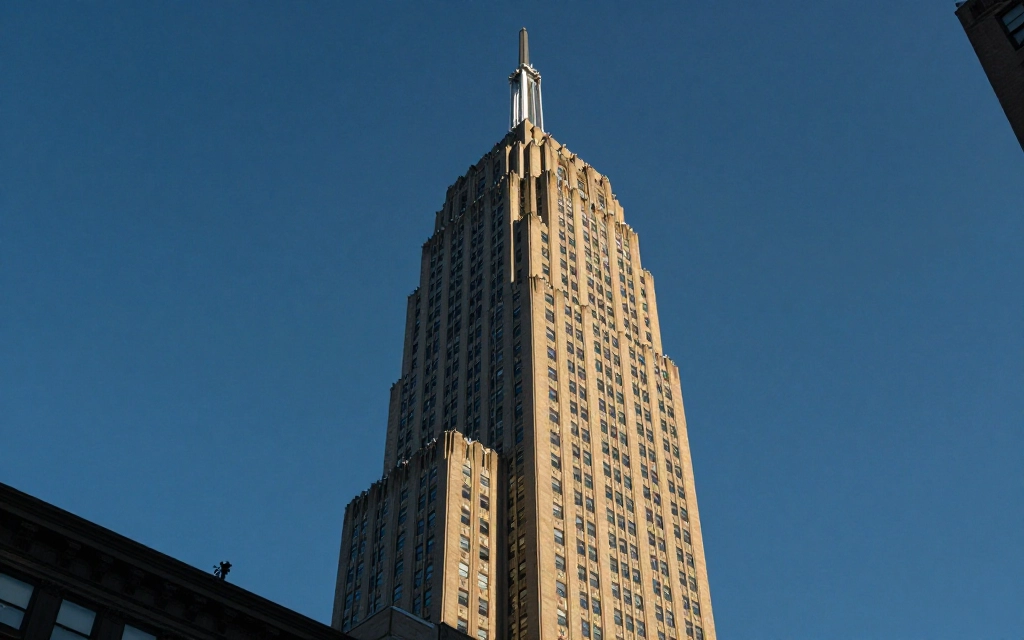
Art Deco skyscrapers like the Chrysler Building and Empire State Building defined the style. These buildings featured stepped setbacks, vertical emphasis, and decorative spires that created dramatic silhouettes against the sky.
For AI generation, specify: “Tall Art Deco skyscraper with stepped setbacks and chrome spire” or “1930s style office building with vertical emphasis and geometric detailing.” Include lighting notes like “dramatic upward lighting” to enhance the grandeur.
Facade Details
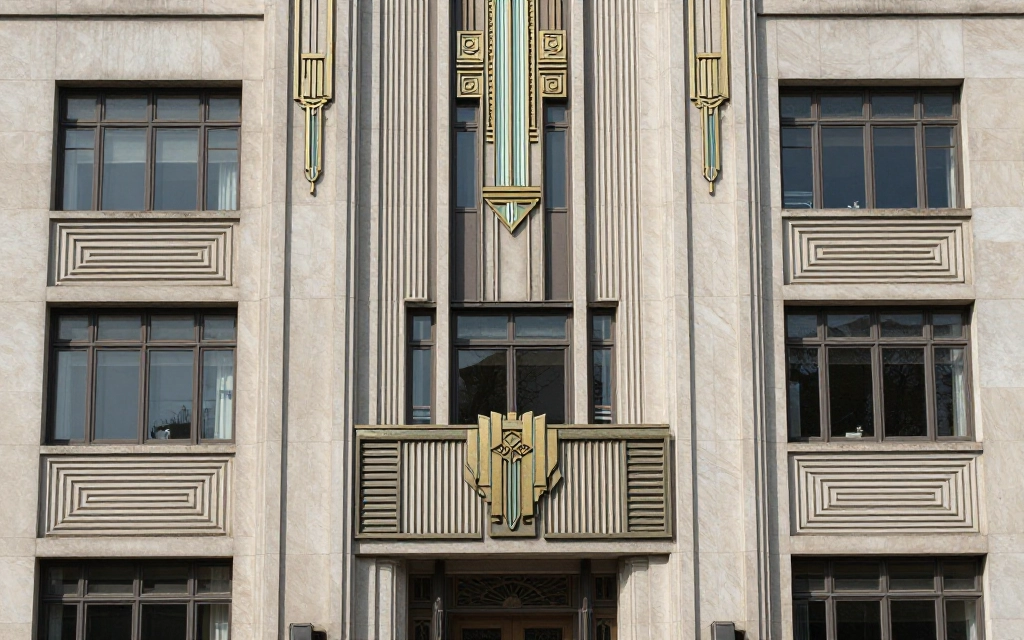
Art Deco building facades featured low-relief geometric patterns, stylized decorative panels, and metallic details. These elements can be generated individually or as part of complete architectural scenes.
Try prompts such as: “Art Deco building facade with geometric relief patterns” or “Ornate entrance with stepped archway and brass details.” Specify the material for best results: limestone, terracotta, glazed brick, or concrete.
Interior Architectural Features
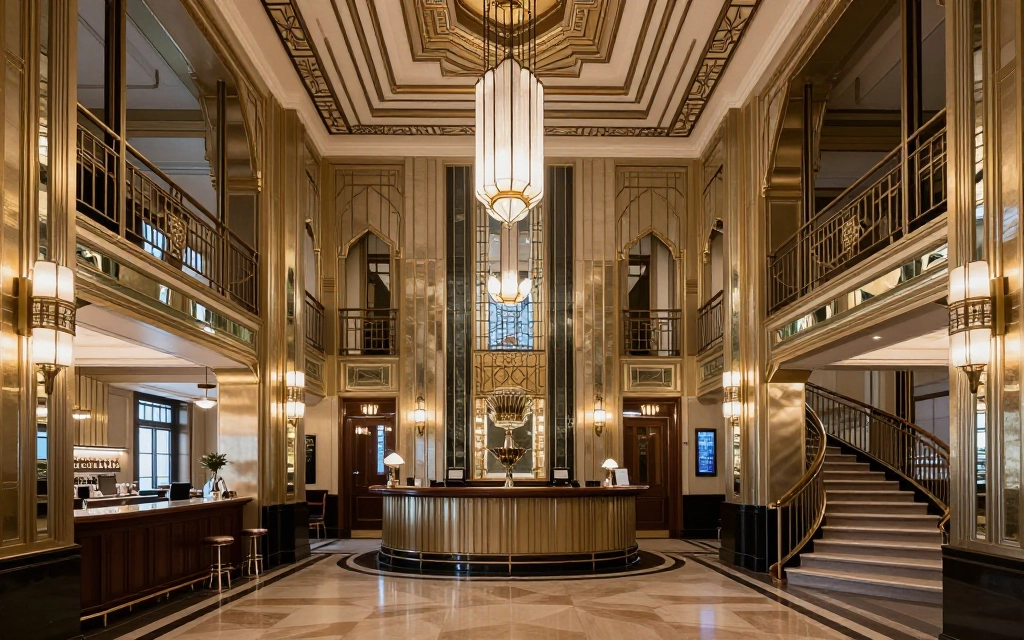
Art Deco interiors showcased dramatic architectural elements including geometric ceiling details, mirrored walls, curved bars, and grand staircases. These make excellent AI generation subjects.
Effective prompts: “Art Deco lobby with geometric marble floor and chrome elevator doors” or “Curved Art Deco bar with mirrored backing and brass details.” Include lighting specifications to enhance the mood and drama.
Windows and Openings
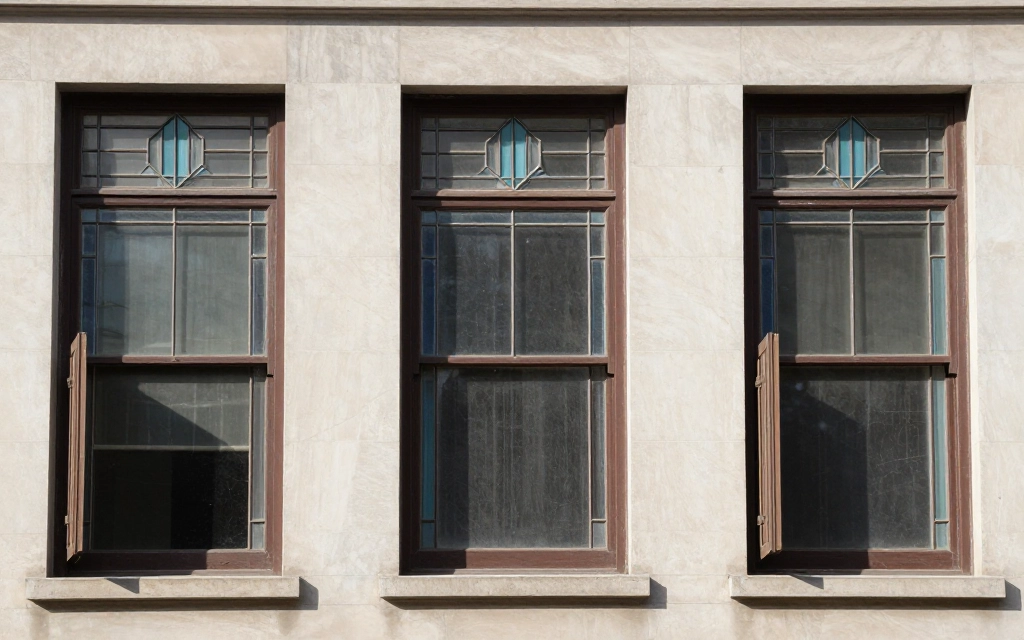
Art Deco windows often featured geometric glazing patterns, vertical emphasis, and stylized frames. These can add authentic period detail to any architectural generation.
Specify: “Tall narrow windows with geometric Art Deco glazing bars” or “Curved corner windows with chrome frames in Streamline Moderne style.”
Decorative Elements
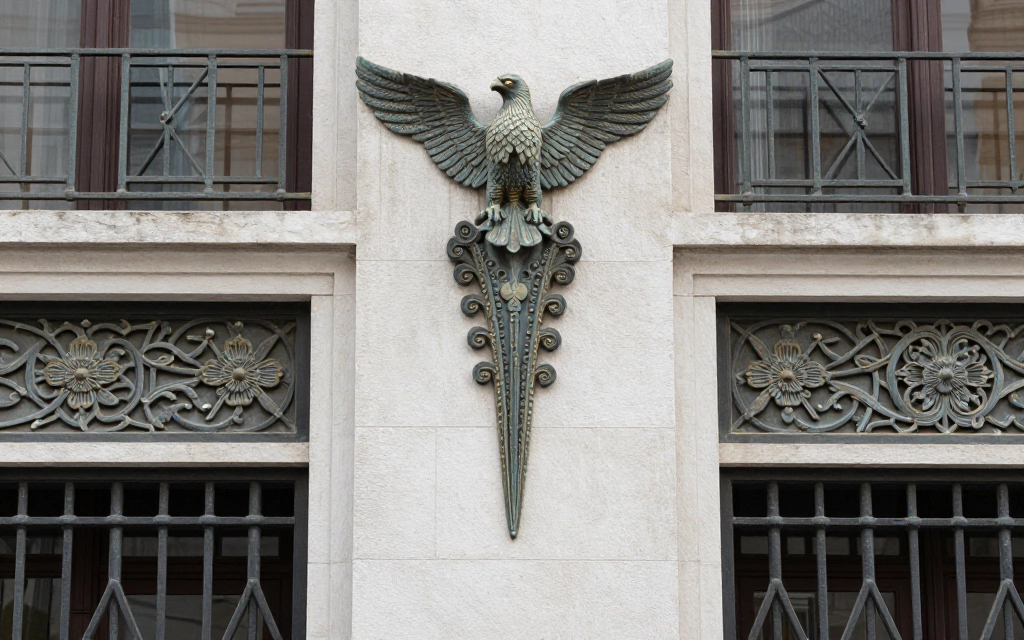
Specific decorative features defined Art Deco architecture. Eagle sculptures, stylized florals cast in metal, geometric grilles, and zigzag railings all contribute to authentic period appearance.
Include these in prompts: “Art Deco entrance with stylized eagle sculptures flanking doorway” or “Geometric metal grillwork in bronze with stepped pyramid motifs.”
Art Deco Fashion and Portrait Generation
Art Deco fashion and portraiture have a distinctive look that translates beautifully to AI generation. Creating period-appropriate fashion images requires attention to specific style details.
Fashion Silhouettes
1920s fashion featured dropped waistlines, straight silhouettes, and geometric beading. The 1930s brought bias-cut gowns that emphasized sleek, elongated lines. Include these details in your prompts for authentic results.
Examples: “1920s flapper dress with geometric beading and dropped waist” or “1930s evening gown with bias cut and slinky silhouette, Art Deco jewelry.”
Portrait Styles
Art Deco portraits, particularly in the style of artists like Tamara de Lempicka, featured stylized figures, geometric forms, and bold color blocking. Faces were often angular with sharp highlights and shadows.
Try: “Art Deco portrait in style of Tamara de Lempicka, geometric forms, bold colors, angular features” or “Stylized 1920s portrait with geometric background and metallic accents.”
Accessories and Jewelry
Art Deco jewelry featured geometric settings, strong lines, and bold gemstones. Long necklaces, geometric brooches, and chandelier earrings defined the era’s accessories.
Specify: “Art Deco diamond bracelet with geometric platinum setting” or “1920s long pearl necklace with geometric clasp and tassel.”
Hair and Makeup Styles
The era had distinctive beauty looks. Short bobbed hair, finger waves, dark lips, and defined eyebrows characterized the period. Include these details for authentic fashion illustrations.
Prompts like: “1920s beauty portrait with finger wave hairstyle and dark lips, Art Deco background” or “Flapper with short bob and geometric headband, Art Deco style.”
Fabric Patterns and Textures
Art Deco fabrics featured geometric prints, metallic threads, and luxurious textures like velvet, silk, and lamé. Specify these materials for realistic fashion generations.
Example: “Art Deco evening dress in emerald green velvet with geometric gold embroidery” or “1930s dress in silk charmeuse with abstract Art Deco print.”
Art Deco Design Mistakes and confusions
Even experienced users make mistakes when generating Art Deco images with AI. Avoiding these common pitfalls will save you time and improve your results significantly.
Mixing Art Deco with Art Nouveau
This is the most frequent mistake. Using terms from both styles in the same prompt creates confused, inconsistent images. Art Nouveau’s organic curves clash with Art Deco’s geometric forms. Stick with one style or clearly separate them if intentionally blending.
Wrong: “Art Deco poster with flowing floral Art Nouveau elements”
Right: “Art Deco poster with geometric patterns and sharp angles”
Vague Color Descriptions
Leaving colors unspecified or using vague terms produces inconsistent results. “Colorful Art Deco pattern” could yield anything. Always specify exact colors and their relationships.
Wrong: “Nice colors”
Right: “Black background with metallic gold geometric patterns and ruby red accents”
Overcomplicating Prompts
Including too many competing elements confuses AI tools. Art Deco works best with bold, clear designs rather than cluttered compositions. Keep your prompts focused.
Wrong: “Art Deco poster with sunburst, chevrons, zigzags, fans, cascading patterns, stepped forms, and multiple color schemes”
Right: “Art Deco poster featuring bold sunburst design with chevron border, gold on black”
Ignoring Symmetry
Forgetting to specify symmetry often results in unbalanced compositions that don’t feel authentically Art Deco. Always include symmetry notes in your prompts.
Add phrases like: “perfectly symmetrical,” “mirrored composition,” or “balanced central design.”
Wrong Era References
Mixing Art Deco with incompatible time periods creates anachronistic results. Don’t combine Art Deco with Victorian, Medieval, or modern minimalist elements unless you’re intentionally creating a fusion style.
Neglecting Material Specifications
Omitting material details produces flat, unconvincing images. Art Deco is as much about materials as geometry. Always specify finishes, materials, and textures.
Poor Aspect Ratio Choices
Art Deco designs often work best in vertical formats, especially for posters and architectural subjects. Choose aspect ratios that complement your subject rather than defaulting to square.
Tips for Professional Art Deco Results with AI
Once you’ve mastered basic Art Deco AI generation, these advanced techniques will help you create truly professional-quality images that stand out.
Image Prompting and Style References
Many AI tools allow you to upload reference images alongside text prompts. Using actual Art Deco examples as visual references dramatically improves accuracy and consistency. Upload photos of period buildings, vintage posters, or decorative objects to guide the AI’s interpretation.
When using image references, your text prompt can be simpler because the visual reference provides so much information. For example, “Art Deco theater entrance in this style” plus a reference image of the Paramount Theatre will produce excellent results.
Iterative Refinement
Professional results rarely come from a single generation. Create multiple variations, identify the best elements from each, then craft new prompts that combine those successful elements. This iterative process gradually refines your output toward perfection.
Save promising generations and note what worked. Build a personal reference library of successful prompts and their results. This becomes invaluable for future projects.
Negative Prompts
Advanced AI tools support negative prompts that tell the system what to avoid. For Art Deco, useful negative terms include: “organic shapes, curved floral patterns, Art Nouveau style, rustic, weathered, distressed, soft focus.”
Negative prompts help eliminate unwanted elements that might accidentally appear in your generations.
Parameter Adjustment
Tools like Midjourney offer parameters for chaos, stylization, and quality. For Art Deco, lower chaos values (0-20) work better because you want consistency and precision. Higher stylization (300-500) can enhance the artistic quality while maintaining geometric accuracy.
Combining Generated Elements
Create multiple AI generations focusing on different elements, then combine them in graphic design software. Generate backgrounds separately from foreground elements. Create borders and frames in one generation, main subjects in another, then layer them together for perfect control.
Upscaling and Enhancement
AI-generated images often need upscaling for print or detailed work. Use specialized AI upscaling tools to increase resolution while maintaining the sharp geometric edges crucial to Art Deco aesthetics. Standard image upscaling can blur geometric precision, so choose tools designed for line art and geometric forms.
Post-Processing for Perfection
Even the best AI generations benefit from minor adjustments. Use photo editing software to perfect symmetry, enhance contrast, adjust colors, or add final details. Small refinements can elevate good results to exceptional ones.
Creating Series and Variations
Professional designers create design systems, not just individual images. Generate multiple variations on a theme using consistent prompts with systematic changes. This produces cohesive design families perfect for branding, marketing campaigns, or art collections.
Modern Applications of Art Deco in Digital Design
Art Deco isn’t just for historical recreations. Modern designers use Art Deco principles in contemporary work across multiple fields. Understanding these applications helps you create relevant, commercially viable designs.
Branding and Logo Design
Art Deco’s bold, memorable geometric forms make excellent logos. Brands seeking sophistication and heritage often incorporate Art Deco elements. Generate logo concepts using prompts like: “Modern logo design with Art Deco geometric elements, minimalist interpretation” or “Brand mark featuring Art Deco sunburst motif, contemporary color palette.”
Event Design and Invitations
Weddings, galas, and upscale events frequently use Art Deco themes. AI-generated Art Deco designs work perfectly for invitations, programs, and signage. The style conveys elegance and celebration, making it ideal for formal occasions.
Product Packaging
Luxury products in cosmetics, spirits, and fashion often use Art Deco aesthetics to communicate premium quality. Generate packaging concepts that blend period authenticity with modern functionality.
Interior Design Visualization
Designers use AI-generated Art Deco imagery for mood boards and client presentations. Art Deco interior elements remain popular in contemporary spaces, especially for creating statement features or accent areas. Generate wallpaper patterns, tile designs, or furniture concepts for modern interiors with Art Deco flair.
Digital Media and Web Design
Art Deco elements add sophistication to websites, apps, and digital media. Use AI-generated Art Deco patterns for backgrounds, headers, or decorative elements that create visual interest while maintaining clean, modern functionality.
Fashion and Textile Design
Contemporary fashion continues drawing inspiration from Art Deco geometry and luxury. Generate fabric patterns, jewelry designs, or fashion illustrations that reinterpret 1920s and 1930s style for modern audiences.
Entertainment and Gaming
Games set in the 1920s-1930s or those wanting a sophisticated aesthetic use Art Deco extensively. Generate concept art, user interface elements, or environmental assets with period-appropriate style.
Social Media Content
Art Deco’s visual impact makes it perfect for social media graphics that need to stand out. The strong geometric patterns and bold colors capture attention in crowded feeds. Use AI generation to create consistent Art Deco-themed content series.
Frequently Asked Questions
What makes Art Deco different from other design styles?
Art Deco stands out for its emphasis on geometric patterns, symmetry, and luxury materials combined with modern industrial influences. Unlike organic Art Nouveau that came before it, Art Deco features sharp angles, straight lines, and bold geometric shapes. The style celebrates technology and progress while maintaining decorative richness and sophistication. It’s instantly recognizable through signature elements like sunbursts, chevrons, stepped forms, and metallic finishes.
Can I use AI-generated Art Deco images commercially?
Generally yes, but check the specific terms of service for your chosen AI tool. Most AI image generators, including AI Free Forever, allow commercial use of generated images. However, you should review licensing terms before using images for commercial projects. Some platforms may have restrictions on certain types of commercial use or require attribution.
How do I make AI-generated Art Deco look authentic rather than generic?
Focus on specifics rather than general terms. Instead of just saying “Art Deco,” describe exact geometric patterns, name specific materials, define your color palette precisely, and reference particular architectural or design elements from the era. Study actual Art Deco examples and incorporate those specific details into your prompts. The more precise your descriptions, the more authentic your results will be.
What’s the best way to learn Art Deco design principles for better AI prompts?
Study real Art Deco buildings, posters, and objects. Visit museums or browse online collections of Art Deco design. Analyze what makes these designs work by breaking them down into geometric components, color schemes, and compositional strategies. Create a reference collection of Art Deco images you find inspiring and note specific elements you want to recreate. This hands-on study dramatically improves your ability to craft effective prompts.
Why do my AI-generated Art Deco images sometimes look unbalanced?
This usually happens when you don’t explicitly specify symmetry in your prompts. Art Deco designs are almost always symmetrical, but AI won’t assume this unless you state it clearly. Always include terms like “perfectly symmetrical,” “mirrored composition,” or “balanced design” in your prompts. Also ensure you’re not mixing incompatible elements that fight for visual dominance.
How can I create Art Deco designs that feel modern rather than dated?
Simplify the palette and reduce decorative density. Use Art Deco geometric principles but with cleaner, more minimal execution. Combine Art Deco elements with contemporary color schemes or modern photography. Focus on one or two key Art Deco motifs rather than overwhelming the design with period details. This selective approach creates designs that reference the style without feeling like museum pieces.
What are the most important elements to include in Art Deco prompts?
The five essential elements are: geometric pattern description, symmetry specification, material and finish details, precise color palette, and compositional notes. Include all five in every prompt for best results. Start with your subject, add “Art Deco style,” then layer in these five elements. This structure consistently produces strong results regardless of what you’re creating.
Can I mix Art Deco with other design styles?
Yes, but do it intentionally and carefully. Art Deco can blend well with contemporary minimalism, mid-century modern, or even some industrial design elements. However, it clashes with organic styles like Art Nouveau, rustic aesthetics, or overly ornate historical styles. If mixing styles, clearly delineate which elements come from which style in your prompt. For example, “Art Deco geometric patterns on minimalist contemporary furniture.”
How do I fix AI-generated images that have the right style but wrong colors?
Use more specific color language in your prompts. Instead of “gold,” specify “metallic gold,” “antique gold,” “rose gold,” or “bright yellow gold.” Include color relationships like “emerald green background with metallic gold accents.” If colors still aren’t right, use image editing software to adjust them post-generation. Most design programs allow selective color adjustment while preserving geometric forms.
What aspect ratio works best for Art Deco designs?
This depends on your application. Art Deco posters traditionally used vertical formats (2:3 or 3:4), while architectural views often work well in landscape orientation. For social media, square formats (1:1) can work if your design is centered and symmetrical. Experiment with different aspect ratios for your specific project. Many Art Deco designs actually benefit from vertical emphasis that draws the eye upward.