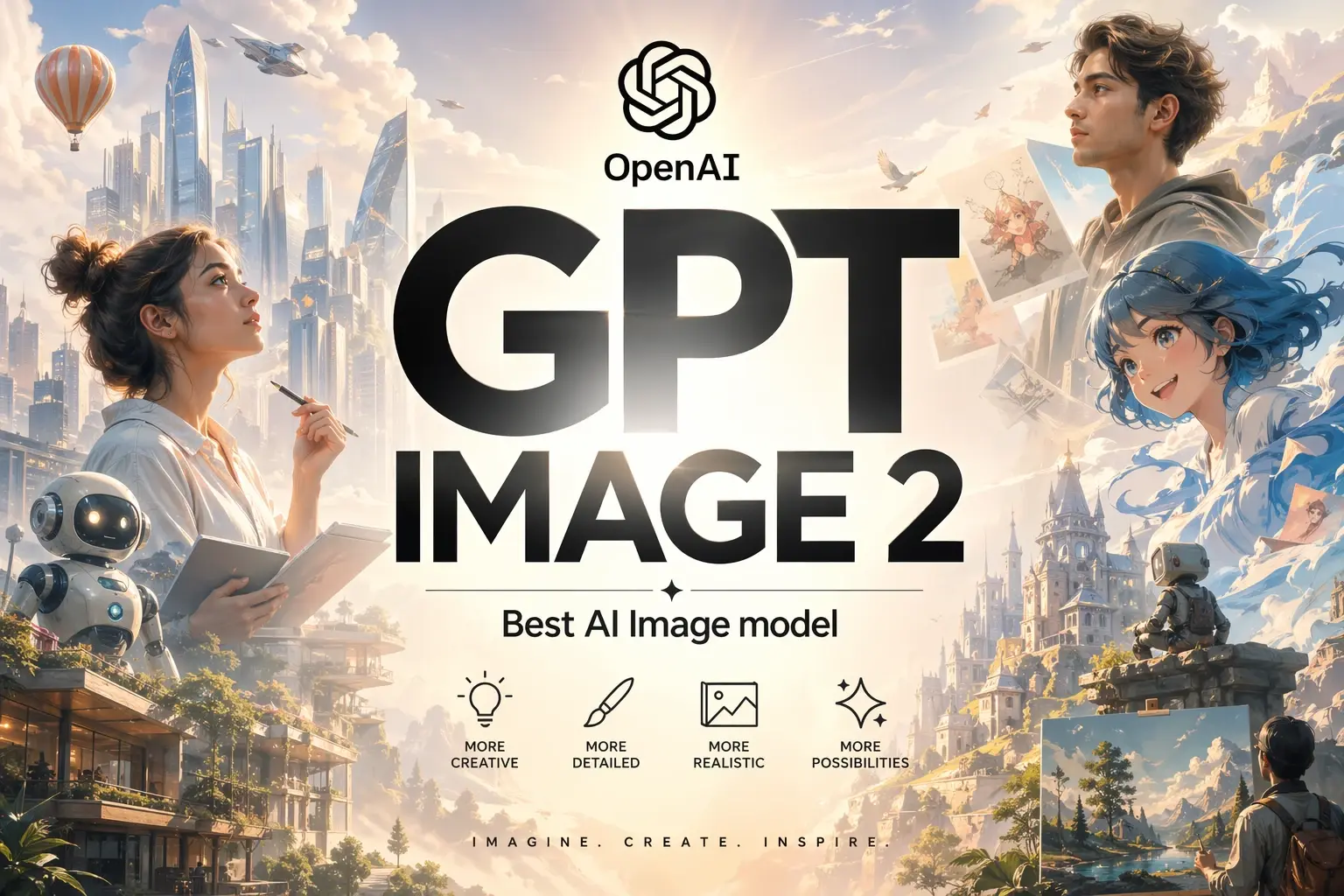
OpenAI has quietly rewritten the ceiling for text-to-image generation. Its latest release, GPT Image 2, is now the highest ranked model on the Artificial Analysis Image Arena leaderboard, finishing a full 242 Elo points ahead of its closest rival, Nano Banana 2. For anyone who creates visuals for a living, or who builds software that does, this is not a minor version bump. It is a genuine shift in what a single prompt can produce.
This article walks through what GPT Image 2 does well, where it still falls short, how much it costs on each major API provider, and how you can try it at no cost today.
Table of Contents
- GPT Image 2
- Benchmark Performance and Leaderboard Position
- Core Capabilities
- Real World Use Cases
- Examples of Images Generated by GPT Image 2
- Input Parameters and Controls
- Prompting Tips for Better Results
- Known Limitations
- API Providers and Pricing
- How to Use GPT Image 2 for Free
- Frequently Asked Questions
What is GPT Image 2?
GPT Image 2 is OpenAI’s newest flagship image model, positioned as the successor to GPT Image 1.5. It supports two primary workflows in a single endpoint: generating fresh imagery from a text prompt, and editing existing pictures through natural language instructions. When you pass one or more reference images into the model, it automatically processes them at high fidelity without requiring you to tune any separate setting.
What sets this version apart from earlier OpenAI image models is a reasoning step that runs before pixels are produced. The model can think about the prompt, reason through complex layouts, and in some configurations even search the web to ground its output in current facts. Extended thinking mode can produce up to eight images from a single prompt while keeping characters, objects, and styles consistent across every frame.
Benchmark Performance for this model
GPT Image 2 debuted at the top of every Image Arena leaderboard tracked by Artificial Analysis. The numbers tell the story more clearly than any marketing copy.
| Rank | Model | Provider | Elo Score |
|---|---|---|---|
| 1 | GPT Image 2 (Medium) | OpenAI | 1,512 |
| 2 | Nano Banana 2 | 1,271 | |
| 3 | Nano Banana Pro (2k) | 1,244 | |
| 4 | GPT Image 1.5 (High) | OpenAI | 1,241 |
| 5 | Nano Banana Pro | 1,232 | |
| 6 | MAI Image 2 | Microsoft | 1,184 |
| 7 | Reve V1.5 | Reve | 1,177 |
| 8 | Grok Imagine Image | xAI | 1,170 |
| 9 | Flux 2 Max | Black Forest Labs | 1,165 |
A 242 point Elo lead is the widest margin the Arena has recorded at the top of this leaderboard. For context, the gap between second place and ninth is only 106 points, meaning GPT Image 2 has opened more distance between itself and the runner up than exists across the next eight models combined.
Core Capabilities of GPT Image 2
Photorealism
Skin textures, fabric weaves, and lighting behavior all look closer to real photography than to the plastic sheen that earlier diffusion models produced. The model handles both unposed candid looks and polished commercial photography with equal confidence.
Text Rendering
Small text, dense labels, infographic copy, and UI mockups are rendered cleanly. This is the single area where previous generation models struggled most, and it is where GPT Image 2 shows the clearest gains. Advertisers, educators, and product designers benefit immediately.
Image Editing
Tell the model to change a red hat to a blue one, and it changes the hat. It does not recompose the scene, shift the lighting, or redraw the subject’s face. This kind of surgical editing, preserving identity and composition while altering one element, is where the model’s instruction following really shines. Feed the model two reference images and ask it to apply the style of the first to the subject of the second. It handles the handoff with minimal prompt engineering. For multi-panel illustrations, the same character can appear across dozens of scenes without drifting in appearance.
Real time Knowledge
Because the underlying model inherits reasoning from OpenAI’s language models, it understands cultural references, historical settings, and contextual details. Ask for “a diner scene in suburban New Jersey, 1978” and it knows what that should look like without needing you to spell out every detail.
Real World Use Cases
| Category | Example Applications |
|---|---|
| Marketing | Social graphics, ad creative, product hero shots, localized campaign variants |
| E-commerce | Virtual try-ons, product mockups on different backgrounds, lifestyle photography |
| Design | UI mockups, logo concepts, brand exploration, landing page visuals |
| Publishing | Children’s book illustrations, editorial graphics, comic panels, storyboards |
| Education | Infographics, diagrams, textbook figures, explainer visuals |
| Film and TV | Concept art, location scouting references, mood boards, storyboards |
| Real Estate | Virtual staging, room redesigns, before and after renovations |
| Content Creation | Blog headers, YouTube thumbnails, podcast artwork, newsletter graphics |
Examples of Images Generated with GPT Image 2
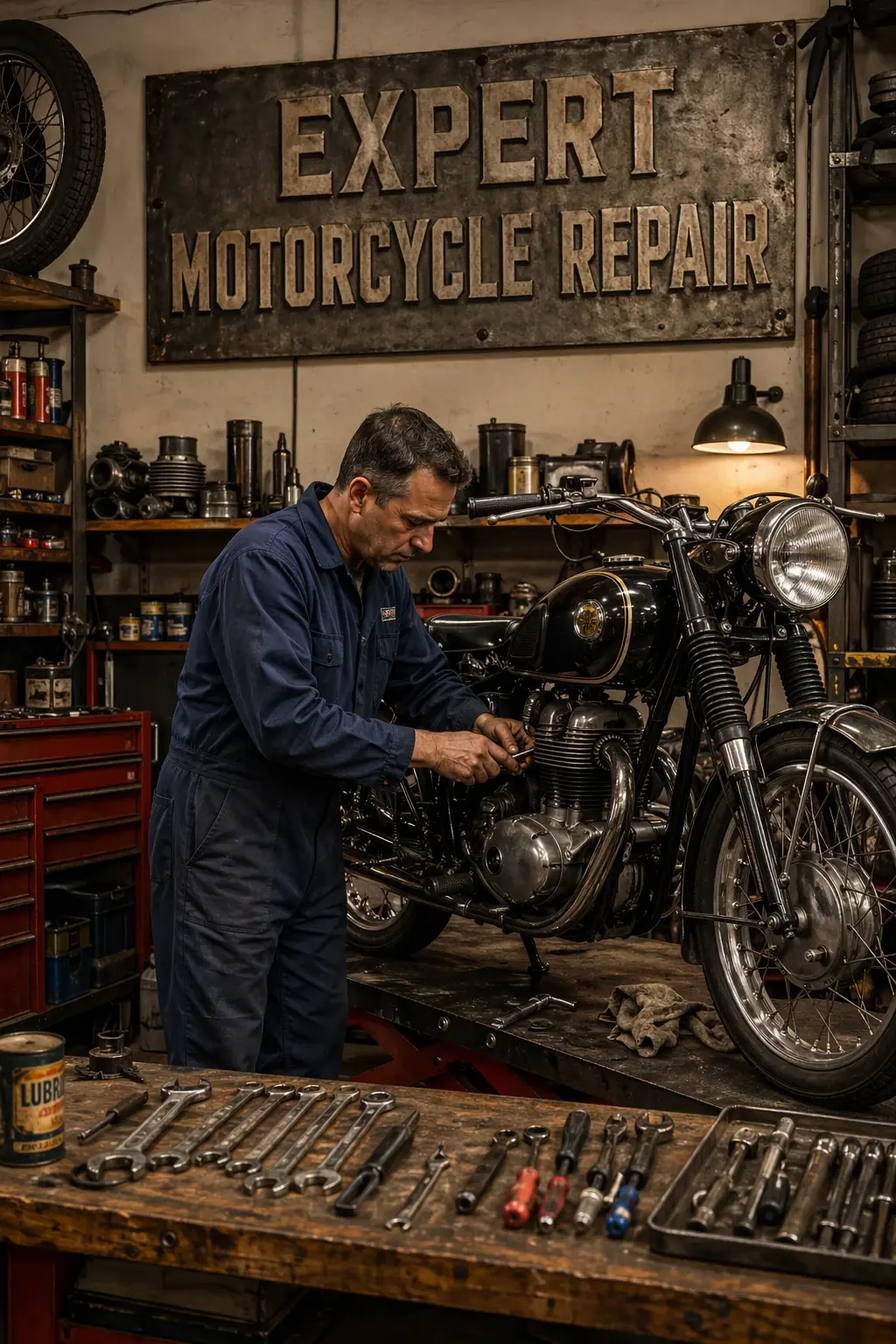
Prompt 1
Create an image of a photorealistic motorcycle repair shop scene, featuring a skilled mechanic in their mid-aged years with short, dark hair and wearing a blue mechanic’s jumpsuit, focused intently on repairing a sleek, vintage motorcycle. The mechanic is surrounded by various tools, including wrenches and screwdrivers, neatly organized on a large wooden workbench. The shop is filled with motorcycle parts, such as tires and engines, creating an authentic workshop atmosphere. Above the workbench, a sign made of metal with “Expert Motorcycle Repair” in bold, industrial-style letters prominently displayed. The warm lighting casts soft shadows, highlighting the textures of the metal and wood, while creating an inviting and industrious ambiance in the workspace.
Image result 1
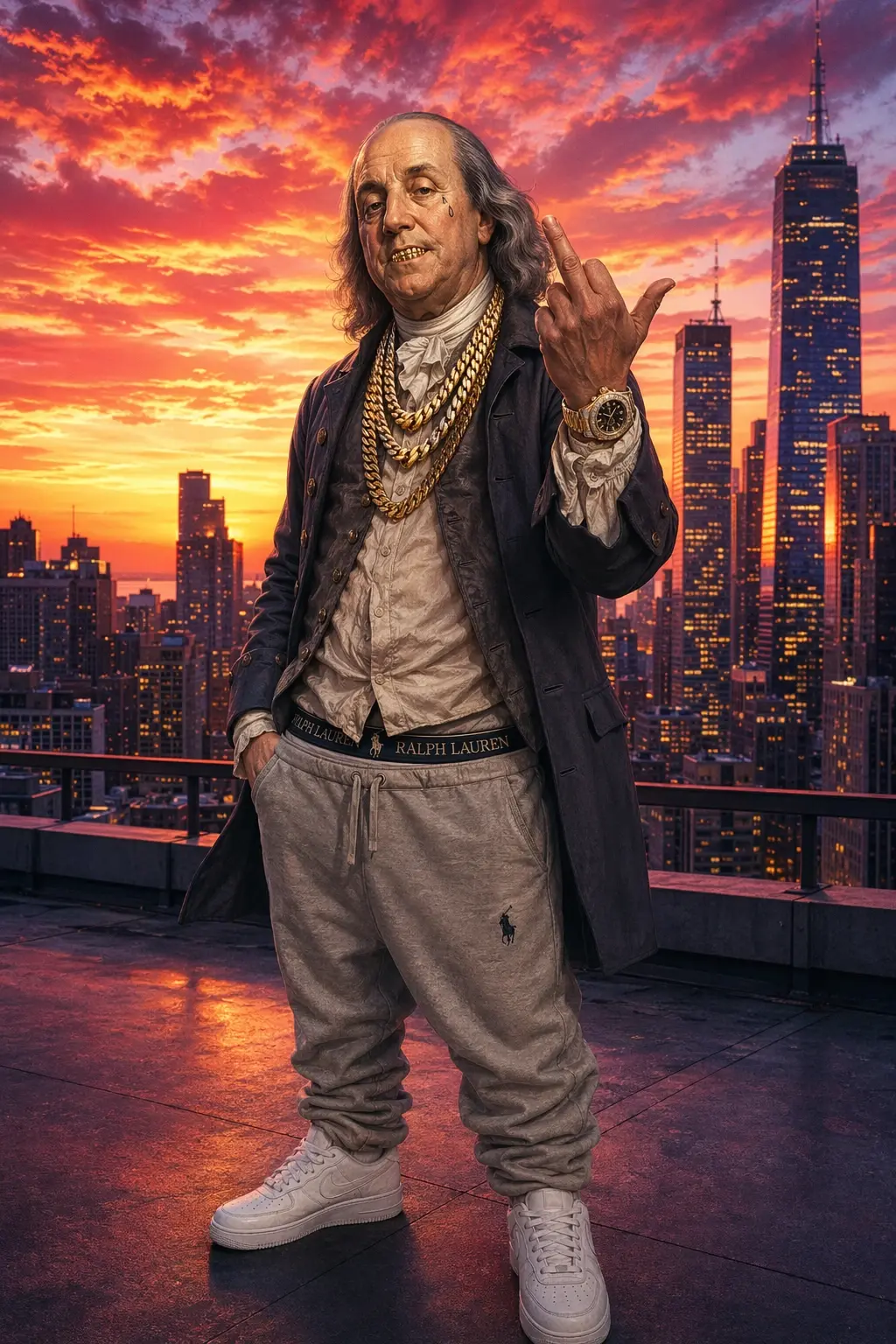
Prompt 2
Create an image of a man resembling a historical figure with golden grills in his mouth, adorned with thick gold chains around his neck, dressed in modestly covered clothing and sagging sweatpants. He sports a luxurious Rolex watch on one wrist and has a teardrop tattoo under one eye. He stands confidently on the rooftop of a modern building, striking a bold pose by holding up his middle finger. The backdrop features a breathtaking city skyline, with a vibrant sunset casting warm oranges, pinks, and purples that reflect off the glass surfaces of the skyscrapers, creating a dramatic and colorful atmosphere.
Image result 3
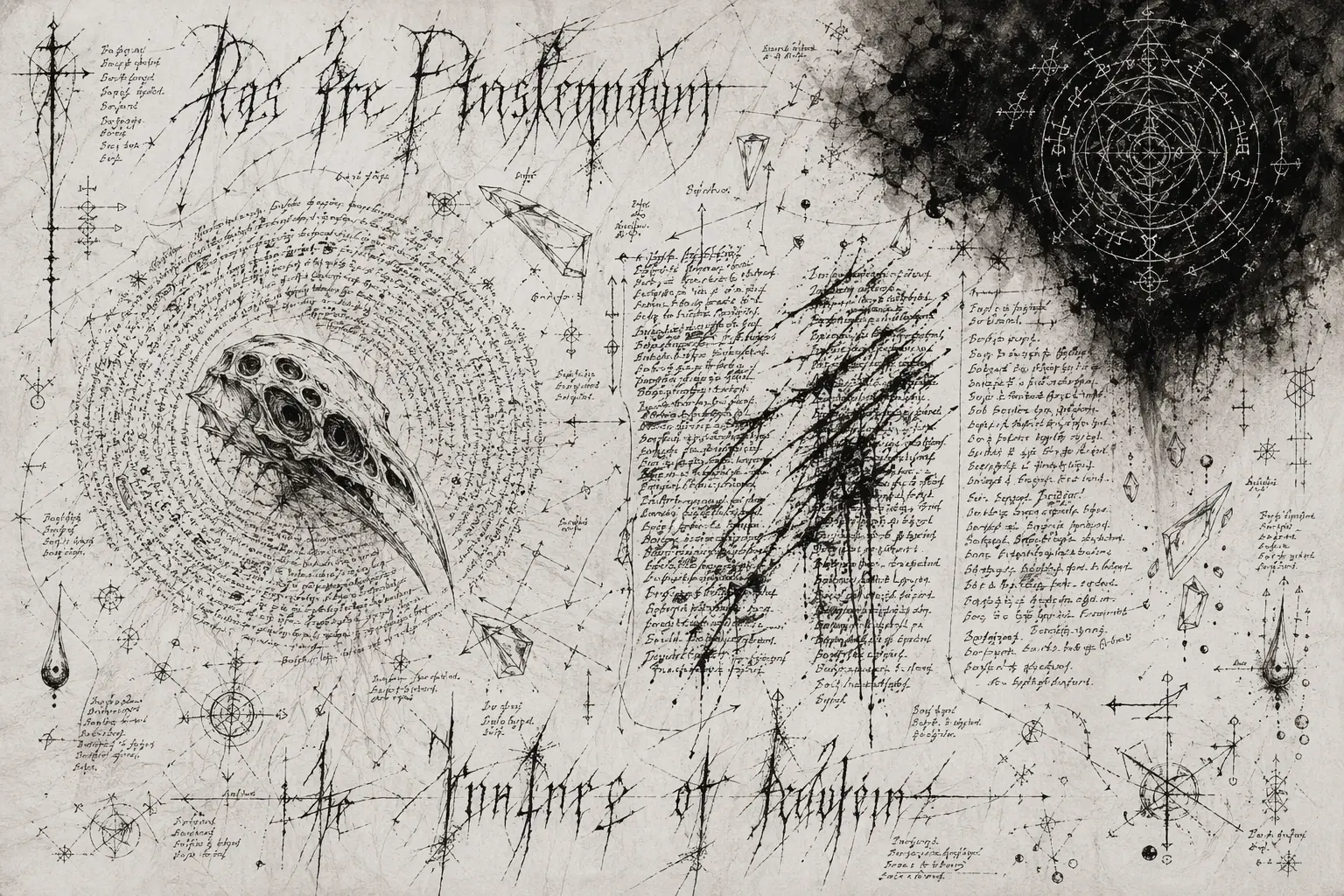
Prompt 3
Create an image of a plain white background with a subtle grain texture and faint ghosting of previous sketches. The aesthetic embodies a sophisticated, grim high-fantasy manuscript, featuring dense, intricate hand-drawn elements. The style includes masterfully crafted but irregular, dense, handwritten pseudo-script and complex arcane diagrams, all rendered in a mature and dark fashion that avoids simplistic tropes.
The canvas presents itself as a disorganized field of data with no central focus. A high-status heading is split across the top and bottom of the layout, executed in thin, aggressive strokes that convey a sense of urgency. On the middle-left, there is a flat sketch of a bird-like skull, characterized by its multiple eye-sockets, which is encircled by a tight, swirling mass of irregular, dense, handwritten pseudo-script. To the right, three separate, non-parallel columns of text compete for space, with the middle column being partially crossed out by violent, wet ink slashes that add a sense of chaos.
Scattered randomly across the white space are tiny, precise sketches of glass shards and droplets, each accompanied by a microscopic string of symbols that enhances the mysterious atmosphere. A heavy, dark soot-mark dominates the upper right corner, revealing white-etched geometric seals visible within it, suggesting an ancient language. The relationships between elements are indicated by frantic, thin arrows and jagged lines that crisscross the page, creating an energetic flow.
The colors are a deep soot black and rich charcoal, enhancing the overall dark and sophisticated aesthetic.
Image result 3
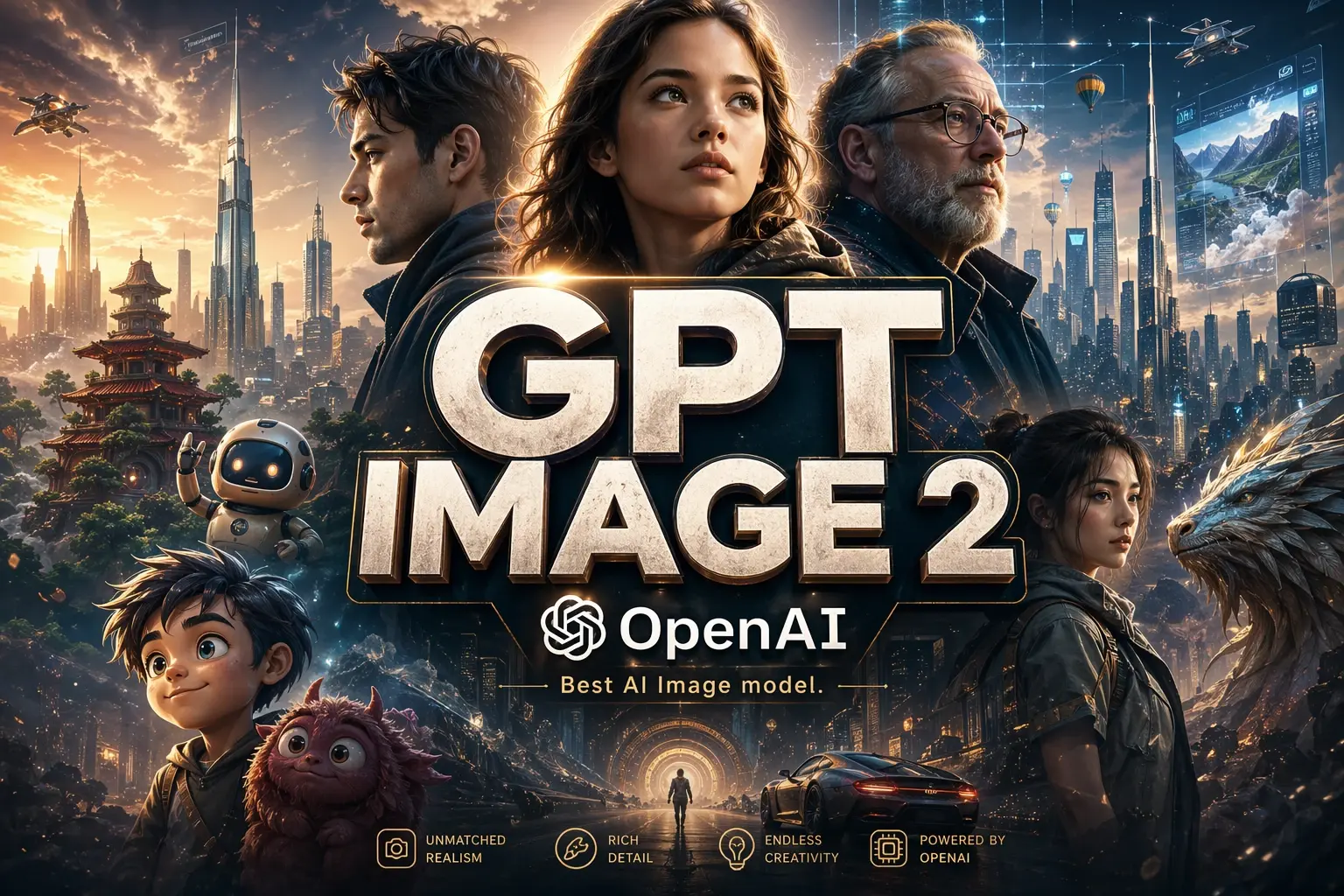
More images from GPT Image 2
GPT Image 2 Prompting Tips for Great Results
Writing a good prompt for GPT Image 2 is closer to briefing a photographer than casting a spell. A few patterns consistently lift output quality:
- Be specific about the change. Instead of vague quality adjectives, describe the actual thing you want. “Soft morning daylight from a north facing window” beats “make it prettier” every time.
- Use photography vocabulary. Mentioning lens length, depth of field, and lighting type pushes the model toward genuine photographic realism rather than the generic “HD, 8K, masterpiece” look that rarely helps.
- Lock what must not change. When editing, explicitly state which elements should stay identical. Something like “preserve the subject’s face, pose, and clothing; only adjust the background lighting” prevents collateral drift.
- Quote your text content. For text that needs to appear inside the image, put the exact copy in quotation marks and describe the typography separately. The model treats quoted strings as literal content to render.
- Iterate in small steps. Make one change at a time on a base image rather than rewriting the whole prompt. This gives you more control and better results.
- Label multiple references clearly. If you pass in three images, refer to them as image 1, image 2, and image 3 in your prompt and describe how each should be used.
Known Limitations of GPT Image 2
GPT Image 2 is excellent, not perfect. The most important limitations to know about before you build around it:
No Transparent Backgrounds
This is the single most cited limitation. GPT Image 2 does not support transparent PNG output. If your workflow requires a cutout subject on a transparent background, for example a product shot to be composited into a page layout, you will need to either run background removal as a post processing step or fall back to an earlier model such as GPT Image 1.5, which does support transparency natively.
Cost at High Quality
At standard 1024 by 1024 resolution, high quality generation on GPT Image 2 runs around $0.211 per image, which is actually more expensive than GPT Image 1.5 at the same resolution. At larger resolutions like 1024 by 1536, the pricing flips in the new model’s favor, but for square high quality outputs at scale, the cost delta matters.
Latency in Thinking Mode
Extended thinking mode produces better results on complex prompts but takes longer to complete. If you are building a real time interactive product, test with your actual prompts before committing to the thinking mode variants.
Content Filter Sensitivity
The default moderation setting can be strict. Legitimate creative work involving stylized violence, certain brand references, or adult themes may be blocked. You can set moderation to low for less restrictive filtering, but this does not remove all filters.
Regional Availability
Access through Microsoft Foundry and some other enterprise routes may have region specific rollouts. Check your provider’s availability before planning deployment.
| Limitation | Workaround |
|---|---|
| No transparent backgrounds | Use background removal tool post generation, or use GPT Image 1.5 |
| Higher cost at 1024×1024 high quality | Use medium quality, or switch to 1024×1536 where pricing drops |
| Slower with thinking mode | Use standard mode for real time applications |
| Strict default moderation | Set moderation parameter to low |
| Regional rollout gaps | Verify availability with your chosen API provider |
API Providers and Pricing
You have several routes to production. Pricing varies meaningfully between providers, so picking the right one matters.
OpenAI Direct
OpenAI bills on a token basis. Rates are $8 per million image input tokens and $30 per million image output tokens, with text tokens at $5 per million input and $10 per million output. Per image cost depends on resolution and quality setting.
| Resolution | Low Quality | Medium Quality | High Quality |
|---|---|---|---|
| 1024 x 1024 | $0.006 | $0.053 | $0.211 |
| 1024 x 1536 | $0.005 | $0.041 | $0.165 |
Replicate
Replicate hosts the model under OpenAI’s official collection. Pricing passes through at OpenAI rates, and your OpenAI account is billed for usage. This is convenient if you already use Replicate for other models and want unified infrastructure.
Fal
Fal offers GPT Image 2 with the same per token economics as the direct OpenAI route. Fal’s platform is optimized for latency and is commonly chosen by teams building real time creative tools. The quality parameter lets you dial cost up or down per request.
Microsoft Azure Foundry
Microsoft distributes GPT Image 2 through Azure AI Foundry with the same per million token pricing model, wrapped in Azure Content Safety filters and enterprise compliance features.
Side by Side Pricing Comparison
| Provider | Input Image Tokens | Output Image Tokens | Notes |
|---|---|---|---|
| OpenAI Direct | $8 / 1M | $30 / 1M | Baseline pricing, full API access |
| Replicate | $8 / 1M | $30 / 1M | Billed via your OpenAI account |
| Fal | $8 / 1M | $30 / 1M | Latency optimized platform |
| Azure Foundry | Enterprise contract | Enterprise contract | Adds compliance and safety filters |
How to Use GPT Image 2 for Free
If you want to test the model before committing to paid API usage, you can access it at no cost through aifreeforever.com/image-generators/gpt-image-2. The platform gives you a browser based interface to enter prompts, upload reference images, and download results without requiring an API key or credit card.
This is the easiest path for designers, marketers, writers, and anyone curious about the model’s capabilities who does not want to set up API access. It is also a useful way to validate whether GPT Image 2 is a good fit for your use case before writing integration code.
Frequently Asked Questions
Is GPT Image 2 better than Google’s Nano Banana 2?
On the Artificial Analysis Image Arena, GPT Image 2 sits 242 Elo points ahead of Nano Banana 2. For most general text to image tasks, it produces noticeably better results, especially for text rendering and photorealism. Nano Banana 2 still holds its own in specific styles and remains a strong alternative.
Does GPT Image 2 support transparent backgrounds?
No. Transparent PNG output is not supported in this version. You would need to either run a background removal step after generation, or use GPT Image 1.5 which supports transparency directly.
What is the maximum resolution?
Output goes up to 2K through the API. Aspect ratios range from 3:1 ultra wide to 1:3 ultra tall, covering banners, slides, and mobile screens.
How many images can I generate in a single API call?
Up to 10 images per call in standard mode. In extended thinking mode, up to 8 images per prompt with character and style consistency across all frames.
Can I use my own OpenAI API key with third party platforms?
Yes. Most third party providers including Fal and Replicate accept a bring your own key option that routes billing directly to your OpenAI account.
What file formats are supported for output?
WebP is the default. PNG and JPEG are also available. If you need PNG with transparency, you will hit the transparency limitation mentioned above.
Is the model good for generating text inside images?
Yes. Text rendering is one of its strongest areas. For best results, put the exact text in quotes in your prompt and describe the typography separately, for example “bold sans serif, centered, high contrast on a white background.”
Can GPT Image 2 edit existing photos?
Yes. Pass the original image as input_images and describe the edit in your prompt. The model is particularly good at preserving identity, composition, and lighting while changing only the elements you specify.
How does pricing compare to GPT Image 1.5?
At 1024 by 1024 high quality, GPT Image 2 is slightly more expensive ($0.211 versus $0.133). At larger resolutions like 1024 by 1536, the new model is cheaper ($0.165 versus $0.20). Your cost outcome depends on which resolutions you use most.
Is there a free way to try GPT Image 2?
Yes. You can use it without charge through aifreeforever.com, which does not require an API key or credit card.
Which API provider should I choose?
For development and production with direct OpenAI support, use OpenAI’s API. For unified infrastructure with other models, use Replicate. For latency sensitive applications, Fal is often the fastest path. For enterprise compliance requirements, Azure Foundry adds the governance layer you need.
Does GPT Image 2 work for commercial use?
Yes, subject to OpenAI’s usage policies. Output generated through the paid API is generally cleared for commercial applications. Review the relevant terms of service for your specific provider before deploying.