GPT-Image 2 wins on almost every quality metric that matters: it leads the Artificial Analysis Arena by 242 Elo points, renders text with near-perfect accuracy across 48+ languages, handles resolutions up to 4K, and introduces O-series reasoning. GPT Image 1.5 still has one important advantage that no one should overlook: it is cheaper at 1024×1024 high quality and faster for simple prompts. GPT-Image 2 is OpenAI’s new flagship image model launched on April 21, 2026, and GPT Image 1.5 is the previous generation released December 16, 2025.This article walks through every meaningful difference so you can pick the right model or decide when to use each.
Quick Comparison at a Glance
| Specification | GPT-Image 2 | GPT Image 1.5 |
|---|---|---|
| Launch Date | April 21, 2026 | December 16, 2025 |
| Model ID | gpt-image-2 | gpt-image-1.5 |
| Arena Elo (Text-to-Image) | 1,512 | 1,241 to 1,264 |
| Arena Elo (Editing) | Rank #1 | 1,253 |
| Max Resolution | 4K (2K stable) | 1536 x 1024 |
| Architecture | Revamped from scratch | Autoregressive transformer from GPT-4o |
| Reasoning Mode | Yes (O-series) | No |
| Web Search | Yes (thinking mode) | No |
| Price at 1024×1024 High | $0.211 | $0.133 |
| Price at 1024×1536 High | $0.165 | $0.200 |
| Transparent Background | Not supported | Supported |
| Multilingual Text | 48+ languages | Weak on non-English |
| Max Images per Call | 10 standard, 8 thinking | Single generation typical |
| Speed | 3 seconds medium | Under 10 seconds |
| Knowledge Cutoff | December 2025 | Earlier |
GPT-Image 2 is OpenAI’s new flagship image model launched on April 21, 2026, and GPT Image 1.5 is the previous generation released December 16, 2025.
Key Differences
What GPT-Image 2 Does Better
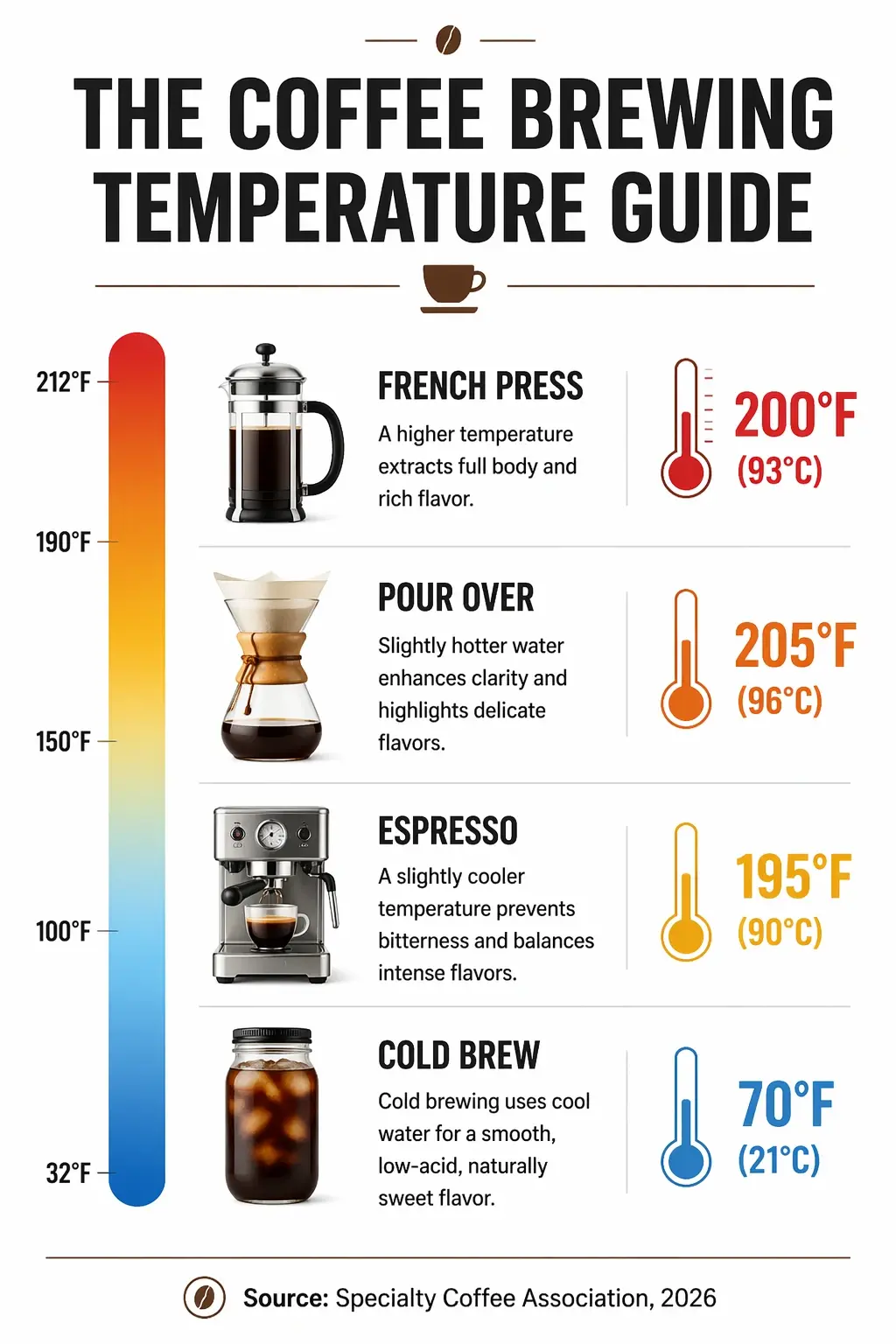
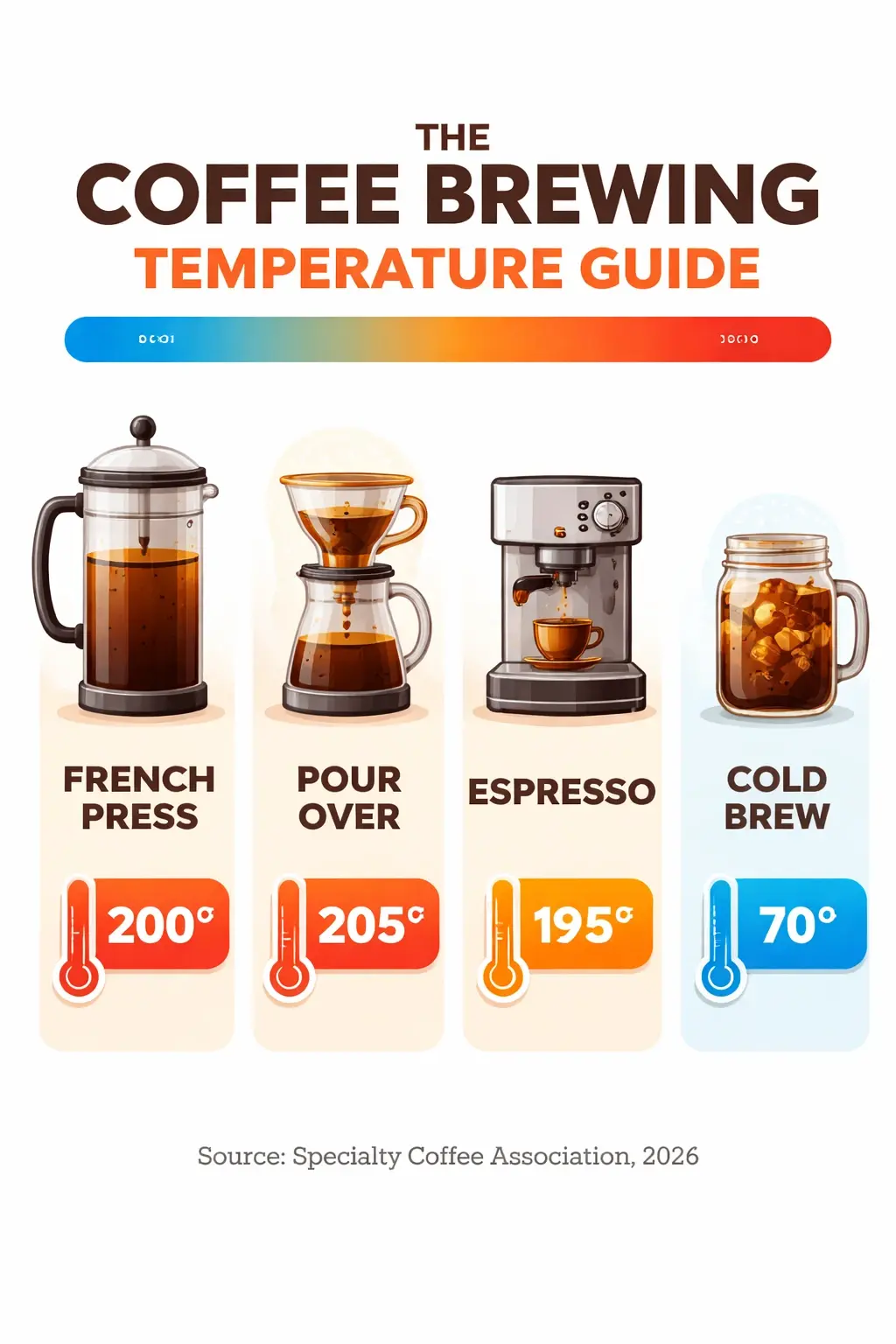
- Text rendering accuracy. Internal testing reports text accuracy jumping from 90-95% on GPT Image 1.5 to over 99% on GPT-Image 2, especially for small lettering, dense paragraphs, and non-Latin scripts.
- Arena benchmark performance. GPT-Image 2 leads the Artificial Analysis Text-to-Image Arena at 1,512 Elo, a 242-point lead over second place. GPT Image 1.5 previously held the top spot at 1,241 to 1,264 Elo.
- Resolution ceiling. GPT-Image 2 supports up to 4K output (3840 pixels on the long edge, experimental above 2K). GPT Image 1.5 caps at 1536 x 1024.
- Reasoning capabilities. GPT-Image 2 integrates O-series reasoning, letting it “think” before generating, check its own outputs, and pull real-time web data. GPT Image 1.5 has no reasoning layer.
- Batch generation. GPT-Image 2 produces up to 10 images per call in standard mode and up to 8 consistent images in thinking mode. GPT Image 1.5 typically handles single generations per call.
- Color accuracy. The persistent warm color cast that appeared in GPT Image 1.5 outputs has been eliminated in GPT-Image 2.
- Multilingual text. GPT-Image 2 handles Japanese, Korean, Chinese, Hindi, Bengali, and Arabic cleanly. GPT Image 1.5 struggles measurably with non-English text.
What GPT Image 1.5 Still Does Better
- Transparent PNG backgrounds. This is the single most important reason to keep GPT Image 1.5 in your workflow. GPT-Image 2 does not support transparent backgrounds at all.
- Cost at 1024×1024 high quality. GPT Image 1.5 charges $0.133 per image at this resolution, compared to $0.211 for GPT-Image 2, a 37% savings.
- Faster for simple prompts. Without the thinking step, GPT Image 1.5 can be faster on straightforward generations.
- Smaller output sizes. If your workflow does not need 2K or 4K output, GPT Image 1.5 generates at web-ready resolutions without the pixel budget overhead.
- Mature API. GPT Image 1.5 has been in production for months with stable tooling, documentation, and community examples.
Pricing Comparison
Per-Image Pricing
| Resolution and Quality | GPT-Image 2 | GPT Image 1.5 | Winner |
|---|---|---|---|
| 1024×1024 Low | $0.006 | $0.009 | GPT-Image 2 |
| 1024×1024 Medium | $0.053 | $0.034 | GPT Image 1.5 |
| 1024×1024 High | $0.211 | $0.133 | GPT Image 1.5 |
| 1024×1536 Low | $0.005 | $0.013 | GPT-Image 2 |
| 1024×1536 Medium | $0.041 | $0.051 | GPT-Image 2 |
| 1024×1536 High | $0.165 | $0.200 | GPT-Image 2 |
Token Pricing (both models)
| Token Type | Price per 1M |
|---|---|
| Text input | $5.00 |
| Text cached input | $1.25 |
| Text output | $10.00 |
| Image input | $8.00 |
| Image cached input | $2.00 |
| Image output | $30.00 (GPT-Image 2) / $32.00 (GPT Image 1.5) |
At 1024×1024, GPT Image 1.5 is cheaper at medium and high quality. At larger resolutions like 1024×1536, the pricing flips and GPT-Image 2 becomes the cheaper option.
Token Pricing (both models)
| Token Type | Price per 1M |
|---|---|
| Text input | $5.00 |
| Text cached input | $1.25 |
| Text output | $10.00 |
| Image input | $8.00 |
| Image cached input | $2.00 |
| Image output | $30.00 (GPT-Image 2) / $32.00 (GPT Image 1.5) |
At 1024×1024, GPT Image 1.5 is cheaper at medium and high quality. At larger resolutions like 1024×1536, the pricing flips and GPT-Image 2 becomes the cheaper option.
Capabilities Comparison
| Feature | GPT-Image 2 | GPT Image 1.5 |
|---|---|---|
| Text-to-image generation | Yes | Yes |
| Image editing | Yes | Yes |
| Inpainting with mask | Yes | Yes |
| Outpainting | Yes | Yes |
| Style transfer | Yes | Yes |
| Character consistency | Strong across 8+ scenes | Good |
| Multilingual text rendering | 48+ languages | Weak on non-English |
| Transparent backgrounds | No | Yes |
| Reasoning/thinking mode | Yes | No |
| Web search integration | Yes | No |
| Self-checking outputs | Yes | No |
| Multi-image batch | Up to 10 per call | Single typical |
| Custom dimensions | Yes (multiples of 16) | Limited presets |
| Max aspect ratio | 3:1 to 1:3 | Standard ratios |
Sample Prompts and Output Comparison
Test both models on identical prompts to see the quality difference first-hand. Each prompt targets a specific capability.
Test 1: Text Rendering in Infographic
Prompt:
“A clean infographic titled ‘The Coffee Brewing Temperature Guide’ with four labeled sections showing French Press at 200F, Pour Over at 205F, Espresso at 195F, and Cold Brew at 70F. Include small temperature icons, a gradient color scale from blue to red, and a footer reading ‘Source: Specialty Coffee Association, 2026’. White background, editorial design style, bold sans-serif headers.”
| GPT-Image 2 Output | GPT Image 1.5 Output |
|---|---|
 |
 |
Test 2: Photorealistic Portrait
Prompt:
“A photorealistic portrait of a woman in her 30s with curly brown hair, wearing a cream linen blazer, standing in a sunlit cafe near a window. Natural morning light from the left, slight bokeh background with warm brown tones, shot on a 50mm lens at f/1.8. Authentic skin texture, gentle smile, editorial commercial photography style.”
| GPT-Image 2 Output | GPT Image 1.5 Output |
|---|---|
 |
 |
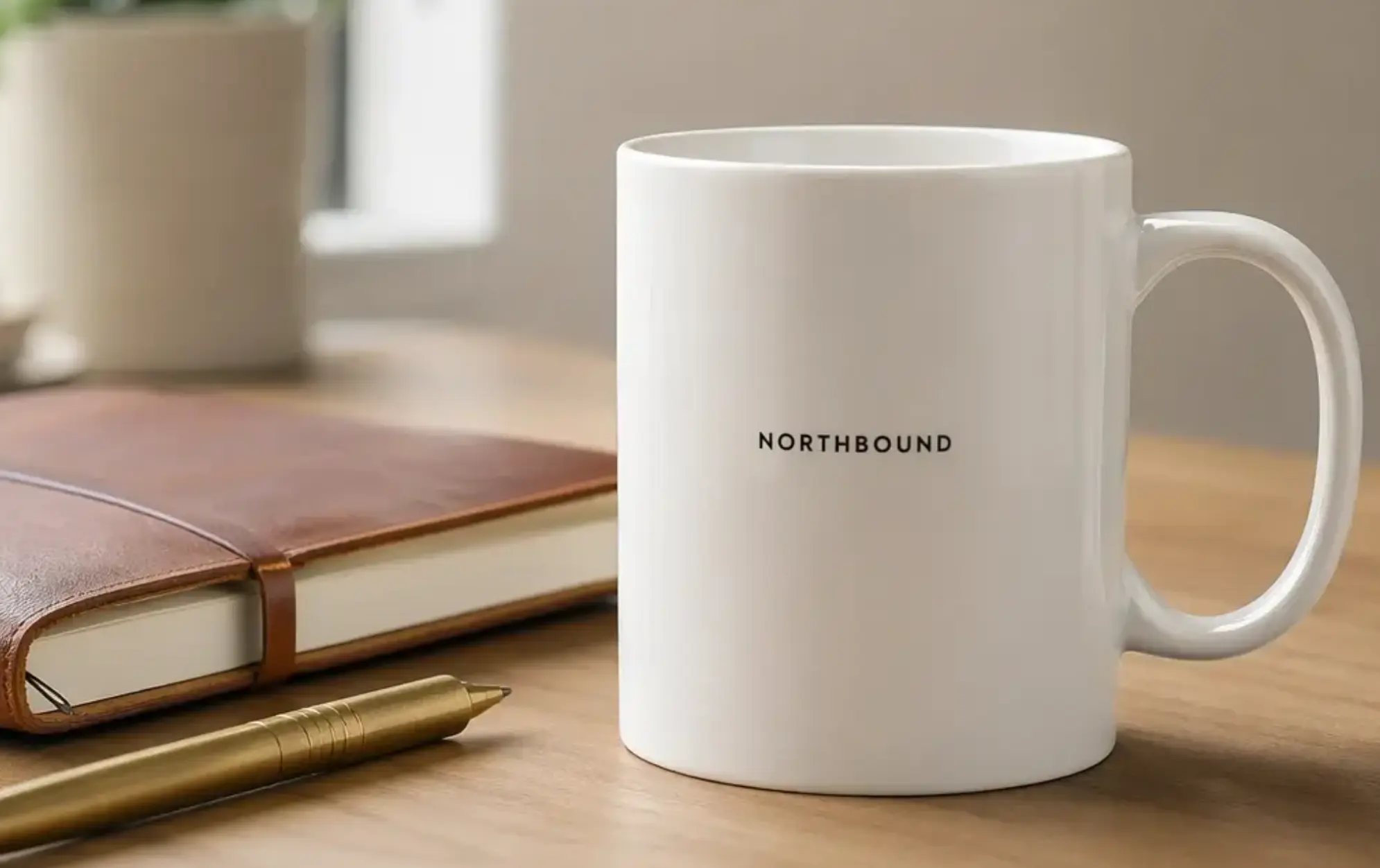
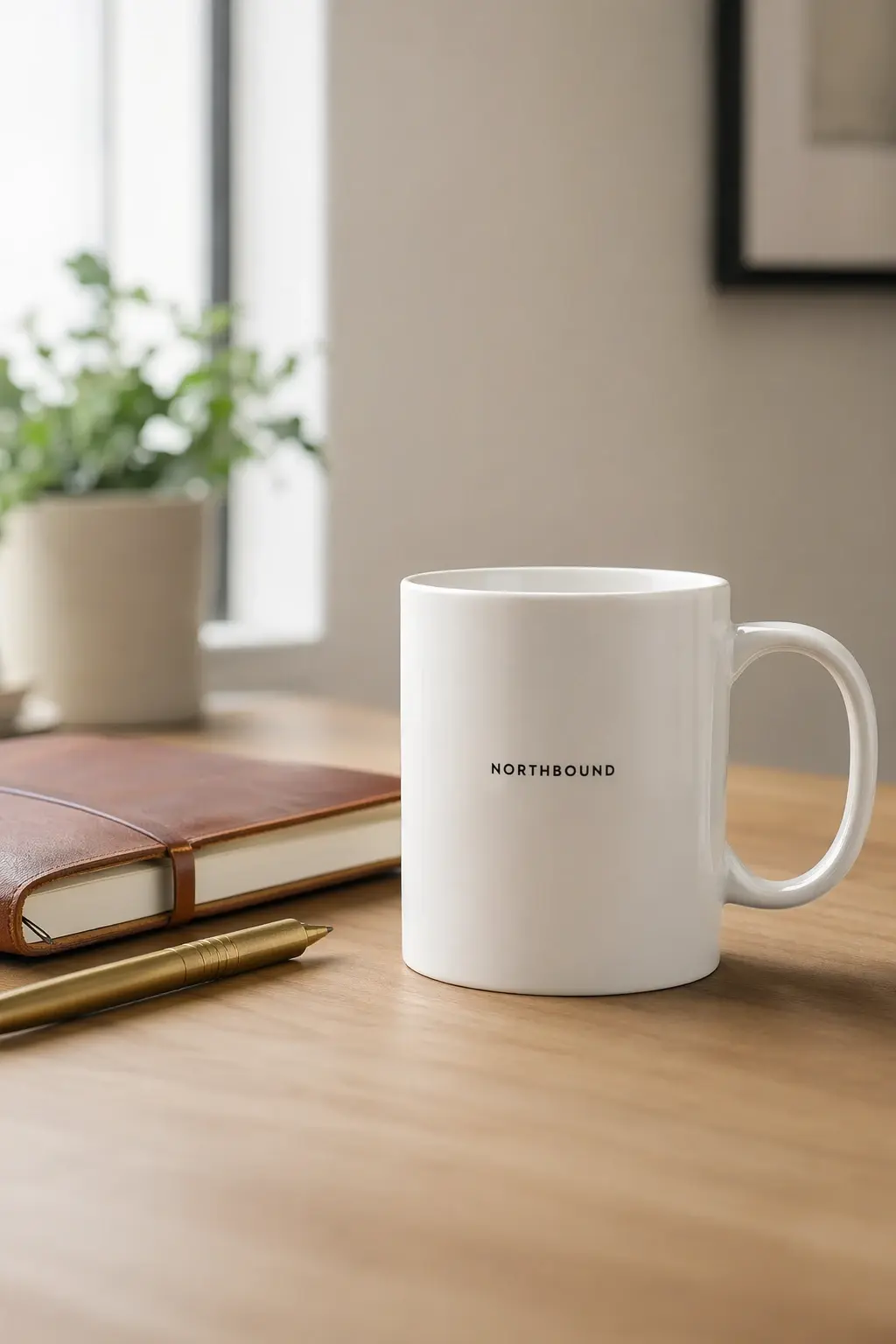
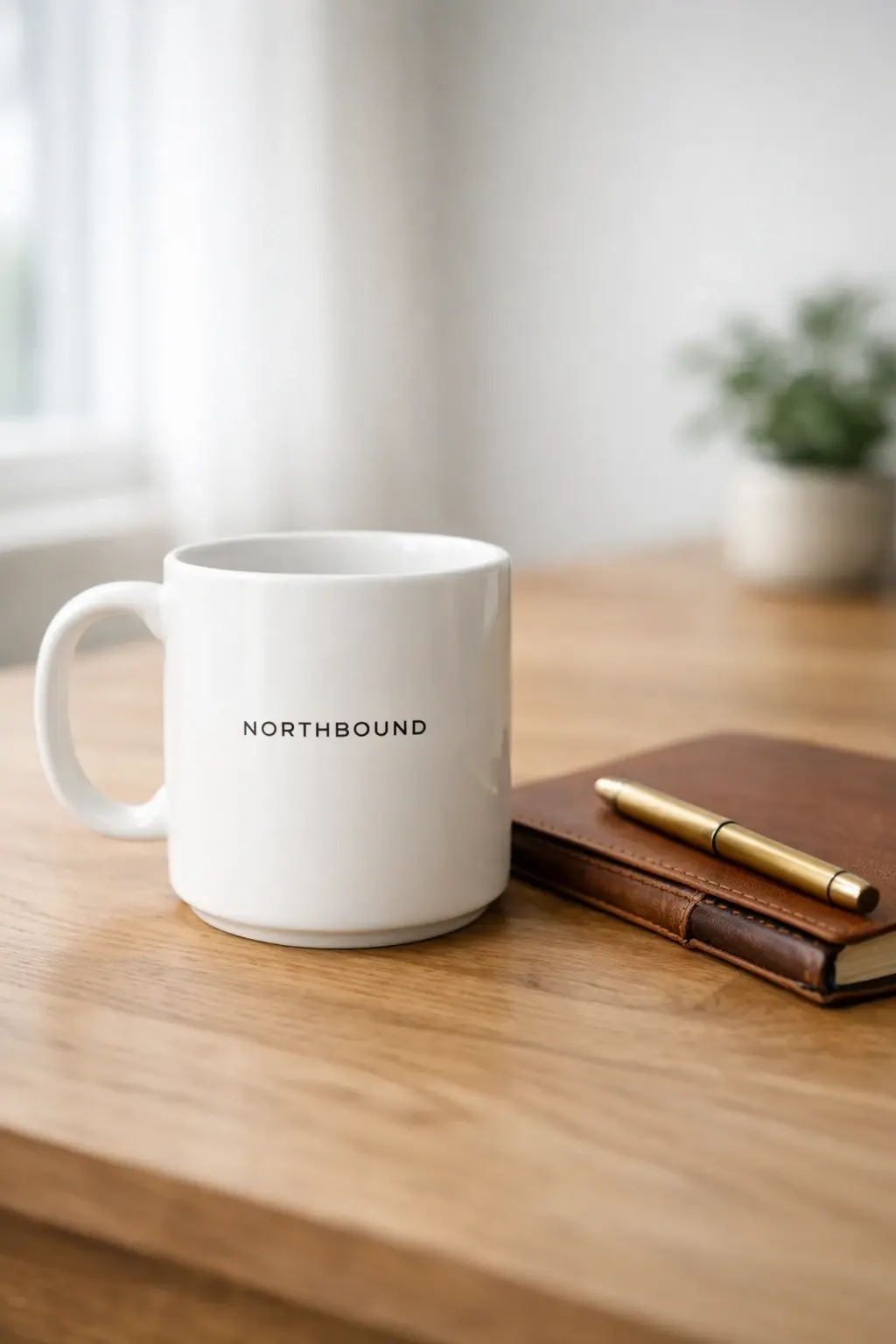
Test 3: Product Mockup with Logo
Prompt:
“A product photograph of a white ceramic mug on a wooden desk with a black logo reading ‘NORTHBOUND’ in small sans-serif type centered on the mug. Next to the mug, a leather notebook and a brass pen. Soft overhead daylight from a window, shallow depth of field, minimalist Scandinavian aesthetic, 4K commercial product photography.”
| GPT-Image 2 Output | GPT Image 1.5 Output |
|---|---|
 |
 |
When to Use Each Model
Use GPT-Image 2 When
- You need the highest quality output available today
- Your prompt includes dense text, multilingual characters, or small lettering
- You want 2K or 4K resolution output
- You need character consistency across multiple images
- Your workflow benefits from web search or reasoning
- You produce infographics, comics, or multi-panel content
Use GPT Image 1.5 When
- You need transparent PNG backgrounds
- You generate large volumes at 1024×1024 high quality and cost matters
- You want the fastest generation for simple prompts
- Your existing workflow is already stable on 1.5
- Your output targets web-standard resolutions (1024×1024 or 1536×1024)
- You do not need reasoning or thinking mode features
Things to note when migrating from from GPT Image 1.5 to GPT-Image 2
If you are moving from GPT Image 1.5 to GPT-Image 2, note these changes:
- Remove input_fidelity parameter. The parameter is disabled in GPT-Image 2. It does nothing and should be stripped from existing calls.
- Keep GPT Image 1.5 active for transparent backgrounds. OpenAI is deprecating 1.5 as the default but keeping it accessible via the API specifically for transparency use cases.
- Test quality settings. OpenAI recommends starting with quality=low on GPT-Image 2 because results are stronger than expected. Pair with an upscaler if you need 4K.
- Budget for reasoning tokens. Thinking mode bills extra tokens, so diagrams and strict layout briefs cost more than loose prompts.
- Recheck moderation settings. Default auto moderation in GPT-Image 2 can be stricter. Set moderation to low for less restrictive filtering if you encounter blocks.
Frequently Asked Questions
Is GPT-Image 2 always better than GPT Image 1.5?
No. For transparent backgrounds, simpler workflows, and 1024×1024 high-quality generations at lower cost, GPT Image 1.5 remains the better choice. For everything else, GPT-Image 2 wins.
Why does GPT Image 1.5 still exist if GPT-Image 2 launched?
OpenAI is deprecating GPT Image 1.5 as the default consumer model but keeping the API endpoint live. The main reason is transparent background support, which GPT-Image 2 lacks.
Which is cheaper overall?
Neither wins across all scenarios. GPT Image 1.5 is cheaper at 1024×1024 medium and high quality. GPT-Image 2 is cheaper at 1024×1536 across all quality tiers and at 1024×1024 low quality.
Can I use both models in the same project?
Yes. Many production workflows call GPT-Image 2 for main generation and fall back to GPT Image 1.5 specifically when transparency is needed.
Which has better text rendering?
GPT-Image 2 by a wide margin. Internal testing reports text accuracy jumping from 90-95% to over 99%, especially for non-Latin scripts and small lettering.
Do both support image editing?
Yes. Both accept reference images and apply natural language edit instructions. GPT-Image 2 preserves identity and composition more reliably during edits.
How do I access each model?
Both are available on the OpenAI API, Replicate, Fal, Microsoft Azure Foundry, and OpenRouter. GPT-Image 2 is additionally integrated with Codex and ChatGPT across all tiers.
Which is faster?
For simple prompts, GPT Image 1.5 is often faster. For complex prompts, GPT-Image 2’s single-pass architecture and medium-quality speed of around 3 seconds holds up well.
Are the two models API-compatible?
Mostly yes. You can swap model IDs in most calls. The main differences are that GPT-Image 2 supports more aspect ratios, higher resolutions, and new parameters like thinking mode, while dropping transparent background support and the input_fidelity parameter.