Low poly 3D art uses minimal polygons to create geometric designs with angular shapes and flat surfaces. This style originated from the world of computer graphics and video games, where low-poly 3D models were often used to represent objects and characters in virtual environments. Game developers in the early days had to work with limited processing power, so they built models with fewer triangles to run smoothly on older hardware.
Today’s artists pick this style for its clean aesthetic, not just technical limits. There is no defined threshold for a mesh to be low poly; low poly is always a relative term and depends on the time the meshes were designed and for what hardware. Most character models range from 1,000 to 10,000 polygons, while simple objects might use just 100 to 500 triangles.

The geometric style turns complex forms into simplified shapes without losing the essence of what you want to show. Think of classic games like Nintendo 64 titles or the modern indie game “Crossy Road” – they all use this minimalist approach to create memorable visuals.
Table of Contents
- 1. Top AI Tools for Low Poly 3D Creation
- 2. Basic Prompt Structure for Low Poly Art
- 3. Polygon Count and Settings
- 4. Best Prompt Examples for Different Styles
- 5. Character and Animal Prompts
- 6. Environment and Landscape Prompts
- 7. Optimization Tips for Better Results
- 8. Export and Use Your Low Poly Models
Top AI Tools for Low Poly 3D Creation
1. AI Free Forever Low Poly Image Generator
Start your low poly journey with AI Free Forever’s Low Poly Image Generator. This free tool transforms text prompts into geometric art instantly. Just type what you want, select polygon density, and generate your artwork in seconds. No sign-up required for basic features.
2. Bylo.ai
Bylo.ai’s low poly generator uses powerful AI to convert your photos or text prompts into detailed low poly art and 3D models, eliminating the need for manual polygon creation. The platform lets you control polygon density, style, and color schemes through simple sliders.
3. Meshy.ai
Meshy will generate 4 low poly 3D assets after the textual prompt is entered. Then you can choose to refine the low poly result of your choice. The free plan gives you 8 monthly 3D models, while paid tiers offer more generations.
4. LumaLabs Genie
Genie creates 3D assets from text prompts. You get 4 low poly options after entering your prompt. Pick one result, then create variations or download the model in .obj, .fbx, .stl, or .blend formats.
5. CGDream
The AI Low Poly generator is equipped with cutting-edge text-to-image diffusion models build on transformer (DiT) architecture such as Flux or Stable Diffusion. Add Lora filters to enhance your images or use visual inputs for better control.
Basic Prompt Structure for Low Poly Art
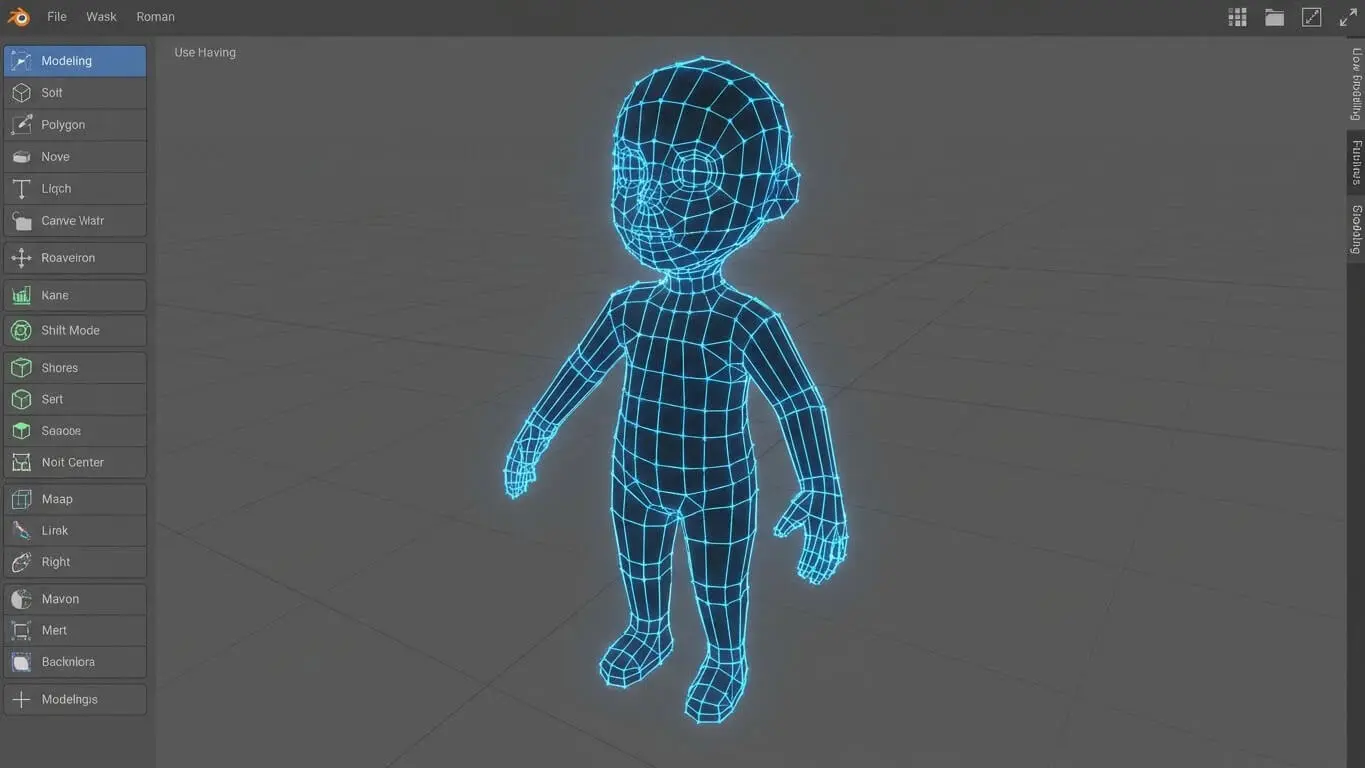
Writing effective prompts makes the difference between mediocre and stunning low poly art. Creating an engaging prompt for Low Poly Art in a generator involves a combination of imagination, clarity, and an understanding of the generator’s capabilities.
Essential Prompt Components
| Component | Description | Example |
|---|---|---|
| Style Keywords | Define the low poly aesthetic | “low poly”, “geometric”, “angular”, “faceted” |
| Subject | What you want to create | “wolf”, “mountain”, “spaceship” |
| Environment | Background or setting | “forest scene”, “white background”, “sunset sky” |
| Technical Terms | Rendering specifications | “3D render”, “isometric”, “ambient occlusion” |
| Color Palette | Color descriptions | “pastel colors”, “vibrant”, “monochrome” |
Prompt Formula That Works
Here’s a simple formula: [Style] + [Subject] + [Action/Pose] + [Environment] + [Technical Details] + [Color/Lighting]
Example: “Low poly wolf standing on geometric mountain peak, 3D isometric render, sunset lighting, purple and orange gradient sky”
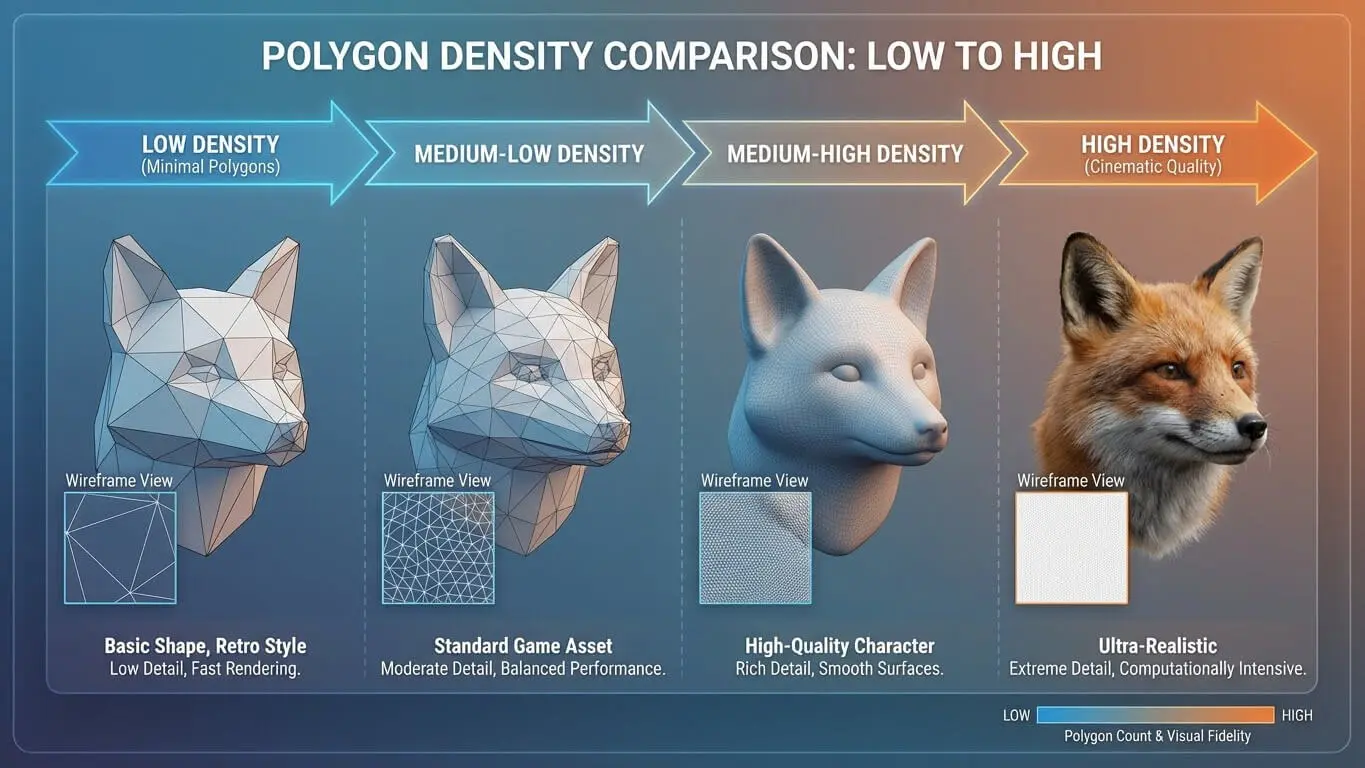
Polygon Count and Settings
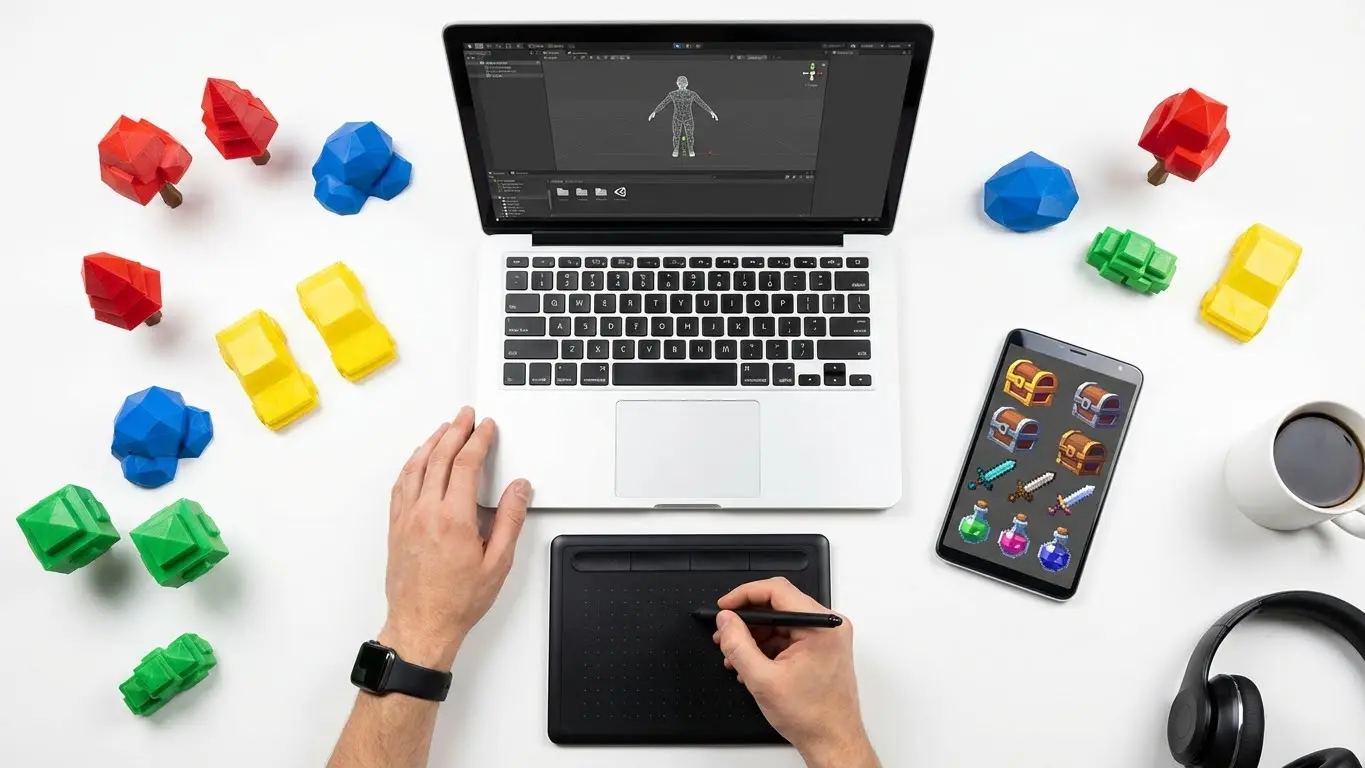
The polycount of a model, or how many polygons a model has, is one of the best ways to measure the efficiency of a model. Different projects need different polygon budgets.
Polygon Count Guidelines
- Ultra Low (100-500 polygons): Mobile games, background objects, distant props
- Low (500-2,000 polygons): Indie games, stylized characters, simple vehicles
- Medium Low (2,000-5,000 polygons): Main characters, detailed props, hero assets
- Higher Low Poly (5,000-10,000 polygons): Complex scenes, detailed environments
In 2017 average polycount on a character was around 100K, but for low poly art, you want to stay well below this. Most low poly creators aim for 1,000 to 3,000 polygons for characters.
AI Generator Settings
When using AI tools, adjust these parameters:
- Polygon Density: Start at 0.3-0.5 for true low poly look
- Style Weight: Set to 200-250 for stronger geometric effect
- Detail Level: Keep low to maintain angular shapes
- Smoothing: Turn off or minimal
Best Prompt Examples for Different Styles
Game Asset Prompts
Kawaii low poly panda character, 3d isometric render, white background, ambient occlusion, unity engine, square image creates perfect game-ready assets. The key words here are “isometric”, “ambient occlusion”, and “unity engine” which tell the AI exactly what rendering style you need.
More game asset examples:
- “Low poly treasure chest, weathered wood texture, metallic accents, game prop, orthographic view”
- “Geometric sword weapon, fantasy RPG style, glowing blue crystal blade, triangulated mesh”
- “Stylized low poly health potion, red liquid, cork stopper, medieval bottle design”
Architectural Prompts
Buildings need different keywords. Try these:
- “Low poly medieval castle, stone texture, flag on tower, isometric perspective”
- “Geometric modern house, flat shaded, minimalist design, glass windows”
- “Angular cyberpunk building, neon accents, night scene, dramatic lighting”
Vehicle Prompts
Usually for vehicles from NFS series 5 years ago was around 25K including the driver, but for low poly style, aim much lower:
- “Low poly racing car, bright red paint, angular wheels, 1000 polygons maximum”
- “Geometric spaceship, sci-fi design, blue thrusters, triangulated hull”
- “Simplified motorcycle, chrome details, faceted surfaces, side view
Character and Animal Prompts
Creating characters requires specific attention to proportions and details. Use simple text prompts like ‘low poly art 3D of a forest’ to generate beautiful low poly images, but for characters, add more specifics.
Human Character Prompts
| Character Type | Prompt Example | Polygon Target |
|---|---|---|
| Knight | “Low poly medieval knight, shiny armor, geometric sword, T-pose for rigging” | 1,500-2,000 |
| Wizard | “Angular wizard character, pointed hat, staff with crystal, purple robes” | 1,200-1,800 |
| Modern Person | “Simplified human figure, casual clothes, flat shaded, walking pose” | 800-1,200 |
| Robot | “Geometric robot character, metallic surfaces, glowing eyes, blocky limbs” | 1,000-1,500 |
Animal Prompts
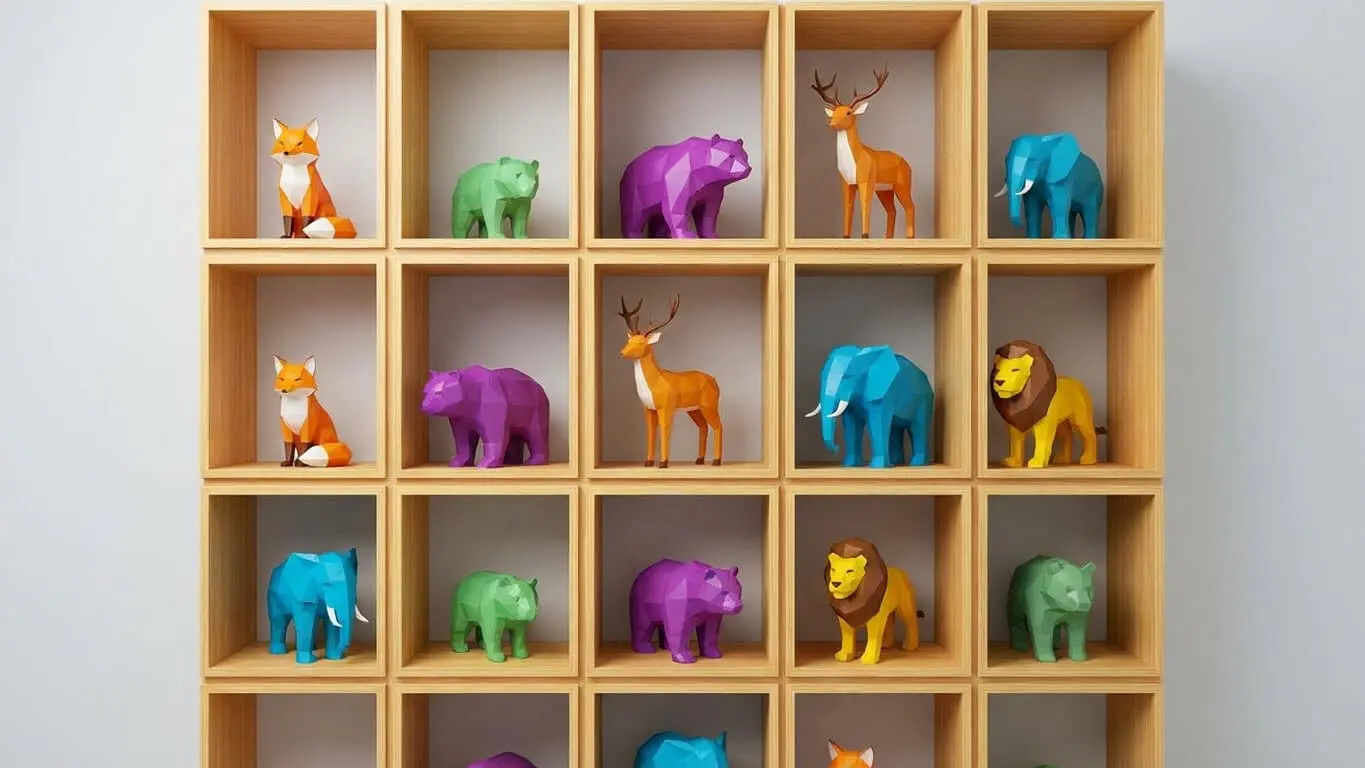
Animals work great in low poly style. Low poly volcanic island, lava flows, angular terrain, dramatic lighting shows how natural elements translate well. For animals:
- Wolf: “Low poly wolf, grey fur texture, alert stance, triangulated mesh, forest background”
- Eagle: “Geometric eagle, spread wings, sharp angles, brown and white colors”
- Dragon: “Simplified dragon model, green scales, angular wings, breathing fire effect”
- Bear: “Faceted bear character, brown fur, standing pose, minimal detail”
- Fox: “Low poly fox, orange and white, bushy tail, sitting position”
Environment and Landscape Prompts
Landscapes shine in low poly style. The angular mountains and geometric trees create unique atmospheres.
Natural Landscapes
Low poly 3D art of a prehistoric angular dinosaur roaming around a 3D cityscape, with towering skyscrapers constructed from vibrant geometric shapes demonstrates mixing natural and urban elements.
Try these nature prompts:
- “Low poly mountain range, snow caps, pine trees, sunset gradient sky”
- “Geometric island scene, palm trees, crystal blue water, sandy beach”
- “Angular forest clearing, mushrooms, fallen logs, dappled sunlight”
- “Simplified desert landscape, cacti, rock formations, hot sun”
- “Faceted underwater scene, coral reef, fish school, caustic lighting”
Urban Environments
Cities offer great opportunities for geometric designs:
- “Low poly city block, neon signs, night scene, cyberpunk atmosphere”
- “Geometric downtown area, skyscrapers, traffic lights, isometric view”
- “Simplified suburban street, houses with yards, mailboxes, daytime”
Fantasy Worlds
Fantasy settings let you get creative:
- “Low poly floating island, waterfalls, ancient ruins, magical crystals”
- “Geometric dungeon entrance, torches, stone archway, moss covered”
- “Angular fairy forest, glowing mushrooms, twisted trees, ethereal fog”
Optimization Tips for Better Results
Understanding the Generator: Familiarize yourself with the Low Poly Art Generator’s features and limitations to make the most of its capabilities. Each AI tool has quirks you need to learn.
Prompt Refinement Techniques
- Start Broad, Then Narrow: Begin with “low poly dog” then add “german shepherd, sitting, brown fur”
- Use Reference Styles: Mention games like “Monument Valley style” or “similar to Crossy Road”
- Specify Angles: Add “45-degree isometric view” or “front-facing orthographic”
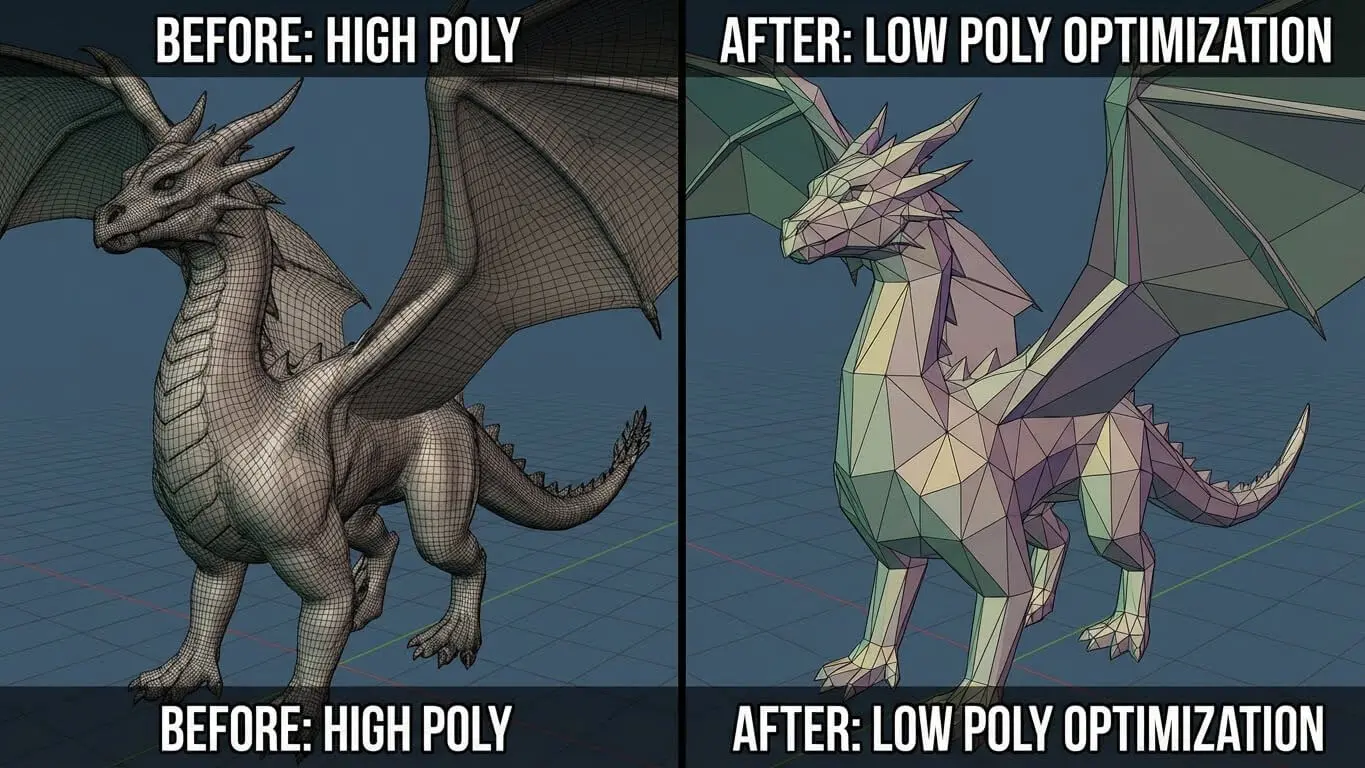
- Control Complexity: Use “simple”, “minimal detail”, or “maximum 1000 polygons”
- Define Textures: Say “flat shaded”, “no textures”, or “solid colors only”
Common Mistakes to Avoid
| Mistake | Problem | Solution |
|---|---|---|
| Too many details | Loses low poly aesthetic | Keep descriptions simple |
| Conflicting styles | Confuses the AI | Stick to one art style |
| No polygon guidance | Gets high poly results | Specify “low poly” multiple times |
| Complex lighting | Breaks geometric look | Use simple, flat lighting |
Advanced Techniques
For better results, combine multiple approaches:
- Layer Your Prompts: Start with shape, add color, then lighting
- Use Negative Prompts: Tell AI what NOT to include (“no smooth surfaces, no realistic textures”)
- Reference Real Games: Video game graphics from the fifth generation of video game consoles used low poly modeling due to technological limitations
- Iterate Quickly: Generate 4-6 versions, pick the best, refine from there
Export and Use Your Low Poly Models
Once you create your low poly art, you need to know how to use it properly.
File Format Options
The model can be of .obj, .fbx, .stl .blend and a few other formats. Each format serves different purposes:
- .OBJ: Universal format, works everywhere, stores geometry and materials
- .FBX: Best for game engines like Unity and Unreal, includes animations
- .STL: 3D printing standard, geometry only
- .BLEND: Blender native format, keeps all editing capabilities
- .GLB/GLTF: Web-friendly, perfect for online portfolios
Use Cases for Low Poly 3D Art
- Mobile Games: Perfect for iOS and Android games needing fast performance
- VR/AR Applications: Optimized for virtual and augmented reality applications requiring fast rendering
- Web 3D Experiences: Quick loading for browser-based 3D content
- NFT Art: Unique aesthetic popular in digital art markets
- 3D Printing: Simple geometry prints reliably
- Motion Graphics: Clean style for explainer videos
- Architectural Visualization: Conceptual presentations
Platform-Specific Guidelines
| Platform | Polygon Budget | Best Format | Notes |
|---|---|---|---|
| Unity Mobile | 500-2,000 | .FBX | Use LOD system |
| Web Browser | 1,000-5,000 | .GLB | Compress textures |
| VR Headsets | 2,000-8,000 | .FBX | 60+ FPS required |
| 3D Printing | Any | .STL | Check manifold geometry |
Creating Complete Low Poly Scenes
Single objects are great, but complete scenes tell stories. Build cohesive environments with these approaches.
Scene Composition Elements
| Element | Purpose | Polygon Budget | Example Prompt Addition |
|---|---|---|---|
| Hero Object | Main focus | 40% of total | “detailed low poly castle centerpiece” |
| Supporting Props | Add context | 30% of total | “scattered geometric rocks and trees” |
| Background | Set mood | 20% of total | “simplified mountain silhouette” |
| Details | Enhance realism | 10% of total | “small flowers, grass tufts” |
Complete Scene Prompt Examples
Fantasy Village: “Low poly medieval village scene, thatched roof houses, cobblestone path, market stalls with colorful awnings, villagers as simple geometric figures, castle on distant hill, morning mist, warm sunlight, 5000 total polygons”
Space Station: “Geometric space station interior, angular control panels, holographic displays, low poly astronaut, window showing Earth, blue and white color scheme, sci-fi corridor, ambient lighting”
Underwater World: “Low poly ocean floor, geometric coral formations, schools of triangulated fish, sunlight rays penetrating water, treasure chest, ancient ruins, bubbles rising, teal and blue gradient”
Specific Prompts for Different AI Platforms
Each AI tool responds differently to prompts. Here’s what works best for each platform.
Midjourney Specific
Midjourney parameters can be incorporated into your 3D prompts to impact how the AI produces the ultimate images. Use “–stylize 200” for stronger low poly effect.
Stable Diffusion Specific
Add “CFG scale: 10-15” and “Sampler k_euler_a, steps: 50” to your workflow for cleaner geometry.
Platform Comparison for Low Poly
- Best for Beginners: AI Free Forever – Simple interface, no learning curve
- Best for Customization: CGDream – Multiple filter options
- Best for 3D Models: Meshy.ai – Direct 3D file export
- Best for Speed: Bylo.ai – Instant generation
- Best Free Option: AI Free Forever 3D Render Generator
Industry Applications and Professional Use
Low poly art isn’t just for hobbyists. Major industries use this style for specific advantages.
Gaming Industry
Low poly art is widely used in game development due to its simplicity and efficiency. Mobile games especially benefit from the reduced processing requirements.
Popular games using low poly:
- Monument Valley – Puzzle perfection
- Crossy Road – Endless runner
- Alto’s Adventure – Snowboarding serenity
- Poly Bridge – Engineering challenges
Educational Content
Teachers use low poly visuals because they’re clear and engaging without overwhelming details. Create educational content with prompts like:
- “Low poly solar system, planets in orbit, educational diagram style”
- “Geometric human anatomy, simplified organs, medical illustration”
- “Angular DNA helix, science textbook illustration, blue and white”
Marketing and Branding
Low poly designs can be used in marketing materials and branding to create a contemporary and eye-catching look. Companies use this style for:
- App icons and logos
- Website illustrations
- Product packaging
- Social media graphics
Future of Low Poly AI Art
The field evolves rapidly with new tools launching monthly. Keep in mind every two years new hardware comes up having twice compute power of previous generation, meaning AI generators will produce better results faster.
Emerging Trends
- Real-time Generation: Create low poly art instantly as you type
- Animation Support: Automatic rigging and movement
- Style Transfer: Convert any image to low poly automatically
- Collaborative Creation: Multiple users building scenes together
- AR Integration: Place low poly objects in real environments
Free Tools to Try
- AI Free Forever 3D Art Generator
- Geometric Image Generator
- Isometric Image Generator
- Pixel Art Generator – Similar aesthetic
Prompt Collections
Build your prompt library with variations of successful formulas. Start simple, then add complexity gradually. Test different keyword combinations until you find what works for your style.
FAQ Section
How many polygons should low poly art have?
Low poly art typically uses 100 to 10,000 polygons depending on the subject. Characters usually need 1,000-3,000 polygons, while simple objects work with 100-500. A character looks quite lowpoly but has 3000 polys but when you take the eye spheres off it should be more less 1400 polys.
What makes a good low poly prompt?
A good prompt includes style keywords (“low poly”, “geometric”), clear subject description, technical specifications (“3D render”, “isometric”), and color/lighting details. Keep it specific but not overcomplicated.
Can I use AI-generated low poly art commercially?
Commercial use is allowed with a subscription on most platforms. Check each tool’s terms of service. Some offer free commercial use, others require paid plans.
Which AI tool creates the best low poly 3D models?
For actual 3D model files, Meshy.ai and LumaLabs Genie work best. For 2D renders of low poly art, try AI Free Forever’s generator or Bylo.ai. Each tool has strengths for different needs.
How do I make my low poly art look more professional?
Use consistent polygon density across all elements, stick to a limited color palette, add ambient occlusion for depth, and maintain clean geometry without unnecessary polygons. Professional low poly art balances simplicity with purposeful detail.
Can I convert regular images to low poly style?
Yes, many AI tools offer image-to-low-poly conversion. Upload a photo, and our low poly image generator will convert it into vibrant, polygon-based low poly art while preserving key visual elements.
What’s the difference between low poly and voxel art?
Low poly uses triangular polygons to create angular surfaces, while voxel art uses cubic blocks (like 3D pixels). Low poly offers more organic shapes, voxels create blockier, Minecraft-like aesthetics.