AI image generators are powerful software tools that create Images from simple text prompts. Just type what you want to see, and these AI tools will bring your ideas to life in seconds. No drawing skills needed. These tools have changed everything for content creators, marketers, designers, and businesses. What used to take hours or even days now happens in moments. You can create professional-grade images for social media, websites, presentations, or any project you can imagine. The technology has come a long way since 2015 when Google Deep Dream first showed what AI could do. Today’s generators create images so realistic you can’t tell them apart from real photographs. They can also make artistic styles, cartoons, logos, and anything else you dream up.
Table of Contents
- How Big Is the AI Image Generator Market?
- How Do AI Image Generators Work?
- Top 50 Best AI Image Software for 2026
- How to Choose the Right AI Image Generator
- What Can You Use AI Image Generators For?
- What’s Next for AI Image Generation?
- Frequently Asked Questions
- Key Takeaways
How Big Is the AI Image Generator Market?
The AI image generator market is growing incredibly fast. According to Grand View Research, the global market was worth $349.6 million in 2023 and will reach $1.08 billion by 2030. That’s a growth rate of 17.7% every year. Another study by MarkNtel Advisors shows even bigger numbers. They report the market at $9.10 billion in 2024, jumping to $63.29 billion by 2030 with a 38.16% growth rate. North America leads the way with 41% of all revenue. This makes sense since companies like OpenAI, Google, Microsoft, and Adobe are based there. But Asia Pacific is growing fastest and will keep expanding through 2034. More people are using these tools every day. Demand Sage reports that ChatGPT alone gets 5.7 billion visits monthly, while Midjourney has 18.40 million monthly visitors. These numbers show just how popular AI image creation has become. 
How Do AI Image Generators Work?
AI image generators use something called machine learning. The software studies millions of images to learn what things look like. It learns about dogs, colors, famous painting styles, and everything else in its training data. Most tools use a process called diffusion. Here’s how it works in simple terms:
- Start with noise: The AI begins with a random static image, like TV static
- Remove the noise slowly: Through hundreds of steps, it removes noise bit by bit
- Follow your words: Your text prompt guides the process, shaping what appears
- Create the final image: The result is a clear picture matching your description
When you type “a red apple on a wooden table,” the AI knows what apples look like, the color red, and wooden textures. It combines all this knowledge to create your image. Some generators also use other methods like GANs (Generative Adversarial Networks) or transformer models. Each approach has different strengths, but they all turn your words into pictures. 
Top 50 Best AI Image Software for 2026
We’ve tested dozens of AI image generators to bring you this complete list. Each tool has unique features, pricing, and strengths. Whether you need photorealistic images, artistic styles, or quick social media graphics, you’ll find the perfect tool here.
1. AI FREE FOREVER
AI FREE FOREVER offers completely free AI image generation with no hidden costs or limits. Create stunning images in multiple styles including anime, cartoon, and photorealistic images without paying a cent.
Best for: Anyone who wants quality AI images without subscription fees
Website: aifreeforever.com Key features:
- 100% free with no credit card required
- Multiple art styles and generators available
- Easy-to-use interface for beginners
- Additional tools like image upscaler and colorize image
- No watermarks on your creations
Pricing: Free forever
2. Midjourney
Midjourney dominates the AI image space with its artistic, cinematic-quality outputs. Professional creators love it for producing images that look like real photographs or beautiful artwork. The tool started on Discord but now has a web interface that’s much easier to use. Best for: Artists, filmmakers, and creators who need top-quality visuals Website: www.midjourney.com Key features:
- Creates highly artistic and stylized images
- Learns your preferences over time
- Version 7 with improved realism and speed
- Video generation capabilities (V1 model)
- Full commercial usage rights on paid plans
Pricing: Starts at $10/month for Basic Plan with ~200 images
3. ChatGPT (GPT-4o & DALL-E 3)
ChatGPT surprises many people with how good its image generation has become. Powered by GPT-4o and DALL-E 3, it creates high-quality images right inside your chat. You can ask for changes using simple conversation, making it super easy to get exactly what you want.
Best for: People who want AI images without learning new tools
Website: chat.openai.com Key features:
- Available to free ChatGPT users with limits
- Natural conversation-based editing
- Great prompt following accuracy
- Multiple images per request
- Integration with other ChatGPT features
Pricing: Free with limits; ChatGPT Plus at $20/month for regular use
4. Adobe Firefly
Adobe Firefly brings AI image generation to the world’s most popular creative software. It’s built right into Photoshop and other Adobe tools. The company trained it on licensed content, so you don’t have copyright worries for commercial work. Best for: Professional designers using Adobe Creative Cloud Website: www.adobe.com/products/firefly.html Key features:
- Seamless integration with Adobe apps
- Copyright-safe for commercial use
- Advanced editing tools built-in
- Text effects and style transfer
- Enterprise-friendly with clear licensing
Pricing: Included with Adobe Creative Cloud; standalone plans available
5. Flux AI (Flux.1 Models)
Flux AI burst onto the scene in 2024 from Black Forest Labs, founded by former Stability AI employees. According to Wikipedia, its photorealism matches Midjourney while prompt accuracy rivals DALL-E 3. The tool offers three models for different needs.
Best for: Photorealistic images and fast generation
Website: flux-ai.io Key features:
- Three models: Pro, Dev, and Schnell (fast)
- Exceptional prompt following
- Great text rendering in images
- Up to 2.0 megapixel resolution
- Open-source Schnell version available
Pricing: Free tier with credits; paid plans for heavy users 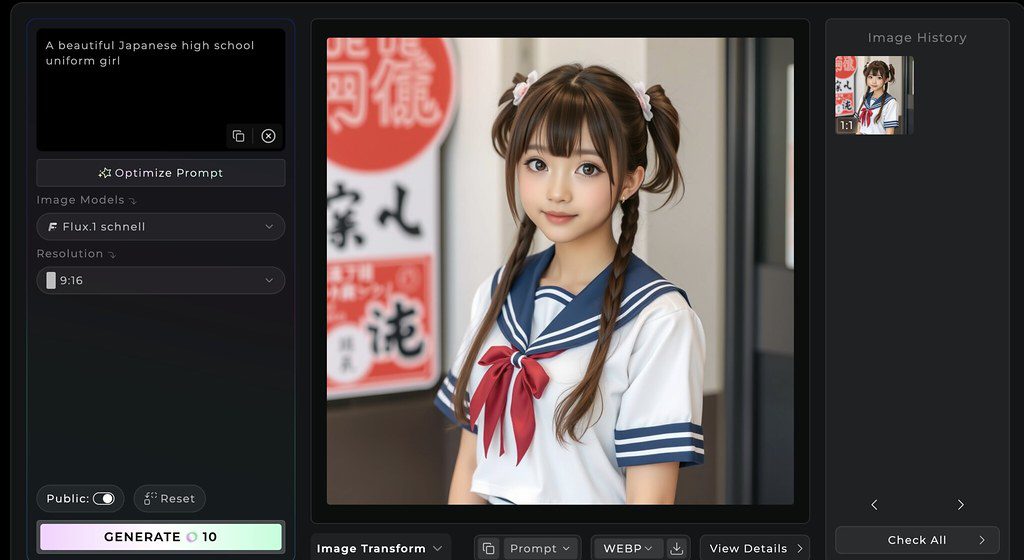
6. Stable Diffusion
Stable Diffusion pioneered open-source AI image generation. You can run it on your own computer, giving you complete privacy and control. The community creates thousands of custom models for specific styles. Best for: Tech-savvy users who want full control Website: stability.ai Key features:
- Completely open-source and free
- Run locally on your computer
- Thousands of community models
- Full customization possible
- No usage limits or restrictions
Pricing: Free (requires technical setup)
7. Ideogram
Ideogram stands out for one killer feature: perfect text rendering. While other AI tools struggle with letters and words, Ideogram nails it every time. This makes it perfect for posters, signs, logos, and any design with text. Best for: Creating images with text, posters, and graphic design Website: ideogram.ai Key features:
- Best-in-class text rendering
- Canvas editor for refinements
- Batch generation for multiple images
- Style reference system
- Ideogram 3.0 with improved photorealism
Pricing: Free tier available; paid plans from $7/month
8. Leonardo AI
Leonardo AI shines in fantasy and game art. It lets you start with a rough prompt, then rewrites it with technical details about lighting, texture, and style. Perfect for creating consistent characters and game assets. Best for: Game designers and fantasy art creators Website: leonardo.ai Key features:
- Prompt enhancement tool
- Multiple model options
- Asset libraries for game design
- Character consistency tools
- Fast and Quality generation modes
Pricing: Free tier with credits; paid from $10/month
9. Google Imagen 4
Google’s Imagen 4 brings the search giant’s AI power to image creation. It’s available through Google’s Gemini platform and creates highly detailed, realistic images with great prompt comprehension. Best for: Realistic images with complex prompts Website: gemini.google.com Key features:
- Excellent prompt comprehension
- High-quality realistic output
- Integration with Google services
- Strong safety filters
- Regular updates from Google
Pricing: Available through Google Gemini subscription
10. Reve AI
Reve AI surprised everyone when it launched in March 2025, quickly jumping to the top of quality rankings. Its standout feature called “Reve Flow” makes it incredibly easy to use, even for beginners. Best for: Beginners who want professional results fast Key features:
- Exceptional prompt adherence
- User-friendly interface
- Fast generation speeds
- No complex setup needed
- Consistent quality output
Pricing: Varies by platform
11. Freepik AI Image Generator
Freepik combines multiple AI models in one subscription. You get access to Flux, Ideogram, and Google’s Imagen – always using the latest versions. This means you’re never stuck with outdated technology.
Best for: Users who want multiple AI models in one place
Website: www.freepik.com/ai/image-generator Key features:
- Access to multiple top models
- One subscription for everything
- Constantly updated with newest models
- Easy model switching
- Great for testing different styles
Pricing: Subscription-based with free tier
12. NightCafe
NightCafe brings a social twist to AI art. Create images, join challenges, and share your work with a community of artists. It offers multiple AI models and artistic styles in one easy platform.
Best for: Artists who want a creative community
Website: nightcafe.studio Key features:
- Multiple AI algorithms available
- Active creator community
- Daily challenges and contests
- Easy style selection
- Print-on-demand integration
Pricing: Free tier with credits; subscriptions from $5.99/month 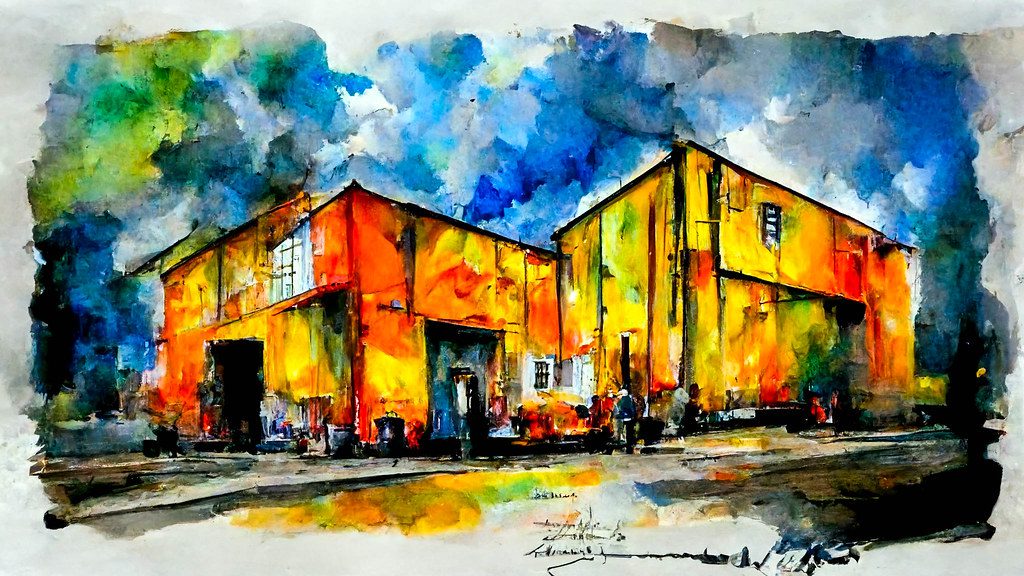
13. Jasper Art
Jasper Art comes from the popular AI writing tool Jasper. It’s designed for marketers and businesses who need quick, on-brand visuals for campaigns, social media, and content. Best for: Marketing teams and content creators Website: www.jasper.ai/art Key features:
- Integration with Jasper AI writing
- Marketing-focused templates
- Unlimited image generations on paid plans
- Commercial usage rights
- Fast generation for campaigns
Pricing: Part of Jasper subscriptions from $39/month
14. Runway ML
Runway ML goes beyond still images. It’s a complete creative suite with AI video generation, image editing, and animation tools. Professionals use it for film and video production. Best for: Video creators and filmmakers
Website: runwayml.com Key features:
- AI video generation
- Image-to-video conversion
- Professional editing tools
- Frame-by-frame control
- Used in Hollywood productions
Pricing: Free tier limited; plans from $15/month
15. Canva AI
Canva AI added AI image generation to its popular design platform. Create images and instantly add them to your designs, presentations, or social media posts. Perfect for non-designers. Best for: Small businesses and social media managers Website: www.canva.com Key features:
- Built into Canva design tools
- Easy drag-and-drop integration
- Template library included
- Brand kit support
- One-click social media sizing
Pricing: Free with limits; Canva Pro from $12.99/month
16. Craiyon (formerly DALL-E mini)
Craiyon offers one of the simplest AI image experiences. Type your prompt, click generate, and get nine variations. It’s not the highest quality, but it’s completely free and fast.
Best for: Quick, fun image generation
Website: www.craiyon.com
Key features:
- Completely free to use
- No account required
- Fast generation
- Nine variations per prompt
- Simple interface
Pricing: Free with ads; paid plans remove ads
17. DeepAI
DeepAI provides various AI tools including image generation. It’s straightforward and works well for basic needs. You can use it without signing up for quick tests.
Best for: Simple, quick image generation
Website: deepai.org
Key features:
- Multiple AI tools in one place
- API access available
- No signup for basic use
- Different style options
- Fast processing
Pricing: Free with limits; Pro from $4.99/month
18. Hotpot AI
Hotpot AI focuses on graphics for marketing and social media. It includes templates, background removers, and other tools alongside AI image generation.
Best for: Social media graphics and marketing
Website: hotpot.ai
Key features:
- Marketing-focused tools
- Template library
- Background removal
- Image restoration
- Easy editing tools
Pricing: Free tier available; credits from $10
19. Bing Image Creator
Microsoft’s Bing Image Creator uses DALL-E 3 technology for free. It’s built into Microsoft Edge and Bing search, making it super accessible for Windows users.
Best for: Windows users wanting free DALL-E 3 access
Website: www.bing.com/images/create
Key features:
- Free DALL-E 3 generations
- Built into Microsoft products
- Fast creation
- Safe content filters
- Easy sharing options
Pricing: Free
20. DreamStudio (Stable Diffusion)
DreamStudio is the official interface for Stable Diffusion from Stability AI. It’s easier than running Stable Diffusion locally but gives you more control than most tools.
Best for: Users who want Stable Diffusion without technical setup
Website: dreamstudio.ai
Key features:
- Official Stable Diffusion interface
- Advanced parameter controls
- Multiple model versions
- Upscaling included
- Fast generation
Pricing: Credit-based system; $10 for 1,000 credits
21. Artbreeder
Artbreeder takes a unique approach. Instead of just text prompts, you blend and mix existing images to create new ones. It’s great for character design and portraits.
Best for: Character design and iterative creation
Website: www.artbreeder.com
Key features:
- Image mixing and blending
- Character creation tools
- Portrait generation
- Community sharing
- Breed images together
Pricing: Free tier limited; plans from $8.99/month
22. Pixray
Pixray is an open-source AI art generator that you can run in your browser or locally. It offers various AI models and customization options for tech-savvy creators. Best for: Open-source enthusiasts Website: pixray.gob.io Key features:
- Open-source and free
- Multiple AI engines
- Browser-based or local
- Custom settings
- No usage limits
Pricing: Free
23. Starryai
Starryai gives you ownership of your creations right away. The mobile app makes it easy to generate AI art on your phone, and you get free daily credits.
Best for: Mobile AI art creation
Website: starryai.com
Key features:
- Mobile-first design
- Full ownership of images
- Daily free credits
- Multiple art styles
- Easy sharing
Pricing: Free with daily credits; Pro from $11.99/month
24. Fotor AI Image Generator
Fotor combines AI image generation with photo editing. Create AI images and immediately edit them with professional tools in the same interface.
Best for: Users who need generation plus editing
Website: www.fotor.com
Key features:
- AI generation plus photo editing
- Multiple styles available
- Background removal
- One-click enhancements
- Batch processing
Pricing: Free tier available; Fotor Pro from $8.99/month
25. Picsart AI Image Generator
Picsart brings AI generation to its popular photo editing app. With 150 million monthly users, it’s one of the most accessible AI tools available.
Best for: Social media content creators
Website: picsart.com
Key features:
- Huge user community
- Mobile and web access
- Social media templates
- Editing tools included
- Sticker and element library
Pricing: Free with limits; Gold from $7/month
26. Photosonic (Writesonic)
Photosonic comes from Writesonic, an AI writing tool. It’s designed to work alongside AI writing, helping content creators get matching images for their articles.
Best for: Content writers and bloggers
Website: writesonic.com/photosonic
Key features:
- Integration with AI writing
- Content-focused features
- High-quality output
- Fast generation
- Multiple sizes available
Pricing: Part of Writesonic plans from $12.67/month
27. CF Spark
CF Spark (Creative Fabrica) offers AI image generation plus a massive library of fonts, graphics, and design elements. Great for print-on-demand businesses. Best for: Print-on-demand and merchandise creators Website: www.creativefabrica.com/spark Key features:
- AI art generation
- Pattern creation
- Font library access
- Commercial licensing
- Multiple tools in one
Pricing: Free tier available; plans from $9/month
28. ImgCreator.AI
ImgCreator.AI specializes in text-to-image and image editing. Its background removal and replacement features work particularly well for product photos.
Best for: E-commerce product images
Website: imgcreator.ai
Key features:
- Product photo creation
- Background replacement
- Image editing tools
- Fast processing
- Commercial use allowed
Pricing: Free credits included; plans from $9/month
29. BlueWillow
BlueWillow offers free AI image generation through Discord, similar to Midjourney’s original approach. It’s completely free with no paid plans, making it great for testing AI art.
Best for: Free high-quality AI images
Website: www.bluewillow.ai
Key features:
- Completely free
- Discord-based
- Good quality output
- No credit limits
- Active community
Pricing: Free
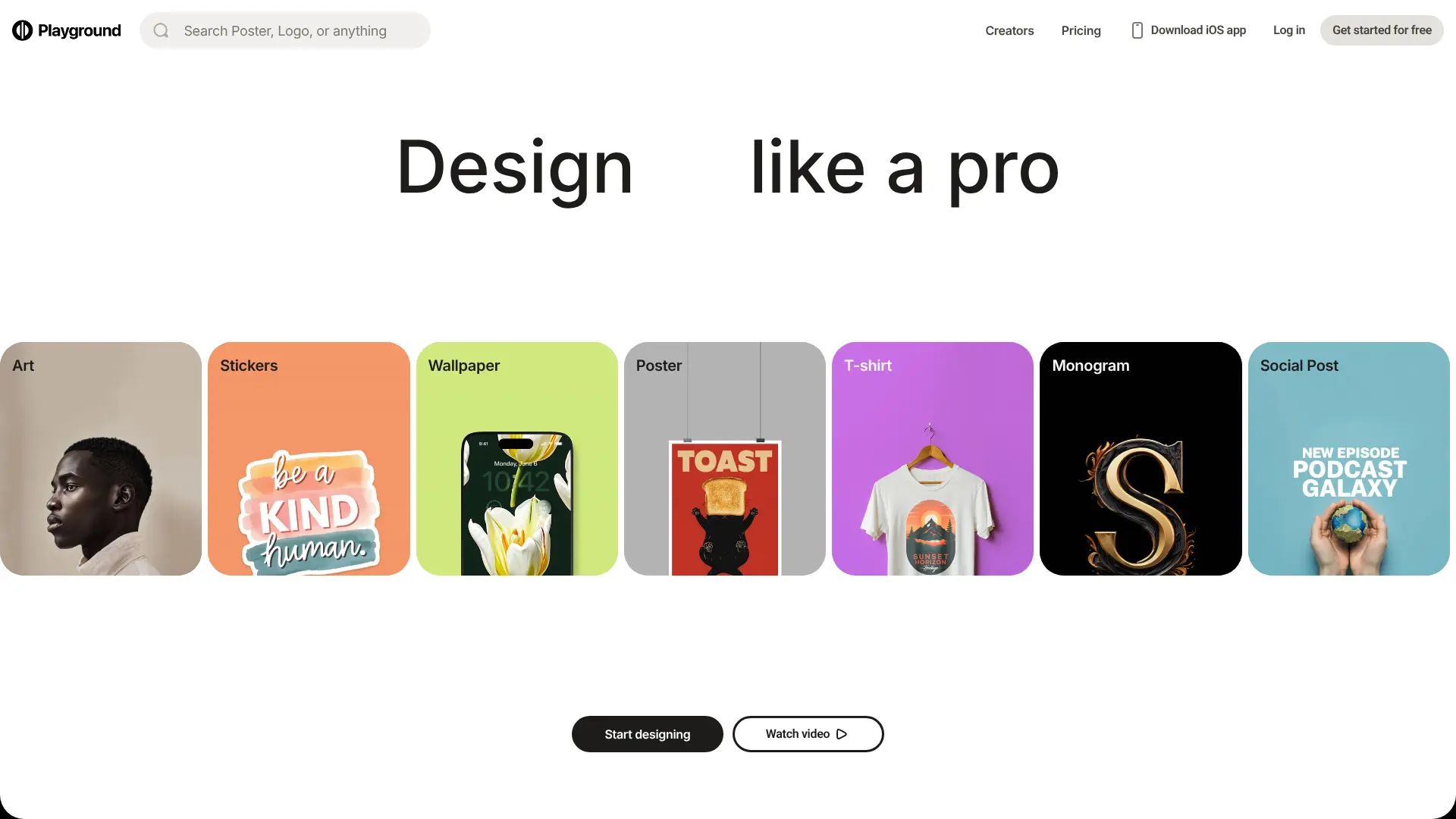
30. Playground AI
Playground AI combines powerful features with a free tier that’s actually usable. You get 1,000 images per day for free, which is incredibly generous.
Best for: High-volume free usage
Website: playground.com
Key features:
- 1,000 free images daily
- Canvas editor
- Multiple models
- Image mixing
- Commercial use on free tier
Pricing: Free tier (1,000/day); Pro from $15/month 
31. PixAI.Art
PixAI.Art focuses on anime and manga art. If you need anime-style characters, this specialized tool beats general-purpose generators.
Best for: Anime and manga art
Website: pixai.art
Key features:
- Anime-specific models
- Character consistency
- Community models
- Free to use
- High-quality anime output
Pricing: Free with credits; paid plans for more
32. Getimg.ai
Getimg.ai offers over 20 AI models in one place. It includes powerful editing tools like inpainting and outpainting to perfect your images.
Best for: Users who want model variety
Website: getimg.ai
Key features:
- 20+ AI models
- Advanced editing tools
- API access
- Fast generation
- Custom AI training
Pricing: Free tier; plans from $12/month
33. Wombo Dream
Wombo Dream makes AI art creation simple and fun on mobile. Pick a style, type your prompt, and watch your artwork come to life in seconds.
Best for: Quick mobile AI art
Website: www.wombo.art
Key features:
- Mobile-optimized
- Easy style selection
- Fast generation
- Free to use
- NFT minting option
Pricing: Free; Premium from $9.99/month
34. PromeAI
PromeAI focuses on architecture and interior design. It can turn sketches into realistic renders and offers specialized tools for designers and architects.
Best for: Architecture and interior design
Website: www.promeai.com
Key features:
- Sketch to render
- Architecture-specific models
- Interior design tools
- Professional output
- Fast rendering
Pricing: Free tier available; paid plans from $9/month
35. ImagineArt
ImagineArt combines AI generation with a large community and regular challenges. It’s free to use and offers multiple AI models and styles.
Best for: Community-focused creators
Website: www.imagineart.ai
Key features:
- Free unlimited generations
- Multiple AI models
- Community challenges
- Style library
- Easy interface
Pricing: Free; Premium for extra features
36. Shutterstock AI
Shutterstock AI added AI generation to its stock photo library. Create custom images or browse millions of stock photos – all in one place.
Best for: Commercial stock image needs
Website: www.shutterstock.com/ai-image-generator
Key features:
- AI generation plus stock library
- Legal licensing clear
- Commercial safe
- High-quality output
- Integration with stock library
Pricing: Subscription-based; plans from $29/month
37. Visme AI Image Generator
Visme combines AI images with presentation and infographic tools. Create AI images and drop them directly into your presentations or reports. Best for: Presentations and infographics
Website: www.visme.co
Key features:
- Presentation integration
- Infographic tools
- Template library
- Team collaboration
- Brand kit support
Pricing: Free tier; Premium from $12.25/month
38. Simplified AI Image Generator
Simplified offers AI image generation as part of a complete marketing suite. Create images, write copy, and design social posts all in one platform. Best for: All-in-one marketing content
Website: simplified.com
Key features:
- Marketing suite included
- AI writing plus images
- Social media scheduler
- Team collaboration
- Brand templates
Pricing: Free tier generous; plans from $12/month
39. Microsoft Designer
Microsoft Designer brings AI generation to Microsoft 365. It’s perfect for creating social media posts, invitations, and marketing materials with AI help.
Best for: Microsoft 365 users
Website: designer.microsoft.com
Key features:
- Microsoft 365 integration
- Social media templates
- DALL-E 3 powered
- Easy editing
- Free to use
Pricing: Free; enhanced features with Microsoft 365
40. Meta AI (Instagram & Facebook)
Meta AI brings image generation directly to Instagram and Facebook. Create AI images without leaving your social media apps.
Best for: Social media content on Meta platforms
Website: ai.meta.com
Key features:
- Built into social apps
- Real-time generation
- Direct sharing
- Free to use
- Social-optimized sizes
Pricing: Free 
41. Krea AI
Krea AI offers real-time generation – you see the image change as you type. It recently partnered with Black Forest Labs for even better quality with the Flux.1 Krea Dev model.
Best for: Real-time iterative creation
Website: www.krea.ai
Key features:
- Real-time generation preview
- Flux.1 Krea Dev model
- Pattern generation
- Logo creation
- Fast iterations
Pricing: Free tier; Pro from $24/month
42. Luma AI
Luma AI specializes in 3D and video generation. It bridges the gap between static images and motion graphics, perfect for product visualization.
Best for: 3D content and product videos
Website: lumalabs.ai
Key features:
- 3D object generation
- Image to 3D conversion
- Video generation
- Product visualization
- High-quality output
Pricing: Free tier; paid plans from $29/month
43. Spline AI
Spline AI focuses on 3D design with AI assistance. Create 3D objects, scenes, and textures using text prompts, then use them in 3D projects.
Best for: 3D design and modeling
Website: spline.design
Key features:
- AI 3D generation
- Texture creation
- Scene building
- Export to 3D formats
- Game-ready assets
Pricing: Free tier; paid plans from $10/month
44. Khroma
Khroma uses AI to learn your color preferences and generate perfect color palettes. While not a traditional image generator, it’s invaluable for designers.
Best for: Color palette creation
Website: www.khroma.co
Key features:
- AI color learning
- Unlimited palettes
- Designer-focused
- Save favorite combinations
- Free to use
Pricing: Free
45. Designs.ai
Designs.ai offers a complete AI design suite including logo maker, video maker, and speech maker alongside image generation. It’s built for businesses needing multiple AI tools. Best for: Small businesses needing multiple AI tools
Website: designs.ai
Key features:
- Multiple AI tools included
- Logo generation
- Video creation
- Speech synthesis
- Brand kit management
Pricing: Plans from $29/month
46. Imagen AI (Google Photos)

Best for: Photo editing and enhancement
Website: photos.google.com
Key features:
- Photo enhancement
- AI editing tools
- Google Photos integration
- Free for Google users
- Mobile-friendly
Pricing: Free with Google account
47. Firefly (Getty Images)
Getty Images launched its own AI generator trained exclusively on its licensed library. This means zero copyright concerns for commercial use.
Best for: Commercial publishers needing copyright safety
Website: www.gettyimages.com/ai
Key features:
- Copyright-safe training data
- Commercial licensing clear
- Professional quality
- Getty library integration
- Legal protection
Pricing: Subscription required
48. Topaz Photo AI
Topaz focuses on photo enhancement rather than generation. It uses AI to upscale, denoise, and sharpen photos with incredible results.
Best for: Photo enhancement and upscaling
Website: www.topazlabs.com Key features:
- AI upscaling
- Noise removal
- Sharpening
- Face recovery
- Batch processing
Pricing: One-time purchase at $199
49. Remove.bg
Remove.bg uses AI to remove backgrounds from images instantly. While specialized, it’s one of the best AI image tools for this specific task.
Best for: Background removal
Website: www.remove.bg
Key features:
- Instant background removal
- High accuracy
- API available
- Bulk processing
- Free tier generous
Pricing: Free for low-resolution; paid from $9/month
50. Magnific AI
Magnific AI specializes in upscaling and enhancing AI-generated images. It can take a low-resolution AI image and make it print-ready.
Best for: Upscaling AI images
Website: magnific.ai
Key features:
- AI upscaling up to 16x
- Detail enhancement
- Works with any image
- Print-quality output
- Style-aware processing
Pricing: Plans from $39/month 
How to Choose the Right AI Image Generator
Picking the right AI image generator depends on what you need. Here’s a simple guide to help you decide:
Consider Your Budget
Free tools like AI FREE FOREVER, Craiyon, and Bing Image Creator work great for casual use. If you need professional quality regularly, paid tools like Midjourney or Adobe Firefly are worth the investment.
Think About Your Skill Level
Beginners should start with user-friendly tools like ChatGPT, Reve AI, or Canva AI. These don’t require technical knowledge. Advanced users who want control might prefer Stable Diffusion or Flux AI.
Match the Tool to Your Purpose
Different tools excel at different things:
- Marketing and social media: Canva AI, Jasper Art, Hotpot AI
- Artistic projects: Midjourney, Leonardo AI, NightCafe
- Photorealistic images: Flux AI, Midjourney, Imagen 3
- Images with text: Ideogram
- Quick tests: AI FREE FOREVER, Craiyon, Bing Image Creator
- Game assets: Leonardo AI, Stable Diffusion
- Architecture: PromeAI
Check Commercial Use Rights
If you’re creating images for business, make sure you have commercial rights. Tools like Adobe Firefly, Getty’s AI, and most paid plans clearly state what you can do with the images.
Test Before Committing
Most AI generators offer free tiers or trials. Test a few tools with the same prompt to see which gives you the results you like. The “best” tool is the one that matches your creative vision.
What Can You Use AI Image Generators For?
AI image generators have countless practical uses. Here are some popular ways people use these tools:
Social Media Content
Create eye-catching images for Instagram, Facebook, Twitter, and LinkedIn. Generate unique visuals that stop the scroll and get engagement. Tools like Meta AI and Canva AI make this especially easy.
Marketing Materials
Design ads, flyers, posters, and promotional graphics without hiring designers. Create multiple variations to test what works best. E-commerce stores use AI for product photos with different backgrounds.
Blog and Website Images
Get custom images that match your content perfectly. No more searching through stock photo sites for something close enough. According to Photoroom’s research, 20% of content marketers now use AI to create images.
Presentations and Reports
Make presentations more engaging with custom visuals. Create diagrams, illustrations, and concept images that explain your ideas clearly.
Product Design and Prototyping
Visualize product ideas before building them. Create mockups for packaging, apparel, and merchandise. Print-on-demand businesses use AI to design products quickly.
Gaming and Entertainment
Generate character concepts, environment art, and game assets. Create storyboards for videos and films. Many indie game developers use AI to create art they couldn’t afford otherwise.
Education and Training
Teachers create custom illustrations for lessons. Training materials become more engaging with relevant images. Complex concepts get visual explanations.
Personal Projects
Design invitations, greeting cards, and personal gifts. Create art for your home. Make custom wallpapers and profile pictures. The possibilities are endless.
Frequently Asked Questions
Are AI image generators free?
Many AI image generators offer free tiers. AI FREE FOREVER is completely free with no limits. ChatGPT, Bing Image Creator, Craiyon, and many others have free options. Premium tools like Midjourney require payment but offer higher quality.
Can I use AI-generated images for commercial purposes?
It depends on the tool and your plan. Most paid subscriptions include commercial rights. Free tiers often have restrictions. Always check the terms of service. Tools like Adobe Firefly and Getty AI specifically focus on commercial-safe generation.
How good are AI image generators in 2026?
AI image generators in 2026 create images indistinguishable from photographs or professional art. They handle complex prompts, render text accurately, and produce consistent results. Quality varies by tool, with Midjourney and Flux leading in realism.
Do AI image generators replace designers?
No, they’re tools that help designers work faster. Professional designers use AI for rapid prototyping, concept exploration, and producing variations. The creative direction, strategy, and refinement still need human expertise.
What’s the difference between DALL-E, Midjourney, and Stable Diffusion?
DALL-E (from OpenAI) excels at following detailed prompts and is available through ChatGPT. Midjourney creates highly artistic, cinematic images. Stable Diffusion is open-source and customizable. Each has different strengths for different needs.
How do I write good prompts for AI image generators?
Be specific and descriptive. Include details about style, lighting, colors, and mood. Instead of “a dog,” try “a golden retriever puppy sitting in a sunny garden, soft natural lighting, photorealistic style.” Look at examples from other creators to learn effective prompt patterns.
Can AI image generators create images with text?
Some can. Ideogram specializes in text rendering and does it better than most. Flux AI also handles text well. Earlier AI models struggled with text, but newer versions have improved significantly.
Are AI-generated images copyrighted?
This is complicated and evolving. In the US, fully AI-generated images can’t be copyrighted because there’s no human author. However, images you substantially edit may qualify. Laws vary by country and are still developing. Consult a lawyer for commercial projects.
Which AI image generator is best for beginners?
AI FREE FOREVER, ChatGPT, and Canva AI are excellent for beginners. They’re free or have generous free tiers, don’t require technical knowledge, and produce good results quickly.
How much do AI image generators cost?
Costs range from free to $200/month. Free options include AI FREE FOREVER, Craiyon, and Bing Image Creator. Mid-range tools like Midjourney start at $10/month. Professional tools like Adobe Firefly come with Creative Cloud subscriptions. Most offer free trials.