Google Veo has transformed how creators generate video content. Instead of spending hours filming and editing, you can now describe what you want and watch AI bring your vision to life. The secret to getting professional results? Crafting effective veo prompts that tell the AI exactly what to create.
This guide breaks down 25 powerful veo prompts you can use right now. Each prompt includes specific techniques that produce better videos, along with real examples you can adapt for your projects.
Table of Contents
- What is Google Veo?
- How to Craft Effective AI Video Prompts
- Cinematic Video Prompts (1-5)
- Product Showcase Prompts (6-10)
- Nature and Landscape Prompts (11-15)
- Abstract and Creative Prompts (16-20)
- Storytelling and Narrative Prompts (21-25)
- Advanced Prompt Optimization Tips
- 7 Mistakes You Should Avoid When Creating Veo Prompts
- Frequently Asked Questions
What is Google Veo?
Google Veo represents one of the most advanced AI video generation systems available. Developed by Google DeepMind, this tool converts text descriptions into high-quality video content. Unlike earlier text-to-video models, Veo produces videos with better consistency, realistic motion, and professional-grade visual quality.
The platform handles various video styles—from photorealistic scenes to animated sequences. You can generate clips that range from a few seconds to over a minute, making it suitable for social media content, marketing materials, and creative projects.
What separates Veo from other AI video generators is its understanding of cinematic techniques. The system recognizes camera movements, lighting conditions, and visual effects terminology. This means your google veo prompts can include professional video production language, and the AI will interpret these instructions accurately.
How to Craft Effective AI Video Prompts
Creating strong ai video prompts requires a different approach than writing prompts for image generators. Videos involve movement, timing, and continuity—elements that need clear specification in your prompt.
Key Components of High-Quality Veo Prompts
Every effective prompt should address these fundamental elements:
- Subject and Action: Clearly state what’s happening in the scene. Instead of “a dog,” write “a golden retriever running through a field of wildflowers.”
- Camera Movement: Specify how the camera behaves. Terms like “slow pan,” “tracking shot,” or “aerial view” give Veo precise direction.
- Lighting and Atmosphere: Describe the mood through lighting. “Golden hour sunlight,” “moody overcast sky,” or “dramatic rim lighting” create distinct visual tones.
- Duration and Pacing: Indicate whether you want slow, contemplative movement or fast, dynamic action.
- Visual Style: Reference specific aesthetics like “cinematic,” “documentary-style,” or “vintage film grain.”
The most successful prompts combine these elements naturally. Rather than listing attributes, weave them into a descriptive scene that reads like a director’s vision.
Structuring Your Prompt for Best Results
Start with the main subject and action, then layer in technical details. For example: “A barista preparing a latte, close-up shot focusing on the milk pour creating latte art, soft morning light streaming through a café window, shot on 35mm film with shallow depth of field.”
This structure gives Veo a clear hierarchy of information—what matters most appears first, while stylistic choices support the main concept.
Cinematic Video Prompts (1-5)
These prompts produce film-quality footage with professional camera work and lighting. Use them for dramatic content, storytelling, or high-end visual projects.
1. Epic Landscape Reveal
Prompt: “Aerial drone shot rising over a misty mountain ridge at dawn, revealing a vast valley with a winding river below, golden hour lighting casting long shadows, cinematic color grading with teal and orange tones, slow upward camera movement, 4K quality.”
This prompt works because it combines specific camera movement (rising aerial) with precise lighting conditions and color palette. The slow pacing creates a sense of grandeur that fits the epic landscape subject.
2. Urban Night Scene
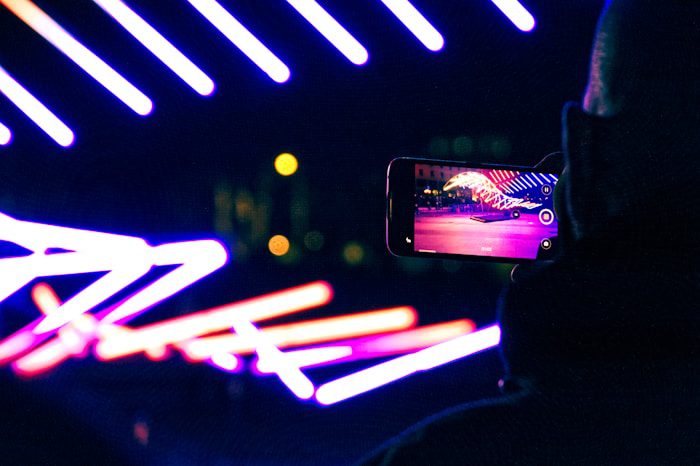
Prompt: “Tracking shot following a lone figure walking down a rain-slicked city street at night, neon signs reflecting in puddles, bokeh from street lights in the background, cyberpunk aesthetic, shallow depth of field keeping the figure in focus, moody blue and pink color scheme.”
The combination of environmental details (rain, neon, bokeh) with camera technique (tracking shot, shallow depth) creates a specific cinematic mood. This type of prompt excels for atmospheric storytelling.
3. Intimate Portrait Movement
Prompt: “Slow push-in on a person’s face as they look out a window, soft natural lighting from the side creating gentle shadows, contemplative expression, subtle head turn toward camera, shot on vintage film with slight grain, warm color temperature, emotional and introspective mood.”
Portrait prompts benefit from describing subtle movements and emotional tone. The technical elements (push-in camera, side lighting, film grain) support the emotional intent rather than overwhelming it.
4. Action Sequence
Prompt: “Dynamic tracking shot following a skateboarder performing tricks in an empty parking garage, low-angle camera perspective, dramatic shadows from overhead lights, fast-paced editing feel, urban gritty aesthetic, handheld camera movement for energy, high contrast lighting.”
Action prompts need energy descriptors. Words like “dynamic,” “fast-paced,” and “handheld” communicate movement quality, while the setting and lighting create visual interest.
5. Nature Macro Detail
Prompt: “Extreme close-up macro shot of a water droplet falling onto a leaf in slow motion, morning dew visible on surrounding foliage, soft diffused natural light, shallow depth of field with creamy bokeh background, nature documentary style, serene and peaceful atmosphere.”
Macro prompts require specific depth of field instructions and pacing. The slow-motion specification ensures Veo emphasizes the moment of impact, creating visual drama from a simple natural event.
Product Showcase Prompts (6-10)
Product videos need clean composition and appealing presentation. These prompts help create marketing content that highlights features while maintaining visual appeal.
6. Tech Product Hero Shot
Prompt: “Rotating 360-degree view of a sleek smartphone on a minimalist white surface, studio lighting with soft shadows, camera slowly orbiting the product, reflections on the glossy screen, modern and clean aesthetic, premium feel with subtle highlights, commercial advertising style.”
Product rotation shots work best when you specify the surface, lighting quality, and rotation speed. The “premium feel” descriptor helps Veo adjust overall polish.
7. Food Photography in Motion
Prompt: “Overhead shot of hands arranging fresh ingredients on a wooden cutting board, steam rising from a hot pan in the background, natural daylight from a nearby window, rustic kitchen setting, ingredients being placed one by one, warm and inviting atmosphere, food blog aesthetic.”
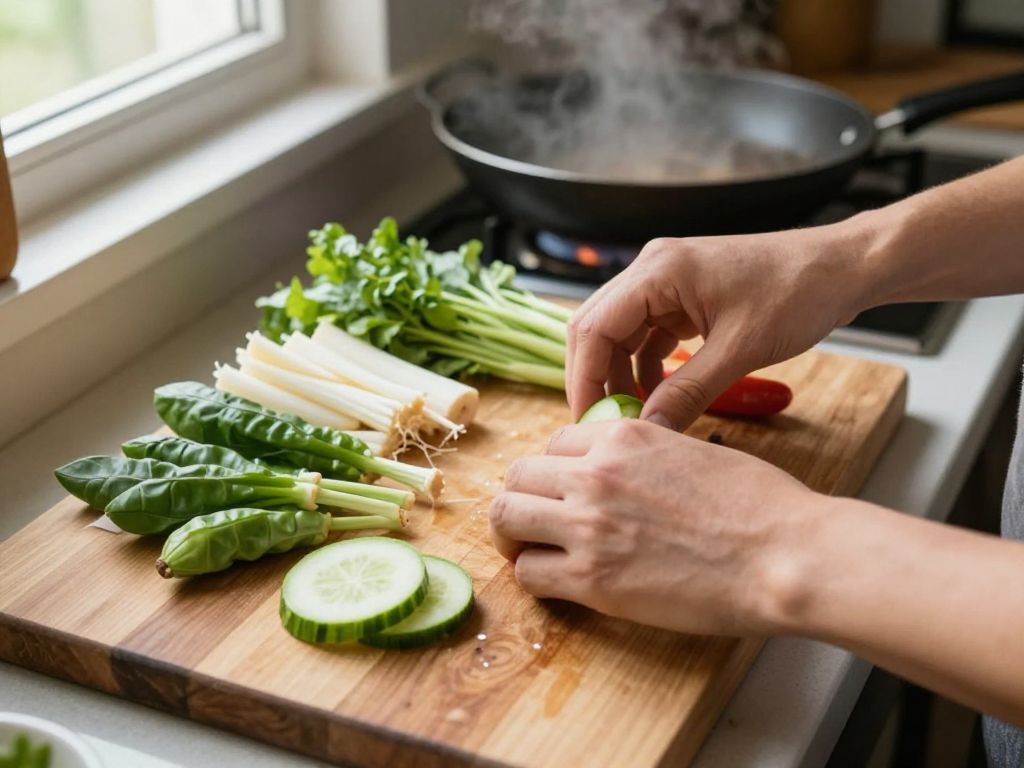
Food content benefits from hand movements and steam effects. These elements add life to what could otherwise be static product shots. The overhead angle has become standard for food content, making it immediately recognizable.
8. Fashion Item Detail
Prompt: “Close-up slow-motion shot of fabric flowing in the wind, sunlight catching the texture and weave, camera panning across the material, soft focus background, fashion photography aesthetic, elegant and luxurious feel, rich color saturation, textural details emphasized.”
Fabric and texture require slow motion to appreciate material quality. The sunlight specification creates depth through shadows and highlights in the weave.
9. Cosmetics Application
Prompt: “Macro shot of a makeup brush applying powder, sparkling particles visible in soft studio lighting, slow graceful movement, clean white background, focus on the brush bristles and product texture, beauty commercial style, pastel color palette, feminine and polished aesthetic.”
Beauty products need sparkle and texture emphasis. The macro perspective lets viewers see product quality, while the motion demonstrates application.
10. Coffee Shop Ambience
Prompt: “Slow tracking shot moving along a coffee shop counter, espresso machine steaming milk, barista hands preparing drinks in soft focus background, warm ambient lighting, cozy atmosphere, shallow depth of field, lifestyle brand aesthetic, morning light through windows, inviting and comfortable mood.”
Lifestyle prompts combine product (coffee preparation) with environment (cozy shop). The shallow depth of field keeps attention on the foreground action while establishing context.
Nature and Landscape Prompts (11-15)
Natural scenes showcase Veo’s ability to render organic movement—wind, water, wildlife—with realistic physics and lighting.
11. Ocean Wave Dynamics
Prompt: “Slow-motion shot of ocean waves crashing against rocky cliffs, spray creating mist in the air, dramatic overcast sky, powerful and moody atmosphere, telephoto lens compressing the perspective, nature documentary cinematography, stormy weather conditions, deep blue and gray color palette.”
Water movement tests any AI video generator. This prompt succeeds by specifying the emotional tone (powerful, moody) alongside technical elements (slow motion, telephoto compression).
12. Forest Sunbeams
Prompt: “Sunbeams breaking through dense forest canopy, light rays visible in morning mist, camera slowly tilting up toward the sky, peaceful and ethereal atmosphere, vibrant green foliage, nature photography style, magical woodland setting, soft focus on particles floating in the light beams.”
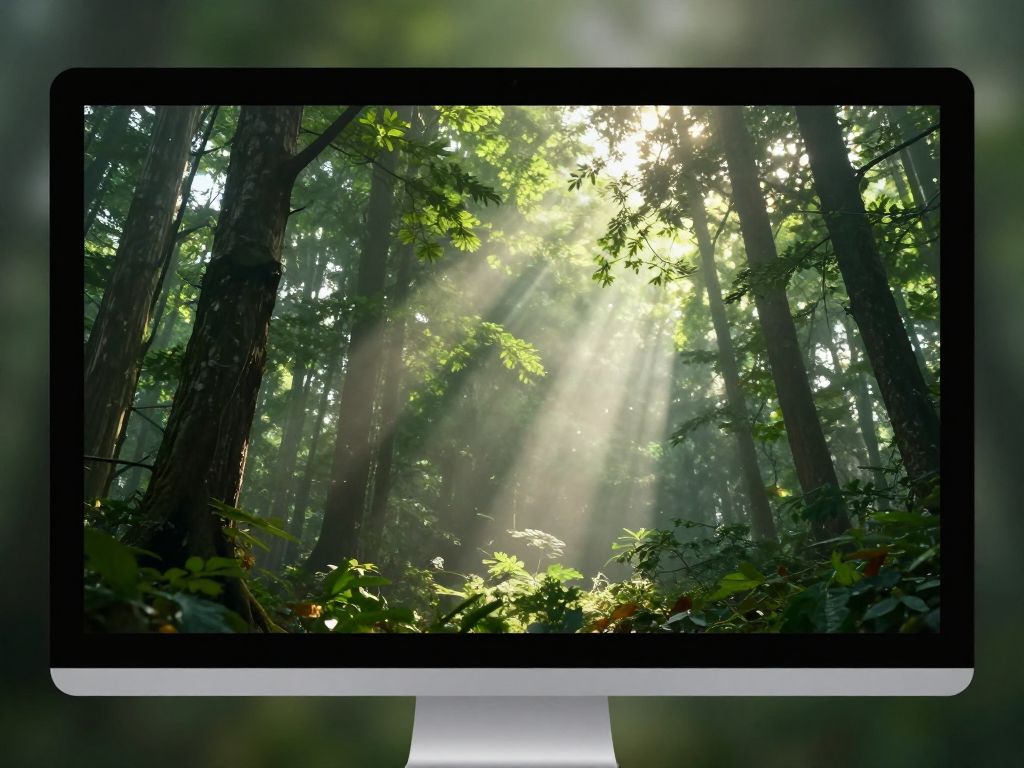
Light ray effects require specific atmospheric conditions. The mist specification ensures those dramatic beams become visible, while the tilt movement creates reveal and wonder.
13. Desert Time-Lapse Feel
Prompt: “Wide shot of desert sand dunes with shifting shadows as if time is passing quickly, clouds moving across the sky, warm golden tones transitioning to cooler blues, vast and expansive composition, time-lapse photography aesthetic, empty and contemplative mood, dramatic sky changes.”
Time-lapse effects in AI video work when you describe the result rather than the technique. “As if time is passing quickly” plus “clouds moving across the sky” communicates the desired effect.
14. Wildlife Observation
Prompt: “Medium shot of a deer emerging from forest undergrowth at dusk, cautious movements, soft fading light, natural habitat setting, telephoto lens creating shallow depth of field, wildlife documentary style, quiet and observational mood, muted earth tones, realistic animal behavior.”
Animal prompts benefit from behavioral descriptors. “Cautious movements” and “emerging from undergrowth” give Veo context for natural-looking animal animation.
15. Waterfall Power
Prompt: “Wide establishing shot of a massive waterfall, mist rising from the impact pool, rainbow visible in the spray, lush green vegetation framing the scene, powerful rushing water, dramatic natural wonder, aerial perspective slowly approaching, bright daylight, awe-inspiring scale and energy.”
Large-scale natural features need scale references. The vegetation framing and aerial approach help establish the waterfall’s impressive size, while the rainbow adds a magical element.
Abstract and Creative Prompts (16-20)
These prompts push creative boundaries, producing artistic videos that prioritize visual impact over realism.
16. Liquid Color Flow
Prompt: “Abstract fluid simulation of colorful liquids mixing and swirling, vibrant neon colors against black background, smooth flowing movements, psychedelic aesthetic, hypnotic patterns forming and dissolving, artistic and experimental style, mesmerizing visual experience, seamless looping motion.”
Abstract prompts thrive on movement descriptors. “Mixing and swirling,” “forming and dissolving” communicate continuous transformation, which keeps abstract content interesting.
17. Particle Explosion
Prompt: “Geometric particles exploding outward from center screen in slow motion, metallic and glass materials catching light, dark background emphasizing the bright particles, modern motion graphics aesthetic, satisfying and symmetrical explosion pattern, digital art style, technology and innovation theme.”
Particle effects need material specifications (metallic, glass) to create visual interest. The symmetry note ensures a balanced composition rather than random chaos.

18. Kaleidoscope Transformation
Prompt: “Kaleidoscope pattern continuously morphing and transforming, vibrant colors shifting through the spectrum, mandala-like symmetrical designs, smooth transitions between patterns, meditation and relaxation aesthetic, centered composition, seamless flowing changes, artistic and decorative style.”
Symmetry is crucial for kaleidoscope effects. The “mandala-like” reference gives Veo a clear structural target, while “smooth transitions” prevents jarring changes between patterns.
19. Light Painting Movement
Prompt: “Light painting effect with glowing trails drawing abstract shapes in darkness, long exposure photography aesthetic, vibrant light trails in multiple colors, smooth curved movements, artistic performance feel, black background emphasizing the luminous lines, creative and expressive style.”
Light painting prompts work when you reference the photographic technique. “Long exposure aesthetic” tells Veo to create those characteristic glowing trails.
20. Morphing Sculpture
Prompt: “3D abstract sculpture rotating and morphing shape, smooth white material with subtle gradients, studio lighting creating soft shadows, minimalist and modern aesthetic, continuous transformation between organic forms, elegant and sophisticated style, clean background, artistic and contemporary feel.”
Morphing effects need pacing control. “Continuous transformation” ensures smooth changes, while the material and lighting specifications create visual polish.
Storytelling and Narrative Prompts (21-25)
Narrative prompts create moments that imply larger stories. They’re perfect for content that needs emotional connection or character development.
21. Character Journey Beginning
Prompt: “Wide shot of a traveler with backpack standing at a crossroads in a rural landscape, looking at a weathered signpost, late afternoon golden light, contemplative moment before making a decision, cinematic storytelling aesthetic, symbolic journey theme, hopeful yet uncertain mood, shallow depth of field.”
Story prompts benefit from symbolic elements. The crossroads and signpost immediately communicate choice and journey, while the lighting and mood support the emotional tone.
22. Emotional Reunion
Prompt: “Medium shot of two people embracing at a train station platform, soft focus background with moving crowd, warm emotional lighting, tears of joy visible, heartfelt reunion moment, handheld camera feel for intimacy, natural realistic emotions, touching and sentimental atmosphere, genuine human connection.”
Emotional scenes need specificity about the feeling you want. “Tears of joy” and “heartfelt reunion” prevent ambiguous expressions that could read as sadness or concern.
23. Discovery Moment
Prompt: “Close-up of hands gently opening an old wooden box, soft light spilling out from inside, magical glowing effect, wonder and curiosity on the person’s face in soft focus background, mysterious and enchanting atmosphere, fantasy storytelling style, warm golden light, sense of finding something precious.”
Discovery prompts create intrigue through limited revelation. Showing hands and glowing light without revealing the box’s contents maintains mystery while suggesting importance.
24. Daily Life Beauty
Prompt: “Montage-style sequence showing morning routine moments: coffee brewing, sunlight through curtains, plants on a windowsill, book pages turning, peaceful domestic scenes, soft natural lighting throughout, calm and meditative pacing, lifestyle photography aesthetic, appreciation for simple moments, warm and cozy mood.”
Montage prompts can request multiple brief moments. The unified lighting and mood specification ensures visual consistency across the different scenes.
25. Achievement Celebration
Prompt: “Confetti falling in slow motion around a person jumping with arms raised in celebration, bright studio lighting, pure joy expression, colorful confetti pieces catching light, triumphant and victorious atmosphere, commercial advertising style, energetic and positive mood, freeze-frame feeling at peak celebration.”
Celebration prompts need energy descriptors and specific moment selection. The “freeze-frame feeling” creates a memorable peak moment rather than continuous jumping.
Advanced Prompt Optimization Tips
Once you’ve mastered basic prompt structure, these advanced techniques will refine your results further.
Layer Details Progressively
Start with core concept testing using simple prompts. “Ocean waves at sunset” establishes if Veo interprets your basic idea correctly. Once that works, add technical layers: camera movement, specific lighting, color grading. This approach prevents frustration from over-complicated prompts that fail.
Use Cinematic Reference Language
Film production terminology helps Veo understand your vision. Instead of “zoomed in view,” try “telephoto compression” or “macro lens perspective.” Terms like “dutch angle,” “rack focus,” and “whip pan” produce specific results that generic descriptions can’t match.
If you’re not familiar with cinematography terms, resources like film lighting guides or camera movement tutorials can expand your vocabulary. The investment in learning this language pays off in prompt quality.
Specify Temporal Elements Carefully
Time-related aspects affect how Veo renders motion. “Slow motion” needs context—slow compared to what? “Half-speed playback of a hummingbird feeding” creates different results than “slow graceful movement of fabric in the wind.” Both are slow, but the reference point differs.
For time-lapse effects, describe what changes rather than the technique: “clouds racing across the sky” or “flowers opening from bud to bloom” communicates the desired result more clearly than “time-lapse of weather.”
Control Color With Precision
Color descriptions range from vague to highly specific. Each level produces different results:
- Basic: “warm colors” or “cool tones”
- Intermediate: “golden hour lighting” or “teal and orange color grading”
- Advanced: “desaturated with crushed blacks, lifted shadows, warm highlights at 3200K color temperature”
Match your color specificity to your project needs. Social media content might not require advanced color grading, while commercial work benefits from precise color control.
Balance Technical and Emotional Elements
The best veo prompts combine technical camera work with emotional resonance. “Slow push-in shot” (technical) becomes more powerful when paired with “creating intimacy as the subject reveals vulnerability” (emotional). This balance produces videos that look professional while feeling intentional.
Iterate Based on Results
Your first attempt rarely produces perfect results. Generate, evaluate, and refine. If the lighting isn’t right, try different time-of-day specifications. If movement feels off, adjust pacing descriptors. Each iteration teaches you how Veo interprets your language.
Keep a collection of successful prompts. When you create something that works well, save both the prompt and notes about what made it effective. This personal library becomes invaluable for future projects.
7 Mistakes You Should Avoid When Creating Veo Prompts
Even experienced users encounter these common pitfalls. Recognizing them saves time and improves results.
1. Overloading Prompts With Too Many Elements
Adding every possible detail doesn’t improve results—it confuses the AI. A prompt mentioning 15 different visual elements forces Veo to make compromises about which aspects matter most.
Focus on 3-5 key elements that define your vision. “Sunset beach scene with crashing waves, golden lighting, slow motion, cinematic color grading” works better than listing every possible beach element plus camera specs plus color details plus emotional tone plus…
2. Using Vague Descriptors
Words like “nice,” “good,” or “beautiful” mean nothing to AI. They’re subjective judgments that don’t specify visual characteristics.
Replace vague terms with concrete details. Instead of “beautiful landscape,” write “mountain landscape with dramatic peaks, pristine alpine lake, late afternoon sidelight creating long shadows.” The second version gives Veo actionable information.
3. Ignoring Camera Movement
Static camera shots limit your options. Even subtle camera work—a slow pan or gentle drift—adds production value and keeps viewers engaged.
Experiment with different movements for the same subject. A product shot works as a static frame, but becomes more dynamic with a slow orbit or smooth slide-past. The movement choice should support your content’s purpose.
4. Forgetting About Lighting Direction
Lighting creates mood, but only if you specify where it comes from. “Good lighting” produces random results. “Backlit subject with rim light separating them from background” creates specific dramatic effect.
Study basic lighting patterns: front light, side light, backlight, top light. Each creates different shadow patterns and emotional tones. Understanding these fundamentals improves every prompt you write.
5. Requesting Inconsistent Styles
Mixing style references confuses generation. A prompt requesting “cinematic film look with cartoon animation style and documentary realism” pulls in conflicting directions. Veo will attempt to satisfy all requirements, usually producing mediocre results for each.
Choose one primary style and support it with consistent elements. If you want cinematic, commit to film-like lighting, color grading, and composition throughout the prompt.
6. Not Considering Video Duration
Some prompts work for 3-second clips but feel repetitive at 30 seconds. “Particle explosion from center” is perfect for a short transition but boring when extended. Longer durations need progression—changes in intensity, perspective shifts, or evolving elements.
Match prompt complexity to intended duration. Short clips can focus on single moments, while longer videos benefit from journey or transformation elements built into the prompt.
7. Neglecting the Opening and Closing
How your video starts and ends affects viewer engagement. A prompt that doesn’t specify these moments often produces awkward beginnings or abrupt conclusions.
Add starting and ending context: “beginning with close-up, gradually pulling back to reveal wider scene” or “slow fade to black as the sun sets completely.” These specifications create intentional feeling rather than arbitrary cutoffs.
Frequently Asked Questions
How long should my Veo prompts be?
Effective prompts typically range from 20 to 60 words. This length provides enough detail for quality results without overwhelming the system. Focus on essential elements rather than exhaustive description. A well-structured 30-word prompt often outperforms a rambling 100-word version that includes unnecessary details.
Can I use brand names or copyrighted terms in prompts?
Google Veo has guidelines against generating content that infringes on copyrights or trademarks. Instead of “shot in the style of [specific movie],” describe the visual characteristics: “moody noir lighting with high contrast shadows.” This approach produces similar aesthetics without copyright concerns.
What’s the difference between Veo prompts and other AI video prompts?
Google veo prompts can leverage more sophisticated cinematography language than some competing platforms. Veo understands professional camera movement terminology, lighting setups, and film production concepts. This allows for more precise control compared to systems that only recognize basic descriptors. However, the fundamental principles—clear subjects, specific actions, technical details—apply across all AI video platforms.
How do I create prompts for specific video durations?
While Veo has technical duration limits, you can influence pacing through prompt language. For shorter clips, focus on single moments: “coffee cup being set down on a table, steam rising.” For longer sequences, build in progression: “coffee preparation from grinding beans through pouring into cup, steam visible throughout, morning light gradually brightening.” The progression gives Veo content to fill the time.
Should I mention aspect ratio or resolution in my prompt?
Technical specifications like resolution are typically handled through platform settings rather than prompt text. Focus your prompt on creative elements—subject, action, lighting, mood. Let the platform’s configuration controls handle output format. Mentioning “4K quality” in a prompt doesn’t hurt but usually doesn’t affect results since quality settings are predetermined.
Can I generate videos with multiple scenes using one prompt?
Veo performs best with single-scene prompts. If you need multiple scenes, create separate prompts for each. You might describe a “montage” feeling within one scene, but complex multi-scene narratives work better as individual generations that you edit together. This approach gives you more control over timing and transitions between scenes.
How specific should I be about subject appearance?
Balance specificity with flexibility. Describing “a woman in her 30s with short dark hair wearing a red jacket” provides clear direction. Listing every facial feature, accessory, and clothing detail becomes counterproductive. Include distinctive characteristics that matter to your video’s purpose, but avoid exhaustive catalogs of attributes.
What if my prompt produces unexpected results?
Unexpected results usually stem from ambiguous language or conflicting instructions. Review your prompt for words with multiple interpretations. “Bright lighting” could mean intensity or color temperature. Specify “bright sunlight” or “bright studio lighting” for clarity. If results still miss the mark, try breaking your concept into simpler components and test those individually.
Are there prompt templates I should follow?
While templates provide starting points, rigid adherence limits creativity. A basic structure might be: [Subject] + [Action] + [Camera Movement] + [Lighting] + [Mood/Style]. However, natural language often produces better results than formulaic templates. “A dancer leaping across a sunlit stage, slow-motion shot capturing fabric movement, dramatic side lighting, elegant and powerful” reads naturally while including key elements.
How can I make my prompts more creative and unique?
Combine unexpected elements thoughtfully. Instead of standard nature scenes, try “bioluminescent mushrooms glowing in a dark forest, macro perspective, ethereal blue-green light.” Unusual combinations create distinctive videos. Study photography, cinematography, and art movements for inspiration. The more diverse your visual references, the more creative possibilities you’ll discover.
Tools like our Veo prompt generator can help jumpstart creativity by suggesting unexpected element combinations or alternative phrasings for your concepts.
Do weather and time of day really matter in prompts?
Absolutely. Weather and time dramatically affect lighting, color, and mood. “Rainy evening street” produces different results than “sunny morning street”—different light quality, different colors, different emotional tone. These specifications are among the most impactful elements you can include. When you’re uncertain what mood you want, try generating the same scene at different times or in different weather to see how these changes affect the result.