Google’s Veo and OpenAI’s Sora have emerged as the two dominant forces in AI video generation. Both platforms promise to turn text descriptions into stunning video content, but they take fundamentally different approaches to prompt interpretation, output quality, and creative control.
Choosing between them isn’t straightforward. Your decision depends on what you’re actually trying to create, how much control you need over the final output, and whether you prioritize photorealistic footage or stylized content. This breakdown examines both platforms head-to-head so you can pick the right tool for your specific projects.
Table of Contents
- Core Differences Between Veo and Sora
- Prompt Structure: What Each Platform Expects
- Video Quality and Output Comparison
- Best Use Cases for Each Platform
- Pricing and Accessibility in 2026
- Side-by-Side Prompt Examples
- 5 Prompt Mistakes That Produce Poor Results
- The Verdict: Which Should You Choose?
- FAQ
Core Differences Between Veo and Sora
Veo and Sora represent two distinct philosophies in AI video generation. Google built Veo on their massive video dataset and integrated it tightly with their existing AI infrastructure. OpenAI developed Sora using transformer architecture similar to their GPT models, treating video generation as a natural extension of language understanding.
The underlying technology shapes how each platform interprets your prompts. Veo excels at understanding spatial relationships and physical accuracy. When you describe a ball bouncing down stairs, Veo typically renders realistic physics. Sora, meanwhile, demonstrates stronger narrative coherence—it maintains character consistency and scene logic across longer clips.
Technical Specifications at a Glance
| Feature | Google Veo | OpenAI Sora |
|---|---|---|
| Maximum Resolution | 4K (3840×2160) | 1080p (1920×1080) |
| Maximum Video Length | Up to 2 minutes | Up to 60 seconds |
| Frame Rate Options | 24, 30, 60 fps | 24, 30 fps |
| Aspect Ratios | 16:9, 9:16, 1:1, 4:3 | 16:9, 9:16, 1:1 |
| Style Presets | 12 built-in styles | 8 built-in styles |
| Image-to-Video | Yes | Yes |
According to Statista’s 2026 AI market report, the AI video generation sector reached $4.2 billion this year, with Google and OpenAI capturing approximately 67% of the market share combined.
Prompt Structure: What Each Platform Expects
Writing effective prompts for Veo differs significantly from crafting Sora prompts. Veo responds well to technical camera terminology and precise movement descriptions. Sora prefers narrative-style prompts that describe scenes as if you’re telling a story.
Veo Prompt Anatomy
Veo prompts work best when structured in layers. Start with camera positioning, add subject description, include motion direction, and finish with atmosphere or style notes. The platform parses these elements separately and combines them during generation.
A well-structured Veo prompt looks like this:
“Aerial drone shot, slowly descending. A single red kayak navigating through turquoise glacier water. Morning light creating long shadows. Cinematic color grade, 4K resolution.”
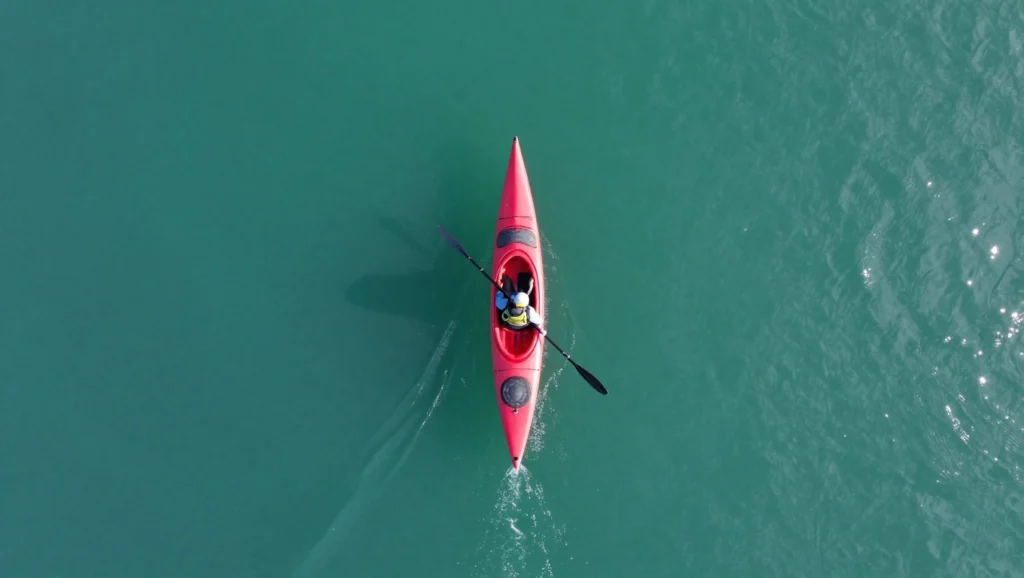
Notice how each sentence addresses a different visual element. Veo processes these sequentially and builds the scene layer by layer.
Sora Prompt Anatomy
Sora interprets prompts more holistically. Rather than parsing individual technical elements, it reads your entire description and generates a cohesive scene. This makes natural language more effective than technical jargon.
The same scene for Sora might read:
“A bright red kayak glides through impossibly blue glacier meltwater as the camera floats down from above, catching the early morning sun casting dramatic shadows across the ice-strewn surface.”

Both prompts describe identical footage, but their structure matches what each platform expects. Using Veo’s technical style with Sora often produces generic results, and vice versa.
For help crafting platform-specific prompts, try our free Veo prompt generator or the Sora prompt generator to see how different structures affect your output.
Video Quality and Output Comparison
Raw output quality remains the most debated aspect of the Veo vs Sora comparison. Independent testing by Tom’s Guide found that Veo produces sharper images at higher resolutions, while Sora demonstrates superior motion smoothness and temporal consistency.
Where Veo Excels
Veo handles complex textures remarkably well. Fur, fabric, water surfaces, and architectural details render with impressive accuracy. The platform also maintains better color consistency across frames, reducing the flickering artifacts that plague many AI video tools.
Landscape and nature footage represents Veo’s strongest category. Mountains, oceans, forests, and sky transitions look nearly indistinguishable from real drone footage in many cases.
Where Sora Excels
Sora wins on human movement and facial expressions. Characters walk naturally, their expressions change convincingly, and their clothing moves realistically with body motion. This makes Sora the stronger choice for any content featuring people prominently.
The platform also handles abstract and stylized content more creatively. Surreal scenes, impossible physics, and artistic interpretations feel more imaginative in Sora’s outputs.
Artifact Comparison
Both platforms produce occasional artifacts, but they manifest differently. Veo sometimes generates geometry errors—walls that don’t connect properly or objects that phase through each other. Sora more commonly produces temporal artifacts like objects morphing between frames or backgrounds subtly shifting.
Best Use Cases for Each Platform
Matching your project type to the right platform saves significant time and produces better results. Here’s where each tool performs best based on real-world testing.
Choose Veo For:
- Product videos and commercial footage
- Real estate virtual tours
- Nature documentaries and landscape b-roll
- Technical demonstrations
- Architectural visualizations
- Food and beverage commercials
Choose Sora For:
- Social media content and short-form video
- Music videos and artistic projects
- Storytelling and narrative content
- Character-driven animations
- Concept visualization for film pre-production
- Educational content with human presenters
Content creators working across multiple formats often use both platforms strategically. A YouTube script might call for Sora’s character work in talking-head segments and Veo’s landscape capabilities for establishing shots.
Pricing and Accessibility in 2026
Both platforms have shifted to usage-based pricing models this year, moving away from their initial subscription-only approaches.
Google Veo Pricing
Veo operates through Google AI Studio with credit-based generation. New users receive 50 free credits monthly. Standard 1080p clips (10 seconds) cost approximately 3 credits, while 4K generation at maximum length can consume 25+ credits per clip. Monthly plans start at $30 for 500 credits.
OpenAI Sora Pricing
Sora ties into ChatGPT Plus subscriptions, with Plus members receiving 50 generations monthly. Additional generations are purchased in packs: 100 for $20, 500 for $80, or unlimited monthly access for $200. Enterprise pricing includes API access for integration into external workflows.
Free Alternatives
Neither platform offers truly unlimited free access, but both provide enough free credits for experimentation. Third-party tools can help maximize those free generations by crafting optimized prompts before you spend credits on actual video creation.
Our video prompt generator helps structure prompts for both platforms without using your generation credits for trial and error.
Side-by-Side Prompt Examples
Seeing identical concepts adapted for each platform clarifies the structural differences. These examples demonstrate how the same creative vision translates into platform-specific language.
Example 1: Urban Time-lapse
Veo Version:
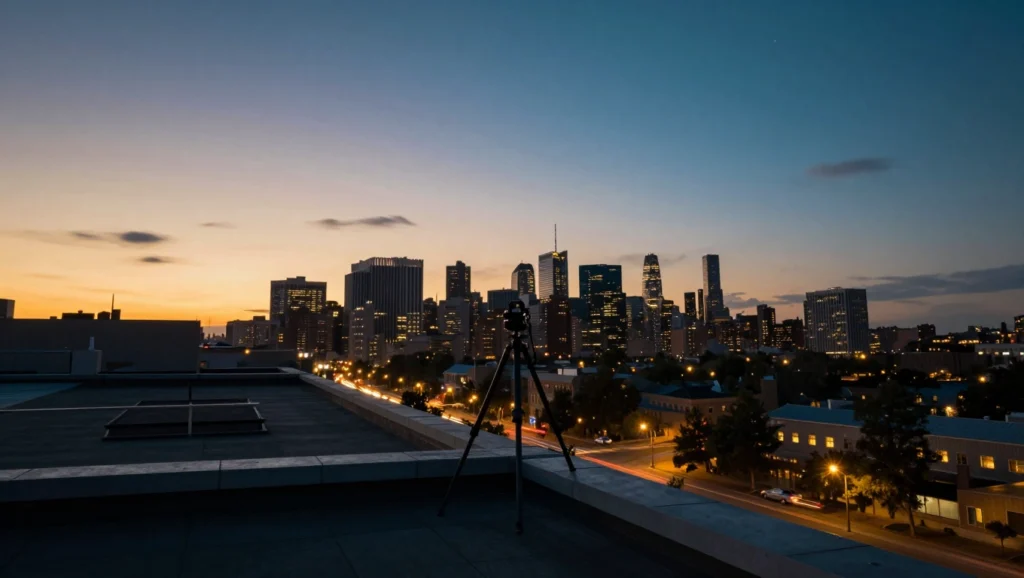
“Fixed tripod shot, rooftop perspective. City skyline transitioning from golden hour to blue hour to night. Traffic lights creating light trails below. Stars becoming visible. Time-lapse compression, smooth cloud movement. 4K, cinematic color science.”
Sora Version:
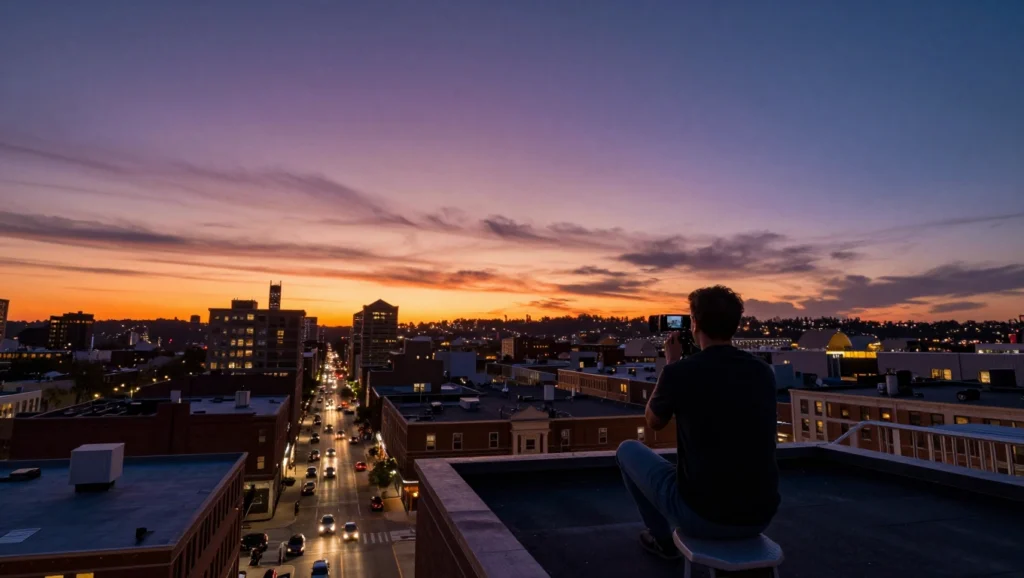
“From a downtown rooftop, the camera watches the city transform as day becomes night. The sky burns orange then purple then deep blue as stars emerge. Below, car headlights streak through the streets like rivers of light, and clouds drift overhead in accelerated time.”
Example 2: Product Showcase
Veo Version:
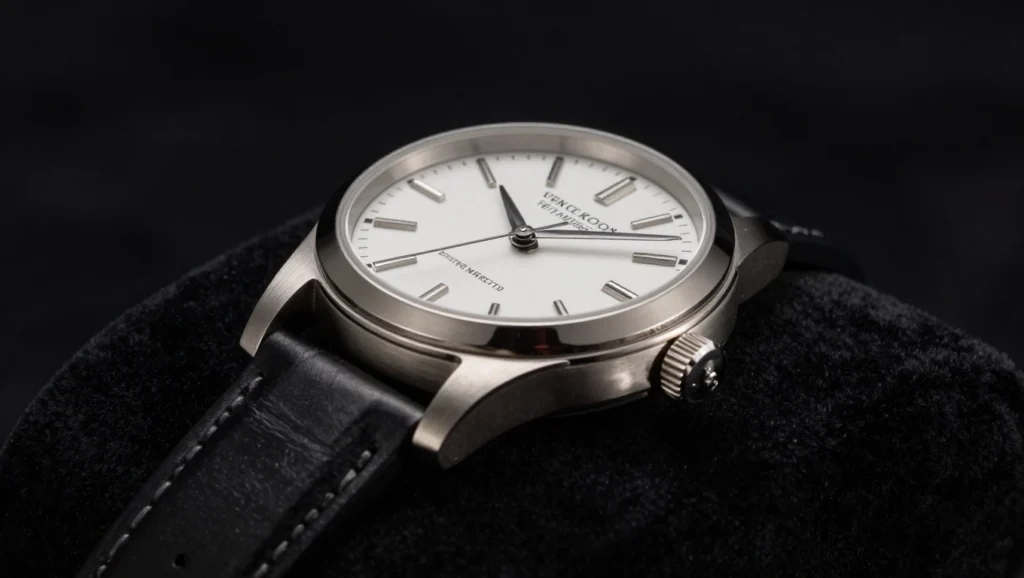
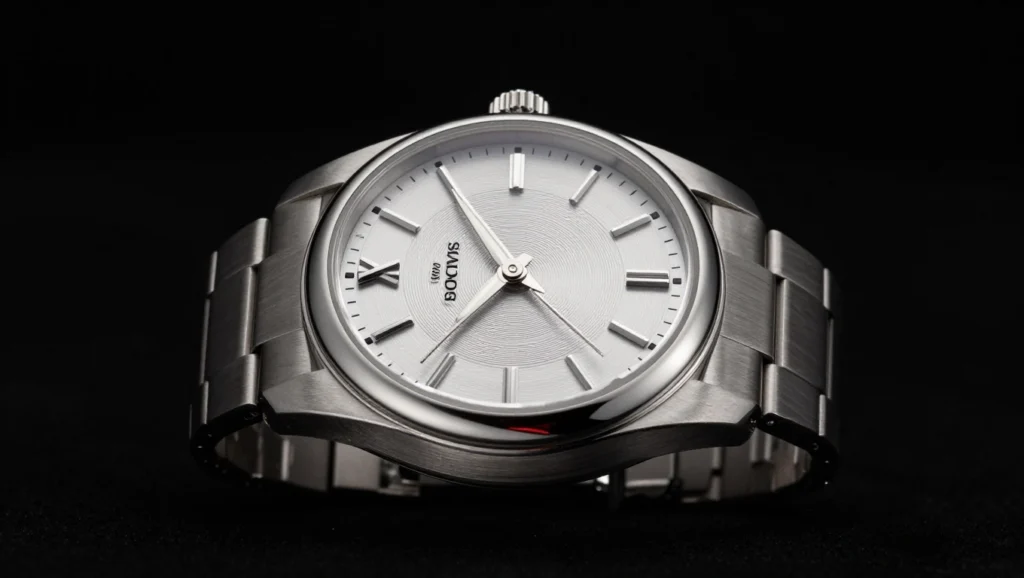
“360-degree turntable rotation. Luxury wristwatch on black velvet. Dramatic side lighting highlighting metal reflections. Slow rotation, 15-second duration. Macro detail visible on dial. Studio black background, product photography style.”
Sora Version:
“A gleaming luxury watch rotates slowly against pure black, catching light that slides across its polished metal surfaces. Every detail of the intricate dial becomes visible as it turns, suspended in elegant isolation.”
Example 3: Fantasy Scene
Veo Version:
“Low angle tracking shot. Dragon silhouette against orange sunset sky. Wings flapping in slow motion. Parallax clouds in background. Backlit scales catching rim light. Epic fantasy style, high contrast.”

Sora Version:
“A massive dragon rises into view against a burning sunset, its wings beating in majestic slow motion. The creature’s scales shimmer with captured firelight as it soars past, dwarfing the clouds behind it in a moment of terrible beauty.”

Notice how Veo prompts read like technical shot lists while Sora prompts read like prose descriptions. Both achieve similar results through different languages.
5 Prompt Mistakes That Produce Poor Results
Even experienced users fall into these traps when switching between platforms or rushing through prompt creation.
1. Overloading Single Prompts
Cramming too many scene changes, camera movements, or subject actions into one prompt confuses both platforms. Veo struggles to sequence complex multi-part movements, and Sora loses narrative coherence when asked to include too many elements. Keep each generation focused on a single coherent moment.
2. Ignoring Platform Strengths
Requesting photorealistic human close-ups from Veo or asking Sora for technical 4K architectural footage plays against each platform’s capabilities. Match your content needs to the platform that handles them best.
3. Vague Motion Descriptions
Words like “moving” or “dynamic” produce unpredictable results. Specify exactly how things move: “drifting left to right,” “rising steadily,” “rotating clockwise.” Both platforms interpret ambiguous motion words differently each generation.
4. Forgetting Lighting
Lighting dramatically affects output quality, yet many prompts ignore it entirely. Include time of day, light direction, shadow intensity, or artificial lighting sources. This single addition often transforms mediocre generations into usable footage.
5. Copy-Pasting Between Platforms
A prompt optimized for Veo rarely works well in Sora without modification. The time spent adapting prompts to each platform’s preferred structure pays off in significantly better results.
For additional creative prompts across different content types, explore our AI prompt generator collection or dive into specialized tools like the Stable Diffusion prompt generator for image-to-video workflows.
The Verdict: Which Should You Choose?
Neither platform universally outperforms the other. The right choice depends entirely on your specific needs.
Pick Veo if: You need maximum resolution, longer clips, landscape/product footage, or technical precision in camera movements. Veo serves commercial production, real estate, and nature content exceptionally well.
Pick Sora if: Your content features people, requires artistic interpretation, or prioritizes narrative storytelling over technical specifications. Social media creators, musicians, and storytellers generally prefer Sora’s outputs.
Use both if: Your projects span multiple content types. Many professional creators maintain accounts on both platforms and choose per-project based on the specific requirements of each piece.
The quality gap between these platforms has narrowed considerably throughout 2026. Your prompt quality now matters more than your platform choice for most standard use cases. Invest time learning each system’s prompt language, and either tool can produce professional-grade results.
Start experimenting with our Veo prompt generator to build Google-optimized prompts, or try the Sora prompt generator for OpenAI’s platform. Both tools are completely free and help you understand what each system expects before spending generation credits.

Frequently Asked Questions
Can I use the same prompt for both Veo and Sora?
Technically yes, but results will vary significantly. Veo prefers technical, structured prompts while Sora responds better to narrative descriptions. Adapting your prompt to each platform’s style produces noticeably better output.
Which platform generates videos faster?
Sora typically completes generations 20-30% faster for standard 1080p content. Veo’s 4K generations take longer but produce higher resolution output. Both platforms queue times vary based on server load.
Do these platforms support video editing or just generation?
Both focus primarily on generation from text prompts. Basic regeneration and style adjustment tools exist within each platform, but serious editing requires external software. Generated clips export as standard video files compatible with any editor.
Is there a free version of either platform?
Both offer limited free access. Google provides 50 monthly credits through AI Studio. OpenAI includes basic Sora access with ChatGPT Plus subscriptions. Free tiers work for experimentation but professional use requires paid plans.
Which handles copyrighted content requests better?
Neither platform generates content referencing copyrighted characters, logos, or trademarked properties. Both employ content filters that reject such requests. Original content descriptions work on both platforms without restriction.
Can I create content for commercial use?
Yes, both platforms grant commercial rights to generated content on paid plans. Free tier generations may have licensing restrictions—check current terms before using free-tier content commercially.
What happens if my prompt produces poor results?
Both platforms allow regeneration with the same or modified prompts. Veo includes a “refine” option that adjusts existing generations. Sora offers variation controls that produce alternate interpretations of your prompt.
Do I need technical video production knowledge?
Not necessarily. Both platforms interpret natural language prompts effectively. However, understanding basic cinematography concepts like shot types, camera movements, and lighting helps you write more precise prompts that generate exactly what you envision.