YouTube creators face a constant challenge: producing enough quality video content to keep their channels alive without burning out. Filming, editing, and post-production eat up hours every week. Google’s Veo 3 AI video generator changes this equation entirely by letting you create professional-looking footage from text prompts alone.
This guide walks you through practical applications of Veo for YouTube, from generating B-roll clips to building entire video segments. You’ll discover specific techniques that successful creators already use to multiply their output while maintaining quality viewers expect.
Table of Contents
- What Is Veo 3 and Why It Matters for YouTubers
- 1. Generate Dynamic B-Roll Without Leaving Your Desk
- 2. Create Eye-Catching Channel Intros and Outros
- 3. Visualize Complex Concepts for Educational Content
- 4. Produce Location Footage You Can’t Film Yourself
- 5. Build Animated Explainer Segments
- 6. Design Thumbnail-Worthy Video Scenes
- 7. Create Product Visualizations for Review Channels
- 8. Generate Historical or Futuristic Reenactments
- 9. Produce Ambient Background Videos
- 10. Build Character-Driven Narrative Content
- 11. Create Split-Screen Comparison Footage
- 12. Generate Seasonal and Trending Content Quickly
- Crafting Effective Prompts for YouTube Video Generation
- 6 Mistakes That Ruin Your AI-Generated YouTube Videos
- Frequently Asked Questions
What Is Veo 3 and Why It Matters for YouTubers
Veo 3 represents Google DeepMind’s latest text-to-video AI model, capable of generating high-definition video clips up to 8 seconds long from written descriptions. The system understands cinematic concepts like camera movement, lighting styles, and visual composition, which makes it particularly useful for content creators who need professional-looking footage.
For YouTube creators specifically, Veo 3 solves several production bottlenecks. Need aerial drone footage of a mountain range? Describe it and generate it. Want slow-motion footage of water droplets? Skip the expensive high-speed camera rental. The technology doesn’t replace traditional filmmaking but fills gaps that would otherwise require significant time or budget.
According to Google DeepMind’s official blog, Veo models achieve state-of-the-art performance in video quality benchmarks, with particular strength in maintaining temporal consistency across frames—meaning objects and people don’t randomly morph or distort as the video plays.
1. Generate Dynamic B-Roll Without Leaving Your Desk
B-roll footage makes the difference between amateur and professional YouTube videos. Those cutaway shots that illustrate your narration, cover jump cuts, and add visual variety typically require hours of additional filming or purchasing stock footage that everyone else uses.
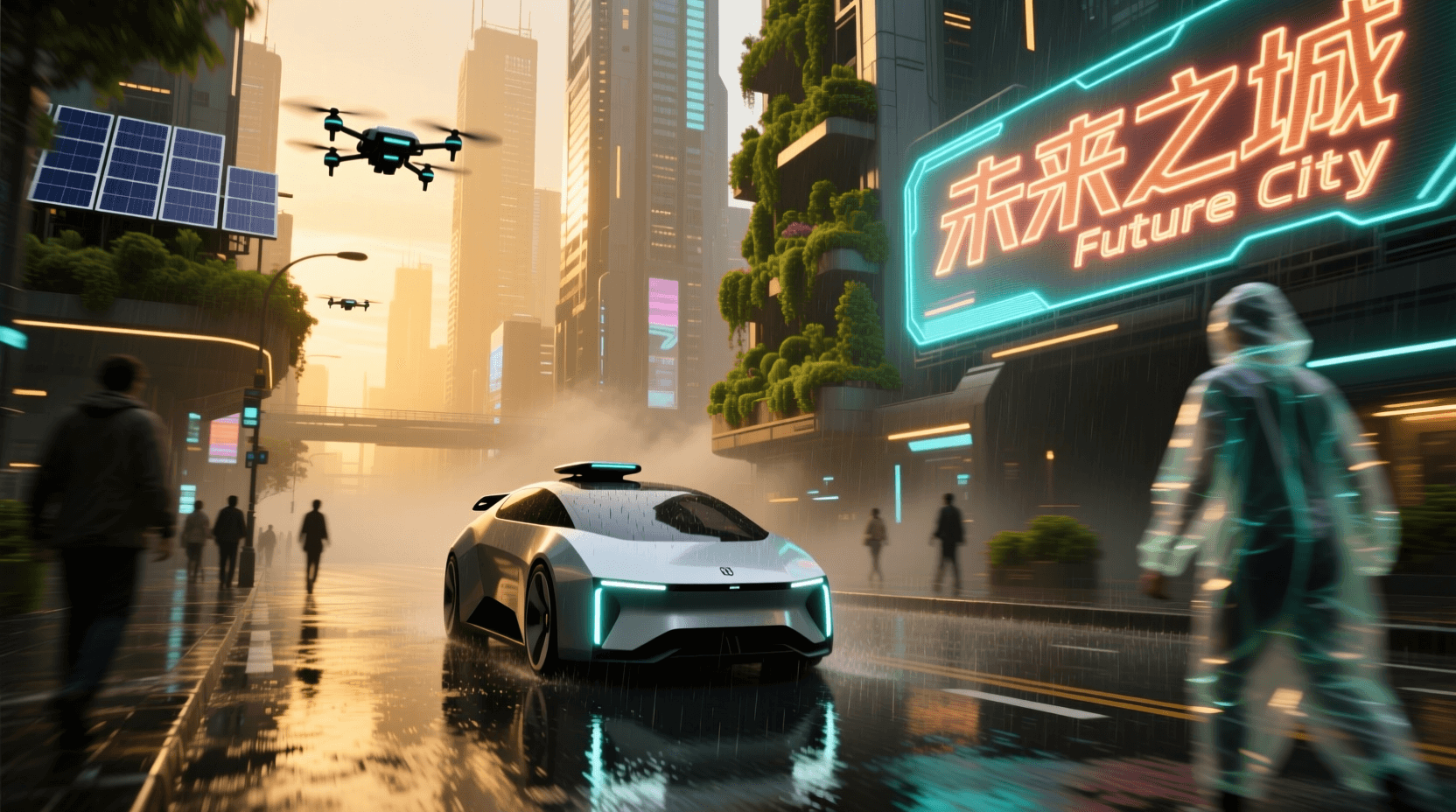
Veo 3 lets you generate custom B-roll tailored exactly to your script. Discussing climate change? Generate footage of melting glaciers, rising sea levels, or wind turbines spinning against dramatic skies. Talking about ancient Rome? Create sweeping shots of the Colosseum at sunset.
The key lies in specificity. Rather than prompting “city traffic,” try “busy Tokyo intersection at night with neon reflections on wet pavement, shot from above, slow camera drift to the left.” A Veo prompt generator can help structure these detailed descriptions for optimal results.
Creators who previously relied on stock footage libraries report spending 60-70% less time searching for and licensing clips. The custom nature of AI-generated B-roll also means your videos look distinct from channels using the same stock footage databases.
2. Create Eye-Catching Channel Intros and Outros
Your channel intro sets the tone for every video. A memorable opening sequence builds brand recognition and signals quality to new viewers within the first few seconds. Similarly, a polished outro encourages subscriptions and guides viewers to more content.
Veo 3 excels at generating these short, high-impact sequences. You can create intros featuring abstract motion graphics, cinematic landscapes, or stylized text reveals that would cost hundreds of dollars if commissioned from a motion designer.
Consider generating variations for different content types. A tech review channel might use sleek, futuristic visuals with metallic surfaces and glowing circuits. A travel vlog could feature rapid cuts between iconic destinations. A cooking channel might showcase ingredients in dramatic slow motion.
For the actual text overlays and final assembly, pair your AI footage with editing software. The generated clips serve as dynamic backgrounds that give your titles and logos a premium feel without the premium price tag. Explore our YouTube AI tools for additional channel optimization resources.

3. Visualize Complex Concepts for Educational Content
Educational YouTubers constantly struggle with one problem: how do you show abstract concepts? Explaining quantum mechanics, cellular biology, or economic theories through talking-head footage gets boring fast. Traditional animation requires either significant skill or budget.
AI video generation bridges this gap. You can visualize concepts that would be impossible or impractical to film, such as the interior of a black hole, electron movement in a circuit, or the formation of galaxies over billions of years.
A history educator might generate footage depicting daily life in ancient civilizations. A science channel could show molecular interactions or astronomical phenomena. A business educator can illustrate supply chain logistics with custom warehouse and shipping visualizations.
The educational value increases when you combine generated footage with clear narration. Viewers retain information better when they see visual representations alongside verbal explanations. This multimodal approach to teaching makes complex topics accessible to wider audiences.
Need help structuring your educational scripts? Our YouTube script generator pairs well with Veo-generated visuals.
4. Produce Location Footage You Can’t Film Yourself
Budget and logistics limit where most creators can film. Traveling to capture footage in Iceland, the Amazon rainforest, or downtown Dubai isn’t feasible for most YouTube channels. Yet these locations might be exactly what your content needs.
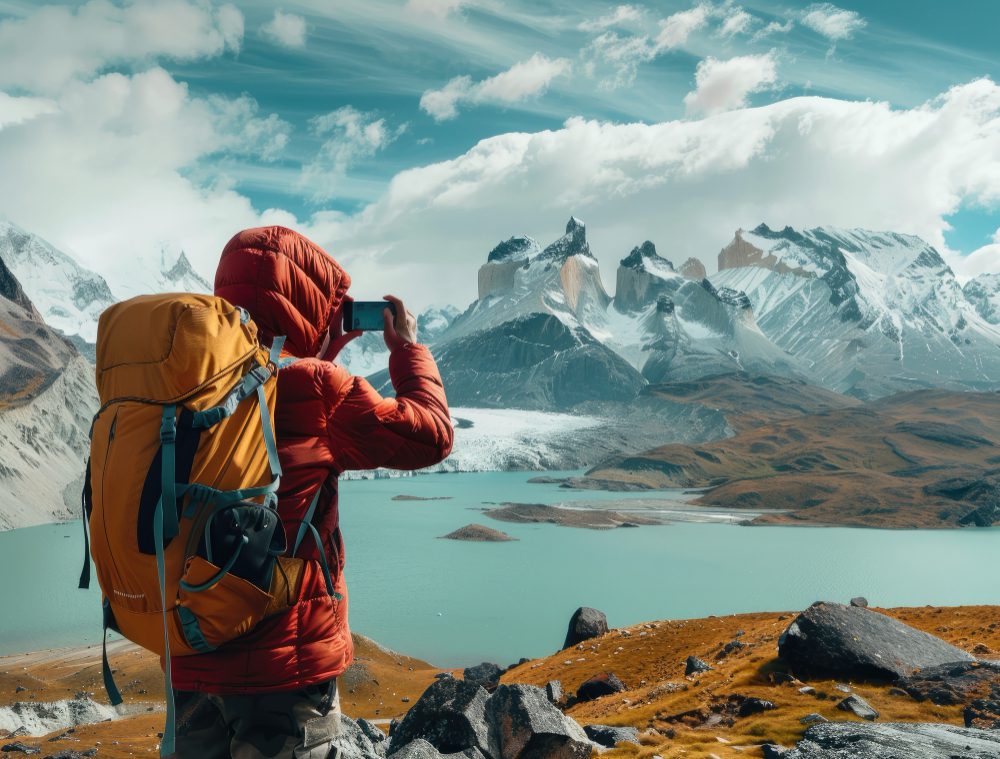
Veo 3 removes geographical constraints from your production capabilities. Generate establishing shots of any location worldwide, from famous landmarks to remote wilderness. Create footage during specific times of day or weather conditions that would require weeks of waiting to capture naturally.
Travel channels benefit obviously, but consider other applications. A meditation channel could feature serene footage from various peaceful locations. A documentary-style channel might need shots of specific cities or environments to contextualize their narratives. Even commentary channels can enhance their videos with location-appropriate B-roll.
The ethical consideration here matters: be transparent with your audience about AI-generated content where relevant. Most viewers appreciate the honesty and understand the practical necessity.
5. Build Animated Explainer Segments
Not all YouTube content requires realistic footage. Animated explainer segments using stylized visuals can communicate information more effectively than live action for certain topics.
Veo 3 supports various visual styles beyond photorealism. You can generate footage in cartoon styles, paper cutout aesthetics, watercolor looks, or minimalist motion graphics. These stylized outputs work perfectly for explainer content where clarity matters more than realism.
Financial channels explaining investment concepts might prefer clean, diagrammatic visuals. Children’s educational content benefits from bright, friendly animation styles. Tech channels could use futuristic, high-tech aesthetics that reinforce their subject matter.
The consistency of style throughout a video segment maintains professional quality. When prompting Veo for animated content, include specific style references in every prompt to ensure visual coherence across multiple generated clips.
For crafting those style-specific prompts, a video prompt generator streamlines the process considerably.
6. Design Thumbnail-Worthy Video Scenes
Thumbnails drive YouTube clicks. A compelling thumbnail image can double or triple your click-through rate, yet creating thumbnail-worthy scenes sometimes requires elaborate setups that don’t match your video content.
Here’s a clever application: use Veo to generate dramatic scenes specifically designed for thumbnail extraction. Generate the most visually striking version of your video’s concept, then screenshot the best frame for your thumbnail.
Want a thumbnail showing an explosive reaction? Generate footage of dramatic sparks and flames (safely, digitally). Need an image of someone standing at the edge of a cliff? Create it without anyone actually risking their safety. Looking for a surprised reaction face? Generate multiple options and pick the most clickable one.
This technique separates your thumbnail creation process from your video production process, letting you optimize each independently. The best-performing thumbnails often show moments that aren’t actually in the video anyway—AI generation just makes creating those moments easier.
Complement your AI-generated thumbnail scenes with ideas from our thumbnail ideas generator to maximize click-through rates.
7. Create Product Visualizations for Review Channels
Product review channels face a common problem: showcasing items attractively requires proper lighting, camera equipment, and editing skills. Many reviewers have great analytical insights but lack production polish.
Veo 3 can generate professional product shots that elevate your review content. Create spinning product visualizations, dramatic unboxing sequences, or lifestyle footage showing products in use—all without the physical production requirements.
A tech reviewer might generate sleek footage of gadgets floating against gradient backgrounds. A beauty channel could create glamorous shots of makeup products with professional lighting. A gaming channel might visualize console setups in stylized environments.
These generated clips work as supplements to your actual hands-on review footage. Show the real product during your analysis, then cut to polished AI-generated visuals for emphasis or transitions. The combination of authentic review content with professional visuals creates a premium viewing experience.
Product descriptions matter for these prompts. Use detailed specifications to ensure Veo generates accurate representations. Check our product description generator for help articulating product features.
8. Generate Historical or Futuristic Reenactments
History and speculative content channels face the obvious limitation that cameras didn’t exist in ancient Rome and don’t yet exist in 2150. Dramatizing historical events or imagining future scenarios traditionally requires expensive period costumes, sets, or extensive animation.
AI video generation lets you create historical reenactments that would be impossible otherwise. Visualize ancient battles, medieval marketplaces, Renaissance workshops, or Victorian London streets. The footage won’t replace documentary archives, but it provides engaging visual support for educational narratives.
Science fiction and futuristic content benefit equally. Generate speculative footage of Mars colonies, flying cars, or AI-powered cities. Channels discussing technology trends can show viewers what the discussed innovations might actually look like.
Historical accuracy matters here. Research your subject thoroughly before prompting, and include period-appropriate details in your descriptions. A Roman marketplace should have appropriate clothing, architecture, and items for sale. Attention to these details separates educational content from generic fantasy.
Story-driven prompts often work best for narrative content. Our story prompt generator helps structure scenarios that translate well to video.

9. Produce Ambient Background Videos
Ambient content represents a growing YouTube category. Think lo-fi study beats with rainy window visuals, fireplace footage with crackling sounds, or peaceful nature scenes for relaxation. These videos attract millions of views and run for hours.
Creating traditional ambient footage requires extended filming sessions and specific conditions. You can’t easily film four hours of consistent rain outside your window or a fireplace burning without interruption. AI generation solves these logistical challenges.
Generate seamlessly looping background footage in any environment. Coffee shop interiors with subtle movement. Forest streams with gentle water flow. City skylines with cars and lights moving below. The key lies in creating variations that loop without obvious repetition.
Ambient channels also benefit from seasonal variations. Generate cozy autumn scenes, snowy winter windows, or spring gardens—each becomes a separate video opportunity. Combined with appropriate music or soundscapes, these videos attract viewers seeking background content for studying, working, or sleeping.
Music selection matters for ambient content. Pair your visuals with royalty-free audio that matches the mood and duration of your generated footage.
10. Build Character-Driven Narrative Content
Storytelling channels, animated series, and narrative content require consistent characters across multiple scenes and episodes. Traditional animation demands rigorous character design and frame-by-frame consistency.
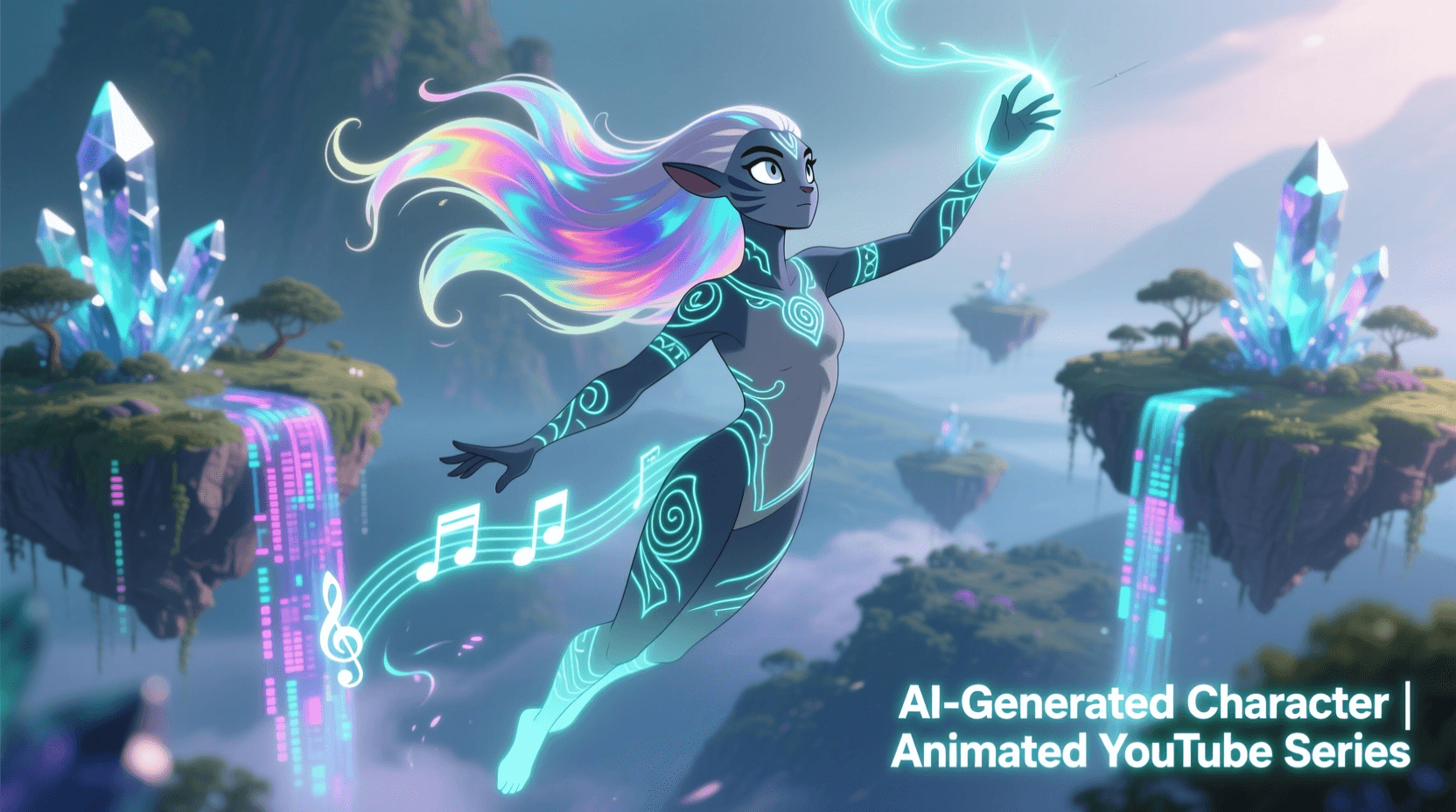
Veo 3’s improved consistency features enable character-driven content creation. By maintaining detailed character descriptions across prompts, you can generate footage featuring the same characters in different situations and locations.
This opens possibilities for serialized content. An ongoing story series could feature AI-generated protagonists. Educational content could use recurring mascot characters. Commentary channels might develop animated hosts or characters representing different perspectives.
The technique requires disciplined prompt engineering. Document your character descriptions precisely and reuse identical descriptors across all prompts. Specify physical features, clothing, and distinguishing characteristics in every generation request to maintain visual consistency.
Character development extends beyond appearance. Use a character description generator to establish detailed profiles that inform both your writing and your video prompts.
11. Create Split-Screen Comparison Footage
Comparison content performs well on YouTube. Before-and-after videos, product comparisons, and side-by-side analyses attract viewers seeking decisive information. Creating compelling comparison footage usually means filming multiple scenarios under identical conditions.
AI generation simplifies comparison content by letting you control every variable. Generate “before” and “after” footage with precisely the differences you want to highlight. Create product comparisons where lighting, angle, and environment remain identical—something difficult to achieve in physical filming.
Home improvement channels can show renovation concepts with consistent camera angles. Tech channels might compare devices in identical testing scenarios. Fitness channels could demonstrate exercise form with clear right-versus-wrong examples.
The generated footage works best when edited together intentionally. Use split-screen effects, synchronized cuts, or before/after wipes to maximize the comparative impact. The uniformity of AI-generated footage makes these edits seamlessly professional.
12. Generate Seasonal and Trending Content Quickly
YouTube rewards timely content. Holiday videos, trend reactions, and seasonal content capture search traffic during specific windows. The problem: creating quality seasonal content takes time, and by the time you finish, the moment may have passed.
Veo 3’s rapid generation capability lets you produce seasonal content faster than traditional filming. Need Halloween footage in October? Generate spooky scenes in minutes rather than spending days on decorations and filming. Want Christmas B-roll for your December video? Create snowy, festive footage without waiting for actual snow.
Trending topics benefit similarly. When a viral moment or news event occurs, you can quickly generate relevant visual content to support your commentary. This speed advantage means your video goes live while the topic still matters.
Planning helps here. Anticipate seasonal content needs and prepare prompts in advance. Know what Halloween, Thanksgiving, Christmas, Valentine’s Day, and summer content you’ll need before those dates arrive. Batch-generate seasonal footage during slower periods to have assets ready when you need them.
Title optimization matters for seasonal content discovery. Our YouTube title generator helps craft headlines that capture seasonal search traffic.

Crafting Effective Prompts for YouTube Video Generation
Your prompt determines your output quality. Vague prompts produce generic footage. Specific, detailed prompts generate exactly what your video needs. Learning prompt engineering dramatically improves your Veo results.
Structure your prompts with these elements:
Subject: What’s happening in the shot? Be specific about actions, movements, and objects present.
Environment: Where is this happening? Include details about location, time of day, weather, and ambient elements.
Camera: How is this being filmed? Specify angle (low, high, eye-level), movement (pan, tilt, tracking, static), and lens characteristics (wide, telephoto, macro).
Style: What’s the visual aesthetic? Include lighting style, color palette, and any artistic references.
Duration and pacing: Describe the temporal flow. Is it slow motion? Time-lapse? Normal speed with a particular rhythm?
An example transformation: “A bird flying” becomes “A red cardinal taking flight from a snow-covered branch, filmed in slow motion from a low angle, with soft morning light creating a warm glow against the cold blue winter forest background, camera tracks the bird’s ascent smoothly.”
Use our dedicated Veo prompt generator to structure these detailed descriptions effectively. The tool guides you through each element to maximize generation quality.
6 Mistakes That Ruin Your AI-Generated YouTube Videos
Overrelying on AI footage: Viewers notice when entire videos contain only generated content. The synthetic quality, however good, lacks the authenticity of real footage. Mix AI generations with genuine content for the best viewer response.
Ignoring style consistency: Each Veo generation can look slightly different. When cutting between multiple generated clips, inconsistent lighting, color grading, or visual styles create a jarring experience. Establish style guidelines and maintain them across all prompts.
Using default descriptions: Generic prompts produce generic footage. Every creator using basic prompts ends up with similar-looking content. Invest time in detailed, unique prompts that generate distinctive visuals for your channel.
Forgetting about audio: Generated video has no sound. Many creators forget to plan audio layers for their AI footage. Consider ambient sound effects, background music, and voiceover timing before you generate visuals.
Neglecting legal considerations: AI-generated content exists in evolving legal territory. Stay informed about copyright implications, disclosure requirements, and platform policies. Some sponsors may have specific requirements about AI content in branded videos.
Skipping the editing step: Raw AI generations rarely work perfectly without adjustment. Color correction, timing edits, and careful cutting maximize the professional quality of generated footage. Treat AI clips as raw material, not finished products.
Frequently Asked Questions
Can I monetize YouTube videos made with Veo 3 AI-generated content?
Yes, YouTube currently allows monetization of videos containing AI-generated content, provided you follow their community guidelines and disclose AI use where required. Check YouTube’s latest creator policies, as these evolve with the technology. Channels successfully monetize content mixing AI-generated footage with original narration and analysis.
How long are Veo 3 generated video clips?
Veo 3 generates clips up to 8 seconds in length. For longer sequences, you’ll need to generate multiple clips and edit them together. Planning your prompts to create visually connected sequences makes this editing process smoother.
Does Veo 3 generate videos with audio?
Veo 3 includes audio generation capabilities, producing ambient sounds and even voice audio matching the video content. However, for most YouTube applications, you’ll want to layer your own audio—narration, music, and sound effects—over the generated visuals for full creative control.
What resolution does Veo 3 output?
Veo 3 generates video up to 4K resolution at various frame rates including 24fps (cinematic) and 60fps (smooth motion). This quality level meets YouTube’s highest quality standards and future-proofs your content as viewer expectations increase.
How do I access Veo 3 for my YouTube content?
Veo 3 is available through Google’s AI tools, including integration with certain Google products. Access and pricing varies by region and user type. Check Google DeepMind’s Veo page for current availability information.
Should I disclose AI-generated content in my YouTube videos?
YouTube requires disclosure of realistic AI-generated content that viewers might mistake for authentic footage. Use YouTube’s built-in disclosure tools when uploading videos with synthetic media. Beyond requirements, transparency builds audience trust—many creators proactively mention AI tools in their production process.
Can Veo 3 generate footage of real people or copyrighted characters?
Veo 3 includes safeguards against generating identifiable real people and copyrighted characters. Focus prompts on original characters and generic human figures. For celebrity-related content, use text commentary and public domain imagery rather than attempting to generate likenesses.
How does AI video generation compare to stock footage?
Stock footage offers immediate availability but limited customization—you get what exists in the library. AI generation provides unlimited customization but requires prompt engineering skill. Many creators use both: stock footage for common needs and AI generation for specific, custom requirements. The combination maximizes efficiency while maintaining quality.
Ready to enhance your YouTube production workflow? Start experimenting with AI video generation using our Veo prompt generator and explore additional YouTube AI tools designed for content creators.