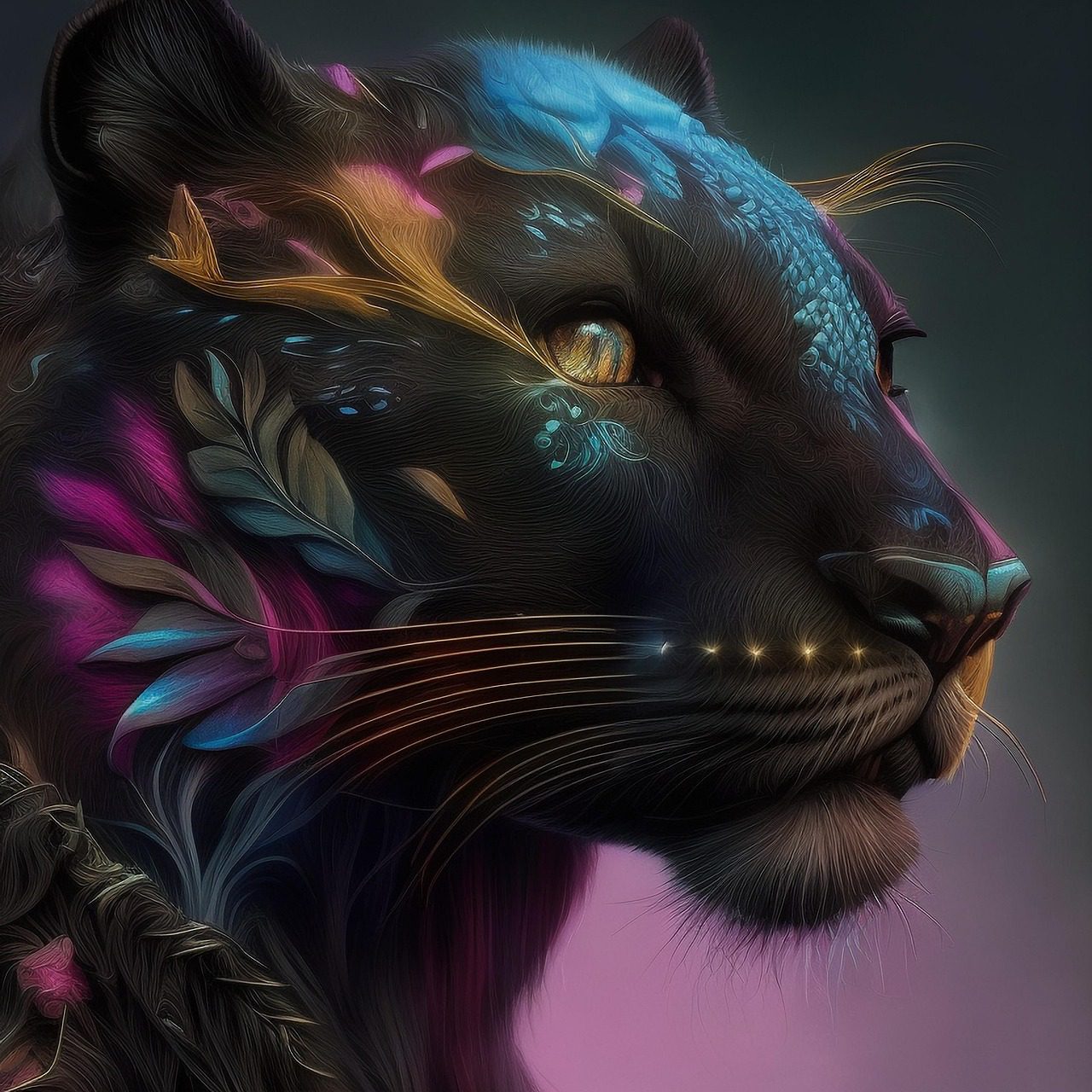
Social media managers face a constant challenge: creating eye-catching visuals every single day. With over 5.4 billion people scrolling through social platforms in 2025, the pressure to stand out has never been higher. That’s where AI image generators come in. These tools are changing the game by turning simple text prompts into professional graphics in seconds.
If you’re managing multiple social accounts, you know how much time goes into designing posts. Between brainstorming ideas, finding the right images, and tweaking designs, hours disappear fast. AI image generators solve this problem by making content creation faster and easier. Instead of spending hours in design software, you can now create stunning visuals in minutes.
This article will show you why AI image generators have become must-have tools for social media managers. You’ll learn about the best platforms, practical tips, and how these tools can transform your workflow. Whether you’re creating Instagram posts, Facebook ads, or TikTok thumbnails, AI can help you work smarter, not harder.
Table of Contents
- Why Social Media Managers Need AI Image Generators
- Top Benefits of Using AI for Social Graphics
- Best AI Image Generators for Social Media in 2025
- Creating Instagram Content with AI
- How Automated Social Graphics Save Time
- Getting Started: Your First AI-Generated Post
- Cost Comparison: AI vs Traditional Design
- Best Practices for AI-Generated Social Content
- Future Trends in AI Social Media Marketing
- Key Takeaways
- Frequently Asked Questions
Why Social Media Managers Need AI Image Generators
Social media runs on visuals. Posts with images get 2.3 times more engagement on Facebook than text-only posts. On Instagram, visual content is everything. Video posts earn 2.21% engagement while photos grab 2.69% engagement for business accounts. The numbers don’t lie: if you want people to notice your content, you need strong visuals.
But creating these visuals takes time. According to recent data, 69% of marketers say their biggest challenge with visual content is lack of time. Another 44% struggle to produce engaging visual content consistently. This is exactly why AI image generators are gaining popularity among social media professionals.
The Content Creation Bottleneck
Most social media managers handle everything alone. They write captions, schedule posts, respond to comments, and create graphics. It’s too much for one person. When you’re juggling multiple platforms and trying to post several times per week, something has to give. Usually, it’s the quality or consistency of your visuals.
AI image generators remove this bottleneck. Instead of waiting for a designer or spending hours learning complex software, you can create professional graphics with a simple text prompt. Need a summer sale banner? Type it in. Want a product showcase? Done in seconds. This speed lets you focus on strategy instead of getting stuck in design work.
Meeting the Demand for Visual Content
Audiences expect more visual content than ever before. Over 80% of consumers want brands to release more short-form videos in 2024. Images are processed 60,000 times faster than text by the human brain. When you’re competing for attention in crowded social feeds, strong visuals aren’t optional anymore.
If you need help with AI art generation or various image styles, there are tools designed specifically for different creative needs. Social media managers can now access the same quality that used to require professional designers.
Top Benefits of Using AI for Social media
AI image generators offer more than just speed. They bring real advantages that can transform how you manage social media. Here are the main benefits that matter most to busy social media managers.
1. Lightning-Fast Content Creation
Creating a single graphic used to take 30 minutes to several hours. With AI, it takes seconds. You type a description, choose a style, and get multiple options instantly. This speed means you can create a week’s worth of content in an hour. When last-minute campaign changes happen, you can adapt quickly without panic.
Speed also helps with testing. You can generate ten different versions of a post, see which performs best, and iterate fast. This kind of rapid experimentation wasn’t possible with traditional design methods. The faster you test, the faster you learn what your audience loves.
2. Cost Savings That Add Up
Hiring a designer for social graphics costs between $30-$150 per hour. Stock photo subscriptions run $10-$50 monthly. AI image generators typically cost $10-$30 per month with unlimited generations. The math is simple: AI tools can reduce costs by 80% compared to traditional methods.
For small businesses and solo managers, these savings are huge. Instead of choosing between quality and budget, you can have both. The money saved can go toward ads, tools, or other areas that drive results.
3. Consistent Brand Visuals
Keeping your brand look consistent across platforms is tough. Different designers might interpret your style differently. Stock photos rarely match your exact needs. AI generators let you save brand guidelines and use them for every image. Once you dial in your prompts and settings, you get consistent results every time.
This consistency builds recognition. When people scroll past your posts, they should instantly know it’s you. AI makes maintaining that visual identity much easier than coordinating with multiple creators or searching through stock libraries.
4. No Design Skills Required
You don’t need to know Photoshop or design principles to use AI image generators. If you can describe what you want, the AI can create it. This levels the playing field. Solo entrepreneurs and small teams can now produce graphics that compete with big brands.
The learning curve is minimal. Most tools have simple interfaces where you type what you want and pick from results. Compare this to learning complex design software, which can take months. With AI, you’re creating professional graphics on day one.
5. Unlimited Creative Variations
Need to test different backgrounds, colors, or styles? With traditional design, each variation takes time and effort. AI generators let you create endless variations instantly. Change the mood from professional to playful. Try different color schemes. Test various compositions. This creative freedom helps you find what resonates with your audience.
You can also use prompt generators to spark new ideas when you’re stuck. These tools suggest creative directions you might not have considered, helping you break out of design ruts.
Best AI Image Generators for Social Media in 2026
Not all AI image generators work the same. Some excel at realistic photos, others at artistic styles. Here are the top choices for social media managers in 2025, based on quality, ease of use, and value.
1. AI FREE FOREVER Image Generator
The AI Free Forever Image Generator is one of the best options for anyone looking for a powerful free AI image generator without subscriptions or credit limits. It allows users to create unlimited, high-quality AI images directly in their browser—completely free.
This AI photo creator is ideal for generating visuals for social media posts, blogs, ads, and websites. You can enter a prompt, generate an image in seconds, and then customize it with text, filters, and effects for a polished look.
The tool is especially convenient for social media use. It supports quick resizing for platforms like Instagram, Facebook, LinkedIn, Pinterest, and X (Twitter), so your designs stay consistent across every channel.
Because it’s optimized for realistic, eye-catching results, the AI Free Forever Image Generator helps creators produce content that performs well on social feeds—without any paywalls or usage limits.
Best for: Content creators, marketers, and social media managers looking for a reliable free AI image generator that delivers unlimited, high-quality results.
2. DALL-E 3 via ChatGPT
DALL-E 3 produces some of the most realistic and detailed images available. It understands complex prompts and handles text in images better than most competitors. You can access it through ChatGPT Plus for $20/month, which also gives you the full ChatGPT experience for caption writing and strategy.
The conversational interface makes it easy to refine images. Don’t like something? Just tell it what to change in plain English. For social media managers juggling multiple tasks, this natural interaction saves time. You can also use ChatGPT prompt generators to create better image descriptions.
Best for: Managers who want top-quality images and already use ChatGPT for other tasks.
3. Midjourney
Midjourney creates the most artistic and stylized images. If you want your social content to look unique and creative, this is your tool. It’s especially good for brands in creative industries like fashion, art, or entertainment. The images have a distinct quality that stands out in feeds.
The downside is it runs through Discord, which feels clunky at first. Plans start at $10/month for basic access, with higher tiers offering faster generation and more features. Once you learn the command structure, it becomes second nature.
Best for: Brands that want distinctive, artistic visuals that don’t look like typical stock images.
4. Adobe Firefly
Adobe Firefly is built for commercial use with full legal protection. It’s trained on licensed images, so you don’t have to worry about copyright issues. For businesses and agencies, this peace of mind is worth the investment. It integrates with other Adobe tools if you use Creative Cloud.
The image quality is excellent, with realistic rendering and good prompt understanding. You can access it through Adobe Express or directly on the web. Pricing varies based on your Adobe subscription level.
Best for: Professional managers and agencies who need commercial-safe images without legal concerns.
5. Leonardo.AI
Leonardo.AI specializes in consistent character creation. If you’re building a brand mascot or need the same person across multiple posts, this tool excels. It maintains 89% visual consistency across images, much higher than competitors. This makes it perfect for campaign series or storytelling content.
The platform offers multiple AI models to choose from, giving you control over style and output. It’s more technical than Canva but still accessible for non-designers. Free trials let you test before committing.
Best for: Campaigns requiring character consistency or series-based content.
Comparison Table
| Tool | Best For | Starting Price | Key Strength |
|---|---|---|---|
| Canva AI | All-in-one design | Free (50 credits) | Platform integration |
| DALL-E 3 | Realistic images | $20/month | Prompt accuracy |
| Midjourney | Artistic style | $10/month | Unique aesthetics |
| Adobe Firefly | Commercial use | Varies | Legal safety |
| Leonardo.AI | Character consistency | Free trial | Visual consistency |
You can explore more specialized tools like our AI photo generator for realistic images or the cartoon generator for playful content.
Creating Instagram Content with AI
Instagram is the most visual social platform, making it perfect for AI-generated content. With 2.11 billion monthly users, getting noticed requires consistent, high-quality posts. AI image generators help you maintain that consistency without burning out.
Instagram Feed Posts
Feed posts still matter for brand building and discovery. AI can create product showcases, lifestyle images, quote graphics, and promotional content. The key is matching Instagram’s aesthetic standards while staying true to your brand.
Start with clear prompts that describe your image composition. For a product post, specify the product, background, lighting, and mood. For example: “Modern skincare bottle on white marble surface, natural lighting, minimalist style, soft shadows.” The more specific you are, the better results you’ll get.
Instagram photos perform best with 2.69% engagement for business accounts. To maximize this, use AI to test different compositions and styles. Generate five versions of the same product shot with different backgrounds or angles. Post the best performer, but keep the others for future content or A/B testing.
Instagram Stories and Reels
Stories and Reels need quick, attention-grabbing visuals. AI generators can create story backgrounds, thumbnail images, and promotional graphics. Since these formats are temporary or fast-paced, you can experiment more with bold designs and creative styles.
For Reels thumbnails, use AI to create eye-catching title cards. Bright colors, clear text, and interesting compositions perform best. You can use our Instagram caption generator to write compelling text that matches your AI visuals.
Maintaining Instagram Aesthetics
Instagram users expect a cohesive feed aesthetic. AI makes this easier by letting you save successful prompts and style parameters. Once you find what works, you can replicate it consistently. This creates a recognizable brand look that keeps followers engaged.
Consider using AI to create content series with consistent visual themes. Food brands might use the same plate and background across all recipe posts. Fashion brands can maintain consistent lighting and backgrounds for outfit shots. This repetition builds professional credibility.
Instagram Engagement Boosters
AI-generated carousel posts perform well on Instagram. Create a series of images that tell a story or provide tips. Each slide can be generated with AI, maintaining visual consistency while varying content. Carousels earn 1.16% engagement but encourage longer viewing times.
You can also create seasonal content batches with AI. Generate holiday-themed graphics, summer promotions, or seasonal product shots all at once. This batch creation saves time during busy periods and ensures you’re always prepared.
How Automated Social media posts Save Time
The biggest advantage of AI image generators is the time they save. Social media managers report that 61% use AI to reduce their workload. When you can create graphics in seconds instead of hours, everything changes.
The Old Way vs The AI Way
Traditional graphic creation involves multiple steps. First, you brainstorm concepts. Then you search stock photo sites or shoot original photos. Next comes editing in Photoshop or another tool, adjusting colors, adding text, and tweaking composition. Finally, you export and resize for different platforms. This process takes 30 minutes to several hours per image.
With AI, the process is different. You describe what you want in a text prompt. The AI generates options in 10-30 seconds. You pick the best one, make minor tweaks if needed, and export. Total time: 2-5 minutes per image. That’s a 90% time reduction.
Batch Content Creation
AI generators excel at batch creation. Need 20 product images? Generate them all in one session. Planning a month of quote graphics? Create them in an hour. This bulk approach means you can get ahead on content instead of constantly scrambling.
Batch creation also helps maintain consistency. When you create multiple images in the same session with similar prompts, they naturally match your style. This is harder to achieve when designing sporadically over time.
Real-Time Response Graphics
Social media moves fast. When trending topics emerge or breaking news happens, brands need to respond quickly. AI lets you create reactive content in minutes. See a trending topic that relates to your brand? Generate a relevant image and jump into the conversation before the moment passes.
This speed gives smaller brands an advantage. You can be just as nimble as big companies with large creative teams. The speed of AI levels the playing field.
Time Savings Statistics
According to industry research, 90% of businesses using AI report meaningful time savings. 73% see engagement improvements from AI-assisted content. These aren’t small improvements. We’re talking about reclaiming hours every week that you can use for strategy, engagement, or personal time.
For content planning, consider using our content generation tools alongside image generators to create complete posts faster.
How to create Your First AI-Generated Post
Creating your first AI-generated social post is easier than you think. Here’s a step-by-step guide to get you started, even if you’ve never used AI tools before.
Step 1: Choose Your Tool
Start with a free or low-cost option to test the waters. Canva’s free plan with 50 AI credits is perfect for beginners. Alternatively, many tools offer free trials. Pick one tool and focus on learning it well before exploring others.
Step 2: Write a Clear Prompt
Good prompts produce good images. Include these elements in your description:
- Subject: What’s the main focus? (Product, person, scene)
- Setting: Where is it? (Beach, office, studio)
- Style: What look do you want? (Minimalist, vibrant, professional)
- Details: Specific elements like lighting, colors, or mood
Example prompt: “Laptop on modern desk with coffee mug, morning sunlight through window, clean and professional style, warm tones.”
If you need help crafting prompts, try our image prompt generator to get ideas and inspiration.
Step 3: Generate and Refine
Most AI tools generate multiple options per prompt. Review them all and pick the best one. If none are perfect, adjust your prompt and try again. Be specific about what you want to change: “make the background lighter” or “add more color to the scene.”
Don’t expect perfection on the first try. AI image generation is iterative. Each attempt teaches you what words and descriptions work best with your chosen tool.
Step 4: Edit and Optimize
Once you have an image you like, make final adjustments. Add your logo, overlay text, or adjust colors to match your brand. Most AI tools let you edit within the platform, or you can export to Canva or another editor.
Optimize for your specific platform. Instagram prefers 1080×1080 for feed posts. Facebook timeline images work best at 1200×630. Twitter recommends 1200×675. Resize appropriately for each destination.
Step 5: Post and Analyze
Publish your AI-generated post and track how it performs. Compare engagement rates with your previous non-AI content. Most social media managers find that well-crafted AI images perform as well or better than traditional graphics.
Keep notes on what prompts and styles work best for your audience. This knowledge builds over time and makes future content creation even faster.
Common Beginner Mistakes
- Vague prompts: “Nice picture” won’t work. Be specific about what you want.
- Ignoring platform specs: Create images in the right dimensions from the start.
- Over-editing: AI images often look best with minimal tweaking. Don’t overwork them.
- Forgetting brand consistency: Save your successful prompts to maintain a consistent look.
Cost Comparison between AI vs Traditional Design
One of the biggest advantages of AI image generators is cost savings. Let’s break down the numbers to see how much you can actually save.
Traditional Design Costs
Hiring a freelance designer typically costs $30-$150 per hour. A single social media graphic might take 30 minutes to an hour, putting the cost at $15-$150 per image. If you need 20 graphics per month, that’s $300-$3000.
Stock photo subscriptions cost $10-$50 monthly for basic plans. Premium plans with more downloads run $100-$300 per month. These images still need editing and customization, which takes your time or additional design costs.
Design software licenses add up too. Adobe Creative Cloud costs $55/month. Canva Pro is $13/month. While these tools are valuable, they require skills to use effectively. Learning them takes time you might not have.
AI Image Generator Costs
AI image generators are dramatically cheaper. Here’s what popular tools cost:
- Canva AI: Free for 50 credits, then $13/month for Pro
- DALL-E 3: $20/month via ChatGPT Plus
- Midjourney: $10-$60/month depending on plan
- Adobe Firefly: Included with Creative Cloud or standalone plans
- Leonardo.AI: Free trial, then $12-$48/month
- AIFREEFOREVER: Free for life
Most plans include unlimited or very high generation limits. For $10-$30/month, you can create hundreds of images. That’s a fraction of traditional design costs.
Time is Money
Don’t forget the value of your time. If you spend 2 hours per week creating graphics manually, that’s 104 hours per year. At a conservative $25/hour value, that’s $2,600 in your time.
AI reduces that 2 hours to maybe 20 minutes per week. You’ve just saved 84 hours annually, worth $2,100. Even if the AI tool costs $30/month ($360/year), you’re still ahead by $1,740 in time savings alone.
Break-Even Analysis
Let’s say you currently spend $500/month on a mix of stock photos, design software, and occasional freelancer help. Switching to AI tools at $30/month saves $470 monthly or $5,640 annually. That’s enough to invest in paid advertising, better equipment, or other business needs.
For solo entrepreneurs and small teams, these savings are game-changing. You get professional graphics without the professional price tag.
Best Practices for AI-Generated Social Content
AI image generators are powerful, but using them effectively requires strategy. Follow these best practices to get the most from your AI tools and create content that resonates with your audience.
1. Develop a Prompt Library
Keep a document of successful prompts that created great images. When you find a prompt formula that works, save it. Next time you need similar content, you can modify it slightly rather than starting from scratch.
Organize prompts by category: product shots, lifestyle images, promotional graphics, seasonal content. This library becomes a valuable asset that speeds up your workflow over time.
2. Maintain Brand Consistency
AI can generate any style, but your brand should have a consistent look. Define your visual guidelines before creating AI content: preferred colors, mood, composition style, and overall aesthetic. Include these elements in every prompt to maintain consistency.
Create a brand style guide for AI generation. Document which tools, models, and prompt patterns work best for your brand. This ensures anyone on your team can create on-brand content.
3. Add Human Touch
AI images are great starting points, but adding human elements makes them better. Overlay your logo, add custom text, adjust colors to match campaigns, or combine multiple AI images into collages. These finishing touches make AI content feel uniquely yours.
Don’t rely 100% on pure AI output. The best social content mixes AI efficiency with human creativity and brand knowledge.
4. Test and Iterate
Use AI’s speed to test different approaches. Create variations of posts and see what performs best. Try different color schemes, compositions, and styles. Track which AI-generated images get the most engagement and refine your strategy accordingly.
Social media success comes from understanding your audience. AI lets you test ideas quickly to learn faster. Use our list generator to brainstorm content ideas to test.
5. Respect Platform Guidelines
Each platform has different technical requirements and audience expectations. Instagram favors bright, vibrant images. LinkedIn prefers professional, clean graphics. TikTok loves bold, attention-grabbing visuals. Tailor your AI prompts to match each platform’s culture.
Also follow platform rules about AI-generated content. Some platforms require labeling AI images. Stay compliant to avoid issues.
6. Balance AI with Original Content
Don’t make everything AI-generated. Mix AI images with original photos, user-generated content, and other authentic visuals. This variety keeps your feed interesting and authentic.
AI works best when combined with real photography and genuine brand moments. Use AI for concepts, promotional graphics, and styled shots. Use real photos for behind-the-scenes, team moments, and customer features.
7. Stay Current with AI Capabilities
AI image generation improves constantly. New models, features, and tools launch regularly. Stay informed about updates to your chosen tools. New capabilities might unlock creative possibilities you haven’t considered.
Follow AI news and communities. When a major improvement drops, test it quickly. Early adopters often benefit most from new features before everyone else catches on.
8. Mind the Legal Details
Understand the licensing terms of your AI tool. Can you use images commercially? Are there attribution requirements? Some tools train on copyrighted content, which might create legal gray areas. Tools like Adobe Firefly offer better legal protection because they train only on licensed images.
For professional work, especially client projects, choose tools with clear commercial licenses and legal indemnification.
Future Trends in AI Social Media Marketing
AI image generation is evolving fast. Understanding where the technology is heading helps you prepare for what’s next and stay ahead of competitors.
Video Generation is Next
AI image generators are great, but video dominates social media. Short-form videos get 2.5 times more engagement than other content types. AI video generation tools are improving rapidly, with platforms like Runway ML and emerging tools making it easier to create video content from text prompts.
Soon, social media managers will generate complete video posts as easily as they now create images. This will further reduce production time and costs while meeting audience demand for video content.
Personalization at Scale
Future AI tools will create personalized visuals for different audience segments automatically. Imagine generating 10 versions of the same ad, each tailored to a specific demographic or interest group. AI makes this kind of hyper-personalization possible without multiplying your workload.
Brands that master personalized visual content will see higher engagement and conversion rates. The technology to do this is arriving now.
Integration with Social Platforms
Expect deeper integration between AI generators and social platforms. Instagram, Facebook, and other networks will likely build native AI creation tools directly into their apps. This will make the workflow even more seamless.
Some platforms already experiment with this. Meta’s AI tools are being tested within Facebook and Instagram. When these features go mainstream, creating content directly in social apps will become standard.
Real-Time Content Adaptation
Advanced AI will analyze performance data and automatically adjust visual styles for better results. If images with blue backgrounds perform better for your audience, AI will learn this and adjust future generations accordingly.
This automated optimization removes guesswork from social media management. The AI learns what works and does more of it.
Voice and Text to Visual Content
Future tools might let you verbally describe what you want while the AI generates images in real-time. Imagine brainstorming a campaign while AI creates visuals as you speak. This kind of seamless creation will make content development feel like natural conversation.
Improved Realism and Control
Current AI sometimes struggles with specific details like hands, faces, or text. These limitations are rapidly disappearing. Each new model release shows dramatic improvements in realism and accuracy. Soon, even experts won’t easily distinguish AI images from photographs.
Better control features will also emerge. You’ll be able to specify exact compositions, edit specific elements, and maintain character consistency across entire campaigns with minimal effort.
Ethical AI and Transparency
As AI becomes more powerful, expect increased focus on ethical use and transparency. Platforms may require labeling AI content. Tools will improve at detecting and preventing inappropriate content generation.
Responsible brands will embrace these standards, using AI ethically while being transparent with audiences about AI usage. This builds trust in an era where AI is everywhere.
Key Takeaways
- Speed is everything: AI image generators create professional graphics in seconds instead of hours, letting you focus on strategy instead of design work.
- Cost savings are real: At $10-$30/month, AI tools cost 80% less than traditional design methods while producing unlimited content.
- Visual content drives engagement: Posts with images get 2.3x more engagement, and platforms like Instagram and TikTok are built entirely around visuals.
- Top tools for 2025: Canva AI offers easy integration, DALL-E 3 provides realism, Midjourney delivers artistic flair, Adobe Firefly ensures legal safety, and Leonardo.AI maintains character consistency.
- Instagram optimization matters: AI-generated content works great for Instagram feed posts, Stories, Reels, and carousels when tailored to platform aesthetics.
- Batch creation saves time: Generate multiple images in one session to get ahead on content and maintain visual consistency across posts.
- Best practices boost results: Build a prompt library, maintain brand consistency, add human touches, and test different approaches to find what works.
- The future is bright: AI video generation, personalization at scale, and platform integration will make content creation even more powerful.
- Start simple: Begin with free trials, write clear prompts, refine your process, and gradually expand your AI toolkit as you learn what works.
- AI augments, not replaces: The best results come from combining AI efficiency with human creativity, brand knowledge, and authentic moments.
Frequently Asked Questions
Do I need design skills to use AI image generators?
No, you don’t need any design experience. If you can describe what you want in words, AI can create it. Most tools have simple interfaces where you type a description and get results. The learning curve is minimal compared to traditional design software. Within a few tries, you’ll understand how to write effective prompts and get great results.
Are AI-generated images safe for commercial use?
It depends on the tool. Most major AI generators offer commercial licenses, but protection levels vary. Adobe Firefly provides the strongest legal protection because it trains only on licensed images. Other tools like Midjourney and DALL-E include commercial rights in paid plans. Always check the specific terms of your chosen tool before using images for business purposes.
How much do AI image generators cost?
Pricing ranges from free to around $60/month. Canva offers 50 free AI credits. Entry-level plans for tools like Midjourney start at $10/month. Mid-range options like DALL-E 3 (via ChatGPT Plus) cost $20/month. Professional tools range from $30-$60/month. Most plans include unlimited or very high generation limits, making them much cheaper than traditional design services.
Can AI image generators create images for Instagram?
Yes, absolutely. AI tools work great for Instagram content including feed posts, Stories, Reels thumbnails, and carousel slides. Many generators let you specify dimensions, so you can create images in Instagram’s preferred formats. Some tools like Canva even auto-resize images for different platforms. For best results, tailor your prompts to match Instagram’s bright, engaging aesthetic.
How long does it take to create an image with AI?
Most AI tools generate images in 10-30 seconds. Writing your prompt might take another minute or two. If you need to refine the image with a new prompt, add another 30 seconds. Total time from idea to finished image is typically 2-5 minutes. Compare this to traditional design which can take 30 minutes to several hours per image.
Will AI-generated content hurt my engagement?
Not if done well. Research shows that 73% of businesses see engagement improvements from AI-assisted content. The key is creating relevant, high-quality visuals that match your brand and audience expectations. Some audiences might react negatively to obviously AI content, so add human touches and maintain authenticity. Test different approaches to see what your specific audience prefers.
Can I use the same AI tool for all social platforms?
Yes, most AI generators work for any platform. The key is adjusting image dimensions and style for each network. Instagram prefers 1080×1080 for feed posts. Facebook timeline images work at 1200×630. LinkedIn works well with 1200×627. Twitter recommends 1200×675. Create your images in the right size from the start, or use resizing tools like Canva to adapt them.
How do I make AI images look like my brand?
Include brand elements in your prompts: your preferred colors, style adjectives (minimalist, bold, elegant), lighting preferences, and mood. Save successful prompts and reuse them with modifications. Many tools let you upload reference images to guide the AI toward your style. Consistency comes from using similar prompts and parameters across all your content.
What if my AI images don’t look good?
Refine your prompt. AI responds to specific descriptions. Instead of “nice product photo,” try “smartphone on wooden desk, morning light from window, professional photography style, shallow depth of field.” The more detail you provide, the better results you get. Also try different tools, as each has strengths. If one doesn’t work for your needs, another might.
Can AI replace my designer completely?
For many social media tasks, yes. AI handles most routine graphics like promotional posts, product images, and seasonal content. However, complex projects like brand identity, detailed illustrations, or highly specific custom work might still need human designers. Think of AI as a tool that handles 80% of your needs quickly, freeing designers to focus on the specialized 20%.
Is there a learning curve with AI image tools?
The learning curve is gentle. Basic use (writing prompts and generating images) takes minutes to learn. Understanding how to write better prompts and get consistent results takes a few hours of practice. Advanced features vary by tool but most platforms offer tutorials. Compared to learning Photoshop or Illustrator, which can take months, AI tools are very beginner-friendly.
What’s the difference between free and paid AI tools?
Free tools usually have limitations: fewer generations per month, lower image quality, slower processing, no commercial licenses, or watermarks. Paid tools offer unlimited or high volumes, better quality, faster generation, commercial rights, and advanced features like style control or batch processing. For professional social media management, paid plans are worth the investment.
AI image generators have moved from experimental tech to essential tools for social media managers. The combination of speed, cost savings, and quality makes them impossible to ignore in 2025. Whether you manage one account or dozens, these tools can transform your workflow and help you create better content faster.
Start with one tool, learn it well, and expand from there. Build your prompt library, establish your brand guidelines, and test what resonates with your audience. The social media managers who master AI image generation now will have a massive advantage as the technology continues to improve.
Ready to get started? Check out our free AI tools collection to explore more resources for social media content creation. You can also browse our collection of specialized generators to enhance your entire content strategy.