
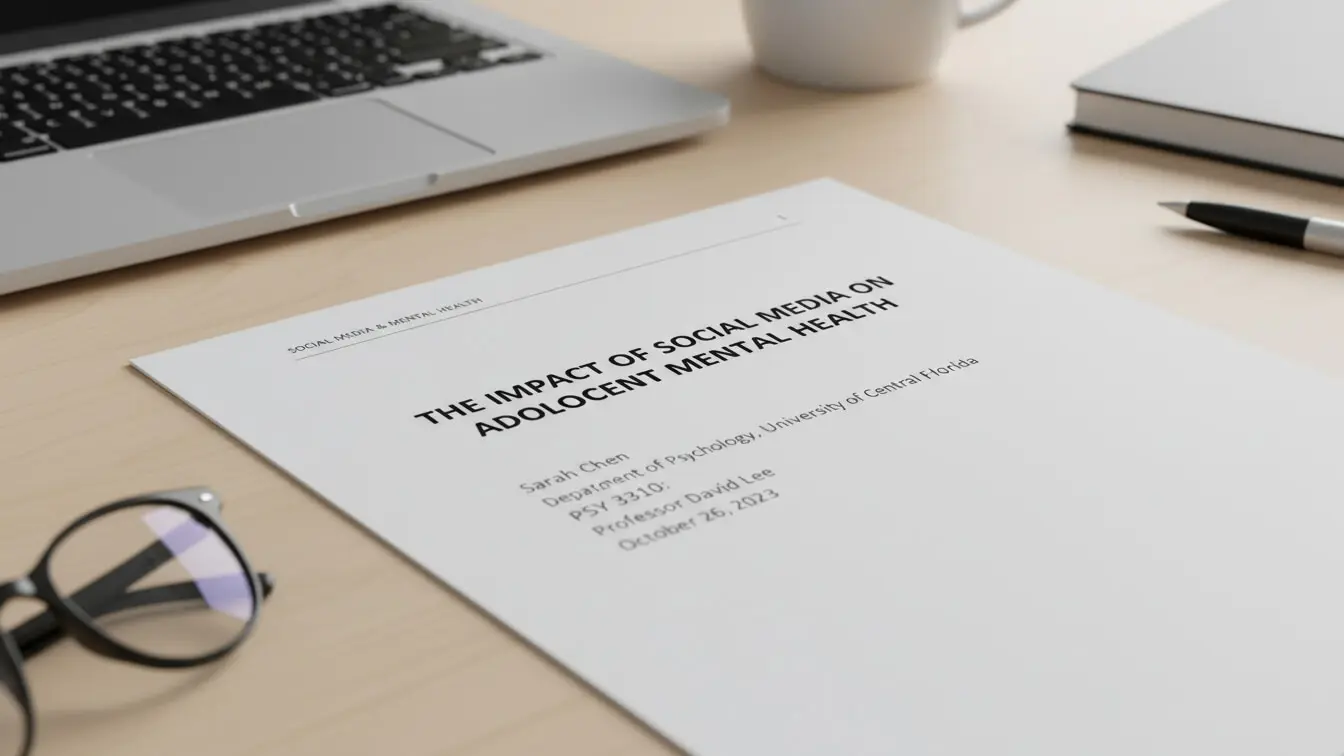
An APA title page can be found in the front of your academic paper. It shows who wrote the paper, what it’s about, and where you go to school. The APA title page is your paper’s ID card, meaning that it tells readers everything they need to know before they dive into your work.
The American Psychological Association updated their style guide to the 7th edition in 2019. According to APA Style guidelines, student papers now follow simpler rules than before. You don’t need running heads anymore (unless your teacher asks for one). The title page is always page 1 of your paper.
Why is your APA title page importantn?: A 2013 study by JEPS found that 86% of student papers had title page errors. That’s most papers. Professors notice these mistakes right away. Your title page creates their first impression of your work.

Table of Contents
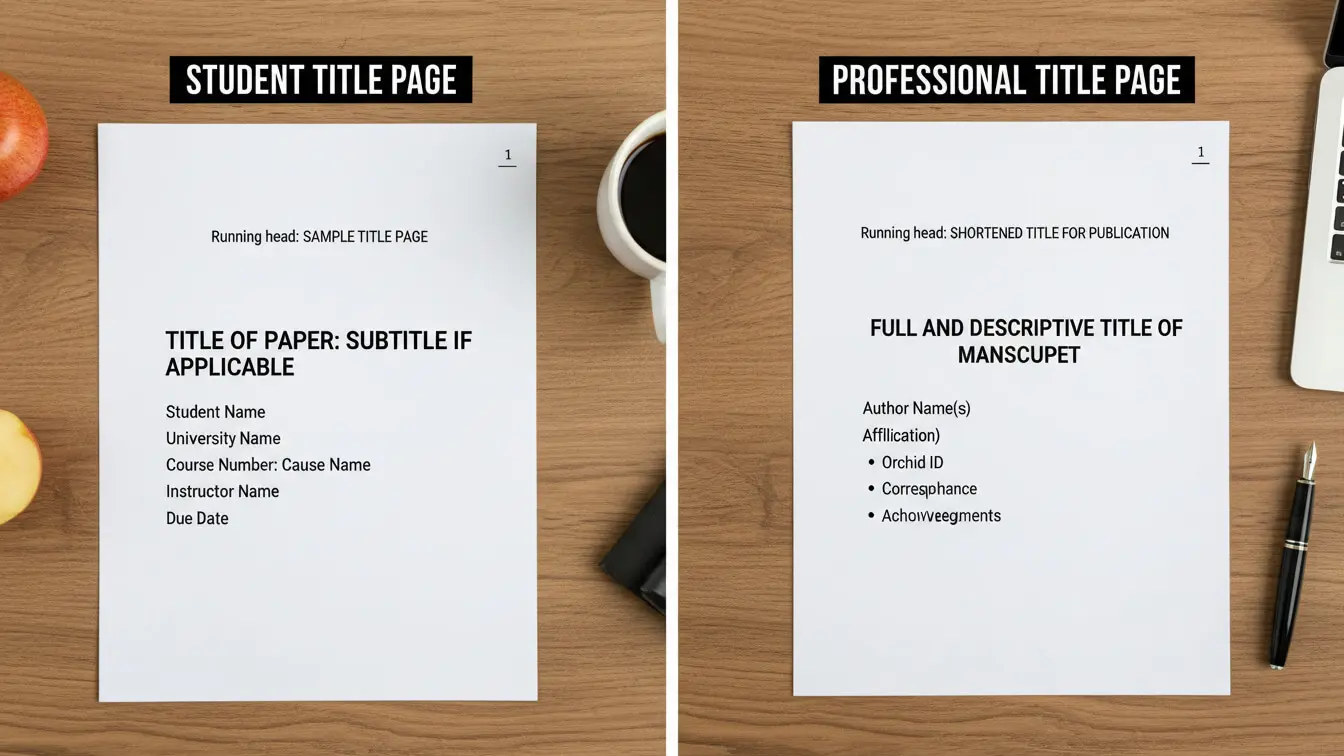
- Student vs Professional Title Pages: What’s the Difference?
- Basic Setup Every Title Page Needs
- 7 Parts of a Student Title Page
- Getting the Spacing and Placement Right
- Professional Title Pages for Journal Submissions
- 5 Mistakes That Tank Your Grade
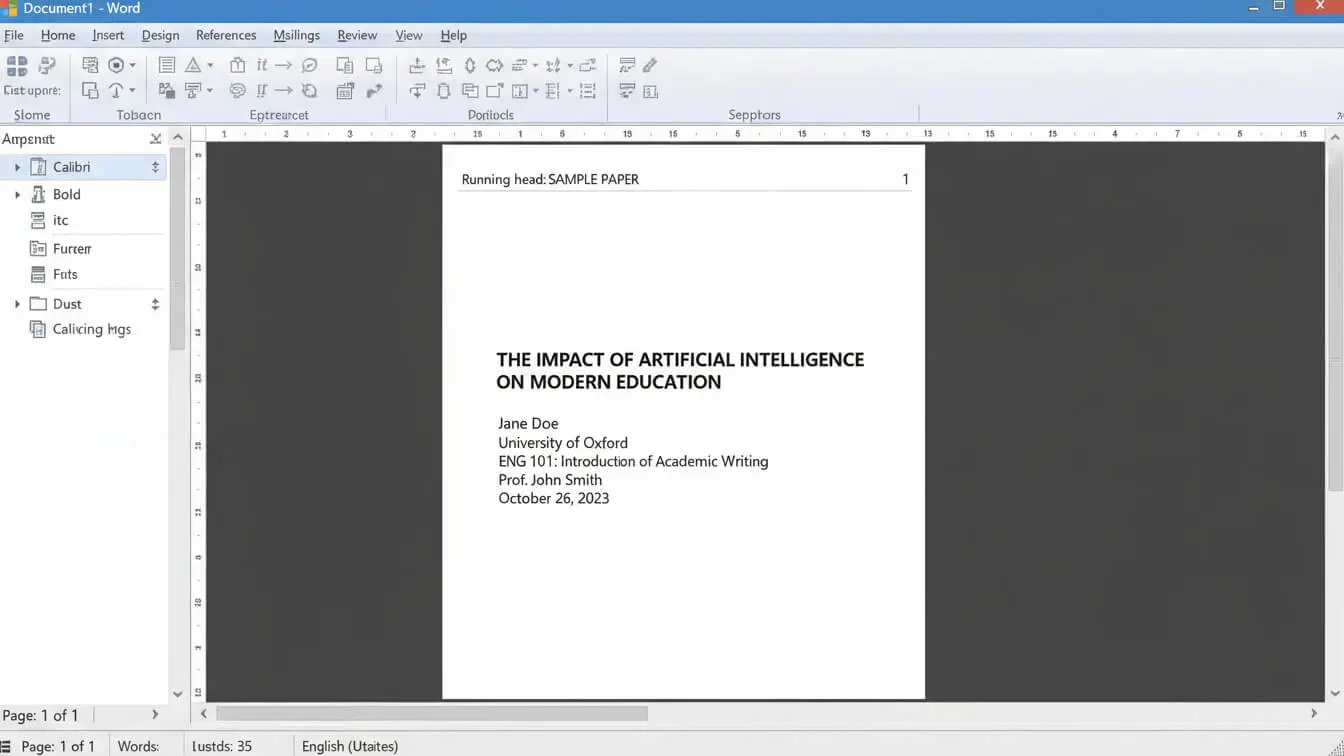
- Step-by-Step: Build Your Title Page in Word
- Free Tools to Generate Your Title Page
- Running Head Rules (When You Actually Need One)
- Frequently Asked Questions
Student vs Professional Title Pages: What’s the Difference?
APA 7th edition split title pages into two types.
Student papers (for class) use one format.
Professional papers (for journals) use another.
Most of you need the student version.
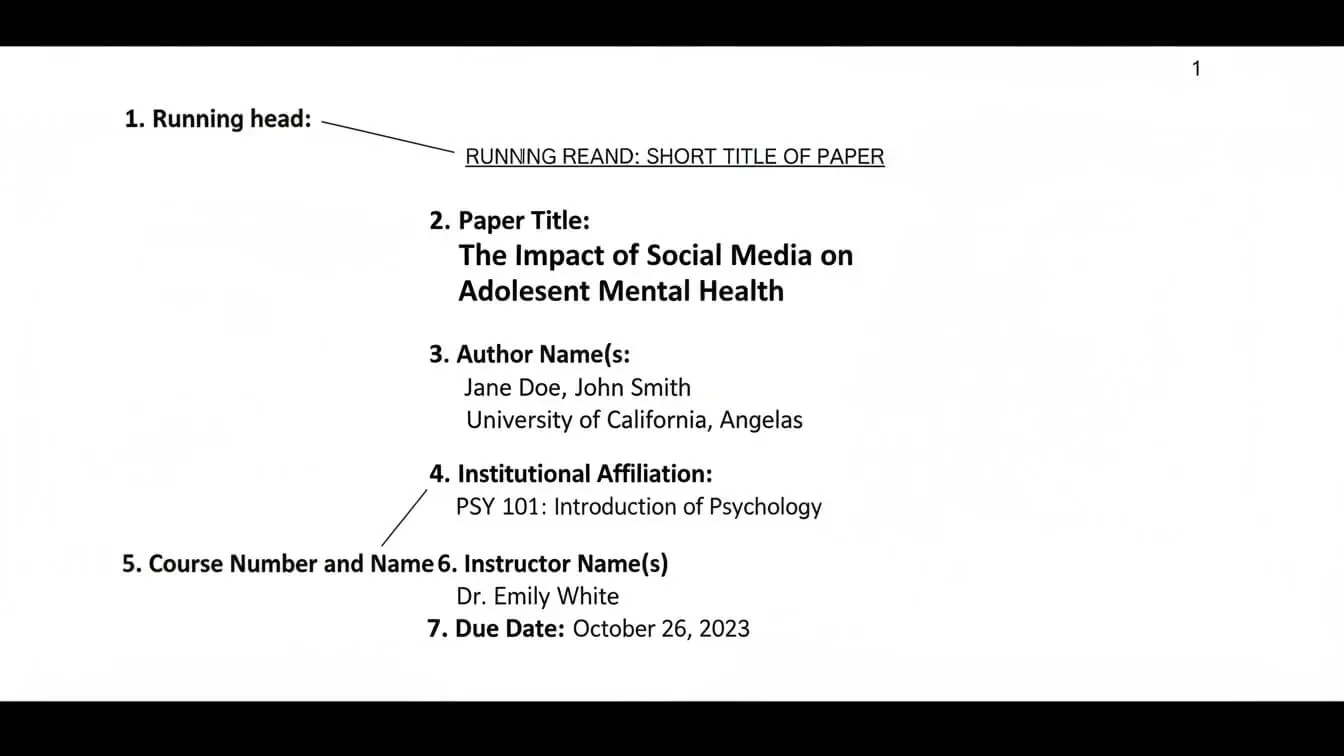
A Student title pages include these details:
- Page number (top right)
- Paper title (bold and centered)
- Your name
- Your school name
- Course number and name
- Instructor’s name
- Due date
Professional papers add two things student papers skip: a running head and an author note. The running head is a short version of your title that appears at the top of every page. The author note lists contact info and funding sources.
Purdue OWL’s APA guide breaks down both versions clearly. Check with your instructor about which one they want. Most college classes use the student version.
Basic Word document Setup Every APA Title Page Needs
Before you add any content, set up your document correctly. These settings apply to your entire paper, not just the title page.
Font choices: APA allows several fonts. Pick one and stick with it. Times New Roman 12 pt works. So does Calibri 11 pt, Arial 11 pt, or Georgia 11 pt. Don’t mix fonts.
Margins: Set 1-inch margins on all four sides. Your word processor probably does this by default. Double-check anyway.
Line spacing: Everything gets double-spaced. Hit enter twice between lines. No extra spaces between sections. According to Scribbr’s APA formatting guide, this spacing rule covers your whole paper from page 1 to the reference list.
Page numbers: Every page gets a number in the top right corner. The title page is page 1. In Word, click Insert > Page Number > Top of Page > Plain Number 3. In Google Docs, click Insert > Page Numbers.
7 Parts of a Student Title Page
Your title page stacks information in a specific order from top to bottom. Each piece sits on its own line, centered on the page.
1. Page Number
The number 1 goes in the header, right-aligned. Keep your 1-inch side margin and 0.5-inch top margin. Don’t type this manually—use your word processor’s page number tool.
2. Paper Title
Start your title about one-third down from the top (3-4 lines from the top margin). The title should:
- Clearly state what your paper covers
- Use title case (capitalize major words)
- Appear in bold
- Center on the page
- Avoid abbreviations
- Take 1-2 lines max
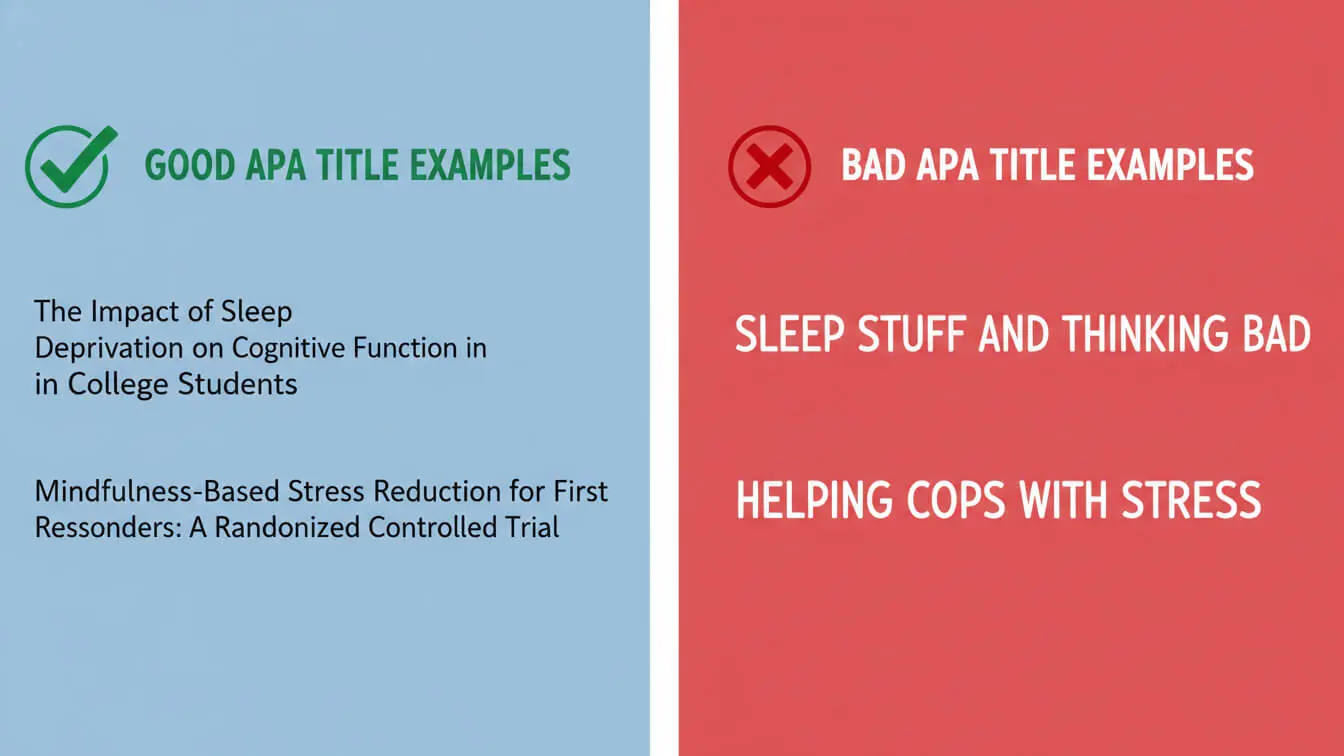
Good title: Social Media Use and Sleep Quality in College Students
Bad title: A STUDY OF SOCIAL MEDIA AND SLEEP (use lowercase and remove “A STUDY OF”)
Research by Scribbr shows that focused titles with relevant keywords help readers find your work. Skip filler words like “A Study of” or “An Analysis of.”
3. Blank Lines (Two Double Spaces)
Hit enter four times after your title. This creates two double-spaced lines of white space. Purdue Global’s writing center calls this the number one formatting mistake students make. They forget these blank lines and bunch everything together.
4. Author Name (Byline)
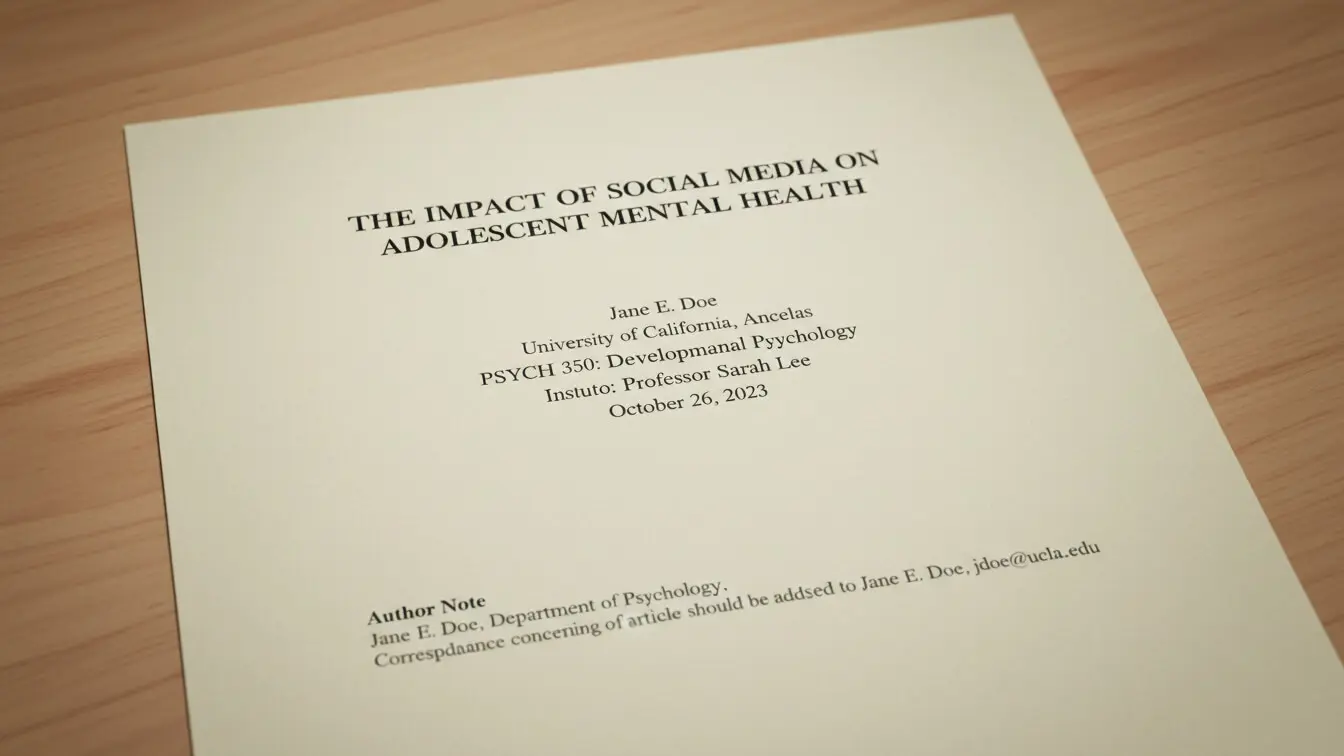
Type your first and last name. Use regular capitalization, not all caps. No titles like “by” or “Mr.” or “Ms.” Just: John Smith or Maria Garcia.
5. School Name (Institutional Affiliation)
On the next line, list your department and school. Format it like this:
Department of Psychology, State University
or
School of Nursing, Community College
6. Course Information
List these on separate lines:
- Course number and name (PSY 101: Introduction to Psychology)
- Instructor’s name with title (Dr. Sarah Johnson or Professor Mark Lee)
- Assignment due date (November 22, 2025)
Some schools want different info here. Check your syllabus or assignment sheet. Your teacher might want the section number or their office hours. Follow their rules first, then APA rules.
7. No Running Head
Student papers don’t need running heads in APA 7th edition. Leave that top left corner empty. Only professional papers submitted to journals need running heads now.
Getting the Spacing and Placement Right
This section trips up most students. You need exact spacing in exact places.
Your title starts 3-4 lines from the top. Count down from the top margin. Line 3 or 4 is where your title begins. Center it.
After the title, insert two double-spaced blank lines. In practical terms, you hit enter four times. Your author name goes on the fifth line after the title. This extra space makes your title stand out.
Everything else flows normally with regular double spacing. One blank line between each element. Your final title page looks balanced—not crammed at the top or stretched to the bottom.
Want to see it in action? The UNT Dallas Library provides templates you can download and fill in.
Professional Title Pages for Journal Submissions
Graduate students and researchers submitting to journals need the professional version. It adds complexity.
Running head: Create a shortened version of your title (50 characters max, counting spaces). Type it in all caps in the header, left-aligned. Examples:
- Full title: “The Impact of Mindfulness Training on Academic Performance”
- Running head: MINDFULNESS AND ACADEMIC PERFORMANCE
Author note: This section goes at the bottom half of the title page, left-aligned. It includes four possible paragraphs:
- Author affiliation and ORCID: List each author’s department, school, and ORCID iD (if they have one)
- Changes in affiliation: Note if authors changed institutions or if any authors died
- Disclosures and acknowledgments: Study registration, funding sources, conflicts of interest, and who helped with the research
- Contact info: Email and address for the main author
Only include paragraphs that apply. If you have no funding, skip paragraph 3. If nobody changed schools, skip paragraph 2.
Most undergrad students can skip this section entirely. Check if your instructor specifically asks for a professional format.
5 Mistakes That Tank Your Grade
1. Forgetting to Bold the Title
Your title must be bold. A Purdue Global analysis found this ranks as the second most common error. Students center the title but forget to apply bold formatting. Click the bold button (or press Ctrl+B) before typing your title.
2. Adding a Running Head When You Don’t Need One
Old APA rules (6th edition) required running heads on student papers. The 7th edition dropped this requirement. Yet students still add them out of habit. Unless your instructor specifically asks for one, leave the top left corner blank.
3. Skipping Those Two Double Spaces
The gap between your title and author name needs two double-spaced lines (four single-spaced lines). Students rush and hit enter just once. This bunches your content. Take time to count your spaces.
4. Using All Caps or Wrong Capitalization
Don’t type your title in all caps. Use title case instead. Capitalize the first letter of major words. Skip articles (a, an, the) and short prepositions (in, on, at) unless they start the title.
Right: Effects of Sleep Deprivation on Memory
Wrong: EFFECTS OF SLEEP DEPRIVATION ON MEMORY
Wrong: effects of sleep deprivation on memory
5. Mixing 6th and 7th Edition Rules
Some students follow old APA 6th edition rules by accident. They include running heads, use sentence case for titles, or add “Running head:” before the short title. Cornerstone University research shows this happens when students use outdated templates. Always verify you’re using 7th edition guidelines published in 2019.
Step-by-Step: Build Your Title Page in Word
Let’s walk through creating your title page from scratch in Microsoft Word.
Step 1: Set up your document
- Open a new Word document
- Click Layout > Margins > Normal (1-inch margins)
- Click Home > Line Spacing > 2.0 (double spacing)
- Select your font (Times New Roman 12 pt recommended)
Step 2: Add page numbers
- Click Insert > Page Number > Top of Page > Plain Number 3
- Click “Different First Page” if you see a running head option—you don’t need one
- Close the header
Step 3: Position your cursor
- Click at the top of your blank page
- Hit Enter 3 times to move down from the top
- Click the Center alignment button
Step 4: Type your title
- Click the Bold button (or press Ctrl+B)
- Type your paper title using title case
- If your title runs long, let it wrap to a second line naturally
Step 5: Add the spacing gap
- After your title, hit Enter 4 times
- This creates two double-spaced blank lines
Step 6: Add remaining info
- Turn off Bold (click the button again or press Ctrl+B)
- Type your name, hit Enter
- Type your department and school, hit Enter
- Type your course number and name, hit Enter
- Type your instructor’s name, hit Enter
- Type the due date
Step 7: Check your work
- Verify page number shows “1” in top right
- Confirm title is bold and centered
- Count the blank lines after your title (should be 2)
- Check that all text is centered
Save your document. You’re done with the title page. Start your actual paper content on page 2.
Free Tools to Generate Your APA Title Page
If manual formatting sounds painful, try a generator. These tools build your title page automatically.
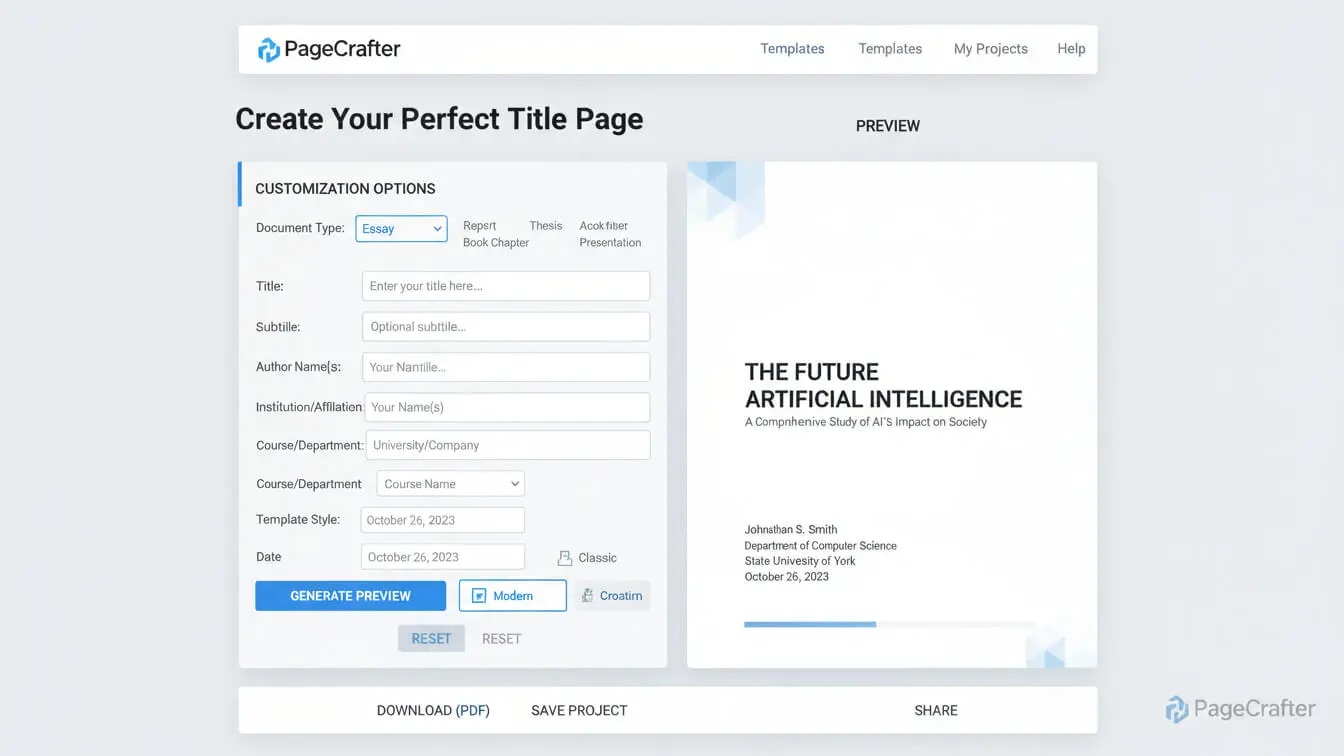
APA Title Page Generator lets you fill in your paper details and creates a formatted title page instantly. It follows APA 7th edition rules and handles the spacing for you. This tool saves time when you’re rushing to meet a deadline.
Other quality options include:
- Scribbr’s APA Citation Generator: Builds complete papers including title pages, with built-in error checking
- Purdue OWL Sample Papers: Download templates showing correct formatting you can copy
- Word’s Built-in Templates: Search “APA” in Word’s template gallery for pre-formatted documents
These generators work best when you understand the underlying rules. Use them as shortcuts, not substitutes for learning proper APA format. Teachers can tell when students blindly paste generated content without checking it.
Running Head Rules (When You Actually Need One)
Most student papers skip running heads. But some situations require them.
When you need a running head:
- Your instructor specifically requires one (check your syllabus)
- You’re submitting to a journal or conference
- You’re writing a thesis or dissertation (some schools require them)
- Your paper will be published or distributed formally
How to create one:
The running head is a shortened title—maximum 50 characters including spaces. It appears in all caps at the top left of every page.
Examples:
- Full title: “Examining the Relationship Between Exercise and Mental Health in College Students”
- Running head: EXERCISE AND MENTAL HEALTH
- Full title: “The Role of Technology in Modern Classroom Education”
- Running head: TECHNOLOGY IN EDUCATION
Drop small words first (the, a, in, of). Keep keywords readers need to identify your paper. West Coast University guidelines note that the label “Running head:” disappeared in APA 7. Just type the shortened title in caps.
In Word, add the running head through the header. Double-click at the top of page 1. Type your shortened title in all caps, left-aligned. It will appear on every page automatically.
What Makes a Good APA Title?
Your title determines whether anyone reads your paper. Make it count.
- Keep it focused: Summarize your main topic in 12 words or less. Long titles confuse readers. Short titles grab attention.
- Use keywords: Include terms people search for. If your paper covers social anxiety in teenagers, put those words in your title. This helps others find your work in databases.
- Be specific: “Social Media Effects” is vague. “Instagram Use and Body Image in Female Teens” tells readers exactly what you studied.
- Skip unnecessary words: Delete “A Study of” or “An Examination of” or “Research on.” Everyone knows it’s a study. You’re writing a paper.
- Avoid abbreviations: Write out acronyms unless they’re extremely common (like DNA or AIDS). Your title reaches people unfamiliar with your field’s jargon.
- Check title case: Capitalize the first word and all major words. Don’t capitalize articles (a, an, the), coordinating conjunctions (and, but, or), or prepositions under four letters (in, on, at, for) unless they start the title.
Page Numbers Throughout Your Paper
Page numbers don’t stop at the title page. Every page in your paper gets numbered in the same spot—top right corner.
This includes:
- Title page (page 1)
- Abstract page (page 2, if you have one)
- First page of text (page 3 or page 2 without abstract)
- Every body page
- Reference page and any pages after
Set page numbers once at the beginning. Word and Google Docs auto-number subsequent pages. Don’t manually type page numbers—they’ll shift when you edit.
The page number sits in the header area (0.5 inches from the top edge). Keep 1-inch side margins intact. Right-align the number.
Font and Formatting Choices
APA 7th edition relaxed font rules. You have options now.
Serif fonts (with little feet on letters):
- Times New Roman, 12 pt
- Georgia, 11 pt
- Computer Modern, 10 pt
Sans serif fonts (without feet):
- Calibri, 11 pt
- Arial, 11 pt
- Lucida Sans Unicode, 10 pt
Pick one and stick with it. Don’t mix fonts in the same paper. Don’t use Comic Sans (ever). Don’t use decorative or script fonts.
Your chosen font should be readable on both screen and paper. APA’s official guidance says accessibility matters. People with visual impairments should be able to read your work.
Text color stays black. Background stays white. No colored text, no highlighted sections on your title page.
Title Page for Group Papers
Writing with a team? List all author names on the title page.
Format looks like this:
Title of Your Paper
(two blank double-spaced lines)
Jane Smith, Michael Johnson, and Sarah Williams
Department of Psychology, State University
PSY 301: Research Methods
Dr. Robert Chen
December 10, 2025
Use commas between names. Use “and” before the last name. Don’t use ampersands (&) in student papers.
If authors come from different schools, list each author with their specific affiliation. It gets more complex for professional papers with multiple affiliations. Student papers keep it simple—just list everyone.
Your instructor might want to know who did what. Some teachers ask for contribution statements at the end of the paper, not on the title page. Check your assignment guidelines.
Do You Need an Abstract?
Abstracts come after the title page, starting on page 2. Most student papers don’t need them. Longer research papers, theses, and dissertations do.
An abstract summarizes your entire paper in 150-250 words. It covers:
- Your research question
- Your methods
- Your key findings
- Your conclusions
The abstract page uses the same margins and spacing as your title page. Center and bold the word “Abstract” at the top. Write your summary below it as a single paragraph (no indent).
After the abstract, list 3-5 keywords that describe your paper. These help databases categorize your work. Format them like this: “Keywords: social media, mental health, college students, anxiety, depression”
Check your assignment. If it doesn’t mention an abstract, skip it. Jump straight from the title page to your introduction on page 2.
Checking Your Work Before You Submit
Before you submit your paper, run through this checklist:
Visual scan:
- Does page 1 show in the top right?
- Is your title bold and centered?
- Are there blank lines after the title?
- Is everything centered?
- Is everything double-spaced?
Content check:
- Title uses title case capitalization?
- Your name spelled correctly?
- School name matches your actual school?
- Course information accurate?
- Instructor’s name and title correct?
- Due date matches assignment sheet?
Formatting check:
- Font size consistent (12 pt Times New Roman or equivalent)?
- Margins set to 1 inch on all sides?
- No extra spacing between sections?
- No running head in top left (unless required)?
- Page number right-aligned in header?
Print your title page or view it in print preview mode. Sometimes errors pop out on paper that you miss on screen. The title page affects your grade. Take two minutes to verify everything looks right.
Title Page Generators vs. Manual Formatting
Should you use a generator or format by hand? Both work. Here’s when each makes sense.
Use a generator when:
- You’re short on time and need a quick solution
- You struggle with Word’s formatting tools
- You want to avoid common spacing mistakes
- You need to create multiple papers in APA format
Format manually when:
- You want to learn the skill for future papers
- Your instructor requires specific modifications
- You’re building a template for repeated use
- You need to understand formatting for your field
The APA Title Page Generator offers a middle ground—generate the base format, then customize details your teacher wants. This saves time while keeping control over the final product.
Learn manual formatting at least once. Future you will thank present you when formatting becomes automatic.
Frequently Asked Questions
Does my title page count as page 1?
Yes. The title page is always page 1 in APA format. Your page number in the top right corner shows “1” on the title page. If you include an abstract, it becomes page 2. Your introduction starts on page 2 (or page 3 with an abstract).
Can I add a picture or logo to my title page?
No. APA format doesn’t include images on title pages. The title page provides information, not decoration. If your school requires a logo for institutional papers, check your specific department guidelines. Standard APA format avoids images.
What if my title is really long?
Let it wrap to a second line naturally. Keep both lines centered. Bold the entire title. APA recommends keeping titles under 12 words, but allows longer ones if needed. Focus on clarity over brevity.
Do I capitalize every word in the title?
Use title case. Capitalize the first word and all major words. Skip articles (a, an, the), coordinating conjunctions (and, but, or), and prepositions under four letters (in, on, at, for). Always capitalize the first word after a colon or dash.
Should I include my student ID number?
Only if your instructor asks for it. Standard APA format doesn’t include ID numbers. Some schools require them for anonymous grading. Add it only when specifically requested, usually under your name or at the bottom of the page.
What date format should I use?
Write out the full date: November 22, 2025. Don’t use 11/22/25 or 22 Nov 2025. Spell the month completely. This avoids confusion between date systems used in different countries.
Can I use a different font than Times New Roman?
Yes. APA 7th edition allows several fonts. Calibri 11 pt, Arial 11 pt, and Georgia 11 pt all work fine. Pick one readable font and use it throughout your paper. Stay consistent—don’t mix fonts.
What if my school has different requirements?
Follow your school’s rules first. Many institutions add requirements beyond APA standards. They might want cover pages with logos, specific wording, or extra information. Check your syllabus and assignment guidelines. When in doubt, ask your instructor.
Do I need a separate cover page for the title page?
No. The title page IS the cover page in APA format. They’re the same thing. You don’t need two separate pages. The title page serves as your paper’s cover.
Should I put my title in quotation marks?
No. Never use quotation marks around your paper title. Bold it instead. Quotation marks only appear when you’re citing someone else’s work within your paper, not for your own title.
Need help with other APA formatting? Check out these related guides on our tools page for essay outlines, citation generators, and writing assistants that make academic work easier.


