
One would think that creating a faceless YouTube channel would be much easier than a manually created YouTube channel with your own voice and your own face. It was way harder and more expensive if you want some level of quality.
The purpose of our youtube channel is to show some of the tools and how to use them more effectively.
If you are not following yet, please subscribe below
https://www.youtube.com/@aifreeforever
There are also plans to create courses on topics like:
- Digital businesses
- Online business Monetization methods
- Building websites with AI
Our current work flow is 60% AI and 40% human editing
To set up a faceless YouTube channel, first of all, you have to think of the expenses involved. It is always why we build free tools to help you local the cost.
What you will need
1. A capable human Text-to-Speech
Three different top text-to-speech voiceover applications were tested:
- Gemini Flash TTS 3.1. In terms of pricing, this text-to-speech costs about $0.04 per 1,000 characters. The pricing is fair, but overall, the quality became bad for longer text.
- ElevenLabs v3. Very, very good. Very good options, but very expensive for $0.1 per thousand characters. And also not the best. Trust me, it’s not the best.
- InWorld TTS. This text-to-speech is completely mind-blowing. It’s better than what was found on Gemini and ElevenLabs. It was talking at the right pace. It adds the ability to add impressions, emotions, laughter, pauses, and a lot of things that really stand out.
Check the sample below. a video of it reviewing our own free text to speech
We will be adding Inworld TTS to AI Free Forever very soon
Our present free text to speech model is currently running on Kakoro TTS. After discovering Inworld TTS, we will be replacing the current outdated kakoro model.
2. Script Generation
For the script generation, the free DeepSeek tool on AI Free Forever works perfectly.
What you have to tell it to do is:
- Do not add any timestamps
- No prefixes
- No headings
- Just generate exactly the text that will be mentioned in the speech
Then you get the full script, from the greeting to the conclusion to asking subscribers to subscribe.
3. Video Editing
To be honest, this part takes a lot of time. Someone from Fiverr was brought in to help with editing these videos and finishing them into final form. The cost was $5 to $10 per video.
4. Image Generation
You’ll also need images to display between video segments. For this part our default GPT-Image 2 works perfectly.
5. Thumbnails
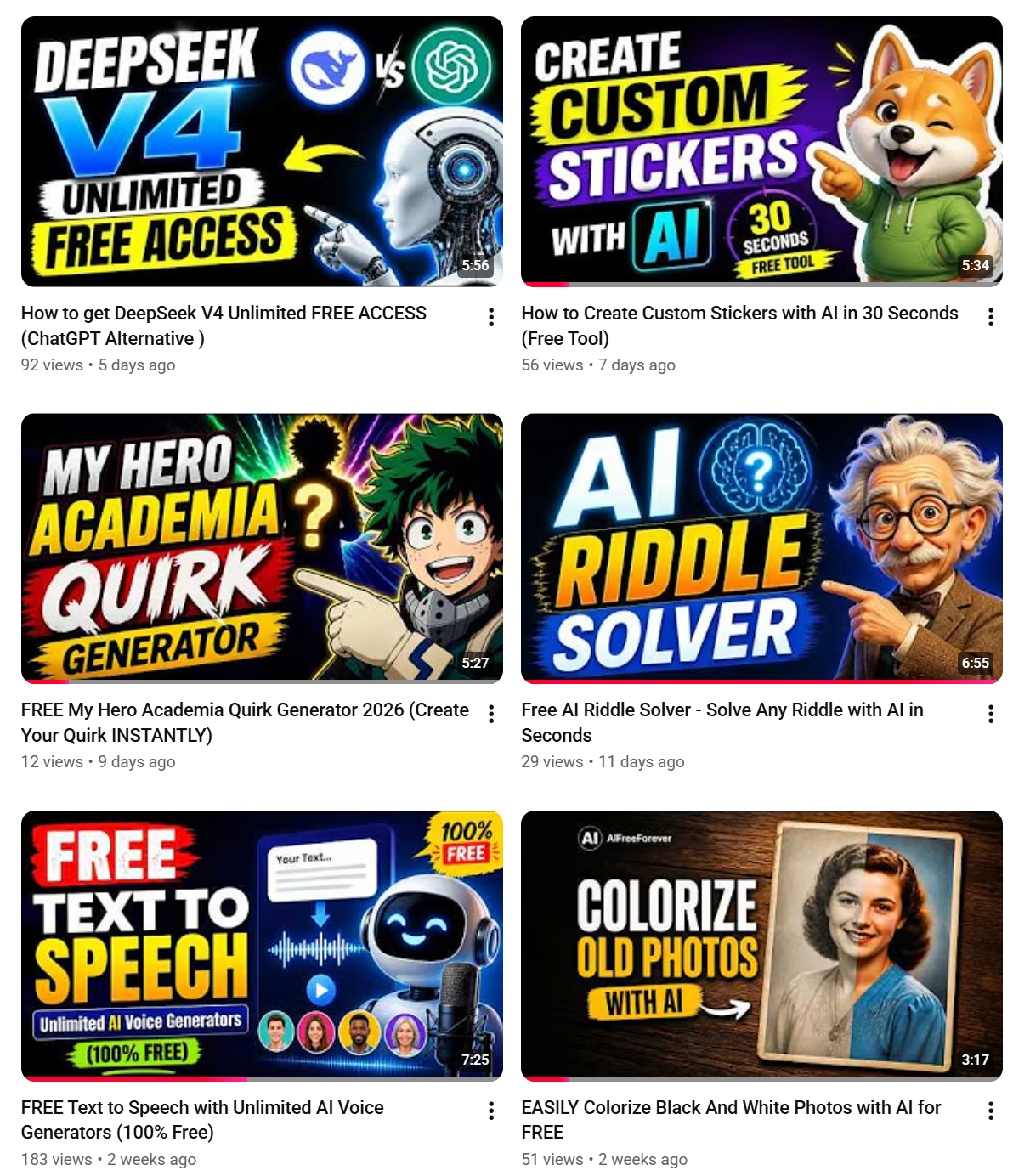
For thumbnails, the GPT Image tool on AI Free Forever was also used. It creates the most perfect thumbnails.
- Just mention that you’re creating a YouTube thumbnail
- Select the right size, which is 16:9
- Don’t over-prompt it, just a few words
- Example: “Generate a YouTube thumbnail. This is the text to add. Do not add any other text. Make it a dark background.”
- You can also instruct it whether to add imagery pointing to the text or not
It comes out perfect. You can see some of the output below.
Easier Niches for Faceless YouTube
- Night-time sleep stories
- Long talks about stories
- Self-improvement content
You can explore these niches. They are far more easy to make and don’t require much editing like AI Free Forever’s youtube channel
Please subscribe to the channel
Make sure you check out the tools that have been shared. If you want to set up your own faceless YouTube channel, some of these tools might help you get started.
https://www.youtube.com/@aifreeforever
InWorld TTS is one of the best text-to-speech tools for Faceless channels out there, and it’s going to be added to AI Free Forever very soon.
Stay tuned.


