Typefully has earned its reputation as a solid Twitter thread generator and scheduling tool. But it’s not the only game in town—and depending on your workflow, budget, or specific needs, you might find a better fit elsewhere.
This list breaks down nine alternatives worth exploring, from dedicated thread tools to all-in-one social media platforms. Each brings something different to the table, whether you’re a solo creator trying to build an audience or a marketing team managing multiple accounts.
Table of Contents
- Why Look Beyond Typefully?
- 1. Buffer
- 2. Hootsuite
- 3. AI Free Forever Twitter Thread Generator
- 4. Hypefury
- 5. TweetDeck (Now X Pro)
- 6. Publer
- 7. SocialBee
- 8. Fedica
- 9. Postwise
- Quick Comparison Table
- Picking the Right Tool for Your Situation
- FAQ

Why Look Beyond Typefully?
Typefully does several things well: distraction-free writing, thread scheduling, analytics tracking. The interface is clean, and many creators swear by it for drafting long-form Twitter content.
That said, there are legitimate reasons to explore other options:
Pricing concerns. Typefully’s premium features come at a cost that might not fit every budget. The free tier limits you significantly, and the paid plans can add up if you’re managing multiple accounts or need advanced analytics.
Feature gaps. Maybe you need cross-platform posting, AI content generation, or deeper analytics than Typefully provides. Some creators want engagement automation or RSS integration—features Typefully doesn’t prioritize.
Team collaboration. If you’re working with a content team, you might need approval workflows, role-based permissions, or client management features that other platforms handle more robustly.
Free alternatives. Not everyone wants to pay a monthly fee for thread writing. Several capable tools offer free tiers that genuinely work for casual users.
1. Buffer
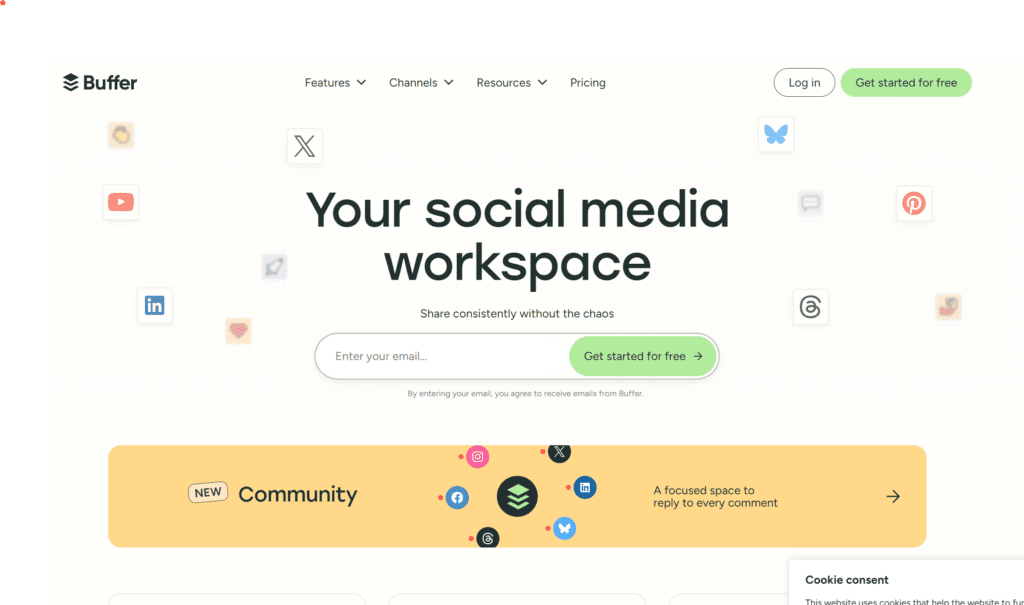
Buffer started as a scheduling tool and has evolved into a comprehensive social media management platform. For Twitter/X specifically, it handles thread creation, post scheduling, and analytics in a straightforward interface.
What makes Buffer stand out:
- Clean, intuitive dashboard that doesn’t overwhelm new users
- Cross-platform publishing to Instagram, Facebook, LinkedIn, and Pinterest alongside Twitter
- Built-in AI assistant for content suggestions and caption rewrites
- Start Page feature for creating a simple link-in-bio landing page
- Solid engagement tracking across all connected accounts
Where it falls short: Buffer’s thread composer isn’t as polished as Typefully’s dedicated writing experience. The AI features, while useful, don’t match specialized AI thread tools. Power users often find the analytics lacking depth compared to enterprise solutions.
Pricing: Free plan covers 3 channels with basic scheduling. Paid plans start at $6/month per channel, scaling up based on team size and features needed.
Best for: Creators and small businesses who want one tool for multiple platforms rather than separate apps for each network. The Facebook post generator and LinkedIn post tools work similarly to the Twitter features, making content repurposing smoother.
2. Hootsuite

Hootsuite remains one of the most recognized names in social media management. It’s been around since 2008, and that longevity means a mature feature set—though sometimes at the cost of simplicity.
Key features for Twitter growth:
- Unified inbox for managing mentions, DMs, and comments across platforms
- Advanced scheduling with content calendar visualization
- Social listening tools to monitor brand mentions and industry keywords
- Team collaboration with approval workflows and content libraries
- Integration with over 150 apps including Canva, Google Drive, and Salesforce
A Statista report found that Hootsuite holds approximately 8% of the global social media management market—making it one of the larger players in this space.
Where it falls short: The interface can feel cluttered, especially compared to minimalist tools like Typefully. Hootsuite’s pricing has also drawn criticism; the free tier was eliminated in 2023, and professional plans start higher than many competitors. Thread creation specifically isn’t a focus—you can do it, but it’s not optimized for the experience.
Pricing: Plans begin at $99/month (Professional tier). Enterprise pricing varies based on needs.
Best for: Agencies and marketing teams managing multiple client accounts who need robust reporting and approval workflows. Solo creators will likely find it overkill.
3. AI Free Forever Twitter Thread Generator
If you want to create Twitter threads without paying anything, the AI Free Forever Twitter thread generator offers exactly that. It uses AI to help structure and write threads based on your topic input.
What you get:
- AI-powered thread creation from a single topic or outline
- No account required—just enter your topic and generate
- Output in thread format ready to copy and post
- Multiple tone options depending on your audience
- Completely free to use without limits
How it works: You provide a topic, select your preferred tone and thread length, and the AI generates a structured thread. From there, you can edit the output, adjust individual tweets, and copy everything to post directly on X.
This approach works well alongside other social media AI tools for building a consistent content workflow. Need captions for Instagram? There’s an Instagram caption generator that follows the same free model.
Where it falls short: No scheduling functionality—you generate content and post it yourself. No analytics or engagement tracking. It’s purely a content creation tool, not a full management platform.
Best for: Anyone who wants help writing threads but doesn’t need scheduling or analytics. Particularly useful for creators just starting out who aren’t ready to pay for premium tools.
4. Hypefury
Hypefury positions itself as a “growth partner” rather than just a scheduling tool. The platform has gained traction among Twitter power users for its automation features that go beyond basic scheduling.
Standout features:
- Auto-retweet your best-performing tweets based on engagement thresholds
- Auto-plug: automatically add promotional tweets to viral threads
- Inspiration library pulling from top-performing tweets in your niche
- Cross-posting to LinkedIn and Instagram automatically
- Sales integrations with Gumroad, Stripe, and ConvertKit
The auto-plug feature deserves extra attention. When one of your threads starts gaining traction, Hypefury can automatically add a comment promoting your newsletter, product, or other content. This automation helps monetize attention in real-time without manual intervention.
Where it falls short: Hypefury leans heavily into growth hacking tactics that some find aggressive. The auto-features can feel spammy if overused. Also, the tool is Twitter/X-focused—if you need robust multi-platform support, you’ll need additional tools.
Pricing: Starts at $19/month for the Standard plan. Premium features like auto-plug require higher tiers.
Best for: Growth-focused creators building personal brands on Twitter who want to monetize their audience. Particularly popular among solopreneurs, course creators, and newsletter writers.
5. TweetDeck (Now X Pro)
TweetDeck has been the go-to free power-user tool for Twitter since 2011. X (formerly Twitter) rebranded it as X Pro in 2023 and moved it behind the Premium subscription—a controversial change that frustrated longtime users.
What X Pro offers:
- Multi-column interface for monitoring multiple feeds, searches, and lists simultaneously
- Native thread scheduling within the Twitter ecosystem
- Team account management for shared access
- Advanced search columns to track hashtags, mentions, and keywords in real-time
- No third-party app permissions needed—it’s built into X
Where it falls short: The paywall changed everything. X Pro requires an X Premium subscription (approximately $8/month or $84/year). Free users lost access to a tool many had relied on for years. Additionally, X Pro lacks AI content generation, cross-platform posting, and the polished analytics found in dedicated tools.
Pricing: Included with X Premium subscription ($8/month billed annually or $11/month paid monthly).
Best for: Heavy Twitter users who already pay for X Premium and want native multi-column monitoring without third-party tools.
6. Publer
Publer flies under the radar compared to Buffer and Hootsuite, but it’s earned a loyal following for competitive pricing and a surprisingly robust feature set.
Key features:
- AI Assist for generating captions, hashtags, and content ideas
- Bulk scheduling with CSV imports—helpful for content batching
- Canva integration built directly into the composer
- Watermark removal from Twitter links for cleaner previews
- Auto-scheduling based on optimal posting times
- Support for Twitter, Facebook, Instagram, LinkedIn, TikTok, Pinterest, and Google Business Profile
The bulk scheduling feature deserves particular attention. If you’re someone who batches content creation—writing a month’s worth of threads in one sitting—Publer makes queuing everything up significantly faster than competitors.
Where it falls short: The interface isn’t as polished as premium alternatives. Some users report occasional bugs with image uploads. Customer support response times can vary.
Pricing: Free plan includes 3 social accounts with up to 10 scheduled posts. Paid plans start at $12/month for unlimited scheduling.
Best for: Budget-conscious creators and small businesses who need multi-platform scheduling without enterprise-level complexity or pricing.

7. SocialBee
SocialBee takes a category-based approach to content scheduling that differs from most competitors. Instead of a linear queue, you organize posts into content categories (like “blog posts,” “promotional,” “quotes”) that rotate automatically.
What sets it apart:
- Content categories with separate posting schedules for each
- Evergreen recycling to automatically repost top content
- AI Copilot powered by GPT-4 for content generation
- Canva, GIPHY, and Unsplash integrations within the composer
- Workspaces for agencies managing multiple brands
The category system works particularly well for maintaining content variety. You might set promotional content to post twice weekly while educational threads go out daily—SocialBee handles the rotation without manual queue management.
Where it falls short: The learning curve is steeper than simpler tools. Setting up categories and posting schedules takes time upfront. Some find the interface less intuitive than competitors.
Pricing: Starts at $29/month for the Bootstrap plan. Higher tiers add more workspaces and team features.
Best for: Content strategists who like organizing posts into thematic buckets rather than chronological queues. The category approach suits users who plan content calendars weeks or months ahead.
8. Fedica
Previously known as Tweepsmap, Fedica rebranded in 2023 while expanding beyond its original analytics focus. The platform now combines scheduling with detailed audience intelligence.
Standout analytics features:
- Follower demographics including location, timezone, and activity patterns
- Optimal posting time recommendations based on your specific audience
- Competitor tracking and benchmarking
- Follower growth history and unfollower tracking
- Hashtag performance analysis
Fedica’s strength lies in understanding who your followers are and when they’re active. This data-driven approach helps optimize posting schedules beyond generic “best time to post” advice—you get recommendations based on your actual audience.
Where it falls short: The scheduling and content creation features don’t match dedicated thread tools. Fedica excels at analytics but isn’t designed as a writing-first platform. The interface prioritizes data over simplicity.
Pricing: Free plan includes basic analytics for one account. Paid plans start at $10/month for enhanced features and additional accounts.
Best for: Data-driven marketers who want deep audience insights to inform their content strategy. Pair it with a content creation tool for a complete workflow.
9. Postwise
Postwise leads with AI. While most tools add AI as a feature, Postwise builds the entire experience around AI-generated content—particularly for Twitter/X.
AI-focused features:
- GhostWriter AI trained specifically on viral tweets
- Thread generation from URLs, topics, or rough outlines
- Hook generator for attention-grabbing first tweets
- Tone matching to mimic your writing style
- Auto-scheduling based on engagement predictions
The platform’s AI has been trained on high-performing tweets, so generated content tends to follow patterns that perform well on the platform. This approach can accelerate content creation, though it also means outputs can feel formulaic without editing.
Where it falls short: Heavy reliance on AI means content requires more editing to avoid sounding generic. Pricing is higher than non-AI alternatives. Some users find the viral-tweet training produces content that feels manufactured.
Pricing: Starts at $37/month for the Basic plan.
Best for: Creators who want AI to do the heavy lifting on content ideation and first drafts. Works well if you’re comfortable editing AI output rather than writing from scratch.
========= IMAGE: AI content generation workflow =========
Quick Comparison Table
| Tool | Starting Price | Free Tier | AI Content | Multi-Platform | Best For |
|---|---|---|---|---|---|
| Buffer | $6/month/channel | Yes | Yes | Yes | Multi-platform creators |
| Hootsuite | $99/month | No | Yes | Yes | Teams and agencies |
| AI Free Forever | Free | Yes | Yes | No | Budget-conscious creators |
| Hypefury | $19/month | Limited | Yes | Limited | Growth hackers |
| X Pro | $8/month | No | No | No | Power users |
| Publer | $12/month | Yes | Yes | Yes | Budget scheduling |
| SocialBee | $29/month | No | Yes | Yes | Content strategists |
| Fedica | $10/month | Yes | No | Limited | Analytics-focused users |
| Postwise | $37/month | No | Yes | Limited | AI-first creators |
Picking the Right Tool for Your Situation
If budget is your main concern: Start with AI Free Forever’s thread generator for content creation and add a free scheduling tool like Buffer’s basic tier. You can build an audience without spending anything until you’ve validated your content approach.
If you’re managing multiple platforms: Buffer or Publer offer the best balance of features and pricing for cross-platform publishing. You’ll save time by working from a single dashboard rather than switching between platform-specific tools.
If growth hacking appeals to you: Hypefury’s automation features (auto-retweet, auto-plug) can accelerate audience building—though use them thoughtfully to avoid coming across as spammy.
If analytics drive your decisions: Fedica provides the deepest audience insights for Twitter specifically. Pair it with a creation tool that matches your workflow.
If AI does the writing: Postwise offers the most sophisticated AI trained on viral content patterns. Just plan to edit outputs to maintain your authentic voice.
Consider also that your needs might evolve. Many creators start with free tools, graduate to mid-tier options as their audience grows, and eventually move to enterprise solutions when managing teams or multiple brands. The right choice now might not be the right choice in six months.
FAQ
Can I use multiple tools together?
Absolutely. A common setup combines a free thread generator for content creation with a scheduling tool for publishing. Some creators use Fedica for analytics insights while posting through Buffer or Hootsuite. There’s no rule requiring a single all-in-one solution.
Which tool has the best thread writing experience?
For pure writing focus, Typefully still excels at distraction-free thread composition. Among alternatives, Postwise’s AI-assisted writing comes closest if you’re comfortable with AI collaboration. Buffer and Hootsuite are adequate but prioritize scheduling over writing experience.
Are free Twitter thread generators worth using?
Free tools like AI Free Forever work well for content creation, especially when you’re starting out. The tradeoff is no scheduling—you’ll need to manually post or pair the generator with a separate scheduling tool. For many creators, this combination provides everything needed without subscription costs.
Does X Pro (TweetDeck) still make sense after going paid?
If you already subscribe to X Premium for other features (blue checkmark, longer posts, edit button), X Pro adds value at no extra cost. If you’d be paying solely for X Pro functionality, third-party tools often provide better features for similar pricing.
How important is AI content generation for Twitter growth?
AI accelerates content creation but isn’t required for growth. Some of the most successful Twitter accounts rely entirely on human-written content. AI helps with consistency and ideation—but authenticity and unique perspectives matter more than production volume. Use AI as a drafting assistant, not a replacement for your voice.
What about Instagram and TikTok alongside Twitter?
If cross-platform growth matters, choose tools with multi-platform support from the start. Buffer, Hootsuite, Publer, and SocialBee all handle Instagram, TikTok, and other networks. You can also use platform-specific tools—check out TikTok caption generators and Instagram caption tools for specialized assistance.
How do I know when to upgrade from free tools?
Consider upgrading when: you’re posting frequently enough that manual scheduling becomes tedious, you need analytics to refine your strategy, or you’re managing multiple accounts. There’s no universal threshold—some creators never need paid tools, while others find them essential from day one.