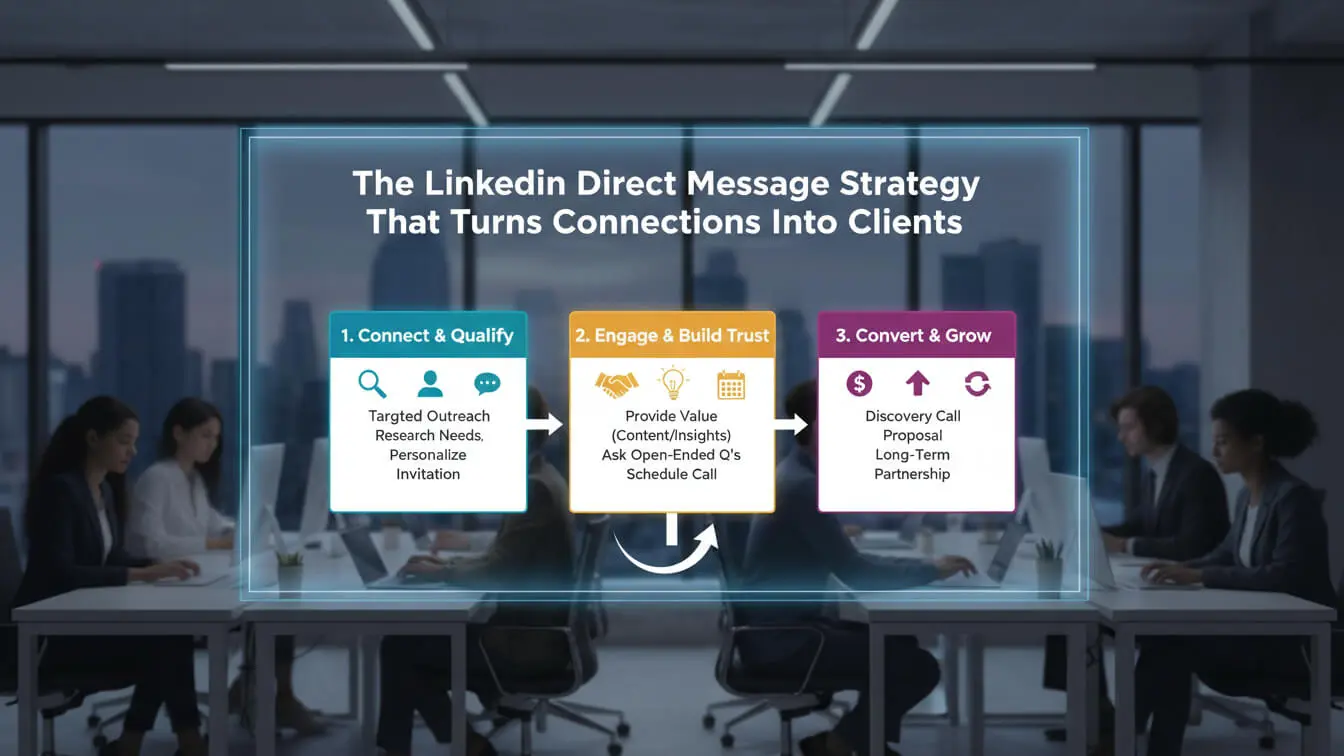
LinkedIn messages get 85% reply rates compared to just 28% for email. You send 50 connection requests. Maybe 20 accept. Then you pitch your service in the first message. Radio silence. Sound familiar? You’re not alone—but you’re leaving money on the table. This guide breaks down exactly how to turn LinkedIn connections into paying clients using direct messages that actually work. No templates that sound robotic. No pitch-slapping. Just proven strategies backed by real numbers and actual results from B2B sales teams closing deals on LinkedIn right now.
Table of Contents
- What Makes LinkedIn DMs Different
- Why Your LinkedIn Messages Get Ignored
- Set Up Your Profile Right
- Find People Who Actually Need You
- Write Connection Requests That Get Accepted
- The First Message That Gets Replies
- Follow-Up Sequence That Converts
- Seven Mistakes Killing Your Response Rate
- When and How Often to Message
- Move Conversations Off LinkedIn
- Track What Actually Matters
- Frequently Asked Questions
What Makes LinkedIn DMs Different
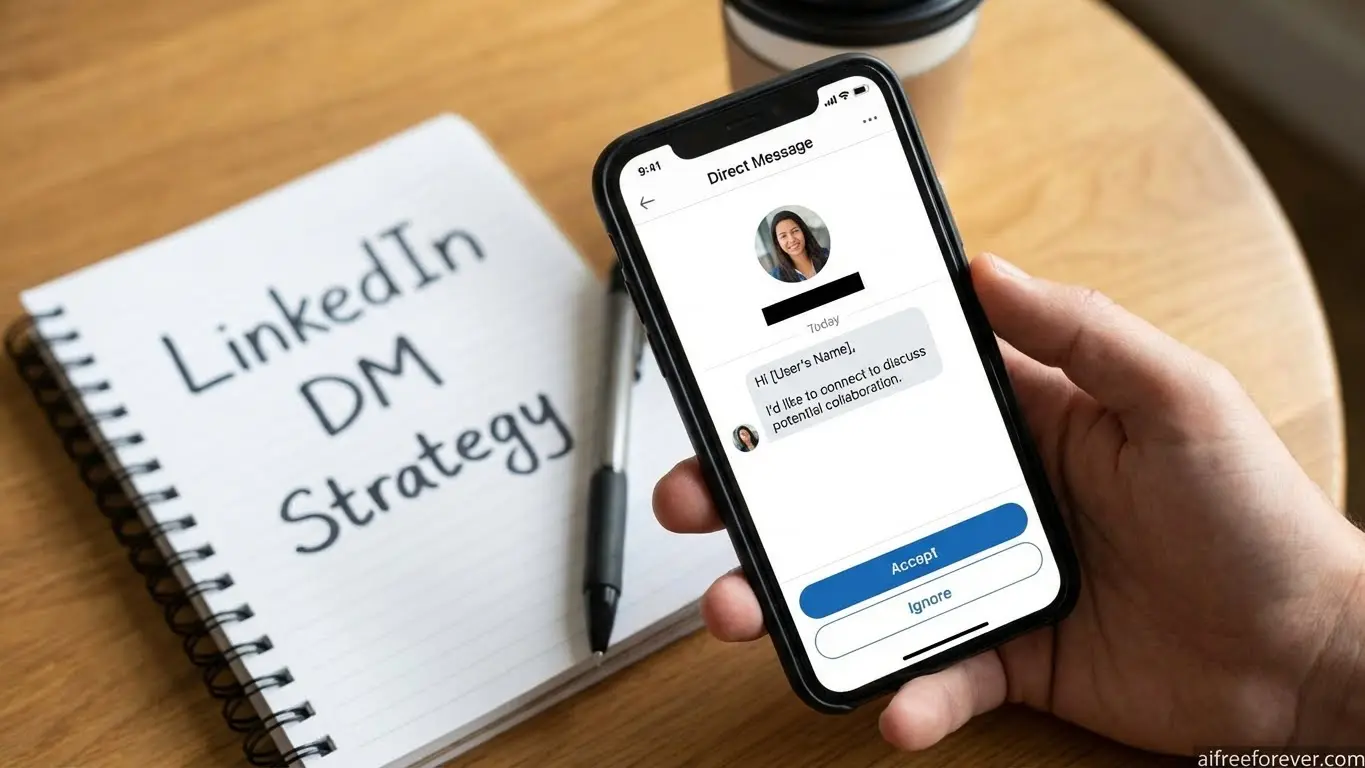
LinkedIn direct messages aren’t email. They’re not cold calls either. Think of them as walking up to someone at a conference—except you can check their entire professional background first.
The platform has over 1 billion professionals across 200 territories. Among those, 63 million are decision-makers and 10 million hold C-level positions. Your buyers are there. You just need to reach them the right way.
Here’s what makes LinkedIn messaging unique:
- Context matters more than copy. People check your profile before responding. A weak profile kills even great messages.
- It’s a networking site, not a marketplace. Push too hard and you’re blocked. Build relationships and doors open.
- Response rates beat email by 3x. Messages feel personal because they are—at least when done right.
- Less noise than email inboxes. Most professionals get 120+ emails daily but fewer LinkedIn messages.
- Trust builds faster. Mutual connections, shared content engagement, and profile transparency create instant credibility.
LinkedIn InMail (the premium feature) pulls 18-25% responses on average versus 3% for cold emails. Regular LinkedIn messages to connections hit 5-20% response rates. Either way, you’re playing with better odds than traditional outreach.
Why Your LinkedIn Messages Get Ignored
Let’s cut through the noise. Only 10-25% of outreach messages get responses on LinkedIn. That means 75% of your effort goes nowhere.
Here’s why messages fail:
You Sound Like Everyone Else
Starting with “I saw your profile” or “Let’s connect” screams copy-paste. LinkedIn’s algorithm detects repeated message patterns. Send the same template 100 times with just names changed? The system flags you as spam.
Worse—recipients spot generic messages instantly. They delete without reading.
You Pitch Too Soon
Nobody logs into LinkedIn hoping someone will sell them something. Your product might solve world hunger, but pitching in message one kills trust before it starts.
A study of cold LinkedIn outreach showed immediate pitches get ignored 90% of the time. Wait until you’ve given value first.
Your Profile Looks Like Spam
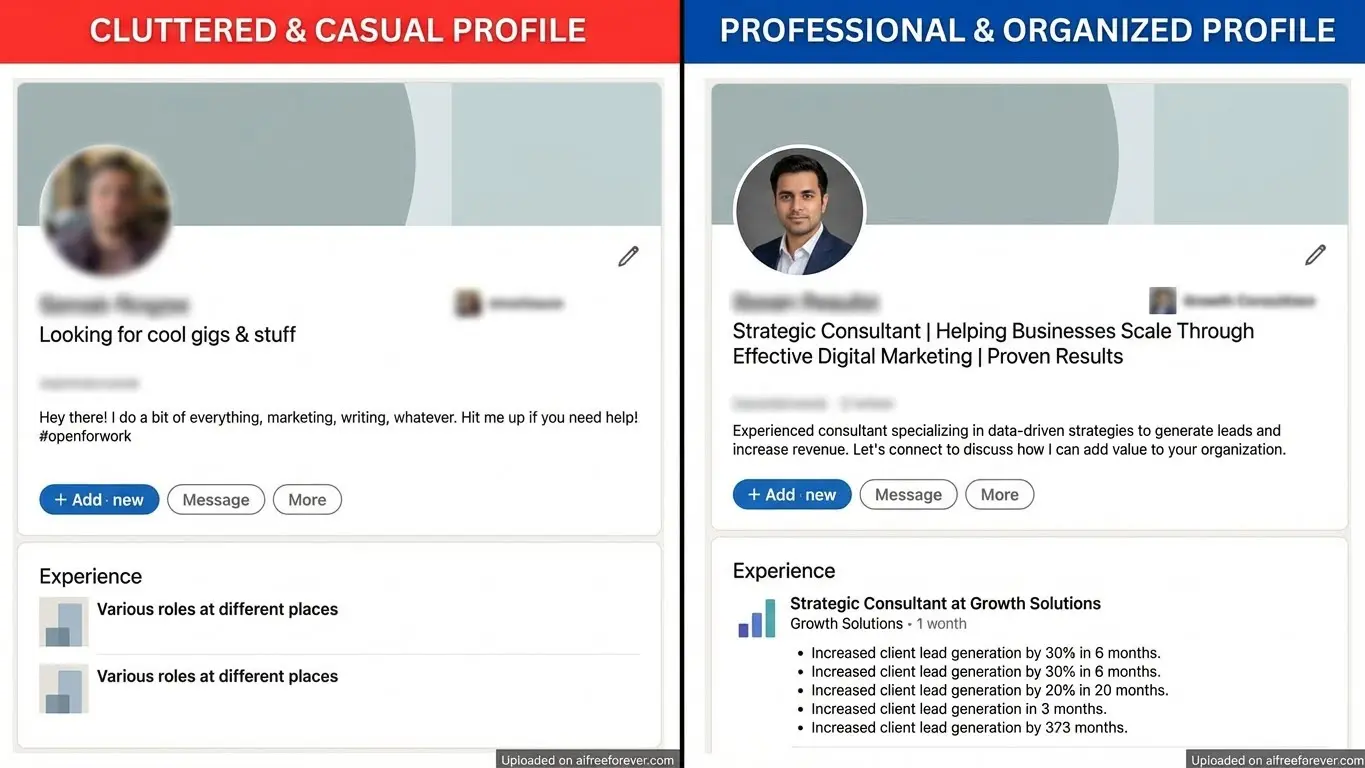
Before answering your message, people click your profile. Sketchy photo? Generic headline? Empty about section? They bounce.
The connection rate drops 60% when profiles look incomplete or unprofessional. Fix your profile before you message anyone.
You Focus on Yourself
Messages packed with “I help” and “my company does” turn people off. Nobody cares about you yet. They care about their problems.
Check your messages. Count how many times you say “I” versus “you.” If “I” wins, rewrite everything.
You Ask for Too Much Too Fast
“Can I get 15 minutes of your time?” in the first message rarely works anymore. Decision-makers hate calendar requests from strangers.
Build rapport first. Prove you’re worth their time before asking for it.
Set Up Your Profile Right
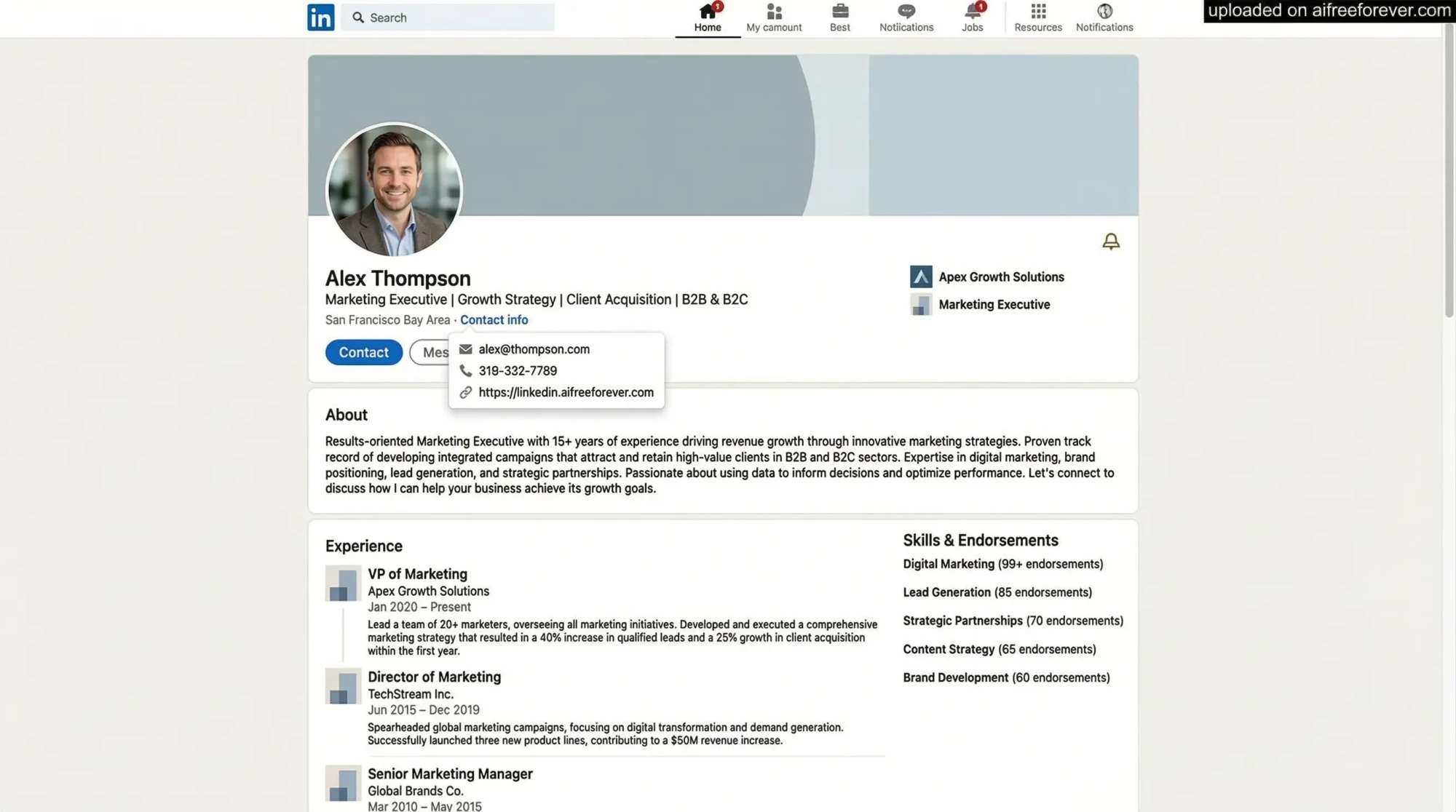
Your LinkedIn profile is your landing page. When prospects check you out before replying, what do they see?
1. Profile Photo
Use a high-quality headshot where you look approachable. No selfies. No group photos. No sunglasses or party pics. Professional doesn’t mean boring—just clear and trustworthy.
2. Cover Photo
Stop using the default blue background. Your cover photo should showcase what you do or who you help. Add a tagline that speaks to your ideal client’s pain point.
Example: “Helping SaaS Companies Cut Customer Churn by 40% in 90 Days”
3. Headline
Skip the job title. Write what problem you solve. Compare these:
Weak: “Marketing Manager at Tech Company”
Strong: “I help B2B tech companies generate qualified leads without burning budget on ads”
The second one tells prospects exactly what’s in it for them.
4. About Section
Write like you’re talking to one person—your ideal client. Address their specific pain points. Show how you’ve solved those problems before. Include a clear call to action.
Keep it scannable with short paragraphs. Use bullet points for key results you’ve delivered.
5. Featured Section
Pin case studies, testimonials, or content that proves your expertise. Social proof builds trust faster than anything you write about yourself.
6. Experience Section
Don’t just list job duties. Highlight results with numbers. Revenue increased? Time saved? Problems solved? Put metrics front and center.
Find People Who Actually Need You
Messaging random people wastes everyone’s time. You need a system for finding prospects who actually match what you sell.
Use LinkedIn Sales Navigator
Sales Navigator gives you 50+ filters to find exact prospects. Filter by job title, company size, industry, location, and more. Basic LinkedIn search can’t match this precision.
Yes, it costs money. But reaching 10 right people beats spamming 1,000 wrong ones.
Look for Engagement Signals
People who engage with your content are warm leads. One sales team tracked engagement and focused on those prospects—they booked 3 meetings in 30 minutes.
Check who likes or comments on your posts. Message them with context about the specific content they engaged with.
Find Mutual Connections
Messages mentioning mutual connections see 25% higher reply rates. LinkedIn shows shared connections on every profile. Use them.
Better yet, ask mutual contacts for warm introductions instead of cold messaging.
Join Relevant Groups
LinkedIn groups put you in the same space as prospects. Comment on discussions. Share helpful insights. Then message group members—you already have common ground.
Target Companies, Not Just People
Follow companies that fit your ideal customer profile. Watch their updates. When they announce new hires, funding rounds, or product launches, reach out with congratulations and relevant insights.
Timing matters. Someone who just got promoted or joined a new company is more open to conversations.
Write Connection Requests That Get Accepted
LinkedIn gives you 100 connection requests per week. Don’t waste them on generic “I’d like to connect” messages.
Connection acceptance rates average 22% with personalized requests versus much lower for blank invites.
Template 1: Mutual Interest
“Hi [Name], I noticed you’re dealing with [specific challenge they posted about]. I’ve helped similar companies crack this—would love to exchange ideas if you’re open to it.”
Template 2: Content Engagement
“Hi [Name], loved your take on [topic from their recent post]. The point about [specific detail] really hit home. Would be great to connect and stay in the loop with your insights.”
Template 3: Shared Connection
“Hi [Name], [Mutual connection’s name] and I were discussing [topic] and your name came up. They spoke highly of your work in [area]. Would love to connect.”
Template 4: Company Event
“Hi [Name], saw [their company] just announced [news/event]. Congrats on [specific achievement]. I work with companies in [their industry]—would be good to connect.”
What NOT to Say
- “Let’s grow our networks together” (nobody cares)
- “I came across your profile” (you and 50 others today)
- Any sales pitch (save it for later)
- Requests for favors (you haven’t earned it)
- “I’d love to add you to my network” (what’s in it for them?)
The First Message That Gets Replies
They accepted your connection request. Now what? This is where most people blow it.
Do NOT send a pitch immediately. Seriously. Nobody logs onto LinkedIn hoping to get sold to. Respect the platform’s networking nature.
The Value-First Approach
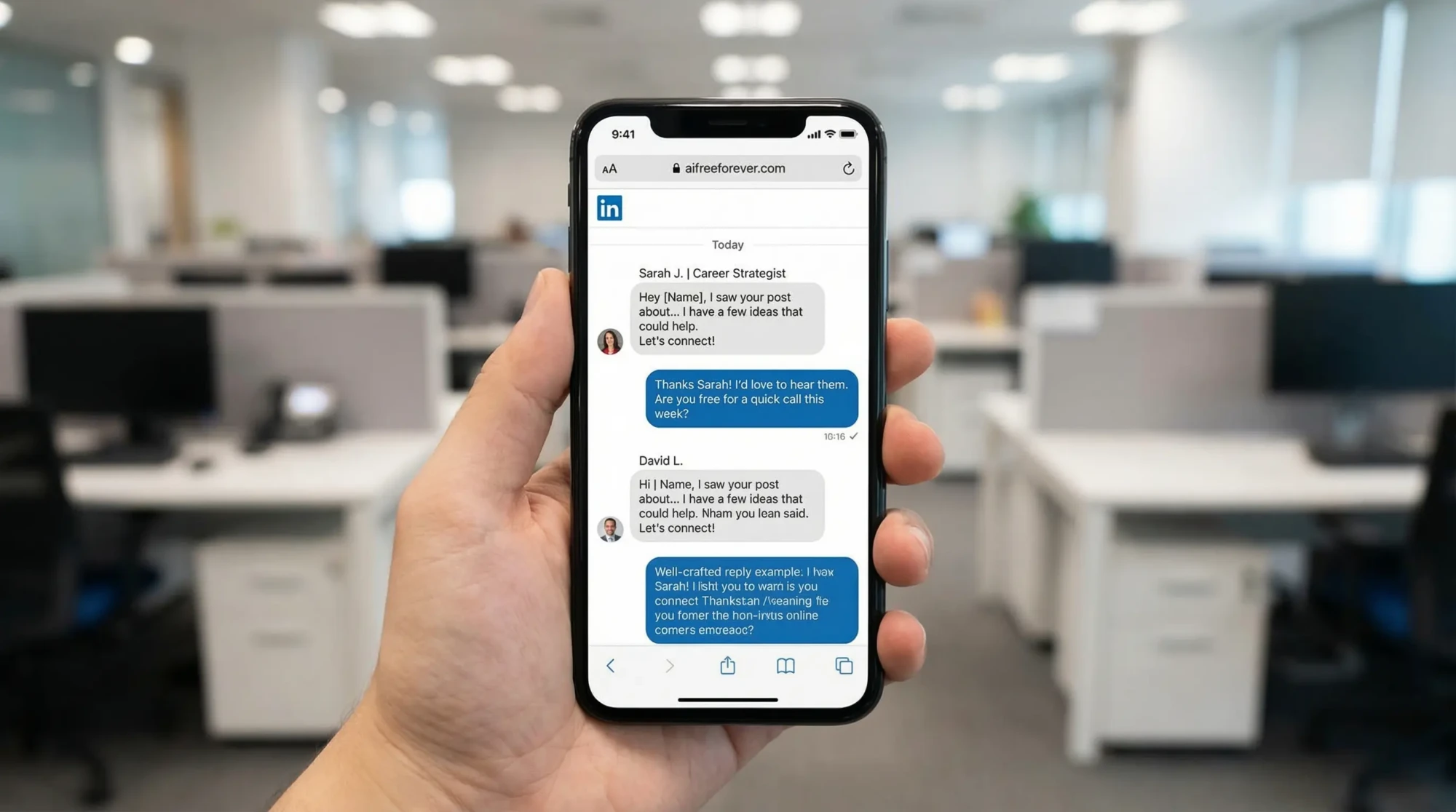
Wait 2-3 days after connecting. Then send something useful with zero ask. Share an article, insight, or resource relevant to their business.
Example: “Hey [Name], I was reading about [industry trend] and thought of our conversation. Here’s a quick breakdown that might help with [their challenge]—no strings attached.”
The Problem-Aware Message
Reference a problem you know they face, then show you understand it without pitching.
“Hi [Name], noticed you’re focused on [area]. A lot of companies in [their industry] are struggling with [specific problem] right now. Curious if that’s hitting your radar too?”
This opens dialogue without being pushy. If they respond, you’ve started a real conversation.
The Social Proof Angle
Mention a similar client you’ve helped, focus on results, then ask if they face the same issue.
“Hey [Name], just wrapped a project with [similar company] where we [specific result]. They were stuck on [challenge]. Is this something on your plate right now?”
The 90/10 Rule
Top-performing messages spend 90% focused on the prospect and 10% (or less) on you. Talk about their world, their problems, their goals.
Keep It Short
Long messages don’t get read. Aim for 50-75 words max. If it looks like a paragraph, it’s too long.
End With a Soft Question
Don’t ask for a meeting yet. Ask something that invites conversation:
- “Is this on your radar?”
- “Sound familiar?”
- “Worth discussing?”
Follow-Up Sequence That Converts
Most people give up after one message. Big mistake. 95% of leads reply after multiple follow-ups.
But LinkedIn isn’t email. You can’t blast 7 follow-ups. Here’s what works:
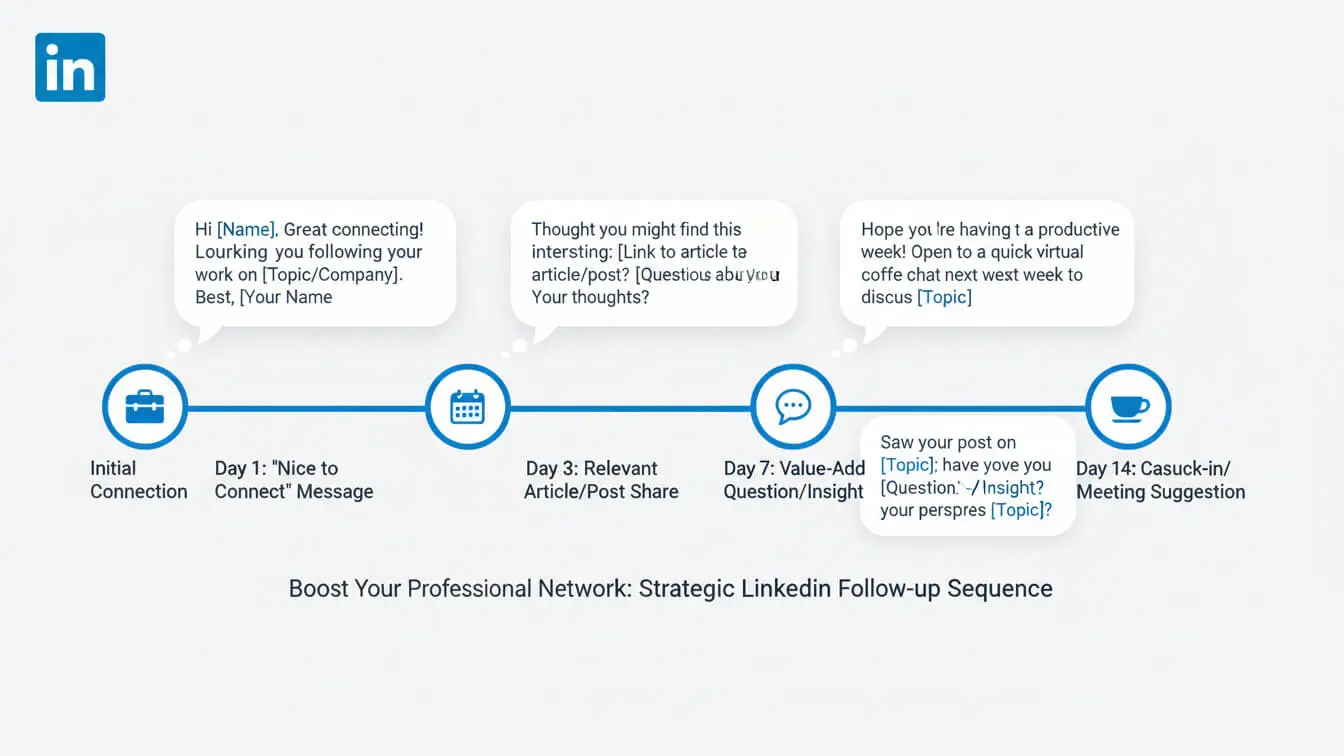
Follow-Up 1 (3-4 Days Later)
Add new value. Share another insight, case study, or relevant news.
“Hey [Name], saw this article about [relevant topic] and figured it might be useful given what you’re working on. No pressure to respond—just thought you’d find it interesting.”
Follow-Up 2 (1 Week Later)
Reference their recent activity. If they posted, commented on it publicly first. Then message:
“Hi [Name], great point on [their recent post topic]. Quick question—are you seeing [related challenge] come up in your work?”
Follow-Up 3 (2 Weeks Later)
This is your last shot before backing off. Make it count with a clear, low-friction offer.
“Hey [Name], not sure if this is a priority for you right now, but I’ve got a quick win that helped [similar company] solve [problem]. Worth a 10-minute conversation, or should I check back later?”
When to Stop
After 3 follow-ups with no response, move on. Some people just aren’t interested. Don’t be that person who won’t take a hint.
Studies show the sweet spot is 3-4 total messages spaced at least 24 hours apart. Never send more than one message per day.
Seven Mistakes Killing Your Response Rate
1. Using the Same Template for Everyone
LinkedIn’s algorithm tracks message patterns. Send identical messages 100+ times? You’re flagged as spam. Even worse, recipients can tell you’re using templates.
Fix: Use message variations. Change structure, not just names. Reference specific details from each person’s profile.
2. Writing Like It’s an Email
Long blocks of text with formal language scream “I’m sending this to 1,000 people.” LinkedIn messages should feel conversational, not corporate.
Fix: Write like you’re texting a colleague. Short sentences. Natural language. Drop the “Dear Sir/Madam” nonsense.
3. Pitch-Slapping Right After They Accept
“Thanks for connecting! Here’s what my company does…” is the fastest way to get ignored or blocked. Sending sales messages right after someone accepts your request kills engagement.
Fix: Wait. Give value first. Build some rapport before mentioning your product or service.
4. Asking for Meetings Too Early
“Can we schedule a call?” in message one rarely works. Decision-makers dodge calendar requests from people they don’t know.
Fix: Earn the right to ask for time. Prove you understand their business first.
5. Talking About Yourself Too Much
Count the “I” statements in your messages. If you say “I” more than “you,” flip it. Messages stuffed with “I” statements make prospects tune out.
Fix: Focus on them. Their challenges. Their goals. Their world.
6. No Clear Next Step
Rambling messages that don’t tell the prospect what to do next go nowhere. Confusion kills conversion.
Fix: End every message with a simple, clear action. Ask a question. Make a small offer. Give them one obvious next step.
7. Giving Up Too Soon
Sending one message and ghosting when there’s no immediate reply wastes the work you put into connecting. Most replies come after follow-ups.
Fix: Plan a 3-message sequence before you start. Give it 2-3 weeks. Then move on if there’s still no response.
When and How Often to Message
Timing your LinkedIn messages right can double your response rates. Here’s what the data shows:
Best Days to Send Messages
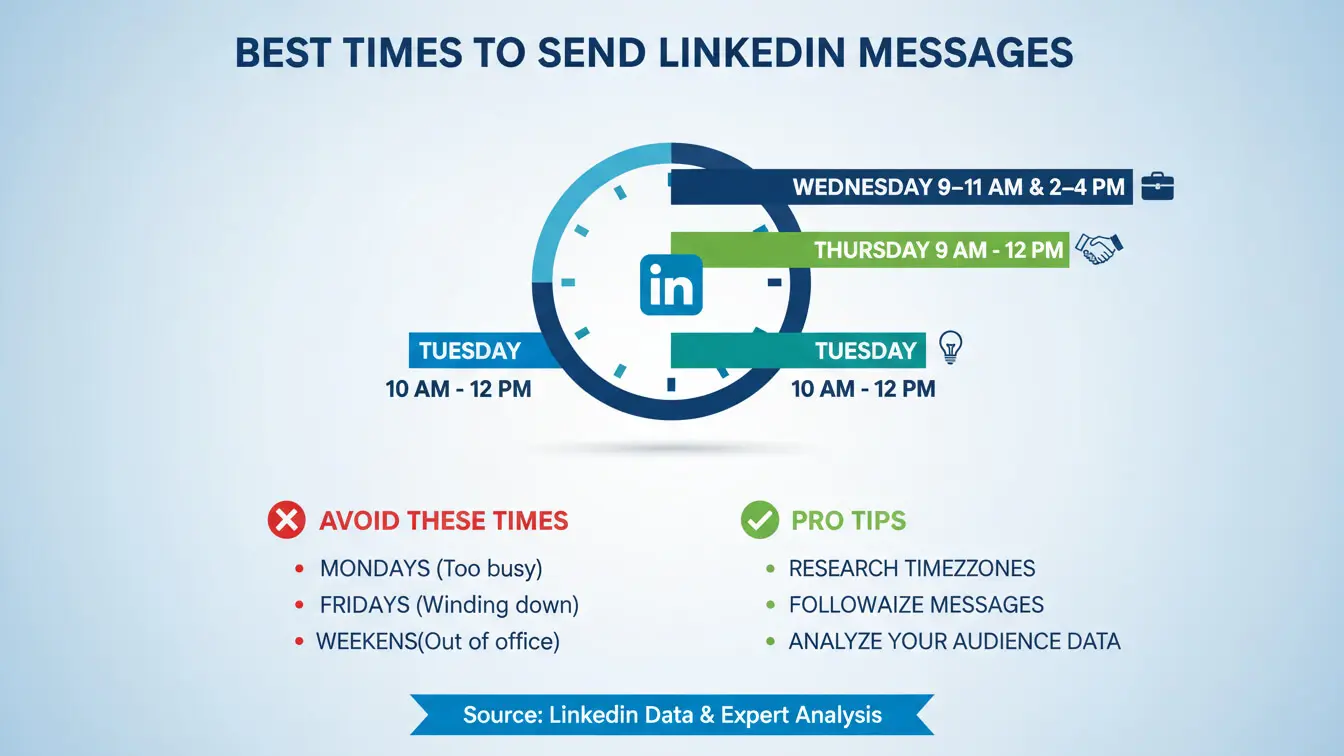
Tuesday pulls the highest reply rate at 6.90%, with Monday close behind at 6.85%. Wednesday and Thursday hover around 6.62-6.63%.
Friday drops to 6.58%. Weekends tank—Saturday hits 6.40% and Sunday barely better at 6.47%.
Bottom line: Send messages Tuesday through Thursday for best results. Avoid Friday afternoons and weekends.
Best Time of Day
Tuesday to Thursday mornings in the prospect’s local time zone work best. People check LinkedIn before diving into work or during morning coffee.
Avoid late afternoons when people are wrapping up or lunch hours when they’re away from desks.
Message Frequency
The magic number is 30-45 highly personalized connection requests per week. Teams following this formula see 45% connection acceptance rates.
For follow-ups, wait at least 3-4 days between messages. Never send more than one message per day to the same person.
How Many Messages Per Day Total?
LinkedIn limits connection requests to roughly 100 per week. For messages to existing connections, keep it under 50 per day to stay safe.
Quality over quantity always wins. 10 personalized messages outperform 100 generic ones.
Move Conversations Off LinkedIn
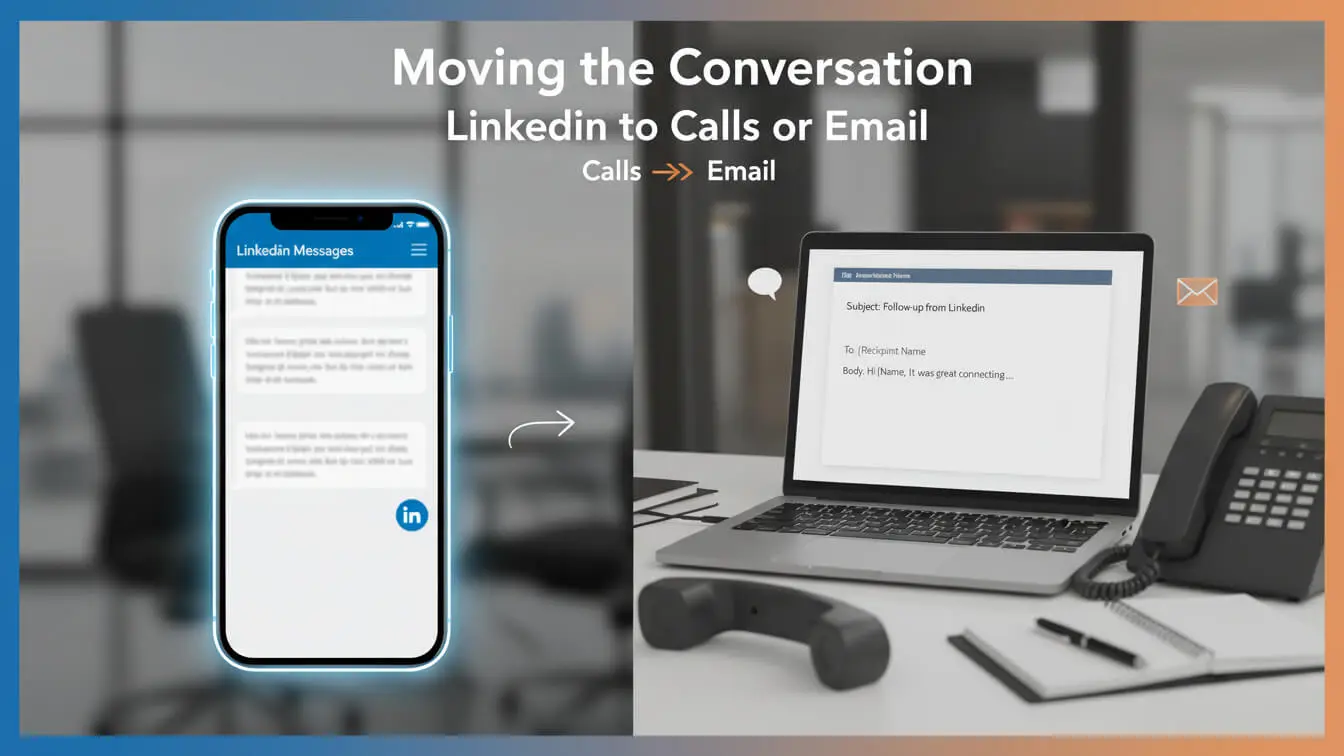
LinkedIn starts relationships. But real business happens off the platform. Here’s how to make the transition smooth:
When to Suggest Moving Off Platform
Wait until you’ve had 2-3 back-and-forth exchanges on LinkedIn. They need to see you’re worth continuing the conversation before you ask them to switch channels.
How to Suggest It
Make it about convenience for them, not you.
“This is getting into details that might be easier to talk through. I’m happy to continue here, or we could jump on a quick 15-minute call this week if that works better for you?”
Give them the option. Don’t demand it.
Alternative: Share Your Calendar
“If you want to dig deeper into this, I keep my calendar at [link]. Grab a time that works for you—no pressure if you’d rather keep chatting here.”
Email Exchange
Sometimes suggesting email works better than calls for busy executives.
“This is getting into specifics. Want to move this to email? I’m at [your email]—send me a note and I’ll reply with some ideas.”
LinkedIn DMs are for building relationships, not closing deals. Once rapport is solid, moving off-platform feels natural.
Track What Actually Matters
You can’t improve what you don’t measure. Here are the metrics that reveal if your LinkedIn DM strategy actually works:
1. Connection Acceptance Rate
Calculate: (Connection requests accepted ÷ total requests sent) × 100
Good benchmark: 20-25% for cold outreach, 40-50% for warm prospects
If yours is lower, fix your connection request message or target better prospects.
2. Reply Rate
Calculate: (Responses received ÷ messages sent) × 100
Good benchmark: 5-20% for first messages, higher for follow-ups after engagement
Track reply rates separately for different message types to see what works.
3. Meeting Booking Rate
Calculate: (Meetings booked ÷ total conversations) × 100
Good benchmark: 10-25% when executed well
This tells you if conversations turn into real opportunities.
4. Message-to-Client Conversion
Calculate: (New clients ÷ initial outreach messages) × 100
This is the money metric. Track how many cold LinkedIn messages eventually become paying clients.
5. Time to Response
How long does it take to get replies? Faster responses mean warmer prospects and better targeting.
Track by Segment
Break down metrics by:
- Industry
- Job title
- Company size
- Message type
- Day sent
This shows you where to focus your efforts for maximum return.
LinkedIn Social Selling Index (SSI)
LinkedIn gives you an SSI score (0-100) measuring how effectively you use the platform. Check yours here.
Higher SSI scores correlate with better engagement. Aim for 70+.