
APA is for psychology and social science classes. MLA is for English and humanities courses. Chicago works for history and some business papers. Each style has its own rules about how your paper should look and how you cite sources. Get it wrong, and you lose points—even if your research is solid.
This guide will walk you through all three styles. You’ll learn what each one requires, when to use them, and how to avoid the mistakes that trip up most students. By the end, you’ll know exactly how to format any research paper your professors throw at you.

- What Is Research Paper Formatting
- APA Style Formatting Rules
- MLA Style Formatting Rules
- Chicago Style Formatting Rules
- Which Style Should You Use
- Common Formatting Mistakes to Avoid
- Tools That Make Formatting Easier
- Frequently Asked Questions
What Is Research Paper Formatting
Research paper formatting is the set of rules that tells you how your paper should look on the page. It covers everything from margins and line spacing to how you list your sources at the end.
These aren’t random rules that professors made up to torture students. Different academic fields use different citation styles because they value different information. Social scientists care about when research was published. Literature professors care more about page numbers in texts. Business and history scholars need detailed footnotes.
Think of formatting styles like traffic laws. They’re different in each place, but they all serve the same purpose—keeping things organized and making sure everyone follows the same system. When you format correctly, your professor can focus on your ideas instead of getting distracted by inconsistent margins or wrong citation formats.
Professors grade on formatting for three big reasons. First, it shows attention to detail. If you can’t follow basic formatting rules, how can they trust your research? Second, proper citations prevent plagiarism. When you cite sources correctly, you’re giving credit where it’s due. Third, it makes papers easier to read and evaluate fairly.
A study of student papers found that 86% had missing or incorrect running heads, and 84% contained citation errors. That’s a lot of lost points over formatting mistakes that are easy to fix once you know the rules.
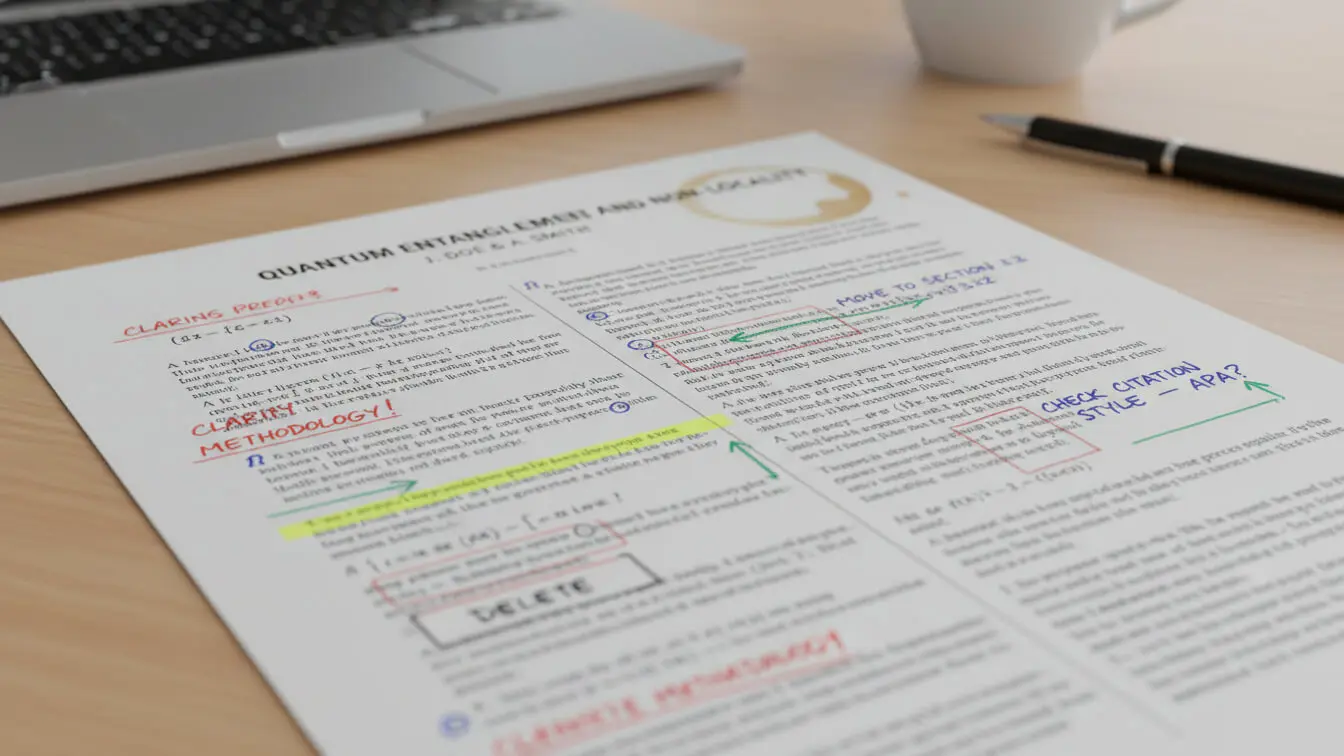
APA Style Formatting Rules
APA stands for American Psychological Association. This style is used in psychology, education, sociology, nursing, and other social science fields. The current version is APA 7th edition, published in 2020.
Basic APA Format Requirements
Your APA paper needs 1-inch margins on all four sides. Use double spacing throughout the entire paper—no exceptions. The font should be 12-point Times New Roman, 11-point Calibri, or 11-point Arial. According to APA guidelines, these fonts are readable and accessible to all users.
Here’s what your paper structure should look like:
- Title page with your paper title, name, school, course, instructor, and due date
- Abstract (if required—usually only for longer papers)
- Main text starting on a new page
- References page listing all sources
Page numbers go in the top right corner of every page, starting with page 1 on the title page. Student papers no longer need a running head—that changed in the 7th edition.
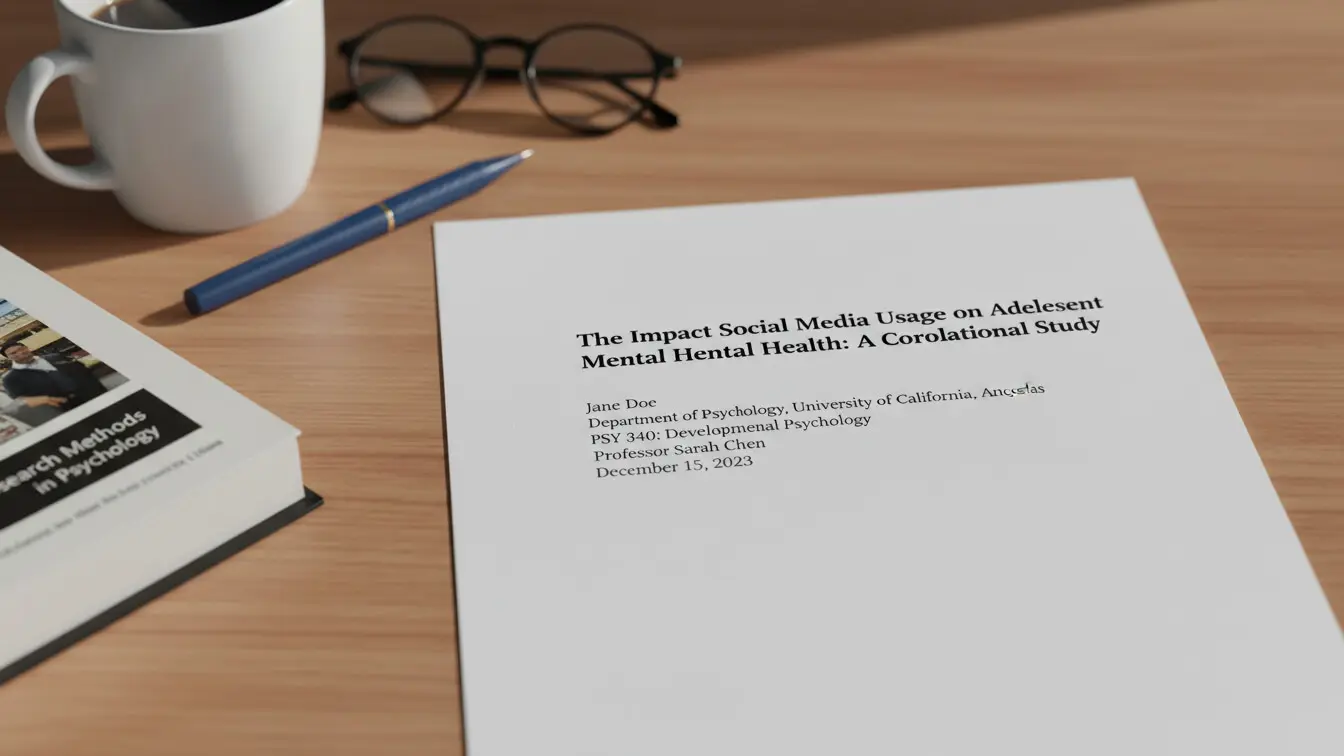
APA Title Page Setup
Center your title about three or four lines down from the top of the page. Use bold font and capitalize major words (not articles or short prepositions). If you have a subtitle, put it on the next line with a colon after the main title.
Skip down a few lines and center your name. Then add your department and school, course number and name, instructor name, and due date—each on its own line, all centered.
APA In-Text Citations
APA uses author-date citations. When you mention a source, put the author’s last name and year in parentheses: (Smith, 2023). If you quote directly, add the page number: (Smith, 2023, p. 45).
For two authors, use an ampersand: (Smith & Jones, 2023). For three or more authors, list the first author followed by “et al.” like this: (Smith et al., 2023).
If you mention the author in your sentence, you only need the year: Smith (2023) found that students who format correctly get better grades.
APA References Page
The references page starts on a new page after your conclusion. Center the word “References” at the top in bold. Don’t underline it or put it in quotes.
List sources in alphabetical order by the first author’s last name. Use a hanging indent—the first line at the margin, other lines indented 0.5 inches. Double space everything, including between entries.
Here’s a book citation example: Smith, J. A. (2023). Research methods for students. Academic Press.
Journal article example: Jones, M. B., & Lee, K. P. (2023). Citation practices in undergraduate writing. Journal of Academic Writing, 15(2), 123-145. https://doi.org/10.1234/jaw.2023.15.2.45
Check out our APA Reference Generator to create properly formatted citations quickly.
MLA Style Formatting Rules
MLA stands for Modern Language Association. English teachers, literature professors, and humanities instructors typically require this style. The current edition is MLA 9, which came out in 2021.
Basic MLA Format Requirements
MLA papers use 1-inch margins on all sides, just like APA. Double space the entire paper with no extra spaces between paragraphs. Use 12-point Times New Roman font (or a similar readable font).
Unlike APA, MLA doesn’t require a separate title page unless your instructor asks for one. Most MLA papers start with a heading in the top left corner of the first page.
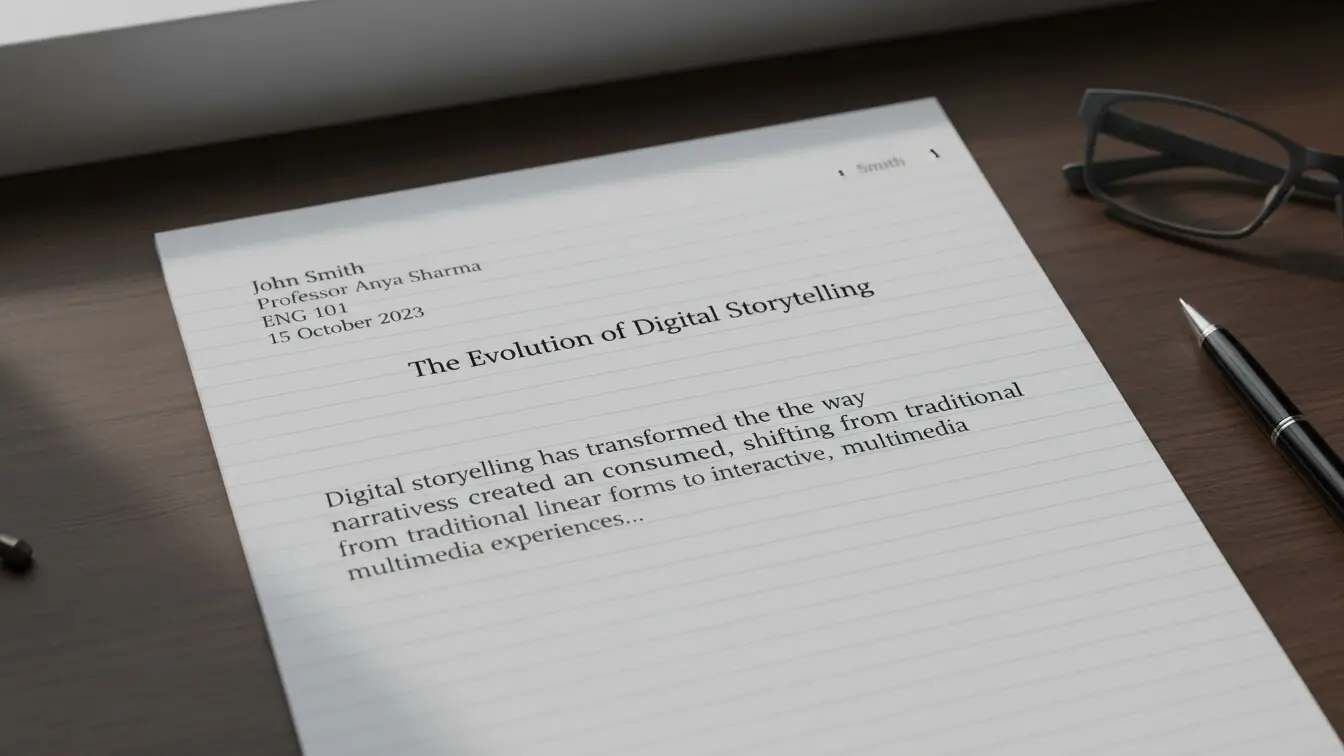
MLA First Page Setup
In the top left corner, type your name, your instructor’s name, the course number, and the date—each on its own line, double spaced. Then center your title on the next line. Capitalize major words but don’t make it bold, underlined, or italicized (unless the title includes another title that needs italics).
Start your text on the next line, indenting the first line of each paragraph by half an inch. Use the tab key, not the space bar.
MLA Header and Page Numbers
Every page needs your last name and page number in the top right corner, half an inch from the top. Set this up as a header so it appears automatically on every page. The first page gets this header too—starting with page 1.
MLA In-Text Citations
MLA uses author-page citations. Put the author’s last name and page number in parentheses: (Smith 45). No comma between them, and no “p.” or “page” before the number.
If you mention the author in your sentence, just put the page number in parentheses: Smith argues that proper formatting matters (45).
For two authors: (Smith and Jones 45). For three or more: (Smith et al. 45).
MLA Works Cited Page
Start your Works Cited page on a new page after your conclusion. Center the words “Works Cited” at the top—no bold, no underline.
List entries alphabetically by author’s last name. Use hanging indents and double spacing. According to MLA guidelines, each citation follows a container system with specific elements in order.
Book example: Smith, John A. Writing Better Papers. University Press, 2023.
Journal article: Jones, Mary Beth. “Citation Practices in Student Writing.” Academic Journal, vol. 15, no. 2, 2023, pp. 123-145.
Website: Miller, Sarah. “How to Format MLA Papers.” Writing Center, State University, 5 Jan. 2023, www.example.com/mla-formatting.
For quick MLA citations, try our Article Rewriter Tool which can help with paraphrasing and proper attribution.
Chicago Style Formatting Rules
Chicago style comes from The Chicago Manual of Style, now in its 18th edition. History departments, business schools, and fine arts programs often require this format. Chicago offers two citation systems—Notes-Bibliography (for humanities) and Author-Date (for sciences). We’ll focus on Notes-Bibliography since it’s what most students encounter.
Basic Chicago Format Requirements
Use 1-inch margins and double spacing, just like the other styles. The font should be 12-point Times New Roman or a similar readable typeface. Chicago style recommendations focus on consistency and readability.
Chicago papers typically include:
- Title page
- Body text with footnotes or endnotes
- Bibliography
Chicago Title Page
Center your title about one-third down from the top of the page. If you have a subtitle, put it on the next line with a colon after the main title. Move down several lines and center your name, then add your class information and date on separate lines.
The title page doesn’t get a page number. Start numbering with Arabic numerals (1, 2, 3) on the first page of your text, placing numbers in the top right corner of the header.
Chicago Notes and Citations
This is where Chicago differs most from APA and MLA. Instead of parenthetical citations, Chicago uses numbered footnotes or endnotes. Every time you cite a source, insert a superscript number at the end of the sentence (after the punctuation).
The first time you cite a source, give the full information in the note. After that, you can use a shortened version with just the author’s last name, shortened title, and page number.
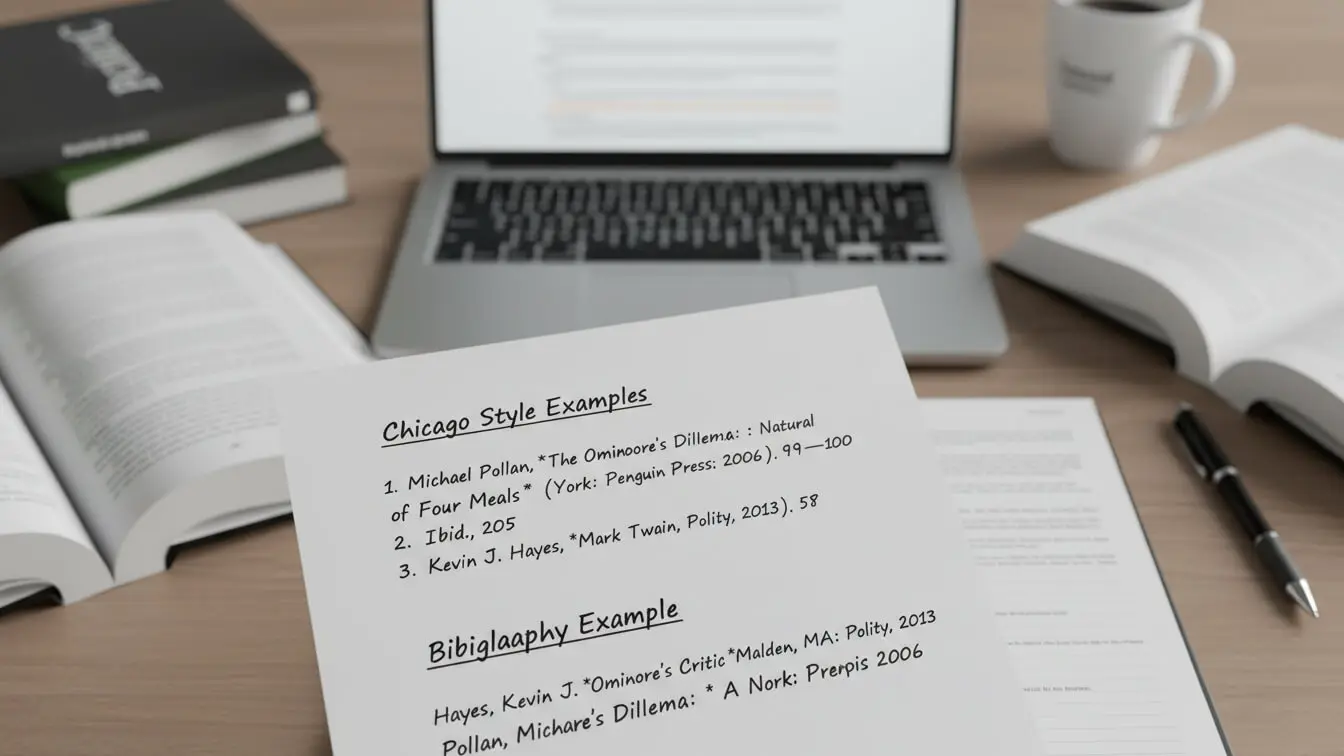
First note: 1. John A. Smith, Research Methods for Students (New York: Academic Press, 2023), 45.
Later notes: 5. Smith, Research Methods, 67.
The 17th edition of Chicago discourages using “Ibid.” for repeated citations. Just use the shortened format every time.
Chicago Bibliography
The bibliography starts on a new page after your text (and after endnotes, if you used those instead of footnotes). Center the word “Bibliography” at the top.
List sources alphabetically by author’s last name. Use hanging indents, but single space within each entry and add a space between entries.
Book: Smith, John A. Research Methods for Students. New York: Academic Press, 2023.
Journal: Jones, Mary Beth. “Citation Practices in Student Writing.” Academic Journal 15, no. 2 (2023): 123-145.
Notice how the bibliography format differs from the note format—author names are inverted, and publication information uses periods instead of commas and parentheses.
Which Style Should You Use
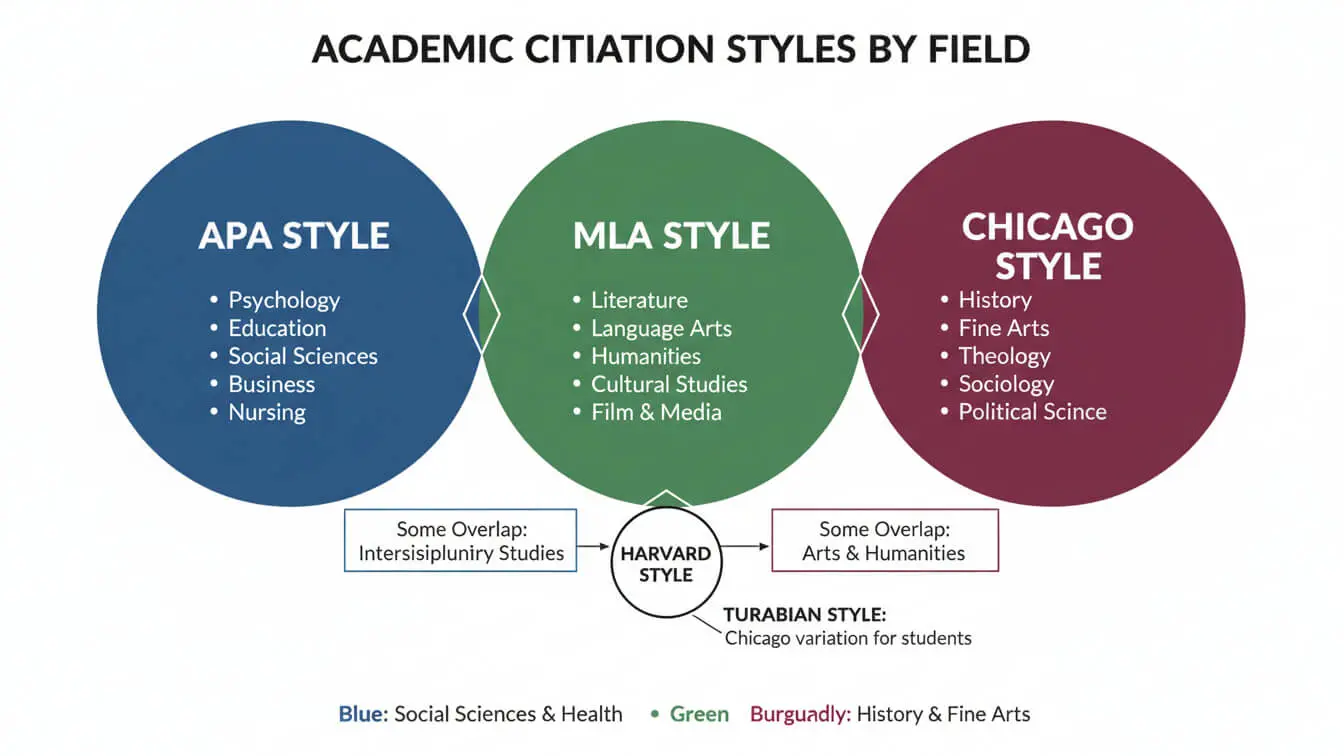
Your professor or assignment instructions will tell you which style to use. Don’t guess. If they don’t specify, ask before you start writing. Different fields prefer different citation styles based on what information matters most in that discipline.
When to Use APA Style
Pick APA for psychology papers, education courses, nursing assignments, sociology projects, and most social science research. APA emphasizes publication dates because recent research matters more in these fields. Scientists and social scientists need to know if a study is current or outdated.
When to Use MLA Style
Use MLA for English classes, literature analysis, language studies, media studies, and cultural criticism. MLA focuses on page numbers because humanities scholars analyze specific passages in texts. When writing about a novel or poem, you need to point readers to exact lines or paragraphs.
When to Use Chicago Style
Choose Chicago for history papers, art history courses, some business classes, and interdisciplinary research. Chicago’s note system lets you provide detailed source information without cluttering your text. This works well when you’re working with diverse sources like primary documents, images, and multimedia.
Some fields use Chicago’s Author-Date system instead, which looks similar to APA. Always check your assignment guidelines or ask your instructor.
Can You Mix Citation Styles
No. Never mix citation styles in the same paper. Pick one and stick with it from start to finish. Mixing different citation styles is one of the most common mistakes students make. It confuses readers and shows you don’t understand academic conventions.
If you’re writing for different classes, you’ll use different styles for different assignments. That’s fine. Just keep them separate—APA for your psychology paper, MLA for your English essay, Chicago for your history research project.
Research Paper Formatting Mistakes to Avoid
Most students mess up their formatting in predictable ways. Here are the mistakes that cost the most points and how to dodge them.
Wrong Margins and Spacing
Word processors sometimes default to different margin settings. Always check that your margins are set to 1 inch on all sides. Don’t eyeball it—actually check the settings.
Another trap: extra spaces between paragraphs. Modern Word documents add a 10-point space after each paragraph by default. You need to turn that off. Highlight your whole paper, open the paragraph settings, and set “spacing after” to 0.
Inconsistent Font and Size
Stick with one font throughout your paper. Don’t switch to a different font for your title or headings unless the style guide specifically tells you to. Keep the size at 12 points for the main text (or 11 for Calibri/Arial in APA).
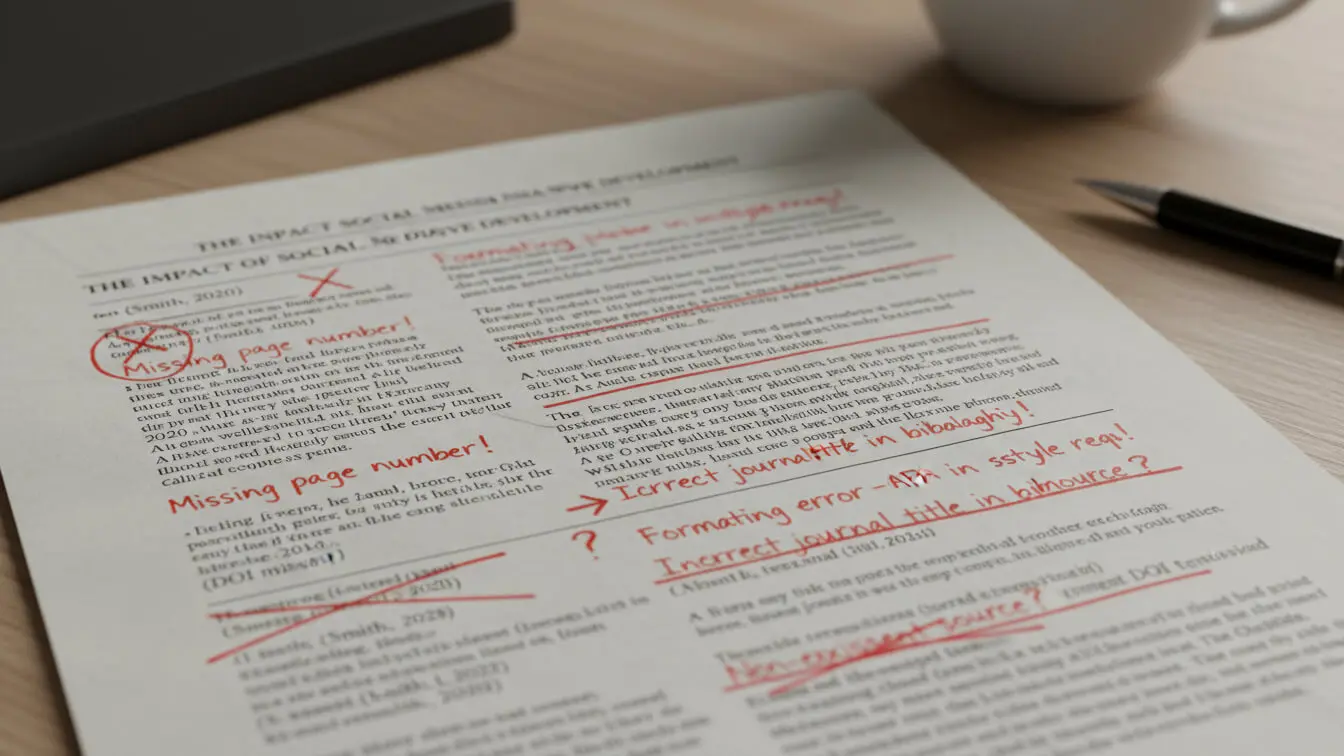
Missing Page Numbers
Every style requires page numbers, but students forget them constantly. Set up your header at the start so numbers appear on every page automatically. Don’t try to type them manually—you’ll mess it up when you edit your paper.
Citation and Reference Mismatches
Every in-text citation needs a matching entry on your references/works cited/bibliography page. Every entry on that page should connect to at least one citation in your text. Missing citations or references signal sloppy work to your professor.
Before you submit, cross-check everything. Go through your paper and highlight each citation. Then check your reference list to make sure it’s there. Go through your reference list and find each citation in your text. If something doesn’t match, fix it.
Wrong Capitalization in Titles
APA and Chicago use sentence case for article titles—capitalize only the first word, proper nouns, and the first word after a colon. MLA uses title case—capitalize all major words.
Book and journal titles always get italicized in all three styles. Article titles go in quotation marks in MLA and Chicago, but not in APA.
Incorrect Author Names
In-text citations use only last names. Don’t put first names, initials, or titles like Dr. or Professor. Save the full names and initials for your reference list.
For reference lists: APA uses initials (Smith, J. A.). MLA uses full first names (Smith, John Alan). Chicago uses full first names in the bibliography but not in notes.
Missing or Wrong Publication Information
Every citation needs complete publication details—author, date, title, and source information. Incomplete citations make it impossible for readers to find your sources. If you can’t find a publication date, use “n.d.” for “no date.” If there’s no author, start with the title.
Not Citing Paraphrased Ideas
This is huge. You need to cite every idea that came from a source, even if you put it in your own words. Paraphrasing without citation is still plagiarism. If the idea isn’t yours and it isn’t common knowledge, cite it.
Using Only One Type of Source
This isn’t a formatting mistake, but it often shows up in poorly formatted papers. Mix your sources—books, journal articles, credible websites. Using only websites (especially Wikipedia) makes your paper look weak. Diversify your research.
Looking for help avoiding plagiarism while paraphrasing? Try our Paraphrasing Tool to rewrite content while maintaining proper attribution.
Free Tools That Make Formatting Easier
You don’t have to format everything by hand. Smart students use tools to speed up the process and reduce errors. Just remember—these tools aren’t perfect. Always double-check what they generate against the official style guides.
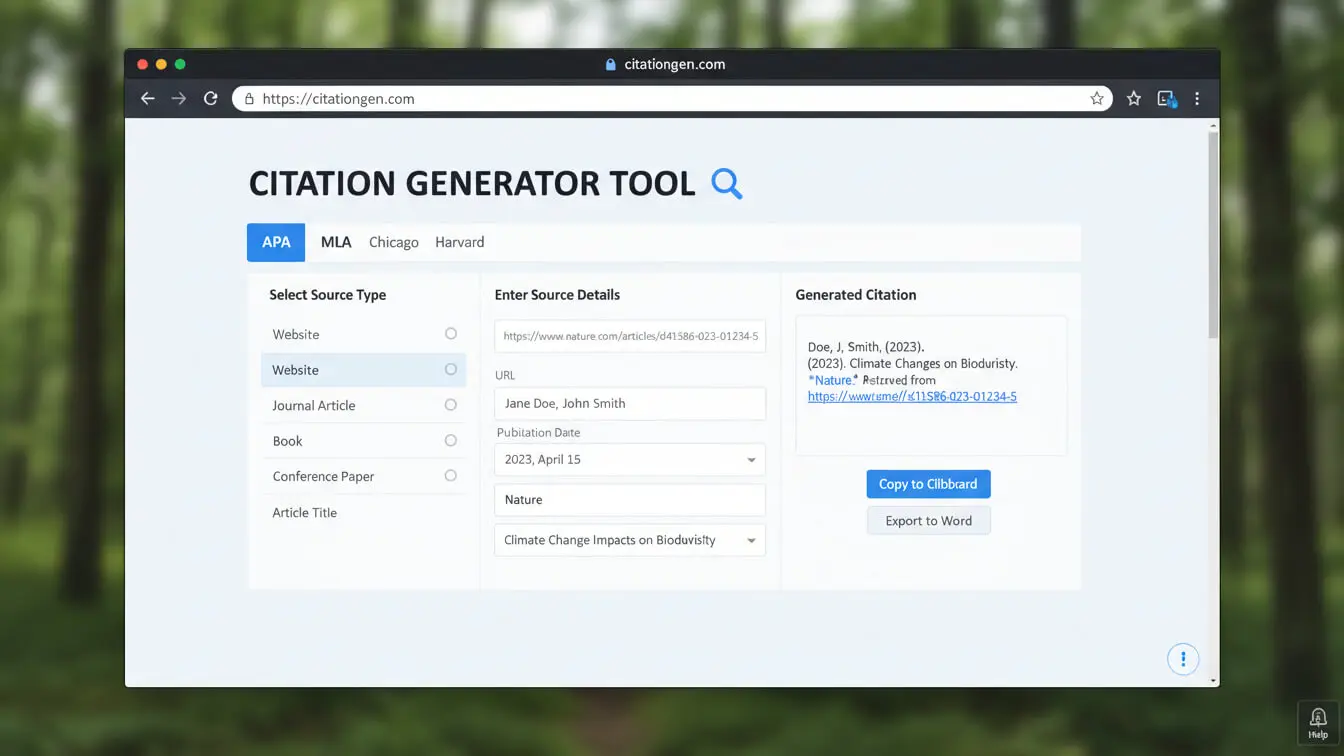
Citation Generators
Citation generators create formatted references from source information you enter. Most citation generators work pretty well, but they can miss small details like capitalization or punctuation.
Free options include:
- Purdue OWL – Provides templates and examples for all major styles
- ZoteroBib – Quick citations you can copy and paste
- EasyBib – Basic version is free, handles common sources
- Citation Machine – Covers APA, MLA, and Chicago
Our AI Title Generator can also help you create properly formatted titles for your research papers.
Reference Management Software
If you’re writing multiple papers or working on a big research project, reference managers save time. They store your sources and generate bibliographies automatically.
Popular choices:
- Zotero – Free, open source, works with Word and Google Docs
- Mendeley – Free, includes PDF annotation tools
- EndNote – Powerful but expensive, often provided by universities
Writing Assistants
Grammar checkers like Grammarly can catch some formatting errors, though they’re not designed specifically for academic citation. They’re better at fixing basic writing mistakes.
For AI-powered writing help that understands academic formats, check out our Essay Outline Generator to structure your papers correctly from the start.
Templates
Many universities provide Word or Google Docs templates already formatted for APA, MLA, or Chicago style. These templates set up your margins, fonts, headers, and title pages automatically. You just fill in your content.
Search your school’s library website for “APA template” or “MLA template.” If they don’t have one, Purdue OWL provides free templates you can download.
Browser Extensions
Browser extensions like Zotero Connector or Mendeley Web Importer grab citation information from websites, library databases, and online journals. Click the button, and they save the source details to your library. Later, you can generate formatted citations with one click.
Database-Generated Citations
Most academic databases (JSTOR, Google Scholar, ProQuest) offer “cite this” buttons that generate citations in different formats. These are convenient but not always accurate. Use them as a starting point, then verify the formatting.
Frequently Asked Questions
Do I need a title page for every paper?
It depends on the style. APA and Chicago require title pages. MLA doesn’t unless your instructor specifically asks for one. When in doubt, check your assignment instructions or ask your professor.
How do I cite a source with no author?
Start the citation with the title. In your in-text citation, use a shortened version of the title. For example: (“Common Citation Mistakes” 12). On your reference page, alphabetize by the first significant word in the title (ignore “The,” “A,” and “An”).
What if I can’t find a publication date?
Use “n.d.” which stands for “no date.” In APA: (Smith, n.d.). In your reference list: Smith, J. A. (n.d.). For MLA, you can list the date you accessed the source if it’s a website.
Can I use footnotes in APA or MLA?
APA and MLA allow footnotes for extra information or explanations, but not for citations. All your source citations go in the text (parenthetical) and on your reference page. Only Chicago uses footnotes for citations.
How do I cite a source I found in another source?
Try to find and cite the original source. If you can’t access it, cite it as a secondary source. In APA: (Smith, 2020, as cited in Jones, 2023). In MLA: (qtd. in Jones 45). List only the secondary source (Jones) in your reference list.
Do I need to cite common knowledge?
No. Facts that most people know (like “George Washington was the first U.S. president”) don’t need citations. But if you’re unsure whether something counts as common knowledge, cite it. Better safe than sorry.
What’s the difference between a reference list and a bibliography?
A reference list (APA, MLA’s Works Cited) includes only sources you actually cited in your paper. A bibliography (Chicago) can include sources you consulted but didn’t directly cite. Most student papers only include cited sources.
How do I format a long quote?
APA and MLA call these block quotes. In APA, quotes of 40+ words get indented 0.5 inches as a block with no quotation marks. In MLA, quotes of four+ lines get the same treatment. Introduce the quote, hit enter, indent the whole thing, and put the citation after the final punctuation.
Can I use online citation generators for my final paper?
Yes, but always verify them. Generators make mistakes with capitalization, punctuation, and unusual sources. Use them to save time on the basics, then check each citation against the official style guide or examples from Purdue OWL.
What’s the penalty for wrong formatting?
That’s up to your professor. Some dock points for each error. Others give one overall deduction for formatting problems. Many instructors will let you revise if you catch errors before the deadline. Check your syllabus for the grading rubric.
Should I use DOI or URL for online sources?
Always use the DOI (Digital Object Identifier) if available. DOIs are permanent links that won’t break. If there’s no DOI, use the URL. In APA and MLA, don’t add “Retrieved from” or “Available at”—just the DOI or URL at the end.
Do I italicize or quote YouTube video titles?
Italicize them. Videos, podcasts, and other standalone works get italics. Episodes within a series go in quotation marks. The series name gets italicized.
How current should my sources be?
Depends on your field. Sciences prefer sources from the last 5-10 years. Humanities papers can cite older sources, especially primary texts. For controversial or rapidly changing topics, stick with recent research. Your professor may specify a date range in the assignment.
Key Takeaways
Formatting a research paper correctly doesn’t have to be confusing. Here’s what you need to remember:
All three major styles (APA, MLA, Chicago) require 1-inch margins, double spacing, and 12-point font. They differ in citation methods, title page requirements, and how you list sources.
APA focuses on publication dates and uses author-date citations. It’s standard for social sciences. Your in-text citations include the author and year, and your reference list uses hanging indents with specific punctuation rules.
MLA emphasizes page numbers and uses author-page citations. English and humanities classes require this style. You’ll need a header with your last name and page number on every page, and your Works Cited page follows a container system.
Chicago offers two systems—Notes-Bibliography for humanities and Author-Date for sciences. The Notes-Bibliography system uses numbered footnotes or endnotes instead of parenthetical citations, with a separate bibliography at the end.
Common mistakes include mixing citation styles, forgetting page numbers, mismatching citations and references, and failing to cite paraphrased ideas. Check your work carefully before submitting.
Use citation generators and reference management software to speed up formatting, but always verify their output. These tools make mistakes, especially with capitalization and punctuation. Professional formatting resources provide templates and examples to guide you.
The most important rule: follow your professor’s instructions. If they specify a style, use it. If they don’t, ask. Getting the format right from the start saves you time and protects your grade.
For more academic writing help, explore our complete collection of AI writing tools designed to make research and writing easier.


