
You can write the best video in the world, but without a good YouTube description, nobody’s going to find it. Your description is the bridge between your content and the people searching for it. It tells YouTube what your video’s about and helps viewers decide if they should click. When you nail your YouTube description, you’re giving yourself a huge advantage in search rankings.
Here’s what you’re going to learn in this article: how descriptions actually affect your rankings, what to write in those first 150 characters, where to put your keywords without sounding like a robot, and exactly how long your description should be. By the time you finish reading, you’ll know how to turn every video description into an SEO magnet that pulls in views.

Table of Contents
- What YouTube Descriptions Actually Do for SEO
- Why the First 150 Characters Matter Most
- Where to Put Your Keywords (Without Stuffing)
- How Long Should Your Description Be
- The 5-Part Description Structure That Works
- Adding Timestamps That Boost Watch Time
- Links and Calls to Action That Convert
- 7 Description Mistakes Killing Your Rankings
- Free Tools to Write Better Descriptions
- FAQ
- Key Takeaways
What YouTube Descriptions Actually Do for SEO
YouTube descriptions give the platform information it needs to understand your video. According to Backlinko’s research, YouTube uses your description to figure out what your video covers and who should see it. The platform can’t watch your videos the way humans do, so it reads your text instead.
Your description shows up in three places: search results, suggested videos, and on your video page. When someone searches for something on YouTube, the first two lines of your description appear right under your title. That snippet is your chance to convince them to click. If those lines are weak or stuffed with random keywords, people scroll past.
The description also feeds YouTube’s recommendation system. When the algorithm decides which videos to suggest, it looks at your description to match your content with what viewers want to watch. TubeBuddy’s analysis found that videos with well-written descriptions around 200 words get better rankings than videos with bare-minimum text.
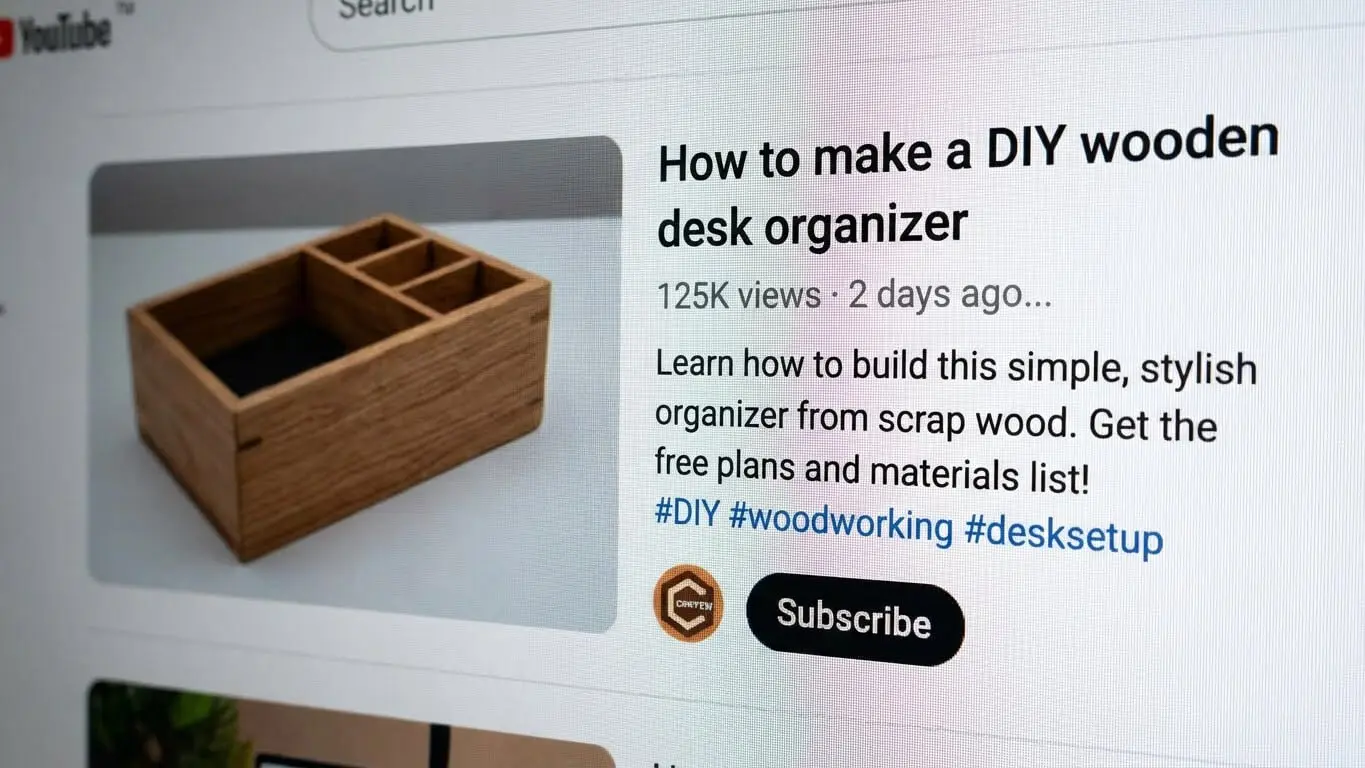
Google also crawls YouTube descriptions. Your video can show up in Google search results if your description is strong. SEMrush data shows that 18% of videos ranking in top 10 results come from channels with fewer than 1,000 subscribers. That means even small channels can compete if they write descriptions right.
Think of your description as your video’s resume. It tells YouTube and viewers exactly what they’re getting. Skip it or write garbage, and you’re throwing away free traffic.
Why the First 150 Characters Matter Most
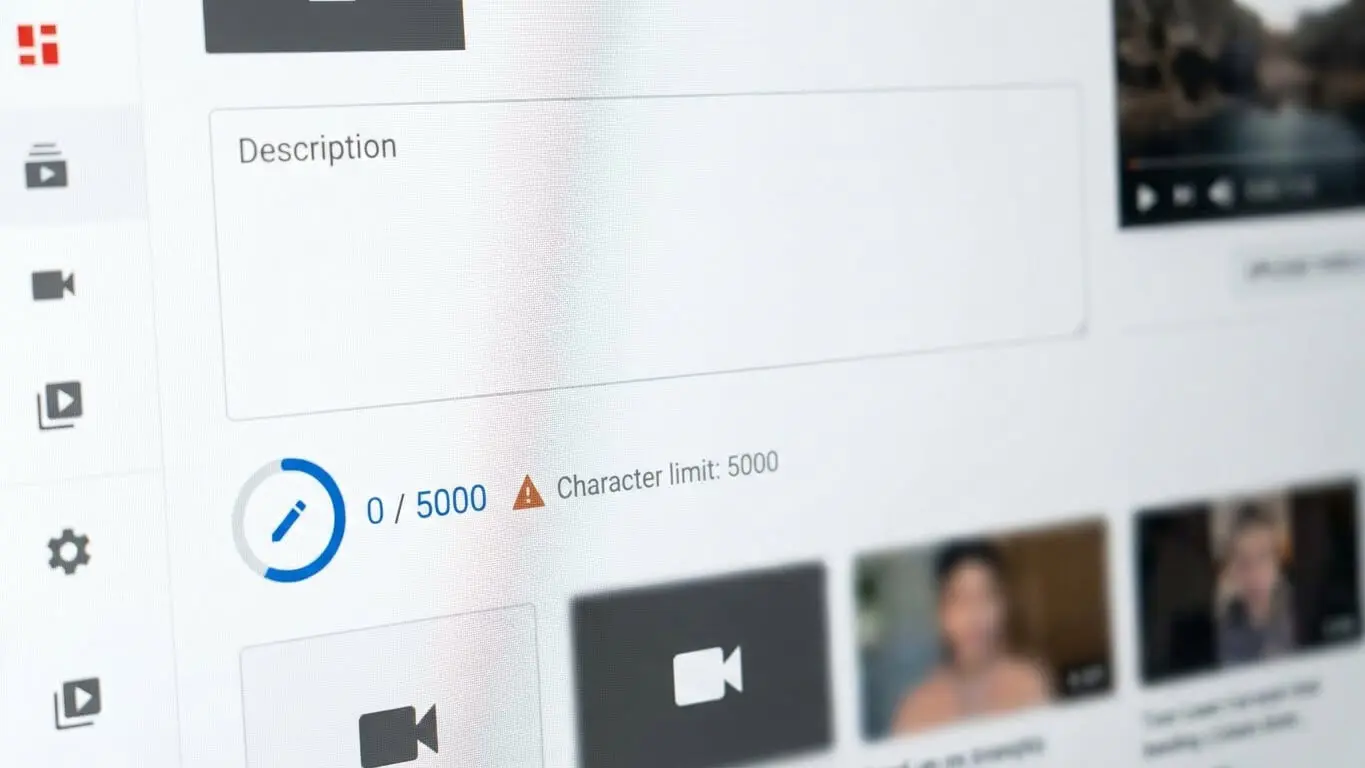
YouTube only shows the first 150 characters of your description before the “show more” button. Everything else stays hidden until someone clicks. Clipchamp’s guide confirms that these visible characters appear in search results and suggestions.
Those 150 characters are your pitch. You’ve got maybe three seconds to grab attention. Don’t waste space on “Hey guys, welcome back to my channel” or links to your social media. Nobody cares about that stuff when they’re deciding whether to watch.
Start with the benefit. Tell them exactly what they’ll learn or get from watching. If your video teaches someone how to fix a leaky faucet, say “Fix your leaky faucet in 10 minutes with basic tools.” If you’re reviewing a phone, say “iPhone 16 Pro Review: 3 reasons to buy it, 2 reasons to skip it.” Be direct and clear.
Your main keyword needs to show up in this section. Bluehost’s SEO analysis points out that YouTube weighs the first couple of sentences more heavily than the rest. If your target keyword is “beginner guitar lesson,” get it into those opening lines naturally.
Test your first 150 characters by reading them out loud. Do they sound like a human wrote them? Would you click on that? If not, rewrite until they pass the real-person test.
Where to Put Your Keywords (Without Stuffing)
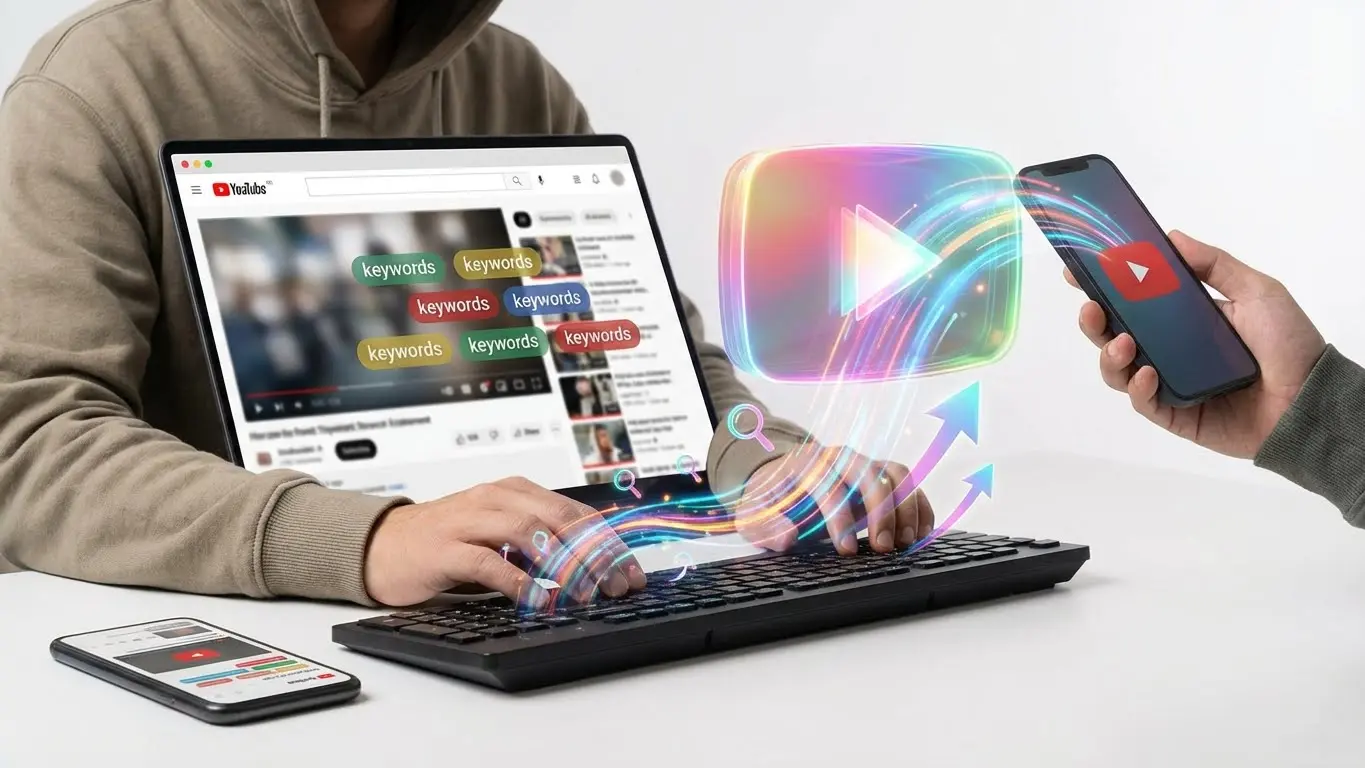
Keywords help YouTube understand your topic, but cramming them everywhere makes your description unreadable. Hootsuite’s algorithm guide explains that YouTube pays attention to viewers, not just videos. If people bounce because your description looks spammy, your rankings tank.
Put your main keyword in the first 1-2 sentences. Then use it naturally 2-3 more times throughout the description. Backlinko’s testing found this approach works better than either avoiding keywords or stuffing them in every sentence.
Add related keywords too. If your main keyword is “how to meal prep,” related terms might be “weekly meal planning,” “food prep tips,” or “batch cooking.” These give YouTube extra context about your video. They also help you rank for searches you didn’t originally target.
Here’s what good keyword placement looks like:
“Learn how to meal prep for the week in under 2 hours. This meal prep guide covers shopping lists, batch cooking techniques, and storage tips that keep food fresh. You’ll get 5 easy meal prep recipes and a free weekly meal planning template.”
The main keyword appears naturally twice. Related terms fit smoothly into the flow. Nothing feels forced or weird. Compare that to keyword stuffing:
“Meal prep meal prep tips weekly meal prep how to meal prep meal prep for beginners meal prep recipes meal prep guide.”
See the difference? The second version is garbage that nobody wants to read. SEO Sherpa’s research confirms that keyword density should stay below 0.5%. Focus on clarity over cramming keywords in.
Use your YouTube title generator to find related keywords that fit naturally into your description. These tools pull from actual search data, so you’re targeting terms people actually use.
How Long Should Your Description Be?
YouTube gives you 5,000 characters for descriptions. That’s roughly 800 words. Character count data shows that most top-ranking videos use between 200-300 words.
Write enough to be useful, but don’t ramble. Aim for at least 200 words. TubeBuddy’s analysis of high-performing videos found that descriptions averaging 200+ words consistently rank better than shorter ones.
Short descriptions (under 100 words) don’t give YouTube enough information. The algorithm needs context to figure out what your video covers and who wants to see it. A weak description means YouTube has to guess, and it usually guesses wrong.
Super long descriptions (over 500 words) are overkill unless you’re creating detailed tutorials or educational content. Most viewers won’t read past the first paragraph anyway. Save the essay for your blog.
Here’s a sweet spot: 200-300 words broken into short paragraphs. Include your keyword placement, a summary of what the video covers, timestamps if needed, and links to useful resources. That’s enough to rank well without boring people to death.
Every description should be unique. Don’t copy-paste the same boilerplate across all your videos. YouTube’s own guidelines state that unique descriptions help videos stand out in search and recommendations.
The 5-Part Description Structure That Works
Stop guessing what goes in your description. Use this proven structure that covers everything YouTube and viewers need:
1. Hook (First 150 Characters)
Open with the main benefit and your primary keyword. Make it punchy. Tell viewers exactly what they’ll get from watching. This section appears in search results, so it needs to sell your video.
2. Video Summary (Next 100-150 Words)
Expand on what the video covers. Include your keyword 2-3 more times naturally. List the main points or steps you’ll teach. Give enough detail that someone reading can decide if this video answers their question.
Example: “In this video, you’ll learn five proven YouTube script techniques that top creators use to keep viewers watching. I’ll show you how to write strong hooks, structure your content for maximum retention, and add pattern interrupts that prevent boredom.”
3. Timestamps (For Videos Over 3 Minutes)
Break your video into chapters with timestamps. Start at 00:00. Research shows that 63% of top-ranking videos include timestamp navigation. They help viewers jump to specific sections and signal to YouTube that your content is organized.
Format timestamps like this:
00:00 – Intro
01:23 – Hook writing techniques
04:45 – Structure tips
08:12 – Pattern interrupts
11:30 – Recap and next steps
4. Links and Resources
Add 2-4 helpful links. These could be your website, related videos, free downloads, or affiliate products. Put the most important link near the top. Bluehost recommends including links that drive viewers to your other content or website, turning passive viewers into active followers.
Don’t spam links. Three well-chosen links work better than 20 random ones. Make sure each link adds value or helps viewers take the next step.
5. Channel Info and Call to Action
End with a brief channel description and a simple CTA. Tell viewers to subscribe if the video helped them. Ask for comments or shares. Keep it casual and genuine.
Example: “If this video helped you write better scripts, hit subscribe for more YouTube growth tips every Tuesday. Drop a comment if you have questions!”
This structure works because it gives YouTube the information it needs while making the description useful for humans. You’re not choosing between SEO and readability—you’re doing both.
Adding Timestamps That Boost Watch Time
Timestamps do more than help viewers navigate. They actually improve your SEO. Research from uSERP shows that YouTube values videos that retain viewers longer, and timestamps help people find exactly what they want.
When someone searches for something specific, YouTube can link directly to the timestamp that answers their question. This creates “key moments” in search results. According to SEO experts, time-coded content can appear as rich results in both YouTube and Google searches.
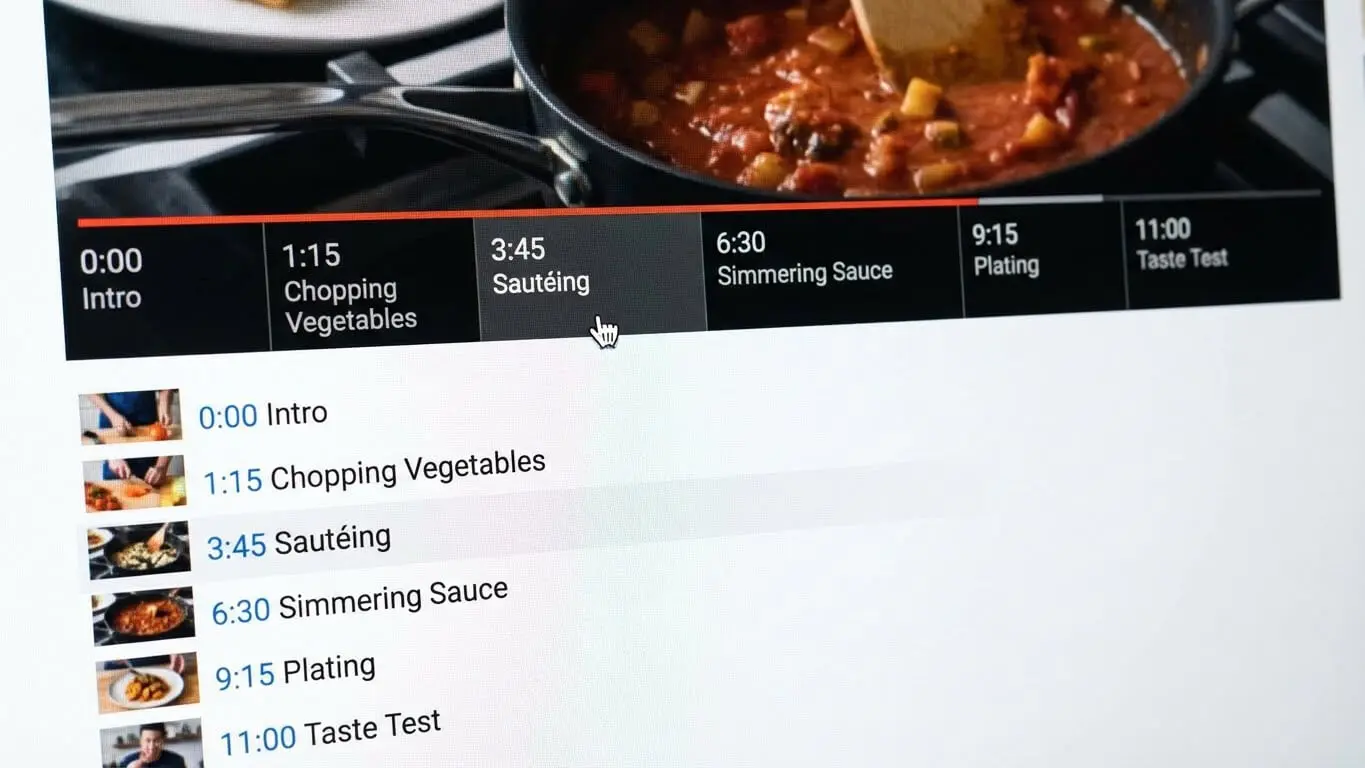
Add timestamps for any video longer than 3 minutes. Here’s how to format them right:
- Start every timestamp list at 00:00 (this is YouTube’s requirement)
- Use the format MM:SS (like 01:23 or 12:45)
- Include at least 3 timestamps per video
- Write clear labels that describe each section
- Space timestamps at least 10 seconds apart
Good timestamp labels help SEO because they add keyword-rich text to your description. Instead of “Part 1,” write “Setting up your camera gear.” Instead of “Next section,” write “Editing tips for beginners.” These descriptive labels give YouTube more context about your content.
Timestamps also boost watch time. When viewers can jump to the exact part they need, they’re more likely to watch that section completely instead of bouncing. Algorithm research confirms that watch time is one of the strongest ranking factors on YouTube.
Don’t forget to add timestamps in your video editor too. YouTube’s chapter feature automatically creates a timeline when you include proper timestamps in your description. This makes your video easier to browse and keeps people watching longer.
Links and Calls to Action That Convert
Your description is prime real estate for links. Use it wisely. Bold Content’s guide recommends including your most important URL near the top of your description, right after the hook.
Here’s what to link to:
- Your website or landing page
- Related videos on your channel
- Free resources like templates, checklists, or guides
- Affiliate products you mention in the video
- Social media profiles (but only if relevant)
Limit yourself to 3-5 links maximum. More than that looks spammy and dilutes attention. Pick the links that matter most to your goals. If you’re trying to build an email list, link to your opt-in page. If you want viewers to watch more content, link to a related video or YouTube playlist.
Make your links clickable by including the full URL with https://. YouTube automatically converts these to clickable links. Shortened links work too, but full URLs look more trustworthy.
![A mechanical keyboard with white and gray keys sits in front of a monitor displaying a YouTube video titled How to Build a Custom Keyboard [2024 Guide], perfect for crafting engaging YouTube descriptions or brushing up on SEO tips for 2026. Uploaded on aifreeforever.com](https://aifreeforever.online/wp-content/uploads/2026/01/image_202601042221-1.webp)
Calls to action (CTAs) tell viewers what to do next. Don’t assume they’ll figure it out. Research on engagement shows that simple CTAs like “Drop a comment if this helped” or “Subscribe for more tips” significantly boost interaction rates.
Keep CTAs natural and specific. “Hit like and subscribe” is boring and generic. Try “Subscribe if you want weekly SEO tips” or “Share this with a friend who needs YouTube help.” Give people a reason to act.
Place one CTA near the top of your description and another at the bottom. The top CTA catches people who read your description before watching. The bottom CTA reaches people who scroll down after watching. Two CTAs work better than none or ten.
7 Description Mistakes Killing Your Rankings

Even experienced creators screw up their descriptions. Here are the mistakes that hurt your SEO most:
1. Copying the Same Description Across Videos
Using boilerplate text for every video is lazy and ineffective. YouTube explicitly states that unique descriptions help videos rank better. Write fresh descriptions for each video, even if you have a template for channel info at the bottom.
2. Starting With Social Media Links
Nobody searches for your video to find your Instagram. Backlinko’s testing found that descriptions starting with links look unappealing in search results. Put links after your hook and summary.
3. Writing One-Sentence Descriptions
“Check out my awesome video!” is not a description. TubeBuddy’s data shows that videos with minimal descriptions rank lower because YouTube lacks context. Aim for at least 200 words.
4. Keyword Stuffing Like It’s 2010
Repeating your keyword 20 times makes you look desperate and kills readability. SEO Sherpa warns that keyword stuffing can actually suppress your video in search. Use keywords naturally, not robotically.
5. Forgetting to Mention the Video Topic
Your description should clearly state what the video covers. If someone reads your description and still doesn’t know what they’ll learn, you failed. Be specific about the content, benefits, or results viewers will get.
6. Ignoring Related Keywords
Focusing only on one keyword limits your reach. Hootsuite’s research shows that videos ranking for multiple related terms get more total views. Include variations and related phrases that people actually search for.
7. Never Updating Old Descriptions
Your old videos still matter. If you’ve got videos from years ago with weak descriptions, update them. Add keywords, improve the hook, include timestamps. SEO experts recommend reviewing and updating descriptions on your top-performing videos every 6-12 months.
Free Tools to Write Better Descriptions
Writing descriptions gets easier with the right tools. Here are the free options that actually help:
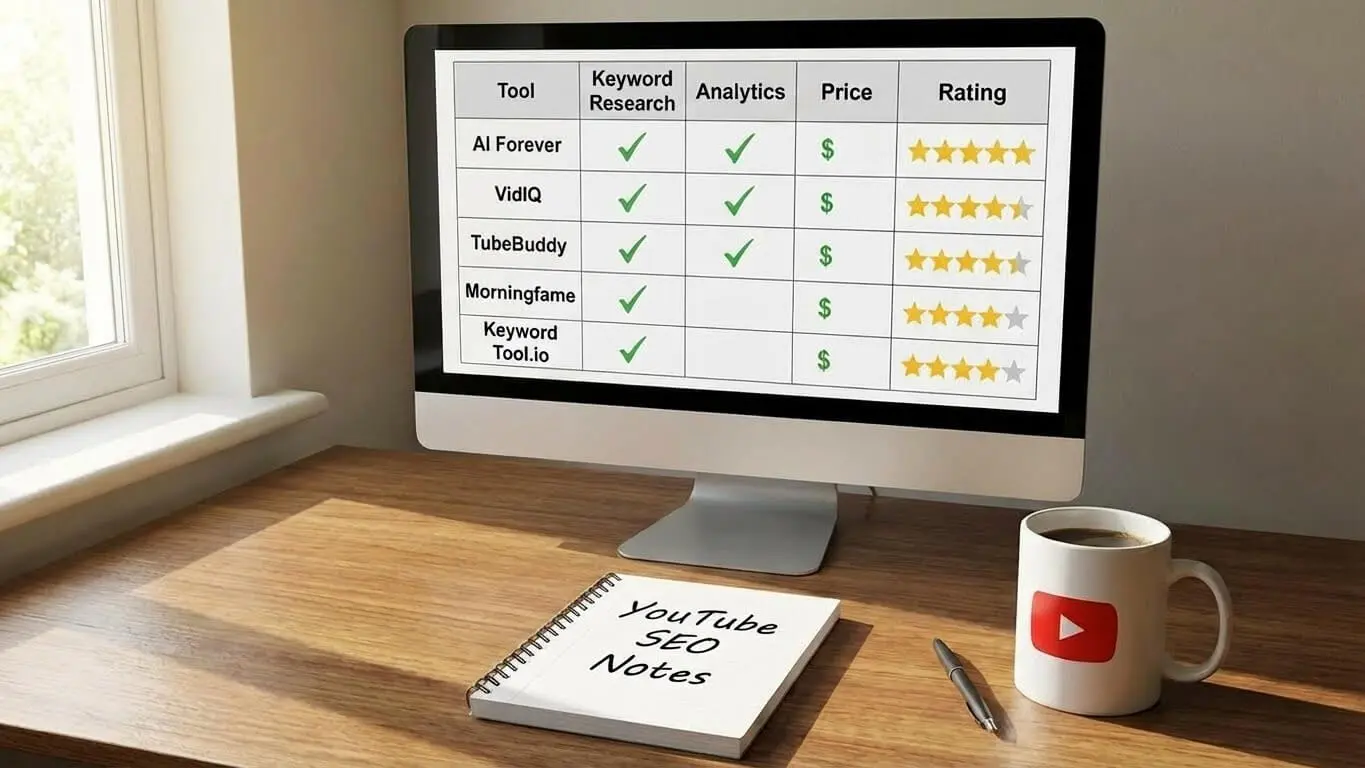
1. AI FREE FOREVER – YouTube Description Generator
AI FREE FOREVER’s YouTube Description Generator helps you write SEO-friendly descriptions in seconds. Just enter your video topic and target keywords, and it generates a complete description with proper structure, keyword placement, and CTAs. It’s the fastest way to create descriptions that rank without spending 30 minutes per video.
The tool also includes a YouTube Title Generator and YouTube Comment Generator to handle all your video metadata.
2. YouTube’s Built-In Search Autocomplete
Start typing your topic in YouTube’s search bar and watch what suggestions pop up. These are real searches people make. SEO research confirms that autocomplete suggestions are goldmines for finding related keywords to include in your description.
3. TubeBuddy (Free Version)
TubeBuddy offers a free browser extension that suggests tags and keywords while you upload. It analyzes your description and gives you an SEO score. The free version includes keyword research tools that show search volume and competition.
4. Character Counter Tools
Use a YouTube character counter to make sure your description fits within limits and your first 150 characters are strong. These tools show you exactly what viewers see before clicking “show more.”
5. Google Trends for YouTube
Google Trends has a YouTube search filter that shows trending topics and related queries. Use it to find popular keywords in your niche and see what people are searching for right now.
The key is using these tools together, not just relying on one. Generate a draft with AI FREE FOREVER, check keywords with TubeBuddy, verify character counts, and research trends. This workflow creates descriptions that actually rank.
FAQ
How long should my YouTube description be?
Aim for 200-300 words. This gives YouTube enough context to understand your video while keeping the description readable. TubeBuddy’s data shows videos with 200+ word descriptions rank better than shorter ones.
Do YouTube descriptions affect SEO?
Yes, absolutely. YouTube uses descriptions to understand video content and match it with search queries. Well-optimized descriptions help videos rank higher in both YouTube and Google search results.
What’s the character limit for YouTube descriptions?
You get 5,000 characters total, which is about 800 words. However, only the first 150 characters appear in search results and on your video page before the “show more” button.
How many keywords should I use in my description?
Use your main keyword 3-4 times naturally throughout the description. Backlinko recommends including your primary keyword in the first sentence, then repeating it 2-3 more times. Add related keywords to give YouTube more context.
Should I put links in my YouTube description?
Yes, but limit yourself to 3-5 important links. Include your website, related videos, and helpful resources. Put your most important link near the top, after your hook and summary.
Can I use the same description for all my videos?
No. YouTube’s guidelines state that unique descriptions help videos rank better. Write original descriptions for each video, even if you use a template for channel info.
Do timestamps help YouTube SEO?
Yes. Timestamps improve user experience and can create “key moments” in search results. Research shows that 63% of top-ranking videos include timestamp navigation.
Should I put hashtags in my description?
Use 2-3 relevant hashtags maximum. YouTube research shows that too many hashtags (more than 3) can actually hurt your visibility. Put them at the end of your description.
How often should I update my video descriptions?
Review and update descriptions on your top-performing videos every 6-12 months. SEO experts recommend adding new keywords, improving hooks, and including timestamps on older videos to boost their rankings.
What should go in the first 150 characters?
Start with the main benefit viewers will get and include your primary keyword. This section appears in search results, so make it compelling and clear about what the video covers.


