Table of contents
What Is a Fantasy Map Generator?
A fantasy map generator is a computer tool that makes maps for you. It uses math rules or AI to create the map automatically. Some tools build realistic land based on how real geography works. Other tools turn your words into pictures of maps.
Three main groups use these tools. First, authors use them to see their story worlds and put maps in their books. Second, game masters use them for D&D games and other roleplaying games. They need maps for their players to explore. Third, world-builders use them to create full imaginary universes with lands, kingdoms, and cultures.
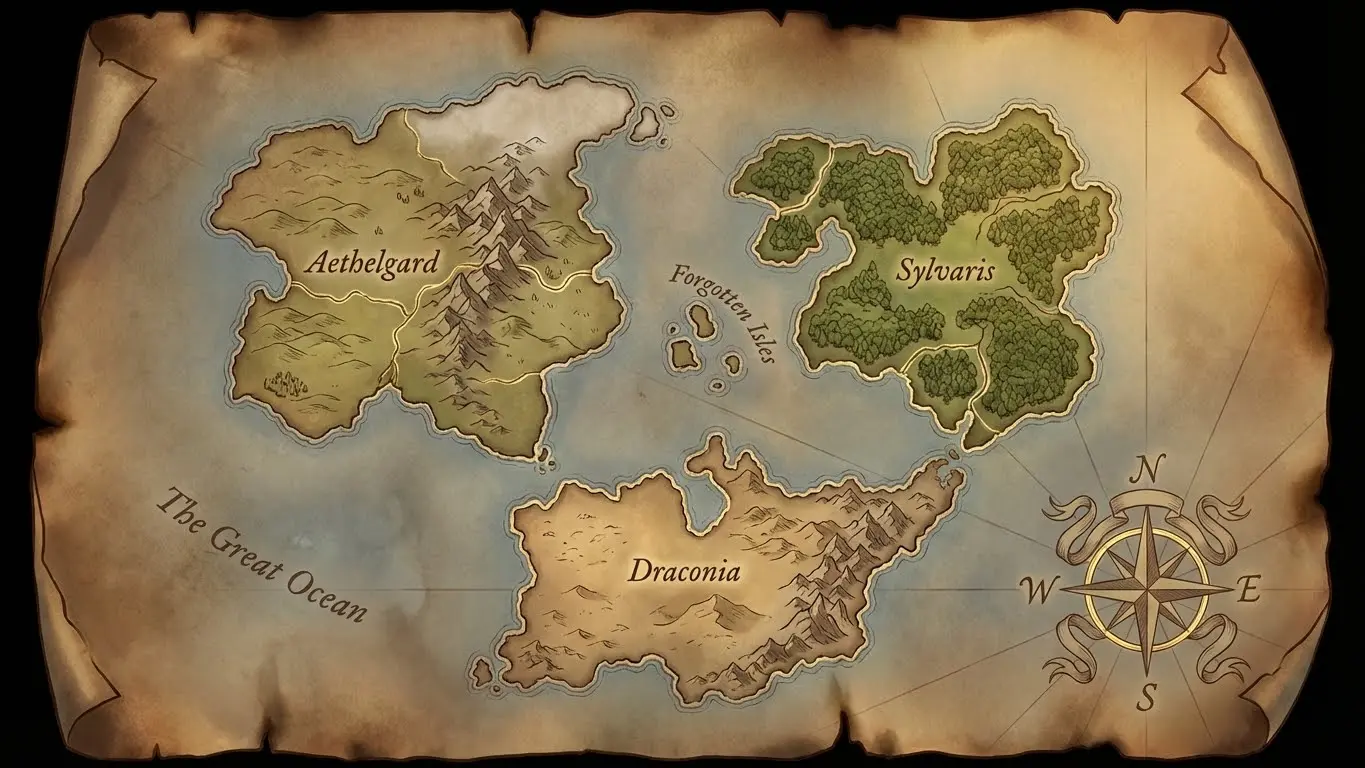
The tools in this guide come in two types. Procedural generators like Azgaar and Donjon let you edit and change the maps. Text-to-image AI generators like DeepAI and OpenArt turn your written descriptions into pictures. You can pick the type that fits what you need.
1. AFF Map Making Software
AFF (AI Free Forever) gives you ready-made AI prompts for fantasy maps. These prompts work with AI image makers like Stable Diffusion or Midjourney. You copy the prompts and use them to create map art from your descriptions.
Key Features
The site gives you prompts that have been tested to work well. You can use them as they are, or you can change them to fit your idea. The prompts work for many styles. You can make ancient parchment maps, satellite-style maps, or artistic cartographic illustrations.
AFF does not make the images itself. It gives you the words to use in other AI tools. This lets you pick whichever AI image platform you like best. You stay flexible and can use the best tool for your needs.
Best Use Cases
This tool helps you when you want finished map art. The images look great in books, game documents, or as posters. But you cannot edit the map after you make it. You would need separate image editing software to add labels or change terrain.
How to Use AFF for Fantasy Maps
First, go to the AFF website and look at the fantasy map prompts. Pick one that fits the style you want. Copy the prompt text. Then paste it into your favorite AI image generator. You can change the keywords to match your world. For example, you can add “desert continent” or “frozen wasteland.” Make several versions and pick the one you like best.
2. Azgaar’s Fantasy Map Generator
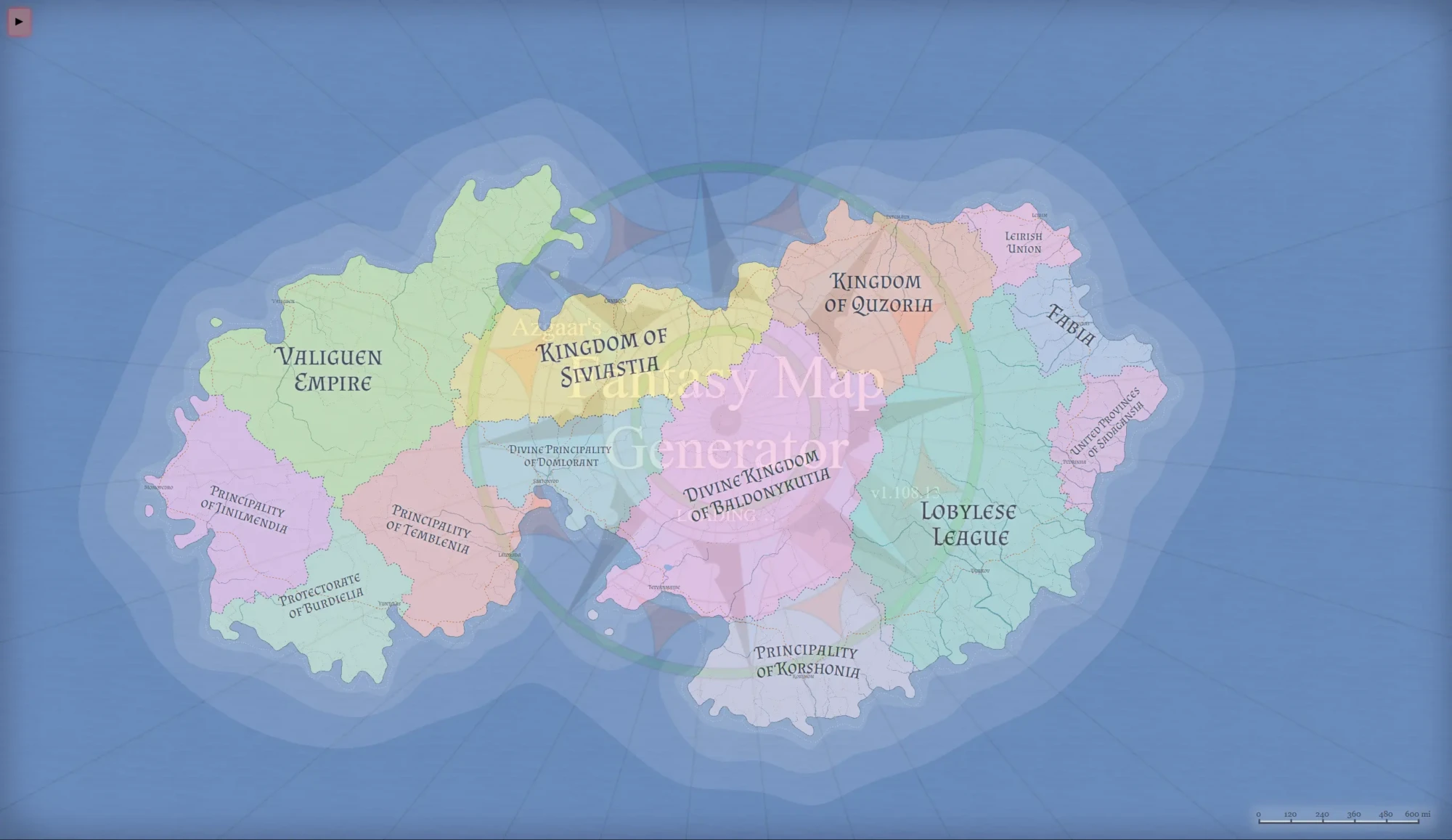
Azgaar’s Fantasy Map Generator is one of the strongest free tools for making fantasy maps. This open-source web app makes maps that include realistic land, kingdom borders, cultures, religions, and population data.
Key Features
The tool builds entire worlds with one click. Each map has mountains, rivers, forests, and coasts that follow real geography rules. Water flows down from mountains to seas. Forests grow where the climate fits. Deserts form behind mountains where rain cannot reach.
The political features help storytellers. The tool creates kingdoms and empires with borders that follow natural features like rivers and mountain passes. You can filter the map by states, cultures, religions, or biomes. The 3D globe view shows how your flat map would wrap around a planet.
You can edit every part of the map. You can paint new land with brush tools. You can merge or split kingdoms. You can add or remove cities. You can rename any place. Changes happen right away across all views.
Best Use Cases
Azgaar works best for making complete worlds for novels or long D&D campaigns. It gives you deep data like population numbers, economic strength, and military power. This helps you build worlds that make sense. The tool can export PNG images, SVG vector files, and GeoJSON data for other programs.
How to Use Azgaar’s Generator
Open the generator in your web browser. Click “New Map” to make a random world. Use the Style menu to pick a look, like “Ancient” for old parchment or “Clean” for modern style. Click any spot to see details about it. Use the Tools menu to edit terrain, labels, and borders. Save often using the “File” menu, because maps save in your browser locally.
3. Inkarnate
Inkarnate is a web-based map maker with hand-painted art made by professional artists. The free version gives you enough tools to make impressive world maps, regional maps, and battle maps for tabletop games.
Key Features
The tool uses a stamp system. You paint land with texture brushes. Then you place pre-made stamps like mountains, trees, cities, and castles. Each stamp was drawn by artists for fantasy maps, so your map looks hand-crafted and consistent.
Inkarnate has many map styles in its library. Fantasy world maps look like classic illustrated maps. Battlemap stamps give you top-down views for combat. The parchment style makes old-looking documents you can print as props.
The free version limits some stamps but still includes thousands of objects. Paid versions unlock the full library with over 23,400 assets. The paid library includes everything from elf buildings to orc camps.
Best Use Cases
Inkarnate works best when you have a clear picture in your head and want to build it exactly. Unlike random generators, nothing is random here. You control every mountain and forest. This helps you match maps to your written descriptions or your mental image.
The visual quality of Inkarnate maps often beats other free tools. Maps made here look professional enough for books, Kickstarter projects, or commercial games (if you buy the commercial license).
How to Use Inkarnate
First, make a free account on the Inkarnate website. Start a new map project and pick a canvas size. Paint your base terrain using land and water textures. Add features by searching the asset library and stamping them on your map. Use the labeling tools to add names. Export your finished map as a high-resolution image file.
4. Watabou Medieval Fantasy City Generator
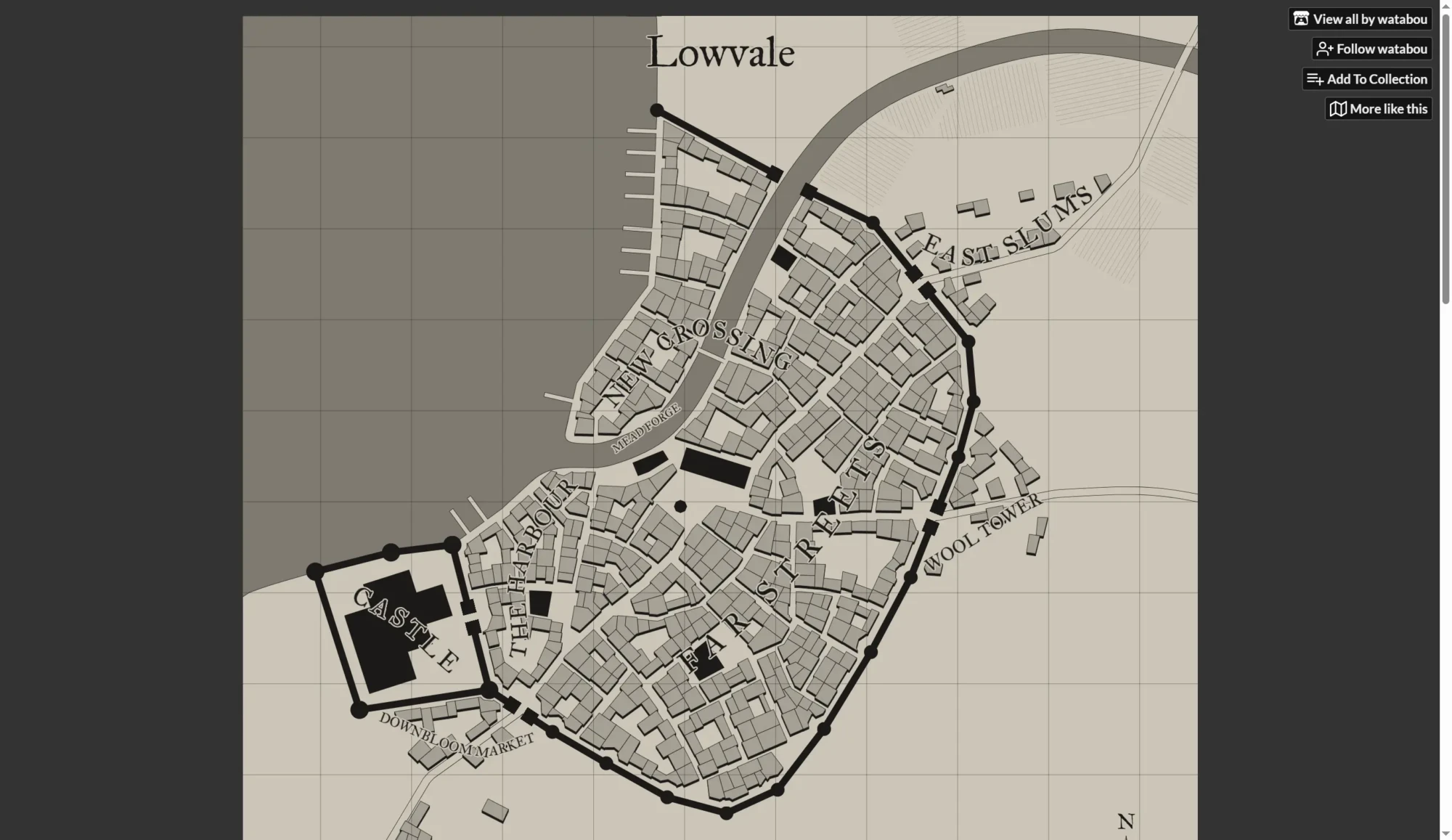
Watabou’s Medieval Fantasy City Generator makes detailed city layouts right away. The tool creates cities with streets, districts, walls, markets, and landmarks.
Key Features
Each city has realistic city planning. Streets spread out from central plazas. Walls surround old districts. Markets group near gates and harbors. Temples and castles sit in important spots. The tool uses medieval city patterns to make believable layouts.
You can customize a lot through the right-click menu. Change city size from small villages to big capitals. Add or remove walls, rivers, and coasts. Pick different visual styles from clean black-and-white to colored pictures. You can make coastal cities, riverside towns, or inland settlements.
Watabou also made other tools that work with the city generator. The Village Generator makes smaller rural settlements. The One Page Dungeon generator makes underground dungeons. The Perilous Shores generator makes coastal region maps. All tools share the same visual style and can export to matching formats.
Best Use Cases
Game masters who run city adventures get the most from this tool. You can make a city in seconds when your players decide to visit a town. The detailed streets support combat and exploration. The labeled districts give you ready-made neighborhoods for social scenes.
Authors can use the cities for inspiration or reference. The maps help you describe city locations the same way throughout your story. Some writers make dozens of cities and pick the layouts that fit their story best.
How to Use Watabou City Generator
Open the generator in your browser. Right-click anywhere to see the full options menu. Set your city size under “Size.” Turn features like walls, castle, and water on or off under “Parts.” Pick a visual style under “Style.” Press Enter to make new layouts with your current settings. Keep generating until you find one you like. Export as PNG or SVG for your projects.
5. Donjon Fantasy World Generator
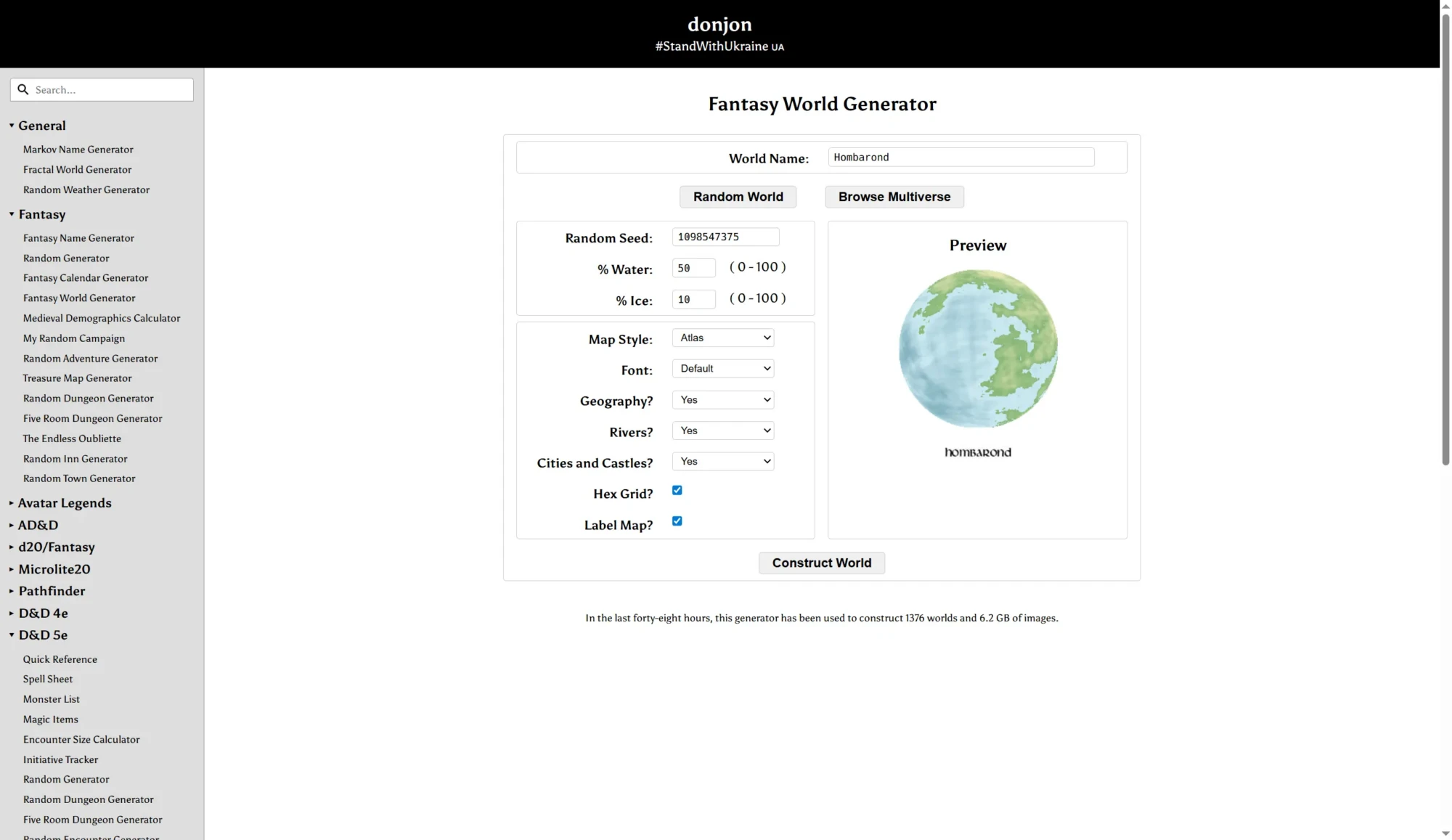
Donjon’s Fantasy World Generator makes hex-based world maps with random geography. The site also has dozens of other generators for dungeons, names, treasure, and encounters. This makes it a one-stop shop for game masters.
Key Features
The world generator makes continental maps with hexagonal tiles. Each hex shows a terrain type: mountains, forests, plains, deserts, swamps, or water. This format works with hex-based RPG systems and wargames.
The worlds include random cities and names. The naming follows language patterns you pick, so names stay consistent across the map. You can choose generic fantasy, Celtic, Greek, Japanese, or other cultural styles.
The generator makes realistic geography. Rivers flow from highlands to coasts. Mountains form in chains. Climate zones follow latitude and terrain. The results are simpler than Azgaar but still believable.
Best Use Cases
Donjon helps game masters who need quick, useful maps rather than art pieces. The hex format works with many tabletop RPG systems. The generated names save you time and keep things consistent.
The fractal world generator on the same site makes higher-resolution planetary views. These work for sci-fi settings or realistic fantasy worlds. Both tools work together based on how much detail you need.
How to Use Donjon World Generator
Go to the fantasy world generator page. Pick a map size and seed number (or leave blank for random). Choose a name style for location labels. Click generate to create your world. Hover over hexes to see terrain details. Download the map image or copy the data for other programs.
6. DeepAI Fantasy Map Generator
DeepAI’s Fantasy Map Generator uses AI to make illustrated fantasy maps from text. The tool makes artistic map images that you cannot edit.
Key Features
The generator takes natural language prompts that describe your map. You describe the geography, style, and features you want. The AI reads your description and makes a matching illustration. If you run the same prompt multiple times, you get different results. This gives you options to choose from.
DeepAI also has image enhancement tools. The “Genius” mode gives you more detail and better art quality. The AI can make maps in many styles, from old parchment to modern digital maps. The style depends on how you write your prompt.
You don’t need an account for basic use. You can download results right away. Check the current terms before you publish, because commercial use has rules.
Best Use Cases
Writers who need cover art or book illustrations can use this tool. Describe your world in words and get a visual map. Game masters can quickly make atmospheric map images for game documents or player handouts.
The tool works best for exploring ideas. Generate many versions to find unexpected layouts or art styles. Use the results as inspiration for more detailed work in other tools.
How to Use DeepAI Generator
Go to the fantasy map generator page. Enter a detailed text prompt that describes your map. Include geographic features, style preferences, and any specific elements you want. Click generate and wait for results. Download images that match your vision. Refine your prompt based on what you get and regenerate as needed.
7. Dungeon Scrawl
Dungeon Scrawl is a specialized tool for making dungeon and encounter maps. This web-based app makes clean, functional maps perfect for tabletop RPG combat.
Key Features
The tool uses vector drawing for sharp results at any size. You draw rooms, corridors, and passages with simple shape tools. You add doors, stairs, furniture, and other dungeon features from the built-in asset library. The automatic grid system lines everything up for tactical play.
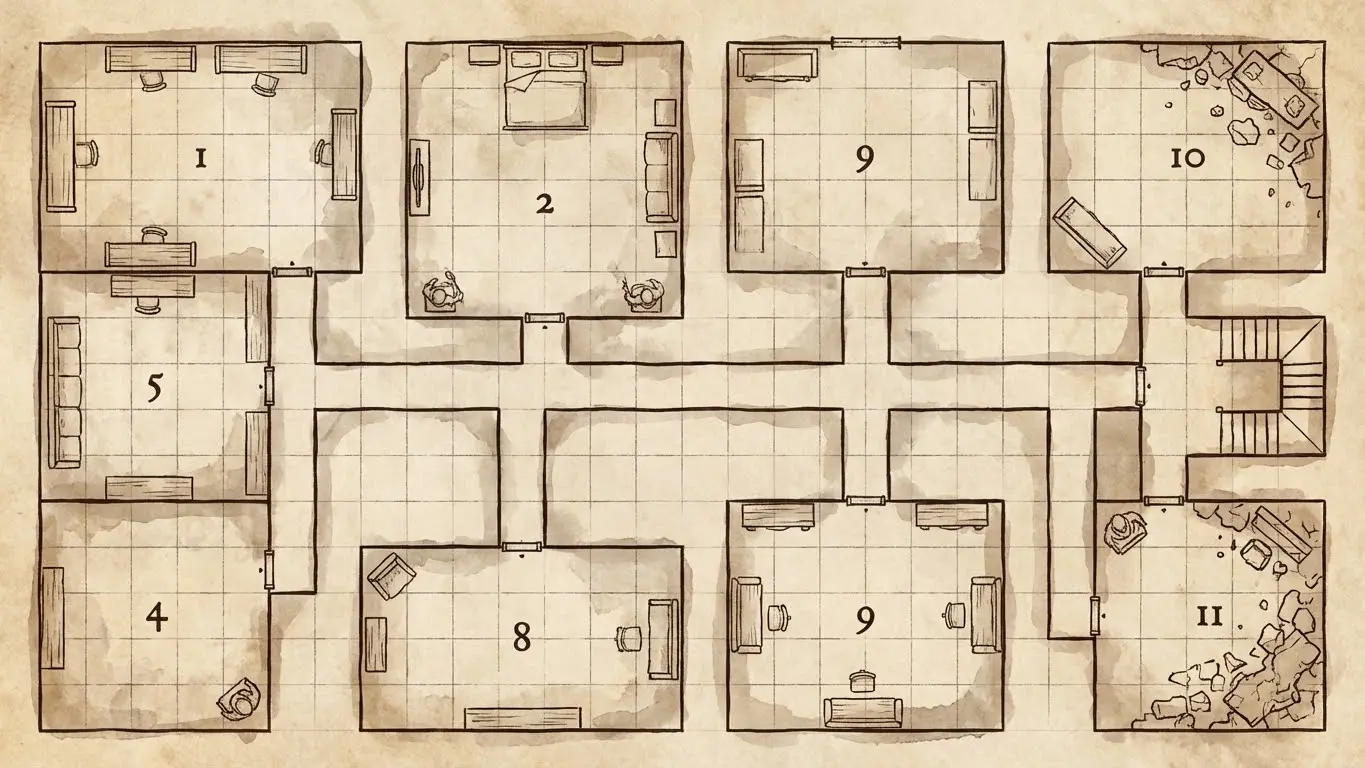
The app comes with multiple visual styles. You can pick classic dungeon crawl looks with hand-drawn lines. You can switch to cave styles for natural underground areas. You can apply spaceship themes for sci-fi encounters. Each style changes the look while keeping the same map data.
Dungeon Scrawl works with virtual tabletops. You can export maps in formats for Roll20, Foundry VTT, and Owlbear Rodeo. The tool joined the Roll20 family in 2024. There are plans for direct real-time map editing inside Roll20 games.
How to Use Dungeon Scrawl
Open Dungeon Scrawl in your browser. Pick a drawing tool from the toolbar. Click and drag to draw rooms and corridors. Add features using the asset panel. Change the visual style in the settings menu. Export your finished map as PNG, PDF, or VTT-compatible format. Save your work locally for future editing.
8. OpenArt Fantasy Map Generator
OpenArt’s Fantasy Map Generator mixes text-to-image AI with community-shared prompts. The site hosts thousands of fantasy maps that users can view, remix, and learn from.
Key Features
The generator uses Stable Diffusion to make maps from text. You can start with simple prompts or detailed descriptions of terrain, style, and art. The AI reads your description and makes a matching illustrated map.
Community features make OpenArt special. You can browse maps made by other users to get ideas. You can copy prompts from good maps and change them for your needs. You can see exactly which words made which visual results.
The platform has free and premium tiers. Free users can make a limited number of images each day. Premium users get faster generation, higher resolution, and more generations per day.
Best Use Cases
New users to AI image generation can learn from OpenArt’s community examples. Seeing good prompts teaches you how to describe effectively. The browse feature gives you ideas when you feel stuck.
The tool works well for making concept art and mood pieces. You can create many map variations quickly to explore different looks before you commit to detailed work in other tools.
How to Use OpenArt Generator
Make a free account on OpenArt. Go to the fantasy map generator section. Enter your map description or pick a community prompt to modify. Change style settings like aspect ratio and detail level. Generate your map and review the results. Save good maps to your account for later.
9. Fotor AI Fantasy Map Generator
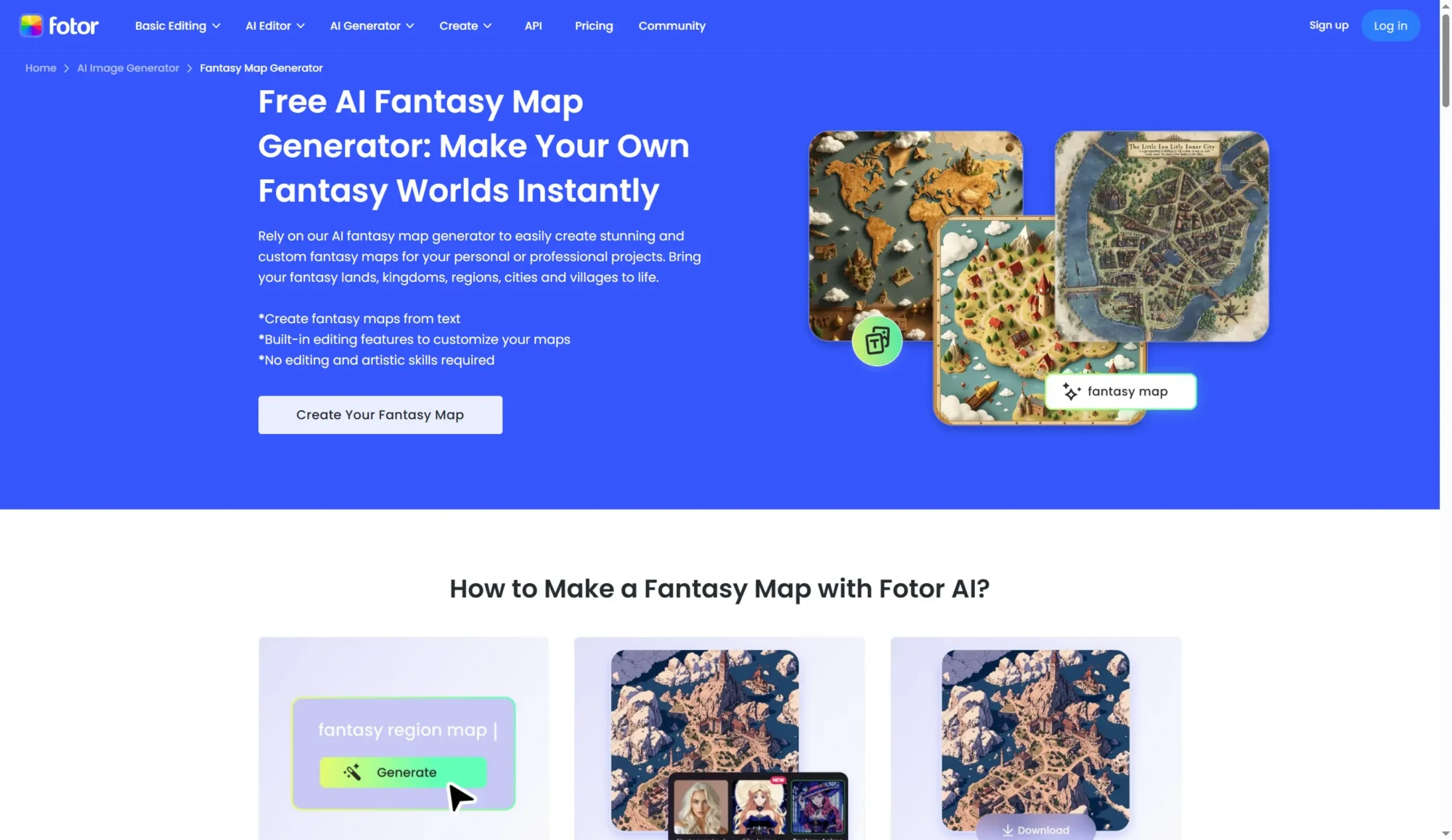
Fotor’s AI Fantasy Map Generator adds map making to a general image editing platform. The tool mixes AI generation with Fotor’s photo editing tools for extra customization.
Key Features
The generator makes detailed fantasy maps from text prompts. You describe your world’s geography, climate zones, and key features. The AI creates illustrated maps that match your description. You can pick from many styles, from hand-drawn looks to polished digital maps.
Fotor’s editing tools add value beyond just generating. You can touch up maps with editing tools. You can add text, adjust colors, or combine multiple maps. The platform works as both a generator and an editing tool.
You don’t need design skills to make professional-looking maps. The AI handles the art while you focus on describing your vision.
How to Use Fotor Generator
Go to the fantasy map generator on Fotor’s website. Enter a detailed description of your map. Pick style preferences and aspect ratio. Generate your map and review the results. Use Fotor’s editing tools to adjust if needed. Export in your preferred format and resolution.
10. CGDream Fantasy Map Generator
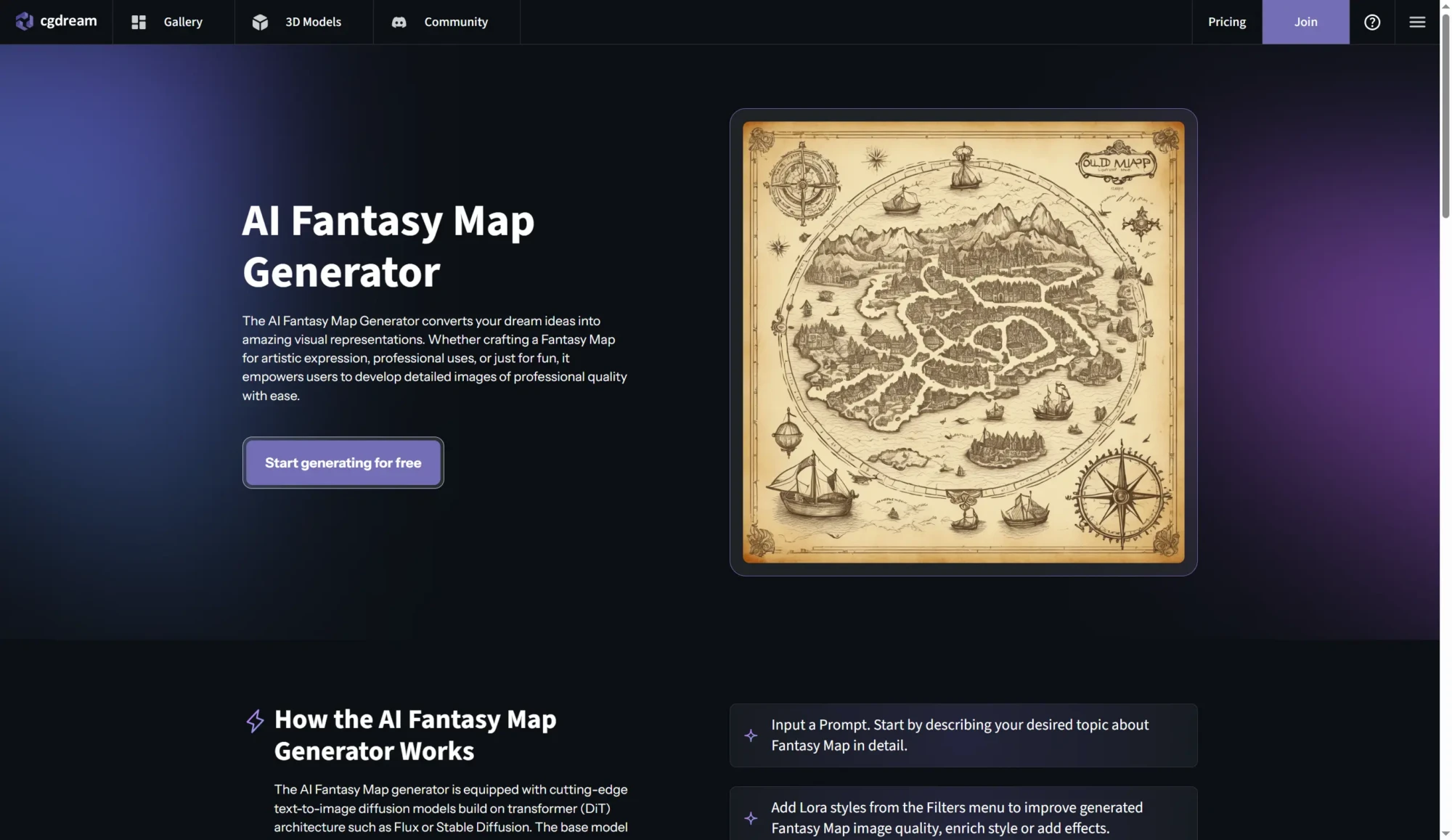
CGDream’s Fantasy Map Generator makes text-to-image maps with a focus on quality and customization. The platform focuses on high-resolution output that works for printing and professional use.
Key Features
The generator turns text prompts into detailed fantasy maps in seconds. You describe landscapes, borders, terrain features, and art styles. The AI makes maps that match your description with attention to map detail.
CGDream lets you upload 3D models for more control. You can upload reference shapes or designs to guide the generation. This helps you match generated maps to layouts or concepts you already have.
The platform focuses on speed and ease of use. Fast generation and a simple interface make map creation quick and easy. Results export in high resolution without watermarks, even on the free tier.
How to Use CGDream Generator
Go to CGDream’s fantasy map generator page. Enter your map description with specific details about terrain, style, and features. You can also upload reference images to guide generation. Click generate and wait about fifteen seconds for results. Download your map in high resolution. Regenerate with changed prompts to explore variations.
How to Choose the Right Tool for Your Project
You should pick a fantasy map generator based on what you need. Think about what type of map you want, how you will use it, and how much you need to customize it.
For Complete World Creation
Pick Azgaar’s Fantasy Map Generator when you want to build a whole world from scratch. The tool gives you geographic, political, cultural, and population data for deep world-building. Authors making epic fantasy series and game masters creating long campaigns get the most from this depth.
For Visual Quality
Pick Inkarnate when you care most about looks. The hand-painted art makes maps that look professional and polished. Book illustrations, game documents, and promotional materials deserve this quality.
For City Details
Use Watabou’s city generators when cities are your focus. The detailed streets and districts support city adventures and city-focused stories. You can generate many cities quickly to fill your world with different settlements.
For Dungeon Encounters
Dungeon Scrawl is best for battle maps. The clean vector graphics and grid alignment work perfectly for combat. Virtual tabletop integration makes online play easier.
For Quick Concepts
Text-to-image generators like DeepAI, OpenArt, Fotor, and CGDream make illustrated maps fast. Use these when you want to explore visual ideas or create atmospheric art. The results can inspire more detailed work and give you starting points.
Best AI tools for creatung fantasy maps in 2026
| Tool | Type | Best For | Cost | Editable |
|---|---|---|---|---|
| AFF Map Making | Prompt Library | AI image generation prompts | Free | No |
| Azgaar’s Generator | Procedural | Complete worlds with data | Free | Yes |
| Inkarnate | Asset-based | Beautiful hand-crafted maps | Free tier / Paid | Yes |
| Watabou City | Procedural | Medieval city layouts | Free | Limited |
| Donjon World | Procedural | Hex-based RPG maps | Free | No |
| DeepAI | AI Image | Quick artistic maps | Free tier / Paid | No |
| Dungeon Scrawl | Drawing Tool | Dungeon and battle maps | Free | Yes |
| OpenArt | AI Image | Community prompts and generation | Free tier / Paid | No |
| Fotor | AI Image + Editor | Generation with post-editing | Free tier / Paid | Limited |
| CGDream | AI Image | High-resolution output | Free | No |
Free AI fantasy map tools have changed world-building from a special skill into an easy creative activity. Authors can see their fictional worlds without hiring artists. Game masters can make settings and encounter maps in minutes, not hours. World-builders can explore geography and try different visualizations.
Each tool in this guide serves different needs. Azgaar gives deep world data. Inkarnate gives artistic quality. Watabou makes instant cities. Dungeon Scrawl handles battle maps. Text-to-image generators make illustrated concepts quickly.
Start with the tool that fits your immediate needs. Most creators end up using several tools together. They generate base layouts in one app and refine them in another. The flexibility of modern tools supports whatever workflow gives you the best results.
Visit AFF Map Making Software for optimized prompts that work across AI image generators. Combine those prompts with procedural tools like Azgaar for the most complete fantasy mapping workflow available today.