
Your Twitter handle defines how people find you, remember you, and interact with you on the platform. A short Twitter username isn’t just about aesthetics—it’s about creating a digital identity that sticks in people’s minds and works seamlessly across every social platform you use.
The challenge? With over 500 million Twitter users worldwide, finding an available short username feels like searching for a needle in a haystack. Most single-word handles vanished years ago, and even creative combinations seem taken.
This guide walks you through proven strategies for securing a memorable handle that represents your brand, fits your personality, and remains easy to share. Whether you’re building a personal brand, launching a business account, or simply want something better than your current username, these tactics will help you land the perfect Twitter handle.
Table of Contents
- Why Short Usernames Matter on Twitter
- Character Limits and Best Practices
- Brainstorming Your Perfect Handle
- Checking Username Availability
- Creative Strategies for Unavailable Names
- Claiming Inactive or Suspended Accounts
- Cross-Platform Username Consistency
- Avoiding Common Username Mistakes
- Tools That Speed Up the Process
- Protecting Your New Username
- Frequently Asked Questions
Why Short Usernames Matter on Twitter
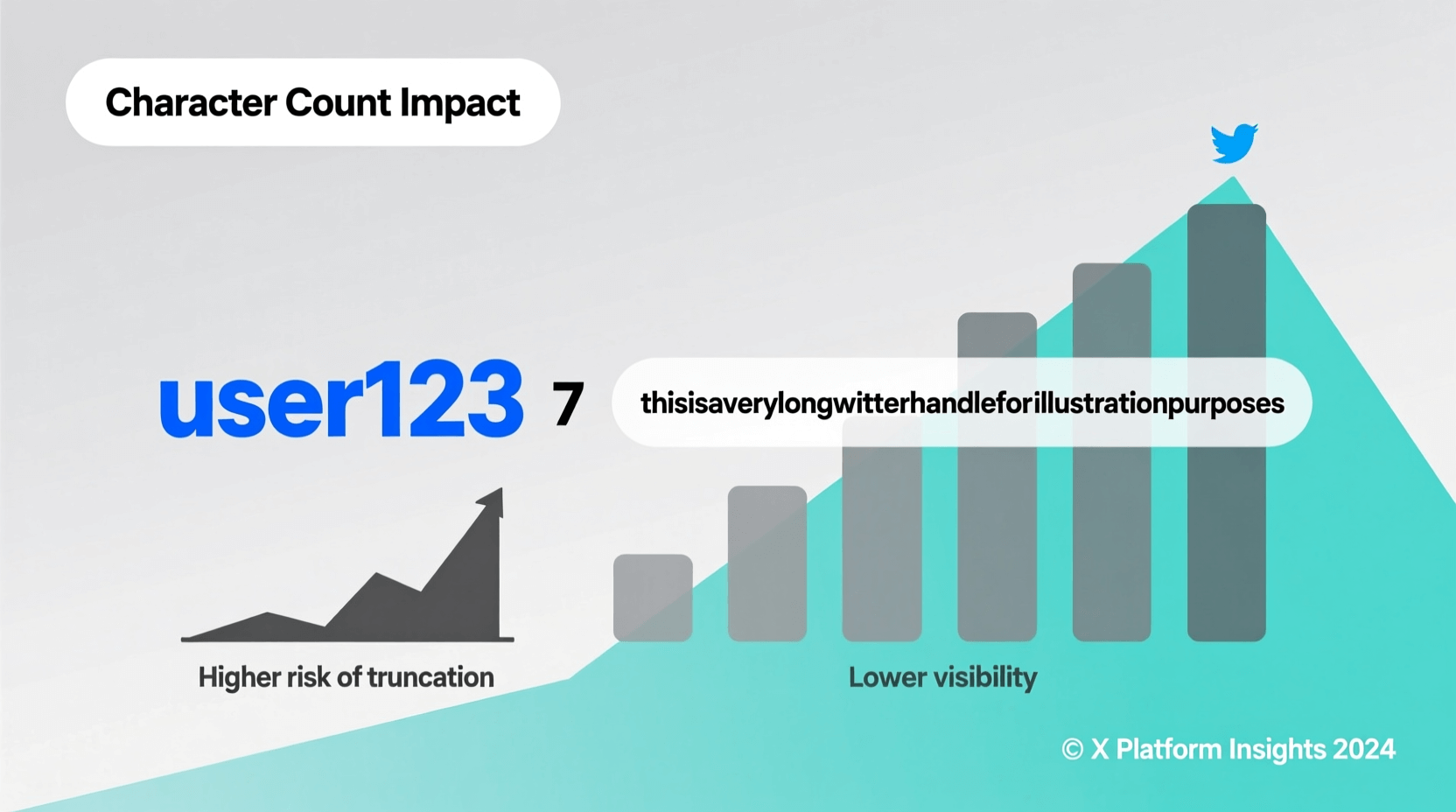
The length of your Twitter handle impacts far more than you might realize. When someone mentions you in a tweet, your username counts against the 280-character limit. A handle like @TechnologyNewsAndUpdates2026 eats up valuable space compared to @TechNews.
Research from Sprout Social shows that shorter handles receive 18% more engagement than longer ones. People find them easier to type, remember, and share verbally. When you tell someone “Follow me at TechNews,” they can remember it. When you say “Follow me at TechnologyNewsAndUpdates2026,” you’ve likely lost them.
Brand recognition plays another crucial role. Companies spend millions on memorable names—Nike, Apple, Tesla—for good reason. The same principle applies to social media handles. A concise username creates instant brand recognition and professional credibility.
Mobile users particularly benefit from shorter handles. Typing on a smartphone keyboard becomes tedious with long usernames. Studies indicate that mobile devices account for over 60% of Twitter traffic, making mobile-friendly handles essential.
Character Limits and Best Practices
Twitter allows usernames between 1 and 15 characters, using only letters, numbers, and underscores. No spaces, special characters, or emojis work in handles (though your display name accepts them).
Optimal length varies by purpose:
- 1-5 characters: Extremely rare and valuable, typically reserved for early adopters or purchased at premium prices
- 6-8 characters: The sweet spot for memorability and brevity
- 9-12 characters: Still effective if using recognizable words or abbreviations
- 13-15 characters: Acceptable but harder to remember and type
Numbers complicate memorability. Someone hearing “@Tech3News” might search for “@TechThreeNews” or “@TechNewsThree.” Underscores create similar confusion—people often forget their placement or skip them entirely when typing.
Capitalization doesn’t matter technically (@TechNews equals @technews equals @TECHNEWS), but mixing cases in your profile makes handles more readable. Display it as @TechNews even though users can type it any way.
Brainstorming Your Perfect Handle
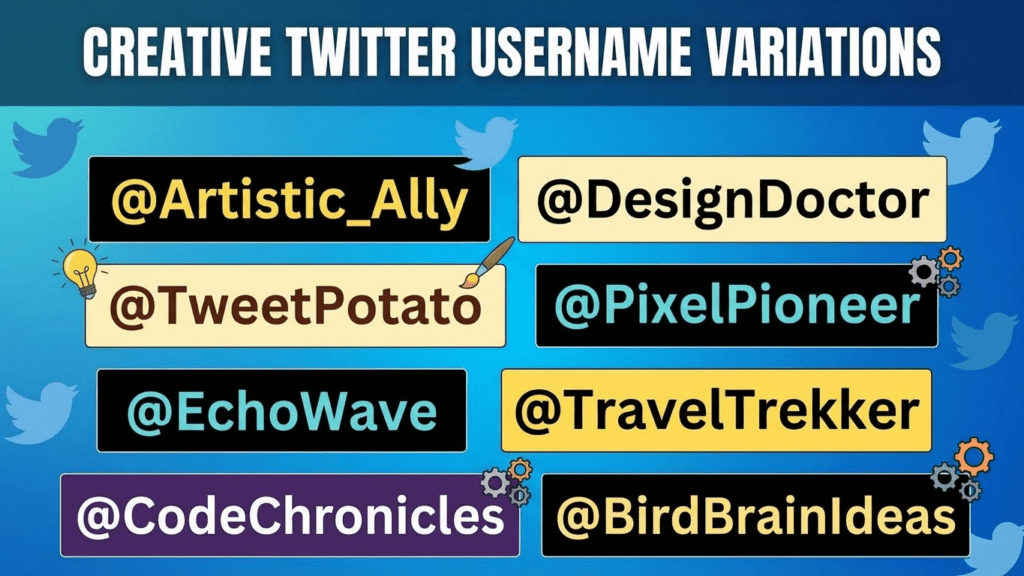
Start by listing keywords that represent you or your brand. A fitness coach might list: fitness, health, workout, strong, coach, trainer. A photographer could include: photo, lens, capture, frame, visual, shoot.
Combine these keywords creatively:
- Merge two words: FitCoach, LensFrame
- Add descriptive prefixes: GetFit, GoVisual
- Include action words: CaptureMoments, BuildStrength
- Use your specialty: PortraitLens, YogaCoach
Personal branding works differently. Many successful accounts use variations of real names: first name, last name, initials, or creative combinations. If you’re John Smith, consider JSmith, SmithJohn, JohnSmithTech (if in tech), or RealJohnSmith.
Geographic identifiers help local businesses: NYCFitness, LAPhotographer, BostonTech. They immediately signal your location to potential followers in your area.
Avoid trendy words or phrases that will date your account. What sounds clever in 2026 might seem outdated by 2028. Stick with timeless terms that represent your core identity or business.

Checking Username Availability
Twitter’s search function provides the quickest availability check. Type the exact handle (with @) into the search bar. If no account appears, the username might be available—though Twitter sometimes holds usernames for various reasons.
The most reliable method involves attempting to register a new account with your desired username. Twitter immediately tells you if it’s taken or available. You don’t need to complete registration to check availability.
Third-party services like Namechk, KnowEm, and Namecheckr scan multiple platforms simultaneously, showing availability across Twitter, Instagram, TikTok, and dozens of other sites. This approach saves time if you want consistent usernames everywhere.
Keep a list of alternatives. Finding a single available username among hundreds of users proves difficult. Having 10-15 options increases your chances of finding something suitable.
Creative Strategies for Unavailable Names
When your ideal username is taken, several creative approaches can help:
Add Meaningful Prefixes or Suffixes
The prefix “The” often remains available: @TheJohnSmith when @JohnSmith is taken. Other effective prefixes include Get (@GetFitDaily), Real (@RealTechNews), and Official (@OfficialCoachMike).
Suffixes related to your industry work well: @JohnSmithPhoto, @TechNewsDaily, @FitnessHub. They clarify your focus while keeping the core name intact.
Abbreviate Strategically
Shorten long names without losing clarity. Digital Marketing Expert becomes @DigitalMktgPro. Photography Professional becomes @PhotoPro. The key is choosing abbreviations your audience will recognize.
Use Your Location
Adding a city, state, or region makes taken names available: @TechNewsNYC, @FitnessLA, @PhotoBoston. This strategy particularly benefits local businesses and regional influencers.
Include Your Niche
Specify your specialty when generic names are gone: @FitnessForMoms, @WeddingPhotographer, @TechForKids. Niche identifiers attract your target audience more effectively than generic names anyway.
Consider Alternative Spellings
Use this carefully—alternative spellings can confuse people. @Fitness might be taken, but @Phitness risks people typing the common spelling. Only use this strategy if the alternative spelling is intuitive or well-known in your industry.
Claiming Inactive or Suspended Accounts
Twitter maintains specific policies about inactive usernames. According to their inactive account policy, they may release usernames from accounts that haven’t logged in for extended periods.
However, Twitter doesn’t provide a formal request process for claiming inactive handles. The platform periodically reviews inactive accounts and releases usernames, but the timeline remains unpredictable and can take months or years.
For suspended accounts, the situation differs. Twitter sometimes releases usernames from permanently suspended accounts, but this happens inconsistently. Monitoring the username periodically to check if it becomes available represents your best strategy.
A few legitimate approaches exist:
- Contact the account holder directly through other social media or their website (if available)
- Offer to purchase the username if they’re willing to transfer it
- File a trademark violation report only if you have legitimate trademark rights to the name
Attempting to impersonate someone or file false reports violates Twitter’s terms of service and can result in your own account suspension. The investment in patience often proves worthwhile rather than risking your account status.
Cross-Platform Username Consistency
Maintaining the same username across social platforms strengthens your brand and makes you easier to find. Someone who discovers you on Twitter can quickly locate you on Instagram, TikTok, LinkedIn, and YouTube when you use consistent handles.
Before finalizing your Twitter username, check availability on:
- TikTok
- YouTube
- Snapchat
Tools like Namecheckr or KnowEm scan hundreds of platforms simultaneously, showing which usernames remain available where.
If your preferred username isn’t available everywhere, consider slight variations that maintain consistency: @JohnSmithOfficial on Twitter, @JohnSmithReal on Instagram. Keep the core name identical while varying the prefix or suffix.
Register your username on all relevant platforms immediately, even if you don’t plan to use them right away. This prevents others from taking your handle and creating confusion among your audience.
For comprehensive username brainstorming across platforms, consider using a username generator tool that checks availability simultaneously across multiple social networks.
Avoiding Common Username Mistakes
Several pitfalls can undermine your Twitter username effectiveness. Learning from others’ mistakes saves you from rebranding later.
6 Username Blunders That Sabotage Your Twitter Presence
1. Making It Too Complicated
Usernames like @Tech_News_2026_Updates force people to remember underscores, numbers, and long phrases. They’ll type @TechNews or @TechNewsUpdates instead, finding someone else’s account.
2. Using Numbers That Create Confusion
@Fitness4You causes problems because people won’t know if it’s the number 4 or the word “for.” Similarly, @2Good2BeTrue makes people wonder about the 2s. If you must use numbers, make them obvious and purposeful.
3. Choosing Names Too Similar to Competitors
If @TechDaily is a major tech news account with 500K followers, creating @TechDailyNews confuses people. Some will follow you thinking you’re the established account. This creates trust issues and potential legal problems if the original account decides to pursue trademark claims.
4. Ignoring Future Growth
@JohnsPhotographyInNYC works great now, but what happens when you move to LA or expand your services? Choose usernames that accommodate growth rather than limiting your future options.
5. Using Offensive or Controversial Terms
What seems edgy or funny today might damage your reputation tomorrow. Professional contacts, potential employers, and brand partners judge you based on your username. Keep it professional enough for business while personal enough to show personality.
6. Forgetting About Voice Search
Voice-activated devices and voice search continue growing. Complex spellings like @Phlourish or @Xtreme make voice commands difficult. When someone says “Follow Phlourish on Twitter,” voice assistants struggle to translate that correctly.
Tools That Speed Up the Process
Several tools streamline the username selection process, saving hours of manual checking and brainstorming.
Username Generators
AI-powered tools create username variations based on keywords you provide. The AI username generator combines your keywords with creative modifiers, generating hundreds of options in seconds.
These generators work by analyzing successful username patterns, identifying available combinations, and suggesting variations you might not have considered. Input your name, industry, or interests, and the tool produces both creative and straightforward options.
Availability Checkers
Rather than manually checking each platform, bulk availability checkers scan dozens of social networks simultaneously. Enter your desired username once, and see where it’s available across Twitter, Instagram, Facebook, TikTok, and more.
Trademark Databases
Before committing to a username, check the USPTO trademark database to ensure you’re not infringing on registered trademarks. This prevents legal issues and potential forced username changes later.
Domain Name Tools
Check if matching domain names are available. Having @TechNews on Twitter while owning TechNews.com creates powerful brand consistency. Domain registrars like GoDaddy, Namecheap, and Google Domains offer bulk domain searches.
For social media content creation beyond usernames, explore additional AI social media tools that help manage your presence across platforms.
Protecting Your New Username
Once you’ve secured your perfect Twitter username, protection becomes essential. Losing a carefully chosen handle to hackers or impersonators creates significant problems.
Enable Two-Factor Authentication
Two-factor authentication (2FA) adds a crucial security layer. Even if someone obtains your password, they can’t access your account without the second authentication factor. Twitter supports authentication apps, text messages, and security keys.
Authentication apps like Google Authenticator, Authy, or Microsoft Authenticator provide the most secure option. They generate time-based codes that expire quickly, making them harder to intercept than text messages.
Use a Strong, Unique Password
Password managers like 1Password, LastPass, or Bitwarden generate and store complex passwords. Never reuse passwords across multiple platforms—a breach on another service shouldn’t compromise your Twitter account.
Monitor for Impersonators
Regularly search for variations of your username. Impersonators often create similar handles hoping to trick your followers. If you’re @TechNews, someone might create @Tech_News or @TechNews_ attempting to capitalize on your reputation.
Twitter’s impersonation policy allows you to report accounts pretending to be you. The platform takes these reports seriously, especially if you can prove the account is deliberately impersonating you for malicious purposes.
Secure Related Usernames
If possible, register common variations of your username on Twitter and other platforms. Someone with @JohnSmith might also register @JohnSmithOfficial, @TheJohnSmith, and @JSmith to prevent impersonators from using these variations.
Verify Your Account
Twitter verification (the blue checkmark) helps authenticate your identity and prevents impersonation. While verification criteria have changed over time, verified accounts receive additional protection against impersonators and handle theft.
10 Proven Strategies for Landing Your Ideal Twitter Handle
After exploring the fundamentals, here are ten battle-tested tactics for securing a short, memorable Twitter username:
1. Move Fast on New Accounts
Create your Twitter account as soon as you’ve decided on a username. Every day you wait increases the risk of someone else claiming it. This applies especially to business names—register your social media handles before publicly announcing your company.
2. Leverage Industry-Specific Terms
Generic names like @News or @Photo are long gone, but niche-specific variations remain available. @CryptoNews, @WeddingPhoto, or @AITech combine popular terms with industry modifiers, creating memorable handles that immediately communicate your focus.
3. Try Alternative TLDs in Your Username
Web-savvy users recognize domain extensions. If @Marketing is taken, try @MarketingIO, @MarketingCo, or @MarketingHQ. These extensions suggest professionalism while keeping your handle short and relevant.
4. Use Action Words
Verbs create dynamic, memorable usernames: @CreateDaily, @LearnTech, @GrowFitness. Action words communicate what you do while remaining concise. They also tend to have better availability than noun-only usernames.
5. Consider Portmanteau Combinations
Blending two words creates unique, brandable usernames: @Technologist + @Enthusiast = @Technusiast. @Fitness + @Fanatic = @Fitnatic. These manufactured words are almost always available and highly memorable when done well.
The key is making the combination intuitive enough that people can guess the spelling after hearing it once.
6. Add Your Specialty or Audience
Specifications like @TechForKids, @FitnessForWomen, or @PhotoForBrands narrow your focus while opening username availability. Bonus: these handles attract exactly the audience you want to reach.
7. Experiment With Alliteration
Repeated sounds create memorable phrases: @TechTalk, @FitnessFocus, @PhotoPro. Alliteration makes usernames catchier and easier to remember, though finding available alliterative combinations requires creativity.
8. Use Your Unique Value Proposition
What makes you different? @The5MinuteWorkout, @BudgetPhotography, or @HonestTechReviews incorporate your unique angle directly into your username, making it both distinctive and descriptive.
9. Check Typo Domains
Common misspellings of popular words sometimes remain available. This strategy requires caution—you want intuitive alternatives, not confusing ones. @Fotografy might work for photography if your audience uses that spelling (common in some countries).
10. Set Up Alerts for Desired Names
If your ideal username is currently taken but inactive, set up monitoring. Some services alert you when accounts become available. While waiting, use a temporary alternative that you can change once your preferred name opens up.
Twitter allows username changes without losing followers or tweets, making this a viable long-term strategy if you’re patient.

Username Changes: When and How to Rebrand
Sometimes your current username no longer fits your brand or goals. Twitter makes changing usernames straightforward, but the process requires strategic planning to maintain your audience connection.
When to Consider Changing Your Username
Valid reasons for rebranding include:
- Business name changes or rebrandings
- Your account focus has shifted significantly
- You’ve outgrown a joke or casual username as your account became professional
- Your current username contains typos or unprofessional elements
- A better username became available
The Change Process
Navigate to Settings → Account → Username. Enter your new username and save. Twitter immediately updates your handle across the platform. Your old username becomes available for others to claim, so timing this carefully matters.
Minimizing Disruption
Announce the change before making it. Tweet about your upcoming username change several times over a week, explaining why you’re changing and what the new handle will be. Pin this announcement to your profile.
Update your bio, profile image, and header image simultaneously to signal that yes, this is the same account under a new name. Consistency in other profile elements reassures followers they’re in the right place.
After changing, continue posting about the new username for at least two weeks. Some followers don’t check Twitter daily and might miss your initial announcements.
Update links to your Twitter account everywhere: your website, email signature, other social media profiles, business cards, and any printed materials. Failing to update these creates confusion when people click old links.
Frequently Asked Questions
Can I buy a Twitter username from someone?
While Twitter’s terms of service technically prohibit username sales, private transactions occur. If you find an inactive account holder willing to transfer their username, they can change their handle (freeing yours) in exchange for payment. However, Twitter doesn’t facilitate or officially support these transactions, and they carry risks including potential scams.
How long does a username stay available after an account is deleted?
Usernames from deleted accounts typically become available immediately or within a few days. However, Twitter sometimes holds usernames from deleted accounts for longer periods, especially if the account had significant activity or followers. The exact timeline varies case by case.
Do underscores really matter in usernames?
Underscores technically work fine, but they create memorability problems. People forget where underscores appear, whether you use one or multiple, or skip them entirely when searching for you. If possible, avoid underscores in favor of unbroken words or combinations.
Should I match my Twitter username to my Instagram handle?
Consistency across platforms strengthens your brand and makes you easier to find. Aim for identical usernames on all platforms, but if that’s impossible, keep the core name the same with minor variations. @JohnSmith on Twitter and @JohnSmithPhoto on Instagram works better than completely different handles.
What if my name is common and all variations are taken?
Common names require creativity. Add your profession (@JohnSmithPhotography), location (@JohnSmithNYC), a middle initial (@JohnMSmith), or a defining characteristic (@TallJohnSmith). Alternatively, create a brand name separate from your personal name if you’re building a business account.
Can Twitter suspend my account for my username?
Twitter can suspend accounts with usernames that violate their policies, including impersonation, trademark infringement, or hateful content. Choose usernames that don’t impersonate others, infringe on trademarks, or include offensive terms. Suspended accounts may lose their usernames permanently.
How many times can I change my Twitter username?
Twitter doesn’t limit username changes, but frequent changes confuse your followers and hurt your brand consistency. Only change your username when you have a compelling reason, not on a whim. Most successful accounts change their username rarely, if ever.
Will changing my username affect my verification?
Verified accounts can change their usernames without losing verification, though Twitter may review the change to ensure the new username doesn’t violate policies or impersonate someone else. The blue checkmark follows the account, not the username.
What makes a username memorable?
Memorable usernames share common traits: they’re short (6-10 characters ideal), easy to spell, easy to pronounce, avoid numbers and special characters, relate to your brand or identity, and are distinctive enough to stand out. Think Nike, Apple, Tesla—simple, clear, memorable words.
Should I use a username generator or create my own?
Both approaches work. Generators quickly produce hundreds of options you might not have considered, revealing patterns and combinations that spark ideas. However, the most personally meaningful usernames often come from your own brainstorming because you understand your brand and audience better than any algorithm. Use generators for inspiration, then refine the results to match your specific needs.
Your Username Is Your Digital Signature
A short, memorable Twitter username creates lasting value for your personal brand or business. It determines how easily people find you, remember you, and share your content with others.
The strategies covered—from creative brainstorming to availability checking, from claiming inactive accounts to protecting your chosen handle—give you a complete framework for securing the perfect username. Whether you’re just starting on Twitter or rebranding an established account, these principles apply.
Start by brainstorming keywords that represent your brand, check their availability across platforms, and move quickly once you’ve found the right fit. Remember that perfect is the enemy of good—a very good username available today beats a perfect username you’ll never obtain.
Your Twitter username is more than just a handle. It’s your digital signature, your brand identifier, and often the first impression you make on potential followers. Invest the time to get it right, and you’ll reap the benefits for years to come.
Ready to find your perfect Twitter username? Try using a username generator to explore creative options, or check out more social media tools to strengthen your entire online presence.


