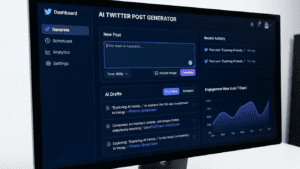
AI-powered tools can help you generate tweet ideas, overcome creative blocks, and maintain a consistent posting schedule without burning out. Here’s a practical breakdown of strategies you can implement today.
Table of Contents
- What Causes Twitter Writer’s Block
- How AI Tweet Generators Work
- Step-by-Step Process for AI-Assisted Tweeting
- Prompting Tips for Better AI Tweet Ideas
- 5 Content Frameworks That Defeat Creative Blocks
- 7 Mistakes That Sabotage Your AI-Generated Tweets
- Frequently Asked Questions

What Causes Twitter Writer’s Block
Twitter writer’s block isn’t just about lacking ideas. Research from the American Psychological Association shows that performance pressure on social platforms triggers the same stress responses as public speaking. Your brain literally freezes when it senses an audience waiting to judge your content.
Several factors compound this problem:
Algorithm anxiety makes creators second-guess every word. Twitter’s algorithm in 2026 prioritizes engagement velocity—how quickly a tweet gains traction in the first 30 minutes. This pressure to perform instantly creates paralysis.
Content saturation is another culprit. With over 500 million tweets posted daily according to X’s engineering blog, finding something original to say feels impossible. You scroll through your feed, see similar ideas already posted, and close the app.
Voice inconsistency plagues even experienced creators. Some days your authentic voice flows naturally. Other days, you can’t remember how you normally sound. This disconnect between your mental image and actual output stalls productivity.
How AI Tweet Generators Actually Work
Modern AI writing assistants don’t just spit out random text. They analyze patterns from millions of high-performing tweets, identify what makes content resonate, and apply those principles to your specific input.
When you use a Twitter thread generator, the AI examines several elements: hook structures that stop scrollers, optimal character counts for engagement, emotional triggers that prompt replies, and formatting patterns that improve readability.
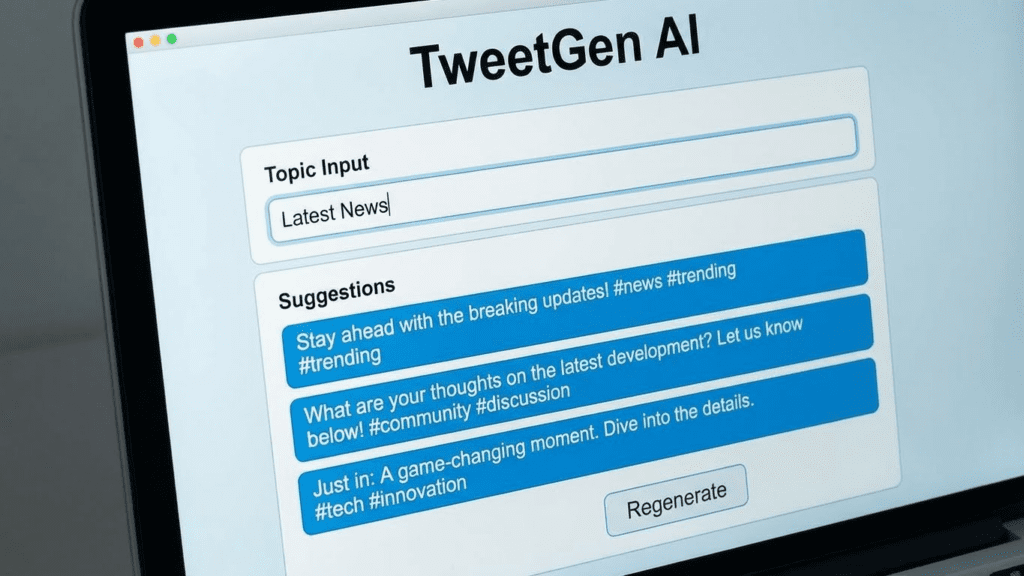
The technology behind these tools has evolved significantly. Large language models now understand context, tone, and platform-specific conventions. An AI trained on Twitter content knows that questions outperform statements, that specific numbers beat vague claims, and that controversy (within reason) drives discussion.
Tools like free social media AI assistants let you input a rough idea, target audience, and desired tone. The output gives you multiple variations to choose from—not a final product, but a starting point that breaks through your creative block.
Step-by-Step Process for AI-Assisted Tweeting
Getting quality results from AI requires a systematic approach. Random inputs produce random outputs. Follow this workflow to maximize your results.
Step 1: Define Your Content Pillar
Before touching any AI tool, clarify what topic you’re addressing. Content pillars are broad categories your audience expects from you. A marketing consultant might have pillars like: growth tactics, industry news commentary, personal lessons, and client success stories.
Select one pillar for your current session. Trying to cover everything at once dilutes your focus and produces generic content.
Step 2: Gather Raw Material
AI works best when you feed it specific inputs. Spend five minutes collecting:
- A recent article, stat, or news item related to your pillar
- A personal experience or observation from the past week
- A question your audience frequently asks
- A contrarian take you’ve been hesitant to share
These raw materials give the AI something concrete to work with. The content topics generator can help expand a single idea into multiple angles if you’re stuck at this stage.
Step 3: Craft Your Initial Prompt
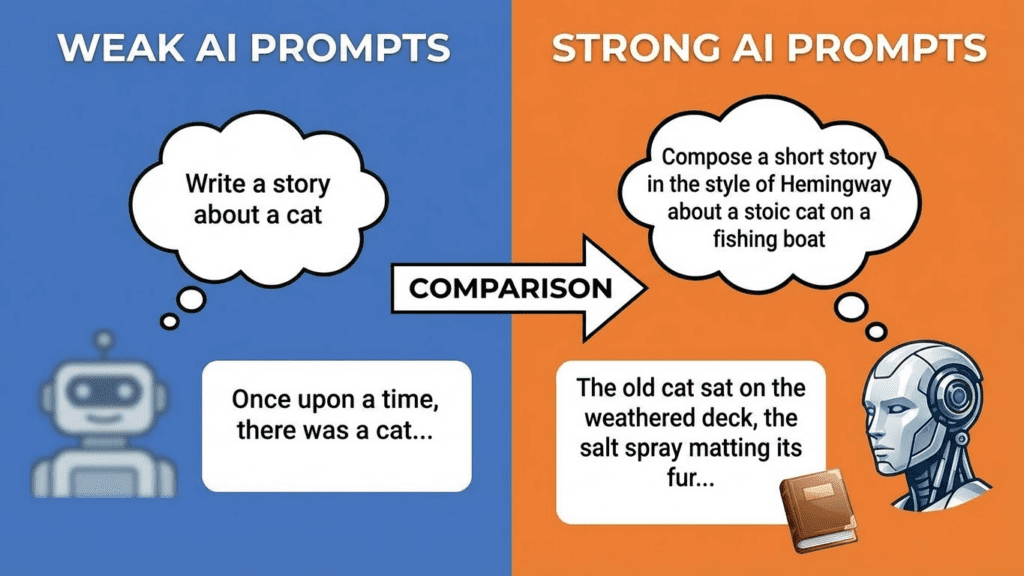
Your prompt determines your output quality. Vague prompts like “write a tweet about marketing” produce forgettable content. Specific prompts generate usable drafts.
Structure your prompt with these elements: topic + angle + format + tone + constraints. Example: “Write a tweet about email marketing, specifically the mistake of sending too frequently, in a thread format, with a slightly provocative tone, under 280 characters per tweet.”
Step 4: Generate Multiple Variations
Never settle for the first output. Generate at least three to five variations. AI produces different results each time, and comparing options helps you identify what resonates.
Look for the version that sounds most like you—or at least closest to your authentic voice. The goal isn’t to publish AI output verbatim but to find a foundation worth refining.
Step 5: Edit and Personalize
This step separates mediocre AI users from skilled ones. Take the best AI output and inject your personality. Add a personal anecdote. Insert industry jargon your audience uses. Replace generic phrasing with your signature expressions.
A rewriting tool can help you iterate on tone and phrasing until the content feels genuinely yours.
Step 6: Test and Schedule
Post your refined tweet and monitor engagement. Note which AI-assisted posts perform better than others. Over time, you’ll identify patterns—certain prompt structures, topics, or formats that consistently work for your audience.
Prompting Tips for Better AI Tweet Ideas
The quality of your AI output depends almost entirely on your input. These prompting techniques consistently produce stronger results.
Include emotional context. Tell the AI what feeling you want to evoke. “Write a tweet that makes SaaS founders feel understood about their struggles with churn” produces more resonant content than “write a tweet about churn.”
Reference specific formats. Twitter has established content patterns that perform well: the “hot take” opener, the numbered list, the “unpopular opinion” format, the before/after comparison. Request these specifically in your prompts.
Set character constraints. Shorter tweets generally outperform longer ones. Asking for “a tweet under 180 characters” forces the AI to be concise and punchy.
Provide examples. If you admire another creator’s style, share one of their tweets and ask the AI to generate similar content in your topic area. This gives the model a concrete reference point.
Request hooks first. The opening line determines whether anyone reads the rest. Ask specifically for “five different hook options” before generating full tweet content. Tools like the hook generator specialize in this crucial element.
5 Content Frameworks That Defeat Creative Blocks
Frameworks give your brain structure when creativity fails. These five approaches can be combined with AI tools to generate endless content ideas.
Framework 1: The Contrarian Take
Pick a commonly accepted belief in your industry and argue the opposite. Not for the sake of controversy—but because genuine disagreements spark conversation.
Prompt example: “Generate a tweet that challenges the common belief that [X] is necessary for [Y], providing an alternative approach.”
Framework 2: The Lesson Learned
Personal failures resonate more than success stories. Share what went wrong and what you’d do differently.
Prompt example: “Write a tweet about a specific mistake made while [doing X] and the insight gained from that experience.”
Framework 3: The Observation
Notice something others overlook. Point out a pattern, trend, or irony in your field. Observations feel fresh because they’re grounded in present reality.
Prompt example: “Create a tweet that observes an underappreciated trend in [industry] and explains why it matters.”
Framework 4: The How-To Compression
Take a complex process and compress it into tweet-sized steps. This delivers immediate value and positions you as helpful.
Prompt example: “Write a tweet that explains how to [achieve result] in three simple steps, each under 50 characters.”
Framework 5: The Future Prediction
Make a specific prediction about where your industry is heading. Bold predictions get saved, shared, and referenced later.
Prompt example: “Generate a tweet predicting a specific change in [industry] by [timeframe], with reasoning.”
The writing prompt generator can help you apply these frameworks to your specific niche and audience.
7 Mistakes That Sabotage Your AI-Generated Tweets
Knowing what not to do saves as much time as knowing what to do. Avoid these common pitfalls.
1. Publishing without editing. Raw AI output lacks personality. It sounds correct but not human. Always add your voice before posting.
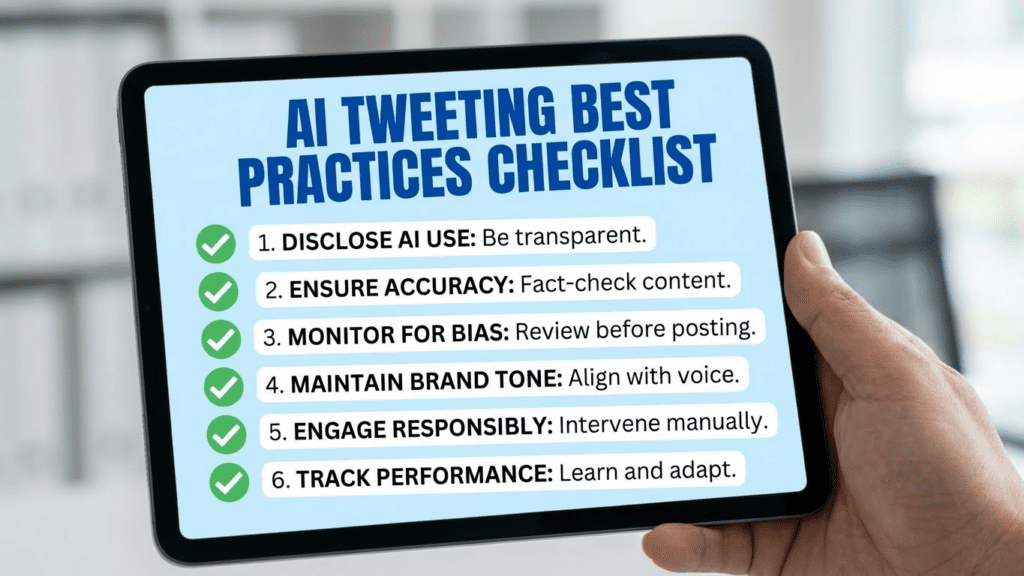
2. Ignoring your brand voice. If your account is casual and sarcastic, don’t publish formal AI-generated content. Train the AI on your existing tweets or manually adjust tone every time.
3. Over-relying on trending topics. AI can generate content about trending hashtags, but this approach produces forgettable content. Your unique perspective matters more than timeliness.
4. Skipping the hook. Most people craft full tweets and ignore the opening line. The first seven words determine whether anyone reads the rest. Spend 80% of your editing time on the hook.
5. Using generic calls to action. “Let me know what you think” and “Drop a comment below” are invisible to readers. Specific questions outperform generic engagement requests.
6. Posting once and moving on. Good ideas deserve multiple formats. Turn a successful tweet into a thread. Reframe it as a question. Post it again in three months with updated context.
7. Treating AI as a replacement instead of a collaborator. The best creators use AI to accelerate brainstorming, not to replace thinking entirely. Your judgment determines quality; AI just expands your options.
Maintaining Consistency Without Burnout
Writer’s block often stems from unsustainable expectations. Aiming for viral content daily guarantees frustration. A smarter approach balances quality with realistic volume.
Batch your content creation. Instead of tweeting in real-time, dedicate two hours weekly to generating a week’s worth of posts. This focused session is more productive than scattered daily efforts.
Build a content bank using AI. Generate 50 tweet ideas in one sitting. Most won’t be usable immediately, but you’ll have a reservoir to pull from during creative droughts. The idea generator can help populate this bank quickly.
Rotate content types deliberately. If you posted an opinion yesterday, share a how-to today. If you wrote a thread last week, keep it to single tweets this week. Variety prevents monotony for both you and your audience.
Give yourself permission to skip days. Consistency matters, but perfection doesn’t. Missing one posting day won’t destroy your account. Burning out for two months will.
Creating Visual Content Alongside Tweets
Tweets with images receive significantly higher engagement than text-only posts. Combining written and visual content addresses two types of creative block simultaneously.
AI image tools can generate custom graphics that complement your tweet messaging. The AI art generator creates visuals from text descriptions, letting you produce unique imagery without design skills.
For quote graphics, memes, or infographics that support your tweet content, combining text AI and image AI creates a complete package. Describe your tweet’s message to an image generator and pair the outputs.
Frequently Asked Questions
Can Twitter detect AI-generated content?
Twitter doesn’t currently label or penalize AI-assisted content. The platform’s terms of service focus on spam and manipulation, not content origin. However, heavily templated or repetitive AI content may trigger spam filters. Editing your outputs and maintaining variety avoids this issue.
Will AI tweets hurt my engagement?
Not if you edit them properly. Unedited AI content often sounds generic and fails to connect. AI content refined with your voice, perspective, and personality performs comparably to manually written tweets. The tool doesn’t determine quality—your judgment does.
How many tweets should I generate per session?
Aim for 20-30 raw outputs per topic. You’ll likely use 5-10 after editing. This ratio gives you options while accounting for outputs that don’t fit your needs.
Should I tell my audience I use AI?
This is a personal choice. Most creators don’t disclose AI assistance, similar to how writers don’t disclose using spell-checkers. If your audience values complete transparency, mention it. Otherwise, your unique perspective and editing matter more than the drafting method.
What’s the best AI tool for Twitter content?
No single tool works for everyone. Specialized free AI tools often outperform general-purpose ones for specific tasks. Test several options with your actual content needs before committing to one workflow.
How do I make AI content sound like me?
Feed the AI examples of your previous tweets when prompting. Describe your typical tone (casual, professional, sarcastic, enthusiastic). After generating, replace generic phrases with expressions you actually use. The more specific your guidance, the closer the output matches your voice.
Can AI help with Twitter threads specifically?
Yes. Threads require different structure than single tweets—a hook, logical flow, and a satisfying conclusion. Prompt specifically for thread format and request transitions between points. The thread creation tool handles these structural requirements automatically.
Next Steps
Writer’s block doesn’t have to stop your Twitter presence. Start with one framework from this guide and generate five tweet ideas today. Edit the best one, post it, and observe the results. Build from there.
The goal isn’t perfection—it’s progress. AI tools remove the friction of starting from zero, giving your creative brain something to react to rather than demanding ideas from nothing. Use them to break through blocks, not to replace your thinking entirely.
Explore additional social media tools to expand your content creation capabilities across platforms.