Speech recognition technology processes millions of voice commands every day, turning our spoken words into text and actions. While this technology makes life easier, it also raises important questions about how our voice data gets stored, who can access it, and what happens to our privacy.
In this guide, we’ll break down how speech-to-text technology actually works, explore why voice recognition accuracy matters, and take a hard look at the privacy issues you should know about. Whether you use Siri, Alexa, Google Assistant, or any other voice service, understanding these systems helps you make informed choices about your digital privacy.
Table of Contents
- What Is Speech Recognition Technology?
- How Speech Recognition Technology Works
- What Affects Voice Recognition Accuracy?
- Different Types of Speech Recognition Systems
- Privacy Concerns with Voice Recognition
- What Data Gets Collected When You Use Voice Commands?
- How to Protect Your Voice Privacy
- The Future of Speech Recognition Technology
- Frequently Asked Questions
What Is Speech Recognition Technology?
Speech recognition technology converts spoken words into written text or computer commands. You say something, and the system translates those sound waves into digital information that machines can understand and act on.
Think of it as a translator between human language and computer language. When you tell your phone to “set a timer for 10 minutes,” the speech recognition system identifies each word, understands the command structure, and tells your phone what to do.
This technology powers everything from voice assistants like Siri and Alexa to dictation software, call center automation, and accessibility tools for people with disabilities. According to Markets and Markets, the global speech recognition market is expected to reach $26.8 billion by 2025, showing just how widespread this technology has become.
Speech recognition isn’t just about hearing words. The system needs to understand accents, deal with background noise, recognize context, and figure out what you actually mean, not just what you said. That’s why modern systems use artificial intelligence and machine learning to get better over time.
How Speech Recognition Technology Works
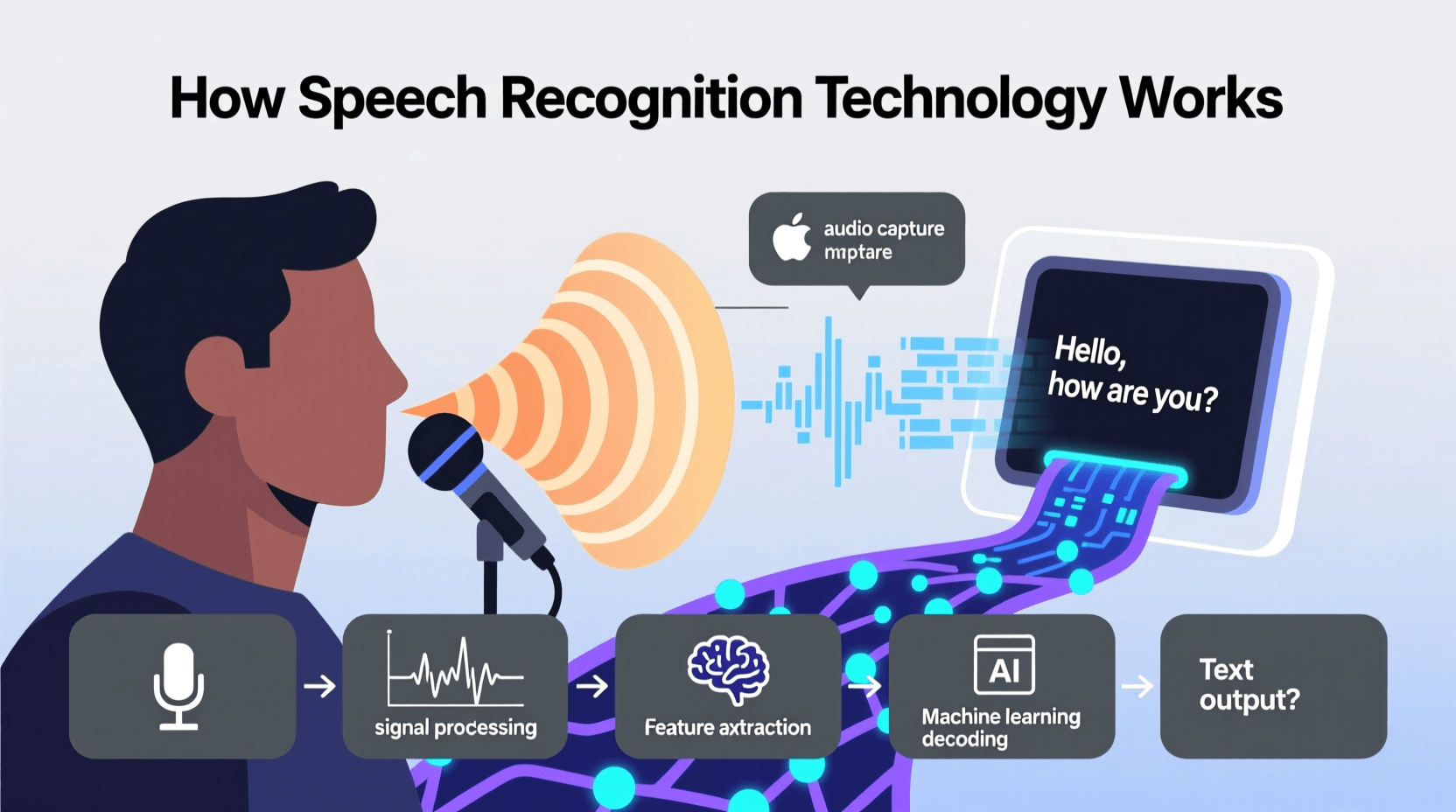
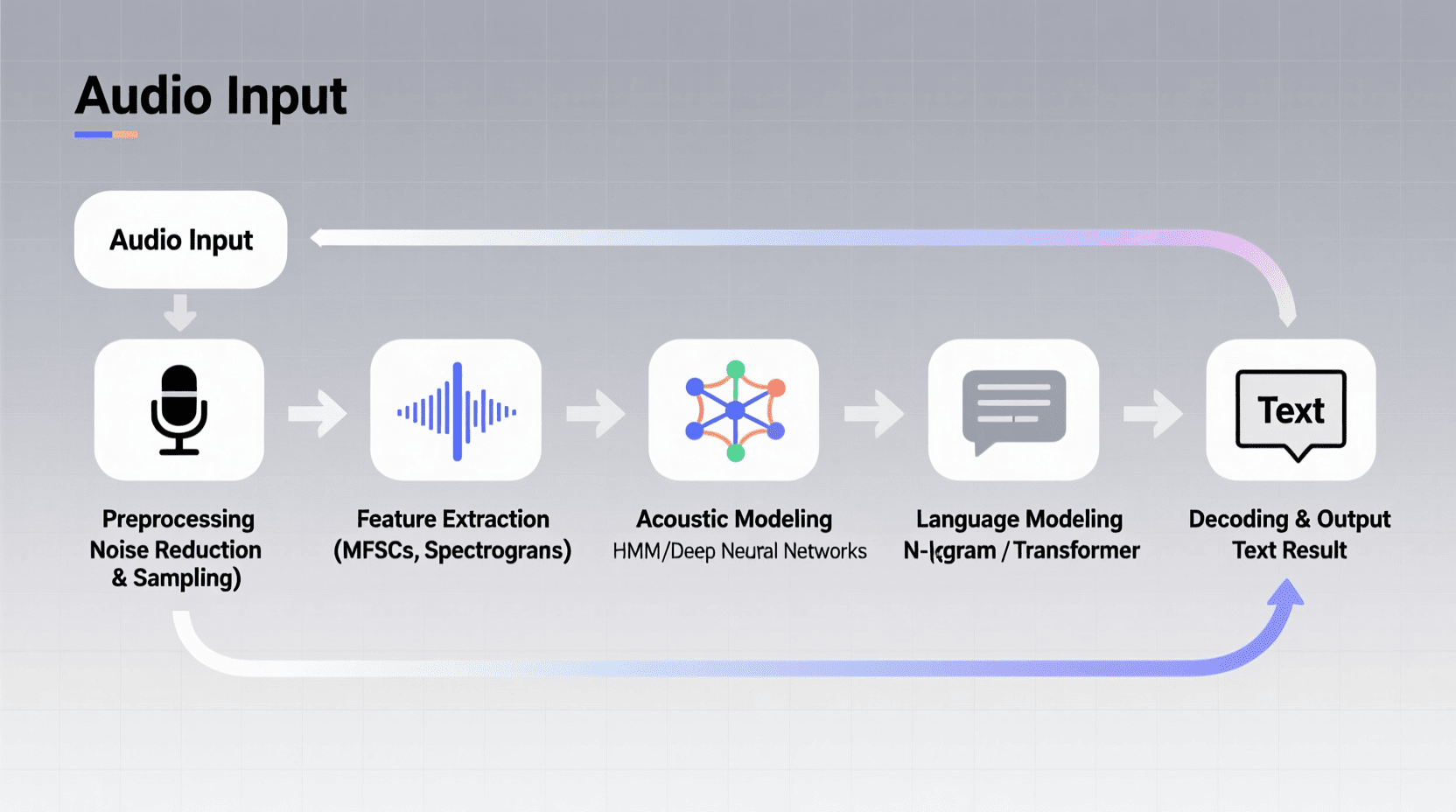
When you speak to a voice-enabled device, several complex processes happen in the background within milliseconds. Understanding these steps helps explain both the capabilities and limitations of speech-to-text technology.
Sound Wave Capture
First, your device’s microphone captures sound waves when you speak. These analog sound waves get converted into digital signals that computers can process. The quality of this initial capture affects everything that follows, which is why devices with better microphones tend to have more accurate voice recognition.
Audio Preprocessing
The system then cleans up the audio. It filters out background noise, adjusts volume levels, and isolates your voice from other sounds. This step is challenging because the system needs to distinguish between speech and noise without losing important audio information.
Feature Extraction
Next comes feature extraction, where the system breaks your speech into smaller units called phonemes. These are the basic sound units that make up words. The system analyzes frequency patterns, duration, and other acoustic properties to identify these phonemes.
Pattern Recognition
Using complex algorithms, the system compares the phonemes it detected against massive databases of language patterns. Modern systems use deep learning neural networks trained on thousands of hours of recorded speech to make these comparisons.
Language Processing
After identifying potential words, the system uses natural language processing (NLP) to understand context and meaning. It considers grammar rules, sentence structure, and the likelihood of certain word combinations. This step helps the system distinguish between words that sound similar but have different meanings, like “write” and “right.”
Output Generation
Finally, the system produces output, either as text on your screen or as an action. If you asked a question, it might search for information. If you gave a command, it executes the instruction. This entire process typically happens in less than a second.
What Affects Voice Recognition Accuracy?
Voice recognition accuracy varies widely depending on several factors. Understanding these helps explain why the technology works perfectly sometimes and struggles other times.
Speaking Clarity and Pace
How clearly and quickly you speak affects recognition accuracy. Speaking too fast can cause the system to miss words or merge them together. Mumbling or speaking very quietly creates similar problems. Most systems work best with clear, moderately paced speech at a normal volume.
Accents and Dialects
Speech recognition systems trained primarily on standard American or British English often struggle with other accents and dialects. Research from the University of Washington found that error rates for voice recognition can be twice as high for speakers with certain accents compared to standard American English.
Companies are working to improve this by training their systems on more diverse voice samples, but accent recognition remains an ongoing challenge in voice recognition accuracy.
Background Noise
Environmental sounds compete with your voice for the system’s attention. Traffic noise, conversations, music, or even a running fan can reduce accuracy. Better microphones and advanced noise cancellation help, but background noise remains one of the biggest challenges for speech-to-text technology.
Audio Quality
The quality of your device’s microphone matters significantly. A phone with a high-quality microphone captures more detail and nuance in your speech than a cheap headset or laptop mic. This affects how well the system can distinguish between similar-sounding words.
Vocabulary and Context
Technical terms, proper names, slang, or specialized vocabulary can confuse speech recognition systems. These words might not exist in the system’s training data, leading to incorrect transcriptions. Some systems allow you to add custom vocabulary, which can improve accuracy for frequently used specialized terms.
Language and Grammar Complexity
Simple sentences with common words work better than complex sentence structures with uncommon vocabulary. Systems trained on general conversation may struggle with formal or technical language. Similarly, switching between languages mid-sentence can cause recognition problems.
Different Types of Speech Recognition Systems
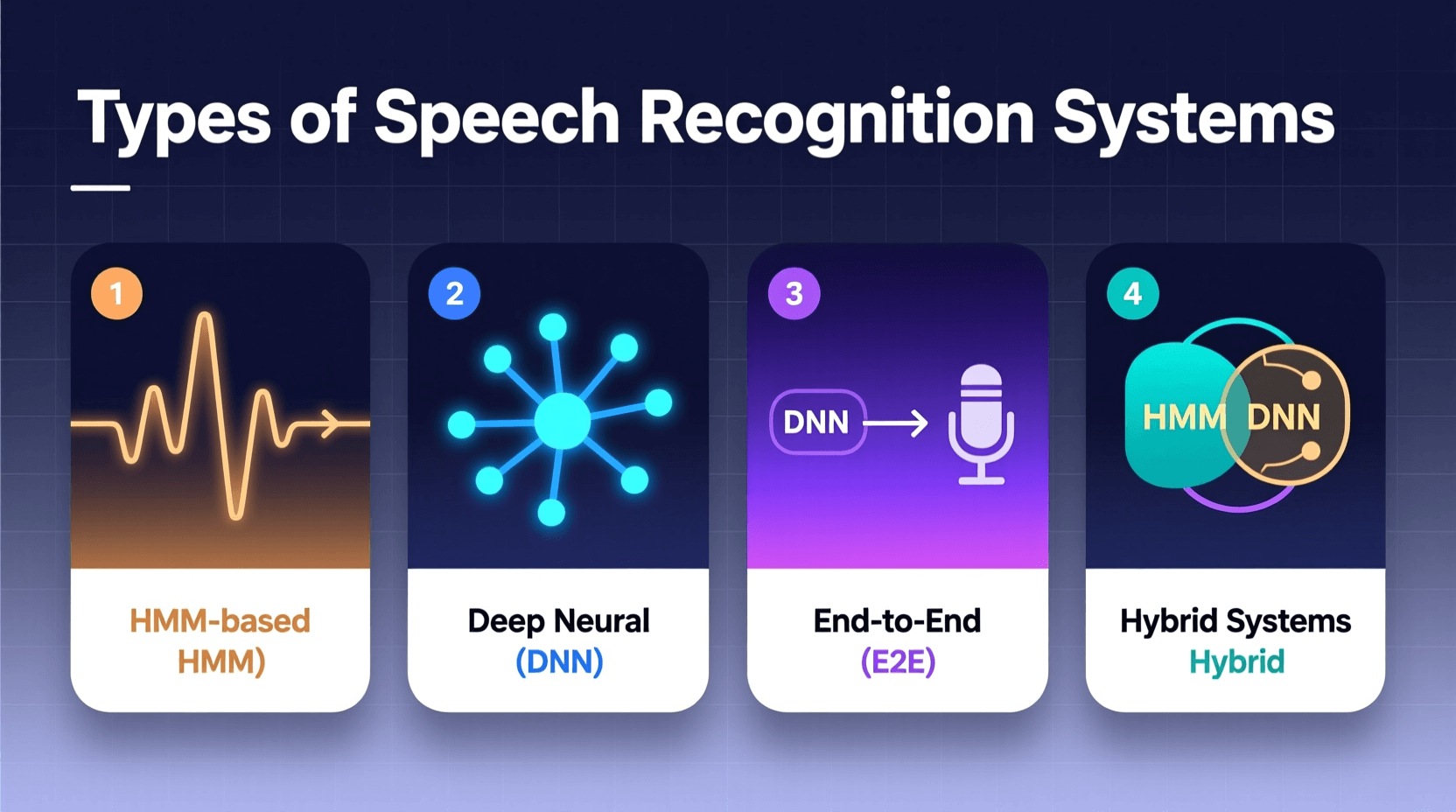
Not all speech recognition systems work the same way. Different types serve different purposes, and understanding these differences helps explain their capabilities and limitations.
Cloud-Based Systems
Most popular voice assistants like Alexa, Google Assistant, and Siri use cloud-based speech recognition. Your voice gets recorded by your device, then sent over the internet to powerful servers for processing. These servers have access to vast language models and computing power, which enables high accuracy.
The downside? Your voice data leaves your device and travels to company servers. This raises privacy concerns we’ll explore later. Cloud-based systems also require an internet connection to work.
On-Device Systems
On-device speech recognition processes your voice locally on your phone or computer without sending data to external servers. This offers better privacy protection since your voice never leaves your device.
Apple has moved much of Siri’s processing on-device in recent iOS versions. Google also offers on-device recognition for certain features. The trade-off is typically lower accuracy compared to cloud-based systems because local devices have less computing power and smaller language models.
Hybrid Systems
Some systems use a hybrid approach. They handle simple commands on-device for speed and privacy, but send complex queries to the cloud for better accuracy. This balances privacy concerns with performance needs.
Speaker-Dependent Systems
Speaker-dependent systems require training on your specific voice. You spend time reading sample texts so the system learns your speech patterns. These systems achieve high accuracy for the trained user but don’t work well for others.
Voice authentication systems often use this approach since they need to distinguish your voice from others for security purposes.
Speaker-Independent Systems
Most modern voice assistants are speaker-independent, meaning they work for any user without training. They achieve this by training on diverse voice samples from thousands of people. While more convenient, they may be less accurate than speaker-dependent systems for any individual user.
Privacy Concerns with Voice Recognition
Voice recognition privacy has become a major issue as these systems become more common in our homes, cars, and phones. Several concerns deserve your attention.
Always Listening Devices
Voice assistants must listen constantly to hear their wake words like “Hey Siri” or “Alexa.” This means microphones in your home are always active, even when you think they’re off.
Companies claim these devices only send audio to their servers after detecting the wake word. However, Consumer Reports testing found that smart speakers occasionally activate by mistake, recording conversations when users didn’t intend to trigger them.
Human Review of Voice Recordings
Major tech companies employ thousands of contractors to listen to voice recordings to improve their systems. In 2019, reports revealed that Amazon, Apple, Google, and Microsoft all had workers listening to user recordings.
While companies now offer options to opt out of human review, the default settings often still allow it. These recordings might include personal information, private conversations, or even accidentally recorded intimate moments.
Data Storage and Retention
Your voice recordings don’t disappear after use. Companies typically store them indefinitely to improve their systems and potentially target advertising. Amazon and Google allow you to delete recordings manually, but few users know this option exists or take the time to use it.
This creates an ever-growing database of your voice data tied to your account. If this data gets breached or subpoenaed, your private conversations could become public.
Third-Party Access
Voice data might be shared with third parties. If you use voice commands to order from a restaurant or book an Uber, information about your request gets shared with those companies. Privacy policies often give companies broad permission to share data with partners and subsidiaries.
Voice Fingerprinting
Your voice is unique, like a fingerprint. Companies can use voice recognition to identify you across different interactions and services. This enables tracking of your activities, preferences, and behaviors in ways you might not expect or consent to.
Government Requests
Law enforcement agencies can request voice recordings from tech companies. Amazon has provided Echo recordings in criminal investigations. While this might help solve crimes, it also means your private conversations could become evidence in legal proceedings.
What Data Gets Collected When You Use Voice Commands?
When you use speech-to-text technology or voice assistants, companies collect more than just your words. Understanding what data gets gathered helps you make informed decisions about voice privacy.
Audio Recordings
The most obvious data collected is the actual audio recording of your voice. These recordings capture not just words, but also tone, emotion, background sounds, and environmental context. Some systems save these recordings permanently unless you manually delete them.
Transcripts
Text transcripts of your voice commands get stored separately from audio recordings. These transcripts become part of your interaction history with the service. They’re used to personalize responses, improve accuracy, and sometimes target advertising.
Device Information
Systems log which device you used, its location, the time of your request, and technical details about your network connection. This metadata might seem harmless but can reveal patterns about your daily routine and habits.
Context Data
Voice assistants collect information about what you were doing when you made a voice command. Were you using another app? Searching for something? Playing music? This context helps the assistant provide better responses but also creates a detailed profile of your activities.
Behavioral Patterns
Over time, systems analyze patterns in your voice usage. When do you typically use voice commands? What types of questions do you ask? What products do you inquire about? This behavioral data helps companies understand and predict your needs, but it also enables detailed profiling.
Associated Account Data
Your voice interactions get linked to your account along with all other data the company has about you, including purchase history, search history, location data, and information from other services. This creates a comprehensive profile that goes far beyond just your voice commands.
If you’re concerned about creating content without leaving similar data trails, tools like our AI text humanizer can help you generate text content privately without cloud-based speech recognition.
How to Protect Your Voice Privacy
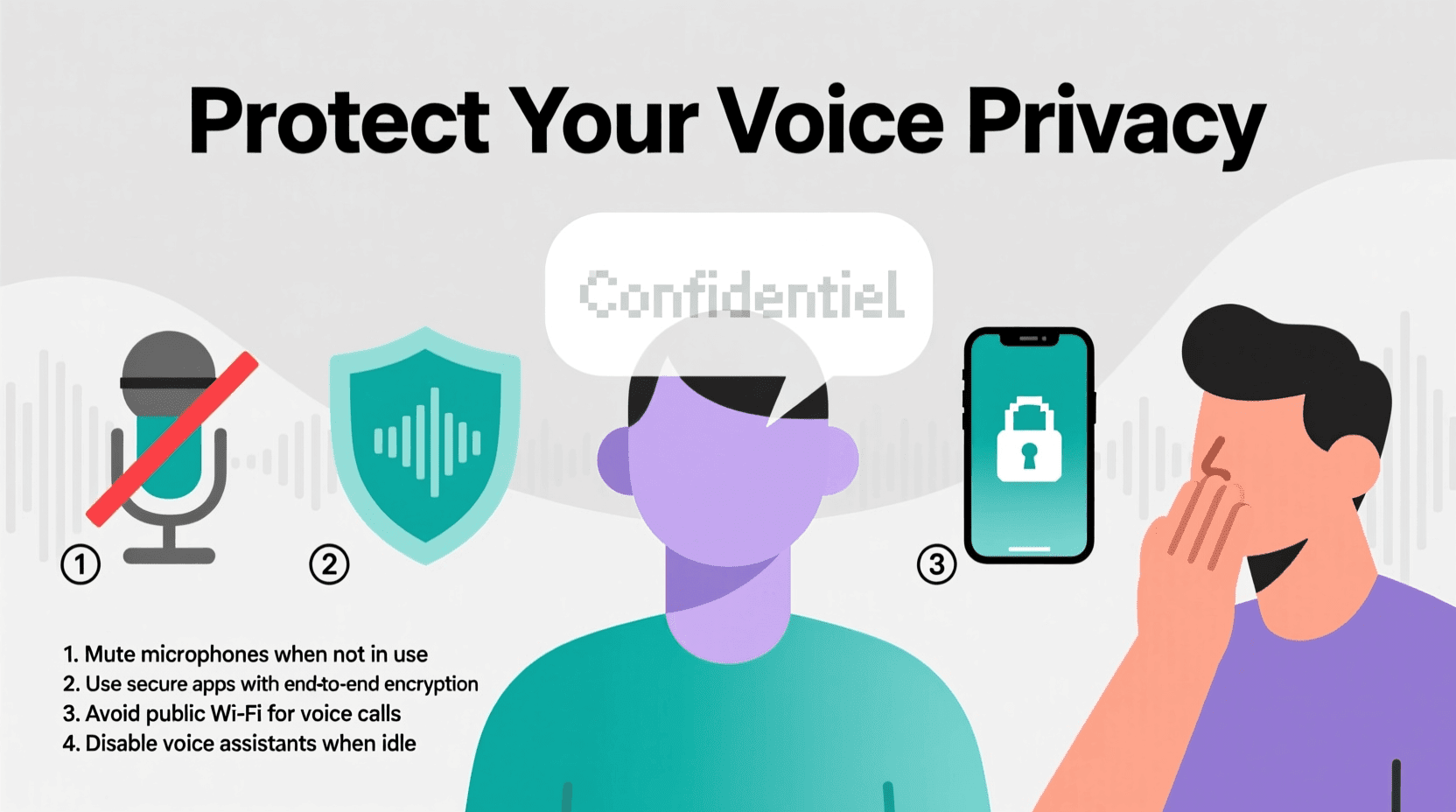
You don’t have to give up voice technology entirely to protect your privacy. These steps can help minimize risks while still using speech recognition features.
Review and Delete Voice Recordings
Most major platforms let you review and delete stored voice recordings. For Amazon Alexa, go to Settings > Alexa Privacy > Review Voice History. Google Assistant users can visit My Activity and filter for Voice & Audio. Apple allows deletion through Settings > Siri & Search > Siri & Dictation History.
Set a reminder to do this regularly, or enable auto-delete features where available. Google allows automatic deletion of recordings after 3, 18, or 36 months.
Disable Human Review
Opt out of having humans review your recordings. In Alexa, disable “Help Improve Amazon Services” in privacy settings. For Google Assistant, turn off “Voice and Audio Activity.” Apple lets you opt out through Settings > Privacy > Analytics & Improvements > Improve Siri & Dictation.
Use On-Device Processing When Possible
Choose devices and settings that process voice commands locally rather than in the cloud. Apple’s newer devices handle many Siri requests on-device. This keeps your voice data on your device rather than sending it to company servers.
Mute When Not in Use
Most smart speakers have physical mute buttons that disable the microphone. Use these buttons when having private conversations or when you don’t need voice features. Remember that muting is different from turning the device off through software, which can be overridden remotely.
Create Separate Accounts
Consider using a separate account for voice assistants that’s not linked to your main email or other services. This limits how much information gets connected to your voice data. You’ll sacrifice some convenience, but gain privacy protection.
Limit Microphone Permissions
Review which apps have microphone access on your phone. Go to Settings > Privacy > Microphone on iOS or Settings > Privacy > Permission manager > Microphone on Android. Disable access for apps that don’t need it.
Read Privacy Policies
Yes, they’re long and boring. But privacy policies tell you exactly what data companies collect and what they do with it. Look specifically for sections about voice data, recording storage, and third-party sharing.
Consider Privacy-Focused Alternatives
Some newer voice assistants prioritize privacy. Mycroft is an open-source voice assistant that processes commands locally. While these alternatives may not match the features of major platforms, they offer better privacy protection.
Use Voice Commands Sparingly
The simplest way to protect voice privacy is to use these features less. Type searches instead of speaking them. Manually adjust smart home devices when possible. Save voice commands for when they provide significant convenience benefits.
For text generation tasks that don’t require voice input, consider using tools like our free AI text tools which allow you to create content through typing rather than voice commands.
The Future of Speech Recognition Technology
Speech recognition technology continues to advance. Understanding upcoming developments helps you prepare for both new capabilities and new privacy challenges.
Improved Accuracy and Understanding
Next-generation systems will better understand context, emotion, and intent. They’ll handle complex conversations with multiple speakers, understand nuanced language, and recognize sarcasm or humor. This makes interactions more natural but also means systems can extract more information from your voice.
Emotion Detection
Future systems will analyze not just what you say, but how you say it. They’ll detect emotions like stress, happiness, anger, or sadness from vocal patterns. While this could enable more empathetic responses, it also raises concerns about emotional manipulation and psychological profiling.
Companies might use emotion detection to optimize advertising, adjust pricing, or influence your decisions based on your emotional state.
Real-Time Translation
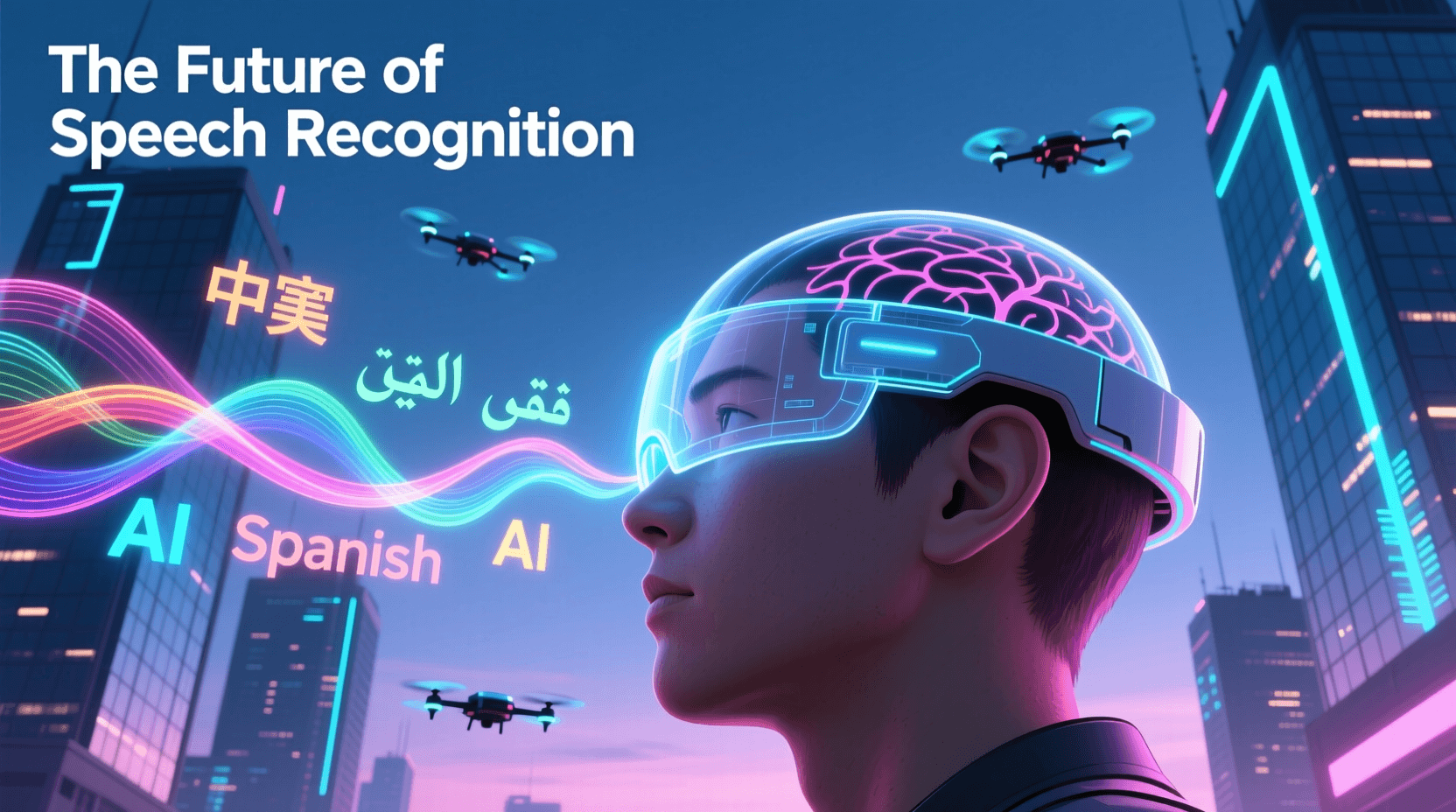
Speech recognition combined with real-time translation will break down language barriers. You’ll speak in English, and others will hear your words in their native language almost instantly. This technology already exists in limited forms but will become more accurate and widespread.
Voice Authentication
Your voice will increasingly replace passwords for authentication. Banks, apps, and services will verify your identity by recognizing your unique vocal characteristics. This is convenient but creates security risks if someone can fake your voice or access recordings.
Ambient Computing
Voice interfaces will become embedded everywhere, not just in dedicated devices. Your car, refrigerator, bathroom mirror, and even clothing might respond to voice commands. This “ambient computing” makes life more convenient but also means microphones could be listening almost everywhere you go.
Edge Processing
More processing will happen on local devices rather than in the cloud. New chip designs specifically for AI processing will allow phones and smart speakers to handle complex speech recognition without internet connections. This shift could significantly improve voice recognition privacy by keeping data local.
Synthetic Voice Generation
AI systems will create realistic synthetic voices that are indistinguishable from real human speech. This technology has positive applications like helping people who lost their voice, but also enables concerning possibilities like voice deepfakes for fraud or misinformation.
Brain-Computer Interfaces
Looking further ahead, brain-computer interfaces might allow direct thought-to-text conversion, bypassing speech entirely. While this seems like science fiction, companies like Neuralink are already developing such technology. This would raise entirely new categories of privacy concerns about reading people’s thoughts.
As these technologies develop, staying informed becomes increasingly important. Tools that help you control your digital content creation, like our free AI tools collection, can help you maintain some control over your digital footprint.
Frequently Asked Questions
Is speech recognition technology safe?
Speech recognition technology is generally safe for basic use, but it does collect and store voice data that could potentially be accessed by hackers, company employees, or law enforcement. The safety depends on how companies handle your data and what security measures they implement. Using privacy settings, regularly deleting recordings, and being selective about what you say to voice assistants can improve safety.
Can voice assistants record conversations without the wake word?
Voice assistants are designed to only record after hearing their wake word, but testing has shown they sometimes activate by mistake. Words that sound similar to wake words can trigger recording. Additionally, there have been concerns that devices might occasionally record more than intended. Using the physical mute button when having private conversations provides more reliable protection.
How accurate is speech-to-text technology?
Modern speech-to-text technology typically achieves 90-95% accuracy under ideal conditions with clear speech and minimal background noise. Accuracy varies based on factors like accent, speaking pace, audio quality, and vocabulary. Cloud-based systems generally offer better accuracy than on-device processing. For specialized vocabulary or heavy accents, accuracy can drop to 70-80%.
Do companies sell voice data?
Major tech companies claim they don’t directly sell voice recordings to third parties. However, they may share data with partners, use it for targeted advertising, or analyze it to create user profiles that have commercial value. Always read privacy policies to understand how your voice data might be used or shared.
Can I use voice recognition without internet?
Yes, some speech recognition features work offline using on-device processing. Apple’s iOS and Google’s Android both offer limited voice recognition capabilities without internet. However, offline functionality is typically less accurate and supports fewer features than cloud-based processing. The specific capabilities vary by device and operating system version.
How long do companies keep voice recordings?
Storage duration varies by company. Amazon and Google keep recordings indefinitely unless you manually delete them or enable auto-delete features. Apple claims to delete most Siri recordings after six months unless you opt into longer storage for quality improvement. Check each service’s privacy policy for specific retention periods.
Is on-device speech recognition more private?
Yes, on-device speech recognition is significantly more private because your voice never leaves your device to reach company servers. This means no voice recordings are stored in the cloud, and no company employees can listen to your audio. The trade-off is usually lower accuracy and fewer features compared to cloud-based systems.
Can voice recognition systems distinguish between different speakers?
Yes, many modern systems include speaker recognition features that can identify different users by their voice. Google Assistant and Amazon Alexa can recognize multiple family members and provide personalized responses. This feature works by analyzing unique vocal characteristics, which also means the system is creating voice profiles of everyone who uses it.
What happens if my voice data is breached?
If voice data is breached, attackers could access your recordings, transcripts, and associated metadata. This could expose private conversations, reveal personal information, or enable voice cloning for fraud. Unfortunately, you can’t change your voice like you can change a password. If breach occurs, contact the company, monitor accounts for suspicious activity, and consider stopping use of voice services temporarily.
Does using voice commands drain battery faster?
Voice recognition does use additional battery power because it requires the microphone to stay active and processing power to analyze audio. However, modern devices are optimized to minimize this impact. The battery drain from always-listening features is usually minimal on current smartphones and smart speakers. Cloud-based processing can save battery compared to on-device processing for complex tasks.
Can I stop voice assistants from learning about me?
You can limit how much voice assistants learn about you by disabling personalization features, regularly deleting your history, and not linking them to other accounts or services. However, completely preventing learning while still using the service is difficult because these systems need some data to function. The most private option is not using voice assistants at all or switching to privacy-focused alternatives.
Are children’s voices at greater privacy risk?
Yes, children’s privacy faces additional concerns with voice technology. Many countries have strict regulations about collecting children’s data, but enforcement varies. Kids may not understand privacy implications and might share sensitive information with voice assistants. Some parents create separate limited accounts for children or disable voice features on devices kids use regularly.
How do I know if my voice data has been reviewed by humans?
You typically can’t know for certain whether human reviewers have listened to your specific recordings unless the company informs you. Some services now provide transparency reports or notifications, but this isn’t universal. Your best protection is opting out of human review programs through privacy settings, though this doesn’t guarantee past recordings weren’t reviewed.
Can voice recognition work with multiple languages?
Most modern speech recognition systems support multiple languages, though capabilities vary. Some systems can recognize and switch between languages in the same conversation, while others require you to set a specific language. Accuracy tends to be best for widely spoken languages like English, Spanish, and Mandarin, with less common languages having lower accuracy rates.
What’s the difference between speech recognition and voice recognition?
Speech recognition converts spoken words into text or commands, focusing on what was said regardless of who said it. Voice recognition identifies who is speaking based on unique vocal characteristics. Many systems use both technologies together, recognizing words while also identifying the speaker for personalization and security purposes.
Making Informed Choices About Voice Technology
Speech recognition technology offers real convenience. It lets you control devices hands-free, helps people with disabilities, and makes certain tasks faster and easier. But this convenience comes with trade-offs in privacy and data security.
Voice recognition accuracy continues to improve, making these systems more useful and tempting to use. At the same time, the amount of voice data being collected grows every day, creating larger privacy risks.
You don’t have to choose between convenience and privacy completely. Understanding how speech-to-text technology works, knowing what data gets collected, and taking steps to limit unnecessary data sharing lets you find a balance that works for you.
Review your privacy settings regularly. Delete old recordings. Think carefully about what information you share through voice commands. Consider whether typing might work just as well for certain tasks. Stay informed about new developments in voice recognition privacy, both technological improvements and new threats.