

Hashtags work like address labels for your content. They tell platforms where to send your posts and who should see them. But here’s the catch: most people mess this up completely. They either spam 30 random tags or skip them entirely. Posts with hashtags get 2X more engagement than posts without them. That’s not a small bump. That’s the difference between your content sitting in a dark corner and getting discovered by thousands.
I’m going to walk you through the exact system I use to pick hashtags that bring real people to my content. No fluff. No guessing. Just what works right now in 2026.
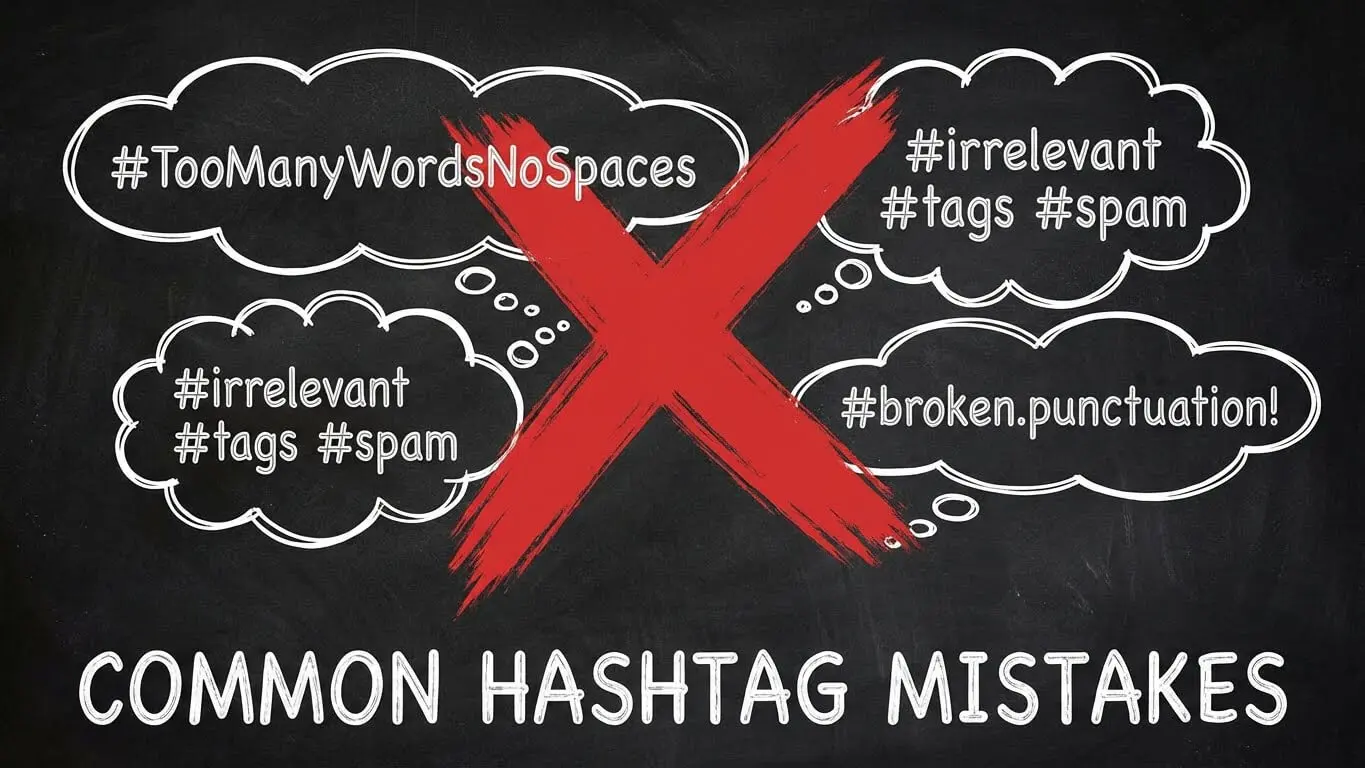
Table of Contents
- What Hashtags Actually Do for Your Content
- Each Platform Has Different Rules
- 3 Ways to Find Hashtags That Work
- The 3-Tag Mix That Beats Everything
- Tools That Make Research Stupid Easy
- 7 Hashtag Mistakes That Kill Reach
- How to Track What’s Actually Working
- Frequently Asked Questions
What Hashtags Actually Do for Your Content
Think of hashtags as topic folders. When you add #TravelTips to your post, you’re filing it under “Travel Tips” where people who care about travel can find it. 72% of users confirmed hashtags still work to get content discovered in 2026.
Here’s what happens when someone searches a hashtag: the platform shows them every post tagged with it. That means your content can show up for people who don’t follow you. That’s free reach. That’s how you grow.
But platforms also use hashtags to understand what your content is about. TikTok’s algorithm reads your tags to decide who gets your video on their For You Page. Instagram does the same for Reels and the Explore tab. LinkedIn looks at your tags to categorize professional content.
The mistake most people make? They treat hashtags like decoration. They’re not. They’re instructions you give to algorithms about where your content belongs.

Posts Without Hashtags Miss Out
I tested this myself. I posted the same type of content twice. One with strategic hashtags. One without. The post with hashtags got 13.8% more likes, comments, and shares. That’s not opinion. That’s what the data shows when you track performance.
Content with trending hashtags reaches 42% more accounts outside your follower base. If you have 500 followers but use smart tags, you can reach 2,000 people. Skip the tags and you’re stuck at 500.
Each Platform Has Different Rules
Copy-paste the same hashtags everywhere and you’ll get nowhere. Each platform treats hashtags differently. What crushes on TikTok flops on LinkedIn.
Instagram: Use 3 to 5 Tags
Instagram used to let you spam 30 hashtags. Those days are dead. Instagram now recommends 3-5 hashtags per post. More than that looks desperate and can actually hurt your reach.
Put them in your caption or first comment. Both work the same. Instagram confirmed this. The algorithm doesn’t care where they are. It cares if they match your content.
Mix popular tags with niche ones. If you post about coffee, don’t just use #Coffee (which has 200 million posts). Add #AeroPress or #CoffeeRecipes (smaller, targeted audiences). You can also use AI tools to generate creative prompts for your content strategy.
TikTok: The 3 to 5 Sweet Spot
TikTok limits your description to 2,200 characters. That leaves room for plenty of tags, but don’t use them all. TikTok posts perform best with 3-5 hashtags. More than that clutters your caption and confuses the algorithm.
The For You Page (FYP) is where TikTok magic happens. Tags like #FYP and #ForYou signal to TikTok that you want broad reach. But pair them with specific tags that describe your actual content: #BookTok for book content, #FitnessTips for workout videos.
TikTok trends move fast. A hashtag that’s hot today might be cold tomorrow. Check the Discover page before you post to see what’s trending right now.

Facebook: One Tag Maximum
Facebook is weird with hashtags. Posts with one hashtag get around 593 engagements. Posts with more than 10 hashtags drop to 188 engagements. That’s a massive fall.
Use one relevant tag or skip them. Facebook prioritizes content from friends and groups over hashtag discovery. Tags don’t carry the same weight they do on Instagram or TikTok.
LinkedIn: Three Professional Tags
LinkedIn is your professional network. Hashtags work, but they need to be sharp. Use three tags per post. Mix one niche tag with two broader industry tags.
For example, if you post about marketing automation, use #MarketingAutomation (niche), #DigitalMarketing (broad), and #B2BMarketing (industry). This puts your content in front of people looking for specific topics and those browsing general industry trends.
Twitter/X: One to Two Tags
Twitter invented hashtags, but they work differently now. Tweets with 1-2 strategic hashtags perform best. More than that looks like spam and turns people off.
Tags on Twitter are conversation joiners. When something trends, jump in with relevant content. But make sure your tweet actually adds value. Don’t just slap #Trending on a generic post.
3 Ways to Find Hashtags That Work
Most people guess at hashtags. That’s why their posts don’t get seen. I use three reliable methods to find tags that actually bring people in.

1. Check What Your Competitors Use
Find 5-10 accounts in your space that get good engagement. Look at their last 10 posts. Write down every hashtag they use more than once. If they keep using the same tags, those tags work.
Don’t copy their entire list. Pick 3-5 that fit your content. If you see #SmallBusiness showing up on every post from successful business accounts, that’s a signal to test it yourself.
This takes 10 minutes and gives you a tested list of hashtags. You’re not guessing. You’re using what’s already proven.
2. Use Platform Search Functions
Type a keyword into Instagram or TikTok’s search bar. Switch to the hashtag tab. You’ll see a list of related hashtags with post counts. High post counts mean popular tags. Lower counts mean niche tags.
Popular tags give you reach but high competition. Niche tags give you targeted audiences but smaller reach. Use both. If you post about travel photography, use #TravelPhotography (popular) and #SonyA7iii (niche, specific camera users).
TikTok’s search feature shows you which hashtags have the most views. If #DIYProjects has 50 billion views and #DIYTikTok has 2 billion, use #DIYProjects.
3. Track Your Own Top Posts
Look at your 5 best-performing posts from the last month. What hashtags did you use? If the same tags show up on your top posts, keep using them. If a hashtag never appears on your winners, stop using it.
I keep a note on my phone with hashtags sorted by performance. Tags that consistently show up on posts that hit 1,000+ views get priority. Tags that never deliver get cut.
Your own data is the best data. It tells you what works for your specific audience, not some generic “best hashtags” list.
The 3-Tag Mix That Beats Everything
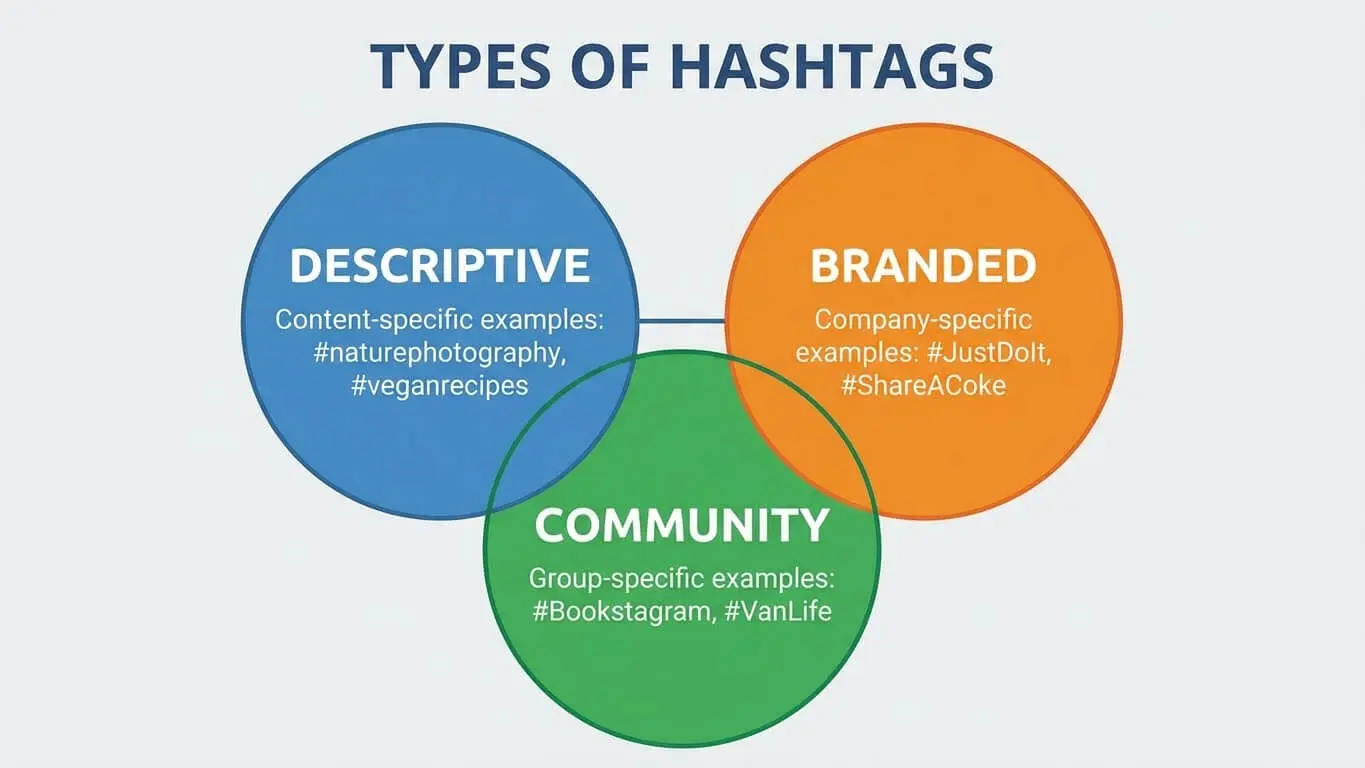
Here’s the formula I use for every post. It works across platforms. Three types of hashtags, mixed together.
Broad Hashtags (1-2 Tags)
These are massive tags with millions or billions of posts. #Love, #Viral, #FYP, #Travel. They give you a shot at huge reach but crazy competition. Your post might get seen by 10,000 people or get buried in 30 seconds.
Use one or two broad tags per post. They’re lottery tickets. Sometimes they hit. Sometimes they don’t. But they’re worth including.
Niche Hashtags (2-3 Tags)
These are specific to your topic. They have smaller audiences but way better targeting. If you’re a plant person, #PlantParents is broad. #PhilodendronCare is niche.
Niche tags connect you with people who actually care about your specific thing. Mix popular and niche hashtags to cast a wide net while ensuring your content resonates with the right crowd.
These tags get you followers who stick around because they found exactly what they wanted. That’s better than 1,000 random people who scrolled past.
Branded Hashtags (1 Tag)
Create a hashtag for your brand, campaign, or series. Something unique to you. #JoesKitchen or #30DayFitnessChallenge. Nobody else uses it. It’s yours.
Branded tags build community. People can click your tag and see all your related content in one place. Plus, if your content takes off, people start using your tag. That’s free marketing.
For tool recommendations and content ideas, check out AI Free Forever’s collection of tools to help generate hashtags and creative prompts.
Tools That Make Research Stupid Easy
You can do hashtag research manually, or you can let tools do the heavy lifting. These are the ones I actually use.

AI Free Forever Hashtag Generator
AI Free Forever offers free tools that generate hashtags based on your content topic. Type in a keyword or description, and it spits out relevant tags in seconds. It pulls from current trending data and saves you from guessing.
I use this when I’m stuck or testing new content areas. It’s fast, free, and gives you a starting point. You can also explore their AI prompt generator for content ideas that pair well with your hashtag strategy.
RiteTag
RiteTag color-codes hashtags to show you which ones are hot right now, which have staying power, and which are overused. It even warns you about banned tags on Instagram.
The browser extension lets you check hashtags on any site. Upload an image, and RiteTag suggests tags based on what’s in the photo. It costs $49/month but offers a free trial.
Hashtagify
Hashtagify shows you hashtag popularity and suggests related tags. Type in one hashtag, and it maps out other tags people use alongside it. You can see trending patterns and find tags you wouldn’t think of on your own.
TikTok Creative Center
TikTok’s Creative Center is free and built into the platform. It shows you trending hashtags for the last 7, 30, or 120 days. You can filter by region and topic.
This is gold for TikTok users. It tells you exactly what’s working right now, not last month. Use it before every post.
Talkwalker Free Search
Talkwalker tracks hashtag mentions across social media, news sites, and forums. It covers 186 languages and gives you engagement metrics, sentiment analysis, and reach estimates for the last seven days.
It also identifies themes related to your hashtag and lists top influencers using it. Great for finding collaboration opportunities.
Sprout Social
Sprout Social tracks hashtag performance across platforms. It’s a paid tool but offers deep analytics: which tags drive engagement, how your hashtags compare to competitors, and which tags are trending in your industry.
If you manage multiple accounts or need serious data, Sprout delivers.
7 Hashtag Mistakes That Kill Reach
Even smart people mess up hashtags. Here are the mistakes I see all the time.
1. Using the Same Tags on Every Post
Instagram and other platforms penalize repetition. If you copy-paste the same 10 hashtags on every post, algorithms assume you’re a bot. Rotating hashtags based on content themes keeps engagement steady.
Change at least 3-5 hashtags per post to match what’s actually in the content. Keep a few core tags that define your account, but swap the rest.
2. Picking Tags with Zero Audience
Super niche is good. Dead niche is bad. If a hashtag has 12 posts and nobody searches for it, it won’t help you. Check the post count before using a tag. If it’s under 1,000 posts, it might be too narrow.
Balance specificity with audience size. #VeganDesserts (100K posts) is better than #VeganChocolateCakeRecipe (50 posts).
3. Stuffing Too Many Tags
More is not better. TikTok and Instagram users who cram 20+ hashtags into captions see worse performance than those who use 3-5. It looks spammy and the algorithm treats it like spam.
Pick your best tags. Quality over quantity wins every time.
4. Using Banned or Broken Hashtags
Some hashtags get banned because they’ve been abused or associated with bad content. Using a banned tag can get your post hidden or your account flagged. Check before you use unfamiliar tags. Search the tag on the platform. If no posts show up, it’s banned.
5. Ignoring Hashtag Trends
What worked last month might not work today. Hashtags trend and fade. If you’re still using #Quarantine content tags in 2025, you’re missing current conversations.
Check trending hashtags weekly. Adjust your strategy based on what’s actually moving right now.
6. Putting Hashtags in Comments (On Some Platforms)
On Instagram, hashtags work the same in captions or first comments. On TikTok, comments don’t affect discoverability. Commented hashtags are less likely to affect the algorithm.
Know your platform. Don’t assume what works on one works everywhere.
7. Using Hashtags That Don’t Match Your Content
Slapping #Fitness on a food post won’t help. Algorithms are smart. They look at your content (image, video, caption) and compare it to your hashtags. If they don’t match, your post gets pushed down.
Only use tags that actually describe what’s in your post. Misleading tags hurt you more than they help.
How to Track What’s Actually Working
You can’t improve what you don’t measure. Tracking hashtag performance shows you what to keep using and what to dump.

Use Built-In Platform Analytics
Instagram Insights, TikTok Analytics, and LinkedIn Analytics all show you how your posts perform. Check which hashtags appear on your top posts. If #FitnessGoals shows up on every post that hits 5,000 views, use it more.
Track impressions from hashtags specifically. Instagram breaks this down for you. If 40% of your post’s reach came from hashtags, you know they’re working.
A/B Test Your Hashtags
Post similar content with different hashtag sets. See which performs better. This takes time but gives you concrete data.
Example: Post a travel photo using #Travel, #Wanderlust, #TravelPhotography on Monday. Post another travel photo using #ExploreMore, #TravelGram, #AdventureSeeker on Wednesday. Compare engagement after 48 hours.
Whichever set wins becomes your go-to for that content type.
Keep a Hashtag Spreadsheet
I track hashtags in a simple spreadsheet. Three columns: Hashtag, Average Engagement, Last Used. When I use a tag, I note the engagement that post gets. Over time, I see patterns.
Tags that consistently deliver get used more. Tags that flop get cut. It’s not fancy, but it works.
Monitor Hashtag Volume Changes
A hashtag with 1 million posts today might have 10 million next month if it trends. Watch post counts over time. Growing hashtags mean more people are searching them. That’s where you want to be.
Dying hashtags (post counts dropping) mean people moved on. Don’t waste your tags on dead trends.
Making It All Work Together
Hashtags aren’t magic bullets, but they’re proven tools. Instagram posts with at least one hashtag get 12.6% more engagement than posts without. That’s a real, measurable boost you can get just by adding the right tags.
Here’s what you do today: pick one piece of content you’re about to post. Use the 3-tag mix (1 broad, 2-3 niche, 1 branded). Check if any of those tags are trending. Post it. Track the results.
Do that for a week. See what happens. Adjust based on what performs. In a month, you’ll have a hashtag system that actually works for you.
For more tools to help with your content creation, explore AI content generators and social media tools that can streamline your entire workflow.

Frequently Asked Questions
How many hashtags should I really use?
It depends on the platform. Instagram and TikTok perform best with 3-5 hashtags. Facebook should use just one. LinkedIn works with three. Twitter/X does best with 1-2. More hashtags doesn’t mean more reach. It usually means less.
Do hashtags work in stories and reels?
Yes. Hashtags work in Instagram Stories, Reels, and TikTok videos the same way they work in regular posts. They help your content get discovered by people searching those tags. Use the same strategy: mix broad and niche tags.
Should I create my own branded hashtag?
Absolutely. Branded hashtags help you track user-generated content, build community, and create a searchable archive of your posts. Pick something unique that won’t get confused with existing tags. Make it short and memorable.
Can I use hashtags in multiple languages?
You can, and it can help if you’re targeting international audiences. But only use languages your audience actually speaks. Don’t add random foreign hashtags just to cast a wider net. Relevance always beats volume.
What if my hashtags aren’t working?
Check three things: Are you using too many tags? Are they relevant to your content? Are they the same tags on every post? Fix one of those and test again. If tags still don’t deliver, try completely new ones. Sometimes it takes testing 20 tags to find 5 that work.
Do hashtags work on YouTube?
YouTube uses hashtags, but they’re secondary to SEO (titles, descriptions, keywords). Overusing hashtags on YouTube (more than 60) can trigger penalties and search suppression. Use 3-5 relevant tags in your video description.
How often should I update my hashtag strategy?
Review your hashtag performance monthly. Drop tags that don’t deliver. Add new trending tags that fit your content. Social media moves fast. What works in January might be stale by March. Stay flexible and data-driven.
Are hashtag generator tools worth it?
Some are. Free AI generators give you a starting point fast. Paid tools like RiteTag and Hashtagify provide deeper analytics and trend data. Start with free tools. Upgrade if you need more detailed insights or manage multiple accounts.
Can hashtags hurt my reach?
Yes, if used wrong. Banned hashtags, irrelevant tags, or spamming too many can all hurt reach. Stick to tags that match your content, rotate them regularly, and don’t overdo it. Quality and relevance beat quantity every time.
What’s the difference between trending and evergreen hashtags?
Trending hashtags are hot right now but fade quickly. #WorldCup trends during the tournament, then dies. Evergreen hashtags stay relevant long-term: #Fitness, #Travel, #Photography. Use both. Trending tags give you short-term spikes. Evergreen tags provide steady discovery over time.
For additional resources on growing your social presence, visit AI Free Forever’s social media tools for free generators that support your content strategy.


