Image to video AI models helps creators animate static images by converting them to videos with audio included. With this models, you can bring product photos to life for ads. You can animate portraits into talking avatars. You can transform artwork into cinematic sequences. These AI models do what once required entire production teams by converting images to 15 to 30seconds videos in a matter of minutes.
This guide covers the 19 best image to video AI tools available in 2026. It includes generative video models, avatar platforms, style transfer tools, and video editing solutions. Each tool excels at different use cases. Some focus on cinematic quality. Others offer budget-friendly options. Some provide enterprise-grade avatar generation.
Top 10 Image to Video AI Tools
- OpenAI Sora 2 – Best for long-form content
- Google Veo 3 – Best for native audio generation
- Wan 2.1 – Best open-source option
- Grok Imagine – Fastest generation time
- Kling AI – Best motion brush controls
- Luma Dream Machine (Ray3) – Best for HDR and reasoning
- HeyGen – Best for talking avatars
- Synthesia – Best for enterprise training videos
- Pika Labs – Best for social media creators
- Hailuo (MiniMax) – Best budget generative option
Latest Image to Video AI Benchmark Rankings
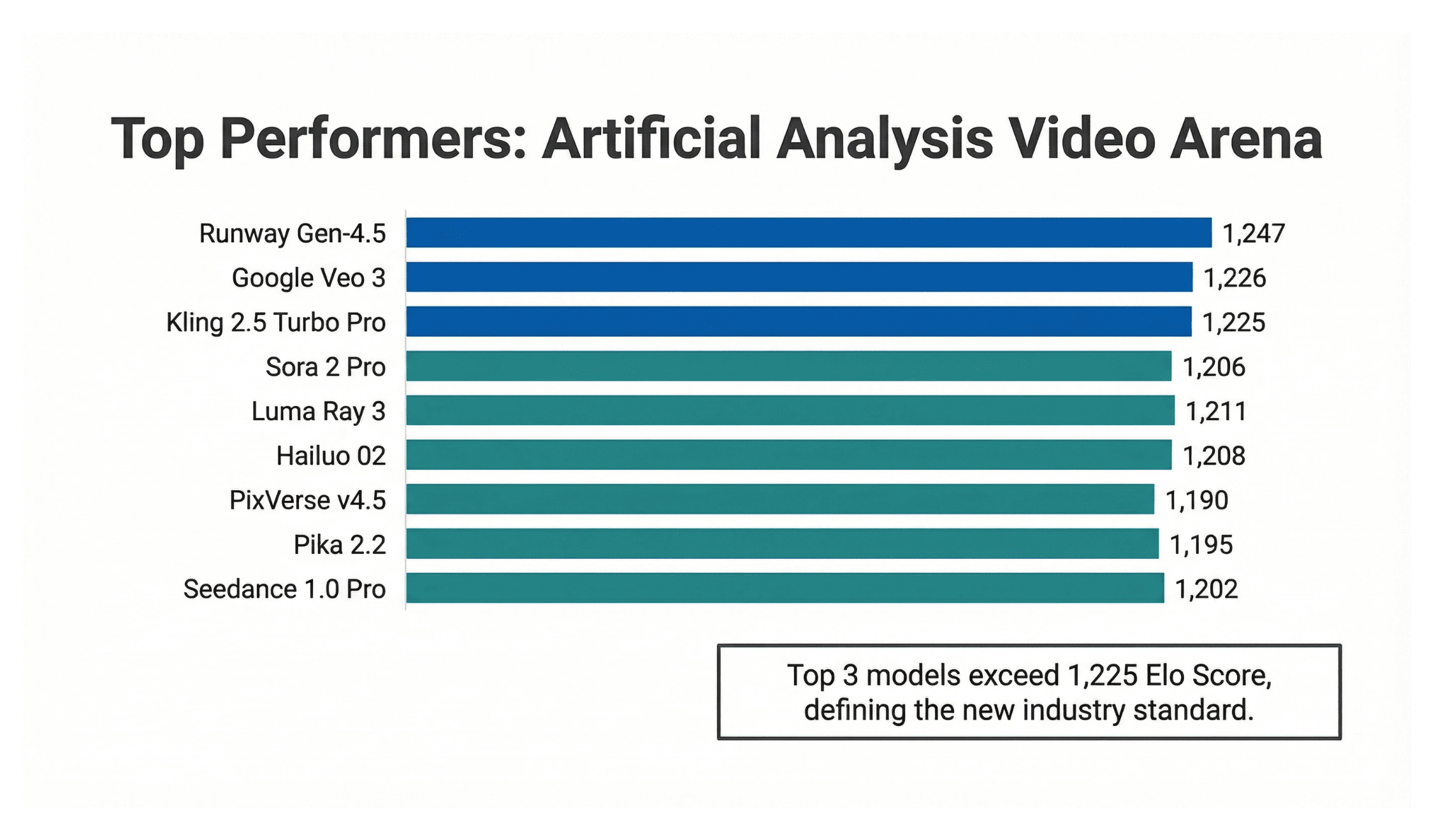
The Artificial Analysis Video Arena provides crowdsourced quality rankings. Here is how topImage to Video capable models perform:
| Rank | Model | Elo Score | Image to Video Quality |
|---|---|---|---|
| 1 | Runway Gen-4.5 | 1,247 | Excellent |
| 2 | Google Veo 3 | 1,226 | Excellent |
| 3 | Kling 2.5 Turbo Pro | 1,225 | Excellent |
| 4 | Sora 2 Pro | 1,206 | Excellent |
| 5 | Luma Ray 3 | 1,211 | Excellent |
| 6 | Hailuo 02 | 1,208 | Very Good |
| 7 | PixVerse v4.5 | 1,190 | Very Good |
| 8 | Pika 2.2 | 1,195 | Very Good |
| 9 | Seedance 1.0 Pro | 1,202 | Good |
1. OpenAI Sora 2
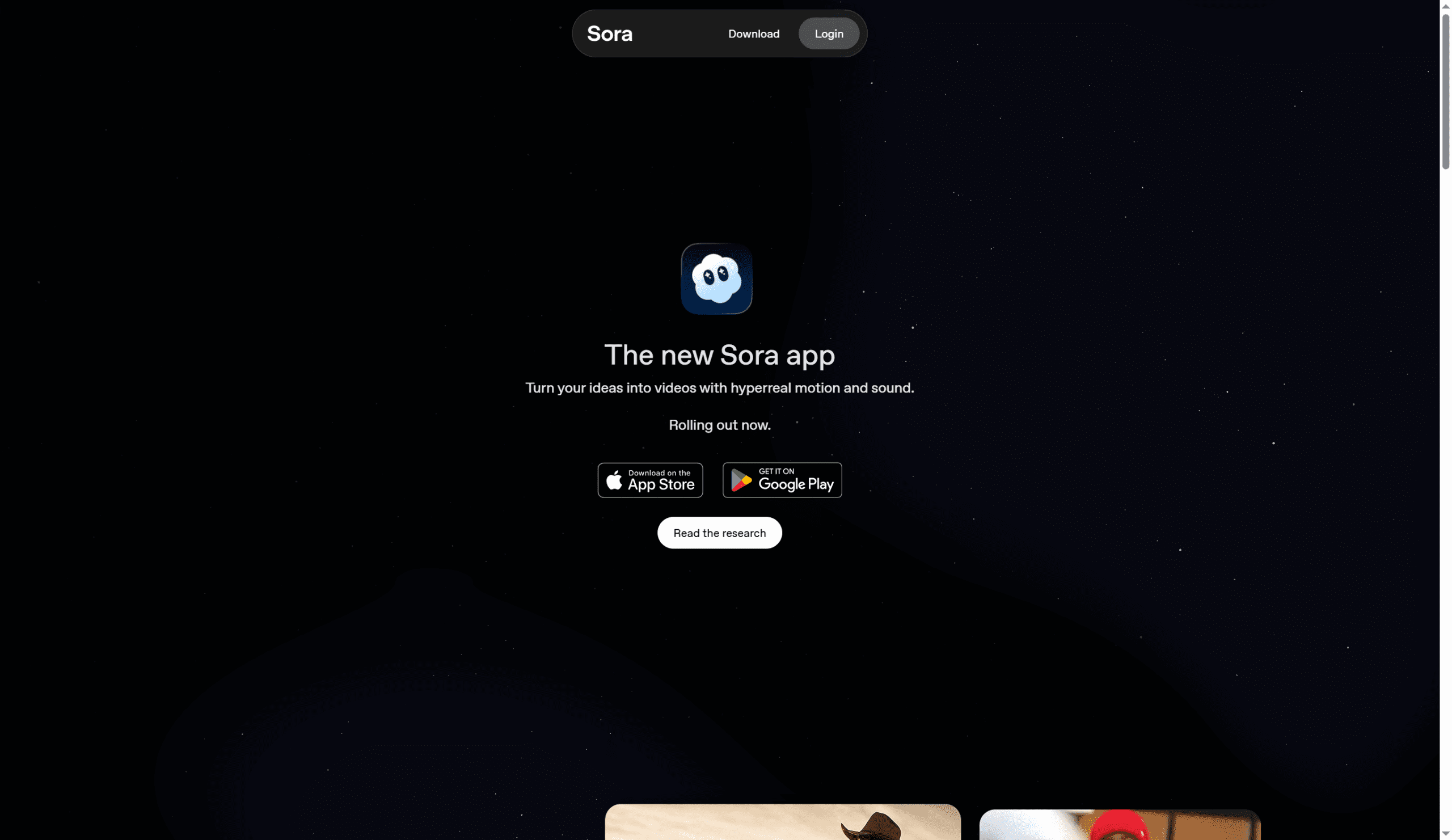
OpenAI Sora 2 was one of the most awaited AI video releases of 2025. It creates videos with consistent characters, accurate physics, and complex scene dynamics. Sora 2 stands out for its ability to generate longer videos and its unique “Cameos” feature that lets users insert themselves into AI-generated scenes.
Key Image to Video Features
- Cameos: Insert yourself into AI-generated scenes from a single photo
- Long-Form Generation: Create videos up to 35 seconds on Pro tier
- Mobile Apps: iOS and Android apps for on-the-go creation
- Native Audio: Synchronized sound generation included
- Multiple Shots: Generate several shots per prompt
- TikTok-Style Feed: Social platform integration for sharing
- Refinable Videos: Adjust frame rate and quality settings
- Content Credentials: C2PA embedded metadata and visible watermarks
Technical Specifications
| Max Resolution | 480p, 720p, 1080p (selectable) |
| Max Duration | 20-35 seconds (Pro tier) |
| Frame Rate | 24-30 fps (refinable) |
| Native Audio | Yes |
| Unique Features | Cameos self-insertion, mobile-first apps, TikTok-style feed |
| Content Credentials | C2PA embedded + visible watermarks |
Pricing
| Plan | Price | Video Limits | Key Features |
|---|---|---|---|
| Free | $0 | Limited daily generations | Watermarked, shorter clips |
| Pro | $200/month | Daily limits apply | 35-second videos, priority queue |
Geographic Availability
Currently limited to about 7 countries. This excludes Europe, India, and most regions globally. This is a major limitation compared to other tools.
When to Use Sora 2
Best for: Social content creators, influencers wanting self-insertion features, and mobile-first workflows. The TikTok-style feed and apps make it ideal for social media-native creators. Also good for projects needing videos up to 35 seconds without stitching clips together.
Skip if: You need global access, API integration, or professional cinematic quality.
2. Google Veo 3
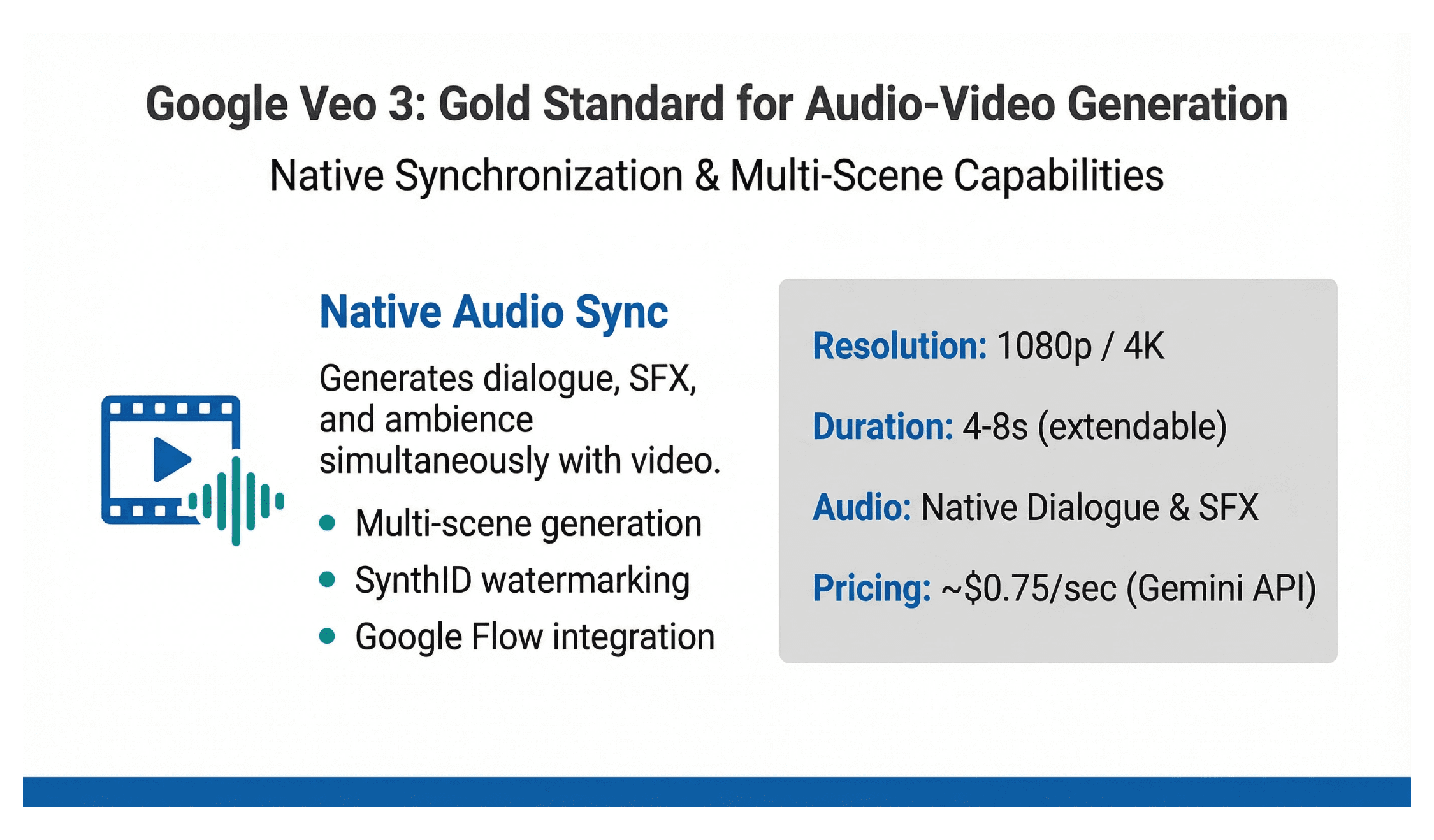
Google Veo 3 is the gold standard for synchronized audio-video generation. When you type “a cat playing piano in a jazz club,” Veo creates not just video but perfectly synchronized piano notes, ambient chatter, and paw movements. The audio and video are generated together, not added later.
Models: Veo 3, Veo 3.1, Veo 3 Fast, Google Flow
Key Features
- Native Audio Synchronization: Perfectly syncs dialogue, sound effects, and ambient noise
- Multi-Scene Generation: Creates cohesive sequences with multiple scenes
- SynthID Watermarking: Invisible watermarking for provenance tracking
- Google Flow Integration: AI filmmaking tool with advanced controls
- Style Versatility: Handles cinematic, realistic, and stylized content
- Aspect Ratio Support: 1:1, 9:16, 16:9 outputs
- Scene Extension: Extend videos beyond base duration
Technical Specifications
| Max Resolution | 720p to 1080p (4K on some tiers) |
| Max Duration | 4-8 seconds base (extendable with scene extension) |
| Frame Rate | 24-30 fps |
| Native Audio | Yes (dialogue, sound effects, ambient noise) |
| Unique Features | SynthID watermarking, multi-scene generation, audio sync |
| Google Integration | Works with YouTube Shorts, Google Workspace |
Official Pricing
| Service | Price | Notes |
|---|---|---|
| Gemini API | $0.75/second | Includes video + audio generation |
| Vertex AI | $0.75/second | Enterprise pricing available |
| Google Flow | Included with AI Pro/Ultra | Access via labs.google/flow |
Third-Party API Pricing
| Provider | Price |
|---|---|
| fal.ai | $0.105-0.21/second (Veo 3.1) |
| AIML API | $0.105-0.21/second |
When to Use Veo 3
Best for: Projects requiring synchronized audio, multi-scene narratives, and cinematic storytelling. Veo 3.1 leads benchmarks for complex sequences. Ideal for creators already using Google Workspace who want seamless integration. Perfect for dialogue scenes, sound-effect-heavy content, and ambient audio environments.
Skip if: You need very long videos or have a tight budget (pricing adds up quickly).
3. Wan 2.1 – Open-Source Image to Video Model
Wan 2.1 is Alibaba’s open-source video generation model. It stands out for offering high-quality video generation that developers can self-host or access through affordable APIs. The model handles both text-to-video and Image to Videovideo tasks with strong prompt adherence.
Developer: Alibaba Cloud (Hangzhou, China)
Launched: February 2025
Model Type: Open-source with commercial API options
Key Features
- Open-Source Availability: Full model weights available for download
- Image Animation: Transform static images into dynamic videos
- Text-Guided Motion: Control animation with natural language
- Multi-Language Support: Understands prompts in multiple languages
- Flexible Deployment: Self-host or use cloud APIs
- Commercial License: Permits commercial use with proper attribution
- Community Fine-Tunes: Access community-improved versions
Technical Specifications
| Max Resolution | 480p to 1080p (varies by version) |
| Max Duration | 2-8 seconds typical |
| Frame Rate | 24-30 fps |
| Model Architecture | Diffusion Transformer |
| VRAM Requirements | 16GB+ for local deployment |
| Languages | Multi-language prompt support |
API Pricing
| Provider | Price | Notes |
|---|---|---|
| Alibaba Cloud | ~$0.02-0.04/second | Pay-as-you-go pricing |
| Replicate | ~$0.025/second | Managed hosting |
| fal.ai | ~$0.02/second | Fast inference |
Self-Hosting Requirements
- GPU: NVIDIA RTX 4090 or A100 recommended
- VRAM: Minimum 16GB, 24GB+ preferred
- Storage: 50GB+ for model files
- Python 3.8+ environment
When to Use Wan 2.1
Best for: Developers and researchers who need customizable, self-hosted video generation. Ideal for projects requiring data privacy, custom fine-tuning, or integration into existing pipelines. Great for startups and tech-savvy creators wanting to avoid per-generation costs.
4. Grok Imagine
Grok Imagine stands out for one thing: raw speed. It creates 6-second photorealistic videos with synchronized audio in under 15 seconds. This is 5-10x faster than most competitors. The model integrates tightly with the X platform, making it ideal for social media creators.
Key Image to Video Features
- Lightning-Fast Generation: 6-second videos in under 15 seconds
- Native Audio Sync: Synchronized sound effects and ambient audio
- X Platform Integration: Direct sharing to X/Twitter
- Text-to-Video: Generate from descriptions
- Image Animation: Bring photos to life
- Aurora Engine: Trained on massive GPU cluster
- Free Access: Currently no cost through Grok products
Company: xAI (Elon Musk’s AI company)
Founded: 2023
Engine: Aurora (powered by 110,000 NVIDIA GB200 GPUs)
Model: Grok Imagine v0.9 (advancing to v1.0)
Technical Specifications
| Max Duration | 6 seconds |
| Generation Speed | Under 15 seconds (industry-leading) |
| Native Audio | Yes (synchronized) |
| Current Version | v0.9 (moving toward v1.0) |
| Training Infrastructure | 110,000 NVIDIA GB200 GPUs |
| Platform Integration | X (Twitter) ecosystem |
Pricing
| Plan | Price | Features |
|---|---|---|
| Free (Current) | $0 | Unlimited generations via Grok iOS, Android, web |
| Future API | TBD | Announced for 2026 |
Enterprise/API Access
As of December 2025, API access is not yet public. xAI has announced plans for enterprise pricing and broader API availability in 2026.
When to Use Grok Imagine
Best for: Speed-focused creators, real-time content generation, X/Twitter power users, and anyone testing dozens of prompt variations quickly. The free pricing makes it perfect for experimentation and high-volume prototyping.
5. Kling AI
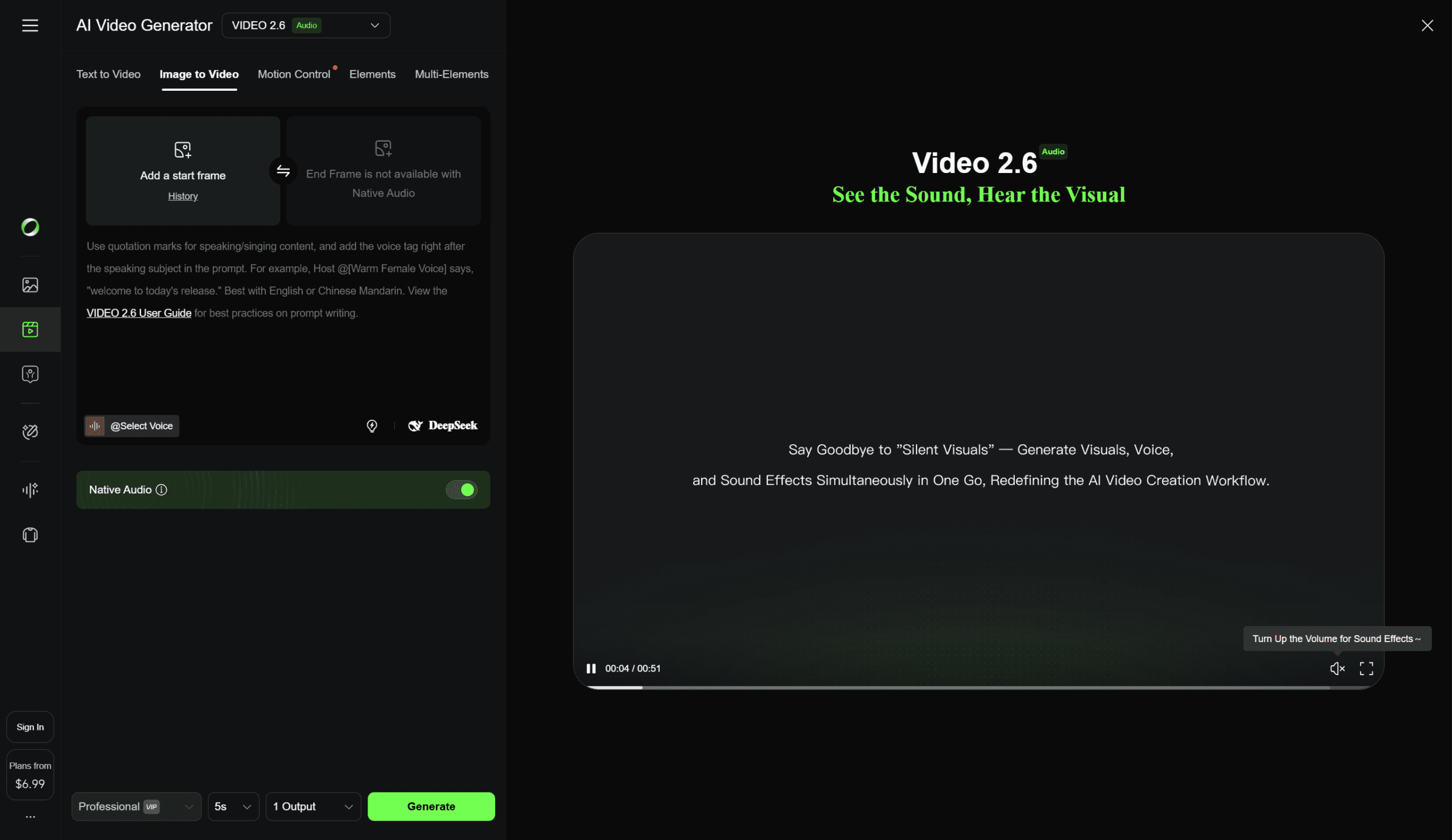
Kling AI has become one of the most feature-rich Image to Video platforms. It is particularly renowned for its Motion Brush technology. Kuaishou, a Chinese tech giant, developed Kling. Kuaishou runs the Kwai short video platform. Kling excels at physics simulation and precise motion control.
Key Features
- Motion Brush: Draw motion paths directly on images to control element movement. Animate up to 6 elements independently with adjustable brush sizes up to 50 pixels
- Static Brush: Lock specific areas to remain motionless while other parts animate
- Start/End Frame: Define both starting and ending frames for precise transitions
- Auto-Segmentation: AI automatically detects and separates image components for easier animation
- Lip Sync: Upload audio to animate image subjects with synchronized mouth movements
- Custom Face Model: Create videos featuring faces from your reference images
- Elements Feature: Use up to 4 reference images to maintain character consistency
- Camera Movements: Preset and custom camera controls (pan, zoom, dolly)
- Virtual Try-On: Apply garments to people in images
Company: Kuaishou Technology (Beijing, China)
Founded: 2011 (Kuaishou); Kling launched 2024
Models: Kling 1.0, 1.5, 1.6, 2.0, 2.5, 2.6, O1
Technical Specifications
| Resolution | 720p (Standard) / 1080p (Professional) |
| Frame Rate | 24fps |
| Duration | 5-10 seconds (extendable to 2+ minutes) |
| Aspect Ratios | 16:9, 9:16, 1:1, 4:3, 3:4, 2:1, 1:2, 21:9 |
| Motion Brush | Available in Kling 1.0 and 1.5 only (not 1.6+) |
Pricing
| Plan | Price | Credits |
|---|---|---|
| Free | $0 | 66 daily credits (resets daily) |
| Standard | $6.99/month | 660 credits/month |
| Pro | $30/month | 3,000 credits/month |
| Premier | $60/month | 8,000 credits/month |
Kling credits expire mid-billing cycle. This is a common user complaint. Plan usage accordingly.
Third-Party API Access
| Provider | Price |
|---|---|
| Pollo AI | Free tier available with daily credits |
| Replicate | ~$0.05/second |
| fal.ai | ~$0.04/second |
When to Use Kling AI
Best for: Creators who need precise control over how specific elements move within an image. The Motion Brush is unmatched for directing complex multi-element animations. For example, you can make a person wave while keeping the background static. It is excellent for product animations, character tests, and scenarios requiring physics-accurate motion.
6. Midjourney
Midjourney changed AI image generation and has now entered the video space with its V1 model. Unlike competitors focused on realism, Midjourney’s video model preserves the distinctive artistic aesthetics that made its image generator famous. The workflow is image-to-video only. You create an image in Midjourney, then press “Animate” to bring it to life.
Key Features
- Automatic Animation: One-click animation with AI-generated motion prompts
- Manual Animation: Describe specific movements and scene development
- Motion Settings: Low motion (ambient, subtle) vs High motion (dynamic camera and subject movement)
- External Image Support: Animate uploaded images (not just Midjourney-generated ones)
- Video Extension: Extend clips up to 21 seconds (4x 5-second extensions)
- Loop Mode: Create seamless looping animations
- Raw Mode: Reduces AI creative additions for precise prompt control
Company: Midjourney, Inc. (San Francisco, USA)
Founded: 2021 by David Holz (co-founder of Leap Motion)
Model: V1 Video (launched June 18, 2025)
Technical Specifications
| Resolution | Up to 1080p (HD requires Standard+ plan) |
| Base Duration | 5 seconds (extendable to 21 seconds) |
| Output Per Generation | 4 video variations |
| Platform | Web only (midjourney.com) |
| GPU Cost | 8x more than image generation |
Pricing
| Plan | Price | Video Access |
|---|---|---|
| Basic | $10/month | Fast Mode only, SD resolution |
| Standard | $30/month | Fast Mode, HD resolution |
| Pro | $60/month | Fast + Relax Mode, HD resolution |
| Mega | $120/month | Unlimited Relax Mode, SD only in Relax |
When to Use Midjourney
Best for: Artists, illustrators, and creators who already use Midjourney for image generation and want to animate their artwork while preserving the distinctive Midjourney aesthetic. The 25x cheaper pricing compared to competitors (according to Midjourney) makes it attractive for high-volume creative exploration.
7. Luma Dream Machine (Ray3)
Luma AI made waves with the world’s first reasoning video model. Ray3 came out in September 2025. It does not just animate images. It thinks about what you are trying to achieve. It evaluates its outputs and retries to deliver better results. It is also the first model to generate native 16-bit HDR video. This brings AI output into professional studio pipelines.
Key Image-to-Video Features
- Visual Reasoning: Ray3 interprets prompts with nuance. It judges early drafts and retries until quality standards are met
- Native HDR Generation: True High Dynamic Range output in ACES2065-1 EXR format (10-, 12-, 16-bit)
- Draft Mode: 5x faster, 5x cheaper iterations for rapid exploration
- Hi-Fi Diffusion: Master draft videos into production-grade 4K HDR footage
- Visual Annotations: Draw on images to specify layout, motion, and character interactions
- Keyframes: Control timing and scene changes with start/end frame support
- Extend: Grow shots beyond original length
- Loop: Create seamless repeating animations
- Modify with Instructions: Natural language editing of generated videos
- Reframe: Change aspect ratios intelligently
Technical Specifications
| Resolution | 540p, 720p, 1080p (upscalable to 4K) |
| Duration | 5-20 seconds base, extendable to ~30 seconds |
| Color Depth | SDR or 16-bit HDR (industry first) |
| Export Formats | MP4, EXR (for HDR) |
| Adobe Integration | Available in Adobe Firefly app |
Pricing (Credit-Based)
| Plan | Price | Credits | Commercial Use |
|---|---|---|---|
| Free | $0 | Limited | No (watermarked) |
| Lite | $9.99/month | 3,200 | No (watermarked) |
| Plus | $29.99/month | 10,000 | Yes |
| Unlimited | $94.99/month | 10,000 Fast + Unlimited Relax | Yes |
Credit Consumption (Ray3)
| Duration | 720p SDR | 720p HDR | 720p HDR+EXR |
|---|---|---|---|
| 5 seconds | 320 credits | 1,280 credits | 2,240 credits |
| 10 seconds | 640 credits | 2,560 credits | 4,480 credits |
When to Use Luma Ray3
Best for: Professional filmmakers, advertisers, and studios requiring production-grade output. The native HDR generation is game-changing for projects destined for high-end displays. The reasoning capability reduces iteration cycles significantly. Adobe Firefly integration makes it accessible within existing Creative Cloud workflows.
Skip if: You need budget-friendly options or very long-form content (credit costs add up quickly for HDR).
8. HeyGen – Best for Photo-to-Talking-Avatar Conversion
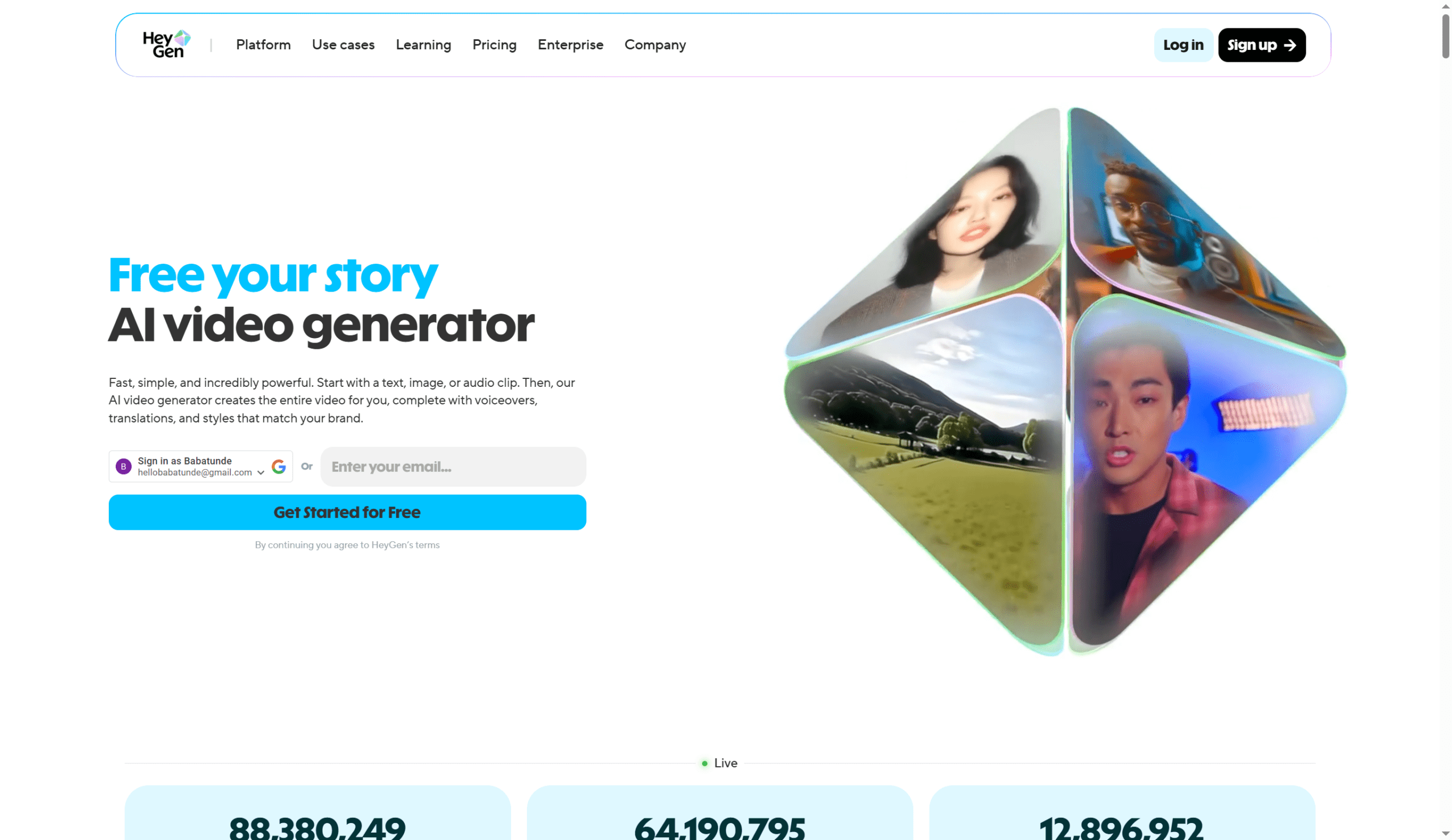
HeyGen specializes in turning static photos into lifelike talking presenters. Its Avatar IV technology is the most advanced image-to-video system for generating realistic human avatars from single photographs. It includes natural voice sync, expressive face dynamics, and authentic hand gestures.
Key Image-to-Video Features
- Avatar IV Technology: Transform any photo into full video with natural voice synchronization, micro-expressions, head tilts, and hand gestures
- Photo-to-Video: Especially effective for non-human faces, cartoon characters, and 3D models
- 500+ Stock Avatars: Pre-made presenters for immediate use
- Photo Avatars: Generate unlimited AI versions from a single photograph
- Interactive Avatars: Real-time conversational avatars for customer service
- Voice Cloning: Clone your voice for avatar delivery
- 175+ Languages: Multilingual support with natural lip-sync
- Lip Sync to Audio/Song: Avatars can sing uploaded songs with realistic expression
Technical Specifications
| Video Length | Up to 30 minutes (paid plans) |
| Resolution | 720p, 1080p, 4K (tier dependent) |
| Avatar IV Credits | 3 seconds = 1 GenCredit |
| Processing | Seconds to minutes depending on length |
Pricing
| Plan | Price | Key Features |
|---|---|---|
| Free | $0 | 3 videos/month (up to 3 min each), watermark |
| Creator | $29/month | Unlimited videos, 1080p, 200 GenCredits (10 min Avatar IV) |
| Team | $39/seat/month | 30-min videos, custom avatars, collaboration |
| Enterprise | Custom | Custom avatars, SSO, dedicated support |
API Pricing
| Plan | Price | Credits | Cost per Credit |
|---|---|---|---|
| Free | $0 | 10/month | N/A |
| Pro | $99/month | 100 | $0.99 |
| Scale | $330/month | 660 | $0.50 |
When to Use HeyGen
Best for: Marketing teams, e-learning creators, and businesses needing talking-head videos at scale without filming. Avatar IV excels at animating portraits, product mascots, and even cartoon characters. The multilingual support makes it ideal for global content strategies. Perfect for sales videos, training modules, and personalized outreach.
9. D-ID
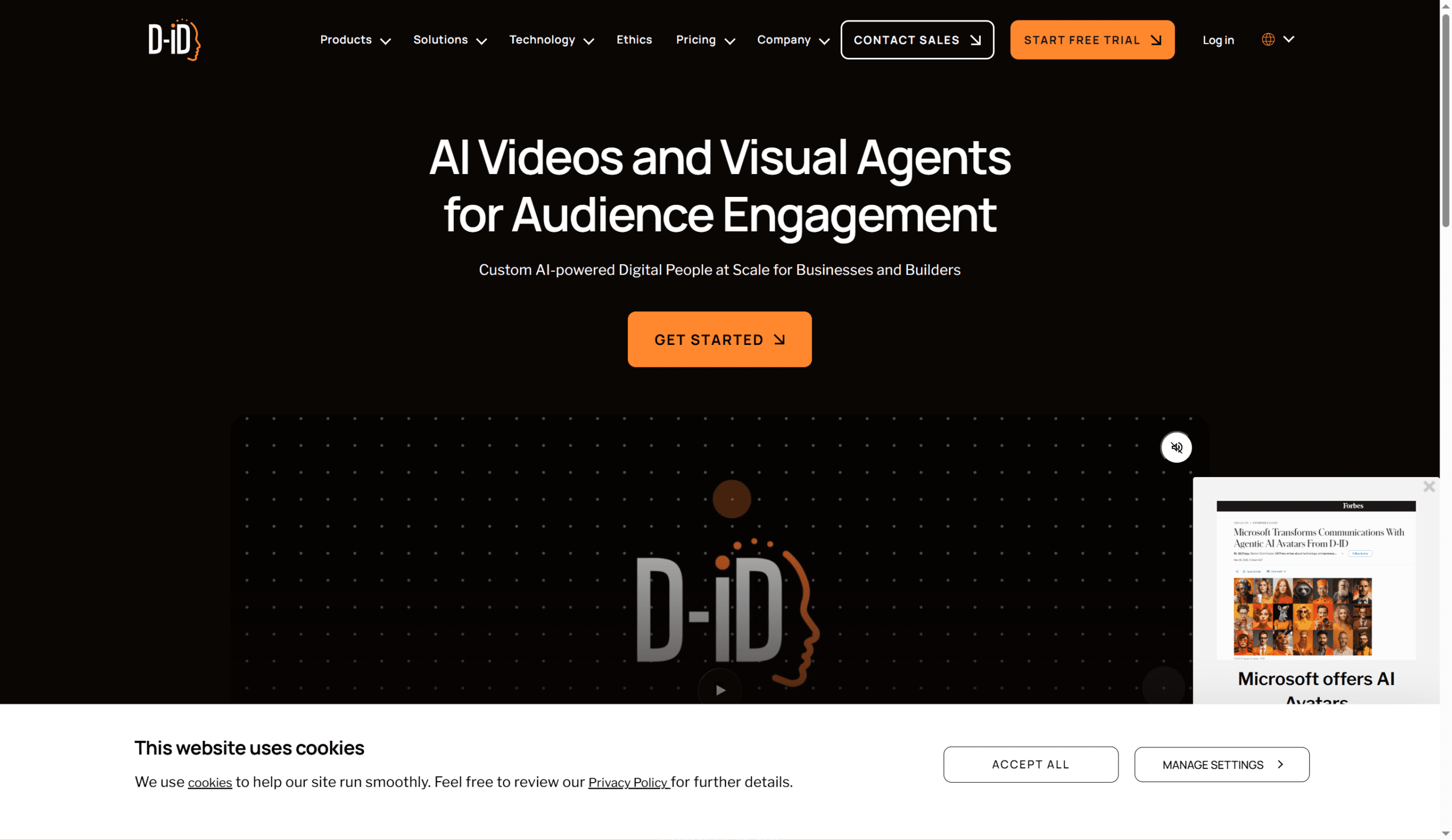
D-ID pioneered the “Creative Reality” space. It turns static photographs into dynamic, speaking presenters. The platform excels at enterprise applications with robust API access. This makes it the go-to choice for businesses integrating talking avatars into their products and workflows.
Key Image-to-Video Features
- Speaking Portrait: Transform any photo into a talking presenter with realistic lip-sync
- AI Agents: Interactive digital people that respond to user input in real-time
- Video Translator: Translate videos into 100+ languages with natural lip movements
- Personalized Video Campaigns: Bulk create personalized video messages
- Photo-Based Avatars: Generate avatars from uploaded images
- Video-Based Avatars: Create digital twins from 1-3 minute source videos
- Custom-Generated Avatars: AI image creation tools for avatar generation
- Talking Head API: Developer-friendly integration for apps and platforms
Technical Specifications
| Video Quality | Up to 1080p |
| Languages | 100+ for translation |
| Integrations | Microsoft PowerPoint, Canva, Google Slides |
| Security | SOC 2 compliant, enterprise-grade |
Pricing
| Plan | Price | Video Minutes | Best For |
|---|---|---|---|
| Free | $0 | 5 min (watermarked) | Testing |
| Lite | ~$5.99/month | ~5-10 min | Individuals |
| Pro | ~$49/month | ~15-20 min | Creators |
| Enterprise | Custom | Unlimited | Large businesses |
API Pricing
| Plan | Price | Features |
|---|---|---|
| Build | $18/month | API access, streaming minutes |
| Scale | Custom | Volume discounts, email support |
| Enterprise | Custom | Premium support, SLAs, custom avatars |
When to Use D-ID
Best for: Developers building products with talking avatar functionality, enterprises needing scalable video communication, and businesses requiring robust API integration. The platform’s focus on security and compliance makes it suitable for regulated industries. Excellent for customer service avatars, personalized marketing at scale, and interactive educational content.
10. Synthesia
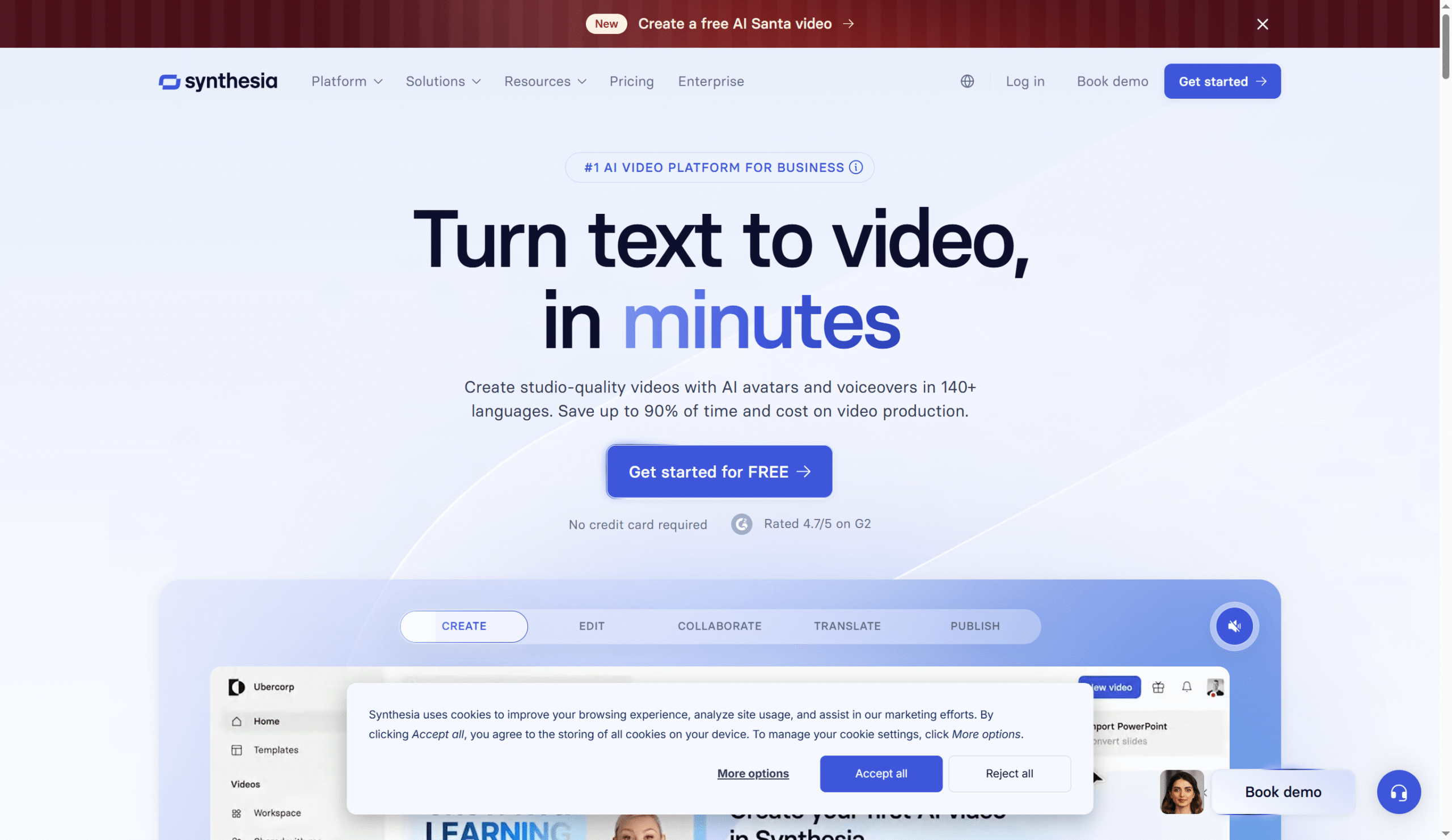
Synthesia is the industry leader for enterprise AI video creation. It enables businesses to produce training videos, corporate communications, and educational content without cameras, actors, or studios. The platform’s 240+ diverse avatars and 140+ language support make it the standard for global enterprise video production.
Key Features
- Personal Avatar: Create a digital twin from your own photo/video (24-hour processing)
- 240+ Stock Avatars: Diverse presenters representing various ethnicities, ages, and styles
- Avatar Builder: Customize clothing, add logos, adjust brand colors
- Multi-Avatar Scenes: Include multiple presenters in one scene
- 140+ Languages: Natural-sounding AI voices with accurate lip-sync
- 60+ Subtitle Languages: Auto-generated captions
- Instant Translation: Localize videos with one click
- Templates: Pre-designed layouts for various use cases
- AI Screen Recorder: Record and convert to avatar-presented content
Technical Specifications
| Resolution | 720p, 1080p, 4K (Enterprise) |
| Video Length | Up to 60 minutes per video |
| Avatars | 240+ stock, custom available |
| Security | SOC 2 Type II, GDPR compliant |
| LMS Integration | Yes (SCORM export) |
Pricing
| Plan | Price | Video Minutes | Key Features |
|---|---|---|---|
| Free | $0 | 3 min/month | 9 avatars, watermark |
| Starter | $18/month (annual) | 10 min/month | 70+ avatars, 120+ languages |
| Creator | $89/month | 30 min/month | Full avatars, 1 personal avatar |
| Enterprise | Custom | Unlimited | Custom avatars, API, priority support |
Note: Custom personal avatar creation is a $1,000/year add-on for annual plan users, with up to 10-day processing time.
When to Use Synthesia
Best for: L&D teams, HR departments, and corporate communications requiring consistent, scalable video production. The SOC 2 compliance and enterprise features make it the safe choice for large organizations. Ideal for training modules, onboarding videos, product tutorials, and internal communications that need frequent updates.
Skip if: You need creative/artistic video generation or budget-friendly options for small projects.
11. DomoAI
DomoAI is a specialized creative studio focusing on style transfer and anime-style video generation. Unlike general-purpose tools, DomoAI excels at transforming images and videos into specific artistic styles. These include Japanese anime, 3D cartoon, comic, paper art, and more.
Key Features
- Convert static images into dynamic videos with motion prompts
- Video-to-Video (/video): Apply artistic styles to existing footage
- 30+ Artistic Styles: Japanese anime, Flat Color Anime, Live Anime, 3D Cartoon, Comic, Ukiyo-e, Paper Art, and more
- Character Consistency: Maintain character appearance across video using reference images
- Anime to Realism (/real): Convert anime characters into photorealistic versions
- Auto Lip-Sync: Match mouth movements to audio
- Background Removal: Isolate subjects automatically
- 4K Upscaling: Enhance resolution with AI processing
- Reference Motion Uploads: Guide animation with reference videos
Technical Specifications
| Output Resolution | Up to 4K (with upscaling) |
| Video Duration | Up to 30 seconds (Pro) |
| Platform | Discord-based + Web app |
| Privacy | Content not stored or used for training without consent |
Pricing
| Plan | Price | Credits | Output |
|---|---|---|---|
| Free | $0 | 15 credits (one-time bonus) | ~1-2 videos |
| Basic | $9.99/month | 500/month | ~30 videos |
| Standard | $27.99/month | 1,500 Fast + Unlimited Relax | ~100 videos |
| Pro | $69.99/month | 4,000 Fast + Unlimited Relax | ~267 videos, 20-30s gen |
12. Pika Labs
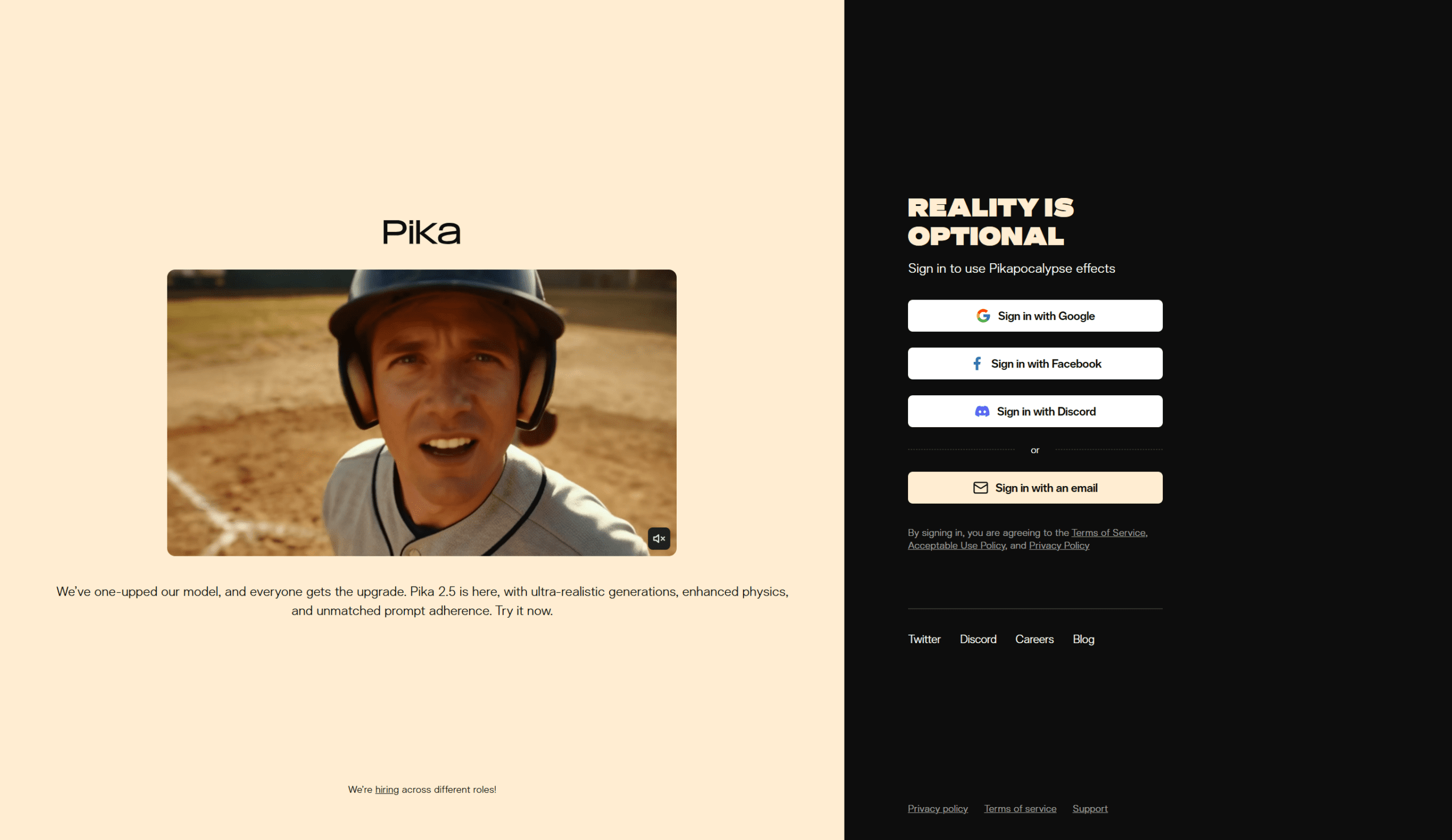
Pika Labs has positioned itself as the fast, accessible option for creators who need quick turnaround on social media content. The platform emphasizes ease of use and speed. It has intuitive controls that do not require extensive prompt engineering.
Company: Pika Labs (Palo Alto, USA)
Founded: 2023 by Demi Guo and Chenlin Meng (Stanford PhD students)
Models: Pika 1.5, 2.0, 2.1 Turbo, 2.2, 2.5
Features
- Image-to-Video: Animate uploaded images with text prompts
- Pikaframes: Define start and end frames for controlled animation
- Modify Region: Edit specific areas within generated videos
- Expand Canvas: Extend video beyond original frame boundaries
- Pikaffects: Apply creative effects (inflate, melt, explode, cake-ify, etc.)
- Lip Sync: Synchronize character speech with audio
- Sound Design: Native audio generation (Pika 2.2+)
- Timeline Editor: Social media-optimized editing interface
- Scene Detection: Automatic scene segmentation
Technical Specifications
| Resolution | 720p, 1080p |
| Duration | 3-4 seconds base, extendable |
| Aspect Ratios | 16:9, 9:16, 1:1, 4:5 |
| Audio | Native sound generation (2.2+) |
Pricing
| Plan | Price | Credits |
|---|---|---|
| Free | $0 | 30 credits/day |
| Basic | $8/month | 700 credits/month |
| Standard | $28/month | 2,100 credits/month |
| Pro | $58/month | 5,000 credits/month |
| Unlimited | $98/month | Unlimited standard, 5,000 priority |
When to Use Pika Labs
Best for: Social media creators, content marketers, and anyone needing fast video iterations for platforms like TikTok, Instagram Reels, and YouTube Shorts. The accessible interface and generous free tier make it perfect for experimentation. Pikaffects are especially popular for viral content.
Skip if: You need maximum cinematic quality or long-form content.
13. Hailuo (MiniMax)
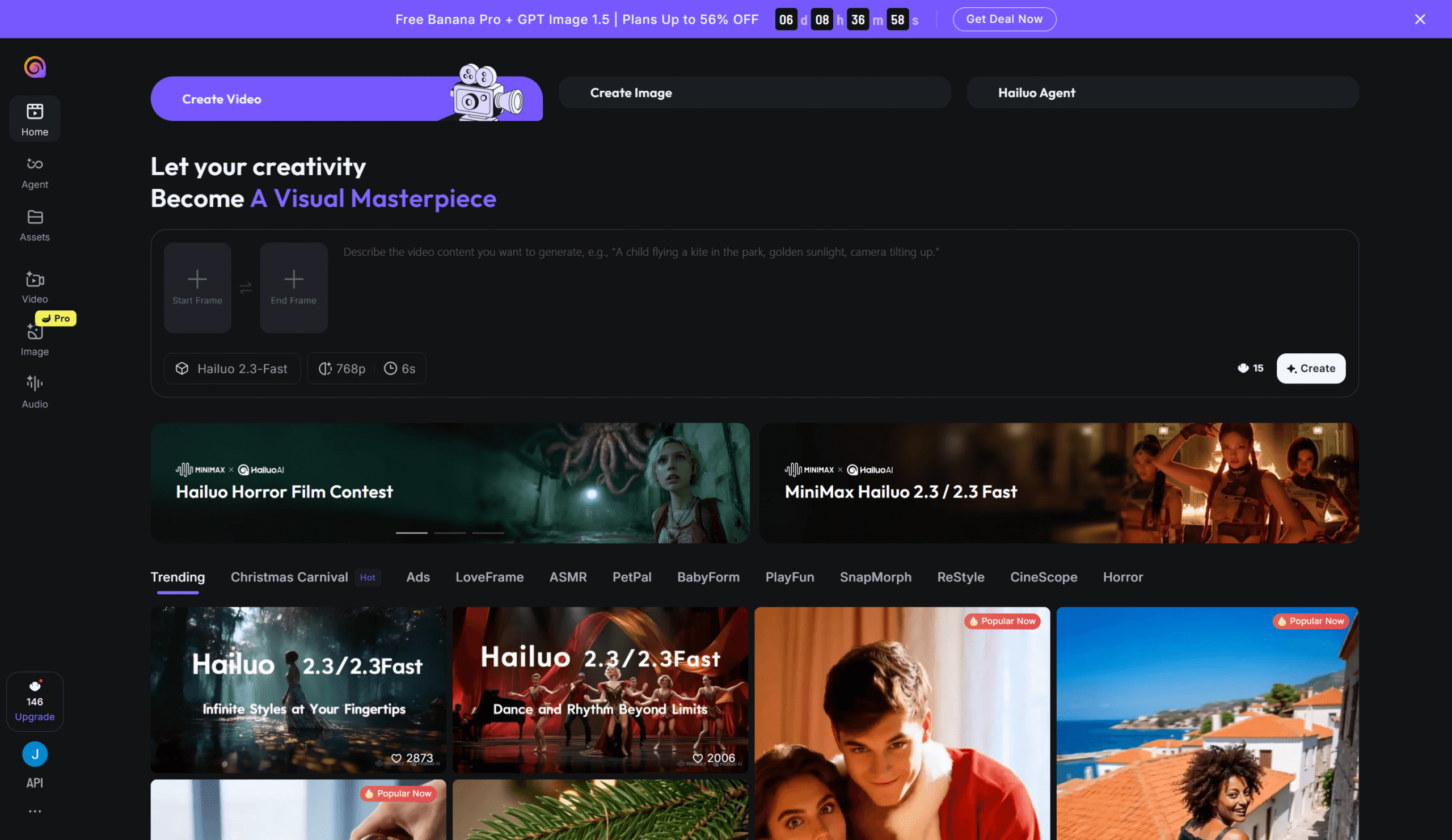
Hailuo by MiniMax offers perhaps the best value in generative image to video. At just $14.99/month for comprehensive access, it competes with tools costing 2-4x more. This makes it the budget champion without sacrificing quality.
Company: MiniMax (Shanghai, China)
Founded: 2021
Models: Hailuo 02, Hailuo 2.3, S2V-01
Features
- Image-to-Video (S2V-01): Transform static images into animated sequences
- Style Diversity: Anime, ink painting, game CG, realistic, and hybrid styles
- Multi-Subject Consistency: Maintain appearance of multiple characters
- Motion Control: Camera movements and subject motion direction
- Video Extension: Extend generated clips
Technical Specifications
| Resolution | 720p, 1080p |
| Duration | 5-6 seconds base |
| Benchmark | Elo 1,208 (Artificial Analysis) |
Pricing
| Plan | Price | Features |
|---|---|---|
| Free | $0 | Limited daily credits |
| Basic | $9.99/month | Standard access |
| Pro | $14.99/month | Full access, priority generation |
Third-Party API Access
| Provider | Approximate Price |
|---|---|
| Replicate | ~$0.035/second |
| fal.ai | ~$0.03/second |
When to Use Hailuo
Best for: Budget-conscious creators who want competitive quality without premium pricing. The style diversity is particularly strong. If you need anime, ink painting, or game CG aesthetics, Hailuo delivers at a fraction of competitor costs. Great for indie developers, content creators on a budget, and high-volume production needs.
Skip if: You need maximum quality for professional/commercial projects where budget is not the primary constraint.
14. Canva Magic Animate
Canva has integrated image-to-video capabilities into its already-beloved design platform. This makes basic animation accessible to anyone who can use their drag-and-drop editor. With Veo 3 integration for “Create a Video Clip,” Canva now offers AI video generation alongside its animation tools.
Features
- Magic Animate: One-click animation presets for any element
- Photo Animation: Add motion to static photos (fade, drift, zoom, pan)
- Image-to-Video Tool: AI-powered animation with Smart (automatic) or Custom modes
- Create a Video Clip: Veo 3-powered text/image-to-video generation (up to 8 seconds, with audio)
- AI Avatars: Turn photos into talking presenters (40+ languages)
- Animation Effects: Ink mask, Glitch, Paint Brush, and more
- Beat Sync: Automatically sync animations to music
- Transitions: Smooth scene-to-scene movement
Technical Specifications
| Video Resolution | Up to 1080p |
| Export Formats | MP4, GIF, SVG |
| AI Video Clips | Up to 8 seconds (Veo 3) |
| Platforms | Web, iOS, Android, Desktop |
Pricing
| Plan | Price | AI Features |
|---|---|---|
| Free | $0 | Basic animations, watermarks on some AI features |
| Pro | $15/month | Full animations, AI image-to-video, limited video clips |
| Teams | $10/person/month | Everything in Pro + collaboration |
| Enterprise | Custom | Advanced admin, SSO, brand management |
When to Use Canva
Best for: Beginners, small businesses, and anyone already using Canva for design work. The learning curve is essentially zero if you know Canva. Perfect for social media content, presentations, marketing materials, and quick projects that do not require advanced generation capabilities.
15. VEED
VEED is a comprehensive browser-based video editor that has integrated AI capabilities. These include animation, AI avatars, and auto-editing features. While not mainly a generative tool, it excels at transforming images into video within a full-featured editing environment.
Key Features
- AI Avatars: Turn photos into talking presenters
- Text-to-Video: Generate videos from scripts
- Image Animation: Add motion to photos with zooms, pans, transitions
- Auto Subtitles: 100+ languages with 90%+ accuracy
- Eye Contact Correction: AI adjusts gaze direction
- Background Removal: One-click subject isolation
- Magic Cut: Remove filler words and silences
- Voice Clone: Create AI version of your voice
- 2M+ Stock Library: Royalty-free media assets
Pricing
| Plan | Price | Key Features |
|---|---|---|
| Free | $0 | 720p, watermark, 30 min subtitles/month |
| Lite | $12/month | 1080p, no watermark, 720 min subtitles/year |
| Pro | $29/month | 4K, all AI tools, voice clone, 4 hr avatars/year |
| Enterprise | Custom | Custom templates, SSO, priority support |
When to Use VEED
Best for: Content creators who need a full editing suite with AI enhancements. If you are editing videos anyway and want to add animated images, AI avatars, or auto-captions, VEED bundles everything together. Great for podcasters, marketers, educators, and social media managers.
16. PixVerse
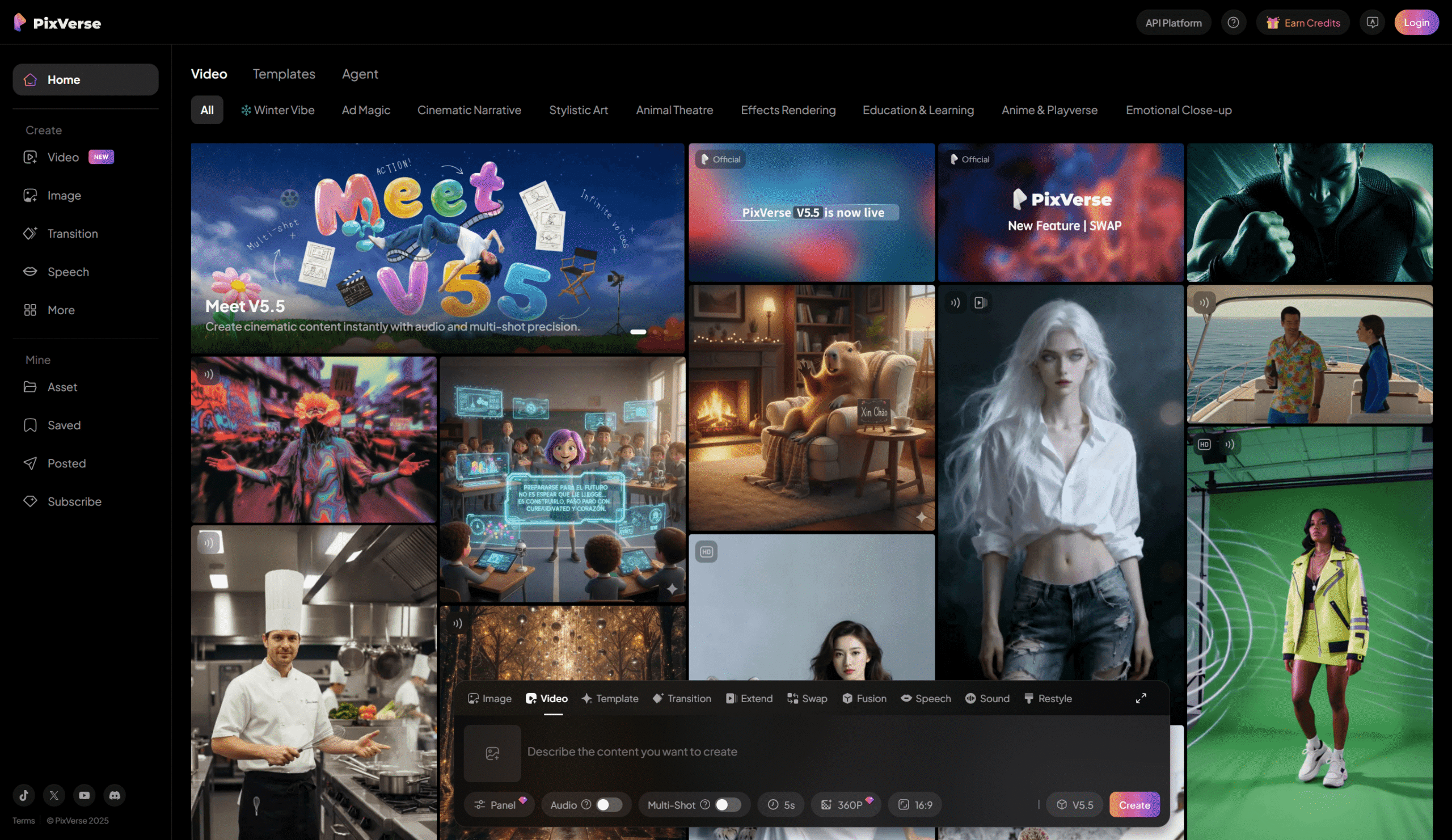
PixVerse distinguishes itself through extensive style options and multi-image reference capabilities. The platform supports diverse aesthetics from photorealism to anime, with strong cinematic lens controls.
Company: PixVerse (China)
Models: PixVerse v4, v4.5, v5
Key Features
- Multi-Style Generation: Realistic, anime, 3D, painterly, and hybrid styles
- Fusion Mode: Blend multiple style references
- Multi-Image Reference: Use multiple images to guide generation
- Dialogue Script Input: Generate scenes from written dialogue
- Cinematic Lens Controls: Professional camera simulation
Pricing
| Plan | Price | Credits |
|---|---|---|
| Free | $0 | Daily free credits |
| Basic | $9.99/month | ~1,000 credits |
| Pro | $29.99/month | ~3,500 credits |
When to Use PixVerse
Best for: Creators who need style flexibility and want to blend multiple visual references. The fusion mode is particularly powerful for achieving unique aesthetics that do not fit standard categories.
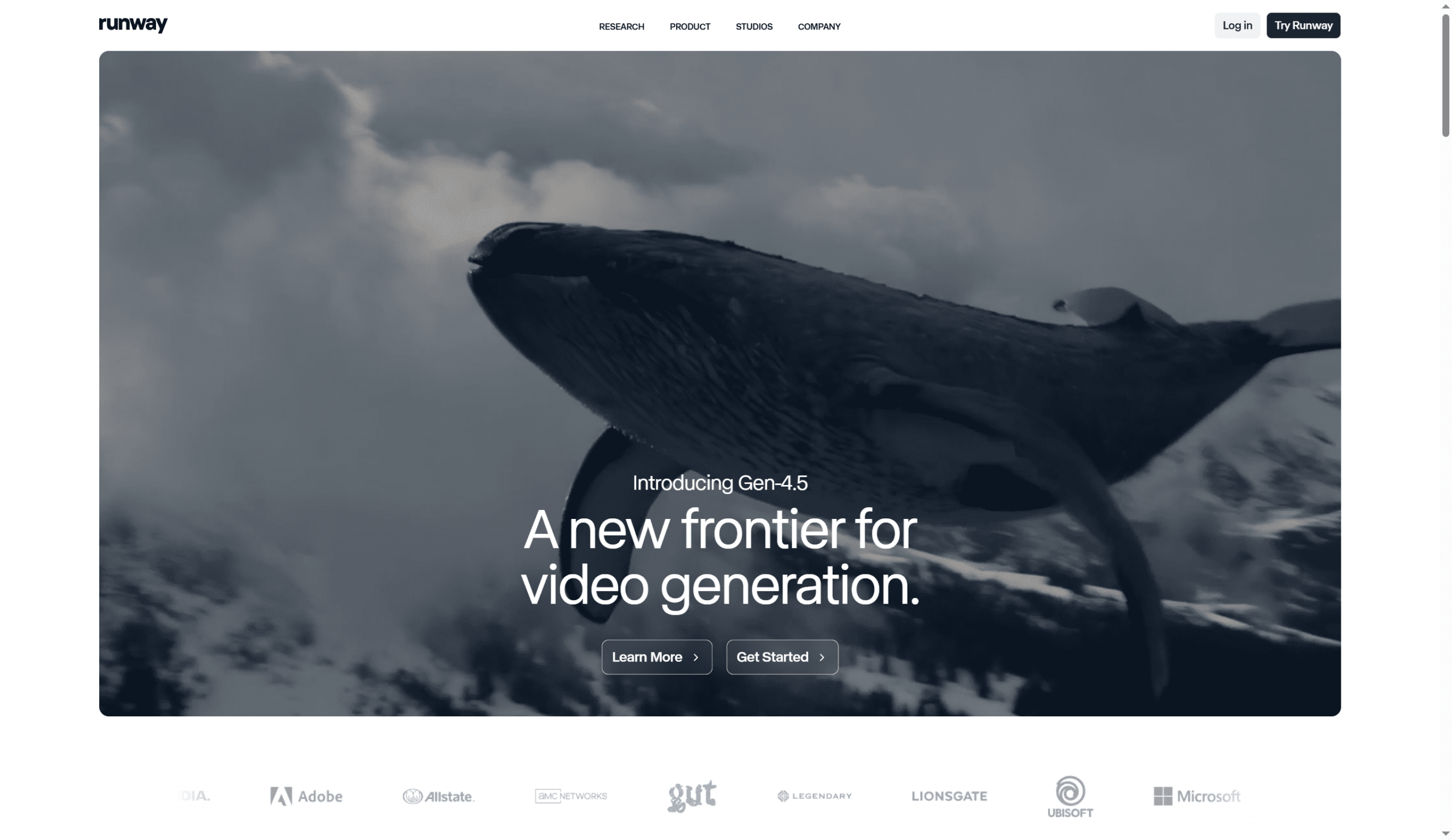
17. Runway Gen-3 Alpha, Gen-4, Gen-4 Turbo, Gen-4.5, Aleph
Runway remains the benchmark for creative AI video tools. Gen-4.5 currently tops industry benchmarks. While covered in our general video models guide, its image-to-video capabilities deserve mention here.
Features
- Act-One: Apply performance video to animate character images
- Act-Two: Full gesture and body motion control from driving video
- Aleph: Edit existing videos—add, remove, transform objects
- Reference Images: Maintain character/style consistency across generations
- Motion Brush: Paint motion directly onto images
- Camera Controls: Precise movement specification
Pricing
| Plan | Price | Credits |
|---|---|---|
| Free | $0 | 125 credits (one-time) |
| Standard | $15/month | 625 credits/month |
| Pro | $35/month | 2,250 credits/month |
| Unlimited | $95/month | Unlimited Relax + Fast credits |
Credit Costs
| Model | Credits/Second |
|---|---|
| Gen-4.5 | 25 |
| Gen-4 | 12 |
| Gen-4 Turbo | 6 |
When to Use Runway
Best for: Professional filmmakers, advertisers, and creative agencies who need the absolute best quality and most comprehensive toolset. Act-One/Act-Two performance capture is unmatched for character animation from reference images.
18. Vidyard AI Avatars
Vidyard specializes in video for sales and marketing. It offers AI avatars that turn photos into personalized video presenters at scale.
Key Features
- AI Avatar from Photo: 2-minute video creates personalized avatar
- Stock Avatars: Pre-made presenters available
- AI Script Generation: Auto-generate video scripts
- Personalization at Scale: Create hundreds of personalized videos
- Video Analytics: Track engagement and viewer behavior
- CRM Integration: Connect with Salesforce, HubSpot, etc.
Pricing
| Plan | Price | Features |
|---|---|---|
| Free | $0 | Stock avatars, AI scripts |
| Plus | $59/person/month | Custom branding |
| Business | Custom | Advanced features |
When to Use Vidyard
Best for: Sales teams and marketers who need personalized video outreach at scale. The combination of avatar generation, analytics, and CRM integration makes it a complete sales video solution.
19. Creatify – Best for E-Commerce Product Videos
Creatify specializes in turning product images and URLs into video advertisements. This makes it ideal for e-commerce businesses needing quick ad creative.
Key Features
- URL-to-Video: Generate ads from product page URLs
- Product Image Animation: Transform product shots into video
- AI Avatars: Virtual presenters for product demos
- Multi-Platform Output: Optimized for Meta, TikTok, etc.
- A/B Variation Generation: Create multiple ad versions automatically
Pricing
| Plan | Price | Credits |
|---|---|---|
| Free | $0 | 10 credits/month |
| Starter | $39/month | 100 credits |
| Pro | $99/month | 300 credits |
When to Use Creatify
Best for: E-commerce brands, dropshippers, and performance marketers who need rapid ad creative generation. The URL-to-video feature dramatically speeds up the creative process for product-focused content.
Image to Videoeo AI Selection Guide
Choose the right tool based on your primary use case:
| Use Case | Best Tool | Why |
|---|---|---|
| Long-Form Content | Sora 2 | Up to 35 seconds, mobile apps |
| Native Audio Sync | Veo 3 | Perfect video-audio synchronization |
| Open-Source Flexibility | Wan 2.1 | Self-hostable, customizable |
| Generation Speed | Grok Imagine | Under 15 seconds per video |
| Precise Motion Control | Kling AI | Motion Brush with 6-element support |
| Artistic Animation | Midjourney V1 | Preserves distinctive aesthetic, 25x cheaper |
| HDR Production | Luma Ray3 | Native 16-bit HDR output |
| Talking Avatars | HeyGen or D-ID | Avatar IV technology, 175+ languages |
| Enterprise Training | Synthesia | SOC 2 compliant, LMS integration |
| Anime/Style Transfer | DomoAI | 30+ styles, video-to-video capability |
| Budget Generative | Hailuo (MiniMax) | $14.99/month for competitive quality |
| Social Media Speed | Pika Labs | Fast iteration, generous free tier |
| Beginner-Friendly | Canva | Zero learning curve, familiar interface |
| Full Video Editing + AI | VEED | Complete suite with AI enhancements |
| Sales Personalization | Vidyard | CRM integration, analytics |
| E-Commerce Ads | Creatify | URL-to-video, multi-variant output |
Final Recommendations
The Image to Video AI landscape in 2026 offers specialized tools for nearly every use case. Here is how to choose:
- For long-form content: OpenAI Sora 2 offers the longest generation times (35 seconds) with mobile apps.
- For audio synchronization: Google Veo 3 leads with perfect native audio generation.
- For open-source flexibility: Wan 2.1 lets you self-host and customize.
- For pure speed: Grok Imagine delivers videos in under 15 seconds.
- For precise control: Kling AI’s Motion Brush remains unmatched.
- For artistic style: Midjourney V1 preserves unique aesthetics at low cost.
- For HDR quality: Luma Ray3 is the only native HDR option.
- For talking avatars: HeyGen leads in features while D-ID and Synthesia serve enterprise needs.
- For budget creators: Hailuo at $14.99/month and Pika Labs with its generous free tier offer the best value.