Twitter (now X) remains one of the fastest-moving social platforms in 2026. With over 600 million monthly active users according to Statista, the platform offers massive opportunities for brands, creators, and businesses. But here’s the challenge: posting consistently while crafting engaging content takes hours each week.
AI tools can now handle tweet writing, scheduling, and performance analysis. This frees up hours you’d otherwise spend glued to the platform. This guide covers the essentials for beginners getting started with AI-powered Twitter marketing.
Table of Contents
- What Is AI Twitter Marketing?
- Why Use AI for Your Twitter Strategy?
- Getting Started: Your First Week
- Creating Tweets with AI Tools
- Building Twitter Threads That Get Shared
- Twitter Automation Basics
- Twitter’s Algorithm in 2026
- 6 Mistakes That Tank Your AI Tweet Strategy
- Frequently Asked Questions

What Is AI Twitter Marketing?
AI Twitter marketing combines artificial intelligence tools with your social media efforts. Instead of staring at a blank screen wondering what to post, you use AI to generate tweet ideas, draft content, and identify the best times to publish. The AI handles repetitive tasks while you focus on strategy and genuine engagement with your audience.
These tools analyze patterns in successful tweets, suggest improvements to your drafts, and even predict which topics might trend. Think of AI as a writing assistant that never runs out of ideas—though you’ll still need to add your unique voice and verify accuracy before hitting publish.
Why Use AI for Your Twitter Strategy?
According to a 2026 HubSpot report, marketers using AI save roughly 12 hours weekly on content creation. For solo entrepreneurs and small teams, those reclaimed hours go directly toward growing other parts of the business.
Beyond time savings, AI helps maintain posting consistency. The Twitter algorithm favors accounts that post regularly—something that becomes much easier when you’re not starting from scratch every single day. AI can generate a week’s worth of tweet drafts in minutes, giving you a content bank to pull from.
There’s also the creative angle. Writer’s block hits everyone eventually. AI tools can spark new directions for your content, suggest angles you hadn’t considered, and help you repurpose existing content into fresh tweets.

Your First Week
Clarify your goals before touching any AI tool. Building a personal brand requires different content than driving website traffic or generating leads. These objectives determine which tweets you create and which metrics actually matter.
Days 1-2: Audit and Setup
Start by examining your current Twitter presence. Look at your last 20 tweets and note which ones performed best. What topics resonated? Did questions get more replies than statements? Did tweets with images outperform text-only posts?
Next, identify 3-5 accounts in your niche that are crushing it on Twitter. Study their posting patterns, the formats they use, and how they engage with followers. You’re not copying them—you’re learning what works in your space.
Days 3-5: Content Foundation
Use an AI content topic generator to brainstorm 30 tweet ideas. Don’t judge them yet—just get the ideas flowing. From there, categorize them: educational tweets, behind-the-scenes content, questions for your audience, promotional posts, and engagement tweets.
A solid beginner tweet strategy mixes these categories. Nobody wants to follow an account that only promotes products or only shares motivational quotes. Variety keeps your feed interesting.
Days 6-7: First Batch Creation
With your topics ready, start drafting. Use a Twitter thread generator for longer-form content and simple AI writing tools for individual tweets. Aim to have 14 tweets ready—enough for two weeks of daily posting while you build momentum.

Creating Tweets with AI Tools
AI tweet generators work best when you give them solid input. Vague prompts produce generic output. Specific prompts produce tweets that actually sound like you.
Writing Effective AI Prompts for Tweets
Instead of asking an AI to “write a tweet about marketing,” try something like: “Write a tweet sharing one counterintuitive lesson about email marketing, aimed at small business owners, in a conversational tone with a hook that creates curiosity.”
The more context you provide—your target audience, desired tone, specific angle, tweet format—the better your results. Most beginners undersell their prompts and then blame the AI for mediocre output.
Editing AI-Generated Content
Raw AI output rarely goes straight to publish. Your job is to inject personality, fact-check claims, and tighten the language. AI tends toward wordiness; Twitter rewards brevity. Cut ruthlessly until every word earns its place.
Add your unique perspective too. If the AI suggests “Email marketing remains effective in 2026,” consider what you specifically have learned. Maybe your version becomes: “I ignored email for 2 years chasing social media followers. My email list now drives 80% of my sales. Stop sleeping on newsletters.”
For crafting bios that draw followers to your profile, explore our AI bio generator to create descriptions that capture attention.
Building Twitter Threads That Get Shared
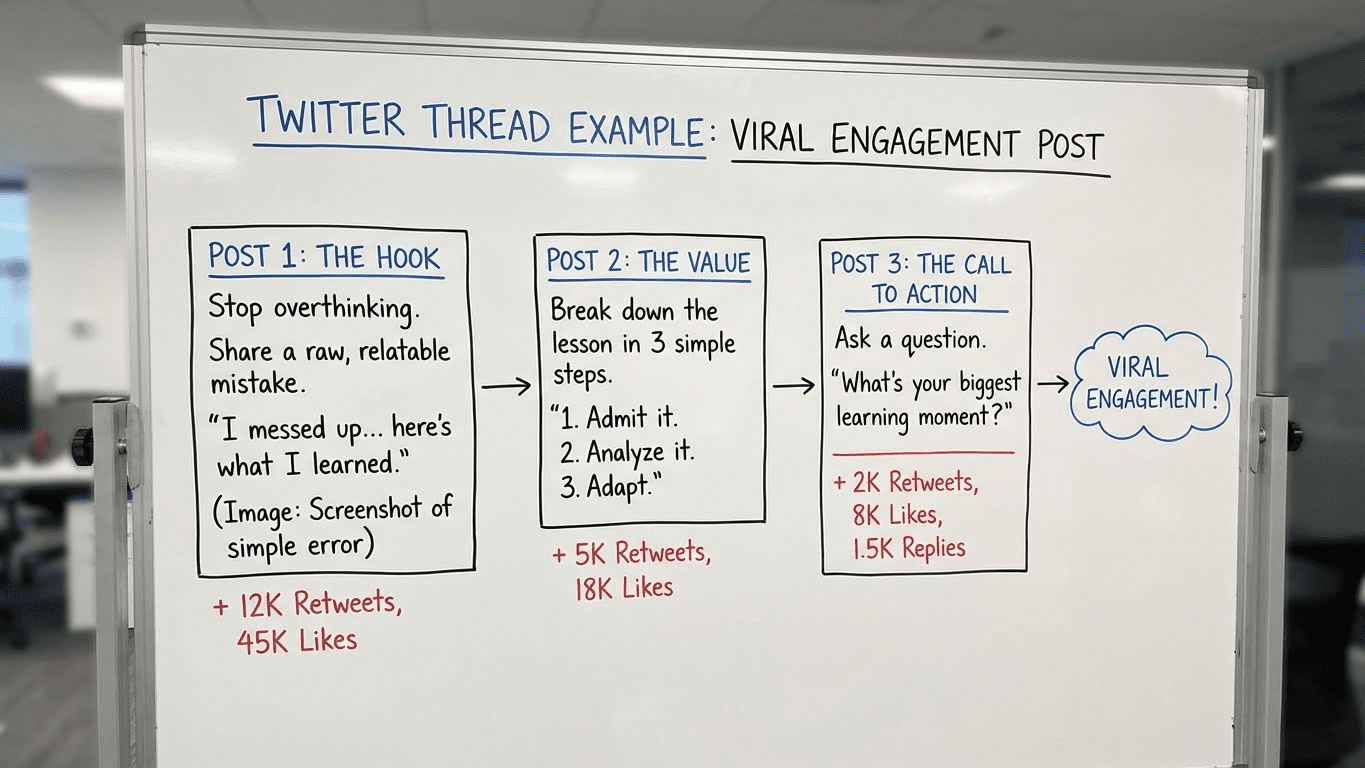
Threads rank among the most powerful content formats on Twitter. A single well-crafted thread can generate thousands of impressions, position you as a niche authority, and earn more bookmarks and shares than standalone tweets ever could.
Thread Structure That Works
Strong threads follow a predictable pattern:
- Hook tweet: Your first tweet must stop the scroll. Lead with a bold claim, surprising statistic, or question that creates tension.
- Promise of value: Tell readers exactly what they’ll learn by reading the full thread.
- Body tweets: Each tweet delivers one clear point. Use numbering, spacing, and occasional emojis to improve readability.
- Closing tweet: Summarize the key takeaway and include a call-to-action—follow, retweet, or check out a linked resource.
Most threads run between 5-12 tweets. Longer threads can work for complex topics, but they need exceptional content to hold attention throughout.
AI-Assisted Thread Writing
Our Twitter thread tool helps you outline and draft threads quickly. Start by feeding it your main topic and key points. The AI generates a draft structure, which you then refine with specific examples, personal stories, and data points.
Pro tip: Write your hook tweet last. Once you’ve crafted the full thread, you’ll know exactly what promise to make in that opening line.
Twitter Automation Basics
Automation frees you from repetitive publishing tasks, leaving more time for what requires genuine human attention—responding to comments, sparking conversations, building real relationships. But Twitter has guardrails you need to respect.
What You Can Automate
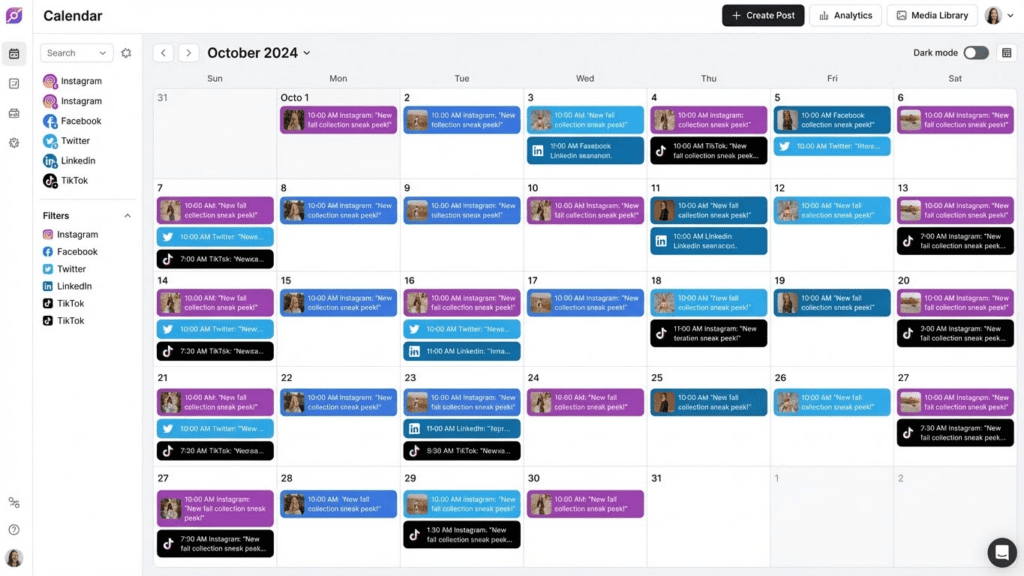
Scheduling posts works well with automation. Batch-create your content, then use tools to publish at optimal times even when you’re busy. Most successful accounts schedule at least some of their content.
Analytics tracking also benefits from automation. Instead of manually checking metrics, set up dashboards that surface the numbers that matter—engagement rate, follower growth, click-through rates on links.
Content curation tools can surface relevant industry news and trending topics, giving you material to comment on or share.
What You Shouldn’t Automate
Twitter’s rules explicitly prohibit automated engagement—auto-liking, auto-following, auto-replying. These tactics not only violate terms of service but also tank your account’s reputation. Twitter’s spam detection has improved significantly, and accounts using these methods regularly get suspended.
Direct messages should also stay manual. Automated DM sequences feel spammy and turn potential followers into critics. If someone follows you, a genuine personalized message (if you send one at all) always beats a templated auto-response.
Choosing Automation Tools
Look for tools that integrate cleanly with Twitter’s API and have clear compliance policies. Buffer, Hootsuite, and Later remain popular options for scheduling. For AI-assisted content creation, combine these with writing tools like our free social media AI tools collection.
Twitter’s Algorithm in 2026
The algorithm decides which tweets surface in feeds and how prominently they appear. Twitter hasn’t published the exact formula, but clear patterns emerge from testing and official announcements.
Engagement Velocity Matters
How quickly a tweet gains engagement after posting heavily influences its reach. Tweets that generate likes, replies, and retweets in the first 30-60 minutes get pushed to more users. This is why posting when your audience is online matters—you need those early interactions to trigger algorithmic distribution.
Replies Outweigh Likes
Replies signal deeper engagement than a quick like or retweet. The algorithm interprets conversations as stronger interest signals. Tweets that spark genuine discussions tend to gain more visibility than those that just accumulate passive likes.
This creates a strategic opportunity: craft tweets that invite responses. Questions, controversial takes, and incomplete thoughts all tend to generate more replies than polished statements.
Dwell Time and Bookmarks
How long someone pauses on your tweet and whether they bookmark it also factor into algorithmic decisions. Longer content—threads, images that take time to read, videos—can benefit from these signals. If people stop scrolling to consume your content, Twitter notices.
Consistency Signals
Accounts that post regularly build stronger algorithmic momentum than those posting sporadically. You don’t need to tweet 20 times a day, but establishing a predictable cadence helps. Many successful accounts find 3-5 quality tweets per day sustainable.
6 Mistakes That Tank Your AI Tweet Strategy
AI Twitter marketing can backfire badly without the right approach. These missteps trip up most newcomers:
1. Publishing AI Content Without Editing
AI-generated tweets often sound generic or include awkward phrasing. The moment your followers recognize that robotic tone, they tune out. Always edit AI output to match your voice and verify any facts or statistics.
2. Ignoring Your Analytics
AI can help you create content faster, but you still need to track what’s working. If you’re pumping out AI tweets without checking performance data, you’re flying blind. Review your analytics weekly and adjust your strategy based on actual results.
3. Over-Automating Engagement
Some marketers try to automate everything—likes, follows, replies. This approach violates Twitter’s terms and destroys authenticity. AI should support your engagement strategy, not replace human interaction entirely.
4. Posting Too Much Promotional Content
Even with AI making content creation easy, bombarding followers with promotional tweets backfires. Stick to an 80/20 rule: 80% value-driven content, 20% promotional. AI can help you generate that valuable content faster.
5. Using Generic Prompts
Lazy prompts produce lazy tweets. “Write me a tweet about fitness” gives you nothing worth posting. Spend time crafting detailed prompts with audience context, tone guidance, and specific angles. Better input always yields better output.
6. Forgetting Visual Content
Text-only strategies miss opportunities. Tweets with images get significantly higher engagement according to Twitter’s own research. Use AI image generation tools alongside your text tools—our AI art generator can create custom visuals for your tweets.
Key Metrics Twitter/X KPI for marketers
Chasing every available metric leads nowhere. Zero in on these numbers as you develop your AI-assisted approach:
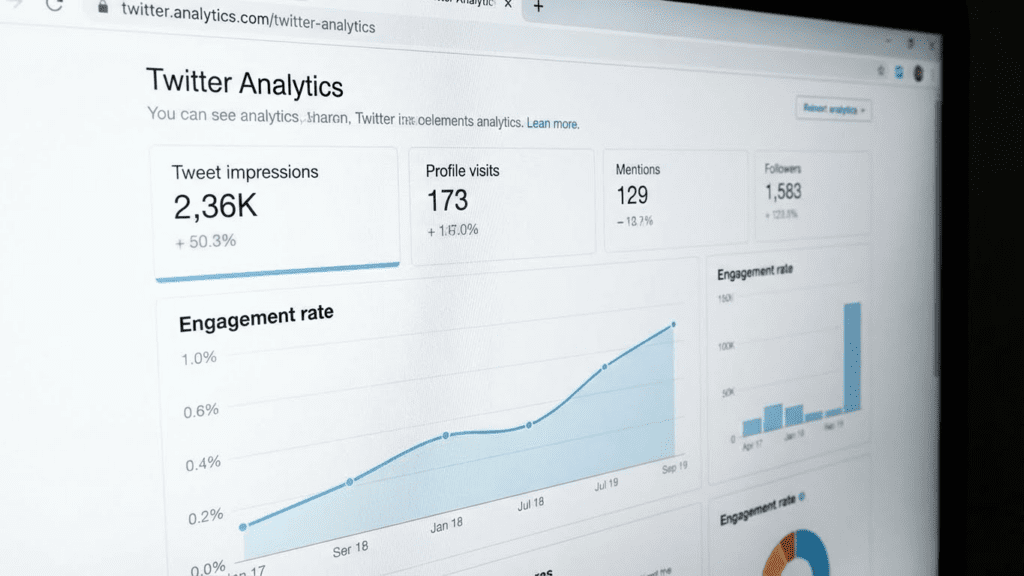
Engagement Rate: Total engagements divided by impressions. This tells you what percentage of people who saw your tweet actually interacted with it. A healthy engagement rate typically falls between 1-5%.
Profile Visits: If your tweets drive people to check your profile, you’re creating curiosity. Monitor whether this converts to follows.
Link Clicks: If you’re driving traffic to a website, track how many clicks your tweets generate. Low click rates might mean your CTAs need work.
Follower Growth Rate: Not just total followers, but how quickly you’re adding them. Consistent growth signals your content resonates.
Vanity metrics like total impressions look nice but don’t necessarily translate to business results. An account with 1,000 engaged followers often outperforms one with 50,000 passive ones.
Twitter/X Content Workflow
Here’s what a sustainable weekly rhythm looks like:
Weekly Planning Session (1 hour): Review last week’s performance. Identify top-performing tweet formats and topics. Use AI to brainstorm 15-20 new tweet ideas based on what’s working.
Batch Content Creation (2 hours): Draft tweets and threads using AI tools. Edit everything. Schedule for the coming week. Prepare any visuals needed.
Daily Engagement (15-30 minutes): Reply to comments on your posts. Join conversations in your niche. Quote-tweet interesting content with your take. This cannot be automated effectively.
Many creators use our social media tools hub to streamline the creation phase, then allocate saved time to genuine community building.
Cross-Platform Synergy
Twitter content feeds naturally into other channels. Smart marketers repurpose strategically:
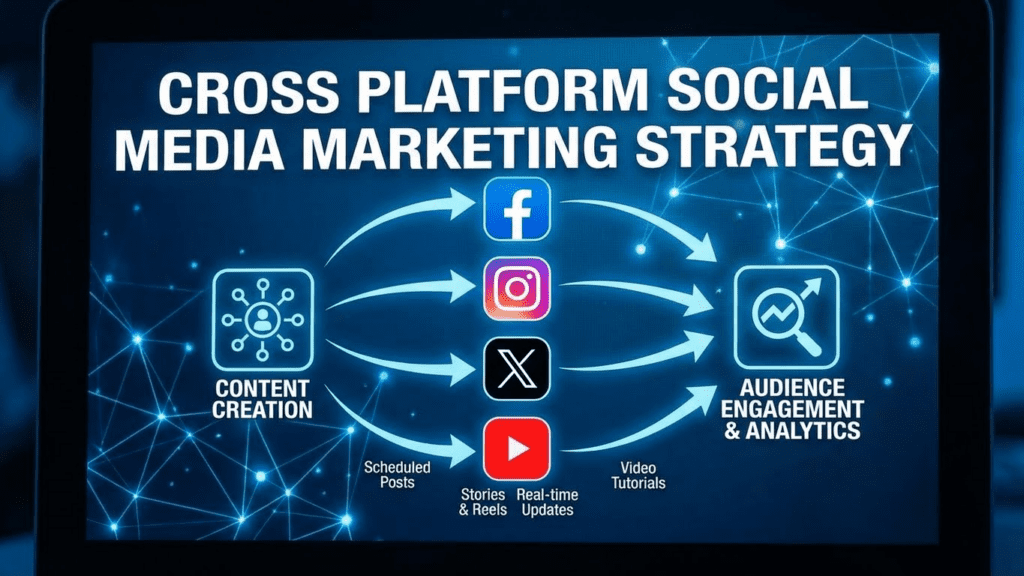
A Twitter thread can become a LinkedIn post with slight adjustments for that audience. Your best-performing tweets might inspire Instagram captions or TikTok captions. A Facebook post might test well before becoming a Twitter thread.
AI makes this repurposing fast. You’re not creating content from scratch each time—you’re adapting winning concepts for different platforms.
Frequently Asked Questions
Can Twitter detect AI-generated tweets?
Twitter doesn’t currently ban AI-generated content, but poorly edited AI tweets often get flagged as spam or receive lower engagement due to their generic nature. The key is editing AI output to add genuine value and personality. Well-edited AI-assisted content performs just as well as fully human-written tweets.
How many tweets should a beginner post per day?
Two to three quality tweets daily hits the sweet spot for newcomers. That cadence builds momentum without leading to burnout. After establishing a consistent rhythm and learning what resonates with your audience, scaling to 4-5 posts becomes manageable—assuming engagement holds steady.
Is Twitter automation against the rules?
Scheduling tweets is allowed and widely practiced. Automated engagement—auto-likes, auto-follows, auto-replies—violates Twitter’s terms. Stick to automating publishing and analytics, not interactions.
What’s the best time to post on Twitter in 2026?
General data suggests weekday mornings (8-10 AM) and afternoons (12-1 PM) in your target timezone. However, your specific audience might differ. Use Twitter Analytics to identify when your followers are most active, then schedule accordingly.
Do I need paid AI tools or are free options enough?
Free tools like our free AI tools collection handle most beginner needs. Paid tools offer additional features like bulk generation, advanced analytics integration, and priority support. Start free, then invest in paid options once you’ve validated your strategy works.
How long before I see results from AI Twitter marketing?
Expect measurable engagement improvements within 30 days of consistent posting. Building a significantly larger following typically requires 3-6 months. AI accelerates content production but doesn’t compress the timeline for earning audience trust.
Should I disclose when tweets are AI-assisted?
There’s no legal requirement, but transparency builds trust. Some creators mention AI assistance in their bio. Others simply ensure their content provides genuine value regardless of how it’s created. The ethical line is clear: don’t claim AI-generated content as original human work when asked directly.
Next Steps
Consistent, quality Twitter content becomes achievable once you bring AI into your workflow. Let the technology tackle ideation and drafting while you contribute strategy, personality, and authentic engagement.
Start simple. Generate your first tweet batch using our Twitter thread generator, refine the output until it sounds distinctly like you, then schedule posts for the week ahead. Monitor performance, tweak your approach, and scale from there.
The accounts thriving on Twitter in 2026 blend AI efficiency with human authenticity. You now have the playbook to do the same.