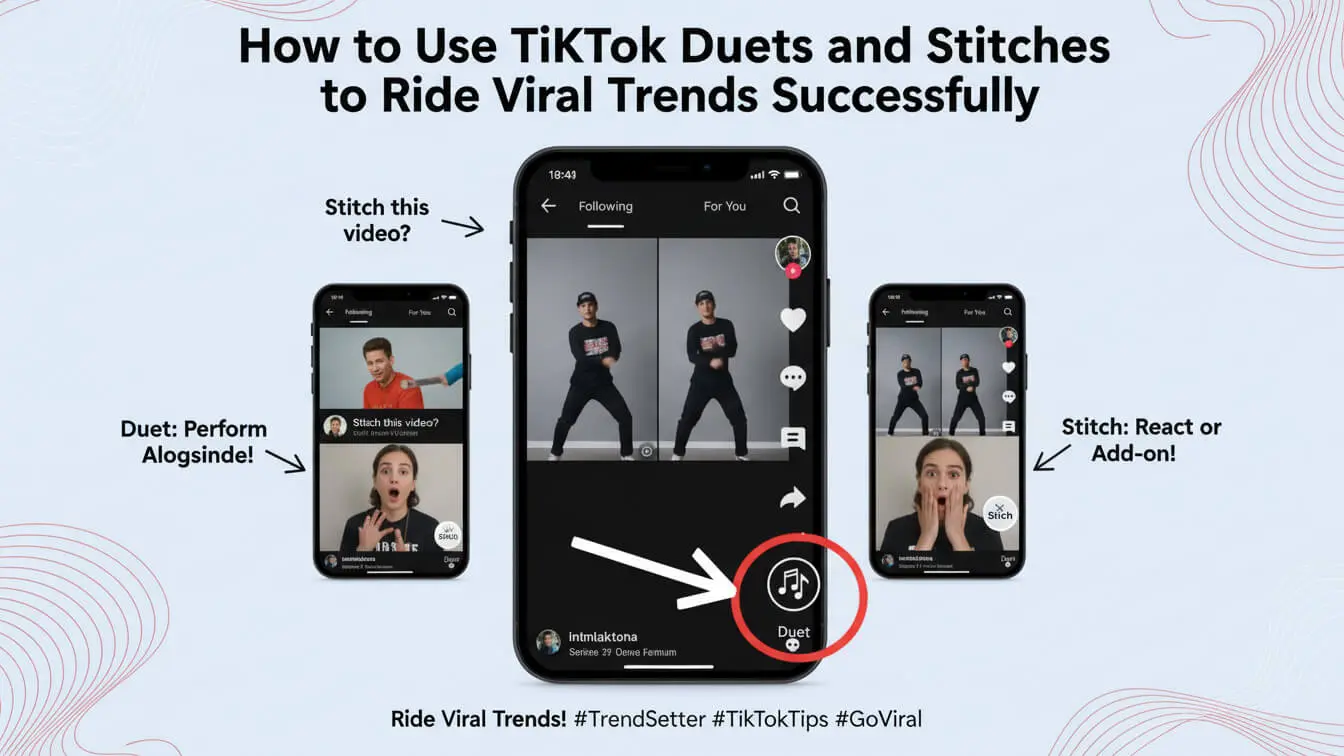
TikTok has changed the way people create content. In 2025, Duets and Stitches are pulling millions of views for creators who know how to use them right. These features let you jump on trending videos without starting from scratch, giving you a shortcut to viral success. If you want to grow your TikTok account quickly, mastering these two tools is non-negotiable.
Duets and Stitches work differently but share one goal: helping you connect with trending content. A Duet splits the screen so your video plays next to someone else’s content simultaneously. A Stitch clips up to five seconds from another video and places it at the start of yours. Both methods give you instant access to what’s already working on the platform, and both can explode your reach overnight if done correctly.
By the end of this guide, you’ll know exactly how to create Duets and Stitches that grab attention, ride viral waves, and build your following. We’ll cover step-by-step instructions, real strategies that creators use to hit millions of views, and mistakes that kill engagement before it starts.
Table of Contents
- What Are TikTok Duets
- What Are TikTok Stitches
- Duets vs. Stitches: Pick the Right Tool
- How to Create a Duet (Step-by-Step)
- How to Create a Stitch (Step-by-Step)
- Finding Viral Trends to Duet and Stitch
- 7 Proven Duet Strategies That Work
- 7 Stitch Tactics for Maximum Engagement
- Common Mistakes That Kill Your Reach
- Best Practices for Going Viral
- Tracking Your Success
- Frequently Asked Questions
What Are TikTok Duets
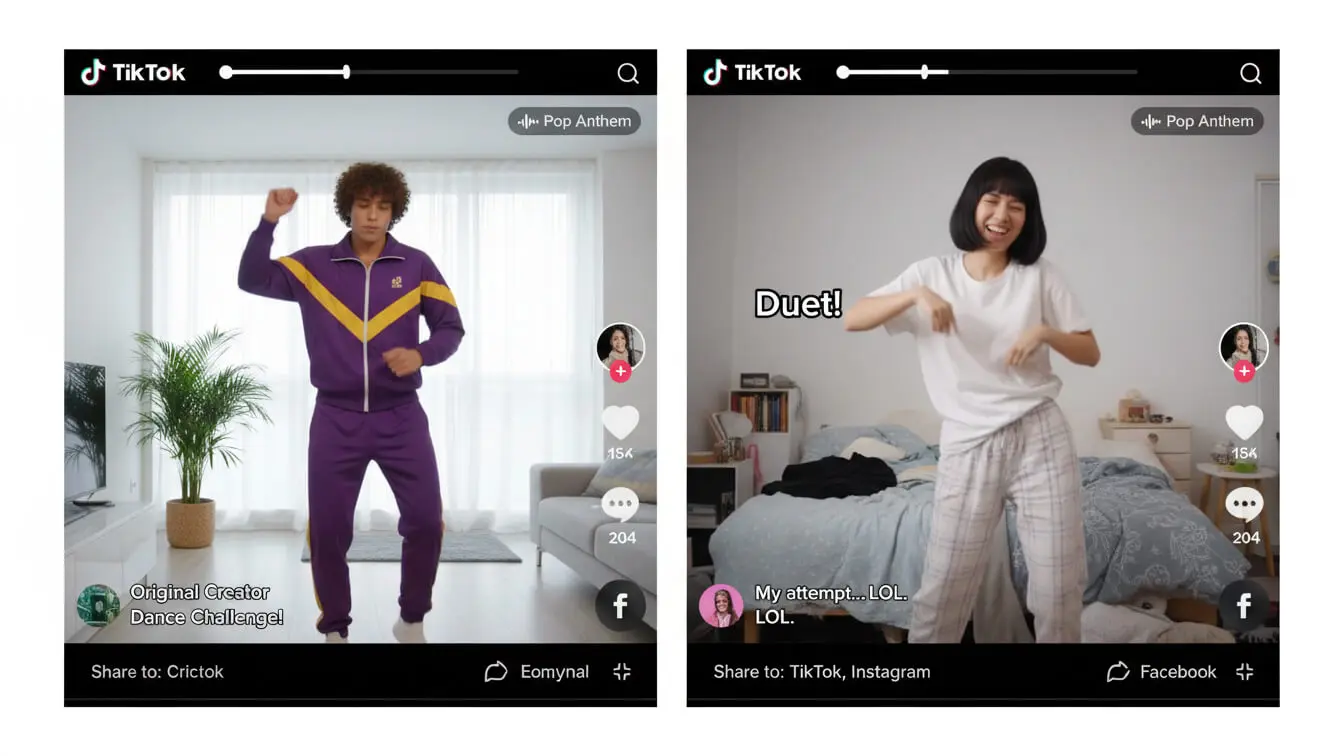
A Duet on TikTok puts two videos side by side on one screen. Both videos play at the same time. You record your reaction or response while the original video plays next to you. TikTok launched Duets to make collaboration easier, and it’s become one of the most-used features on the platform.
When you Duet a video, your half of the screen shows your content while the other half shows the original. This setup works perfect for reactions, singing along with music, adding commentary, or joining dance challenges. The format makes viewers feel like they’re watching a conversation happen in real time.
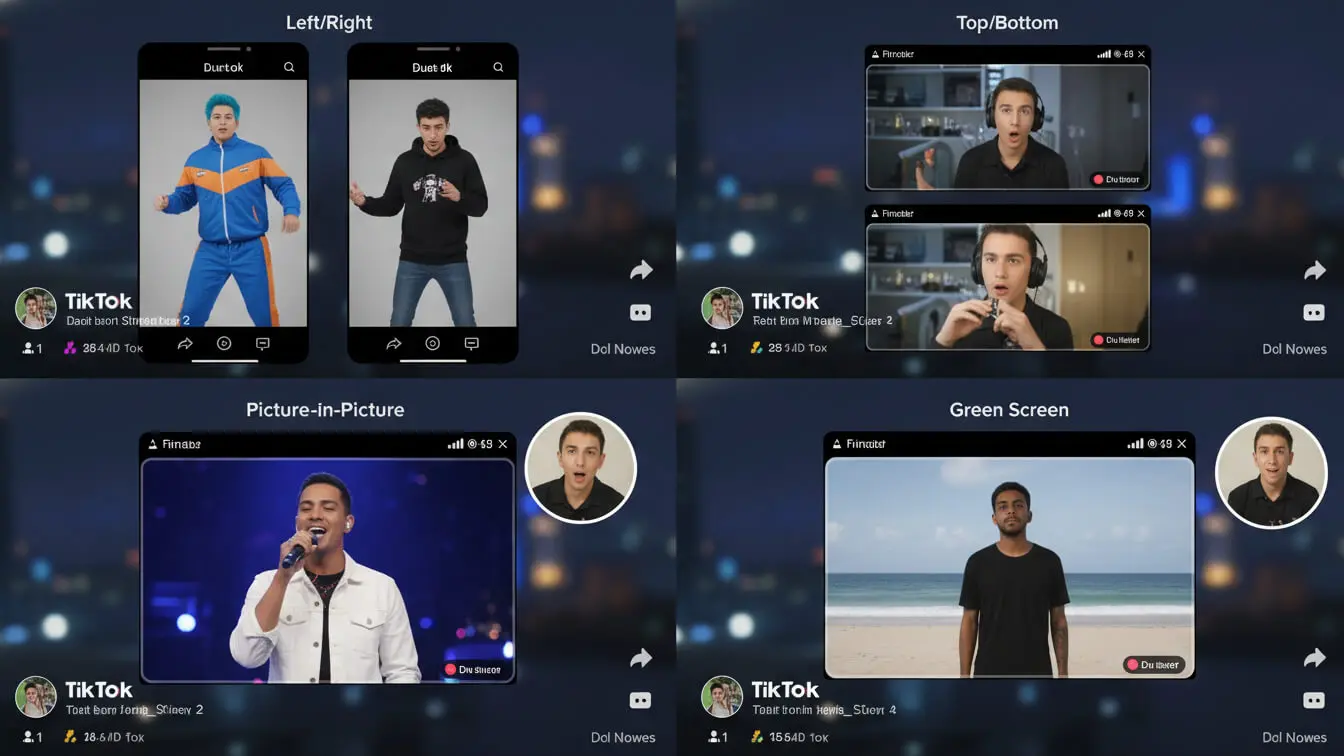
The power of Duets comes from piggybacking on content that’s already proven. If someone’s video has 500,000 views, your Duet can tap into that same audience. When people Duet trending videos, they increase their chances of landing on the For You Page because TikTok sees them as part of an active conversation.
Duets automatically credit the original creator. Your video will link back to theirs, which means their followers might discover you. This makes Duets a growth tool, not just an entertainment feature.
What Are TikTok Stitches
Stitches work differently. Instead of playing videos side by side, a Stitch clips up to five seconds from another video and places it at the beginning of yours. The original clip plays first, then cuts to your video. Think of it as borrowing someone’s setup to deliver your punchline.
Stitches let you respond to specific moments in videos. You might see someone share a life hack, clip the most interesting part, and then show your own version or explain why it doesn’t work. The format works perfect for debunking myths, adding context, continuing stories, or creating reaction chains.
Like Duets, Stitches automatically credit the original creator. The five-second limit forces you to pick the most engaging moment from the original video. This constraint actually helps because it makes your content tighter and more focused.
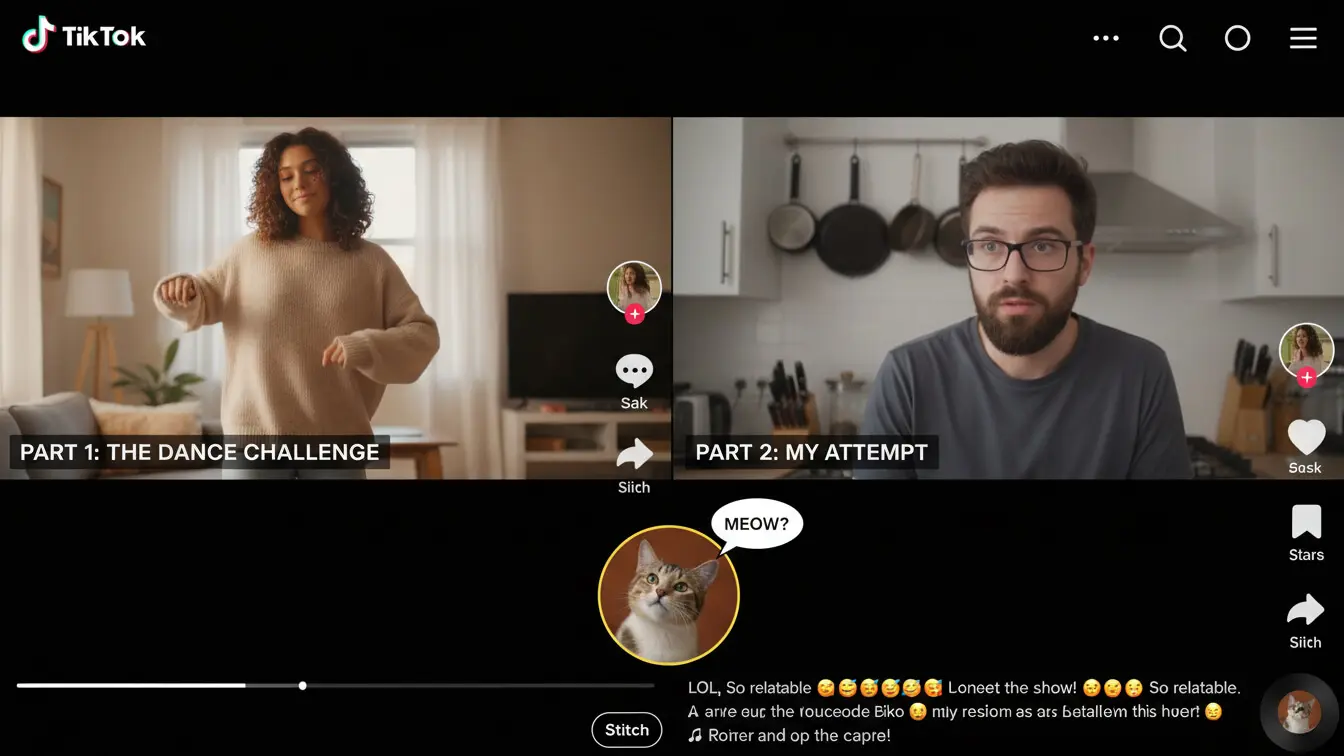
Stitches caught fire in 2025 because they let creators join conversations without redoing everything from scratch. According to recent data on Stitch usage, videos using Stitches see 35% higher engagement rates compared to standalone content because they ride existing momentum.
Duets vs. Stitches: Pick the Right Tool
Knowing when to use each feature matters. Duets and Stitches serve different purposes. Here’s how to decide which one fits your content:
| Feature | Best For | Format | Use When |
|---|---|---|---|
| Duet | Reactions, collaborations, performances | Split screen, both play together | You want real-time interaction feel |
| Stitch | Responses, continuations, commentary | Original clip then your video | You need setup from original content |
Use Duets when you want viewers to see both videos at once. This works great for singing challenges, dance duets, or showing your facial reactions to something. The side-by-side format creates comparison or collaboration vibes that feel more personal.
Pick Stitches when you need the original video to set up your content. If you’re debunking something, continuing a story, or answering a question, Stitches work better because viewers see the context first, then your response flows naturally.
Some creators combine both. They might Duet a popular video, then other people Stitch that Duet. This creates chains of content that can spiral into massive trends.
How to Create a Duet (Step-by-Step)
Creating a Duet takes less than two minutes once you know the steps. Here’s exactly how to do it:
1. Find a Video to Duet
Open TikTok and scroll until you find a video you want to Duet with. The video must have Duets enabled by the creator. Check if the share arrow button is active on the right side of the screen.
2. Tap the Share Button
Tap the arrow icon on the right side of the video. A menu will pop up with sharing options.
3. Select Duet
In the sharing menu, tap the “Duet” option. If it’s grayed out, the creator disabled Duets for that video. You’ll need to pick a different video.
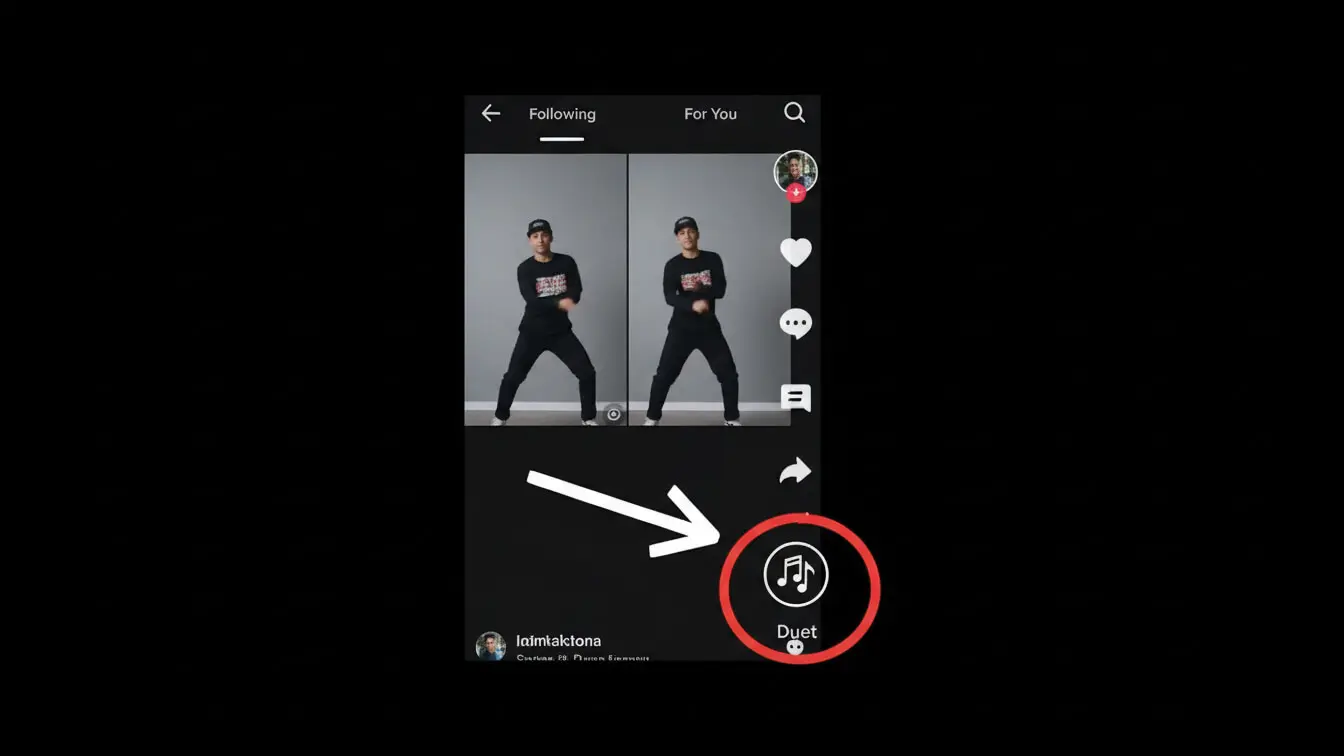
4. Choose Your Layout
TikTok offers several layout options. The default shows both videos side by side. You can also choose green screen mode, which puts the original video as your background. Pick the layout that fits your content style.
5. Record Your Video
Press the red record button to start filming. The original video plays while you record. You can add filters, adjust speed, or flip your camera before recording. Your microphone is muted by default, so tap the mic icon if you want to add your own audio.
6. Edit and Post
After recording, add text, stickers, or effects. Write a caption that explains your Duet or hooks viewers. The hashtag #duet is automatically added, but include trending hashtags related to your content. Tap “Post” when you’re ready.
Pro tip: Most successful Duets add something new to the original video. Don’t just watch and nod. React, comment, or show a different perspective that makes people want to watch both sides.
How to Create a Stitch (Step-by-Step)
Stitches follow a similar process but with one key difference: you choose which part of the video to use. Here’s the complete walkthrough:
1. Find Your Target Video
Scroll through TikTok and find a video that you want to Stitch. Look for videos that set up a question, show an interesting moment, or have a clip you can build on.
2. Hit the Share Button
Tap the share arrow on the right side of the screen. This opens the sharing menu with multiple options.
3. Select Stitch
Choose “Stitch” from the menu. If the button is grayed out, the creator turned off Stitches for that video.
4. Select Your Clip
TikTok shows you a timeline of the video. Drag the handles to select up to five seconds that you want to use. Pick the most engaging part that sets up your response perfectly. This is the most important step because your clip choice makes or breaks the Stitch.
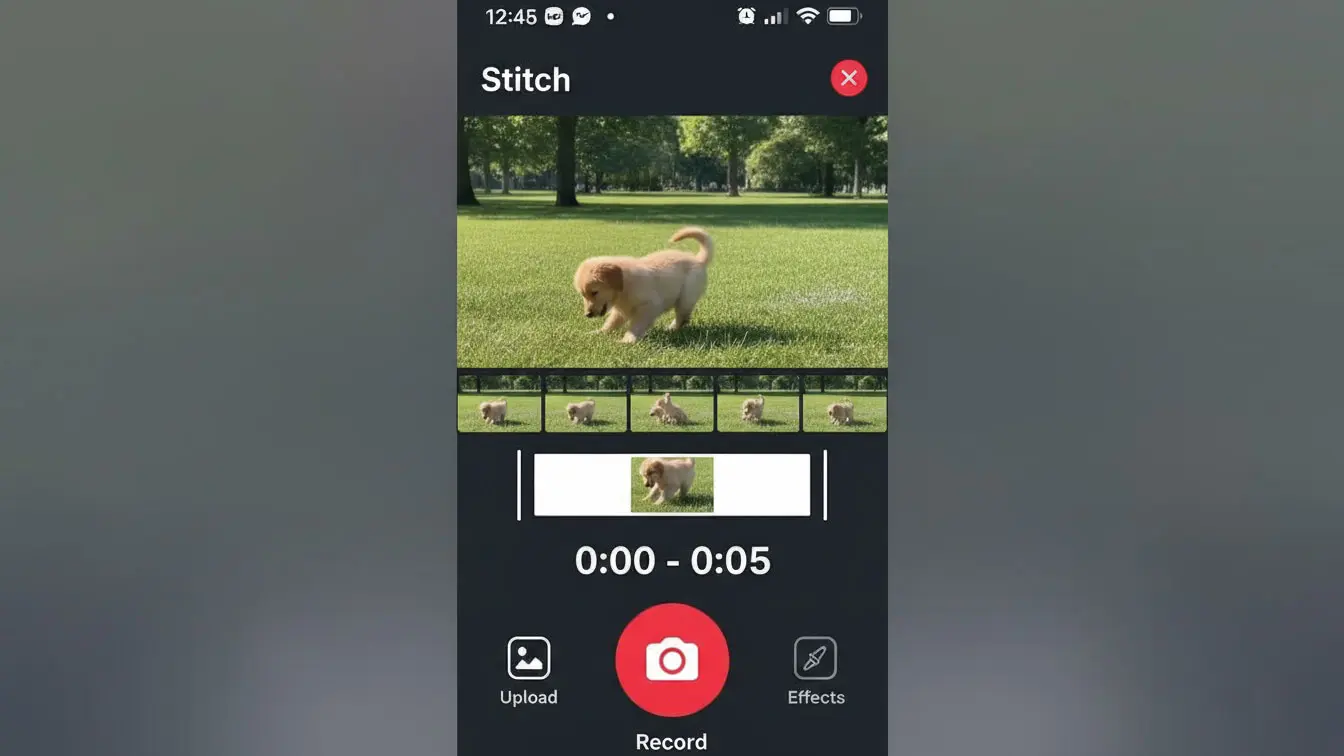
5. Record Your Response
After selecting your clip, tap “Next.” The screen switches to camera mode. Press the red button to record your part. Your video will play immediately after the clip you selected. Make sure your first second hooks viewers because they just watched the setup.
6. Polish and Publish
Add text overlays, effects, or music if needed. Write a caption that teases what viewers will learn or see in your response. Include relevant hashtags but don’t overdo it. Three to five hashtags usually work best. Hit “Post” to publish.
According to platform data from 2025, Stitches that add educational value or humor perform 40% better than those that simply agree with the original video. Always add something new.
Finding Viral Trends to Duet and Stitch
Riding viral trends starts with finding them early. Jump on a trend too late and you’ll get buried under thousands of similar videos. Catch it early and you can ride the wave to massive views.
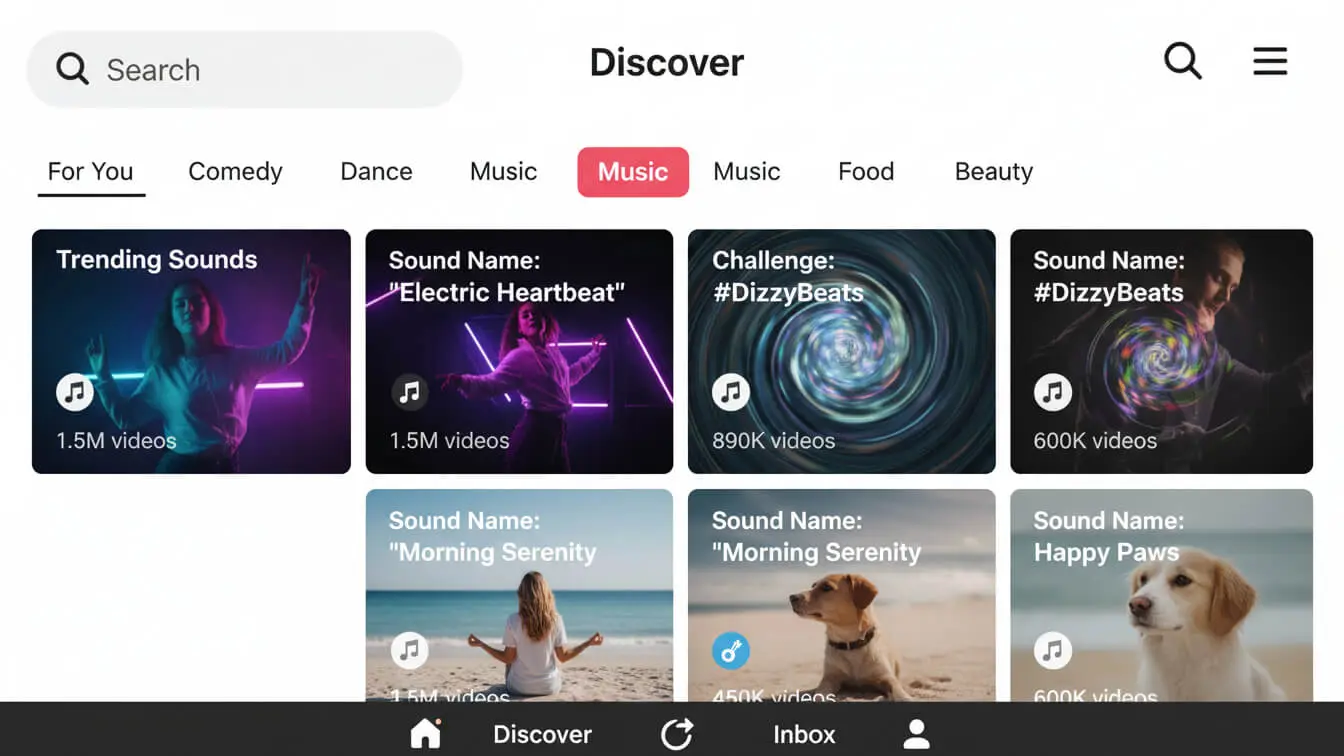
Check the Discover Page Daily
The Discover tab shows what’s trending right now. Look for hashtags with millions or billions of views that are still growing. If a hashtag jumped from 50 million to 200 million views in one day, it’s heating up.
Watch the For You Page
Your For You Page shows videos that TikTok’s algorithm thinks will interest you. If you see the same sound, format, or challenge appear three or four times in ten minutes, that’s a trend building momentum. Act fast.
Follow Trend-Tracking Accounts
Some TikTok accounts specialize in spotting and explaining new trends. They post updates about what’s blowing up and how to participate. Following these accounts keeps you ahead of the curve.
Monitor Creator Analytics
If you have a Creator or Business account, check which of your videos are getting traction. Sometimes TikTok shows you trends before they explode by pushing similar content to your For You Page. If your audience engages with certain formats, more of that content is coming.
Look for Videos with Growth Potential
Don’t just pick videos with 10 million views. Find videos with 50,000 to 500,000 views that are gaining traction fast. These videos are on their way up, and your Duet or Stitch can catch the same wave. Check the upload time—if a video got 100,000 views in six hours, it’s probably going viral.
Timing matters. Recent trend analysis shows that creators who post during the first 24-48 hours of a trend’s rise see 3x more engagement than those who wait until day five or six.
7 Proven Duet Strategies That Work
Creating a Duet is easy. Making one that goes viral requires strategy. Here are seven tactics that consistently deliver results:
1. React to Surprising Moments
Find videos with unexpected twists or jaw-dropping moments. Record your genuine reaction as the video plays. Facial expressions and body language matter more than what you say. Viewers love watching reactions to shocking content because it validates their own surprise.
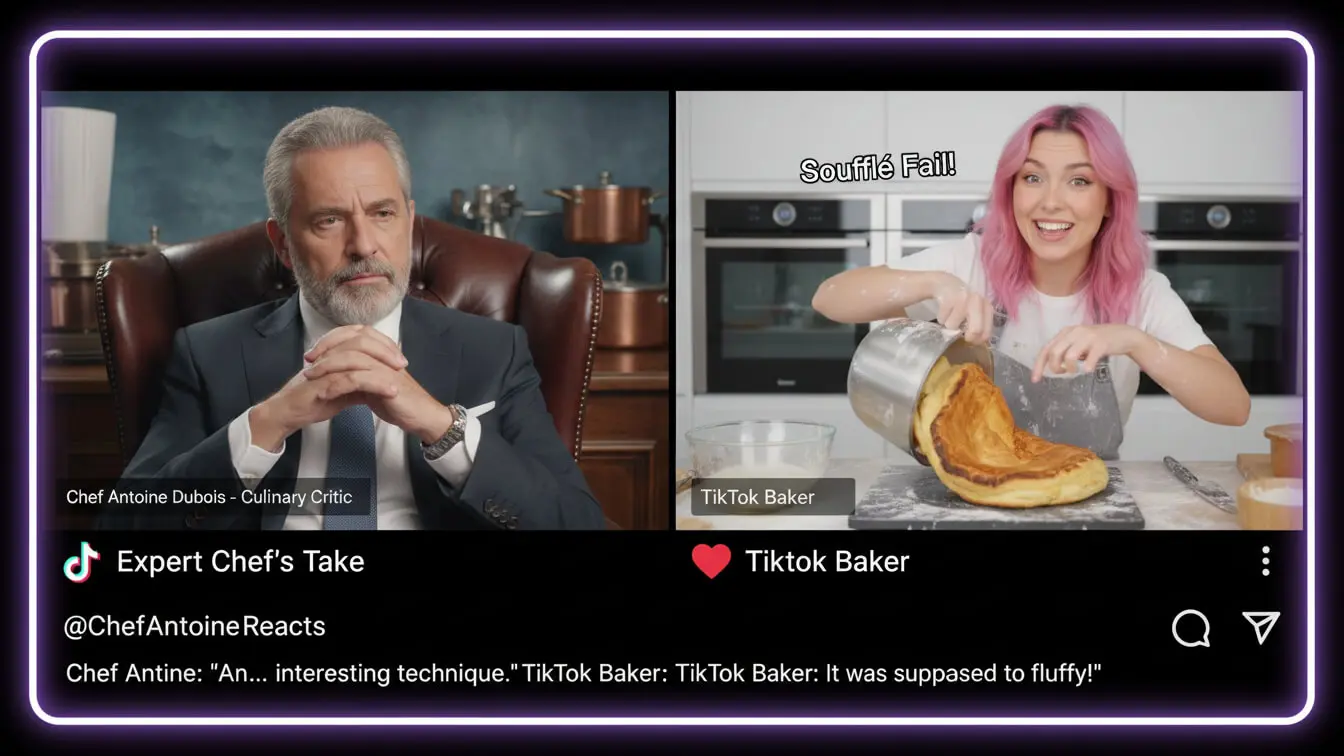
2. Add Expert Commentary
If you have expertise in something, Duet videos about that topic. A fitness trainer might Duet workout videos to point out form mistakes. A chef could Duet cooking videos to add professional tips. This positions you as an authority and attracts followers who want to learn.
3. Join Music and Dance Challenges
Dance and music challenges spread like wildfire. When you see a trending song or choreography, create your Duet version. Add your own style or personality to stand out from the hundreds of other participants. Even if your dancing isn’t perfect, personality wins.
4. Create Before-and-After Comparisons
Duet transformation videos to show your own results. Someone shares their weight loss journey? Duet it with your fitness transformation. Someone shows a room makeover? Show your version. Comparison content performs well because viewers love seeing multiple perspectives.
5. Duet Your Own Old Videos
This clever trick lets you update or react to your past content. Find an old video of yours that did well, Duet it, and share what’s changed or what you learned since then. It gives old content new life and shows growth, which audiences appreciate.
6. Collaborate With Other Creators
Reach out to creators in your niche and plan mutual Duets. You Duet their video, they Duet yours. This cross-promotes both accounts and exposes each of you to new audiences. Pick creators with similar follower counts for the best results.
7. Challenge Your Audience
Post a video specifically designed for Duets and challenge your followers to participate. Ask them to sing the other part of a song, complete a phrase you start, or show their version of something you demonstrated. User-generated Duets can multiply your reach exponentially.
Brands have caught on to this strategy. NBA’s Duet campaigns in 2025 pulled millions of user responses by asking simple questions that fans could answer through Duets.
7 Stitch Tactics for Maximum Engagement
Stitches require different thinking than Duets. You’re building on someone else’s setup, so your payoff needs to land. Here are seven proven Stitch strategies:
1. Debunk or Fact-Check
When you spot misinformation or questionable advice, Stitch it with the facts. Clip the claim that’s wrong, then explain the reality. People love seeing myths get busted. This strategy works especially well in health, finance, tech, and cooking niches.
2. Continue the Story
Find videos that tell part of a story but leave room for more. Stitch the ending and continue where they left off. Comedy sketches, storytelling videos, and cliffhangers work perfect for this. Your continuation should feel like a natural extension of the original.
3. Answer Open Questions
Look for videos where creators ask questions or request advice. Stitch the question and provide your answer. This positions you as helpful and knowledgeable. Plus, the original creator might see your Stitch and engage with it, boosting your visibility.
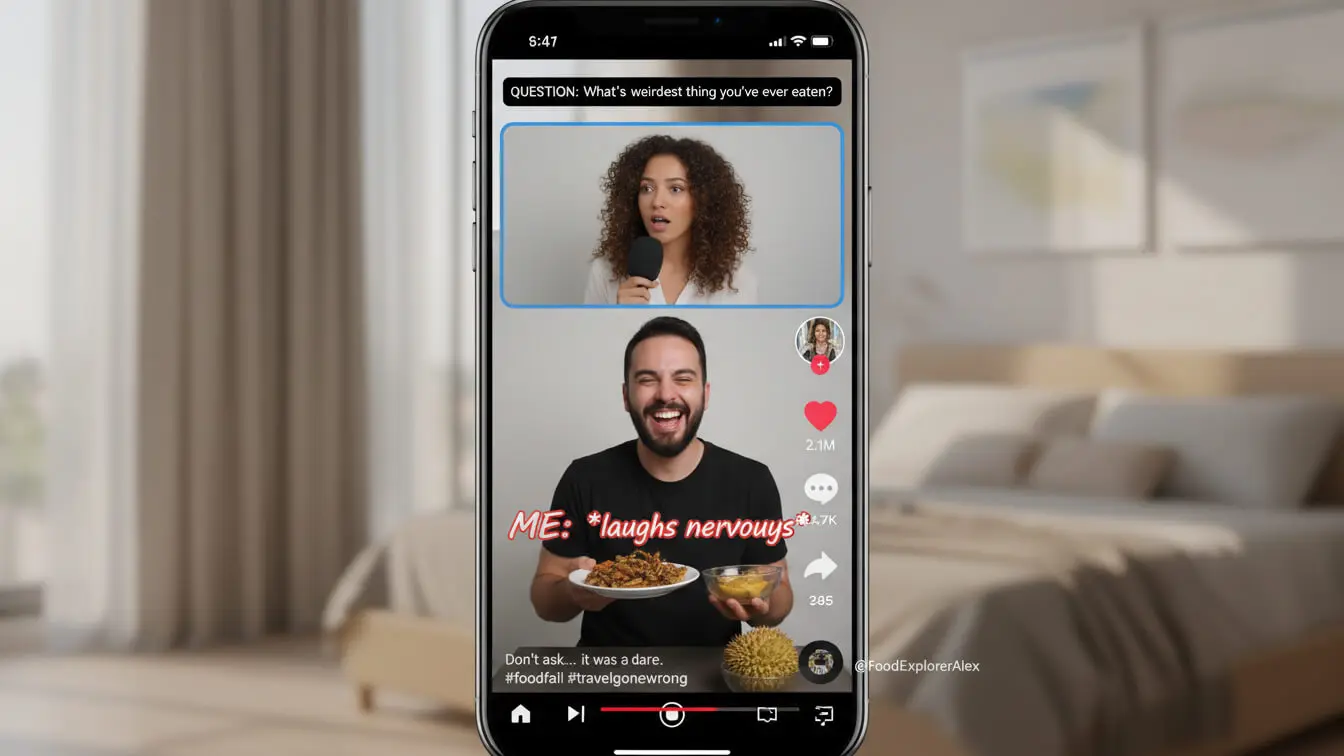
4. Show Alternative Methods
When someone demonstrates a technique or life hack, Stitch it and show a different way to do the same thing. Start with “here’s another way” or “this method works better for me.” Viewers appreciate options and alternative perspectives.
5. Add the Missing Context
Some viral videos go crazy because they’re shocking or confusing. Stitch them and explain what’s really happening or provide background information viewers might not know. Context videos perform well because people want to understand what they just watched.
6. Create Parodies
Comedy Stitches crush on TikTok. Find a serious video and Stitch it with an exaggerated or silly version. Or take a funny video and play it completely straight. The contrast between the original and your Stitch creates humor.
7. Build Stitch Chains
Sometimes the most viral content comes from multiple Stitches building on each other. Start a chain by Stitching a popular video, then encourage others to Stitch yours. Each person adds another layer. These chains can reach millions because everyone involved promotes them.
Product reviewers have turned Stitches into a science. Beauty and tech brands in 2025 see 50% more engagement when influencers Stitch product videos compared to standalone reviews.
Common Mistakes That Kill Your Reach
Even creators who understand Duets and Stitches make mistakes that tank their videos. Avoid these common errors:
Adding Nothing New
The biggest mistake is creating a Duet or Stitch that doesn’t add value. If you just watch the original video and nod, why would anyone watch your version? Always add commentary, emotion, information, or a fresh perspective. Give viewers a reason to care about your half.
Choosing Dead Trends
By the time a trend hits mainstream news, it’s usually dying on TikTok. Don’t Duet or Stitch videos from trends that peaked last week. Check the upload date and view velocity. If growth has flatlined, move on to something fresher.
Ignoring Audio Quality
Your microphone matters. If viewers can’t hear you over the original video’s audio, they’ll scroll past. Adjust the volume levels so your voice comes through clearly. Use the volume mixer after recording to balance both audio tracks.

Poor Clip Selection in Stitches
Picking the wrong five seconds ruins Stitches. Don’t grab a random moment. Select the clip that provides the best setup for your response. If the setup doesn’t make sense, viewers won’t understand your punchline.
Forgetting the Hook
Your first second matters. Whether it’s a Duet or Stitch, hook viewers immediately. Add text overlay that teases what’s coming, start with a strong facial expression, or open with a provocative statement. If you don’t grab attention fast, people keep scrolling.
Overusing Hashtags
Cramming 30 hashtags in your caption looks desperate and doesn’t help reach. Use three to five relevant hashtags maximum. Focus on trending tags and niche-specific tags that match your content. Quality beats quantity.
Not Engaging With Comments
When your Duet or Stitch starts getting comments, respond quickly. Early engagement signals to TikTok that your video is sparking conversations, which pushes it to more For You Pages. Ignoring comments wastes this opportunity.
Best Practices for Going Viral
Want to stack the odds in your favor? Follow these best practices that separate viral videos from duds:
Post at Peak Times
Timing affects everything. Data from 2025 shows that posting between 6-9 PM in your audience’s timezone gets 60% more initial views. Those early views determine whether TikTok pushes your video further.
Keep Videos Under 20 Seconds
Shorter videos get watched to the end more often. Higher completion rates signal quality to TikTok’s algorithm, which means more distribution. Unless your content demands length, trim everything down to the essentials.
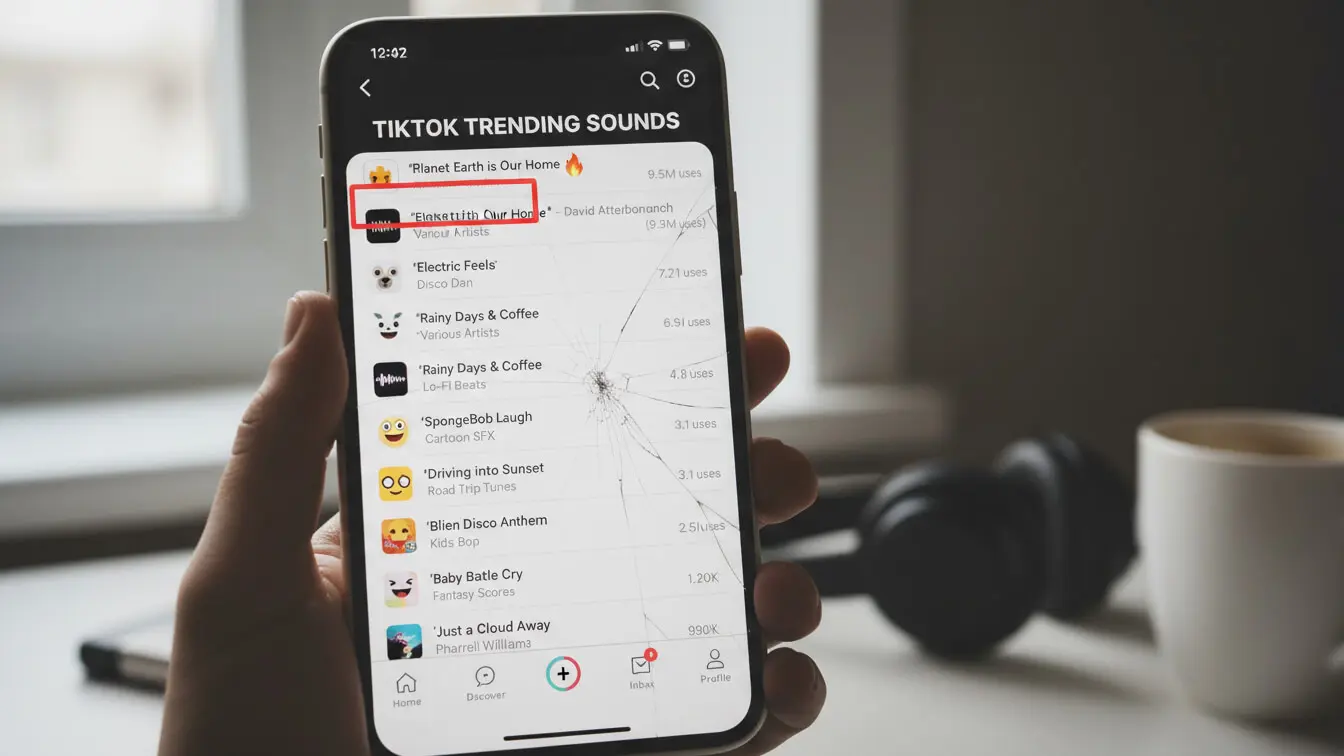
Use Trending Sounds
Even in Duets and Stitches, layering trending audio can boost reach. If the original video uses a trending sound, you’re already set. If not, add a trending sound in the background at low volume. TikTok’s algorithm favors trending audio.
Make It Easy to Understand
Not everyone will have seen the original video you’re Dueting or Stitching. Your content should make sense on its own while still connecting to the original. Add text overlay if needed to provide context.
Cross-Promote on Other Platforms
Share your best Duets and Stitches on Instagram Reels, YouTube Shorts, and Twitter. This drives traffic back to your TikTok account and can spark additional virality. Some creators see their TikToks explode after they go viral on another platform first.
Batch Create Content
When you find a hot trend, don’t just make one Duet or Stitch. Create three to five versions with different angles or styles. Post them over several days. This increases your chances of catching the algorithm at the right moment.
Study What Works
After posting, check your analytics within 24 hours. Look at watch time, completion rate, and traffic source. If a video performed well, figure out why and replicate those elements. If it flopped, identify what went wrong.
Tracking Your Success
You can’t improve what you don’t measure. Track these metrics to gauge your Duet and Stitch performance:
View Count
Total views show your reach. Compare views on your Duets and Stitches to your regular content. If collaborative content consistently gets more views, lean into it.
Watch Time and Completion Rate
These metrics matter more than views. If people watch your entire video, TikTok shows it to more people. Check your analytics to see average watch time. Aim for 80%+ completion rate on videos under 20 seconds.
Engagement Rate
Count likes, comments, shares, and saves. Divide total engagement by views to get your engagement rate. Videos above 5% engagement rate typically go viral. Duets and Stitches often see higher engagement because they’re part of conversations.
Follower Growth
Track how many followers you gain after posting successful Duets and Stitches. If a video drives 100+ new followers, you hit something viral. Try to figure out what made that video special.

Traffic Source
Your analytics show where views came from: For You Page, Following feed, profile visits, or other sources. For You Page traffic means TikTok’s algorithm pushed your content. That’s the goldmine.
Duet and Stitch Count
When people start Dueting or Stitching your videos, you’ve created something worth building on. Track how many derivatives your videos generate. High counts indicate viral potential.
Set weekly goals. Maybe you aim for one video over 100,000 views per week, or 500 new followers per month. Having targets keeps you focused and helps you measure progress over time.
Frequently Asked Questions
Can I Duet or Stitch any video on TikTok?
No. Only videos where the creator enabled these features. Creators can disable Duets and Stitches in their privacy settings. If the option appears grayed out when you try to use it, the creator turned it off. About 70% of TikTok videos allow Duets and Stitches.
How do I enable Duets and Stitches on my videos?
Go to Settings, then Privacy, then click “Reuse of content.” Select who can Duet or Stitch your videos: everyone, friends, or only you. Most creators choose “everyone” to maximize reach, but you can restrict it if you want more control.
Do Duets and Stitches notify the original creator?
Yes. When you post a Duet or Stitch, the original creator gets a notification. They might watch your video, engage with it, or even share it to their audience. This can significantly boost your visibility, especially if they have a large following.
Can I Duet or Stitch my own old videos?
Absolutely. Dueting or Stitching your past content is a smart strategy. It gives old videos new life and shows your evolution. Some creators use this to compare their progress or update information they shared previously.
What’s the best time to post Duets and Stitches?
Post within the first 48 hours of spotting a trend for maximum impact. For daily timing, research indicates posting between 6-9 PM on weekdays and 10 AM-12 PM on weekends generates the most initial engagement.
How many hashtags should I use?
Use three to five relevant hashtags. Include trending hashtags if they match your content, plus niche-specific tags that target your audience. More hashtags don’t equal more reach—focus on relevance instead.
Can I edit the original video in a Duet?
No. You can’t change the original video itself, but you can choose different layouts, add filters to your side, and adjust audio levels. In Stitches, you select which five seconds to use, but you can’t edit that clip.
Why can’t I find the Duet or Stitch button?
Three reasons: the creator disabled these features, your TikTok app needs updating, or you’re trying to Duet/Stitch a video that’s been deleted. Update your app first, then check if other videos show the option.
Do Duets and Stitches help me go viral faster?
Yes. They give you a shortcut by connecting you to content that’s already proven. When you Duet or Stitch a trending video, you tap into its audience and momentum. This dramatically increases your chances of landing on the For You Page.
Should I focus more on Duets or Stitches?
Test both and see what your audience responds to. Some niches favor Duets (music, dance, reactions), while others work better with Stitches (education, commentary, storytelling). Check your analytics after a few weeks to see which performs better for your content style.