
What is Chiaroscuro Lighting in AI Image Generation?
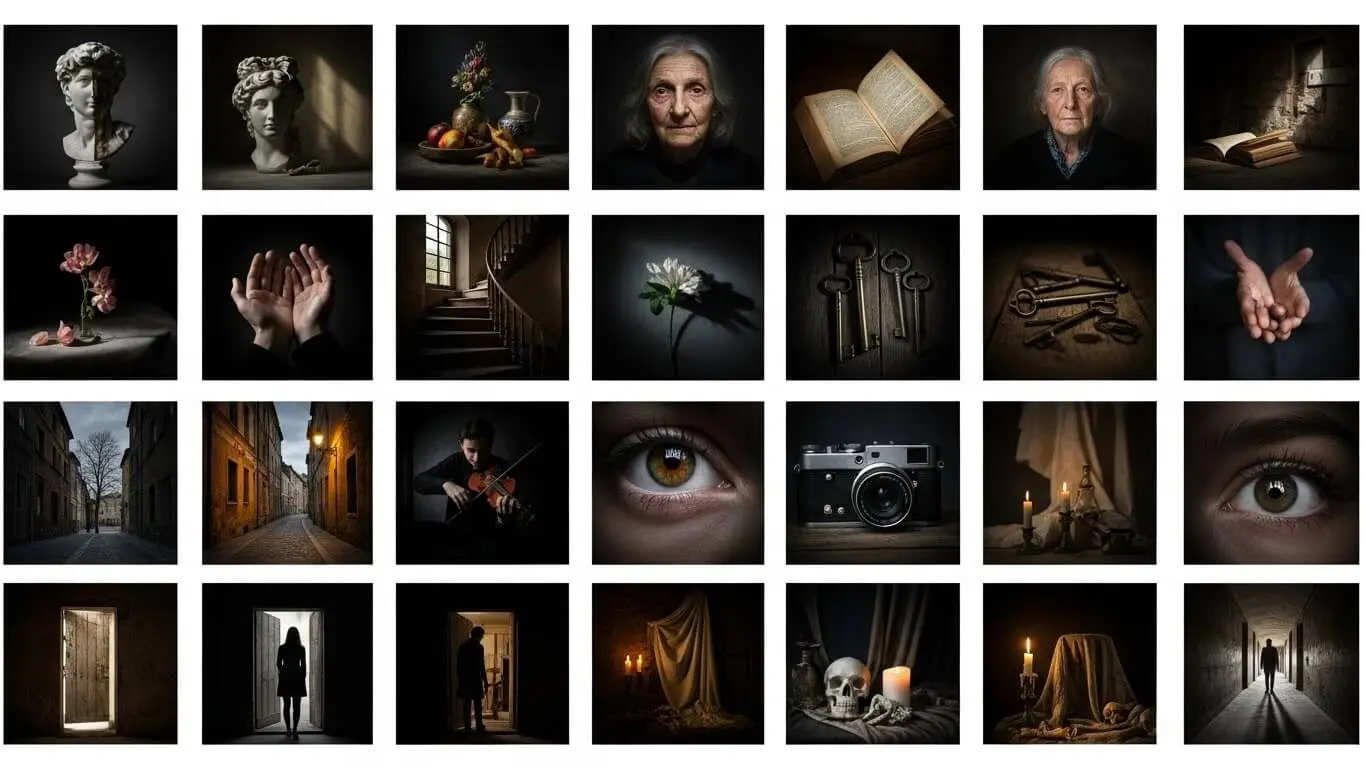
Chiaroscuro lighting is a dramatic technique that uses strong contrasts between light and dark areas to create depth and dimension in images. The term comes from Italian, meaning “light-dark,” and this method has been used by master painters since the Renaissance. When you use AI tools to generate images, adding chiaroscuro to your prompts creates bold, eye-catching visuals with deep shadows and bright highlights that make your subjects pop off the screen.
Modern AI image generators like AI FREE FOREVER’s Chiaroscuro Image Generator can recreate this classic technique with simple text prompts. According to AI Respo, chiaroscuro lighting adds drama and depth to images, making your AI-generated pictures look more artistic and eye-catching, especially in dark settings. The strong contrast between illuminated areas and shadows guides the viewer’s eye and creates a sense of mystery and intrigue.
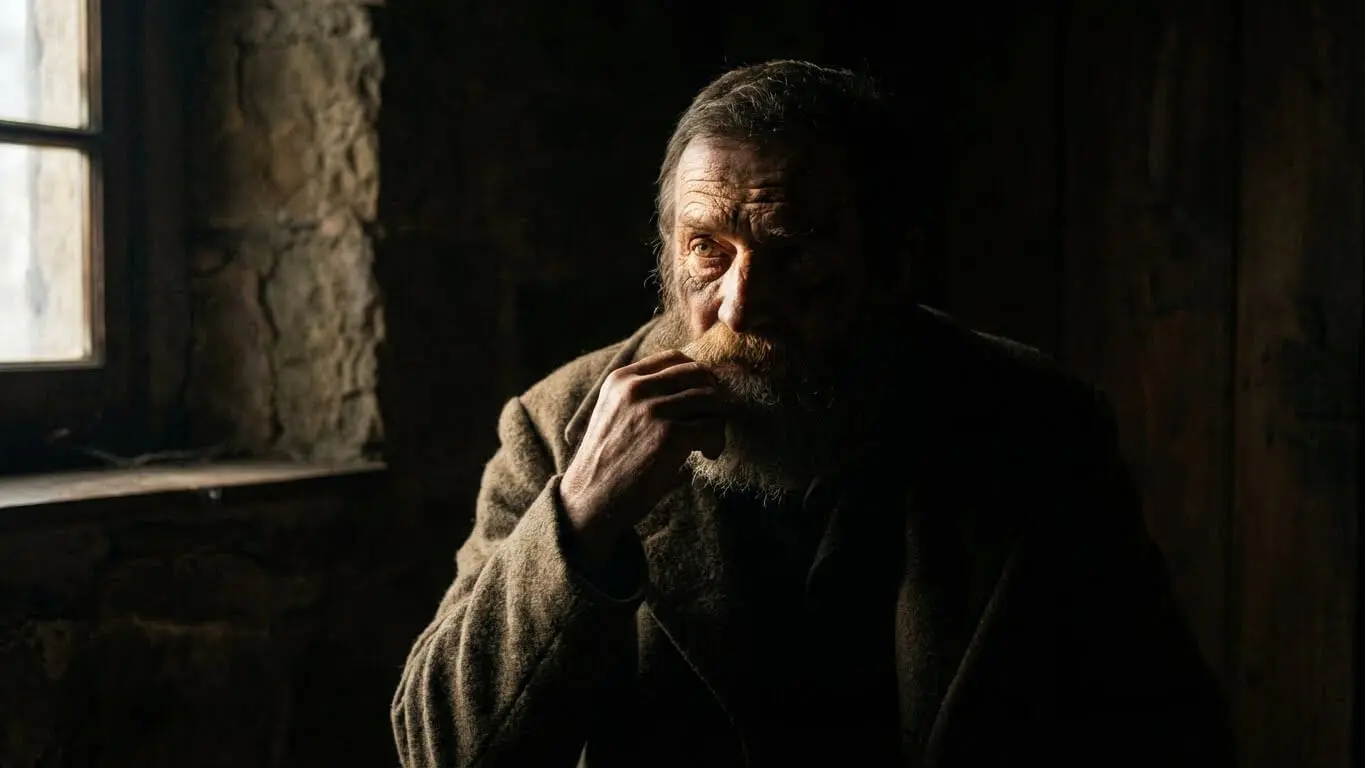
Table of Contents
- What is Chiaroscuro Lighting in AI Image Generation?
- How Does Chiaroscuro Work in AI Tools?
- 5 AI Prompts for Chiaroscuro Portrait Photography
- 5 AI Prompts for Dramatic Scene Lighting
- 5 AI Prompts for Product and Object Shots
- 5 AI Prompts for Artistic and Creative Styles
- Best Practices for Writing Chiaroscuro Prompts
- Common Mistakes to Avoid
- Top AI Tools for Chiaroscuro Lighting
- Frequently Asked Questions
- Key Takeaways
How Does Chiaroscuro Work in AI Tools?
AI image generators interpret lighting prompts by analyzing millions of images they were trained on. When you include “chiaroscuro” or related terms in your prompt, the AI searches its training data for examples of high-contrast lighting and applies those patterns to your requested image. The system recognizes the relationship between bright highlights, mid-tones, and deep shadows that define this dramatic style.
You can control the intensity of the effect by combining chiaroscuro with other descriptive terms. Words like “dramatic,” “intense,” “subtle,” or “Renaissance-style” tell the AI how strong you want the contrast. Wondershare Filmora’s guide explains that keywords like “low-key lighting,” “cinematic shadows,” and “dramatic contrast” work together with chiaroscuro to create moody shots with deep shadows and selective highlights.
The AI also pays attention to your subject matter. A portrait will have different shadow placement than a landscape or object shot. Most AI tools understand that in portrait lighting, one side of the face should be illuminated while the other falls into shadow, creating that triangular patch of light on the cheek that photographers call “Rembrandt lighting.”
Key Elements That Make Chiaroscuro Effective
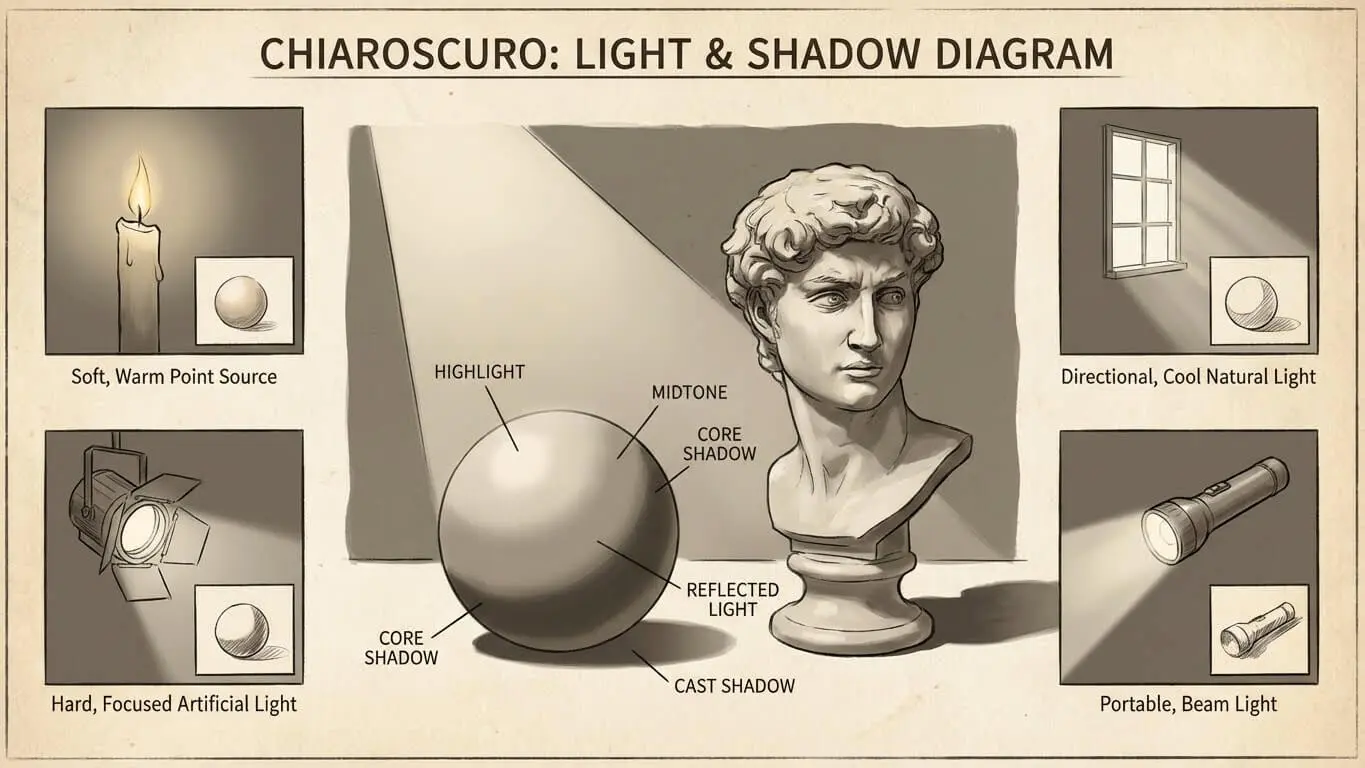
Several components work together to create successful chiaroscuro lighting in AI-generated images. First, you need a single dominant light source. This could be a candle, window light, or spotlight. The light should come from one direction to create clear shadows. Second, you need sufficient darkness. The dark areas should be deep enough to create strong contrast without losing all detail. Third, the transition between light and shadow should feel natural, not harsh or artificial.
Color temperature also plays a role. Warm golden tones create a classic, painterly feel reminiscent of old master paintings. Cool blue tones can add a modern, cinematic quality. You can specify these in your prompts with phrases like “warm candlelight” or “cool moonlight” to guide the AI’s color choices.
5 AI Prompts for Chiaroscuro Portrait Photography
Portrait photography benefits tremendously from chiaroscuro lighting because the strong shadows add depth and character to faces. These prompts will help you create dramatic portraits with professional-looking lighting.
1. Classic Rembrandt Portrait
Prompt: “A portrait of an elderly man with a weathered face, chiaroscuro lighting from a single window, deep shadows on one side, triangular highlight on the shadowed cheek, warm golden tones, oil painting texture, 85mm lens, high detail”
This prompt creates the classic Rembrandt lighting setup that portrait photographers have used for centuries. The triangular highlight on the cheek is the signature element. According to 121Clicks, Rembrandt lighting emphasizes the spirit of the person by pulling the subject out of darkness with a single, focused light source. The warm golden tones give it that timeless, painterly quality.
2. Film Noir Detective
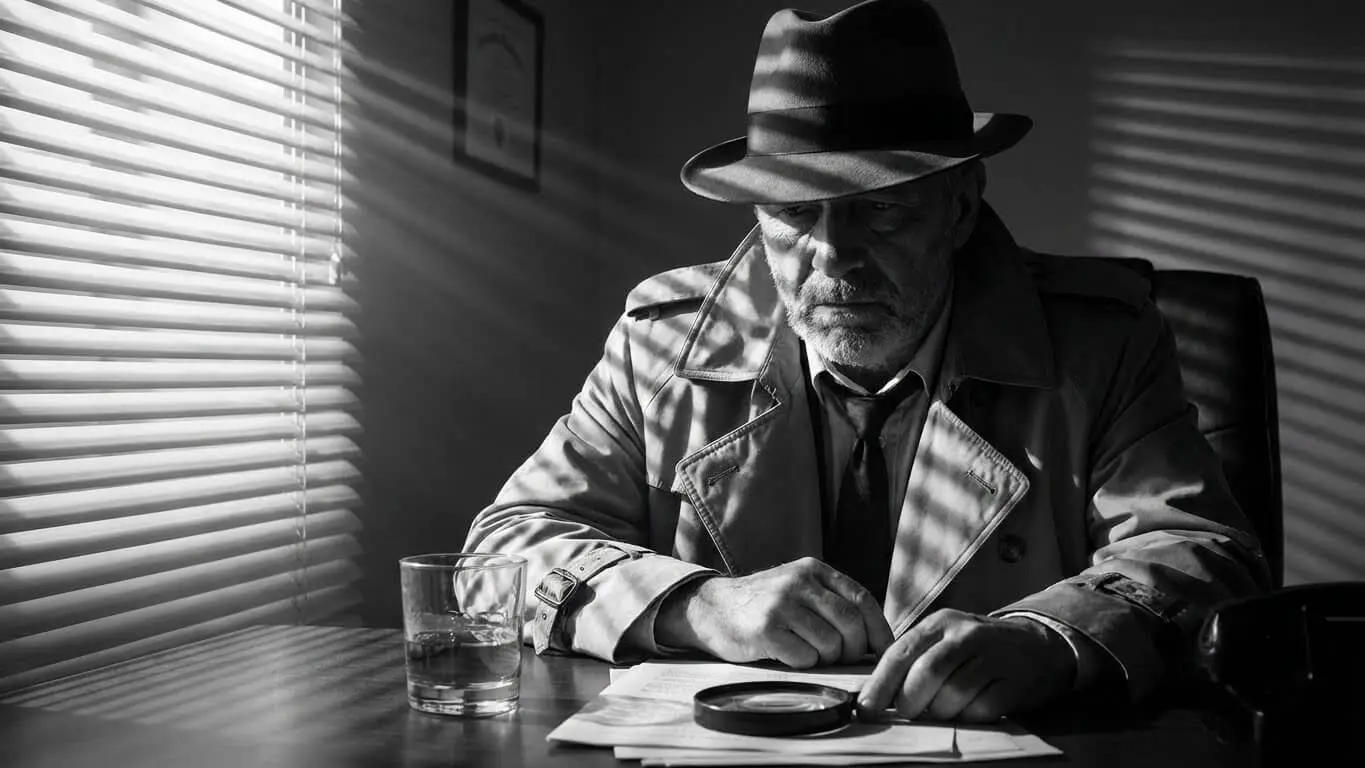
Prompt: “A lone detective in a dark alley at night, wearing a trench coat, low-key cinematic lighting, deep shadows, chiaroscuro, moody atmosphere, dramatic contrast, film noir style, 8k resolution, ultra-detailed”
Film noir thrives on dramatic lighting. This prompt combines chiaroscuro with cinematic elements to create that mysterious, suspenseful mood. The deep shadows hide parts of the scene while highlighting key elements like the detective’s face or the gleam of rain on the pavement.
3. Contemporary Fashion Portrait
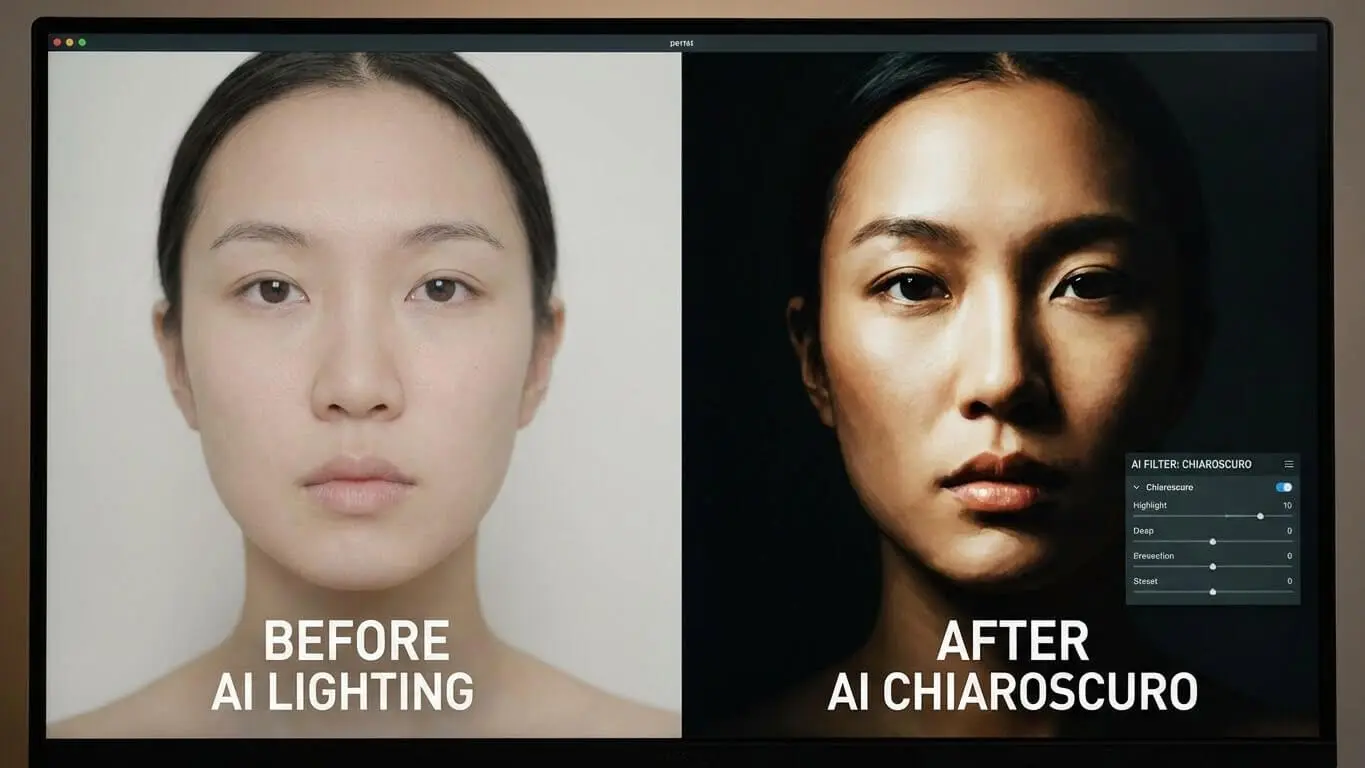
Prompt: “A modern fashion portrait of a woman with defined cheekbones, chiaroscuro lighting from the side, one eye in shadow, glossy skin texture, black background, high contrast, beauty photography, sharp focus, professional studio lighting”
Fashion photography uses chiaroscuro to create striking, memorable images. The side lighting sculpts the face and emphasizes bone structure. Having one eye in shadow adds mystery and draws attention to the illuminated features.
4. Candlelit Character Study
Prompt: “A contemplative scholar reading by candlelight, face illuminated from below, chiaroscuro effect, warm orange glow, deep shadows in the background, Renaissance painting style, textured brushstrokes, dramatic mood, close-up shot”
Candlelight creates unique upward-casting shadows that add an eerie or intimate quality. This prompt specifies the direction of light (from below) which is crucial for getting the right shadow placement. The Renaissance painting style reference helps the AI understand the desired aesthetic.
5. High-Contrast Portrait with Rim Light
Prompt: “A profile portrait with extreme chiaroscuro, subject’s silhouette outlined by rim lighting, most of the face in shadow, minimal background light, pure black backdrop, high contrast black and white, dramatic edge lighting, professional photography”
Rim lighting separates the subject from the background by creating a glowing edge. Combined with chiaroscuro, this creates an ultra-dramatic effect where the subject emerges from complete darkness. This technique works well for music album covers and artistic portraits.
5 AI Prompts for Dramatic Scene Lighting
Chiaroscuro isn’t just for portraits. You can use this lighting technique to create atmospheric scenes that tell stories through the interplay of light and shadow.
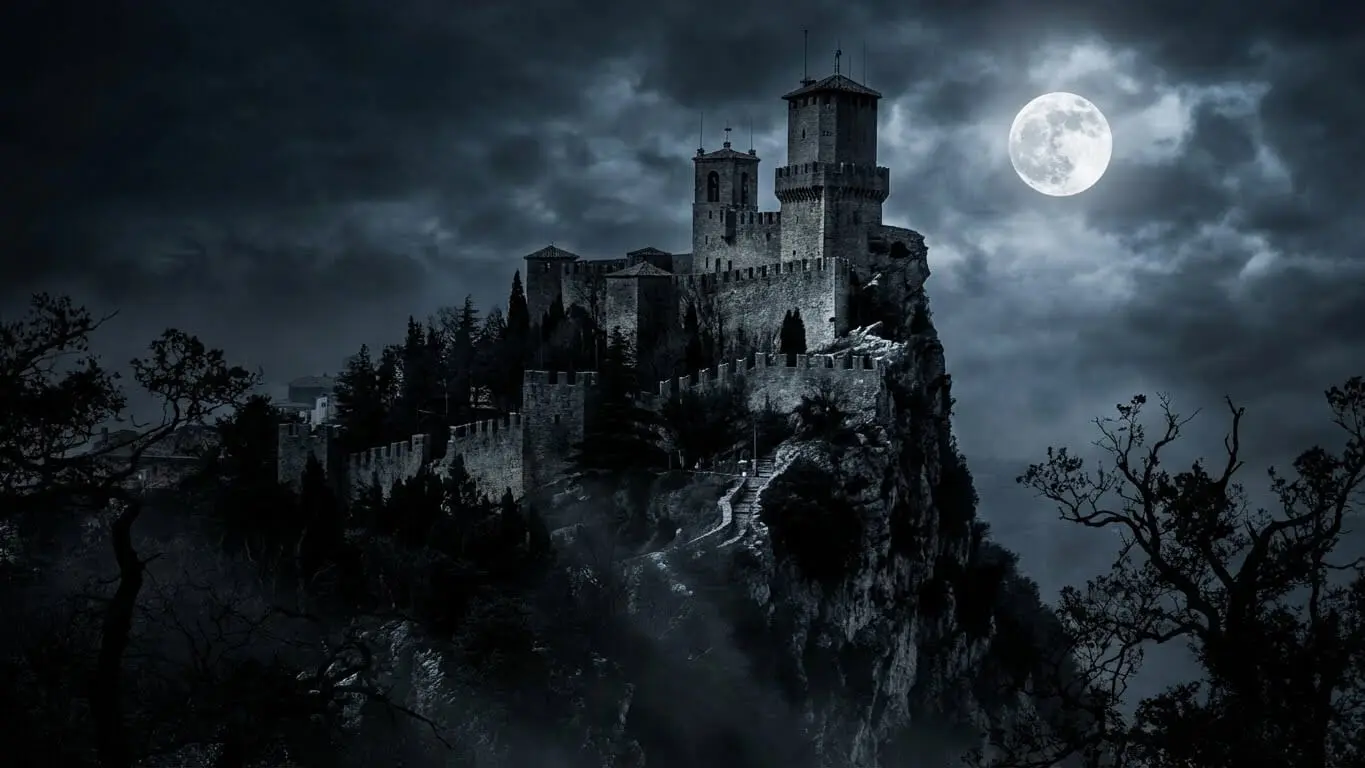
6. Moonlit Castle Ruins
Prompt: “A lone knight standing before a crumbling castle under a full moon, chiaroscuro lighting with moonlight casting long shadows, dramatic sky, epic atmosphere, gothic architecture partially lit, dark foreground, cinematic wide shot, ultra-detailed textures”
Moonlight creates natural chiaroscuro with its single, directional light source. Research from Unimatrixz shows that scenes with stark contrasts like a lone knight against a moonlit sky create emotionally resonant images that captivate viewers.
7. Dimly Lit Cobblestone Alley
Prompt: “A narrow cobblestone alley at night, single street lamp creating chiaroscuro effect, mysterious figure in the shadows, wet pavement reflecting light, fog in the background, cinematic volumetric lighting, film noir atmosphere, moody and tense”
Street lamps make excellent single light sources for urban scenes. The wet pavement adds visual interest by reflecting the light and creating additional highlights. Volumetric lighting (light beams visible in fog) adds depth to the scene.
8. Campfire Gathering
Prompt: “A family gathered around a campfire in a dark forest, faces illuminated by flickering flames, chiaroscuro lighting with warm orange glow, deep shadows between the trees, intimate atmosphere, medium shot, realistic textures, storytelling composition”
Fire creates natural chiaroscuro with its warm, moving light. The flickering quality adds life to the image. This prompt specifies “realistic textures” to ensure the AI renders believable fabric, skin, and wood details that respond naturally to the firelight.
9. Treasure Cave Discovery
Prompt: “A wooden treasure chest overflowing with gold coins in a dark cave, single ray of light illuminating the chest, chiaroscuro effect, mysterious atmosphere, dramatic shadows on rough stone walls, adventure theme, close-up shot, highly detailed gold texture”
The single ray of light creates a focused spotlight effect that draws the eye directly to the treasure. The surrounding darkness adds mystery and excitement. This composition uses chiaroscuro to create visual hierarchy, making the treasure the clear focal point.
10. Vintage Biplane at Sunset
Prompt: “A vintage biplane flying over a city skyline at sunset, chiaroscuro lighting with the aircraft silhouetted against golden clouds, dramatic contrast between light sky and dark foreground, nostalgic atmosphere, cinematic shot, warm color palette, adventure mood”
Sunset provides natural chiaroscuro as objects become silhouettes against the bright sky. This creates a romantic, nostalgic feeling perfect for travel or adventure imagery. The warm colors of sunset enhance the emotional impact.
5 AI Prompts for Product and Object Shots
Product photography uses chiaroscuro to make objects look premium and desirable. The dramatic lighting adds sophistication and draws attention to textures and forms.
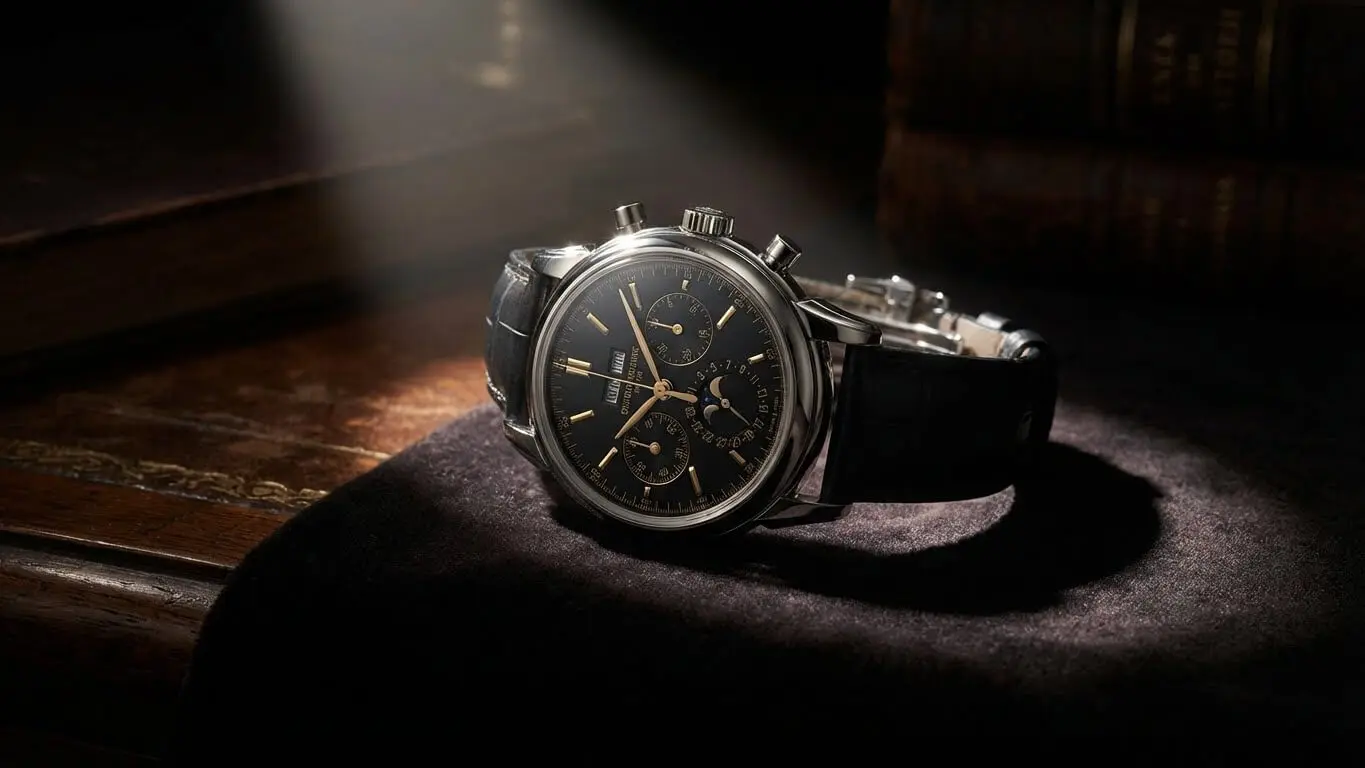
11. Luxury Watch Close-Up
Prompt: “A luxury wristwatch on a dark surface, chiaroscuro lighting highlighting the watch face and metal links, deep shadows emphasizing the three-dimensional form, premium product photography, reflective surfaces, high-end commercial shoot, macro detail”
Chiaroscuro makes luxury products look more expensive and exclusive. The contrast between bright highlights on metal and deep shadows creates depth. Reflective surfaces catch and scatter light in interesting ways that add visual complexity.
12. Wine Glass in Restaurant
Prompt: “A glass of red wine on a table in a dimly lit restaurant, chiaroscuro lighting from a nearby candle, bokeh city lights in the background, warm inviting atmosphere, shallow depth of field, professional food photography, rich colors”
This prompt combines several techniques. Tengr.ai’s blog explains that bokeh (blurred background lights) creates a dreamy backdrop while chiaroscuro provides the main lighting structure. The combination creates an upscale, romantic mood.
13. Ceramic Pottery Still Life
Prompt: “A handmade ceramic vase with dramatic chiaroscuro lighting from the side, strong highlights on the glazed surface, deep shadows revealing the texture, dark background, artistic still life photography, earthy tones, high contrast”
Side lighting reveals texture and form in three-dimensional objects. The highlights show the smooth, glazed areas while shadows emphasize any texture or imperfections in the clay. This creates a tactile, realistic appearance.
14. Fresh Produce Display
Prompt: “Fresh vegetables arranged on a wooden table, chiaroscuro lighting from a window, strong directional light creating dramatic shadows, rustic atmosphere, natural textures, farm-to-table aesthetic, food photography, rich earthy colors”
Window light is perfect for food photography because it’s soft yet directional. The chiaroscuro effect adds drama while maintaining the natural, organic feel appropriate for fresh produce. The wooden table and earthy colors reinforce the rustic theme.
15. Musical Instrument Detail
Prompt: “A violin resting on velvet cloth, chiaroscuro lighting highlighting the wood grain and varnish, deep shadows in the f-holes, dramatic single light source, classical music atmosphere, premium instrument photography, warm golden tones, macro details”
Musical instruments have beautiful curves and textures that chiaroscuro lighting reveals perfectly. The wood grain becomes more prominent, and the varnish creates interesting reflections. The f-holes (sound holes) create natural shadow areas that add depth.
5 AI Prompts for Artistic and Creative Styles
Beyond realistic photography, chiaroscuro works beautifully in artistic styles from painting to digital art. These prompts explore creative applications.
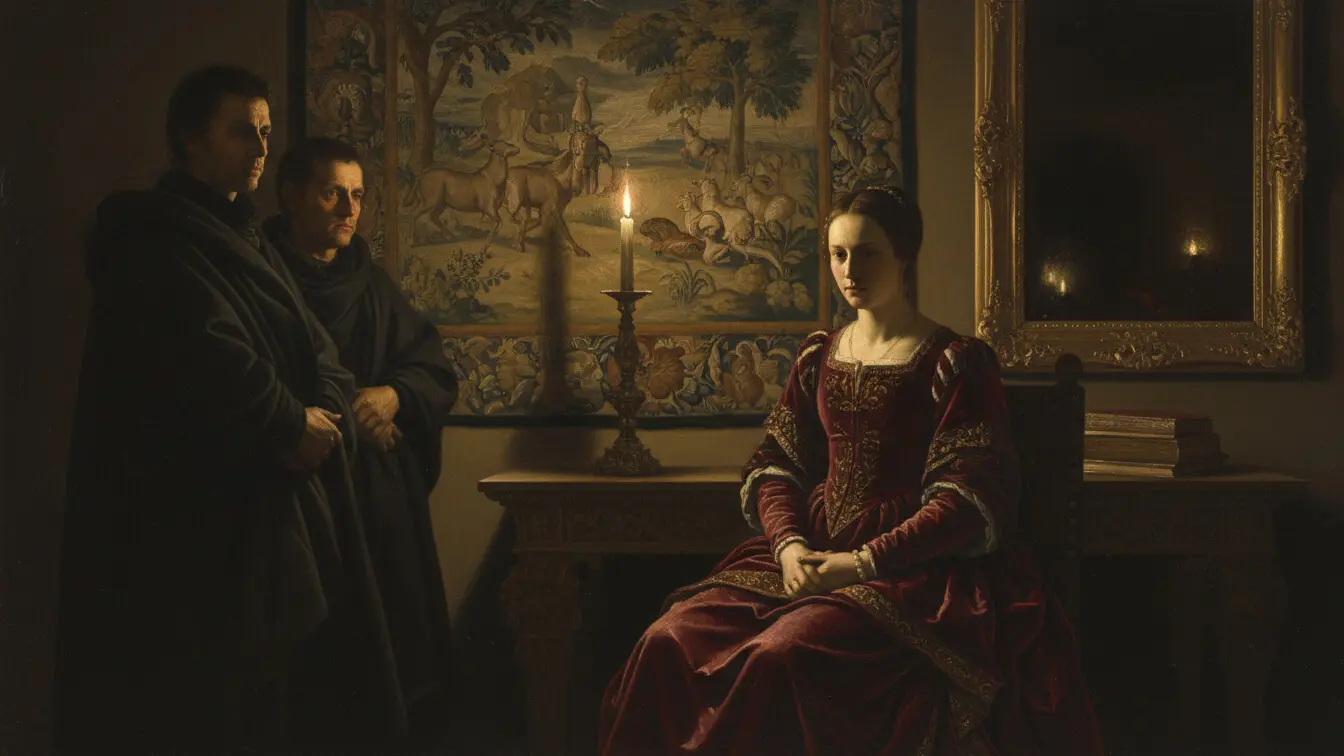
16. Renaissance Oil Painting
Prompt: “A religious scene in Renaissance oil painting style, chiaroscuro technique inspired by Caravaggio, dramatic lighting from above, deep shadows, rich colors, baroque atmosphere, painterly brushstrokes, golden age realism, museum quality”
Caravaggio was a master of chiaroscuro in the baroque period. Referencing specific artists helps the AI understand the exact style you want. CreateVision AI notes that specifying baroque style and warm golden tones helps reproduce the psychological depth and dramatic lighting of classical masters.
17. Cyberpunk Neon Contrast
Prompt: “A cyberpunk hacker in a dark room, face lit by colorful monitor glow, chiaroscuro effect with blue and purple neon lights, dramatic shadows, futuristic atmosphere, high-tech aesthetic, digital art style, sharp contrasts between light and dark”
Chiaroscuro works with modern neon colors too. Instead of warm candlelight, you get cool blue and purple computer glows. The principle remains the same: strong contrast between light and dark creates drama and depth.
18. Fantasy Character Illustration
Prompt: “A mage casting a spell, magical energy illuminating their face, chiaroscuro lighting with the spell as the light source, dark mysterious background, fantasy illustration, dramatic atmosphere, glowing effects, digital painting style, concept art quality”
Fantasy art uses chiaroscuro to create magical atmospheres. The spell becomes the light source, which is a creative twist. This shows how flexible chiaroscuro can be when you make unconventional objects into light sources.
19. Woodblock Print Style
Prompt: “A samurai warrior in Japanese woodblock print style, chiaroscuro lighting creating stark black shadows and bright areas, limited color palette, ukiyo-e aesthetic, dramatic composition, traditional art technique, bold contrast, vintage Japanese art”
Japanese woodblock prints naturally use strong light-dark contrast because of the printing process. This prompt combines traditional Eastern art styles with Western chiaroscuro lighting concepts for a unique fusion.
20. Gothic Horror Scene
Prompt: “A decrepit Victorian mansion under a full moon, broken windows, chiaroscuro lighting with flickering candlelight visible inside, mist rolling in, dark gothic atmosphere, ultra-detailed, dramatic shadows, horror movie aesthetic, mysterious and haunting”
Gothic horror relies heavily on atmospheric lighting. iBlackAi’s 2025 guide emphasizes that chiaroscuro lighting enhances the mood in horror scenes, creating deep atmospheres that are haunting and visually striking.
Best Practices for Writing Chiaroscuro Prompts
Getting great results with chiaroscuro lighting requires more than just adding the word to your prompt. Follow these proven strategies to improve your AI-generated images.
Specify Your Light Source
Always mention where the light is coming from. Is it a window, candle, streetlamp, or moonlight? The AI needs this information to create believable shadows. A prompt that says “single window light from the left” will produce more accurate results than just “chiaroscuro lighting.” The light source affects shadow direction, color temperature, and the overall mood of your image.
You can try different light sources: natural light (sun, moon, fire), artificial light (lamps, candles, stage lights), or even unusual sources (glowing crystals, magic spells). Each creates different shadow qualities and color temperatures.
Combine Related Keywords
Chiaroscuro works better when paired with supporting terms. Use words like “dramatic contrast,” “low-key lighting,” “deep shadows,” “selective highlights,” or “high contrast” alongside chiaroscuro. These reinforce your intent and give the AI multiple reference points.
Try creating keyword combinations like: “chiaroscuro + cinematic lighting + 8k resolution” or “chiaroscuro + oil painting texture + Renaissance style.” The more specific details you provide about style, quality, and technique, the better your results.
Describe Shadow Placement
Tell the AI where shadows should fall. In portraits, you might say “one side of the face in shadow” or “shadows under the cheekbones.” For scenes, specify “long shadows stretching across the ground” or “deep shadows in the corners.” This level of detail helps the AI create more intentional, artistic lighting rather than random dark areas.
You can also describe shadow qualities. Are they “hard and sharp” or “soft and gradual”? Hard shadows come from focused light sources like spotlights. Soft shadows come from diffused light like overcast skies or large windows.
Use Technical Photography Terms
Photography language helps AI understand exactly what you want. Terms like “85mm lens,” “shallow depth of field,” “macro detail,” or “wide-angle shot” give technical context. “F/1.4 aperture” suggests a blurry background with sharp focus on the subject. “High shutter speed” implies frozen action.
Resolution terms like “4k,” “8k,” or “ultra-detailed” tell the AI how much fine detail to include. Professional-level prompts might specify “shot on Nikon D850” or “medium format camera” to get specific rendering qualities.
Reference Art Movements and Artists
Mentioning artistic styles helps tremendously. “Renaissance painting,” “baroque style,” “film noir aesthetic,” or “Rembrandt lighting” immediately convey a wealth of visual information to the AI. You can reference specific artists like Caravaggio (dramatic baroque chiaroscuro) or photographers like Ansel Adams (high-contrast black and white).
Just remember to avoid overusing artist names if the AI platform has restrictions. Instead, describe the style: “dramatic lighting in the style of 17th-century Dutch masters” works better than naming specific living artists.
Common Mistakes to Avoid
Even with good prompts, certain mistakes can ruin your chiaroscuro images. Watch out for these common problems.
Overloading Your Prompt
Adding too many conflicting instructions confuses the AI. If you ask for “chiaroscuro lighting, bright sunny day, soft pastel colors, even illumination,” the AI won’t know what to prioritize. Chiaroscuro needs darkness and contrast, which conflicts with “bright sunny day” and “even illumination.” Keep prompts focused on a single lighting concept.
Limit your prompts to 40-60 words for most AI tools. Zapier’s guide recommends separating elements with commas to help AI models interpret your requests. Too many descriptors dilute the main concept.
Forgetting the Background
Chiaroscuro needs darkness to create contrast. If you don’t specify the background, the AI might create a bright, evenly lit scene. Always include phrases like “dark background,” “black backdrop,” “shadowy surroundings,” or “dimly lit room” to ensure you get the necessary darkness for proper contrast.
The background doesn’t have to be completely black. You can have “dim ambient light in the background” or “barely visible details in the shadows.” This creates depth while maintaining the chiaroscuro effect.
Ignoring Color Temperature
Light has color. Candlelight is warm and orange. Moonlight is cool and blue. Fluorescent lights are green-tinged. If you don’t specify color temperature, the AI might choose randomly. Say “warm golden light,” “cool blue moonlight,” or “neutral white light” to control the mood.
Color temperature affects emotion. Warm light feels cozy and intimate. Cool light seems mysterious or melancholic. Choose temperature based on the story you want to tell.
Not Testing Different AI Tools
Different AI platforms interpret prompts differently. Midjourney, Stable Diffusion, DALL-E, and others all have unique strengths. What works perfectly in one tool might fail in another. Test your prompts across multiple platforms to find which handles chiaroscuro best for your style.
The AI FREE FOREVER Dramatic Lighting Image Generator specializes in high-contrast lighting and works well alongside the chiaroscuro generator. Try both to see which produces better results for your specific project.
Top AI Tools for Chiaroscuro Lighting
Different AI platforms have varying capabilities when it comes to dramatic lighting. Here are the best options available in 2025.
1. AI FREE FOREVER Chiaroscuro Image Generator
The AI FREE FOREVER Chiaroscuro Image Generator is built specifically for dramatic light and shadow effects. This tool understands traditional artistic lighting techniques and applies them to modern image generation. You get consistent, high-quality results without needing complex prompts. The interface is simple, and you can generate images without login requirements or payment.
The tool works great for portraits, scenes, and artistic styles. It pairs well with other AI FREE FOREVER tools like the Dramatic Lighting Generator and Cinematic Image Generator for professional results.
2. Stable Diffusion
Stable Diffusion excels at interpreting detailed lighting prompts. It understands photography terminology and can create highly realistic chiaroscuro effects. The open-source nature means you can fine-tune models for specific styles. Use keywords like “low-key lighting,” “dramatic contrast,” and “chiaroscuro” for best results.
The img2img feature lets you refine existing images by adjusting the lighting. This is useful when you’re close to your desired result but want to tweak the shadow placement or highlight intensity.
3. Midjourney
Midjourney produces artistic, painterly chiaroscuro images. It’s particularly good at recreating Renaissance and baroque painting styles. The platform works through Discord, which some users find convenient for iterating on prompts. Version 6 has improved lighting accuracy significantly.
Imagine with Rashid reports that Midjourney responds well to prompts specifying camera lenses and lighting techniques, making it ideal for photographers wanting to simulate specific equipment.
4. DALL-E 3
DALL-E 3 from OpenAI handles realistic lighting well and integrates with ChatGPT for easy prompt refinement. You can describe what you want in natural language, and ChatGPT will help craft the perfect prompt. The safety filters are strict, which may limit certain creative applications.
DALL-E excels at product photography and commercial applications where you need clean, professional lighting. It’s less artistic than Midjourney but more reliable for realistic results.
5. Leonardo AI
Leonardo AI offers fine-tuned models for different styles, including ones optimized for dramatic lighting. The platform lets you adjust generation settings for more control over contrast and shadow intensity. It’s particularly good for fantasy and character art with dramatic lighting.
Choosing the Right Tool
For artistic, painterly chiaroscuro: Use Midjourney or AI FREE FOREVER. For realistic photography simulation: Choose Stable Diffusion or DALL-E 3. For fantasy and character art: Try Leonardo AI or AI FREE FOREVER. For quick, free generation: Use AI FREE FOREVER’s suite of tools.
You can also combine tools. Generate your base image in one platform, then use another for refinement. Import images into video editing software like Filmora to add color grading, glow effects, and light leaks for a polished final product.
Frequently Asked Questions
What does chiaroscuro mean in photography?
Chiaroscuro in photography refers to the dramatic use of strong contrasts between light and dark areas to create depth and dimension. The technique originated in Renaissance painting and has been adapted for modern photography and digital art. It uses a single dominant light source to create bold shadows and bright highlights that make subjects appear three-dimensional and emotionally powerful.
How do I get better shadows in AI-generated images?
To get better shadows, always specify your light source and its direction in your prompt. Use terms like “single directional light,” “side lighting,” or “light from above.” Add keywords such as “deep shadows,” “dramatic shadows,” or “hard shadows” to emphasize the shadow quality. Specify a dark background to ensure the AI creates enough darkness for proper contrast. Testing different AI tools also helps because some platforms render shadows more realistically than others.
Can I use chiaroscuro for bright, cheerful images?
Chiaroscuro specifically creates dramatic, high-contrast effects with deep shadows, so it’s not ideal for bright, cheerful images. If you want upbeat imagery, look at techniques like “high-key lighting” which uses bright, even illumination with minimal shadows. However, you can use subtle chiaroscuro for cheerful subjects if you want to add some depth without making the image dark and moody. Try phrases like “gentle chiaroscuro” or “soft contrast” for a lighter approach.
Why do my chiaroscuro prompts sometimes fail?
Prompts fail when they contain conflicting instructions. If you ask for “chiaroscuro” but also request “bright even lighting” or “pastel colors,” the AI gets confused. Make sure all elements of your prompt support the dramatic lighting concept. Also check if you specified a light source and dark background. Without these essential elements, the AI can’t create proper chiaroscuro. Try simplifying your prompt to focus on just the lighting and main subject.
What’s the difference between chiaroscuro and low-key lighting?
Low-key lighting is a broader term that refers to any lighting with more dark tones than light tones in the image. Chiaroscuro is a specific type of low-key lighting that emphasizes the artistic interplay between light and shadow to create dramatic, three-dimensional effects. All chiaroscuro uses low-key lighting, but not all low-key lighting is chiaroscuro. Chiaroscuro has a more intentional, artistic quality inspired by classical painting techniques.
Which AI tool is best for realistic chiaroscuro portraits?
For realistic portraits, AI FREE FOREVER’s Chiaroscuro Generator provides consistent results with minimal effort. Stable Diffusion also excels at photorealistic portraits when you use detailed prompts with camera specifications. DALL-E 3 works well for clean, commercial-style portraits. Midjourney produces more artistic, painterly results. Test all of them with the same prompt to see which matches your vision best.
How can I create Renaissance-style chiaroscuro paintings?
To create Renaissance-style images, include art movement references in your prompt like “Renaissance painting style,” “baroque aesthetic,” or “oil painting texture.” Specify warm golden tones and mention “painterly brushstrokes” or “canvas texture.” Reference specific techniques like “Rembrandt lighting” or “Caravaggio-inspired” to guide the AI toward classical approaches. Add “museum quality” or “old master technique” to emphasize the traditional artistic quality.
Can I adjust chiaroscuro intensity in my prompts?
Yes, you can control intensity with descriptive modifiers. Use “subtle chiaroscuro” or “gentle contrast” for softer effects. For stronger drama, try “extreme chiaroscuro,” “intense shadows,” or “maximum contrast.” You can also specify contrast ratios like “high contrast” versus “medium contrast.” Some AI tools respond to numerical parameters, but descriptive language usually works better for lighting effects.
Key Takeaways
- Chiaroscuro lighting creates dramatic images through strong contrasts between light and dark areas, adding depth and emotional impact to AI-generated content.
- Always specify a single light source and its direction in your prompts to get realistic, intentional shadow placement rather than random dark areas.
- Combine “chiaroscuro” with supporting keywords like “dramatic contrast,” “low-key lighting,” “deep shadows,” and “dark background” for better results.
- Different AI tools interpret chiaroscuro prompts differently – test multiple platforms like AI FREE FOREVER, Stable Diffusion, and Midjourney to find your preferred style.
- Color temperature matters – warm golden tones create classic, painterly effects while cool blue tones add modern, cinematic qualities to your images.
- Reference specific art styles (“Renaissance,” “baroque,” “film noir”) or photographers (“Rembrandt lighting”) to guide the AI toward particular aesthetic approaches.
- Avoid conflicting instructions in your prompts – chiaroscuro requires darkness and contrast, which won’t work with requests for bright, even illumination.
- Technical photography terms like lens specifications, resolution settings, and camera angles improve the quality and precision of your generated images.
- Chiaroscuro works for many subjects beyond portraits, including scenes, products, still life compositions, and artistic illustrations across various styles.
- Start with simple, focused prompts and gradually add detail rather than overwhelming the AI with too many instructions at once.
Chiaroscuro lighting transforms ordinary AI-generated images into dramatic, professional-looking art. By mastering these 20 prompts and following the best practices outlined here, you’ll create striking visuals that capture attention and communicate mood effectively. Remember to experiment with different tools, refine your prompts based on results, and don’t be afraid to combine techniques for unique effects. Start with the AI FREE FOREVER Chiaroscuro Image Generator to practice these concepts, then expand to other platforms as you develop your skills. The interplay of light and shadow is one of the most powerful visual techniques available, and with AI tools, it’s now accessible to everyone regardless of technical photography knowledge.


