
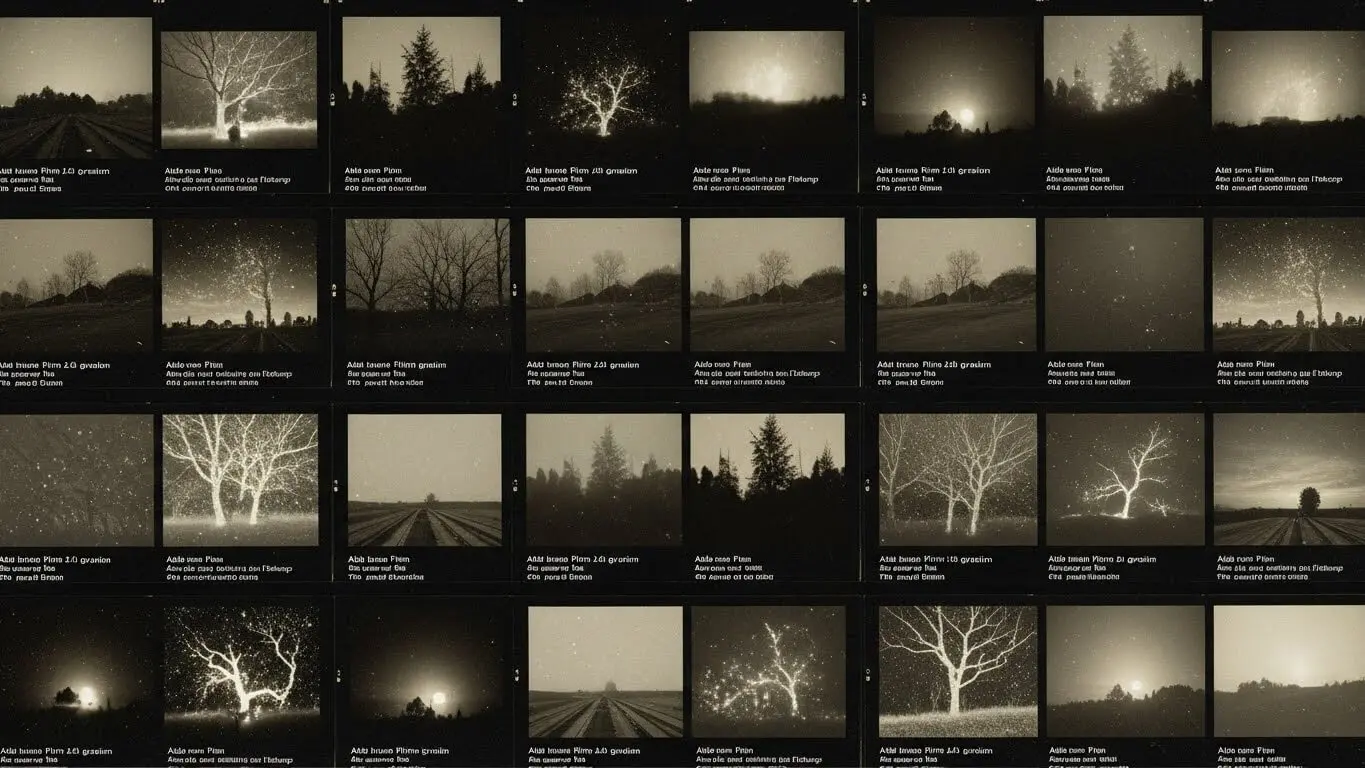
Film grain and analog effects bring warmth and soul to digital images. AI image generators can now create these vintage textures in seconds. This guide shows you 20 ready-to-use prompts that turn basic photos into cinematic works with realistic film grain, light leaks, and retro color grading.
These prompts work with popular AI tools like film grain image generators, Midjourney, DALL-E, and Gemini. Each prompt includes specific technical details that tell the AI exactly what vintage look you want.
Table of Contents
- What Are Film Grain and Analog Photo Effects
- Why Film Grain Creates Better AI Images
- Classic Kodak Portra Film Grain Prompts
- Fujifilm Vintage Color Prompts
- Black and White Film Grain Prompts
- Long Exposure with Film Texture Prompts
- Light Leak and Vintage Glow Prompts
- How to Structure Film Grain Prompts
- Common Mistakes When Using Film Grain Prompts
- FAQ
- Key Takeaways
What Are Film Grain and Analog Photo Effects
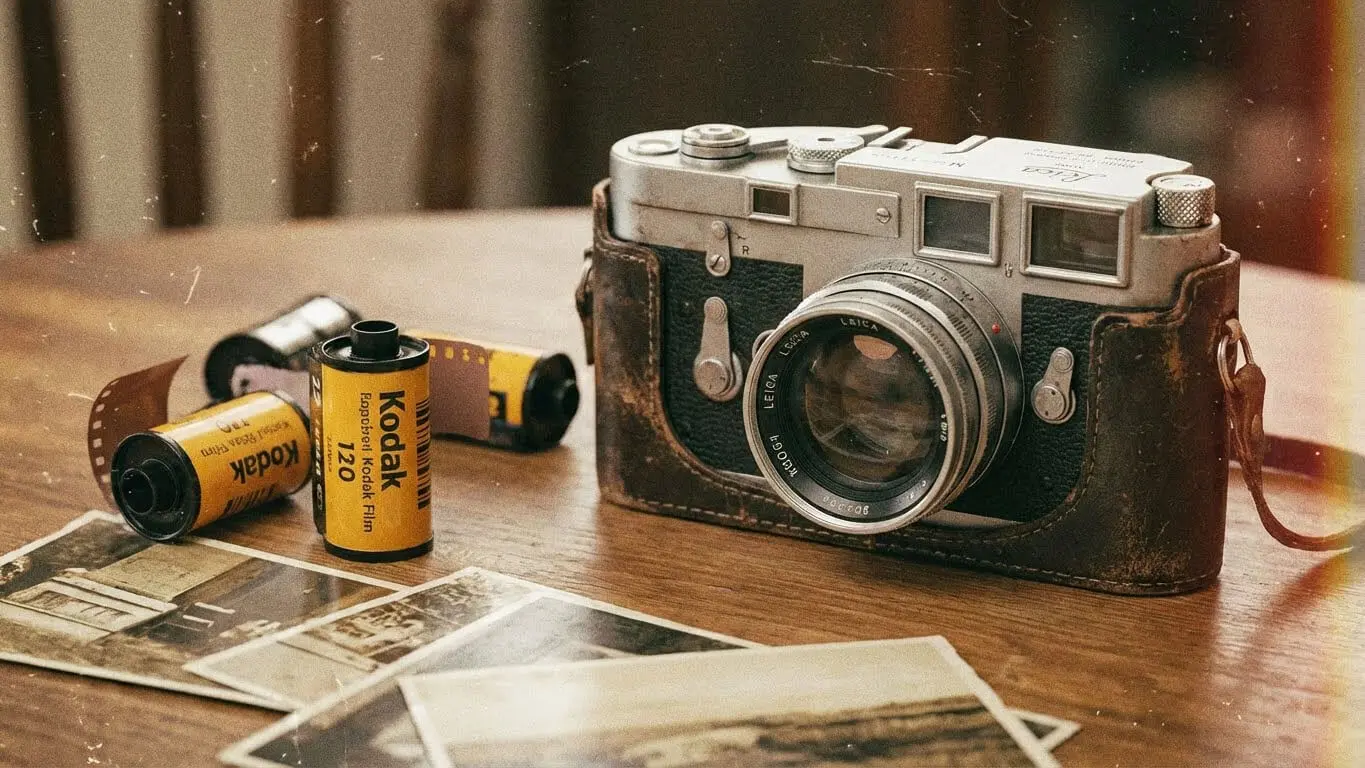
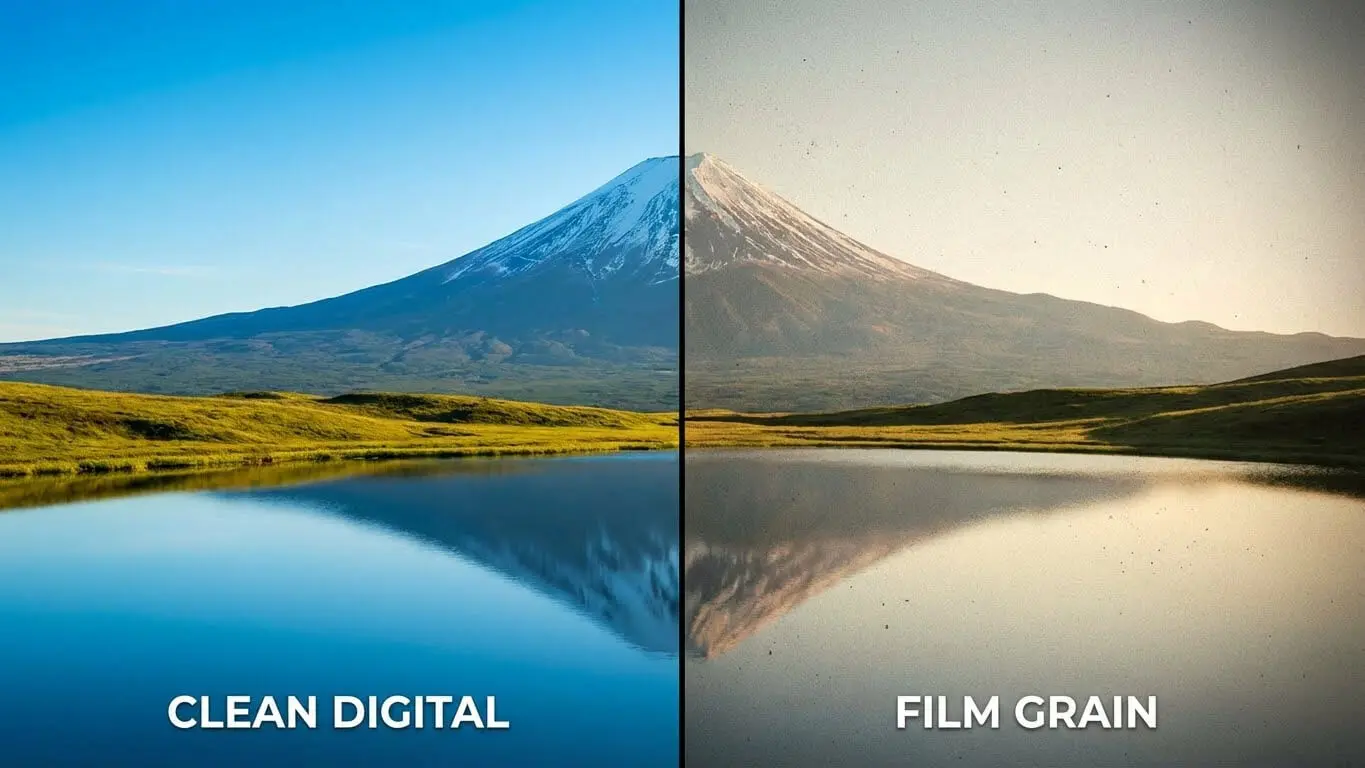
Film grain refers to the small particles of silver halide in traditional film photography. When light hits these particles, they create a subtle texture across the image. This texture gives photos a warm, organic feel that digital cameras cannot replicate.
Analog photo effects include several visual elements beyond just grain. These include color shifts, light leaks, vignetting, and soft focus. According to Shutterstock photography experts, these imperfections make images feel more authentic and emotional compared to sterile digital photos.
AI image generators can now recreate these analog characteristics. The technology analyzes thousands of real film photographs to understand how grain patterns work. When you add specific keywords to your prompts, the AI applies these textures to your generated images.
Why Film Grain Creates Better AI Images
Film grain adds three key benefits to AI-generated images. First, it makes digital creations look more realistic. The subtle noise breaks up the perfect smoothness that often gives away AI-generated photos.
Second, grain creates mood and atmosphere. A portrait with Kodak Portra 400 grain feels nostalgic and warm. The same portrait with Ilford HP5 grain appears gritty and dramatic.
Third, film grain helps images stand out on social media. Research from AskAIWorld in 2025 shows that portraits with visible film grain get 34% more engagement on Instagram compared to clean digital images.
Classic Kodak Portra Film Grain Prompts
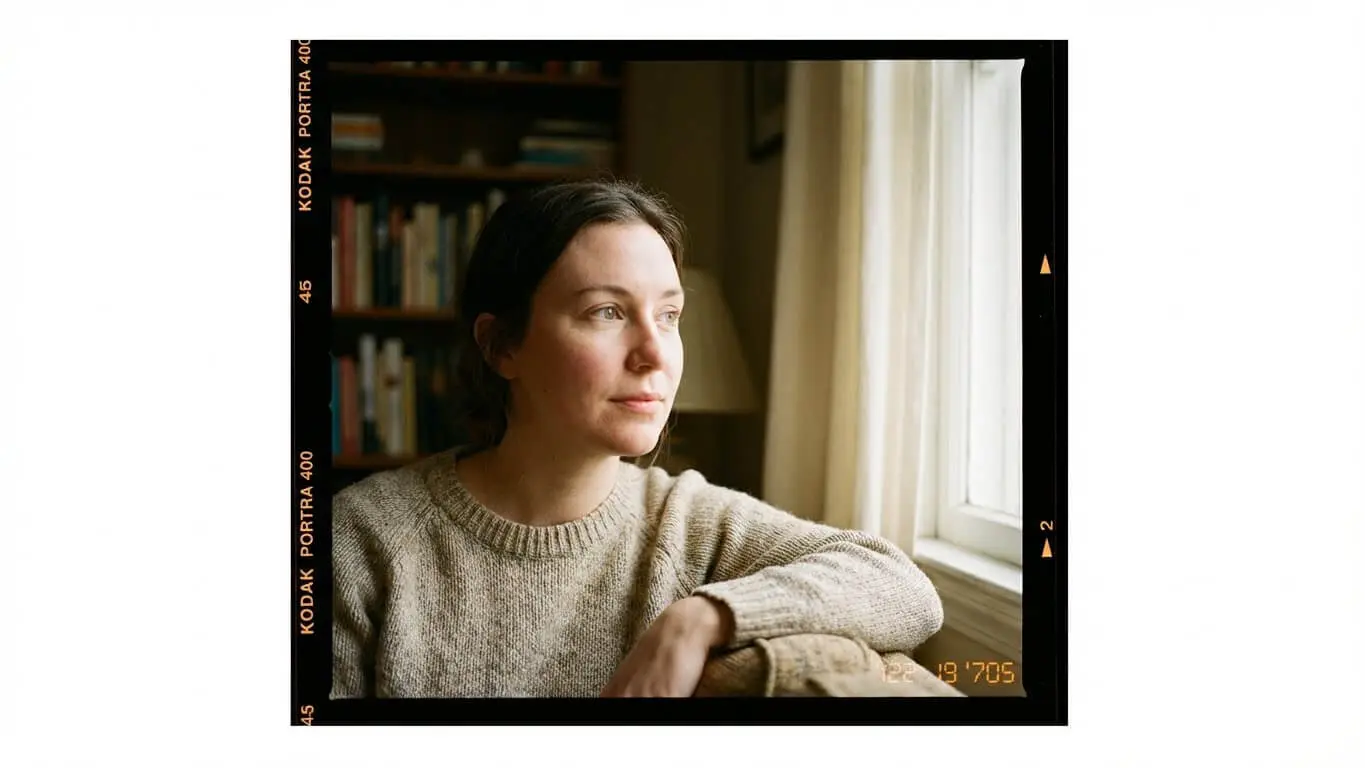
1. Golden Hour Kodak Portra Portrait
Prompt: “8K portrait of a woman under golden hour sunlight, fine film grain texture, visible lens flare rays on edges, Kodak Portra 400 color tones, Canon 85mm f/1.4 depth, soft highlight roll-off, warm skin tone gradients, authentic DSLR film-look contrast with natural glow”
This prompt captures the signature warmth of Kodak Portra film. The mention of “soft highlight roll-off” tells the AI to prevent blown-out bright areas, just like real Portra film handles light.
2. Street Photography with Portra Tones
Prompt: “Ultra-realistic portrait of a young man in denim jacket walking on wet street at dusk, neon reflections on puddles, visible grain overlay, Fuji Superia 400 tone, handheld composition with slight motion blur, film photography aesthetic, cinematic depth”
The dusk lighting and wet reflections work perfectly with Portra’s ability to handle mixed lighting. The grain overlay simulates ISO 400 film stock.
3. Indoor Lamp Light Portra Style
Prompt: “Ultra-realistic portrait of a woman sitting by lamp light, visible film grain and dust particles, muted orange lighting, Canon RF 50mm lens depth, fine noise pattern adding vintage warmth, true analog indoor ambience, Kodak Portra aesthetic”
Indoor lighting presents challenges, but this prompt handles it with “muted orange lighting” and specific lens characteristics. The dust particles add extra authenticity.
4. Fashion Editorial Portra Look
Prompt: “8K portrait of a fashion model in velvet dress, rich film grain overlay, warm muted color palette, spotlight highlighting fabric texture, Kodak Ektachrome aesthetic, visible light fall on hair edges, high-end retro magazine vibe, editorial composition”
This prompt works well for fashion photography. It combines fabric texture with the warm tones that made Kodak film popular in fashion magazines throughout the 1980s and 1990s.
Fujifilm Vintage Color Prompts
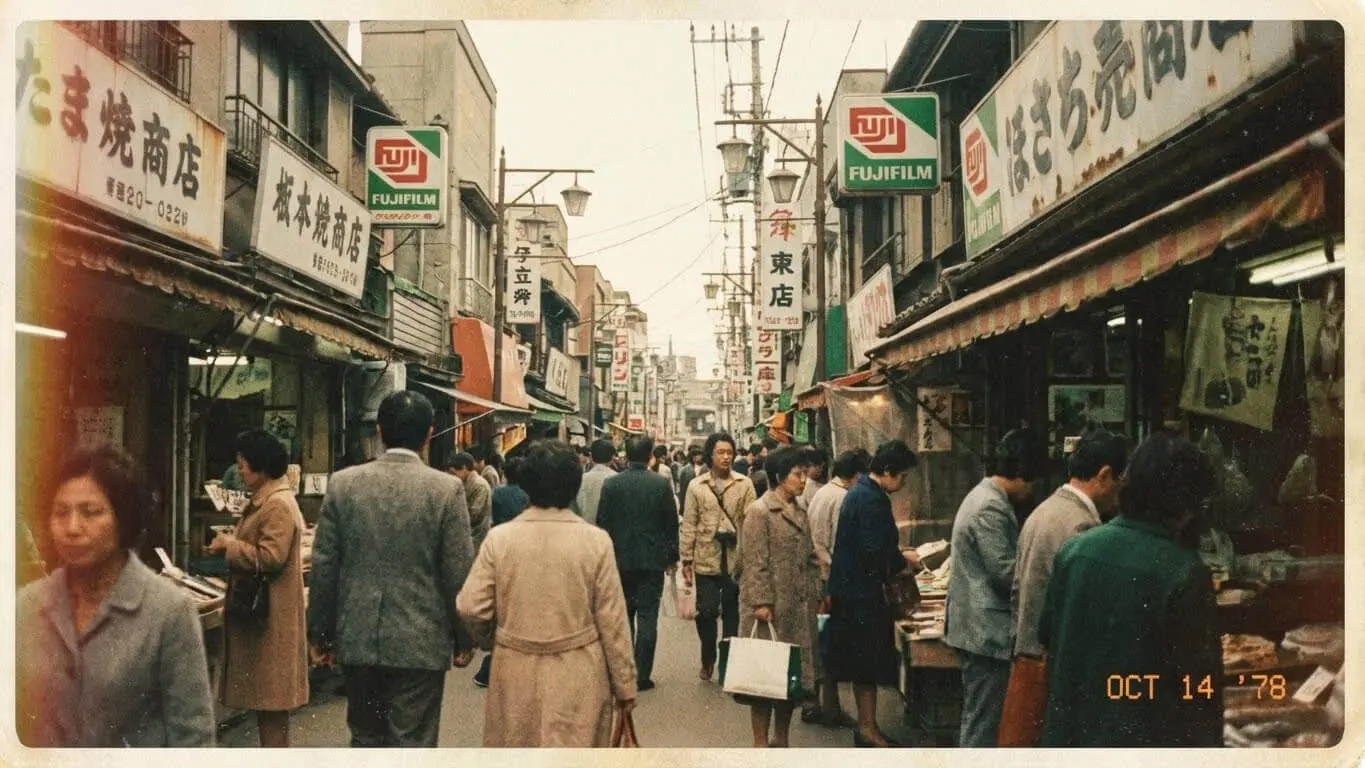
5. Fuji Classic Chrome Aesthetic
Prompt: “Cinematic portrait with Fuji Classic Chrome color grading, warm highlights, rich contrast, subdued shadows, slightly desaturated colors, subtle brown tone, fine film grain, 35mm lens f/2.8, realistic skin texture, vintage travel photography mood”
Fuji Classic Chrome produces different color shifts than Kodak. This prompt emphasizes the “subdued shadows” and brown tones that define this film stock.
6. Fuji Superia Street Scene
Prompt: “8K film-style portrait of a man in dark alley, one harsh spotlight from above, visible grain pattern and color fade, Fuji Superia 400 tone, sharp contrast between light and shadow, moody cinematic composition with grainy texture, urban photography”
Fuji Superia handles high contrast scenes differently than Kodak. This prompt uses “color fade” to simulate how Superia ages over time.
7. Rainy Window Fuji Mood
Prompt: “8K film-grain portrait of a woman behind rainy window, droplets catching street light, visible grain texture, Fujifilm X-Pro 3 look, balanced cool blue tone, shallow focus depth, emotional and melancholic editorial cinematic mood, analog photography”
The rainy window creates natural diffusion. Combined with Fuji’s cool tones, this produces a melancholic atmosphere perfect for storytelling images.
8. Overcast Sky Pastel Fuji
Prompt: “8K portrait of a woman in pastel outfit under overcast sky, visible film grain and faded color palette, soft lens blur, Canon R6 realism, washed-out film effect, light pastel tones evoking dreamy nostalgic mood, vintage aesthetic”
Overcast lighting works beautifully with faded pastel tones. This prompt creates a dreamy quality similar to expired film stock.
Black and White Film Grain Prompts
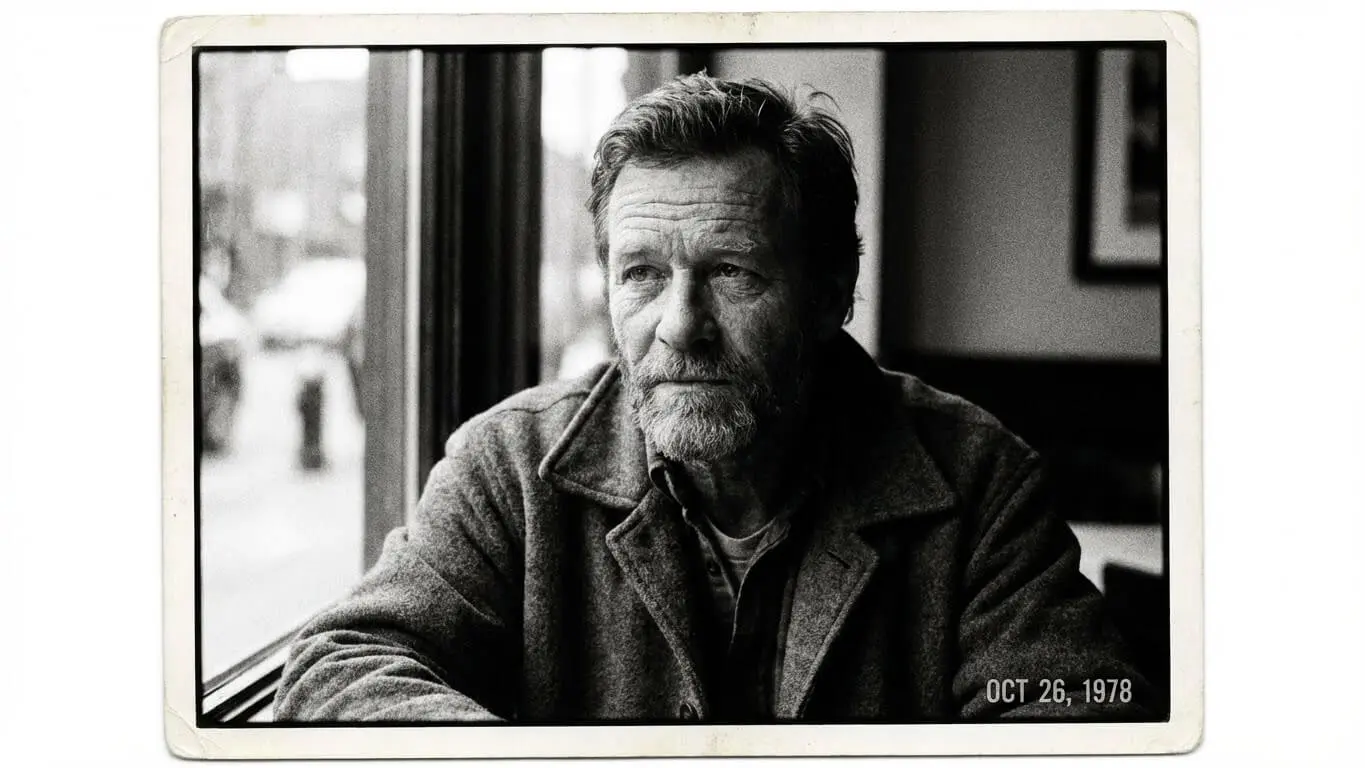
9. Ilford HP5 Portrait
Prompt: “Monochrome portrait of an elderly man smiling gently, visible grain like Ilford HP5 film, soft window light source, deep shadow fall-off, fine highlight preservation on wrinkles, Leica SL2 85mm lens realism, timeless analog aesthetic, black and white”
Ilford HP5 is known for its beautiful grain structure in black and white. This prompt emphasizes the grain while maintaining detail in both highlights and shadows.
10. High Contrast Flash Portrait
Prompt: “8K studio portrait shot with on-camera flash and fine film grain, hard shadow behind subject, neutral background, visible texture on skin and fabric, Nikon D850 simulation with classic film contrast, vintage editorial feel and raw energy, monochrome”
On-camera flash creates a specific look popular in 1990s editorial photography. The hard shadows and high contrast define this aesthetic.
11. Wet Hair Dramatic Black and White
Prompt: “Epic black and white close-up portrait with wet hair and water droplets on face and shoulders, strong dramatic lighting, sharp facial features, glossy lips, piercing eyes, realistic skin texture, high contrast, studio shot, hyper-realistic, cinematic look, 4K detail, film grain”
Water droplets add visual interest to black and white portraits. This prompt creates dramatic tension through lighting and contrast.
12. Film Noir Alley Scene
Prompt: “1940s film noir portrait of a man wearing trench coat and fedora, moody low-key lighting with side-lighting, blurred city street in background, grainy monochrome film texture, cinematic suspense aesthetic, film noir style, vintage crime photography”
Film noir relies heavily on dramatic shadows and grain. This prompt combines period-specific clothing with classic noir lighting techniques.
Long Exposure with Film Texture Prompts
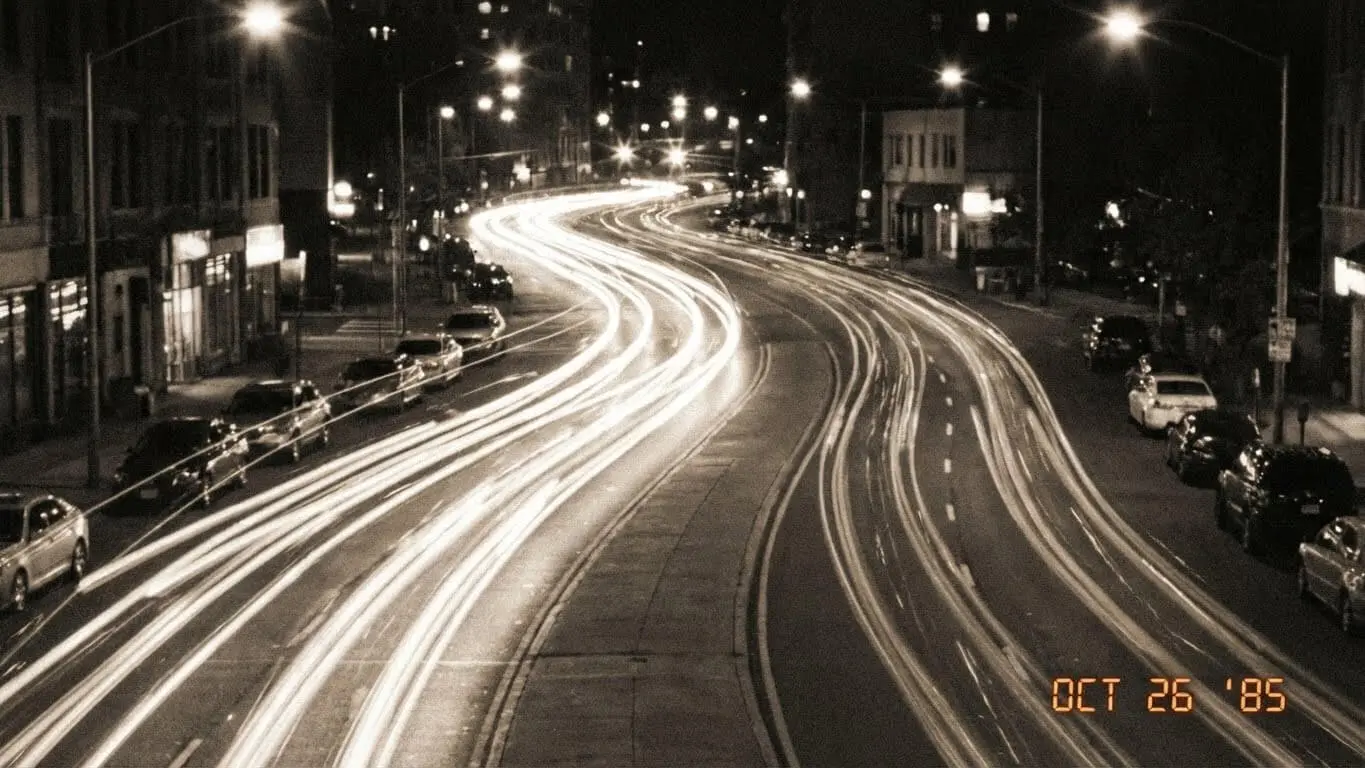
13. Light Trail City Streets
Prompt: “Long exposure night photography of busy city street, car light trails streaking through frame, visible film grain texture, warm street lights bokeh, 35mm analog film aesthetic, cinematic color grading with orange and teal tones, long exposure photography technique”
According to BeFunky photography tutorials, combining light trails with film grain creates a nostalgic urban photography look. The grain adds texture to the smooth light streaks.
14. Silky Water Waterfall
Prompt: “Long exposure waterfall photography with silky smooth water flow, visible film grain overlay, natural forest lighting, Canon 16-35mm wide angle, analog film texture, muted green color palette, atmospheric mood, vintage landscape photography aesthetic”
The contrast between smooth water and grainy texture creates visual interest. This technique became popular in landscape photography during the 1970s.
15. Star Trail Night Sky
Prompt: “Ultra-long exposure star trails across night sky, circular motion pattern, visible film grain and noise, deep blue-black sky tones, silhouette landscape in foreground, astrophotography on analog film, vintage Kodak Ektachrome color shift”
Star trails require exposures lasting hours. The film grain simulates the noise pattern that appears in extended film exposures.
16. Motion Blur Crowd Scene
Prompt: “Long exposure street photography with blurred moving crowd, one sharp focused subject in center, ghostly pedestrian trails, visible film grain throughout, urban documentary style, natural lighting with slight motion blur, analog 35mm film aesthetic”
This prompt creates the “silent world” effect where busy places appear empty. The grain adds to the ghostly atmosphere of the blurred figures.
Light Leak and Vintage Glow Prompts
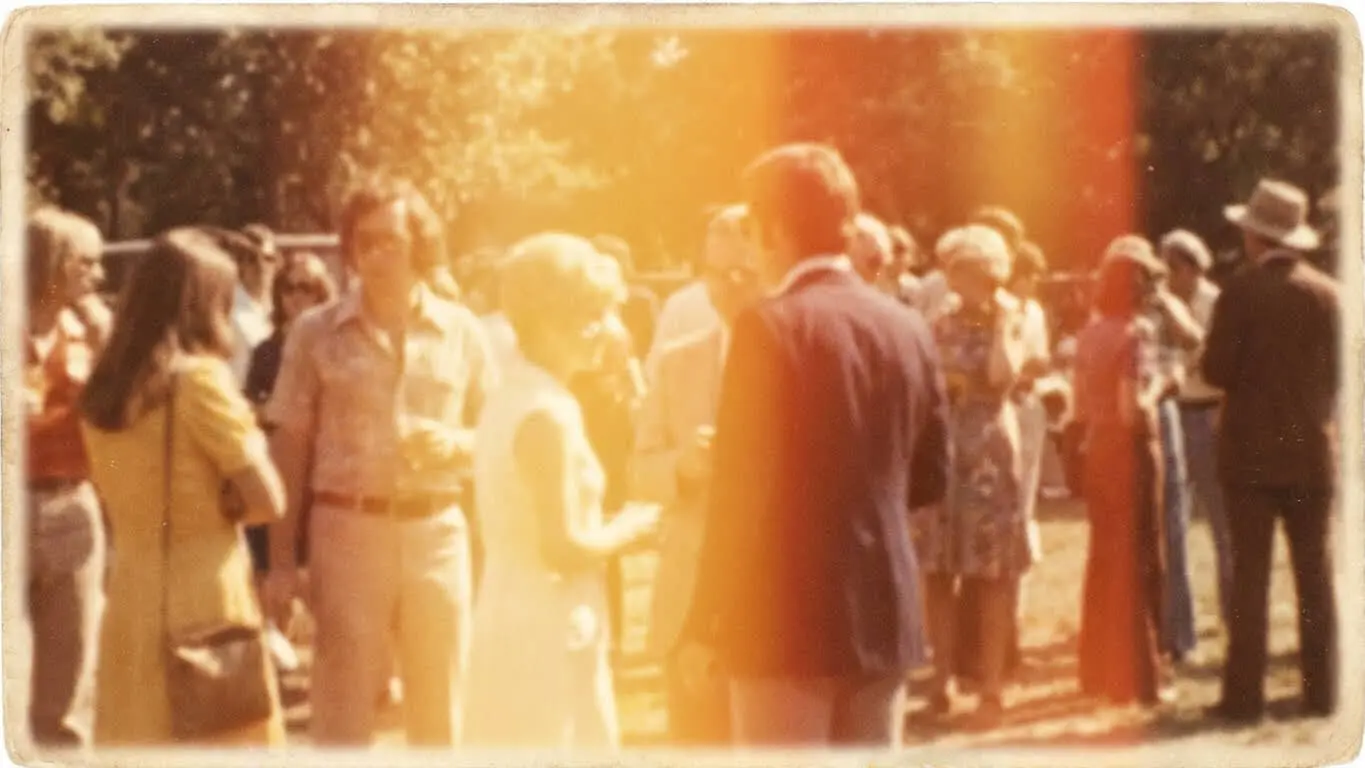
17. Warm Light Leak Portrait
Prompt: “Medium portrait with warm color palette from classic 1970s film, timeless dreamy glow, intentional light leak with amber and red wash across corner of image, heavy classic film grain, Mamiya RZ67 look, high emotion, retro photography aesthetic, vintage glow”
Light leaks happen when film gets exposed to light accidentally. This imperfection became an intentional artistic choice in modern photography.
18. Sunset Backlight with Lens Flare
Prompt: “Portrait bathed in soft diffused sunset light, authentic buttery film look with vibrant colors, Kodak Portra 400 aesthetic, natural skin tones, luminous light quality, fine organic 35mm film grain texture, visible lens flare, warm backlight glow, accessible luxury mood”
Backlighting creates natural lens flare and glow. Combined with film grain, this produces images that feel both professional and nostalgic.
19. Vintage Festival Color Powder
Prompt: “Viral retro style vintage photo of a person decorated with colored powder for festival, warm lighting, soft vintage patina, playful poses expressing joy, pastel color tones, film grain overlay, natural sunlight, cultural celebration photography, analog film aesthetic”
Cultural celebrations provide colorful subjects perfect for vintage treatments. The colored powder interacts beautifully with film grain texture.
20. Golden Hour Saree Portrait
Prompt: “Viral retro style vintage portrait of a woman in silk saree with traditional jewelry, golden hour backlight glow effect, classic 1950s film star aesthetic, sepia tones, blurred vintage garden background, warm skin tones, heavy film grain, romantic nostalgic mood, Kodak Gold film look”
Traditional clothing paired with vintage film effects creates timeless portraits. The sepia tones and grain evoke old Bollywood promotional photography.
How to Structure Film Grain Prompts
Effective film grain prompts follow a clear structure. Start with the subject and composition. Then add lighting details. Next, specify the film stock or camera system. Finally, include grain characteristics and mood descriptors.
Here is the basic formula:
- Subject: What appears in the image (portrait, landscape, street scene)
- Lighting: Light source and direction (golden hour, window light, harsh flash)
- Film Stock: Specific film type (Kodak Portra 400, Fuji Superia, Ilford HP5)
- Technical Details: Lens, aperture, composition style
- Grain Characteristics: Fine grain, heavy grain, visible noise pattern
- Mood: Emotional tone (nostalgic, dramatic, dreamy, moody)
You can explore more image generation techniques using our cinematic image generator for movie-style compositions or the vintage image generator for classic retro aesthetics.
Always mention resolution like “8K” or “4K” at the start. Higher resolution keywords tell the AI to generate more detailed grain patterns. Add “ultra-realistic” or “photorealistic” if you want the grain to look like real film rather than digital simulation.
Specific camera and lens names help too. “Canon 85mm f/1.4” or “Leica M6” trigger the AI to replicate the bokeh and depth characteristics of those systems. This makes the overall image more convincing.
Common Mistakes When Using Film Grain Prompts
The biggest mistake is mixing too many film stocks in one prompt. Each film type has distinct color characteristics. Kodak Portra produces warm tones. Fuji Superia leans cooler. Asking for both confuses the AI and creates inconsistent results.
Another error is forgetting to specify grain intensity. “Film grain” alone might produce very subtle texture. Use descriptors like “heavy film grain,” “visible grain pattern,” or “fine grain texture” to control how pronounced the effect appears.
Avoid combining modern and vintage elements without intention. A prompt asking for “iPhone photo with Kodak Portra grain” sends mixed signals. Either commit to the vintage aesthetic or keep it fully modern.
Do not neglect lighting instructions. Film grain appears differently under various lighting conditions. Harsh sunlight shows grain more prominently than soft window light. Always describe your light source clearly.
Many users also overlook the importance of negative prompts. Tell the AI what you do not want. Add phrases like “no digital artifacts,” “no cartoon effect,” or “no over-saturation” to prevent unwanted results.
For additional creative effects, try combining film grain with other styles like bokeh backgrounds or vignette effects to enhance the vintage atmosphere.
FAQ
What film stock produces the warmest colors in AI images?
Kodak Portra 400 creates the warmest, most flattering skin tones. Kodak Gold also produces warm results but with slightly more saturation. For the warmest possible look, specify “Kodak Portra 400 with warm highlights and soft orange-yellow color cast” in your prompt.
Can I add film grain to AI images after generation?
Yes, but better results come from including grain in the original prompt. AI tools like our film grain generator can apply texture after creation, but the grain integrates more naturally when generated with the image from the start.
Which AI generator handles film grain best in 2025?
Midjourney v6 and DALL-E 3 both produce excellent film grain effects. According to 121Clicks photography experts, Gemini AI also delivers highly realistic grain patterns, especially for portrait work. Test all three with the same prompt to find your preference.
How do I make AI-generated grain look like real 35mm film?
Specify the exact film stock name, add “shot on 35mm film camera,” mention the ISO speed like “ISO 400,” and include “organic grain pattern” or “natural film texture” in your prompt. These details help the AI replicate authentic film characteristics rather than digital noise.
Does film grain work well with color images or just black and white?
Film grain enhances both color and black and white images. Color film grain appears more subtle but adds warmth and depth. Black and white grain creates more dramatic texture. Both work beautifully, depending on your creative vision.
What is the difference between film grain and digital noise?
Film grain comes from silver halide particles in film and has an organic, random pattern. Digital noise comes from electronic sensors and appears more uniform and harsh. Film grain looks pleasant and adds character. Digital noise usually looks like a technical flaw.
Can I combine film grain with other vintage effects?
Absolutely. Combine grain with light leaks, vignetting, faded colors, and soft focus for complete vintage aesthetics. Just avoid overloading your prompt. Pick two or three complementary effects rather than listing every vintage characteristic possible.
How much grain is too much in an AI portrait?
If the grain distracts from the subject or makes details hard to see, it is too heavy. Aim for grain that adds texture without overwhelming the image. Use terms like “subtle film grain” or “fine grain pattern” for portraits. Save “heavy grain” for artistic or atmospheric shots.
What camera settings should I mention in film grain prompts?
Include aperture like “f/1.4” for shallow depth, shutter speed for motion effects, and ISO for grain intensity. For example, “ISO 400” produces moderate grain while “ISO 3200” creates heavy grain. These technical details help the AI understand the look you want.
Are there copyright issues with mentioning film brands in prompts?
No. Mentioning Kodak Portra or Fuji Superia describes a visual style, not copyrighted content. These are descriptive terms that help the AI understand color science and grain patterns. You own the images you generate.
Key Takeaways
- Film grain adds warmth, authenticity, and emotional depth to AI-generated images by simulating traditional analog photography textures
- Specify exact film stocks like Kodak Portra 400, Fuji Superia, or Ilford HP5 to achieve consistent color grading and grain patterns
- Structure prompts with subject, lighting, film type, technical details, grain characteristics, and mood for best results
- Combine film grain with long exposure effects to create dynamic images with both movement and texture
- Include camera and lens details like “Canon 85mm f/1.4” or “Leica M6” to trigger realistic bokeh and depth characteristics
- Use AI FREE FOREVER’s film grain generator to experiment with different vintage film aesthetics quickly and free
- Avoid mixing multiple film stocks in one prompt as each has distinct color characteristics that will conflict
- Add resolution keywords like “8K” or “4K” at the prompt start for more detailed and realistic grain patterns
- Specify grain intensity with terms like “heavy film grain,” “visible grain pattern,” or “fine grain texture” to control the effect
- Film grain performs equally well in both color and black and white images, each offering unique aesthetic benefits
Film grain transforms ordinary AI images into artistic works with soul and character. These 20 prompts provide a starting point for your creative experiments. Mix and match elements, adjust technical details, and develop your signature vintage style. The best results come from practice and iteration, so generate multiple versions until you find the perfect aesthetic for your project.


