Time Clock Converter
A time clock converter transforms time between 12-hour (AM/PM), 24-hour (military), and decimal hour formats used on timecards and payroll. Enter any time in the panel to instantly convert it for clocking in and out, payroll processing, or scheduling.
What Is a Time Clock Converter?
A time clock converter is a tool that translates time expressions between three formats: the 12-hour clock (which uses AM and PM), the 24-hour clock (also called military time), and decimal hours (used by payroll systems to calculate hours worked as a decimal number rather than hours and minutes). Workers use time clock converters when reading punch-in and punch-out records from time clocks that display in one format while their payroll software requires another. HR professionals use them to calculate total hours worked from timecard data. The converter on this page handles all three conversions instantly in one place.
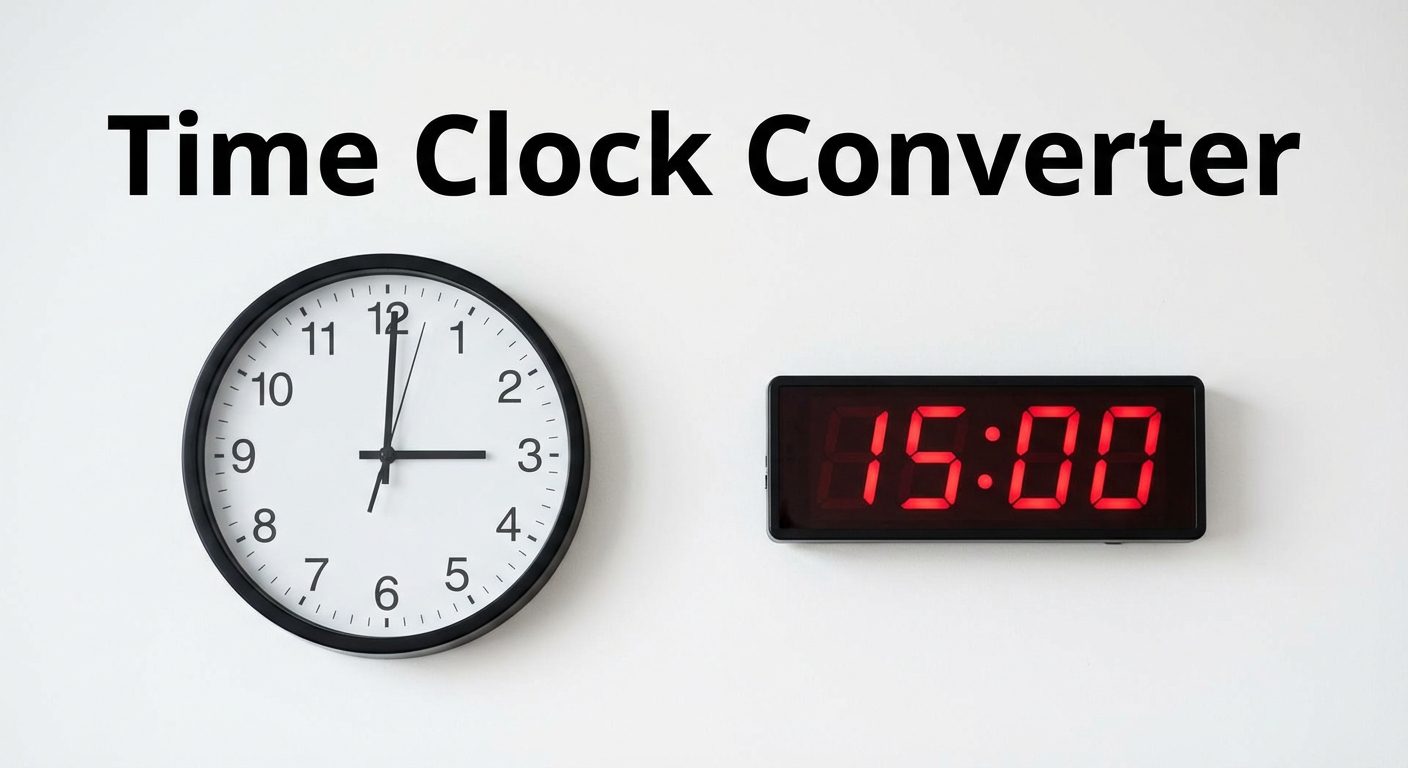
12-Hour vs 24-Hour Time Format
How the 12-Hour Clock Works
The 12-hour clock divides the 24-hour day into two cycles of 12 hours each. The first cycle runs from midnight (12:00 AM) to just before noon (11:59 AM). The second cycle runs from noon (12:00 PM) to just before midnight (11:59 PM). The abbreviations AM (ante meridiem, meaning before midday) and PM (post meridiem, meaning after midday) distinguish the two cycles. The 12-hour format is the standard in the United States, Canada, Australia, and the United Kingdom for everyday civilian use. Most consumer devices, apps, and clocks in these countries default to 12-hour display.
A common point of confusion is the behavior of 12 AM and 12 PM. Midnight is 12:00 AM, not 12:00 PM. Noon is 12:00 PM, not 12:00 AM. This counterintuitive convention leads to frequent errors on timecards and scheduling systems. The 24-hour format eliminates this ambiguity entirely.
How the 24-Hour (Military) Clock Works
The 24-hour clock runs from 00:00 (midnight) to 23:59 (one minute before the next midnight), using a single continuous count without AM or PM designations. Hours from 00 to 11 correspond to AM hours in the 12-hour system, and hours from 12 to 23 correspond to PM hours. Midnight is 00:00 (or 24:00 when marking the end of a day). Noon is 12:00. The 24-hour system is the international standard and is used by the military, aviation, hospitals, railways, and most countries outside North America and the UK. When referred to as military time, the format drops the colon and adds four digits (e.g., 14:30 becomes 1430 hours). For scheduling workers across time zones or shifts crossing midnight, 24-hour time prevents confusion and scheduling errors.
How to Convert Time for Timecards
Converting Minutes to Decimal Hours
Payroll systems calculate wages based on hours worked expressed as a decimal number, not as hours and minutes. To convert minutes to their decimal equivalent, divide the number of minutes by 60. For example, 30 minutes is 30 ÷ 60 = 0.50 hours, so someone who worked 8 hours and 30 minutes worked 8.50 hours in decimal. Multiply 8.50 by the hourly wage to get gross pay. The converter on this page automatically provides the decimal representation alongside any time conversion. If you need to process payroll or generate pay records, the paystub generator handles decimal hours directly.
Common Minute-to-Decimal Conversions Table
| Minutes | Decimal Hours |
|---|---|
| :00 | 0.00 |
| :05 | 0.08 |
| :10 | 0.17 |
| :15 | 0.25 |
| :20 | 0.33 |
| :25 | 0.42 |
| :30 | 0.50 |
| :35 | 0.58 |
| :40 | 0.67 |
| :45 | 0.75 |
| :50 | 0.83 |
| :55 | 0.92 |
Formula: Decimal = Minutes ÷ 60. Add this to the whole-hour value for total decimal hours.
Military Time Conversion Chart
The table below shows every hour of the day in both 12-hour and 24-hour format. For any minute value, simply apply the same hour conversion and keep the minutes unchanged.
| 12-Hour | 24-Hour | Note |
|---|---|---|
| 12:00 AM | 00:00 | Midnight |
| 1:00 AM | 01:00 | |
| 2:00 AM | 02:00 | |
| 3:00 AM | 03:00 | |
| 4:00 AM | 04:00 | |
| 5:00 AM | 05:00 | |
| 6:00 AM | 06:00 | |
| 7:00 AM | 07:00 | |
| 8:00 AM | 08:00 | |
| 9:00 AM | 09:00 | |
| 10:00 AM | 10:00 | |
| 11:00 AM | 11:00 | |
| 12:00 PM | 12:00 | Noon |
| 1:00 PM | 13:00 | |
| 2:00 PM | 14:00 | |
| 3:00 PM | 15:00 | |
| 4:00 PM | 16:00 | |
| 5:00 PM | 17:00 | |
| 6:00 PM | 18:00 | |
| 7:00 PM | 19:00 | |
| 8:00 PM | 20:00 | |
| 9:00 PM | 21:00 | |
| 10:00 PM | 22:00 | |
| 11:00 PM | 23:00 |
Decimal Hours for Payroll
Why Payroll Uses Decimal Time
Payroll systems express time in decimal format because multiplication is straightforward with decimals. To calculate gross pay, the formula is simply: Hours Worked (decimal) × Hourly Rate = Gross Pay. If someone worked 7 hours and 45 minutes (7.75 decimal hours) at $18.00 per hour, gross pay is 7.75 × $18.00 = $139.50. Attempting the same calculation with hours and minutes requires converting the minutes first, which introduces opportunities for arithmetic error. Virtually all modern payroll software, time-tracking systems, and spreadsheet-based payroll templates use decimal hours. The accounting AI solver can help with more complex payroll calculations involving overtime, deductions, and multiple pay rates.

How to Calculate Hours Worked in Decimal
To calculate total hours worked in decimal for any shift, convert both the clock-in and clock-out times to 24-hour decimal format, then subtract the earlier from the later. For example, a worker clocks in at 8:15 AM and clocks out at 5:00 PM.
Clock-out: 5:00 PM = 17.00
Hours worked = 17.00 − 8.25 = 8.75 hours
Gross pay at $15/hr = 8.75 × $15 = $131.25
If there is an unpaid break in the middle, subtract the break duration (also in decimal) from the total. A 30-minute break is 0.50 hours, so 8.75 − 0.50 = 8.25 hours worked.
Time Clock Conversion Examples
Example - 2:45 PM to 24-Hour and Decimal
A worker clocks out at 2:45 PM. The supervisor needs this in 24-hour format for the scheduling system and in decimal for payroll.
Decimal: 14 + 45/60 = 14 + 0.75 = 14.75
Minutes as decimal: 45 ÷ 60 = 0.75
If this is a clock-out time and the worker clocked in at 8:00 AM (8.00 decimal), hours worked = 14.75 − 8.00 = 6.75 hours. At $14/hr, gross = 6.75 × $14 = $94.50.
Example - 17:30 to 12-Hour
A schedule shows a shift ending at 17:30 in 24-hour format. The worker wants to know what time that is in standard 12-hour format.
Decimal: 17 + 30/60 = 17.50
Any hour from 13 to 23 in 24-hour time is converted to 12-hour by subtracting 12 and appending PM. Hours 1 to 11 remain the same and are AM. Hour 0 becomes 12 AM and hour 12 stays 12 PM. For scheduling across shifts, the lead time calculator can help you plan time-sensitive workflows with delivery windows expressed in days.
Frequently Asked Questions
What is 13:00 in regular time?
13:00 in 24-hour time is 1:00 PM in 12-hour time. To convert any hour between 13 and 23 to 12-hour format, subtract 12 and add PM. So 13:00 becomes 1:00 PM, 14:00 becomes 2:00 PM, 17:00 becomes 5:00 PM, and 23:00 becomes 11:00 PM. Hours from 01:00 to 11:00 in 24-hour time are the same as 1:00 AM to 11:00 AM. 00:00 is 12:00 AM (midnight) and 12:00 is 12:00 PM (noon).
How do I convert 45 minutes to decimal?
Divide the minutes by 60: 45 ÷ 60 = 0.75. So 45 minutes equals 0.75 hours in decimal. Add this to the whole-hour part of the time. For example, if someone worked until 3:45 PM, the time in decimal is 15 + 0.75 = 15.75. Other common conversions: 15 minutes = 0.25, 30 minutes = 0.50, 20 minutes = 0.33, 40 minutes = 0.67.
What time format do timecards use?
Timecards and time-tracking systems vary. Physical punch clocks often record in 12-hour AM/PM format. Digital time clocks used in healthcare, manufacturing, and transportation often use 24-hour format to avoid AM/PM ambiguity. Payroll software like ADP, Paychex, QuickBooks, and Gusto typically converts recorded times into decimal hours for wage calculation. When exporting timecard data to a spreadsheet or payroll system, decimal hours are the most commonly required format.
What is military time?
Military time is the 24-hour clock format used by the US military, emergency services, and healthcare to avoid AM/PM ambiguity. It runs from 0000 (midnight) to 2359 (one minute before midnight). In military usage, the colon is dropped and times are spoken as four-digit numbers followed by 'hours' (e.g., 14:30 is '1430 hours'). Midnight is '0000 hours' or sometimes '2400 hours' when marking the end of a day. The format is internationally standardized as ISO 8601 and is used by airlines, railways, and hospitals worldwide.
How to calculate hours worked?
Convert both clock-in and clock-out times to decimal hours. Subtract the clock-in time from the clock-out time. If the result crosses midnight (e.g., a night shift ending at 2:00 AM after starting at 10:00 PM), add 24 to the clock-out decimal before subtracting. Example: Clock-in 9:00 AM = 9.00, Clock-out 5:30 PM = 17.50, Hours worked = 17.50 − 9.00 = 8.50 hours. Deduct any unpaid break time from this total before calculating pay.