Picking the right AI image generator can feel overwhelming when you have so many options. Two names keep popping: Ideogram and Leonardo AI. Both platforms can turn your words into stunning visuals, but they work very differently.nIf you need perfect text in your images – like logos, posters, or social media graphics – one tool clearly wins. If you want deep customization, video generation, and 3D textures, the other might be your best bet.
This review breaks down everything you need to know about both platforms. We tested their features, compared their pricing, and checked what real users are saying. By the end, you’ll know exactly which tool fits your needs and budget.
Table of Contents
- Ideogram vs Leonardo AI: Which AI Image Generator Wins in 2025?
- What is Ideogram AI?
- What is Leonardo AI?
- Text Rendering Quality: The Biggest Difference
- Image Quality and Realism Comparison
- Key Features Breakdown
- Pricing Plans: Which Offers Better Value?
- Ease of Use and Learning Curve
- Customization and Control Options
- Best Use Cases for Each Platform
- Pros and Cons Comparison
- Top Alternative: AI Free Forever
- Frequently Asked Questions
- Key Takeaways
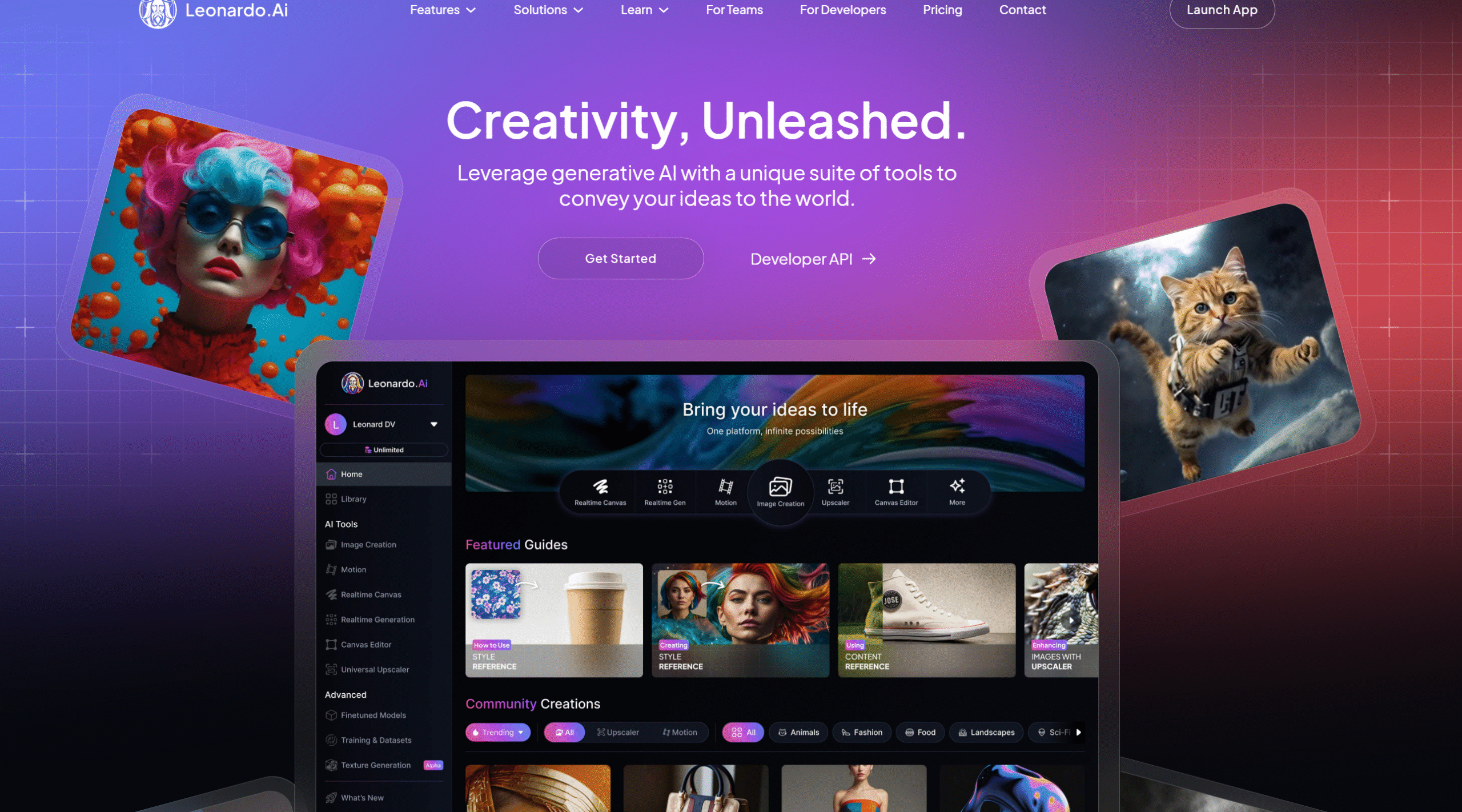
What is Leonardo AI?
Leonardo AI started in 2022 with a different mission – helping game developers and 3D artists create assets faster. This background shaped the platform into a comprehensive creative toolkit rather than just an image generator.
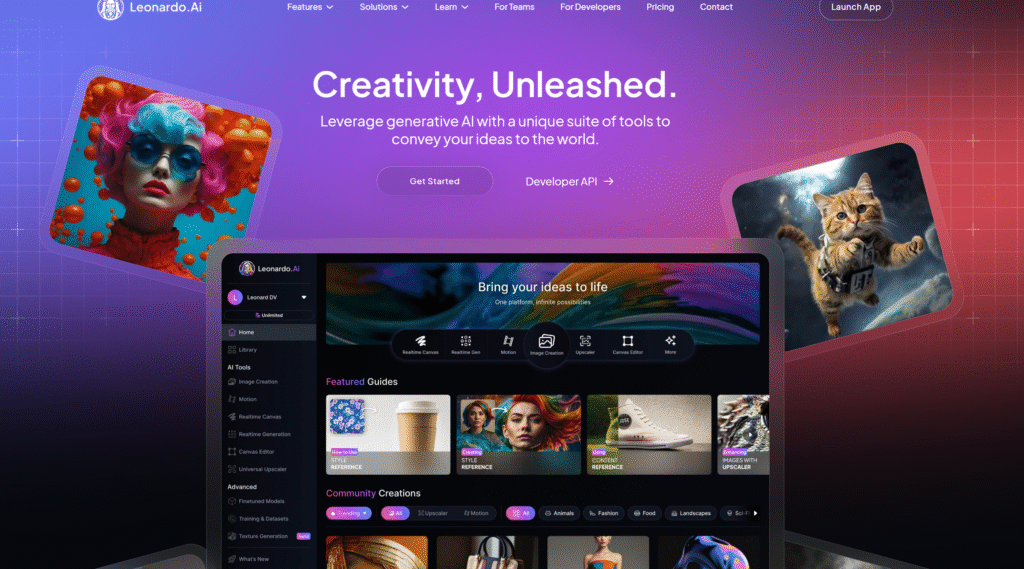
The platform offers way more features than basic text-to-image generation. You can train custom AI models, generate 3D textures, create videos from still images, and edit your creations with professional-grade tools. It’s like having multiple creative apps rolled into one platform.
In July 2024, Canva acquired Leonardo AI, bringing more resources and integration possibilities. By 2025, the platform serves over 30 million users according to multiple industry reports.
What Makes Leonardo AI Different?
Leonardo positions itself as a complete creative platform. You’re not just generating images – you’re building a full creative workflow. The platform includes real-time canvas editing, video generation, 3D model creation, and the ability to train AI on your own style.
Core Features of Leonardo AI
- Multiple specialized AI models for different art styles
- Real-time canvas that lets you sketch and watch AI complete it
- Video generation from images or text
- 3D texture generation for game development
- Custom model training for consistent brand styles
- Advanced editing tools and upscaling

Text Rendering Quality Ideogram vs Leonardo AI
This is where Ideogram absolutely dominates. When you need text in your images, Ideogram produces clean, readable results almost every time. Other platforms, including Leonardo AI, often create gibberish or distorted letters.
A comparison test by Decrypt showed that Ideogram handled complex text prompts better, especially when asking for multiple text elements in one image.
How Ideogram Handles Text
Ideogram’s version 3.0 can generate:
- Multiple lines of text with proper alignment
- Different font styles (handwritten, 3D, graffiti, serif, sans-serif)
- Text that wraps naturally around objects
- Logos with readable company names
- Long phrases without spelling errors
You can even use a “Typography” tag in your prompts to tell Ideogram you want extra focus on text quality. This helps when creating posters, book covers, or any design where words matter as much as visuals.
Leonardo AI’s Text Limitations
Leonardo AI follows the pattern of most image generators – text rendering isn’t its strength. While it sometimes produces legible text, you can’t rely on it for projects where text clarity is important.
The platform makes up for this weakness with superior control over other visual elements. If you need perfect text, you’re better off creating text separately and adding it in editing software.
Winner for text rendering: Ideogram AI by a landslide. If your projects involve any text integration, this alone might make your decision.
Image Quality and Realism Comparison OF Ideogram vs Leonardo AI
Both platforms create high-quality images, but they excel in different areas. Your choice depends on what kind of visuals you’re making.
Ideogram’s Image Quality
Ideogram produces vibrant, clean images with good color accuracy. The version 3.0 update in March 2025 brought major improvements in photorealism and lighting according to their official feature page.
The platform handles:
- Marketing graphics with sharp, professional looks
- Product mockups with clean backgrounds
- Social media posts with eye-catching colors
- Illustrations with consistent styles
Images tend to have a slightly stylized quality, even when you ask for realistic photos. This works great for branded content but might not satisfy users looking for pure photorealism.
Leonardo AI’s Visual Strengths
Leonardo AI offers more control over artistic direction. The platform includes multiple specialized models like Leonardo PhotoReal for ultra-realistic images and Leonardo Kino XL for cinematic lighting.
User reviews on Cybernews consistently praise Leonardo’s ability to create detailed, realistic visuals with proper depth and lighting.
Leonardo excels at:
- Photorealistic portraits and characters
- Concept art with complex details
- Game assets with consistent styles
- Fantasy and sci-fi scenes with proper perspective
Which Creates Better Images?
It depends on your project:
- For marketing materials and designs with text: Ideogram
- For realistic character art: Leonardo AI
- For social media graphics: Ideogram
- For game development: Leonardo AI
- For logo creation: Ideogram
Both platforms continue improving their models regularly. The gap in overall quality keeps shrinking, but their strengths remain distinct.
Key Features Breakdown between Ideogram vs Leonardo AI
Let’s compare the main features side by side so you can see what each platform offers.
Ideogram Features
Magic Prompt: Automatically enhances your basic prompts into detailed descriptions. If you type “a birthday cake,” Magic Prompt might expand it to “a three-tier birthday cake with buttercream frosting, decorated with fresh flowers, on a wooden table with soft natural lighting.”
Style Reference: Upload up to three images to guide the AI’s aesthetic. Perfect when you want a specific color palette or mood that’s hard to describe with words.
Random Style Generator: Access over 4.3 billion style presets. Great for inspiration when you’re not sure what direction to take.
Canvas Editor: Edit your images with tools like Magic Fill (change specific areas), Magic Expand (extend backgrounds), and background removal.
Remix Feature: Create variations of existing images by adjusting specific elements while keeping the overall composition.
Quality Settings: Choose between Fast (5 seconds), Standard (12 seconds), and Quality (20 seconds) rendering modes.
Leonardo AI Features
Real-time Canvas: Sketch something basic and watch Leonardo AI complete it in real time as you draw. This interactive feature sets Leonardo apart from competitors.
Custom Model Training: Upload 10-20 of your own images to train a personalized AI model that matches your specific style or brand aesthetic.
Video Generation: Convert still images into short animated clips. The Motion 2.0 feature creates 5-second videos with realistic movement. The newer Veo 3 model can generate videos with sound effects and dialogue.
3D Texture Generation: Upload a 3D model (OBJ file) and let Leonardo create high-quality textures for it. Essential for game developers.
Multiple AI Models: Access different specialized models:
- Leonardo PhotoReal for realistic images
- Leonardo Kino XL for cinematic looks
- Leonardo Anime XL for anime art
- And many more specialized options
Universal Upscaler: Increase image resolution without losing quality.
Transparent PNG Generator: Create images with transparent backgrounds automatically.
Ideogram vs Leonardo AI Comparison Table
| Feature | Ideogram AI | Leonardo AI |
|---|---|---|
| Text Rendering | Excellent | Limited |
| Image Generation | Yes | Yes |
| Video Generation | No | Yes |
| 3D Textures | No | Yes |
| Custom Model Training | No | Yes |
| Real-time Canvas | No | Yes |
| Style References | Yes (up to 3 images) | Yes |
| Batch Generation | Yes (paid plans) | Yes |
| Image Editing | Basic | Advanced |
| API Access | Yes | Yes |
Feature winner: Leonardo AI offers more tools, but Ideogram’s focused approach makes it easier to use for specific tasks.

What is Ideogram AI?
Ideogram AI launched in 2023 by four former Google Brain researchers who wanted to solve a big problem – most AI tools struggle to create readable text inside images. Their solution became one of the most popular image generators for anyone creating marketing materials, social media posts, or branded content.
The platform focuses on making text integration simple and accurate. When you type a prompt asking for a poster with specific words, Ideogram usually gets the spelling right and places the text naturally in the image. This might sound basic, but it’s something most other AI generators still mess up regularly.
According to Ideogram’s official announcement, their version 3.0 released in March 2025 pushed text rendering quality even higher, beating competitors in independent tests.
Who Created Ideogram?
The founding team includes Mohammad Norouzi, William Chan, Chitwan Saharia, and Jonathan Ho. These researchers worked on major AI projects at Google, including some foundational work on diffusion models that power modern image generators.
Main Strengths of Ideogram
- Best-in-class text rendering – creates readable, stylish typography
- Fast generation speed (5-20 seconds depending on quality setting)
- Simple interface that beginners can use right away
- Strong at following prompts accurately
- Free plan includes 10 images daily
Pricing Plans: Which Offers Better Value between Ideogram and Leonardo AI?
Both platforms use credit-based systems, but they structure their plans differently. Let’s break down what you actually get for your money.
Ideogram Pricing (2025)
According to pricing analysis by eesel AI, here’s what Ideogram charges:
Free Plan:
- 10 slow images daily (about 20 seconds each)
- Public generations only
- Compressed JPG downloads
- Access to community gallery
- Cost: $0
Basic Plan ($7-8/month):
- 400 priority images monthly
- 100 slow images daily
- Faster generation
- Original quality PNG downloads
- Upscaling and tiling features
- Still public generations
Plus Plan ($16-20/month):
- 1,000 priority images monthly
- Unlimited slow generations
- Private generations (huge for commercial work)
- Image upload feature
- Character consistency tools
- All Basic features
Pro Plan ($48-60/month):
- 3,000 priority images monthly
- Unlimited slow generations
- Bulk generation with CSV
- Priority customer support
- All Plus features
Leonardo AI Pricing (2025)
Leonardo uses a token system where different actions cost different amounts. Pricing details from eesel AI show:
Free Plan:
- 150 tokens daily (refreshes every 24 hours)
- Basic image generation (5-8 tokens per image)
- Public generations only
- No commercial rights
- Cost: $0
Apprentice Plan ($10-12/month):
- 8,500 tokens monthly
- About 1,000-1,700 basic images
- Private generations
- Commercial use rights
- Token rollover (up to 25,000)
Artisan Plan ($24-30/month):
- 25,000 tokens monthly
- About 3,000-5,000 basic images
- Unlimited relaxed generations (slower queue)
- All Apprentice features
- Token rollover (up to 75,000)
Maestro Plan ($48-60/month):
- 60,000 tokens monthly
- About 7,500-12,000 basic images
- Unlimited relaxed generations
- Up to 50 custom models
- Token rollover (up to 180,000)
- Priority support
Important Token Cost Notes for Leonardo
Not all features cost the same. Here’s what eats up your tokens fast:
- Basic image: 5-8 tokens
- High-quality image: 10-15 tokens
- Video (Veo 3, 8 seconds): 2,500 tokens (equals 300+ images!)
- 3D texture generation: 100-200 tokens
- Custom model training: 400-600 tokens
This means if you want to use video features regularly, your tokens disappear much faster than simple image creation.
Which Offers Better Value?
For most users creating marketing materials: Ideogram offers clearer, more predictable pricing. You know exactly how many priority images you get.
For power users needing multiple features: Leonardo AI gives more flexibility, but you need to watch your token usage carefully.
For budget-conscious creators: Both free plans work well, but Ideogram’s 10 daily images feels more generous than Leonardo’s token system.
For commercial projects: You need at least the Plus plan on Ideogram ($16-20/month) or Apprentice on Leonardo ($10-12/month) to keep your work private.
Ease of Use of Ideogram vs Leonardo AI
The best tool means nothing if you can’t figure out how to use it. Let’s see which platform gets you creating faster.
Ideogram’s User Experience
Ideogram wins for simplicity. When you log in, you see a clean interface with a prompt box front and center. Type what you want, hit generate, and wait a few seconds. That’s it.
The platform doesn’t overwhelm you with options. You can:
- Write your prompt
- Pick a style preset (optional)
- Choose image size
- Hit generate
New users typically create their first decent image within five minutes. The Magic Prompt feature helps if you’re not sure how to describe what you want.
User reviews on TechJockey consistently mention how easy Ideogram feels, even for complete beginners.
Leonardo AI’s Learning Curve
Leonardo AI offers way more power, but that comes with complexity. When you first log in, you see multiple tabs, model options, and settings that might confuse new users.
The platform requires you to:
- Choose which AI model to use
- Write your prompt
- Adjust various generation parameters
- Pick from multiple style options
- Decide on guidance scale, sampling method, etc.
However, Leonardo includes helpful tooltips and a community gallery where you can click on images to see exactly what settings created them. This makes learning easier.
Most users report spending 30-60 minutes exploring the interface before feeling comfortable. Once you learn it, the extra control becomes valuable.
Which is Easier for Beginners?
Winner: Ideogram AI
If you want to jump in and start creating immediately, Ideogram removes all friction. Leonardo AI rewards patience with more control, but you’ll need time to learn its features.
Think of it like this: Ideogram is like using your phone’s camera (point and shoot). Leonardo is like using a professional camera (amazing results when you know what you’re doing).
Customization and Control Options between Ideogram vs Leonardo AI
How much control do you actually get over your final images? This matters a lot for professional work.
Ideogram’s Customization Level
Ideogram keeps things balanced. You get enough control to shape your results without drowning in technical options:
- Style presets: Choose from options like Realistic, Design, Anime, 3D Render, etc.
- Aspect ratios: Standard sizes plus unique options like 3:1 or 1:3
- Quality settings: Fast, Standard, or Quality rendering
- Color palette control: Guide the AI toward specific color schemes
- Negative prompts: Tell the AI what NOT to include
- Style references: Upload images to guide the aesthetic
For most marketing and design work, this level of control hits the sweet spot. You can steer results without getting lost in technical parameters.
Leonardo AI’s Advanced Controls
Leonardo AI gives you professional-grade control over almost everything:
- Model selection: Choose from dozens of specialized AI models
- Guidance scale: Control how closely the AI follows your prompt
- Sampling methods: Different algorithms for generating images
- Negative prompts: Exclude unwanted elements
- Custom model training: Create AI models that match your exact style
- Reference images: Multiple ways to influence the output
- Canvas editing: Real-time drawing and modification
- Advanced parameters: Steps, seed values, and more
This depth lets professional artists maintain consistent brand aesthetics across hundreds of images. You can fine-tune every aspect until it matches your vision.
Real-World Customization Examples
Scenario 1: Creating a logo
- Ideogram: Type your prompt, maybe add a style reference. Done in 2 minutes.
- Leonardo: Choose appropriate model, adjust parameters, test multiple versions. Takes 15 minutes but offers more variations.
Scenario 2: Building a character design library
- Ideogram: Generate characters, use Remix to create variations. Works but less consistent.
- Leonardo: Train custom model on your character, then generate unlimited consistent variations. Much better for this use case.
Customization winner: Leonardo AI for professionals needing control. Ideogram for faster, simpler workflows.
Best Use Cases for Each Ideogram vs Leonardo AI
Different tools work better for different jobs. Here’s when to pick each one.
When Ideogram AI is Your Best Choice
Social Media Marketing: Create eye-catching posts with text overlays that actually read correctly. Perfect for Instagram quotes, Twitter graphics, or LinkedIn posts.
Logo Design: Generate logo concepts where the company name needs to be spelled correctly. Way better than other AI tools for this.
Print-on-Demand: Design t-shirts, mugs, and posters with readable text. Competitors often create unsellable designs with gibberish text.
Event Posters: Make promotional materials for concerts, conferences, or parties with clear event details and dates.
Book Covers: Create title designs where the book name appears correctly and looks professional.
Marketing Materials: Build flyers, brochures, and ads where text clarity matters most.
Quick Mockups: When clients need to see concept designs fast without spending hours on customization.
According to Cabina AI’s comparison, Ideogram handles rapid asset creation better, making it perfect for agencies working on tight deadlines.
When Leonardo AI is Your Best Choice
Game Development: Generate consistent character designs, environments, and assets. The 3D texture generation feature is huge for game devs.
Concept Art: Create detailed illustrations for films, games, or books with consistent artistic style across multiple images.
Video Content Creation: Turn static images into short animations for social media, ads, or presentations.
Brand Asset Libraries: Train custom models that match your brand guidelines, then generate unlimited variations that stay on-brand.
Complex Compositions: Build images with multiple detailed elements that require precise control over lighting, perspective, and depth.
Character Design: Create consistent characters that appear across multiple scenes or projects.
3D Workflows: If you work with 3D models, Leonardo’s texture generation saves massive amounts of time.
Professional Photography Alternatives: Generate realistic product photos or portraits when hiring photographers isn’t possible.
Reviews on Capterra show that professional designers and game developers heavily favor Leonardo for its customization depth.
Industry-Specific Recommendations between Ideogram vs Leonardo AI
| Industry | Best Tool | Why |
|---|---|---|
| Social Media Marketing | Ideogram | Fast generation, perfect text |
| Game Development | Leonardo AI | 3D textures, consistent assets |
| Print-on-Demand | Ideogram | Readable text crucial |
| Film/Animation | Leonardo AI | Video generation, concept art |
| Small Business Branding | Ideogram | Easy logo and poster creation |
| Professional Photography | Leonardo AI | Photorealistic quality |
| Event Planning | Ideogram | Quick promotional materials |
| Book Publishing | Ideogram | Cover designs with titles |
Pros and Cons of Ideogram vs Leonardo AI
Let’s lay out the honest strengths and weaknesses of both platforms.
Ideogram AI Pros
- Best text rendering available: No other tool creates readable text in images this consistently
- Super easy to learn: New users create quality images in minutes
- Fast generation: 5-20 seconds depending on quality setting
- Clean, simple interface: No overwhelming options or confusing menus
- Affordable plans: Starting at $7/month for serious use
- Good free tier: 10 images daily lets you test thoroughly
- Excellent prompt following: Usually delivers what you ask for
- Regular updates: Version 3.0 brought major improvements
Ideogram AI Cons
- No video generation: Stuck with static images only
- No custom model training: Can’t create personalized AI models
- Limited editing tools: Basic compared to Leonardo’s canvas
- Less control for professionals: Fewer advanced parameters to adjust
- No 3D features: Game developers need to look elsewhere
- Sometimes too stylized: Pure photorealism can be tricky
- Free plan shows everything publicly: Need paid plan for private work
Leonardo AI Pros
- Complete creative toolkit: Images, videos, 3D textures in one place
- Exceptional customization: Control every aspect of generation
- Custom model training: Create AI that matches your exact style
- Real-time canvas: Interactive creation feels like magic
- Multiple specialized models: Pick the best AI for each job
- Video generation with sound: Veo 3 model creates complete clips
- Great for game development: 3D texture features are unique
- Strong community: Learn from 30+ million users
- Professional-grade results: Matches quality of expensive tools
Leonardo AI Cons
- Steep learning curve: Takes time to master all features
- Poor text rendering: Don’t use it for text-heavy designs
- Complex token system: Hard to predict costs for video features
- Token costs vary wildly: One video equals hundreds of images
- Free plan very limited: 150 daily tokens disappear fast
- Interface feels crowded: Lots of options overwhelm beginners
- No commercial rights on free plan: Leonardo keeps ownership
- Can be expensive: Heavy video use drains tokens quickly
Side-by-Side Pros and Cons
| Category | Ideogram Wins | Leonardo Wins |
|---|---|---|
| Ease of Use | ✓ | |
| Text Quality | ✓ | |
| Customization | ✓ | |
| Feature Range | ✓ | |
| Video Creation | ✓ | |
| 3D Support | ✓ | |
| Speed | ✓ | |
| Price Clarity | ✓ | |
| Free Plan Value | Tie | Tie |
| Professional Control | ✓ |
Top Alternative: AI Free Forever
Before you commit to either Ideogram or Leonardo AI, you should know about AI FREE FOREVER – a completely free AI image generator that competes directly with paid tools.
What Makes AI FREE FOREVER Different?
While Ideogram and Leonardo limit free users, AI FREE FOREVER gives you unlimited access to professional-grade image generation without paying anything. Here’s what makes it stand out:
- Truly unlimited generations: No daily limits or token systems
- Multiple specialized generators: Over 200 style-specific tools including AI Art Generator, AI Anime Generator, and AI Cyberpunk Generator
- No watermarks: Download clean images ready for commercial use
- Fast processing: Most images generate in under 10 seconds
- No signup required: Start creating immediately
- Regular updates: New features added monthly
How AI FREE FOREVER Compares
| Feature | AI FREE FOREVER | Ideogram Free | Leonardo Free |
|---|---|---|---|
| Daily Limit | Unlimited | 10 images | 150 tokens |
| Cost | $0 | $0 | $0 |
| Signup Required | No | Yes | Yes |
| Commercial Rights | Yes | No | No |
| Watermarks | No | No | No |
| Specialized Tools | 200+ | General purpose | Multiple models |
When to Choose AI FREE FOREVER
Consider AI FREE FOREVER if you:
- Need unlimited image generation without subscription costs
- Want instant access without creating accounts
- Work on multiple projects requiring different art styles
- Need commercial rights without paying
- Prefer specialized tools for specific styles
- Want to test AI generation before committing to paid tools
You can explore their full range of tools at AI FREE FOREVER Tools, including specialized options for:
The Smart Strategy
Many users adopt this approach:
- Start with AI FREE FOREVER for unlimited free experimentation
- Use Ideogram when you need perfect text rendering
- Switch to Leonardo AI for advanced features like video or 3D
This combination gives you the best of all worlds without breaking the bank.
Frequently Asked Questions
Which is better for beginners: Ideogram or Leonardo AI?
Ideogram AI is much better for beginners. Its simple interface lets you create quality images within minutes, while Leonardo AI requires 30-60 minutes to learn its more complex features. If you want quick results without technical knowledge, start with Ideogram.
Can Leonardo AI create readable text in images?
Leonardo AI struggles with text rendering like most AI image generators. While it occasionally produces legible text, you cannot rely on it for designs where text clarity matters. For any project involving text (logos, posters, marketing materials), Ideogram AI performs significantly better.
Does Ideogram AI support video generation?
No, Ideogram AI focuses exclusively on static image generation. If you need video features, Leonardo AI offers video generation through its Motion 2.0 and Veo 3 models, which can create short animated clips with sound effects.
Which platform offers better value for money?
It depends on your needs. Ideogram offers clearer pricing and more predictable costs, starting at $7/month for 400 images. Leonardo AI provides more features but uses a token system where advanced features (especially video) consume tokens rapidly. For basic image creation, Ideogram typically offers better value.
Can I use free plans for commercial projects?
No. Both Ideogram and Leonardo AI restrict commercial usage on their free tiers. You need at least the Plus plan on Ideogram ($16-20/month) or Apprentice on Leonardo ($10-12/month) to retain full commercial rights to your creations. AI FREE FOREVER offers commercial rights even on its free plan.
Which tool is better for game development?
Leonardo AI wins for game development. It offers 3D texture generation, custom model training for consistent assets, and specialized models for game art. Ideogram lacks these features entirely, making Leonardo the clear choice for game developers.
How fast do images generate on each platform?
Ideogram generates images in 5-20 seconds depending on your quality settings. Leonardo AI takes roughly the same time for basic images but can be slower with complex prompts or when using advanced features. Both platforms offer fast and slow queues based on your subscription level.
Can I train custom AI models on Ideogram?
No, Ideogram does not support custom model training. Leonardo AI allows paid subscribers to train personalized models using 10-20 of their own images, which helps maintain consistent brand aesthetics across multiple projects.
Which platform has better customer support?
Both platforms offer customer support primarily through email and community forums. Reviews on Trustpilot indicate that Leonardo AI’s support team responds slightly faster, especially for paid subscribers. Ideogram’s support focuses more on community-driven help.
Do these tools work on mobile devices?
Both Ideogram and Leonardo AI offer mobile-responsive web interfaces that work in phone browsers. Leonardo also provides a dedicated iOS app available in the Apple App Store. Neither has an official Android app yet, though the mobile web experience works well on Android browsers.
Can I export images in different formats?
Yes. Ideogram exports images as PNG or JPG files in various resolutions. Leonardo AI offers more export options including PNG, JPG, and transparent PNG files. Both platforms let you choose different aspect ratios before generation.
Is there a limit to prompt length?
Ideogram allows prompts up to approximately 500 characters. Leonardo AI accepts longer prompts up to 1,000 characters. However, extremely long prompts don’t always produce better results – clear, concise descriptions typically work best on both platforms.
—–IMAGE: “faq illustration” —–
Key Takeaways
After testing both platforms extensively and analyzing user feedback, here’s what you need to remember:
Choose Ideogram AI If You:
- Need perfect text rendering in your images (logos, posters, social media)
- Want an easy-to-use tool that delivers results fast
- Focus mainly on marketing materials and graphic design
- Prefer predictable, straightforward pricing
- Work on print-on-demand projects where text clarity is crucial
- Need quick mockups for client presentations
- Value speed over deep customization
Choose Leonardo AI If You:
- Need video generation capabilities
- Work in game development and need 3D texture tools
- Want to train custom AI models for brand consistency
- Require professional-grade control over every aspect
- Create concept art or detailed illustrations
- Don’t mind a steeper learning curve
- Need advanced editing and canvas features
Consider AI FREE FOREVER If You:
- Want unlimited free generations without limits
- Need commercial rights without subscription costs
- Prefer specialized tools for specific art styles
- Don’t want to create accounts or pay anything
- Work on multiple projects requiring variety
Final Verdict
There’s no universal “winner” between Ideogram and Leonardo AI – they excel at different things:
Ideogram AI dominates for anyone creating marketing materials, social media content, or any design where text matters. Its simplicity and text rendering quality make it the smart choice for most small businesses, marketers, and designers.
Leonardo AI wins for professional creators who need advanced features like video generation, 3D textures, and custom model training. Game developers, concept artists, and advanced users will appreciate its depth.
AI FREE FOREVER offers the best starting point with unlimited free access and commercial rights, making it perfect for testing AI image generation before investing in paid tools.
The smartest approach? Start with AI FREE FOREVER to learn AI image generation basics. Add Ideogram for text-heavy projects. Upgrade to Leonardo only when you need its specialized features.
Your budget, project requirements, and technical comfort level should guide your final decision. All three platforms continue improving rapidly, so the gaps between them keep narrowing.
Quick Decision Guide
I need logos and text-heavy designs: Ideogram AI
I need videos and 3D features: Leonardo AI
I need unlimited free generations: AI FREE FOREVER
I’m a complete beginner: Start with AI FREE FOREVER, then Ideogram
I’m a professional game developer: Leonardo AI
I run a marketing agency: Ideogram AI + AI FREE FOREVER
I want to experiment first: AI FREE FOREVER
Both Ideogram and Leonardo AI offer free plans to test before committing. Take advantage of these trials – plus the unlimited access at AI FREE FOREVER – to see which platform fits your workflow best.